Inspiration
AI agents forget. Start a new conversation and you often start from zero. The memory that does exist is usually hidden inside one vendor's system. You cannot inspect it, fix it, move it, or decide exactly what gets saved.
I build Remnic, an open source memory store for AI agents. The WebMCP Challenge made me ask a different question: what if the web page itself became the shared memory between a person and any browser agent?
What it does
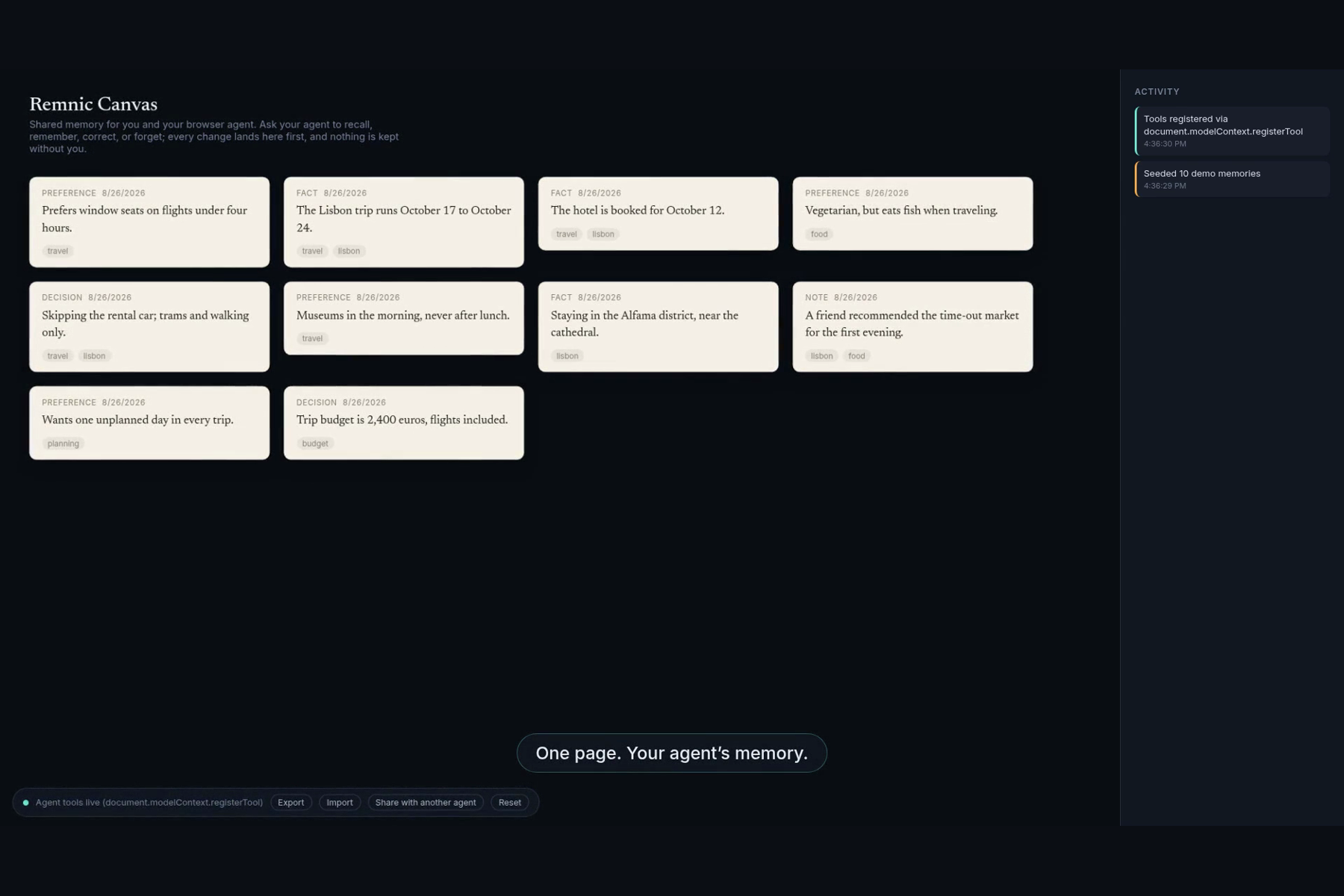
Remnic Canvas is one live page where you and an agent share the same memory.
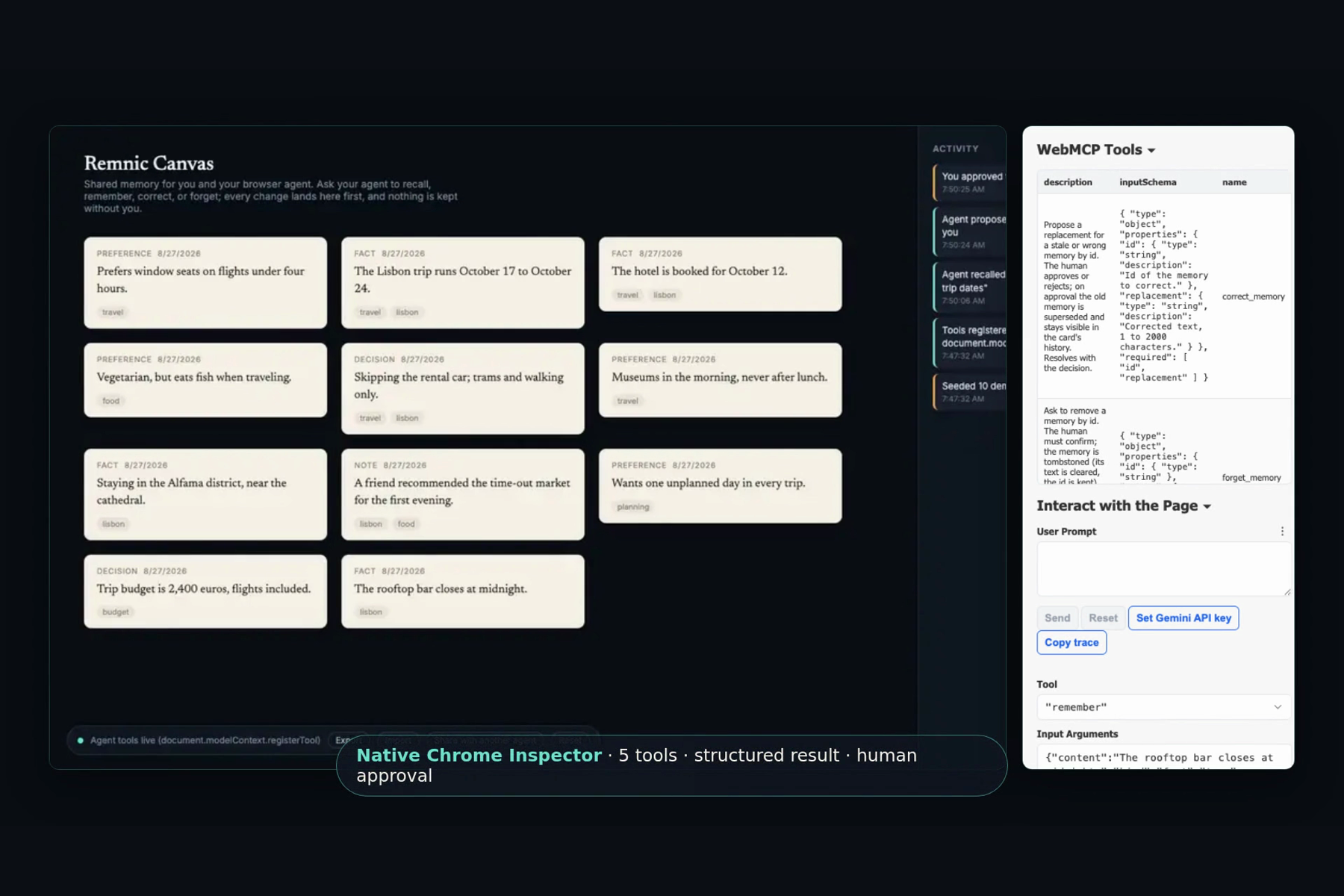
The page exposes five native WebMCP tools:
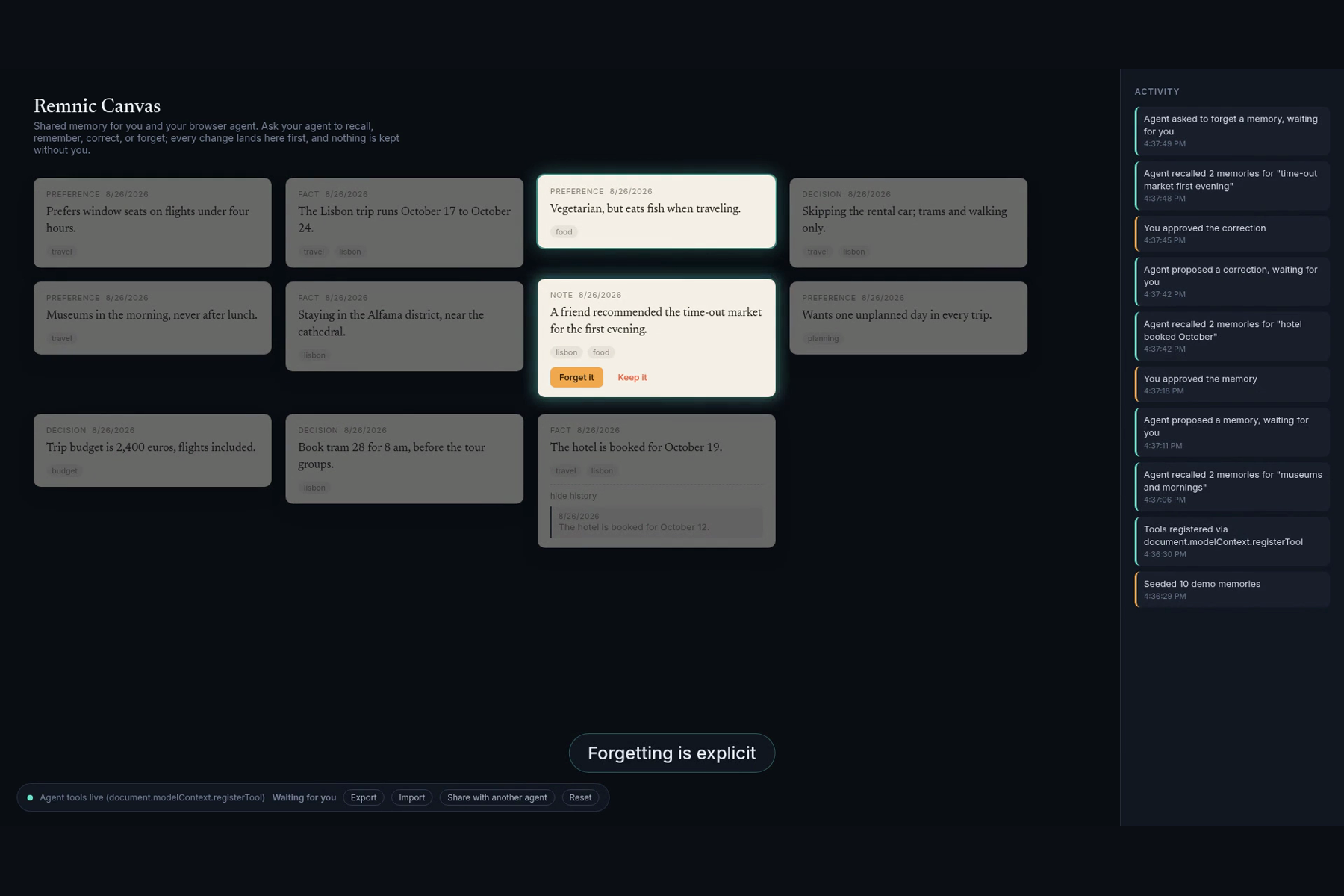
recall_memoriessearches approved memories and highlights the matching cards.rememberproposes a new memory and waits for the person to approve, edit, or reject it.correct_memoryreplaces a stale fact while keeping its visible history.forget_memoryasks for explicit confirmation before removing a memory.load_contextgives the agent a focused set of approved memories for its next task.
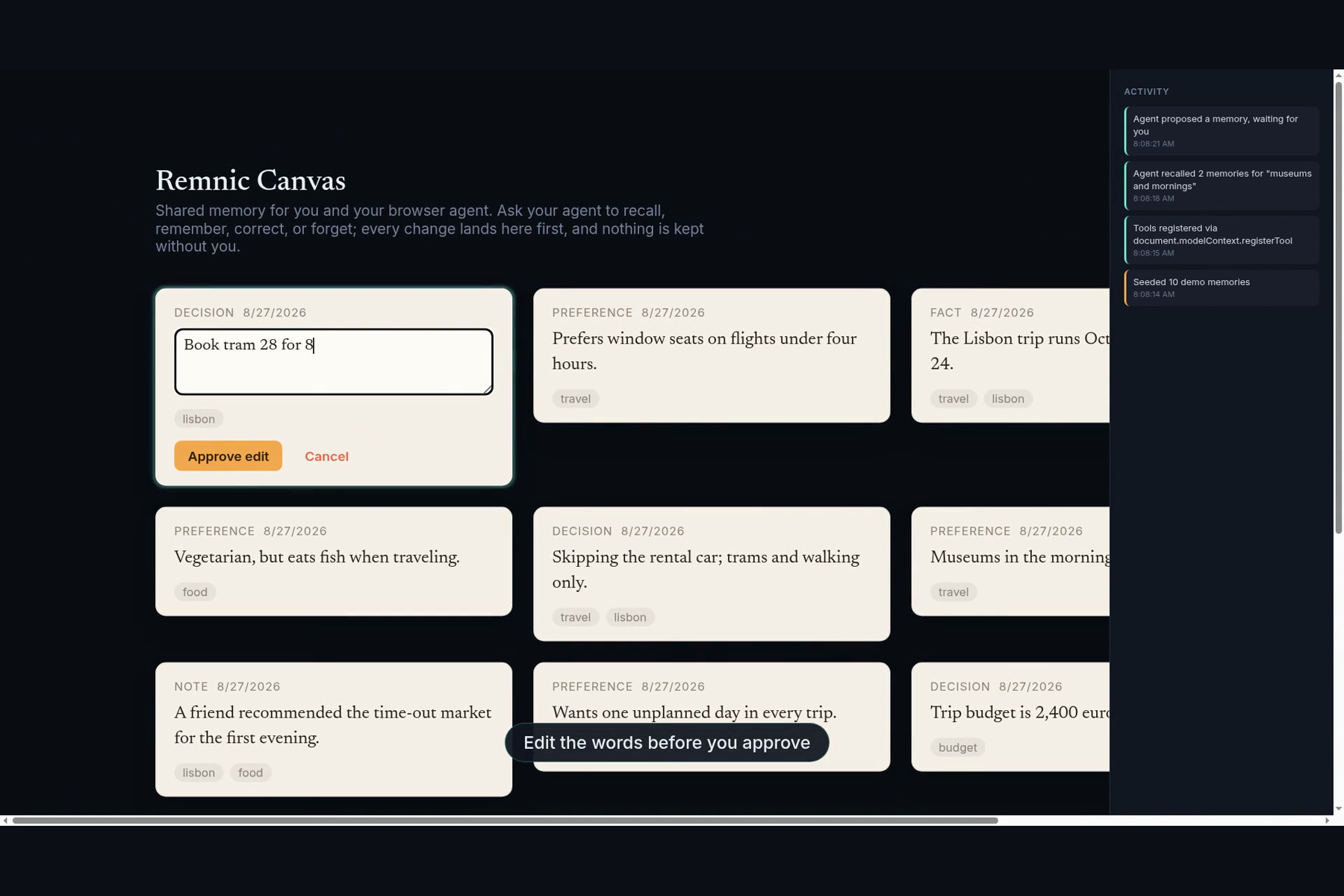
The approval step is part of the tool call. The agent proposes the words. The person can rewrite them. The edited text returns to the agent as the tool result. If a person does not answer before the agent's tool deadline, the tool returns pending while the card stays actionable on the page.
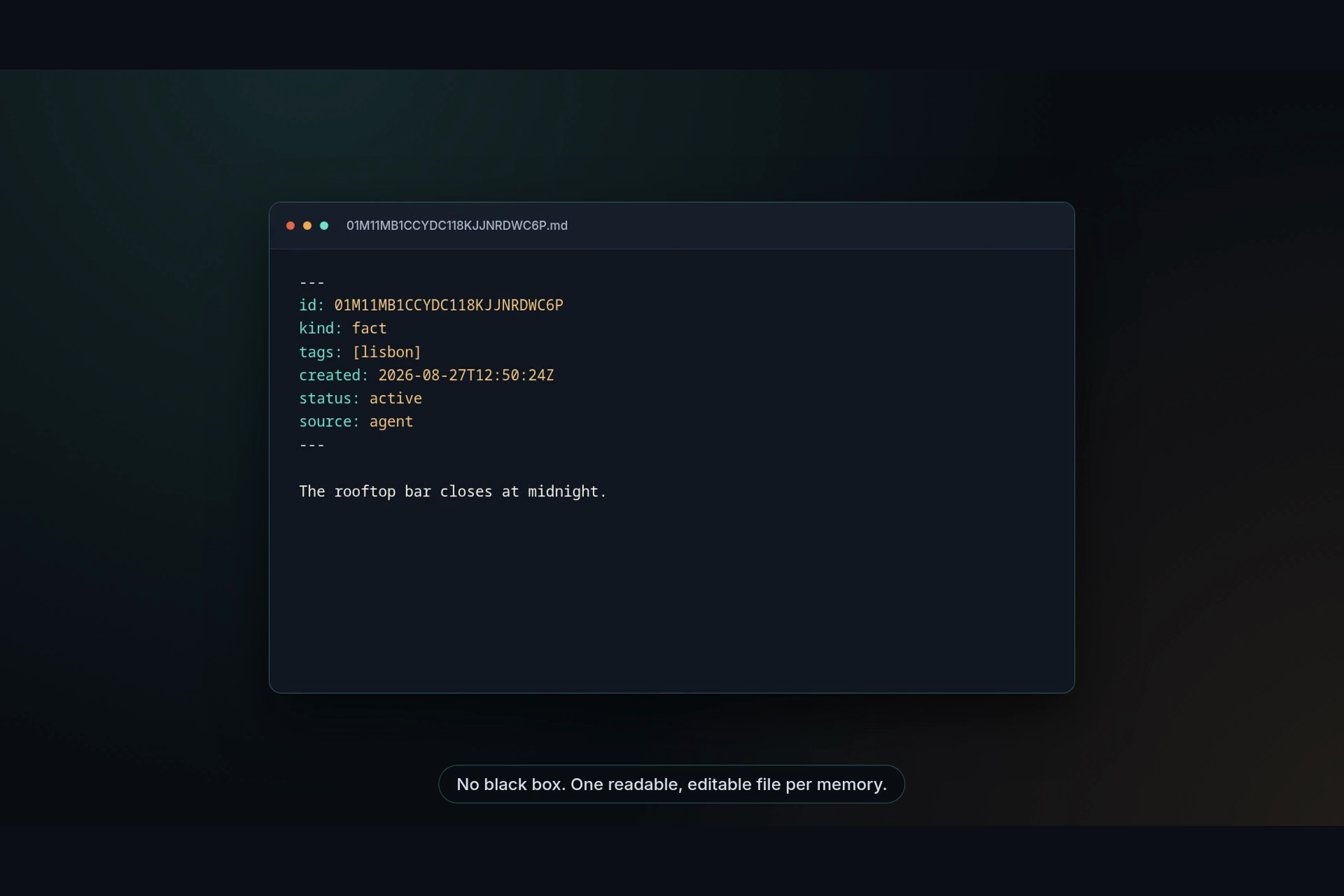
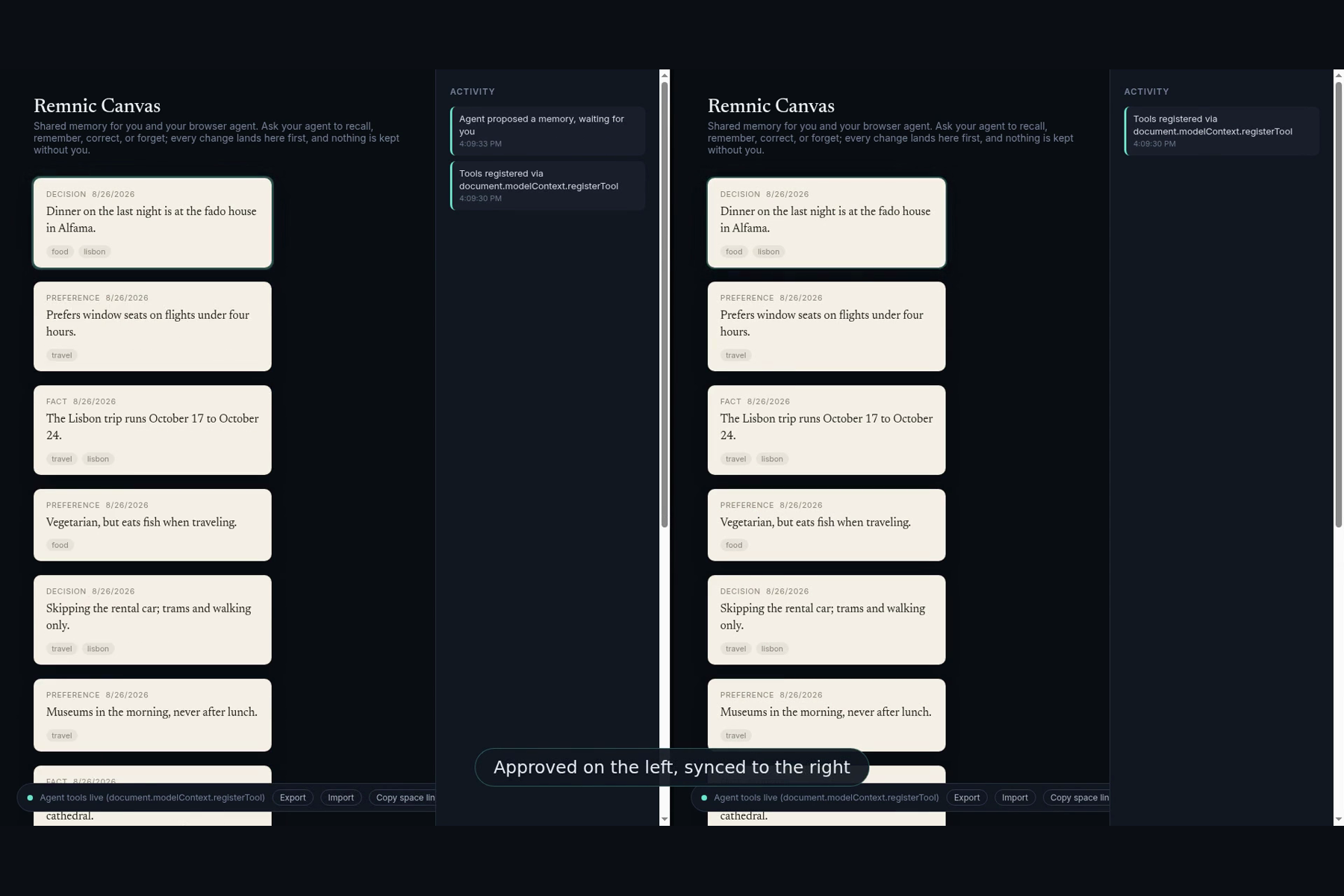
Shared spaces let another browser or agent use the same memory later. Every memory exports as a plain markdown file with YAML frontmatter. You can read it, edit it, track it in Git, or add it to Remnic.
Why WebMCP
This interaction needs the tool and the interface to share one live page. A backend MCP server cannot show a pending card inside the page and wait for a human edit. Screen scraping cannot guarantee that the page's approval rules were followed.
WebMCP lets the agent use the same code paths as the visible interface. The browser discovers a small set of structured tools. The person sees each action happen and keeps control of every write.
How I built it
The app uses React, TypeScript, Vite, IndexedDB, MiniSearch, and the WebMCP imperative API. A MemoryStore interface supports browser-local memory and shared spaces. Shared spaces sync through a Cloudflare Worker and Workers KV. The site is deployed on Cloudflare Pages and stays within the free tier.
The UI uses warm paper cards on a dark canvas. Teal marks agent actions. Amber marks human decisions. The activity rail records each tool call and approval. Corrections keep their lineage. Forgotten cards dissolve. Export and import use Remnic's markdown format.
Chrome requires WebMCP pages to be origin isolated, so the deployment sends Origin-Agent-Cluster: ?1 and a tools=(self) permissions policy. I tested the production page in Chrome 151 with enable-webmcp-testing. Chrome's official WebMCP Model Context Tool Inspector discovered all five tools, returned a structured recall result, and completed a real remember call through human approval.
Challenges
The hardest part was making human approval work inside a tool call without leaving the agent runtime hanging. The first design waited for 120 seconds. The final design returns a valid pending result after 55 seconds while leaving the card open for a later decision.
Browser support also required careful testing. My first ChatGPT tests opened links in the default external browser instead of ChatGPT's built-in browser. I corrected the setting and repeated the test on the right surface. Site Tools were not enabled for my ChatGPT account, so I completed native testing through the contest's other official path: Chrome 151 with the WebMCP flag and Inspector extension.
The video created a different challenge. A technical demo was not enough. I rebuilt it around the problem people feel, added captions and motion, showed the native Chrome Inspector result, zoomed into the human edit, and proved that export produces readable markdown rather than another black box.
What I learned
WebMCP is most useful when an agent action needs to stay visible, editable, and under human control. The strongest tool is not always the most autonomous one. Sometimes the important result is a clean handoff between the agent and the person.
I also learned that open memory is a natural WebMCP use case. The page can keep the human interface, expose a narrow tool contract, and let different agents share context without giving one AI vendor permanent control of that context.
What was built during the challenge
Remnic is an existing open source project and is used only as an external format and optional destination. Remnic Canvas is a new standalone app and public repository created during the challenge window. All Canvas code, the five WebMCP tools, approval flow, browser store, shared-space Worker, visual design, tests, deployment, video, and submission assets were built during the challenge.

Log in or sign up for Devpost to join the conversation.