Inspiration
Switching phones shouldn't mean losing your reminder system. Today’s reminder apps are either platform-locked, lack advanced recurrence, fail to clear notifications across devices in real-time, or break under poor network conditions. Professionals, students, and families need a reminder system that works reliably across devices — online or offline.
What it does
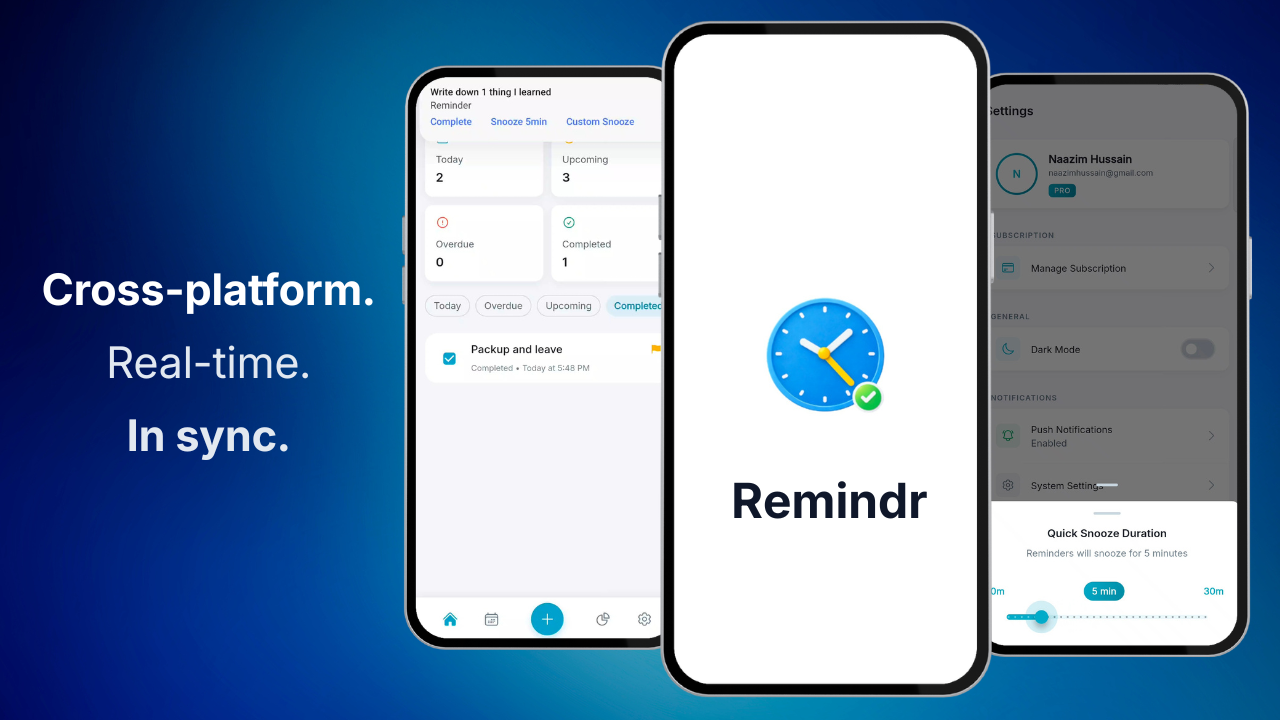
Remindr is a cross-platform reminders app designed for users who need more than basic functionality:
Core Reminder Features:
- Smart Snooze: Custom snooze intervals directly from notifications (e.g., "in 22 minutes"), eliminating arbitrary time constraints.
- Advanced Recurrence: Support for complex patterns including "Every 3 days," "Second Tuesday of the month," and "Weekdays only."
Sync & Reliability:
- Real-Time Cross-Platform Sync: Complete a reminder on one device and see it update instantly across all platforms—even clearing the notification from other devices' screens.
- Offline-First Architecture: Full functionality without internet connectivity, with automatic sync when connection is restored.
Organization & Discovery:
- Tags & Categories: Flexible organization system allowing users to categorize and filter reminders across multiple dimensions.
- Multiple Views: Switch between daily, weekly, monthly, and agenda views to visualize reminders in the format that matches your workflow.
- Insights Dashboard: Analytics showing completion patterns, productivity trends, and reminder distribution to help users understand and optimize their habits.
- Subtasks & Attachments: Break down complex reminders into actionable steps and attach relevant files, photos, or documents directly to reminders.
How we built it
We chose Flutter for true cross-platform development with a single, maintainable codebase:
- Frontend: Flutter with Riverpod for predictable state management and GoRouter for declarative navigation
- Backend: Supabase provides authentication, real-time database capabilities, and secure storage
- Local Database: Drift (SQLite) ensures offline functionality and local data persistence
- Monetization: RevenueCat manages cross-platform subscription infrastructure and entitlement logic
- Sync Engine: Custom-built synchronization system with conflict resolution and offline queue management
Challenges we ran into
Building a robust sync engine proved to be our most significant technical challenge. Implementing offline-first architecture with real-time synchronization and intelligent conflict resolution required designing a queue system that tracks all changes with timestamps and resolves conflicts using last-write-wins logic. This foundation was essential for delivering our "complete once, updates everywhere" promise.
Cross-platform notification reliability presented platform-specific complexities. Android's diverse ecosystem—with variations in WorkManager, AlarmManager, and manufacturer-specific battery optimization—required extensive testing and platform-specific implementations to ensure notifications fire consistently and on time.
Subscription management across both app stores demanded careful configuration and thorough testing of purchase, restore, and entitlement flows to ensure a seamless cross-platform experience.
Accomplishments that we're proud of
- Delivered true real-time sync where completing a reminder on one device updates all others instantly, including automatically clearing notifications on other active devices.
- Implemented custom snooze actions accessible directly from system notifications on both iOS and Android
- Built support for complex recurrence patterns while maintaining offline-first performance and reliability
What we learned
- Local-first architecture is foundational for building user trust and ensuring reliability across diverse network conditions
- Synchronization complexity scales exponentially with offline support and conflict resolution requirements
- Platform-specific notification behavior varies significantly across Android OEMs and requires targeted optimization
- Cross-platform subscription flows need comprehensive testing across both app store environments to ensure reliability
What's next for Remindr
- Collaboration Features: Shared reminder lists for families and teams with granular permissions
- Web Application: Full-featured web client for desktop workflows
- Intelligent Scheduling: ML-powered suggestions for optimal reminder timing based on user patterns
- Enhanced Privacy Controls: Per-list visibility settings and optional local-only mode for sensitive reminders
Built With
- dart
- drift
- fcm
- firebase
- flutter
- gotrue
- postgresql
- realtime
- revenuecat
- sql
- supabase

Log in or sign up for Devpost to join the conversation.