-
-
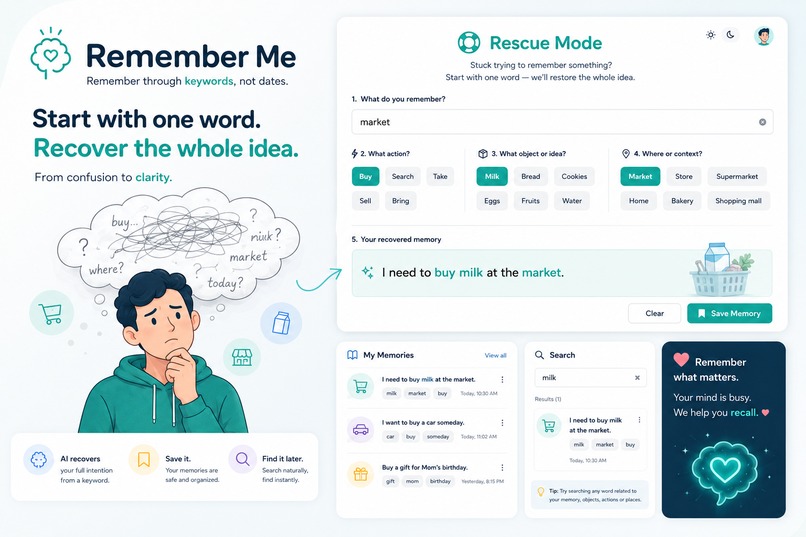
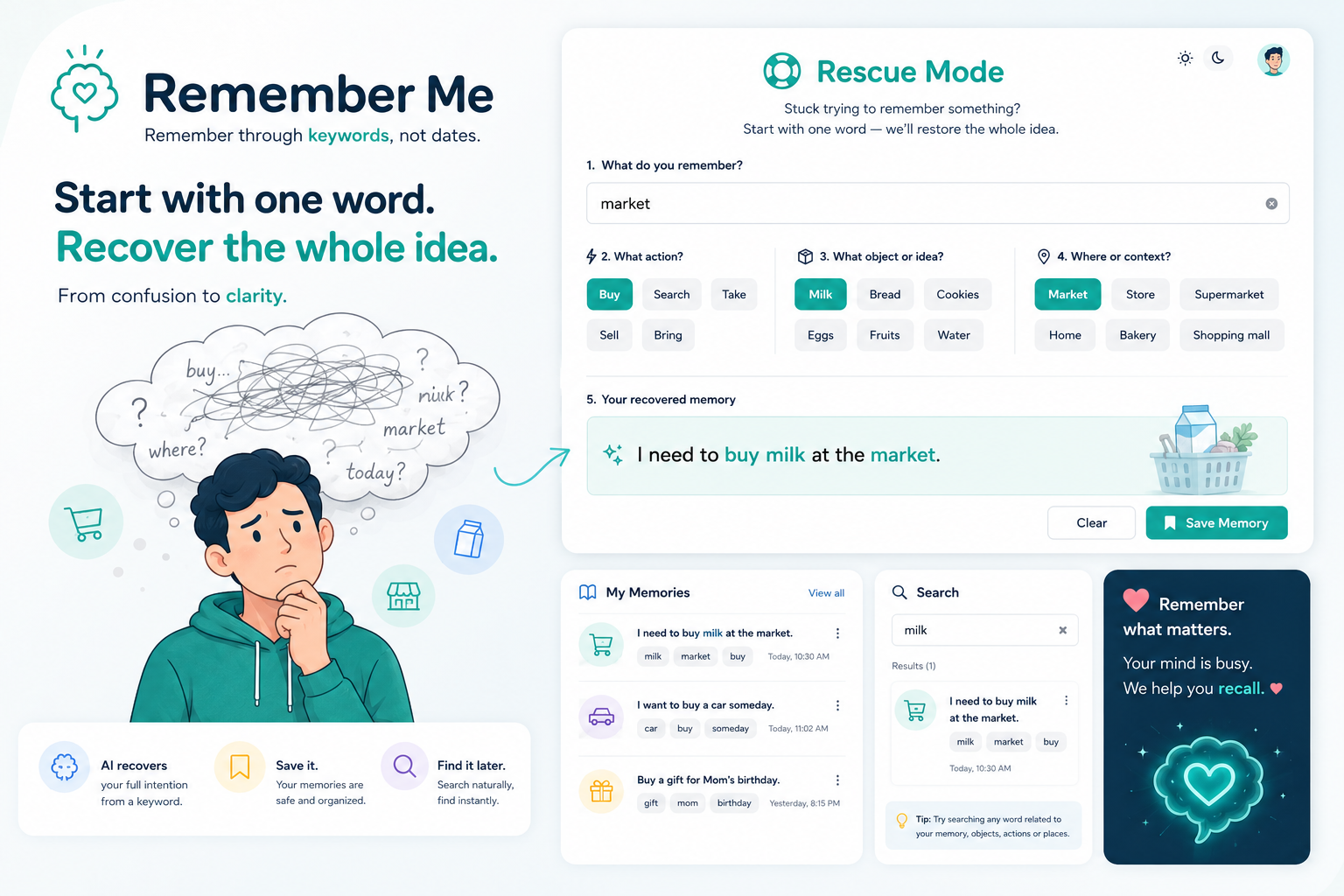
AI-generated concept mockup of Remember Me and its keyword-based Rescue Mode.
-
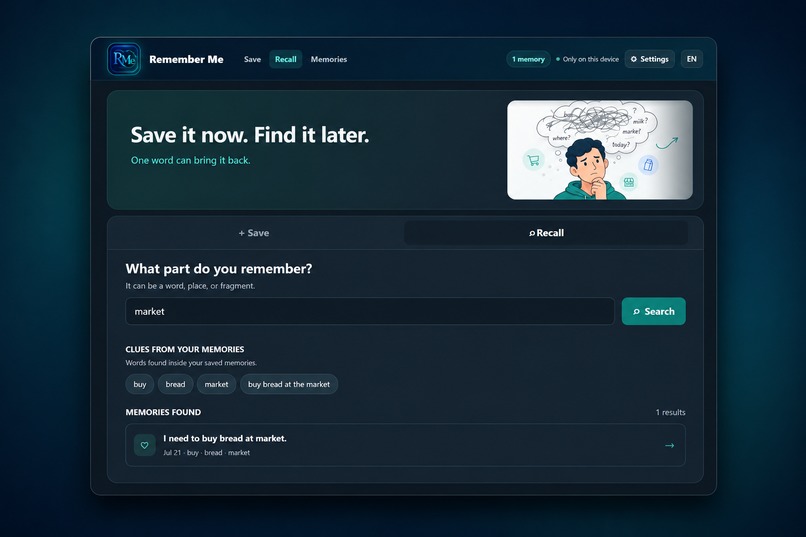
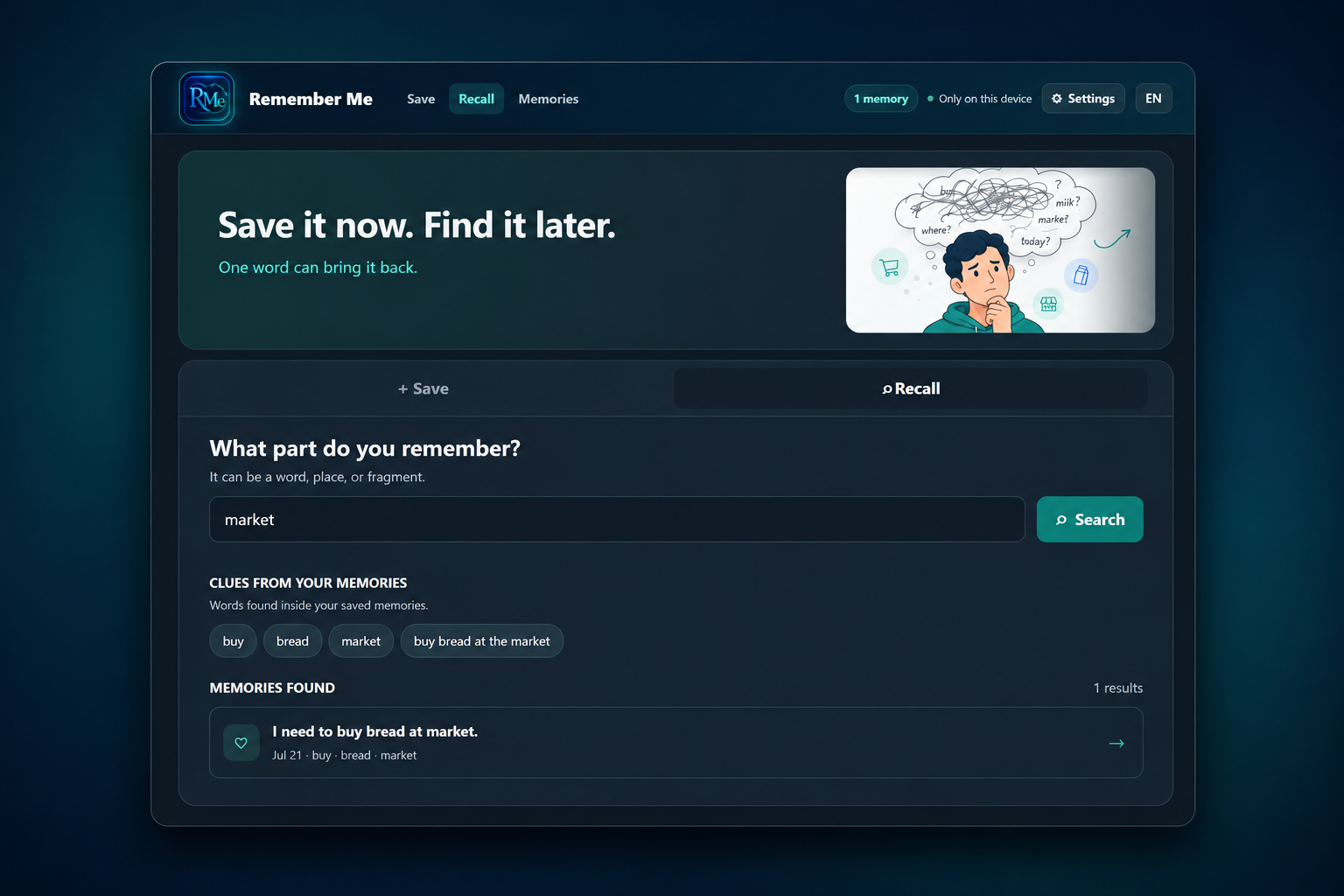
Recall a saved memory using only the keyword “market,” with related clues and the reconstructed reminder.
-
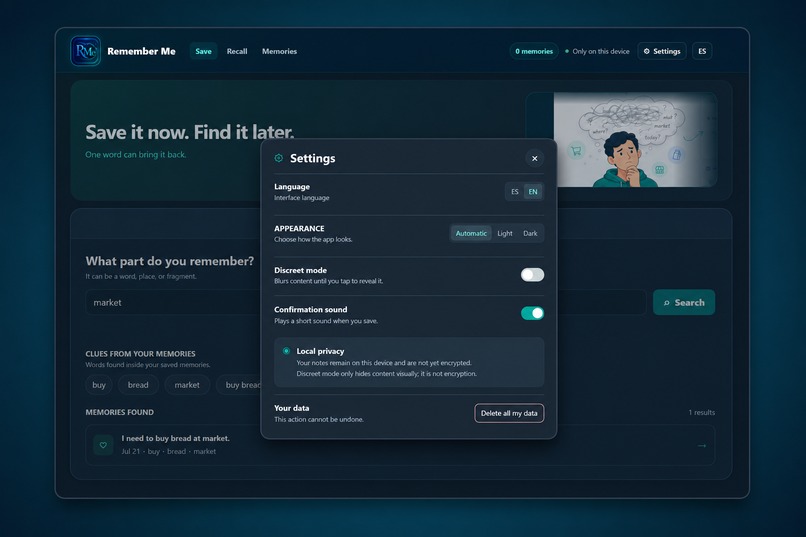
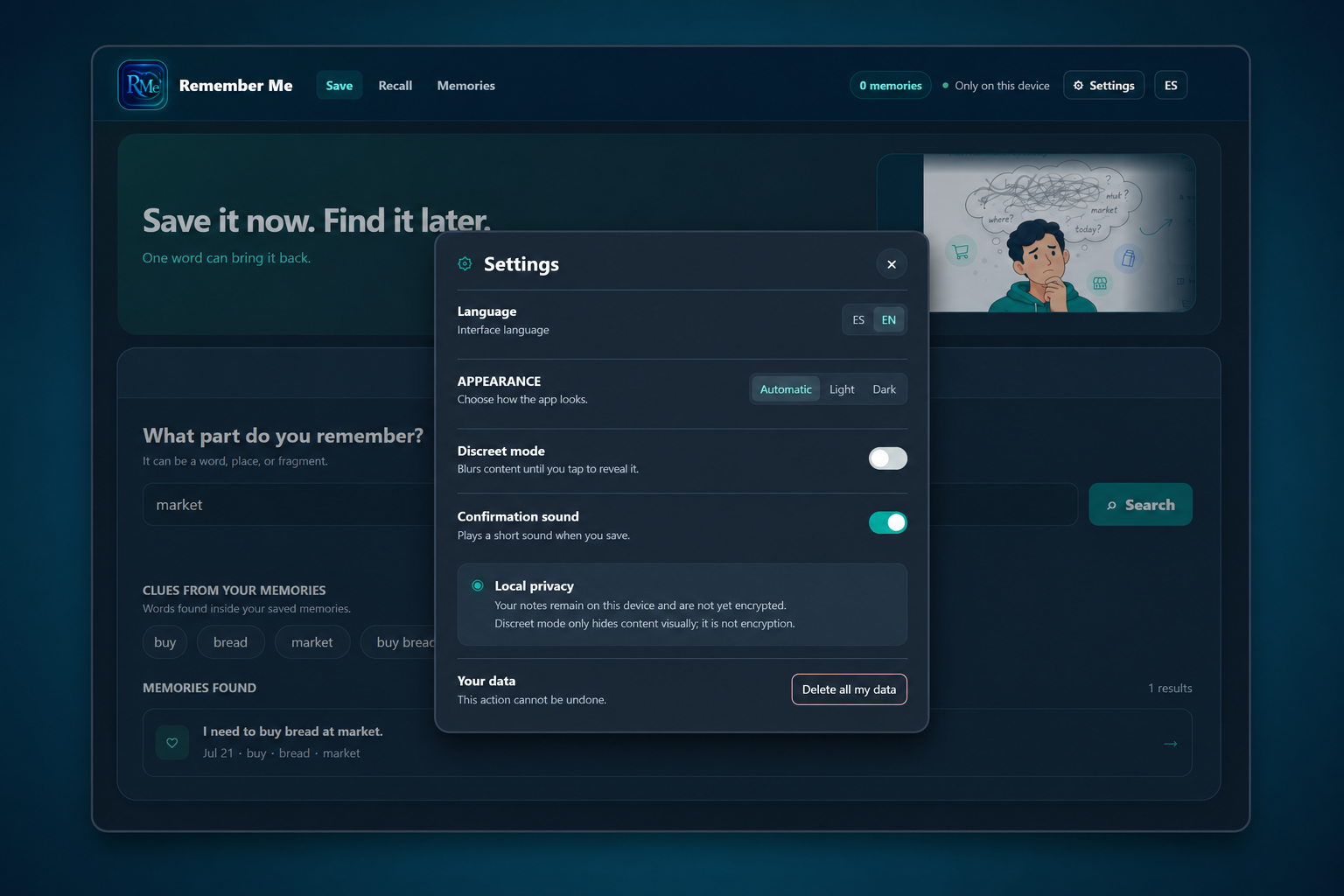
Settings for language, appearance, confirmation sound, discreet mode, and local privacy controls.
-
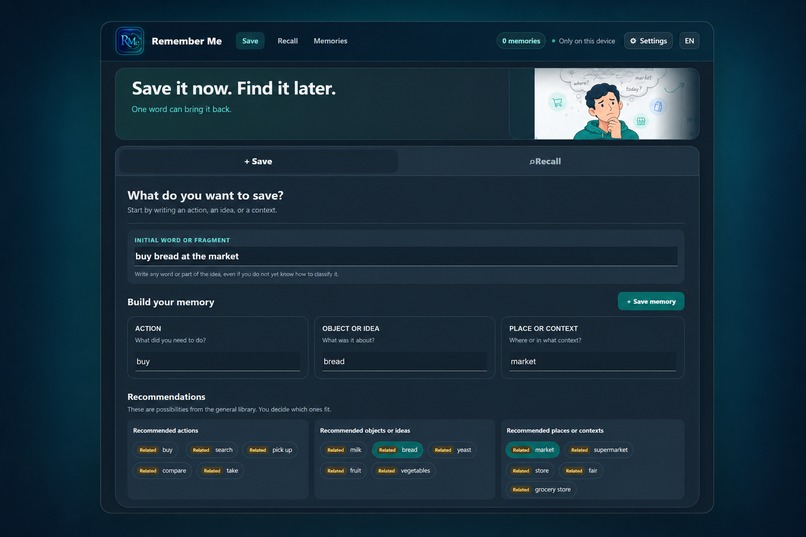
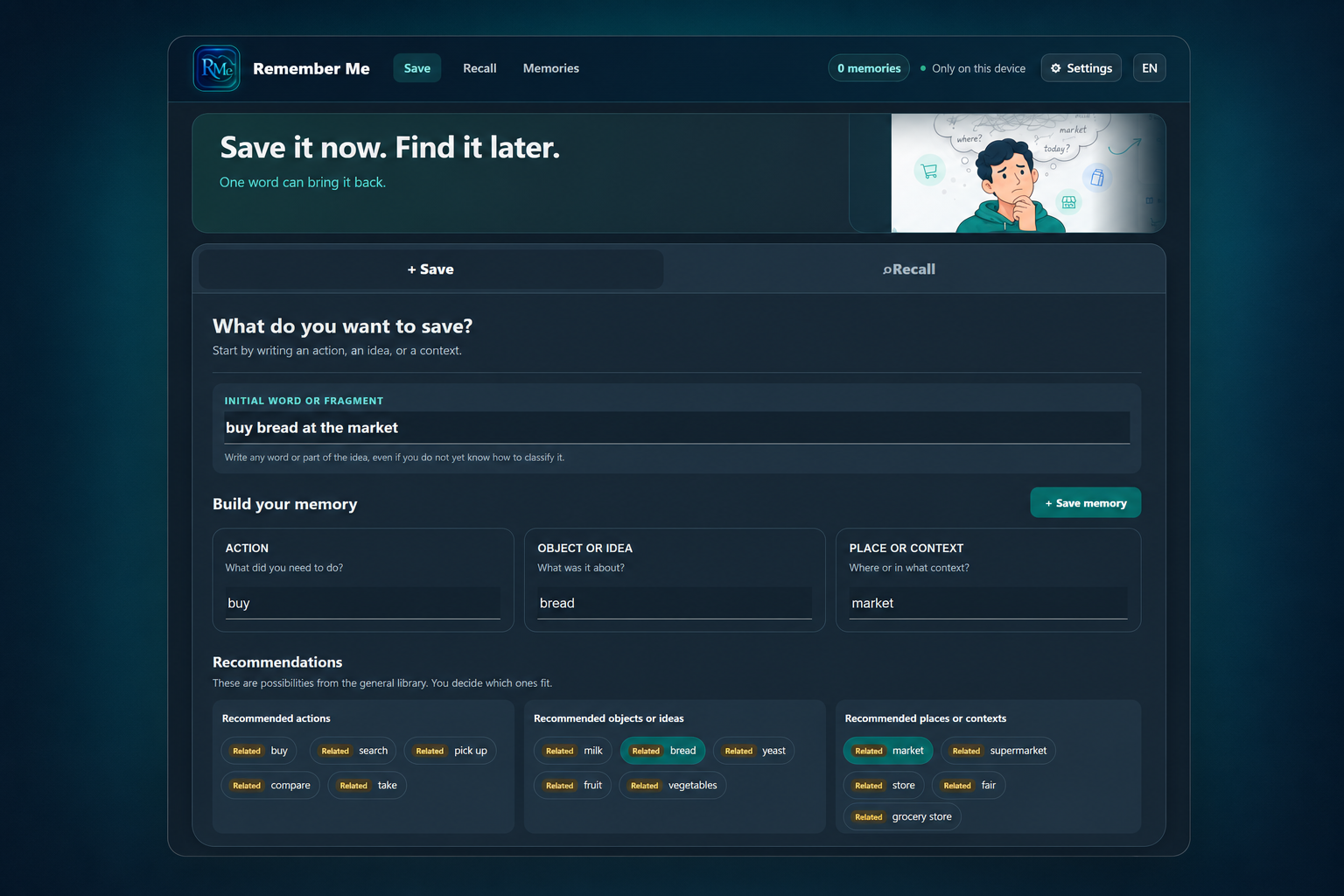
Save a memory from “buy bread at the market,” automatically organized into action, object, and context.
Inspiration
Remember Me was inspired by a simple experience that happens to me—and probably to many other people: sometimes we remember only a small fragment of something we wanted to keep.
For example, I may walk down a street and think, “There was a place here that sold something I liked,” or “I once ate something really good on this street,” but I can no longer reconstruct the complete thought. The street name, a product, a place, or a single word may be the only clue I still remember. Remember Me is designed for these spontaneous and unplanned moments. It is not a calendar, a task manager, or a shopping-list generator. The user saves a personal memory when it occurs, using whatever fragment is available. Later, entering that same word can bring back the complete intention or context that was previously saved. The memories can be practical, contextual, or completely unrelated to one another. What connects them is that they belong to the user and can be recovered through their own remembered words. The central idea is simple: even one random word can become a personal path back to something meaningful. I had wanted to turn this idea into an application for a long time. OpenAI Build Week gave me the opportunity to transform it into a working bilingual prototype.
What it does
Remember Me helps users capture and recover personal intentions through the words they still remember.
The user can enter a single word, an object, an action, a place, or a complete phrase. The application classifies the fragment into Action, Object or idea, and Place or context, while offering related suggestions from a bilingual local library.
A memory can be saved as a complete intention, such as “buy bread at the market,” or simply as one meaningful word. Later, the user can search for any remembered fragment and recover only their own saved memories.
Remember Me works in Spanish and English, stores information locally on the device, requires no account or external API, and can be installed as a Progressive Web App.
How we built it
I built Remember Me as a lightweight bilingual web application using HTML, CSS, and vanilla JavaScript.
The application follows two main flows:
- Save: enter a remembered word, fragment, or complete phrase.
- The application classifies it as an Action, Object or idea, or Place or context.
- The user can accept, edit, or complete the suggested fields.
- The final memory can be saved as a complete intention or as a single meaningful word.
- Recall: search for any remembered fragment and recover matching personal memories.
Memories are stored locally in the browser with localStorage. The application does not require an account, external database, API key, or permanent internet connection.
The bilingual recommendation system uses local JSON libraries in Spanish and English. These libraries contain actions, objects, places, and contextual associations that help classify common words and phrases without inventing personal memories.
I used Codex to inspect and modify the project files, implement and test the interface, expand the bilingual vocabulary, improve classification, validate local storage and search behavior, prepare the PWA files, and create a clean deployment folder.
I used GPT-5.6 to develop the original concept, define the product structure, analyze problems during testing, improve the user experience, prepare detailed instructions for Codex, and make decisions about privacy, scope, language, and presentation.
Remember Me was deployed on Netlify and includes a web app manifest and service worker, allowing it to work as a Progressive Web App.
Challenges we ran into
The main challenge was converting a personal and flexible idea into a simple application that could be understood and tested quickly.
A remembered fragment can be almost anything: an action, an object, a place, a name, or an unusual word. A small vocabulary made the application feel limited, so the Spanish and English local libraries had to be expanded considerably.
Another challenge was classification. A word such as “market” should be interpreted as a place, while “cat” should be treated as an object or idea. Complete phrases such as “buy bread at the market” also had to be separated into the correct fields.
The application also had to assist without inventing memories. General recommendations may help the user construct a new memory, but Recall mode must search only the memories personally saved on that device.
Finally, I had to keep the project small enough to finish during Build Week. Features such as accounts, cloud synchronization, alarms, and external AI APIs were intentionally excluded from this version.
Accomplishments that I am proud of
I transformed an idea that had existed only in personal notes into a working application that can be tested online.
The completed prototype can:
- understand single words and complete phrases;
- classify actions, objects or ideas, and places or contexts;
- provide bilingual local recommendations;
- save complete intentions or individual meaningful words;
- recover memories through any stored fragment;
- work in Spanish and English;
- preserve memories locally after the page is reloaded;
- avoid requiring accounts, API keys, or an external database;
- support light, dark, and automatic appearance modes;
- operate as a Progressive Web App.
I am also proud that the central concept remained intact throughout development: the application helps organize and recover the user’s own memory, rather than replacing it or inventing one.
What I learned
I learned that a useful AI-assisted product does not always need a large online model running inside the final application.
GPT-5.6 and Codex were valuable during the design and development process, while the deployed application remains lightweight, private, and independent.
I also learned that user control is essential. Recommendations should offer possibilities, but the final memory must always belong to the user.
Testing with simple words revealed important product weaknesses that were not obvious from the original concept. Words such as “dog,” “market,” and “database” helped expose gaps in vocabulary, classification, and interface behavior.
Most importantly, I learned that reducing the scope made it possible to transform an idea into a real and usable prototype.
What's next for Remember Me
The next version could improve natural-language classification and add more personalized associations based on the user’s own history.
Possible future improvements include:
- voice input;
- optional dates and reminders;
- encrypted local storage;
- export and import of personal memories;
- optional cloud synchronization between devices;
- additional languages;
- improved accessibility;
- native mobile packaging;
- user-controlled AI assistance for more complex fragments.
These additions would remain optional. The central idea will continue to be simple: save a fragment when it appears, and use that fragment to find the complete memory later.
Built With
- codex
- css
- gpt-5.6
- html
- javascript
- openai

Log in or sign up for Devpost to join the conversation.