-
-
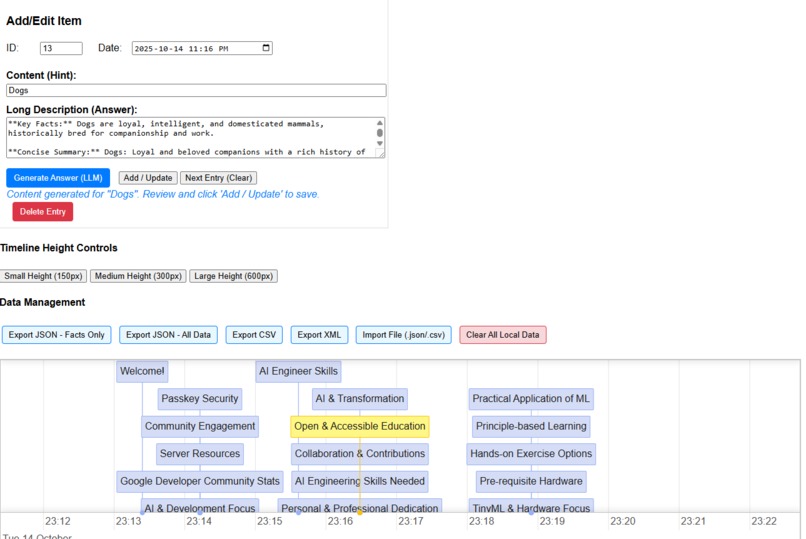
Generate information both online or offline
-
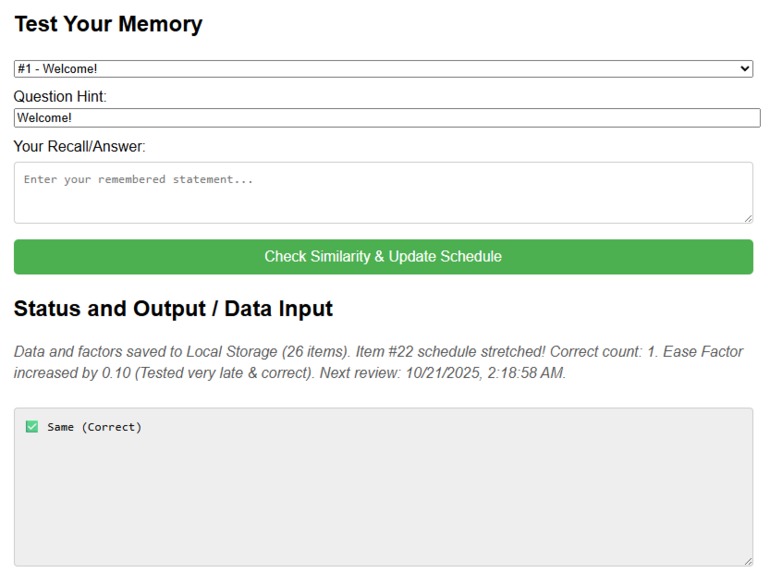
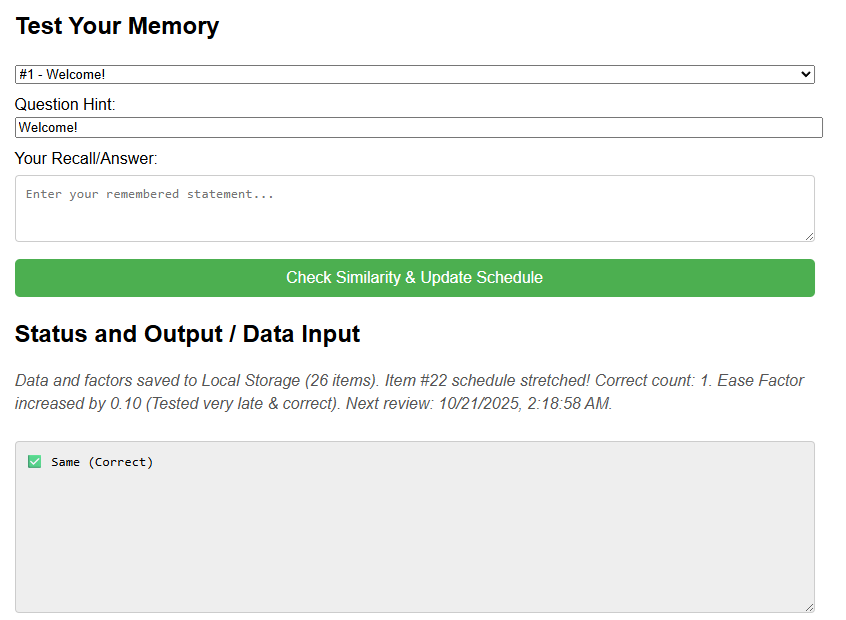
Test your knowledge. This was testing TinyML
-
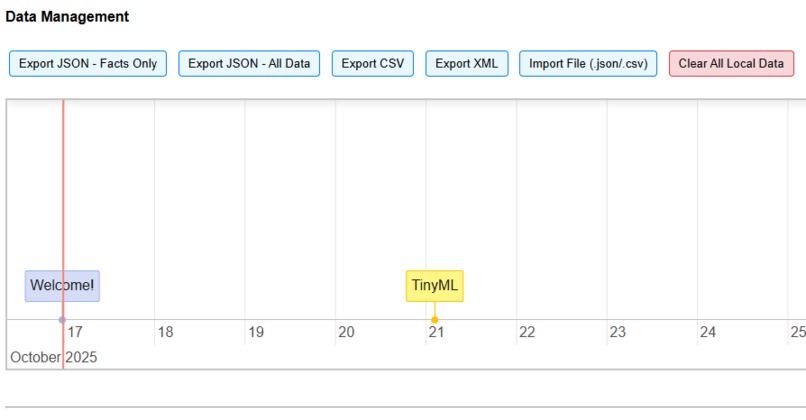
If correct review date moved forward.
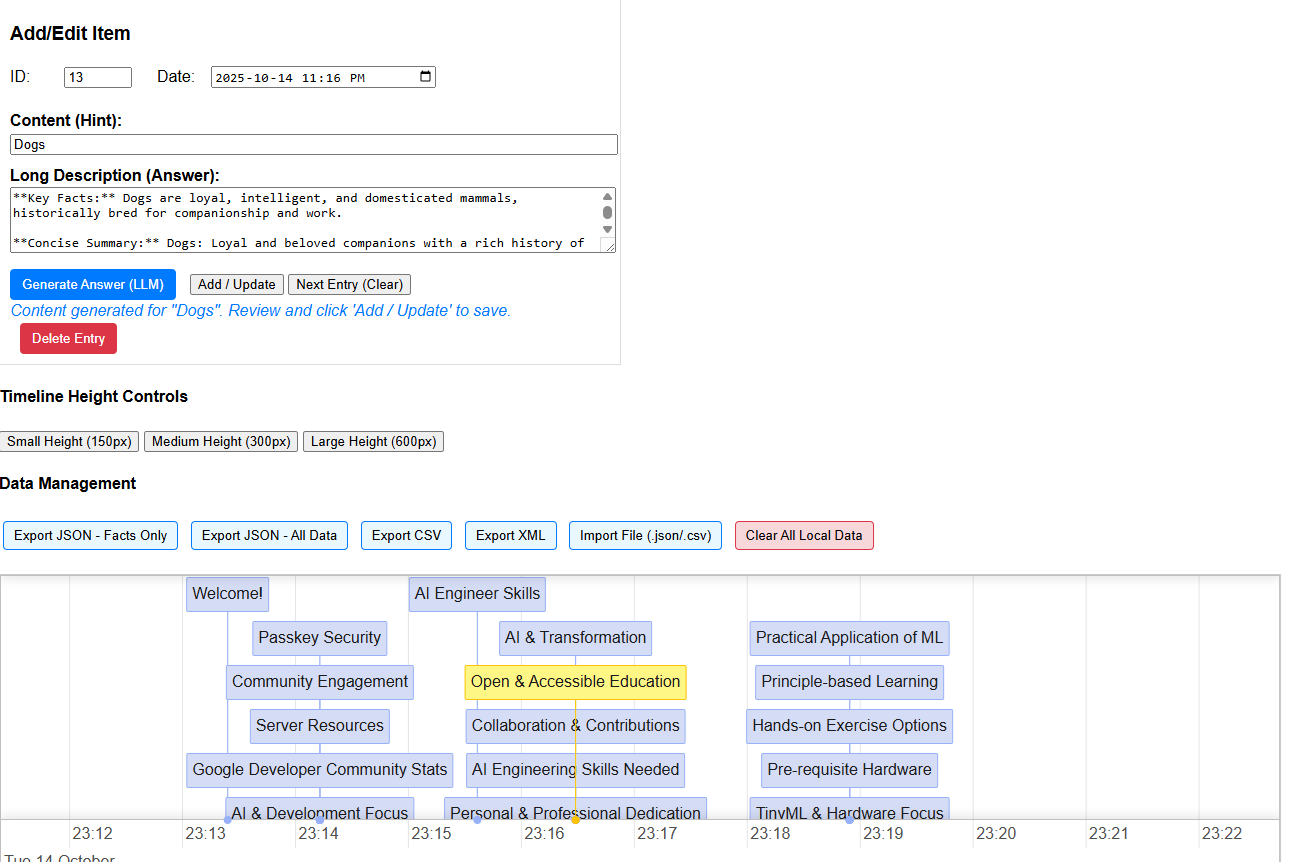
Inspiration
The primary inspiration for "Remember-All" comes from the universal challenge of retaining information over time, specifically the effective, data-driven principles of spaced repetition systems (SRS) like Anki and SuperMemo. Our goal was to create a modern, highly effective web application that makes spaced repetition accessible, runs entirely client-side for maximum privacy and portability, and leverages local AI for content generation. We built a tool that guides users to "remember it all" without relying on cloud services or external databases.
What it does
"Remember-All" is a powerful, client-side-only spaced repetition learning application designed to help users efficiently memorize and retain information over the long term, running entirely in the browser.
Key functionalities include:
- Intelligent Spaced Repetition: It employs a robust algorithm that schedules reviews of learned material at optimally increasing intervals, based on the user's recall performance (Again, Hard, Good, Easy).
- Offline LLM Integration: Uses the Chrome Built-in AI Prompt API to generate the "Answer" or "Long Description" for a flashcard based on a user-provided Hint/Content. This entire content creation process is offline-capable after the initial model download.
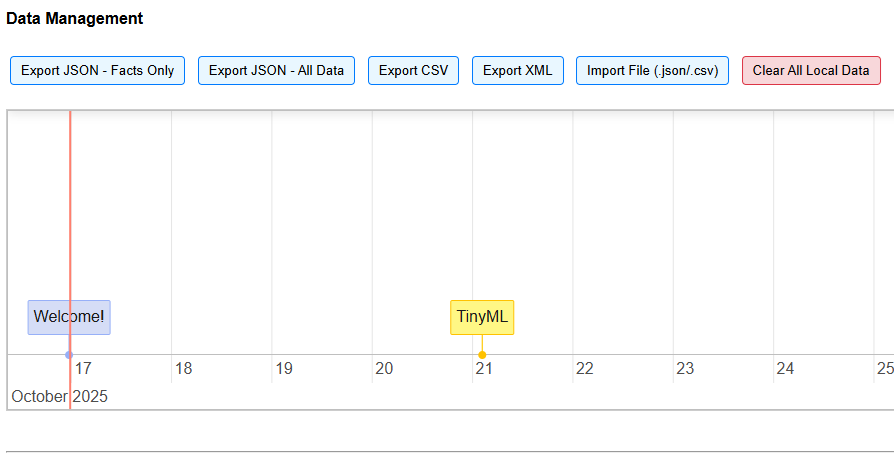
- Vis.js Timeline Visualization: It uses the Vis.js library to create a highly effective, dynamic, and responsive visualization of the entire review schedule, allowing users to see their next review dates and memory curve.
- Local Storage Persistence: The entire learning database (all flashcards, review history, and schedule data) is stored securely and privately in the user's browser Local Storage, ensuring 100% data autonomy and the ability to work offline.
- Recall Comparison Tool: Features a simple comparison function to help the user self-score their written answer against the stored answer, contributing to the next spaced repetition interval calculation.
How we built it
"Remember-All" was developed as a powerful single-page, client-side application, using a highly efficient mix of simple code and specialized libraries:
- HTML, Simple JavaScript, Inline CSS: These form the core structure. The code is structured to prioritize readability and transparency for teaching purposes.
- Vis.js: The only major library used, it handles the dynamic creation and rendering of the sophisticated, interactive timeline visualization of the review schedule.
- Chrome Built-in AI: Integrated using modern
async/awaitJavaScript to handle the computationally intensive task of generating educational content (flashcard answers) on the user's local device. - Local Storage API: The native browser Local Storage API is used as the database for all flashcard data and user progress.
- Coding Style Compliance: All core variables and functions are descriptively named with the
myprefix and are in camelCase (e.g.,mySaveToLocalStorage(),myGenerateAnswer()), adhering to the preferred simple coding style.
Challenges we ran into
- Algorithm Accuracy & Client-Side Execution: Implementing a robust and highly accurate spaced repetition algorithm (like SM-2) entirely in client-side JavaScript, ensuring it calculates exponentially increasing intervals correctly across all browser sessions.
- Content Generation Reliability: Crafting the prompt to the local LLM to consistently generate concise, accurate, and relevant flashcard answers from the hint text.
- Data Serialization and Persistence: Reliably saving, loading, and parsing a potentially large amount of learning data (including the complex schedule history) using only the simple Local Storage API.
- Integrating Vis.js: Properly integrating the data array with the Vis.js library to ensure the dynamic timeline accurately reflects the current state of the spaced repetition schedule.
Accomplishments that we're proud of
- Fully Offline LLM-Powered Learning: Successfully created a sophisticated spaced repetition tool where both the data storage and the content creation (LLM generation) work entirely offline after the initial setup.
- Visualizing the Learning Curve: The seamless integration of Vis.js to dynamically show the user's upcoming review schedule and the "exponentially increasing curve" of memory retention is a major achievement for user motivation and clarity.
- Privacy and Portability: Delivered a powerful tool that offers complete data privacy (data never leaves the browser) and is highly portable, running on any modern Chrome browser.
What we learned
- Client-Side Power: Reinforced the idea that highly complex, data-driven applications—including intelligent algorithms and LLM integration—can be built effectively using client-side web technologies and the Chrome Built-in AI.
- Algorithm Tuning: Practical experience in implementing and fine-tuning the parameters of a spaced repetition algorithm for optimal user benefit.
- Data I/O: The importance of robust serialization and deserialization routines when using Local Storage as the primary database for structured data.
What's next for Remember-All
- Enhanced AI-Powered Testing: Exploring an AI feature that uses the local LLM to evaluate the user's typed answer for semantic accuracy, rather than just simple string comparison.
- Advanced Content Generation Prompts: Refining the LLM prompt templates to allow users to generate different types of content (e.g., a multiple-choice question or a short summary).
- Code Documentation: Enhancing the JavaScript with detailed comments, clearly explaining the logic of the spaced repetition algorithm and the LLM integration for teaching students.
- Import/Export Refinement: Ensuring highly reliable export and import functionality for the data, to allow users to back up or share their learning decks.

Log in or sign up for Devpost to join the conversation.