-
-
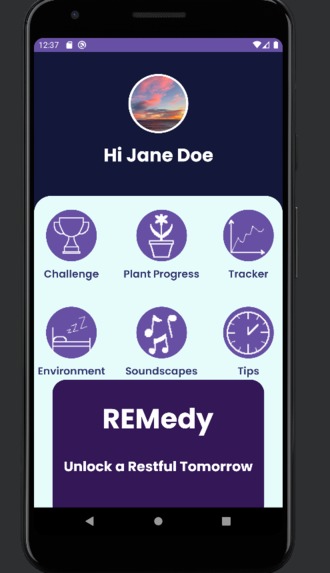
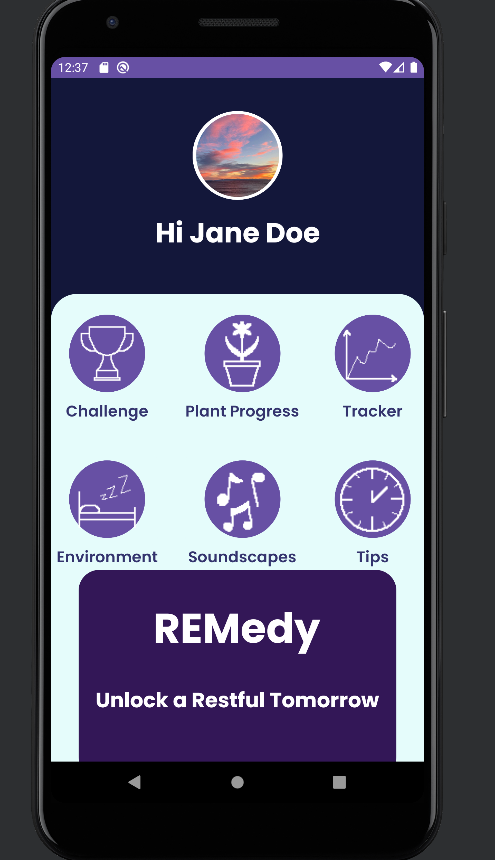
Home Page: user is presented with 6 main options
-
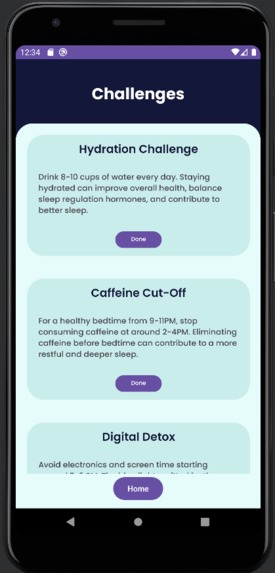
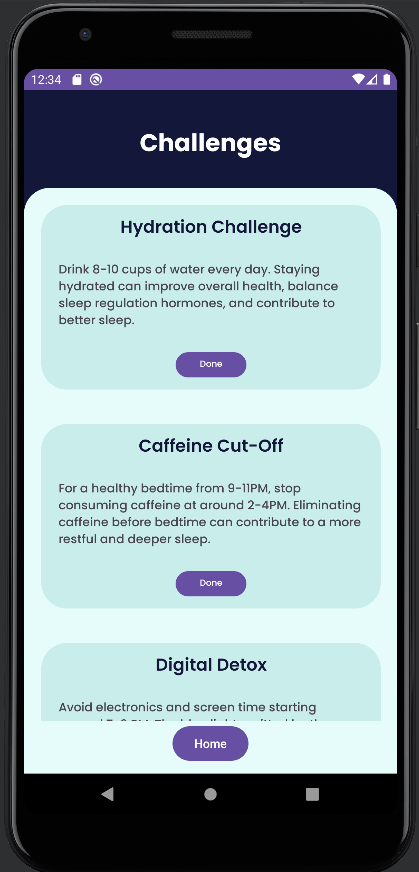
Challenges: users are able to complete challenges that help them sleep earlier and healthier for points
-
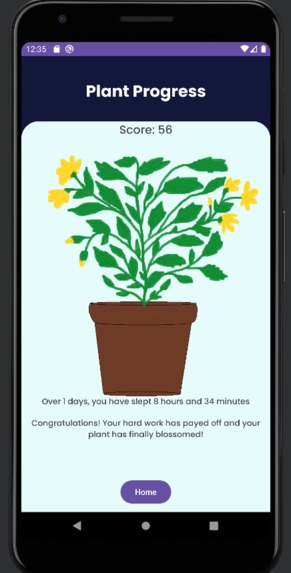
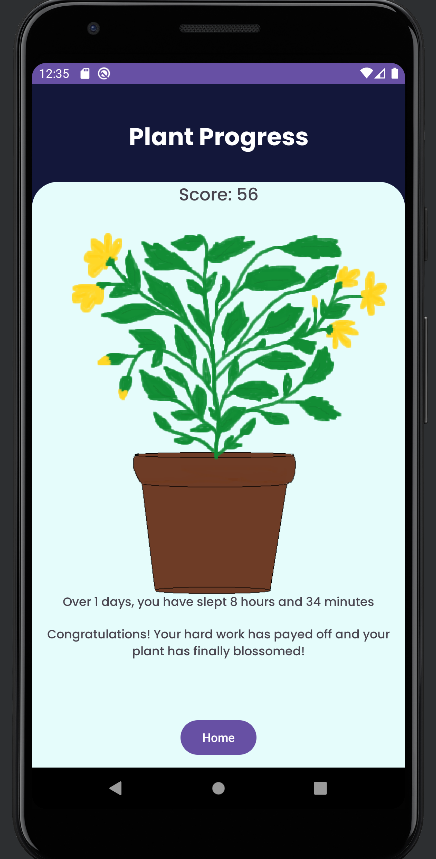
Plant Progress: the more points earned from challenges, the more the user's plant grows
-
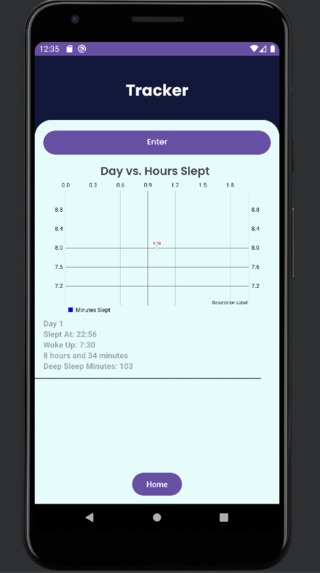
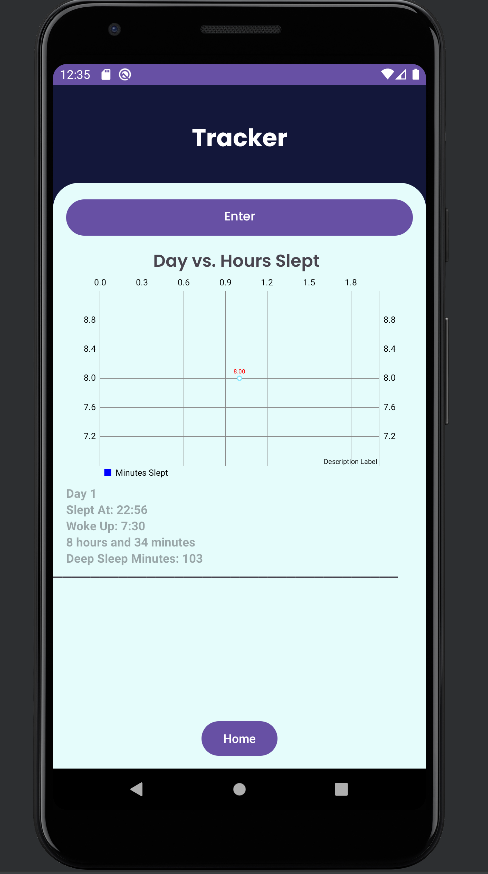
Tracker: user is able to track and visualize how much sleep they have been getting
-
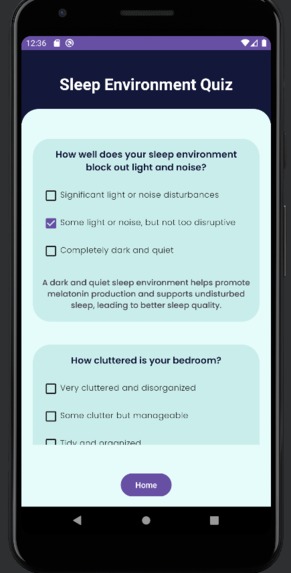
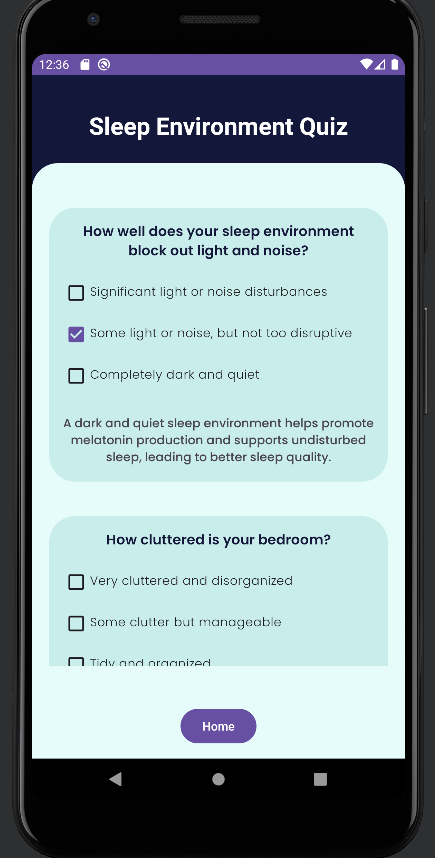
Environment Quiz: assesses the user's sleep environment and gives tips for improvement
-
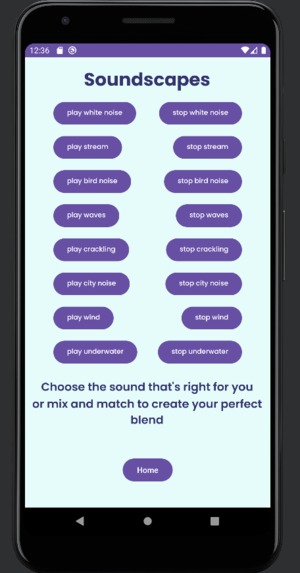
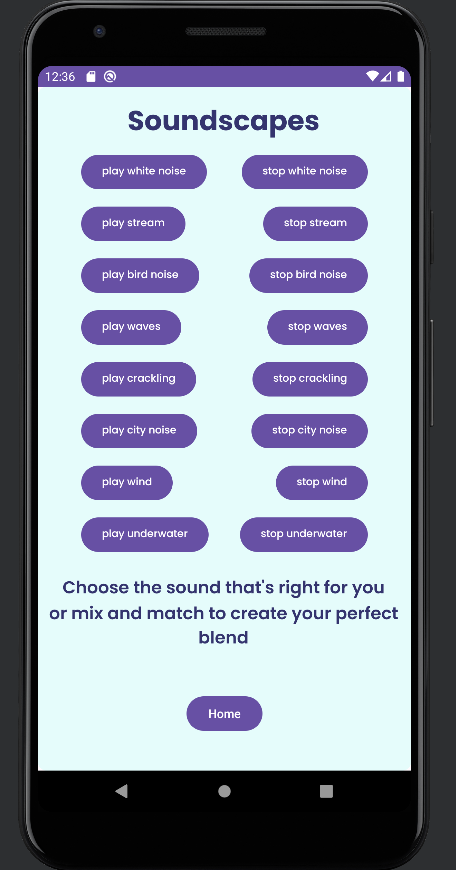
Soundscapes: user is able to play a variety of soothing sounds to sleep easily
-
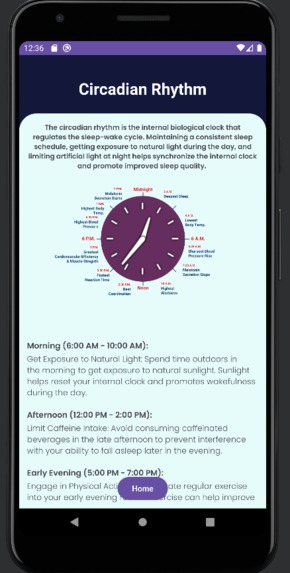
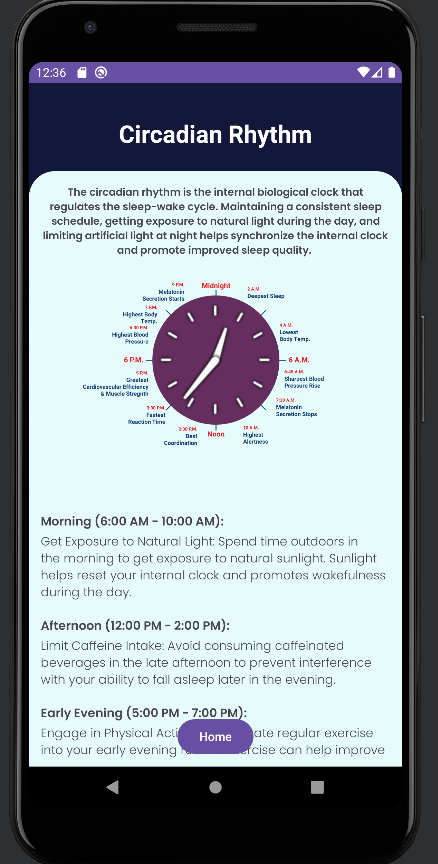
Tips: user is given tips on how to best maintain their circadian rhythm for a healthy sleep-wake cycle
Inspiration
Not getting adequate sleep is a rising problem among teenagers in today’s society. With great demands in academics and extracurriculars, nearly 73% of all teens report not getting the recommended 8 hours of sleep everyday. Not only does insufficient amounts of sleep cause a decline in energy, but it also correlates with a lack of concentration, lower grades, and various chronic health issues, including an increased risk of obesity, depression, heart disease, and substance abuse. Our app, REMedy, implements various strategies and features in order to remedy sleep deprivation among teenagers, with the aim of promoting better health and well-being.
What it does
REMedy contains 6 main features: Challenges, Plant Progress, Tracker, Environment, Soundscapes, and Tips.
The Challenges page features a multitude of challenges for users that encourage sleeping earlier and healthier, varying from staying hydrated, cutting down caffeine, exercising in a natural light, not using electronics late at night, and much more, all of which are helpful in increasing sleep quality. Completing each of these challenges awards the user a certain number of points.
Plant Progress is where you can find your score and how much sleep you’ve gotten over your past days. As the user completes more challenges, the sprout grows into a plant and blooms, acting as a visualization of the benefits of healthier sleeping habits and as an incentive for the user to complete the Challenges.
The Tracker page allows the user to input their starting sleep time and ending sleep time, which calculates for the user how many hours and minutes they slept, as well as an estimated amount of minutes they were in deep sleep. There is also a graph to visualize the overall progress of the user.
The Environment Quiz feature asks the users some questions about electronics, cleanliness, air quality and more to assess the quality of their sleep environment.
The Soundscapes page includes a collection of soothing noises and sleep-inducing sounds meant to create a relaxing environment, perfect for providing you with a restful night’s sleep. In the night you can play one or more of the sounds to help you fall asleep.
The Tips page gives a short explanation of the Circadian Rhythm, a biological process that maintains the sleep-wake cycle and gives a suggested schedule on how to best maintain a healthy circadian rhythm and sleep habits.
How we built it
Our app was created using Java on Android Studio. Since none of our team members have used Android Studio before, we first followed a UI tutorial to create the basic layout for our app. Then, we planned out what features we want on our app and how we want users to interact with these features. With an idea in mind, we split up the features we wanted to complete, with each team member completing 1-3 features each. Then we combined all of our code into one Android Studio project and added some finishing touches together, including a better UI/UX to fit the Pixel 3aXL emulator, design elements, as well as instructions for the user.
Challenges we ran into
One challenge that we ran into is figuring out how to implement the graph on the tracker page. We realized we had to first implement the graphing function, then after that we were able to find a way to update the points as the user entered in more and more information. Another issue we ran into was working with the scrolling screen, as it was difficult to position texts and buttons where we wanted with a scrolling screen. This issue was solved by using constraint and relative layouts inside of the scrolling screen.
Accomplishments that we're proud of
Due to this being our first time creating an app, it took us some time to get familiar with using Android Studio, including both the design and coding aspects. We had to watch many tutorials and walkthroughs, but in the end, we were able to create some features on our own with the knowledge we gained. Our biggest accomplishment is that we created our very first, fully-functioning app within just 2 days.
What we learned
As this was our first time creating an app, the most important thing we learned during this hackathon is the process of making an app. We realized we first needed to come up with a detailed plan, create the UI design, and then add the backend code that would make the app work properly. It was also our first time using Android Studio, but by the end of the hackathon, we were all familiar with the IDE and had gained enough knowledge to create a basic app without the help of tutorials.
What's next for REMedy
In the future, we hope to implement more features that personalize the experience for each user based on their needs. Everyone has different sleeping schedules and methods that work for them, so we hope to use AI to analyze the needs of the user and tailor suggestions for a healthier sleep according to their past experience.
Built With
- android-studio
- github
- java
- pixilart.com
- xml


Log in or sign up for Devpost to join the conversation.