Inspiration
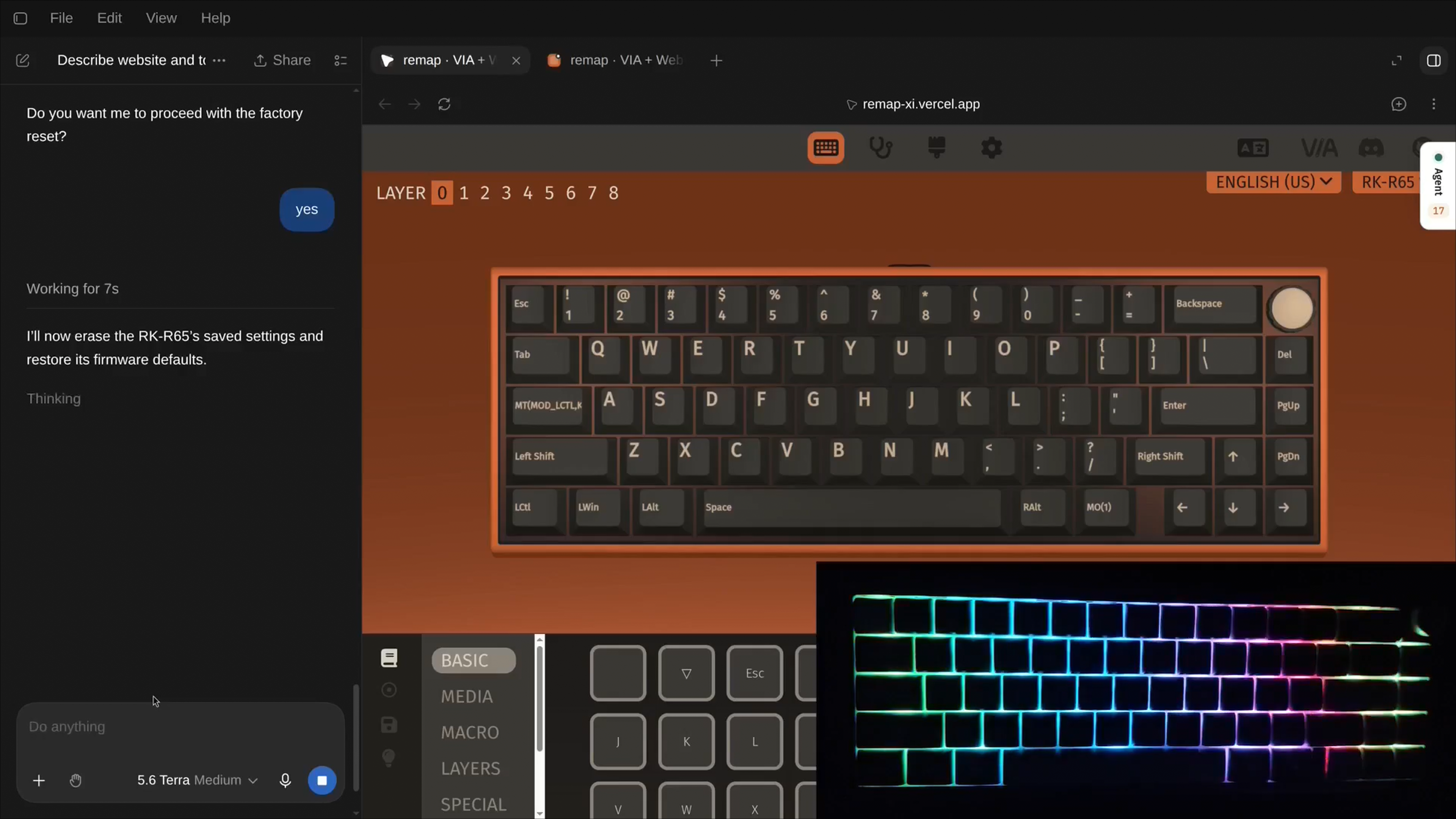
I got a new mechanical keyboard a few months back and was configuring it through the via configurator (usevia.app). I found it difficult to search up key codes and configuration syntax but when I heard about WebMCP, it seemed like the right tool to help.
What it does
remap helps you configure your keyboard easily through your agent by exposing 45 tools to it via WebMCP covering keymap and layers, lighting, macros etc. Every tool call is the exact method the human facing UI uses.
How I built it
remap is a fork of VIA (https://github.com/the-via/app). Every tool goes through one shared registry file instead of being registered by hand each time. This one file handles three things for every tool: logging what happened, popping up the confirmation for risky actions, and making sure a failed tool call comes back as a normal message (like {ok: false, error: "..."}) instead of a crash.
I used Redux (the app's existing state system) to store the agent's activity log and pending proposals, right next to the app's normal state. Some tools only exist temporarily. For example, "write this proposal" only appears as an available tool once a human has actually approved it, and disappears again afterward.
Challenges I ran into
I ran into a case that looked like a bug but wasn't: a keyboard that was visible to the browser but wasn't actually running keyboard firmware that supports VIA at all. That took real time to track down before I confirmed it was a hardware/firmware issue, not something wrong with my code :P
Accomplishments that I'm proud of
An actual working setup that lets your agent talk with the hardware!
What I learned
That WebMCP helps both human and agent to collaborate without needing any additional setup.
What's next for remap
Support for more QMK features (like tap dance and key combos), and a history view so a human can look back and see everything an agent has proposed and why, not just what's happening right now.
Built With
- chatgpt
- css
- javascript
- model-context-protocol
- qmk
- react
- react-three-fiber
- redux
- redux-toolkit
- styled-components
- three-js
- typescript
- vercel
- via
- vite
- webhid
- webmcp


Log in or sign up for Devpost to join the conversation.