-
-

-
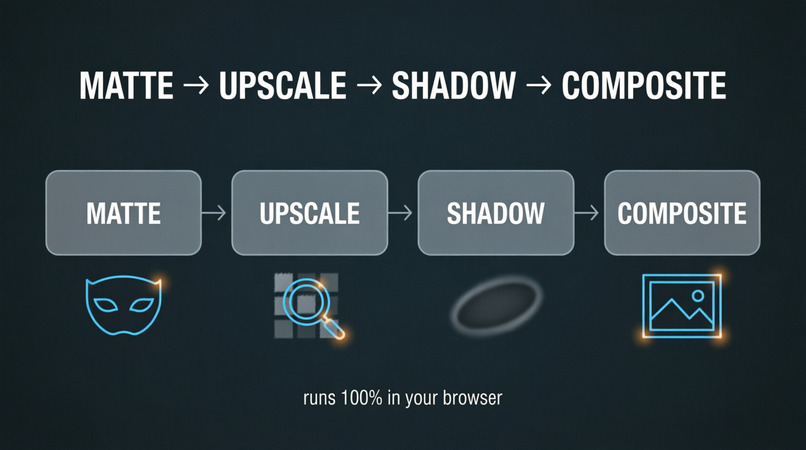
workflow
-
-

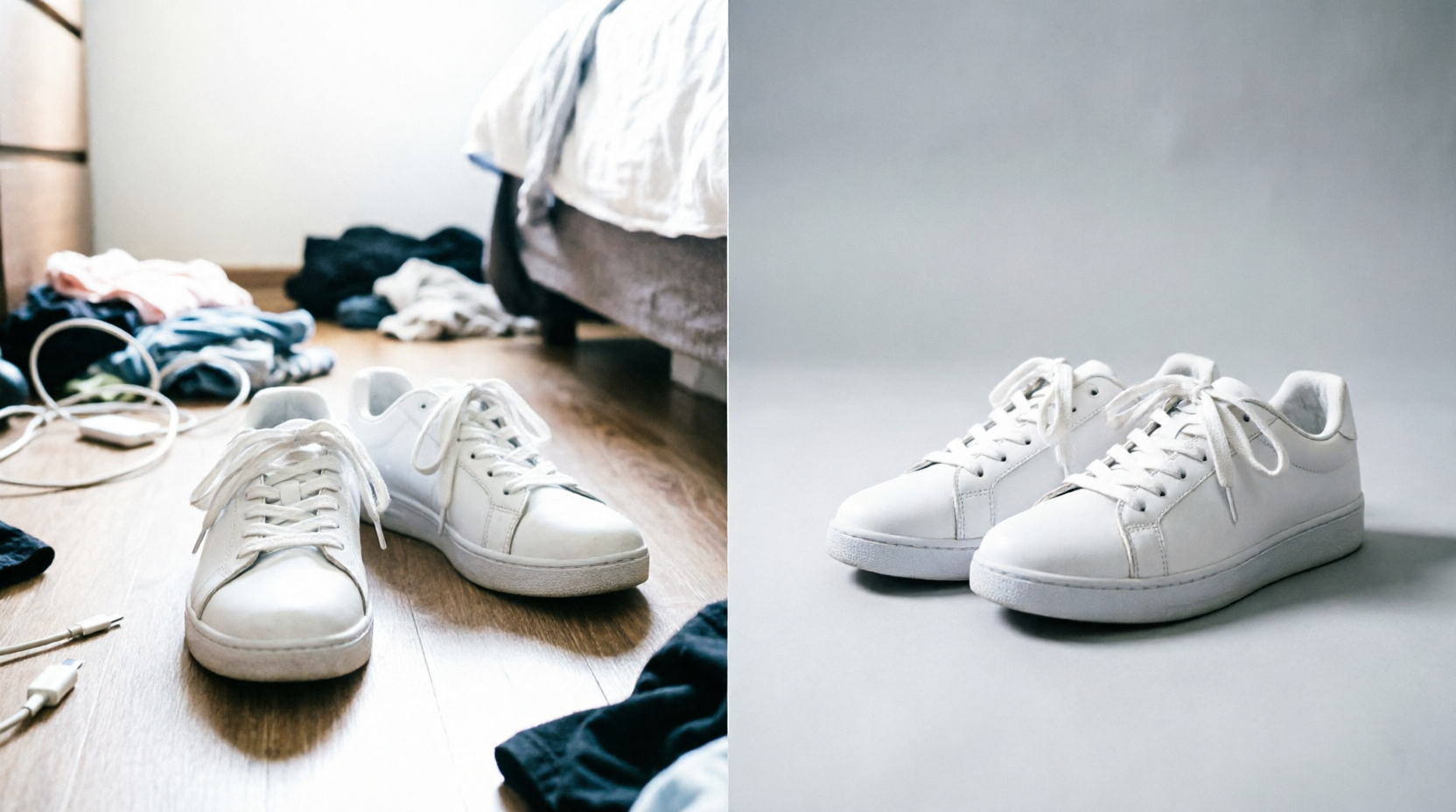
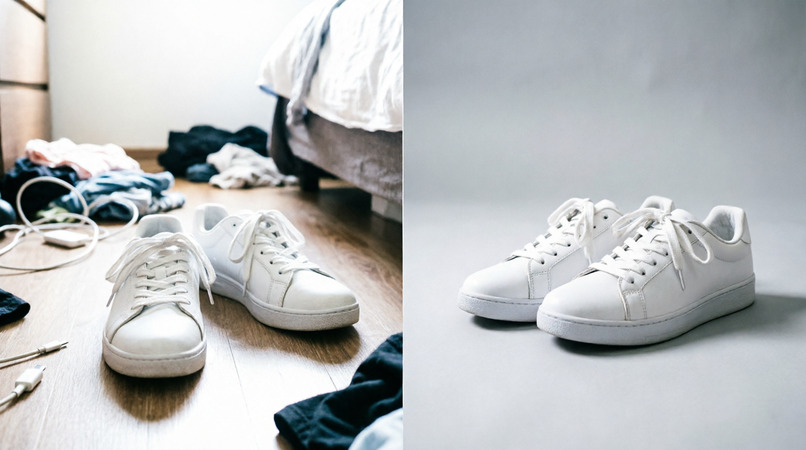
Relight · Studio — Messy phone photo in. Studio banner out. ~2 seconds. 100% in-browser.
Relight lifts your product out of any cluttered snapshot, drops it on a studio surface, and paints a physically-plausible cast shadow — with rendering math written from scratch in TypeScript that runs entirely on-device. No uploads. No wrapped AI API calls. No seats, no subscriptions.
🔗 Live: https://product-banner-ai-24vr.vercel.app/
Inspiration
Reseller listings live or die on the first photo. A thrift flip worth $80 looks worthless when it's shot on a cluttered bedroom floor at 11pm. Enterprise photo tools pitch studios, seats and subscriptions — but the real reseller is shooting on a kitchen table with a budget phone.
Two things inspired this build:
- The reseller gap. Marketplaces like Vinted, Depop, eBay and Etsy each demand specific aspect ratios and clean first images. Nobody makes a one-click studio for the person flipping second-hand goods.
- Privacy as architecture. Almost every "AI product photo" tool uploads your image to a cloud model. I wanted the opposite: an app with no upload endpoint at all. If the photo can't leave the device, it can't leak.
The entire project was designed, built and tested on a $0 budget from a 2GB-RAM Android phone (Realme C20A) using Freebuff — proof that on-device AI plus free tooling can ship a production-grade tool.
What it does
Drop any messy snapshot. In about two seconds Relight:
- Cuts the product out with a two-tier matting engine,
- Upscales soft phone crops while preserving detail,
- Paints the light — a contact shadow ring plus a directional cast shadow that grounds the product like real light,
- Composites it onto one of five studio styles (pure white, white + shadow, premium desk, studio grey, moody) or a generative scene seeded from the product's own palette,
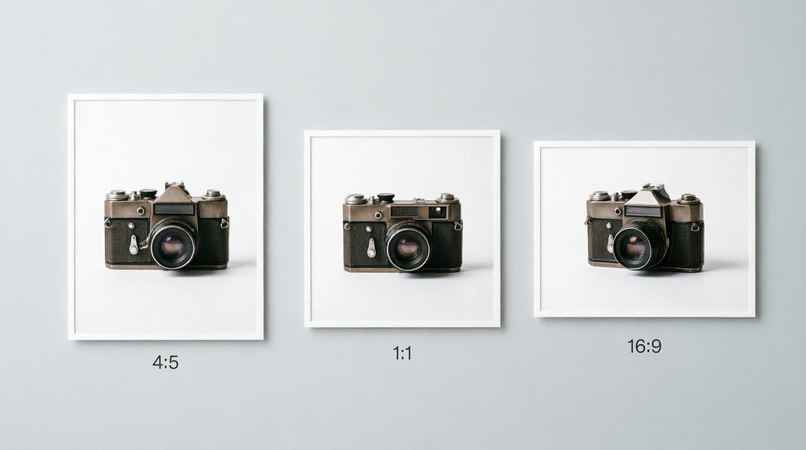
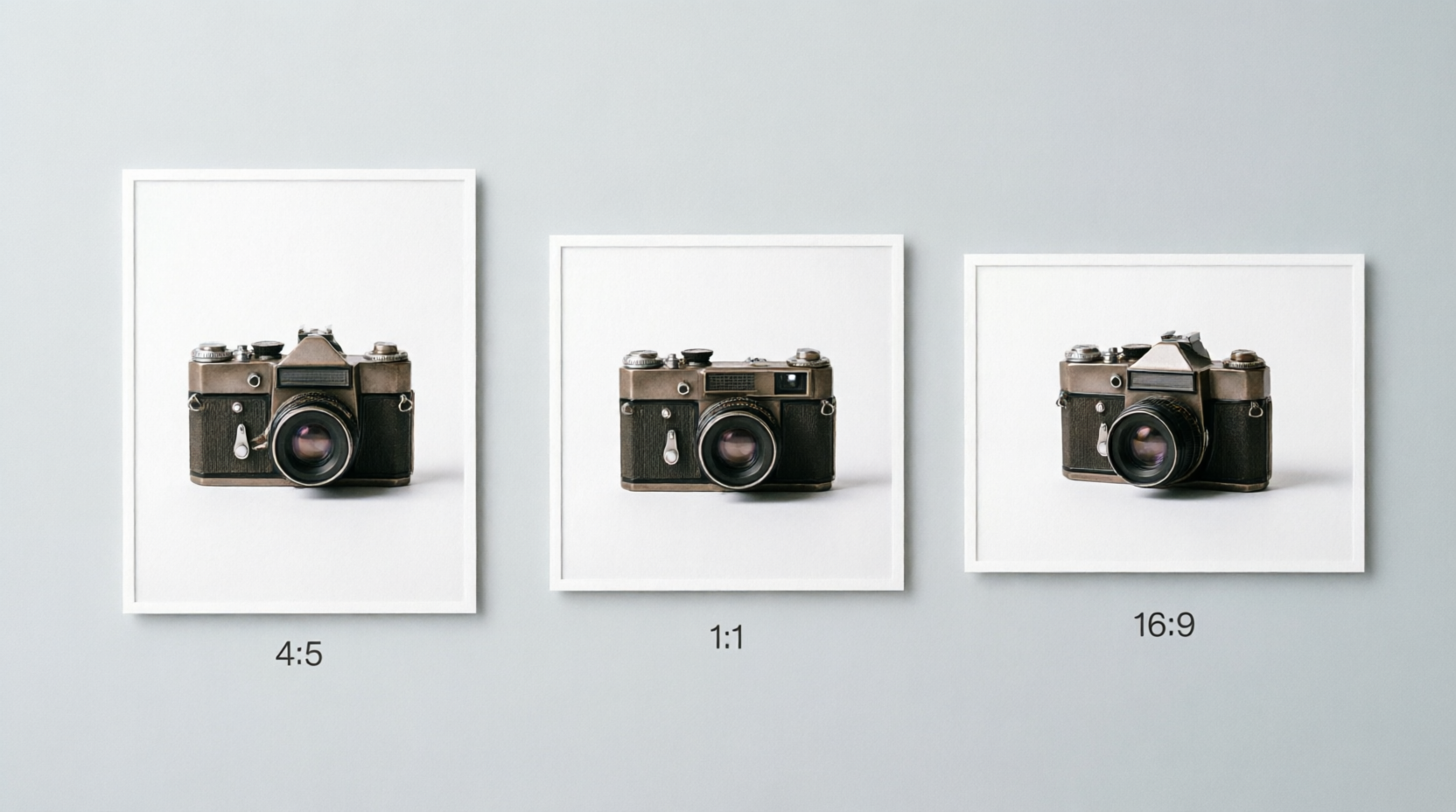
- Exports full-resolution PNGs at listing dimensions: 4:5 (1080×1350) for Vinted/Depop/Instagram, 1:1 (1200×1200) for eBay/Etsy/Amazon, and 16:9 (1280×720) for shop banners.
How I built it
The whole pipeline is TypeScript running in Web Workers — no backend, no API keys.
Two-tier cutout. BiRefNet-lite (MIT, ~60 MB ONNX) runs in a Web Worker for the primary mask. A Sobel edge map with adaptive flood fill acts as both fallback and fine-tuner, so the app still works if the model download fails.
Detail-preserving upscale. Catmull-Rom bicubic resampling:
$$ q(t) = \tfrac{1}{2}\Big[(2P_1) + (-P_0 + P_2)t + (2P_0 - 5P_1 + 4P_2 - P_3)t^2 + (-P_0 + 3P_1 - 3P_2 + P_3)t^3\Big], \quad t \in [0,1] $$
with halo-suppressed unsharp masking:
$$ I_{\text{sharp}} = I + \lambda \cdot \mathrm{clip}\big(I - G_\sigma * I,\; -\tau,\; \tau\big) $$
and BT.601 chroma cleanup ($Y = 0.299R + 0.587G + 0.114B$) so soft phone crops regain crisp edges before cutout.
Physically-motivated shadows. Contact shadows come from silhouette ambient occlusion — darkness decays with distance from the silhouette boundary $\partial S$:
$$ C_{\text{contact}}(\mathbf{x}) = k_a \exp!\Big(-\frac{d(\mathbf{x}, \partial S)}{\sigma_c}\Big) $$
Cast shadows are the silhouette heaved along the light vector $\mathbf{L}$ with height jitter and progressive blur:
$$ S = {\, \mathbf{p} + t\mathbf{L} + \boldsymbol{\eta}(t) \mid \mathbf{p} \in S_0,\ t \in [0,1] \,}, \qquad \sigma_b(t) = \sigma_0 + k_b t $$
Studio compositing. Gradient backdrops with top-light falloff $B(y) = B_{\text{base}}\,(1 + \alpha e^{-y/h})$, grounding bands, generative scenes, and ratio-aware framing per marketplace.
Performance budget:
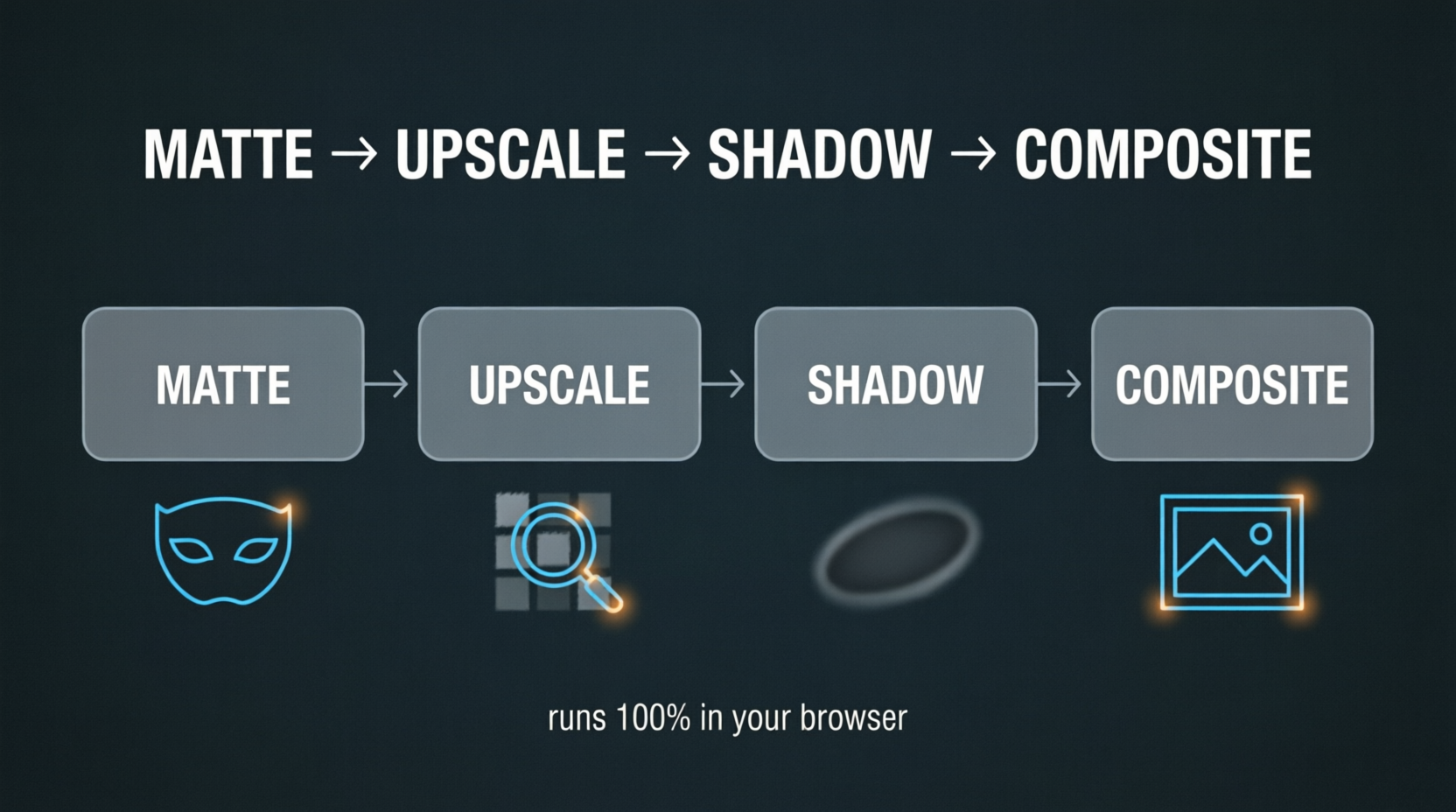
$$ T_{\text{total}} = T_{\text{matte}} + T_{\text{upscale}} + T_{\text{shadow}} + T_{\text{composite}} \approx 2\,\text{s on a laptop} $$
Challenges
- A 60 MB model on flaky connections. First visit downloads BiRefNet-lite once; if it's slow or fails, the built-in segmentation engine takes over automatically. The app never dead-ends.
- Products touching the frame edge. The matte has no background to key against, so cutouts clip. The studio now flags this and exposes a cutout-sensitivity slider to push tolerance up.
- Memory pressure on low-end hardware. Building on a 2GB-RAM phone forced discipline: Web Worker isolation, typed arrays, zero full-resolution copies, and progressive blur instead of giant kernel convolutions.
- The "sticker look." A clean cutout on a flat backdrop reads as fake. The contact ring + directional cast shadow is the whole trick — shadow depth is what reads as "real."
- $0 budget. Freebuff handled build and deploy; on-device inference means zero server cost forever.
What I learned
- On-device AI is production-viable: Web Workers + ONNX Web + disciplined memory management yields a ~2s pipeline with no server.
- Privacy is strongest when it's architectural — there is no upload endpoint to leak from — not a policy promise.
- Writing rendering math from scratch gives control (and cost profiles) that wrapped APIs can't.
- Marketplace-native export sizes are a product feature, not an afterthought.
- You can ship a real product from a budget phone. The constraint became the story.
What's next
Batch queues, more studio surfaces, a PWA offline model pack, WASM-SIMD/WebGPU matting acceleration, and one-tap publishing to marketplace drafts.
Built with Freebuff · Runs 100% in your browser · Free during launch.
Built With
- birefnet-lite
- cache-api
- canvas-api
- computer-vision
- css3
- e-commerce
- edge-ai
- freebuff
- html5
- image-matting
- image-processing
- image-segmentation
- javascript
- marketplace-listings
- on-device-ml
- onnx-runtime-web
- privacy-by-design
- procedural-rendering
- pwa
- reseller-tools
- shadow-rendering
- typescript
- web-workers
- webassembly


Log in or sign up for Devpost to join the conversation.