-
-
Add Lecture
-
Menu
-
Lecture - Record
-
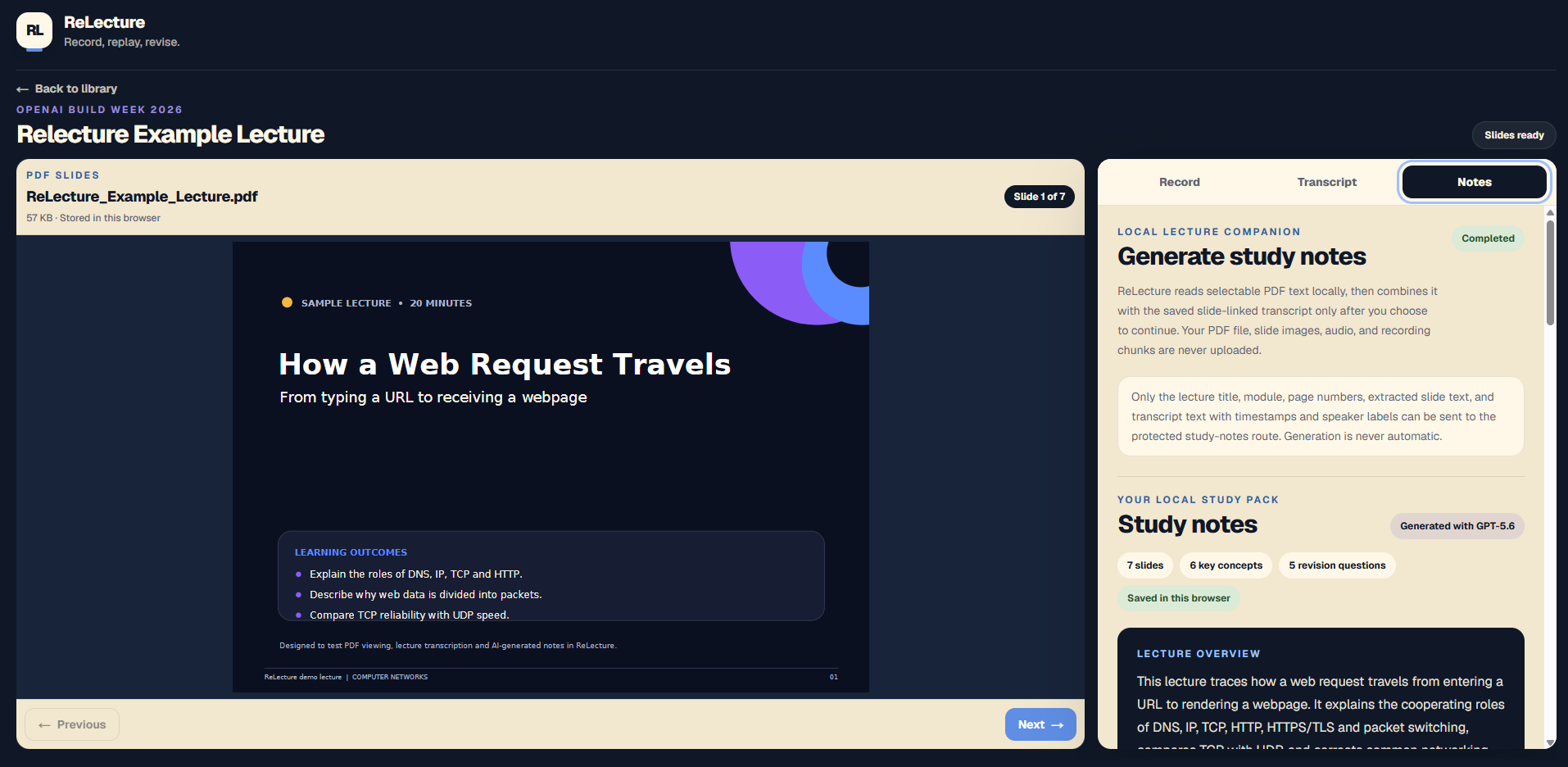
Lecture - Generated Notes
-
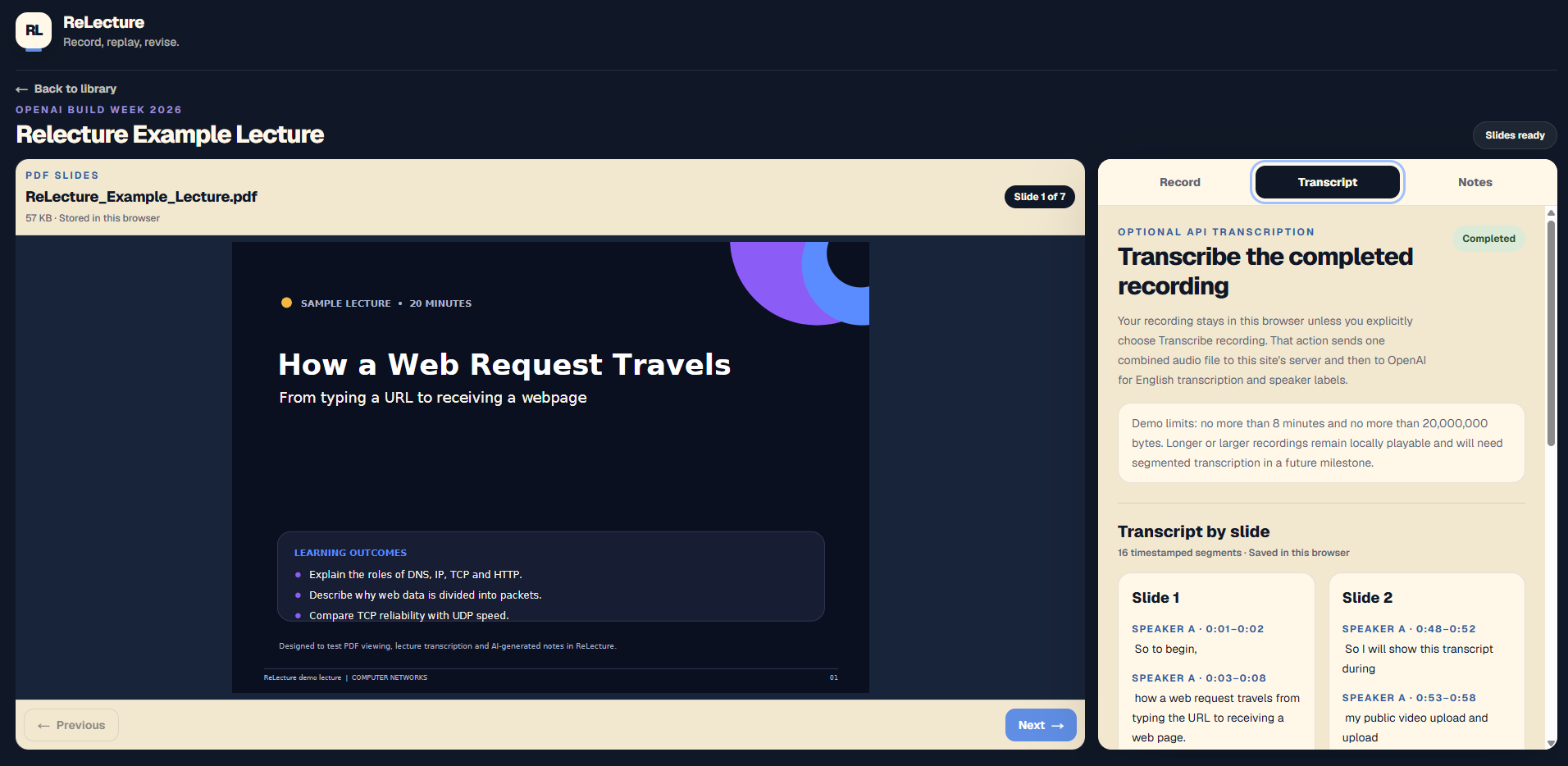
Lecture - Transcription
Inspiration
ReLecture was inspired by a problem I experience as a university student: trying to listen to a lecturer, understand a difficult topic, follow the slides and write useful notes at the same time.
Traditional lecture capture often leaves students with one long audio recording, a separate slide deck and incomplete notes. The explanation that made a slide understandable is no longer connected to it. Revising can become a second organisational task before any real learning begins.
This is especially difficult for students who experience attention, processing or note-taking challenges. I wanted lecture capture to reduce pressure during class and turn the result into something structured and useful afterwards.
ReLecture existed before Build Week as a final-year project concept, research, branding, wireframes and accessibility planning. The working application was rebuilt from a clean codebase during OpenAI Build Week.
This project is personal to me because I have experienced the exact problem it is trying to solve. I know what it is like to miss part of an explanation while trying to write everything down, then later have a slide deck and recording that do not clearly match. ReLecture was built around that real frustration, not around finding somewhere to insert AI.
What it does
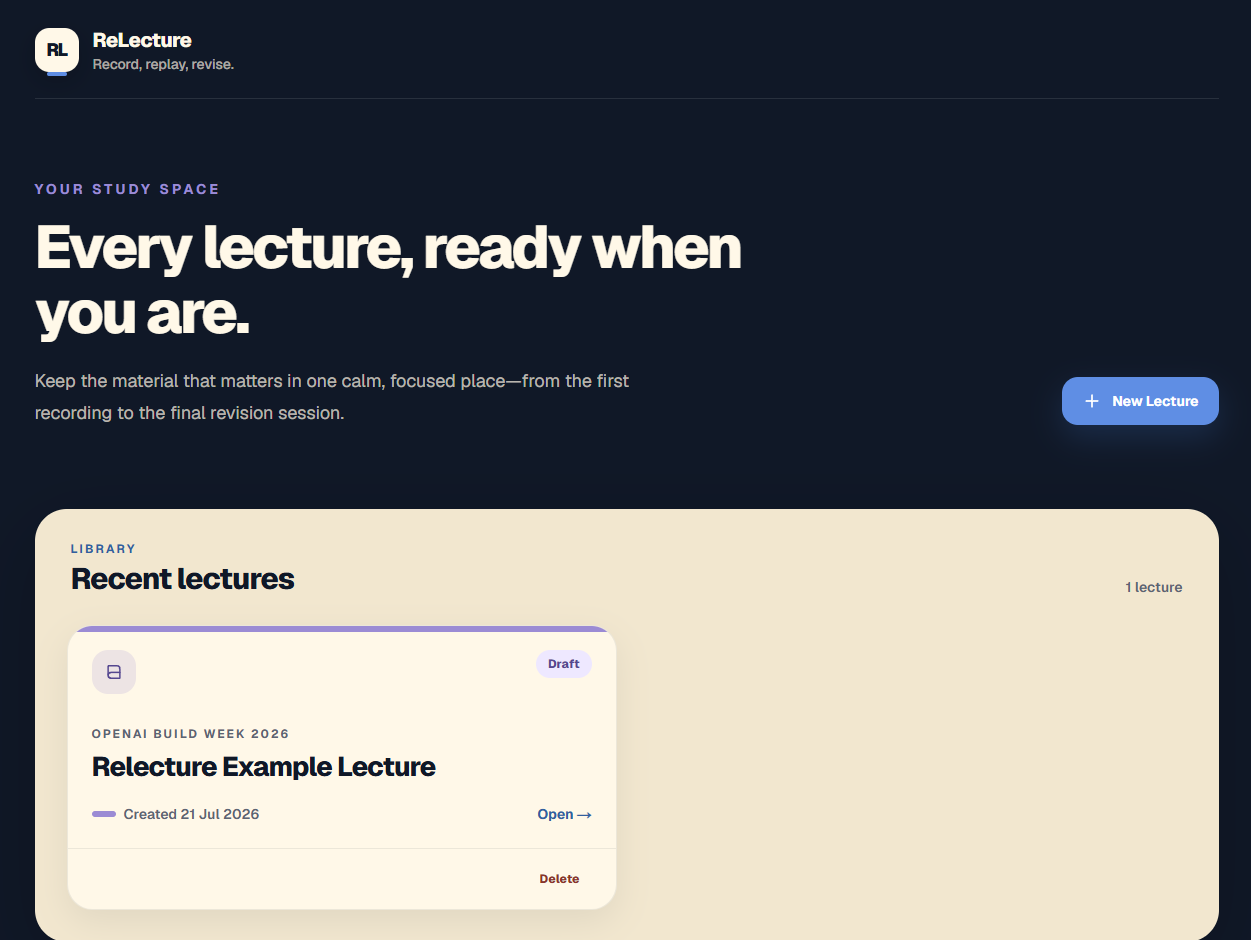
ReLecture is a local-first lecture companion that connects PDF slides, recorded audio, slide-linked transcripts and GPT-5.6 study notes in one workspace.
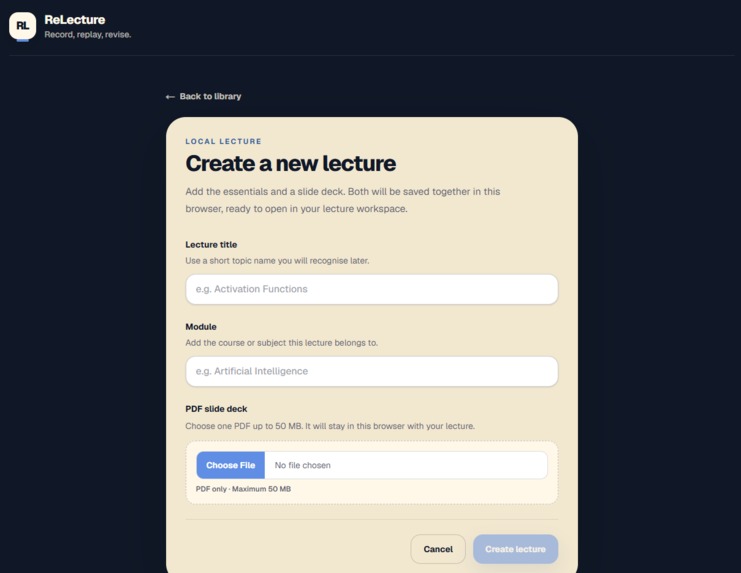
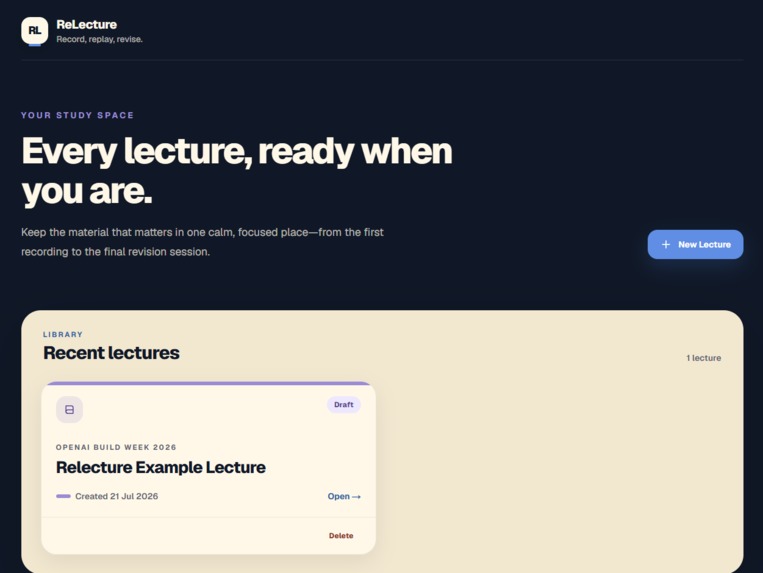
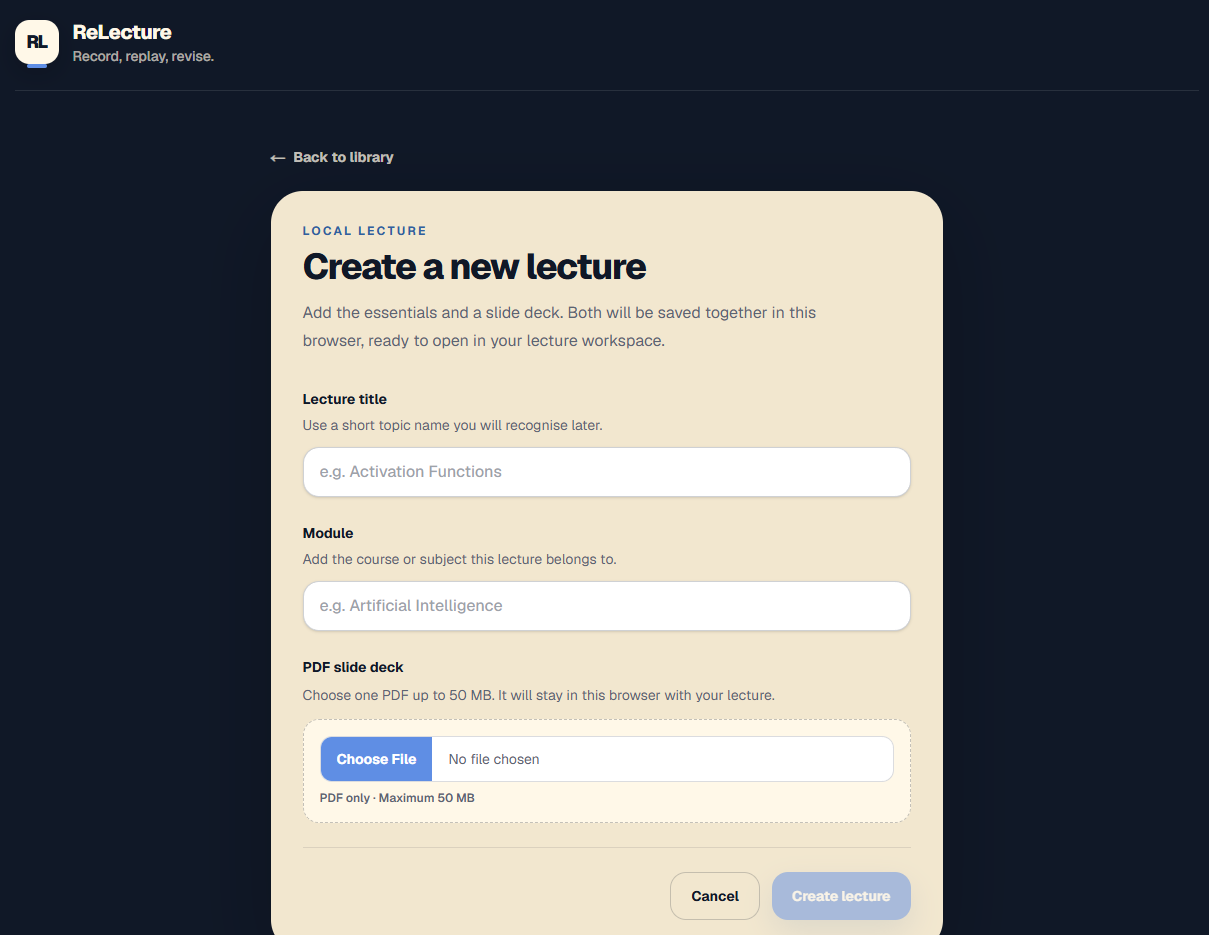
A student creates a lecture by entering a title and module and choosing a PDF slide deck. The lecture and PDF are saved together in the browser.
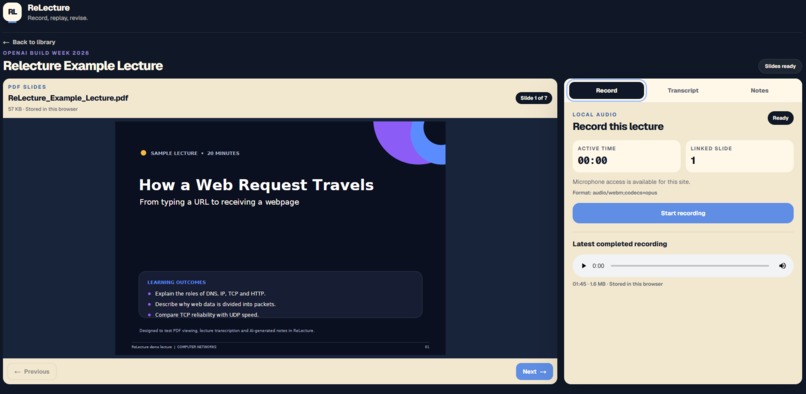
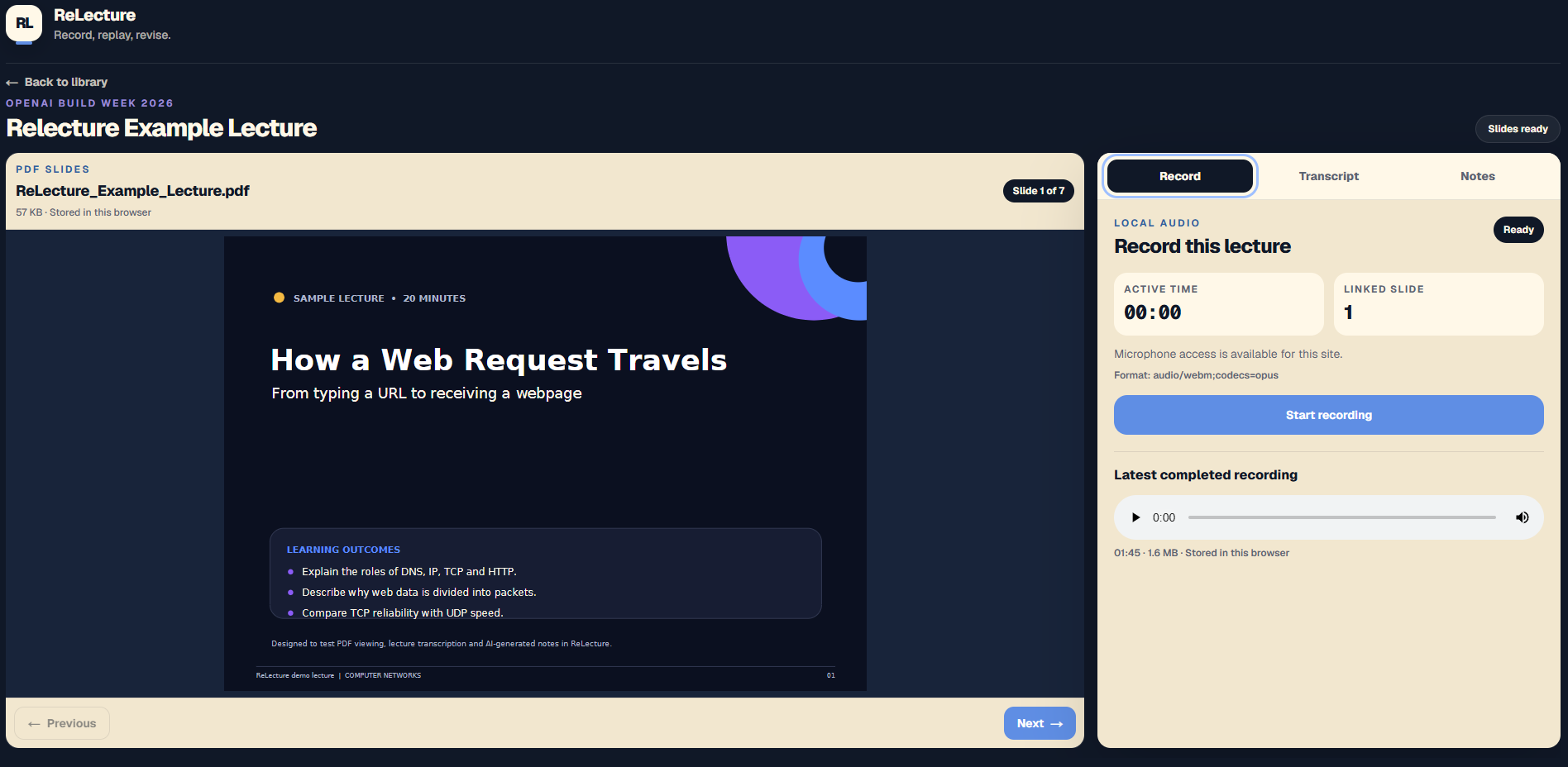
During class, the student can record microphone audio while moving naturally through the slides. ReLecture stores the audio in timestamped chunks and records which slide was visible during each part of the lecture.
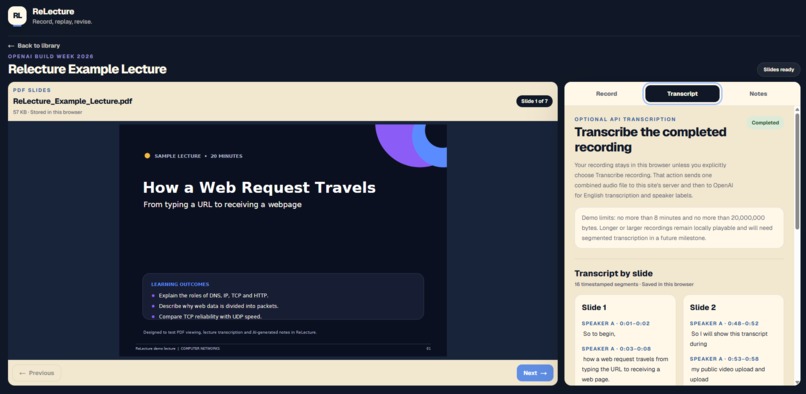
After recording, the student can explicitly choose to transcribe the audio. A protected server route uses OpenAI's gpt-4o-transcribe-diarize model to return timestamped, speaker-labelled segments. ReLecture assigns each segment to the slide with the greatest timestamp overlap and saves the transcript locally.
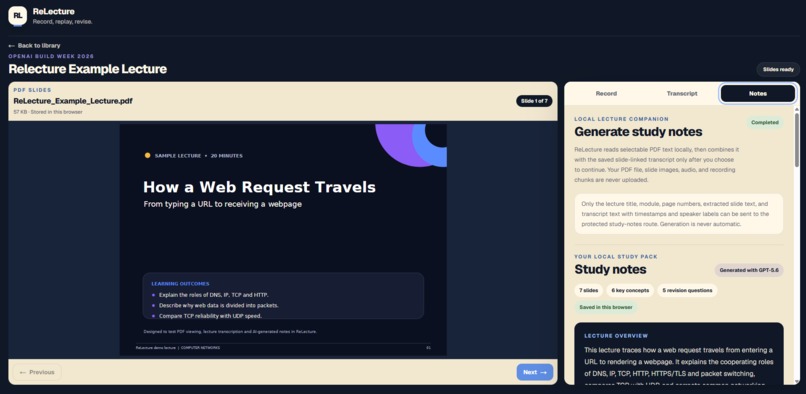
The student can then generate a study pack. ReLecture extracts selectable text from the PDF locally, combines it with the slide-linked transcript and presents a source-review step before anything is sent. GPT-5.6 produces a structured study pack containing:
- a lecture overview;
- notes grouped by slide;
- key points;
- definitions;
- key concepts with source-slide labels;
- exactly five revision questions and answers;
- things to remember.
The transcript and study pack remain available after refresh without repeating the paid API requests.
The final desktop interface keeps the slide visible on the left while Record, Transcript and Notes share a full-height panel on the right. Tablet and mobile layouts use a compact four-view selector.
Lectures can also be deleted safely. One confirmation removes the lecture, PDF, audio chunks, transcription data and GPT-5.6 study pack in one atomic IndexedDB transaction.
How I built it
ReLecture is built with Next.js 16, React 19, TypeScript and Tailwind CSS. Dexie provides a typed layer over IndexedDB, with separate stores for lectures, PDF documents, recording sessions, audio chunks, transcription runs, transcript segments and study packs.
The browser MediaRecorder API captures approximately ten-second chunks. Each chunk stores active timestamps and the current slide number. Pause time is excluded from the lecture timeline, and slide changes request a chunk boundary where possible.
For transcription, ReLecture reconstructs the newest completed recording as one local Blob. The browser sends it only after the user selects Transcribe recording. The server validates the request, Turnstile result, rate limit, duration and file size before calling OpenAI.
The returned diarized segments are mapped to slides using timestamp overlap. ReLecture does not guess how individual words should be divided when OpenAI returns one long segment.
For study notes, PDF.js extracts selectable text in the browser. The application builds a bounded text-only source payload and discloses incomplete, image-based or truncated sources before generation.
The /api/generate-notes route uses the OpenAI Responses API with GPT-5.6, low reasoning effort, store: false, strict Structured Outputs and both server-side and browser-side validation.
The application is deployed to Cloudflare Workers through OpenNext. Cloudflare Turnstile and separate Workers rate-limit bindings protect transcription and study-note generation. API secrets remain server-side, responses use Cache-Control: no-store, and the routes do not persist lecture content.
How I used Codex
Codex was used throughout the project rather than only for isolated code generation.
I used it to inspect the repository, turn feature goals into staged plans, implement TypeScript and React changes, review architecture, investigate runtime failures, run builds, inspect diffs and produce focused acceptance tests.
One example was the GPT-5.6 study-note milestone. Codex proposed the browser and server data flow, but I reviewed the plan and required additional safeguards for Responses API parsing, UTF-8 request limits, Dexie record timing and multi-tab stale-generation handling before implementation.
Another example was the DOMMatrix is not defined runtime error. PDF.js was being evaluated in the server bundle. Codex traced the import path and changed PDF text extraction to load dynamically inside the browser-only path, fixing the issue without adding a canvas dependency or polyfill.
Codex also helped refine the final interface from a long document page into a two-pane desktop workspace, then fixed PDF scaling so 16:9, 4:3 and portrait pages remain fully contained.
The product problem, local-first direction, visual identity, accessibility priorities, feature scope and final product decisions were mine. I approved implementation plans, manually tested each acceptance case and directed the refinements recorded in the repository's BUILD_LOG.
I did not accept every suggestion unchanged. For example, during final testing I confirmed that the hosted application could not genuinely reopen offline, so I removed the misleading connection indicator and changed the project description from offline-first to the more accurate local-first.
Challenges I ran into
Connecting speech to slides
A transcript alone does not know which slide the student was viewing. ReLecture records the slide number alongside timestamped audio chunks, then maps returned transcript segments by temporal overlap.
Very rapid slide changes can still produce one long segment spanning several slides. Rather than inventing a word-level split, ReLecture assigns the complete segment to the slide with the greatest overlap and documents that limitation.
Keeping data local while using connected AI
The application keeps PDFs, slide images, audio chunks, transcripts and study packs in IndexedDB. Audio is uploaded only for explicit transcription. Study-note generation sends only bounded text and metadata after a review screen.
This local-first boundary was more important than claiming that the entire hosted application is offline. The Cloudflare-hosted app must be loaded online, and both AI features require internet access.
Browser persistence and failure recovery
IndexedDB operations can fail or be interrupted. ReLecture uses transactions for related writes, recovers stale recording and generation states, prevents duplicate paid requests and supports retrying a failed local study-pack save without calling OpenAI again.
Lecture creation and deletion are also atomic, preventing orphaned or partially deleted records.
Secure public API use
A public demo with paid API routes needed stronger controls than hiding an API key. I added server-only secrets, same-origin and Fetch Metadata checks, strict MIME and request limits, Cloudflare Turnstile action validation, separate rate limits, safe error mapping, no CORS, no server persistence and Cache-Control: no-store.
PDF rendering across formats
A width-only PDF layout worked for one deck but could overflow with 4:3 or portrait pages. The viewer now uses a ResizeObserver and calculates the largest React-PDF scale that fits both available width and height.
Accomplishments that I am proud of
I am most proud that GPT-5.6 is used for a real educational task rather than a generic summary button.
The model receives both the lecturer's spoken explanation and the slide text. During testing, the transcript included an incorrect spoken expansion of DNS, while the slide contained the correct definition. The generated study pack recognised the conflict and used the grounded slide content instead of copying the mistake.
Other accomplishments include:
- building the complete working application during Build Week;
- preserving the relationship between slides and spoken explanations;
- creating a local-first data model for PDFs, audio, transcripts and notes;
- implementing explicit consent before each AI upload;
- producing structured, validated GPT-5.6 output;
- restoring completed work without another API call;
- creating an app-like responsive workspace;
- implementing safe cascade deletion for lecture data;
- documenting decisions, tests and limitations throughout development.
What I learned
I learned that local-first is a more accurate and useful design goal than making an unsupported claim that every feature works offline. The important promise is that a student's recording is saved before any network request and remains available if transcription or generation fails.
I also learned that deterministic timing information can be more trustworthy than asking a model to infer every relationship. Recording slide-change context alongside audio gives the AI workflow a grounded structure.
GPT-5.6 Structured Outputs were valuable, but provider schema validation alone was not enough. The route also needed careful handling of reasoning items, incomplete responses, refusals, malformed JSON and runtime content constraints.
Codex was most effective when I used it as a structured engineering partner: plan, challenge assumptions, approve a bounded change, implement, test, inspect the diff and document the result.
What's next for ReLecture
The Build Week prototype is the foundation for my final-year project.
Future work could include local Whisper transcription, a packaged desktop application, stronger offline application-shell support, editable transcripts and study packs, export and backup packages, recording history, bookmarks, search across lectures, additional accessibility settings and testing with real students.
The long-term goal is a dependable lecture companion that lets students record, replay and revise without losing control of their data.
Note on Codex session IDs
ReLecture was developed across two Codex sessions. My original Codex
conversation was no longer available in the interface during Build Week, so I
continued the project in a separate session. I have included both /feedback
session IDs for transparency and to preserve the complete development record:
- Original session — Review ReLecture Build Week:
019f671f-1f2b-7f91-b458-1d038b3f3463 - Continuation session — Plan local slide-linked recording:
019f7b18-c6ef-7533-a7a0-362bd0c3fe58
The Git history and BUILD_LOG.md document how development continued across
both sessions.
Built With
- cloudflare-turnstile
- cloudflare-workers
- codex
- dexie
- github
- gpt-4o-transcribe-diarize
- gpt-5.6
- indexeddb
- mediarecorder-api
- next.js
- openai-api
- opennext
- pdf.js
- react
- react-pdf
- tailwind-css
- typescript
- wrangler

Log in or sign up for Devpost to join the conversation.