-
-
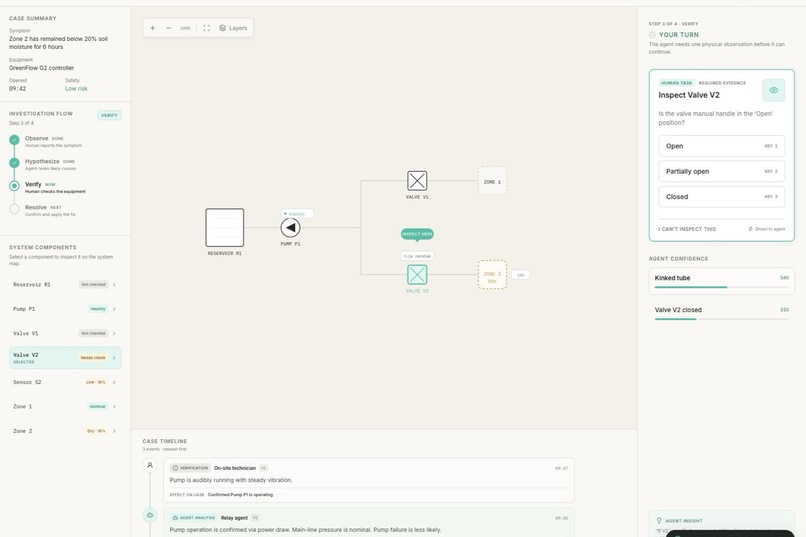
Investigation: the agent narrows the case to Valve V2 and requests physical evidence.
-
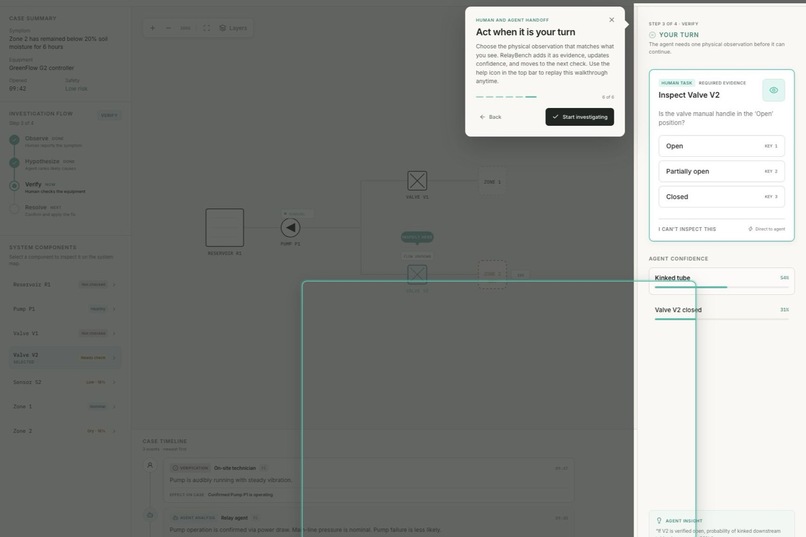
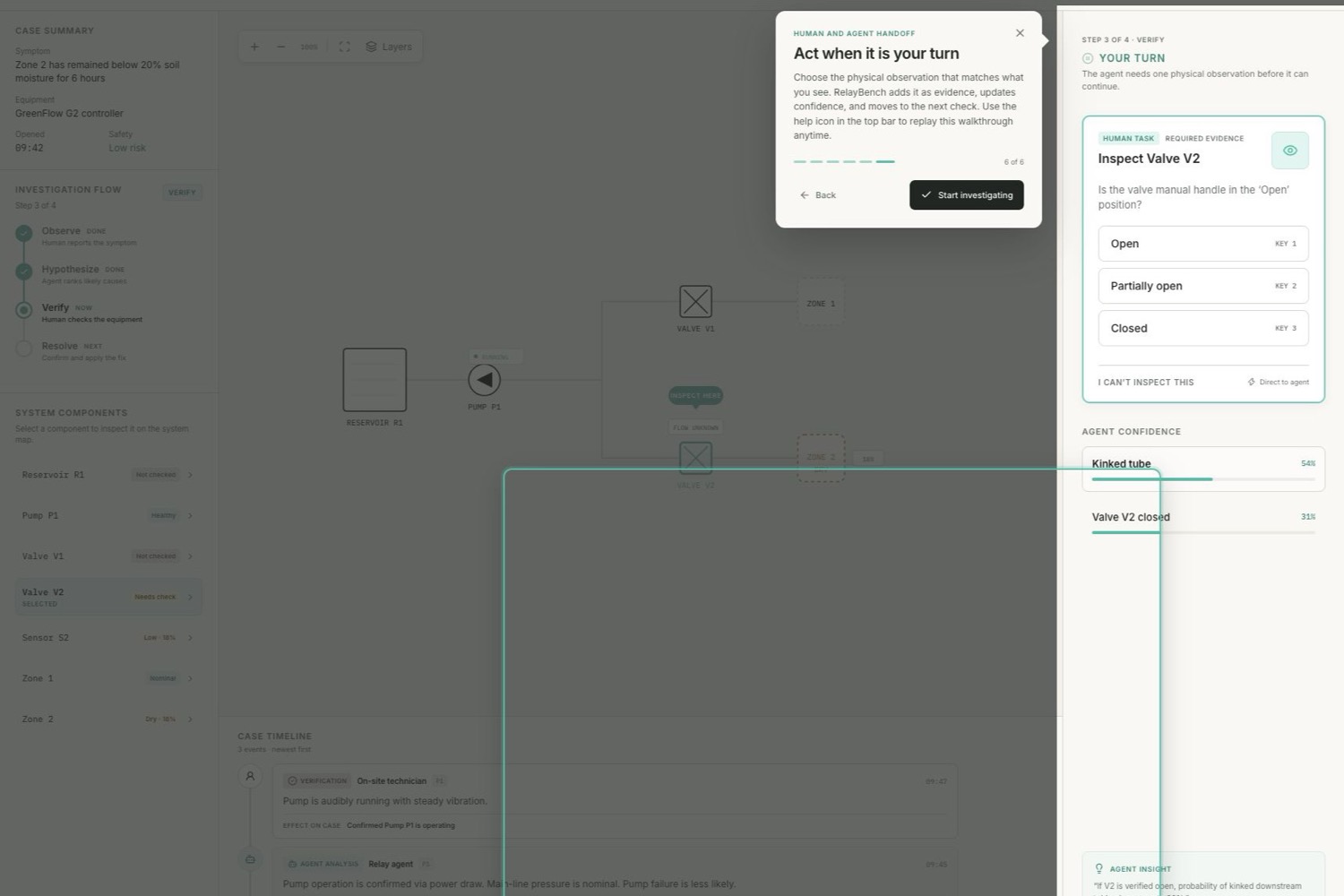
Human handoff: onboarding highlights the observation task and explains the user's next action.
-
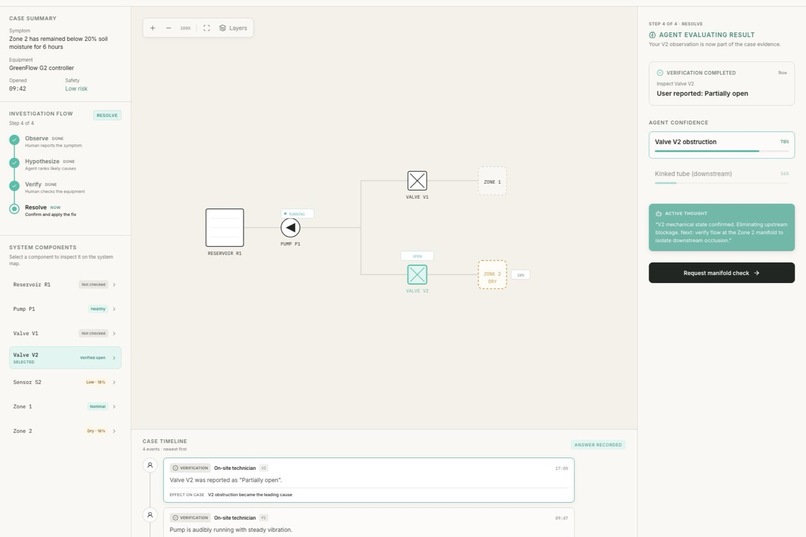
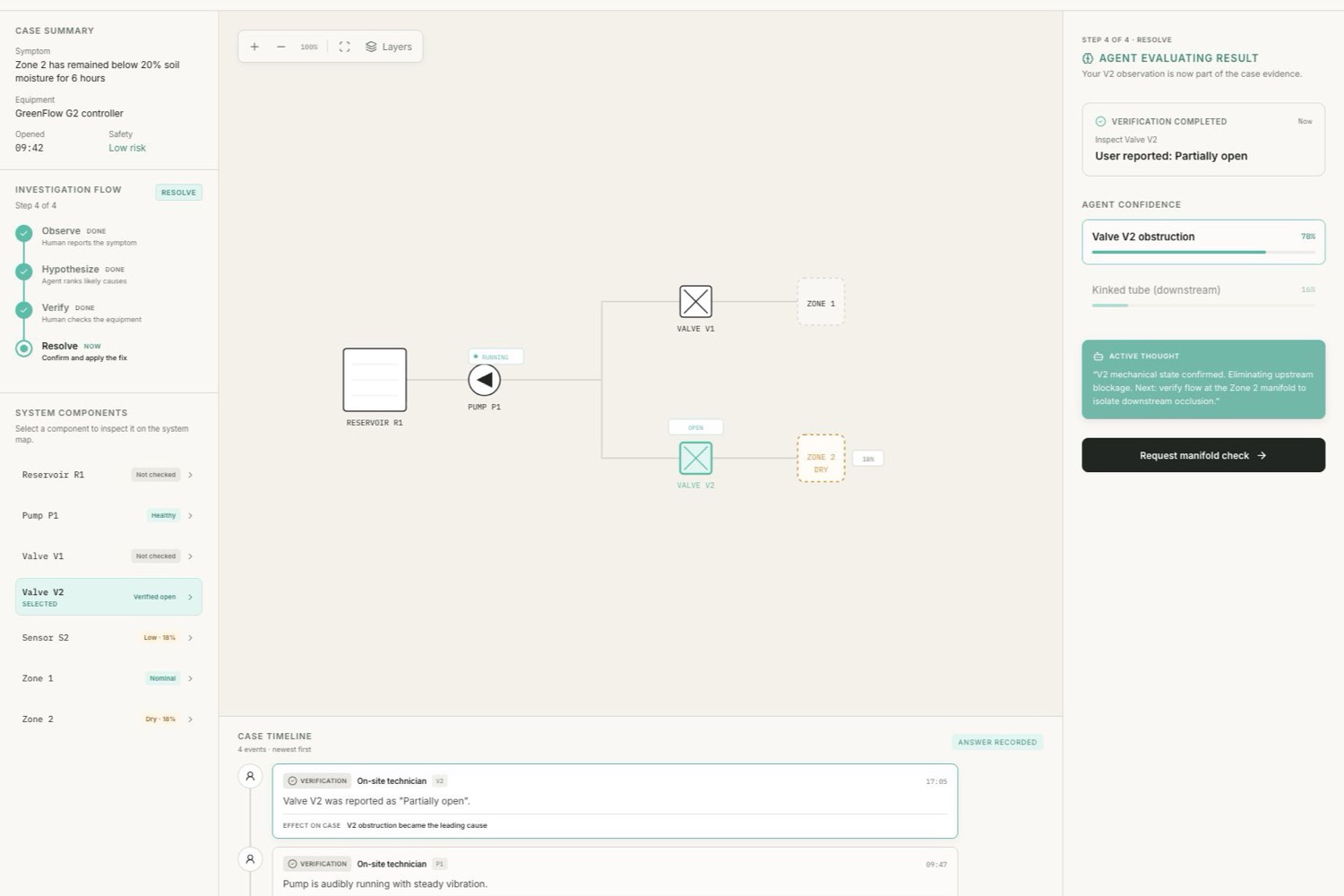
Reasoning: the user's answer becomes attributed evidence and updates agent confidence.
Inspiration
Agents are good at reading logs, telemetry, and API responses. Real troubleshooting rarely stays inside those boundaries. At some point, the useful next question is physical: Is the valve actually open? Is the warning light blinking? Does the pump sound normal?
I built RelayBench around that handoff. The AI should not pretend it can see the equipment. It should ask the person who is already there for a small, concrete observation, then continue reasoning with that evidence.
What it does
RelayBench is a shared diagnostic workspace for an AI agent and a nearby human. The demo starts with a greenhouse irrigation fault. Digital telemetry shows that downstream flow has collapsed, and the agent ranks several possible causes.
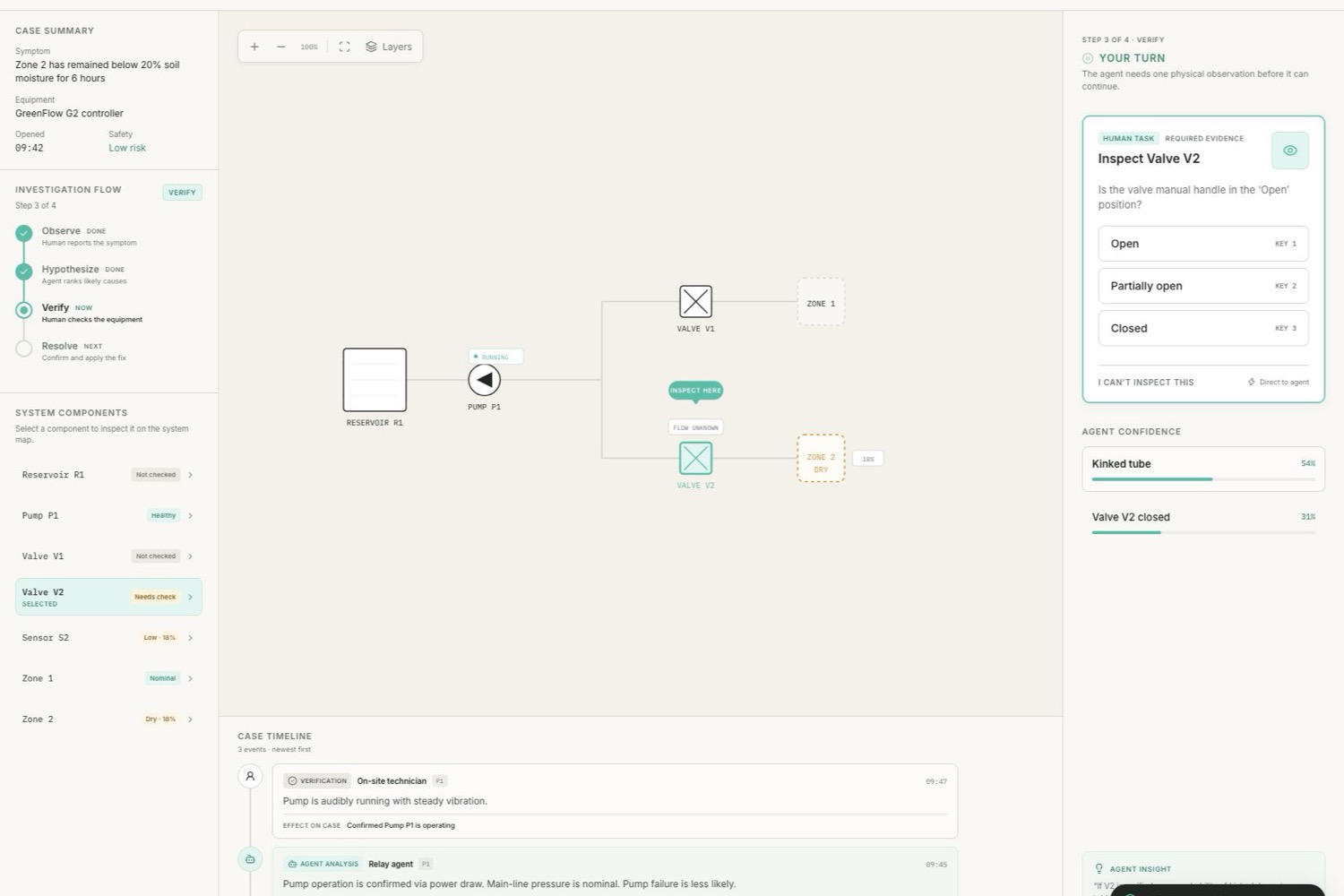
Through WebMCP, the agent reads the live case, focuses Valve V2, and requests a physical inspection. The request appears as a bounded human task with three answers: Open, Partially open, or Closed. The tool call waits while the technician checks the equipment. Once the person answers, RelayBench records the observation with its author and event type, resolves the pending call, and updates the agent's confidence.
The result is a visible chain of evidence rather than a hidden chat exchange. A reviewer can see what the sensors reported, what the agent inferred, what the human observed, and how the diagnosis changed.
How I built it
The application uses Vue 3, TypeScript, Vite, and plain CSS. A reactive case store owns the selected component, investigation phase, evidence timeline, hypotheses, and pending observation.
The page registers four native WebMCP tools through document.modelContext:
get_case_statereads the current case and reasoning state.focus_componentmoves the shared interface to a specific component.request_human_observationcreates a task in the page and returns a Promise that stays pending until the person answers.reset_case_demorestores the initial case without changing the user's onboarding preference.
The most important implementation detail is the pending observation. It turns a person in the physical environment into a safe, structured source of evidence without giving the agent imaginary sensors or unrestricted control.
The site is deployed on OpenAI Sites. WebMCP works as progressive enhancement, so the interface also supports a complete manual demo in browsers that do not expose the API.
Challenges
The hardest part was making an asynchronous human handoff feel like one continuous tool call. The interface has to show that the agent is waiting, accept exactly one valid response, resolve the right request, and handle cancellation cleanly.
The second challenge was making the process understandable to someone seeing it for the first time. I added an attributed case timeline, explicit event types, component progress, agent-confidence changes, and a guided tour that runs once and can be replayed from the help button.
Browser support is still experimental, so I kept WebMCP registration isolated and made the rest of the application work without it.
What I learned
WebMCP is most useful when a website already owns the interaction and state that an agent needs. RelayBench does not bolt a generic tool layer onto a static page. The page itself knows which component is selected, which observation is pending, who answered it, and how the case changed.
I also learned that a human-in-the-loop tool needs more than a confirmation dialog. The person needs context, constrained choices, and a visible record of what their answer changed.
What's next
The greenhouse case is a focused demo, but the interaction applies to field service, lab work, home repair, accessibility support, and incident response. The next step would be a case-authoring format so teams can define equipment, telemetry, observation prompts, and evidence rules without changing the application code.
Built With
- chatgpt
- css3
- html5
- javascript
- openai-sites
- typescript
- vite
- vue.js
- webmcp

Log in or sign up for Devpost to join the conversation.