-
-
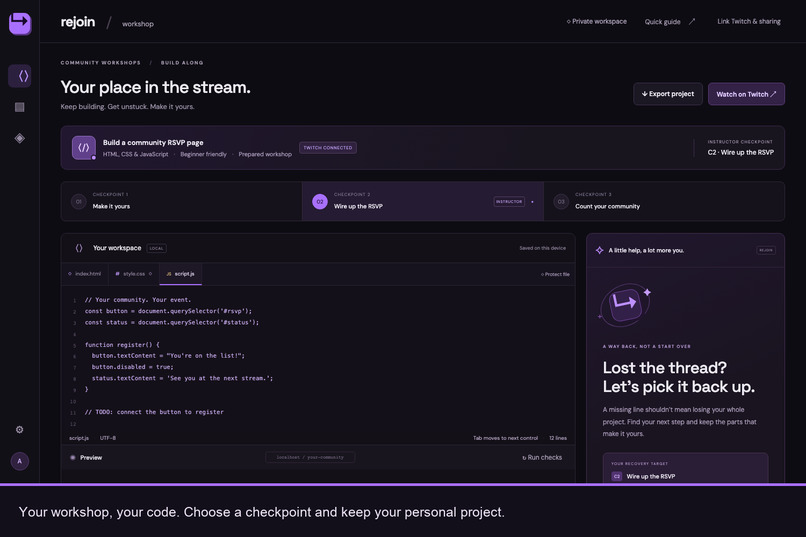
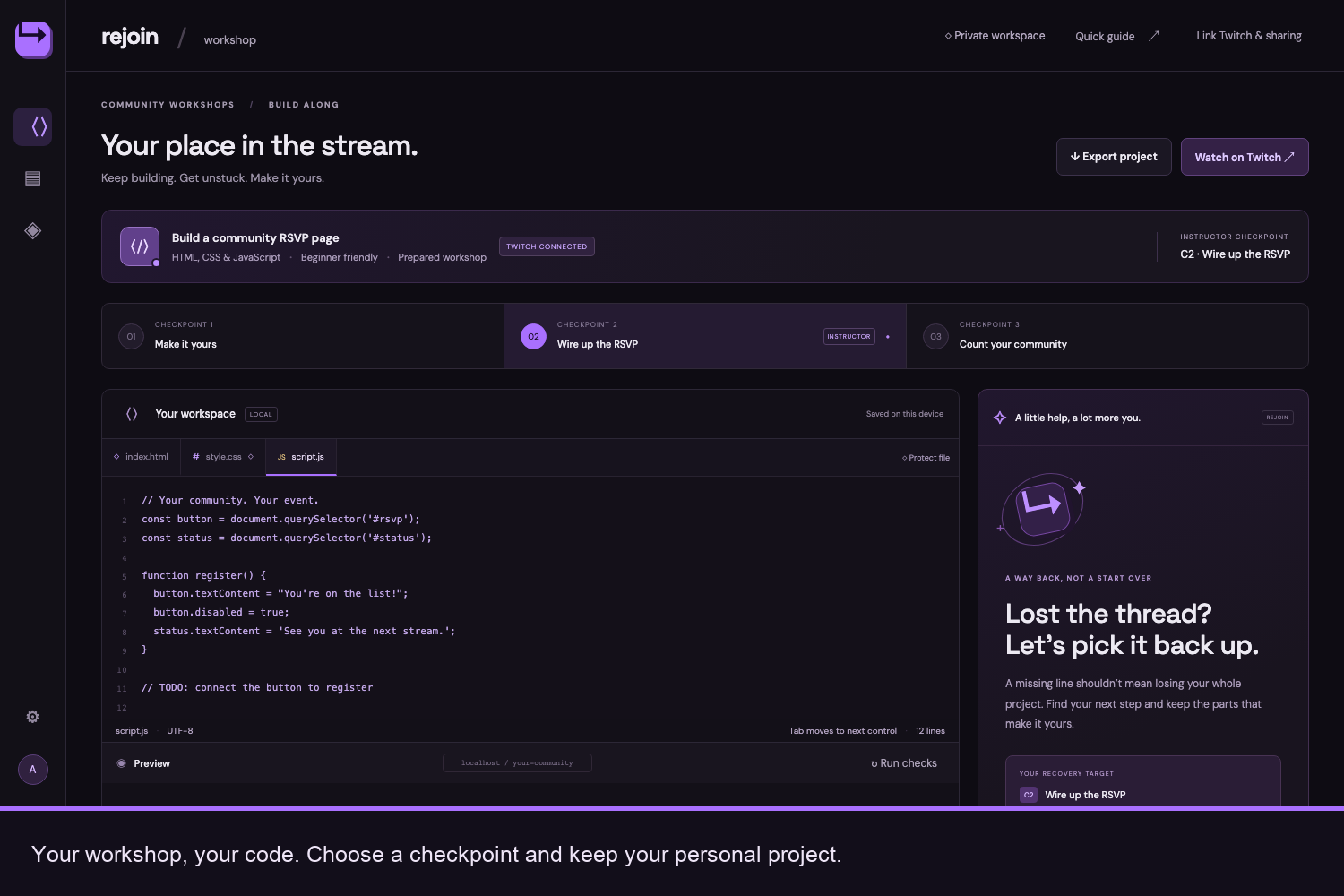
Your place in the workshop. Edit HTML, CSS and JavaScript while following the lesson at your own pace.
-
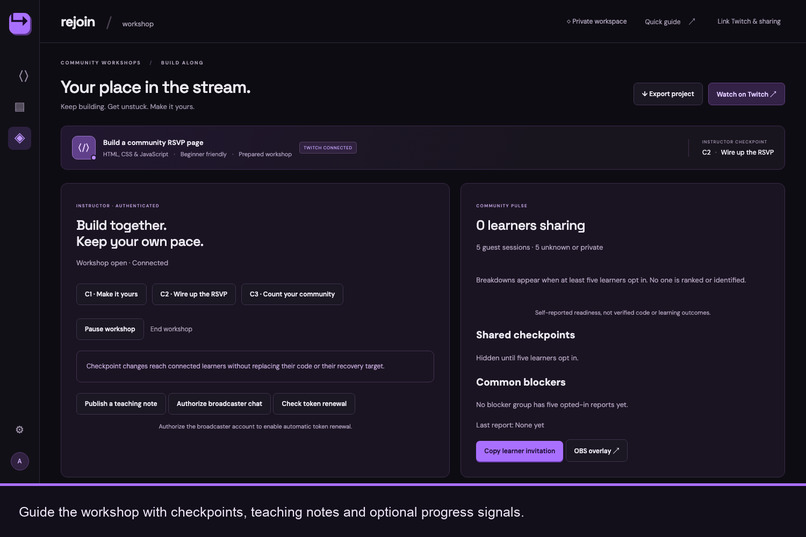
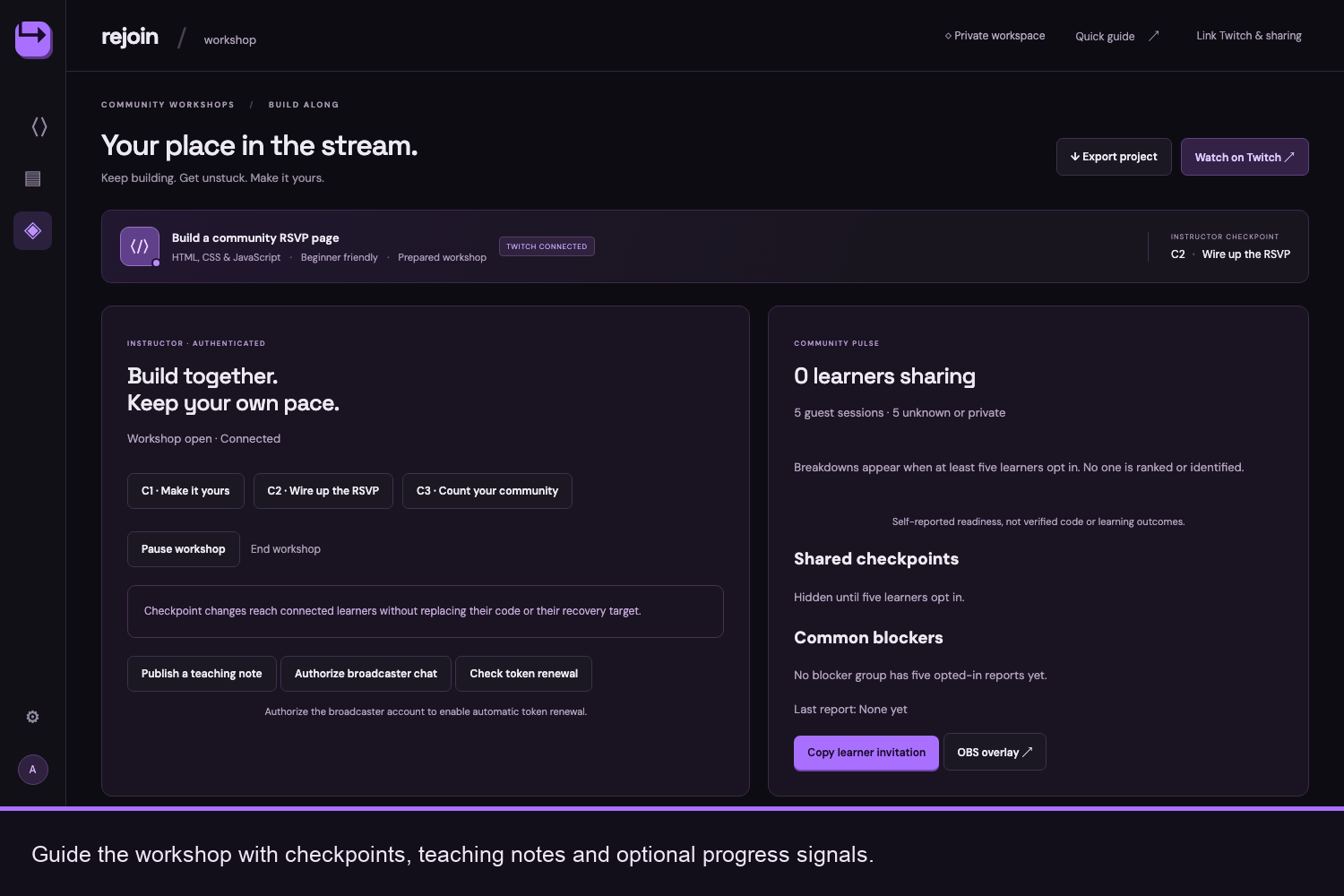
Guide the community with live checkpoints, teaching notes and optional learner progress signals.
-
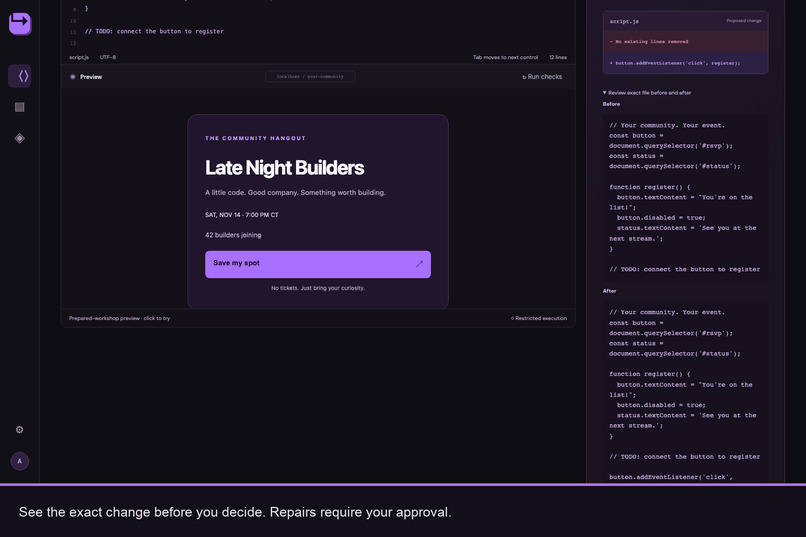
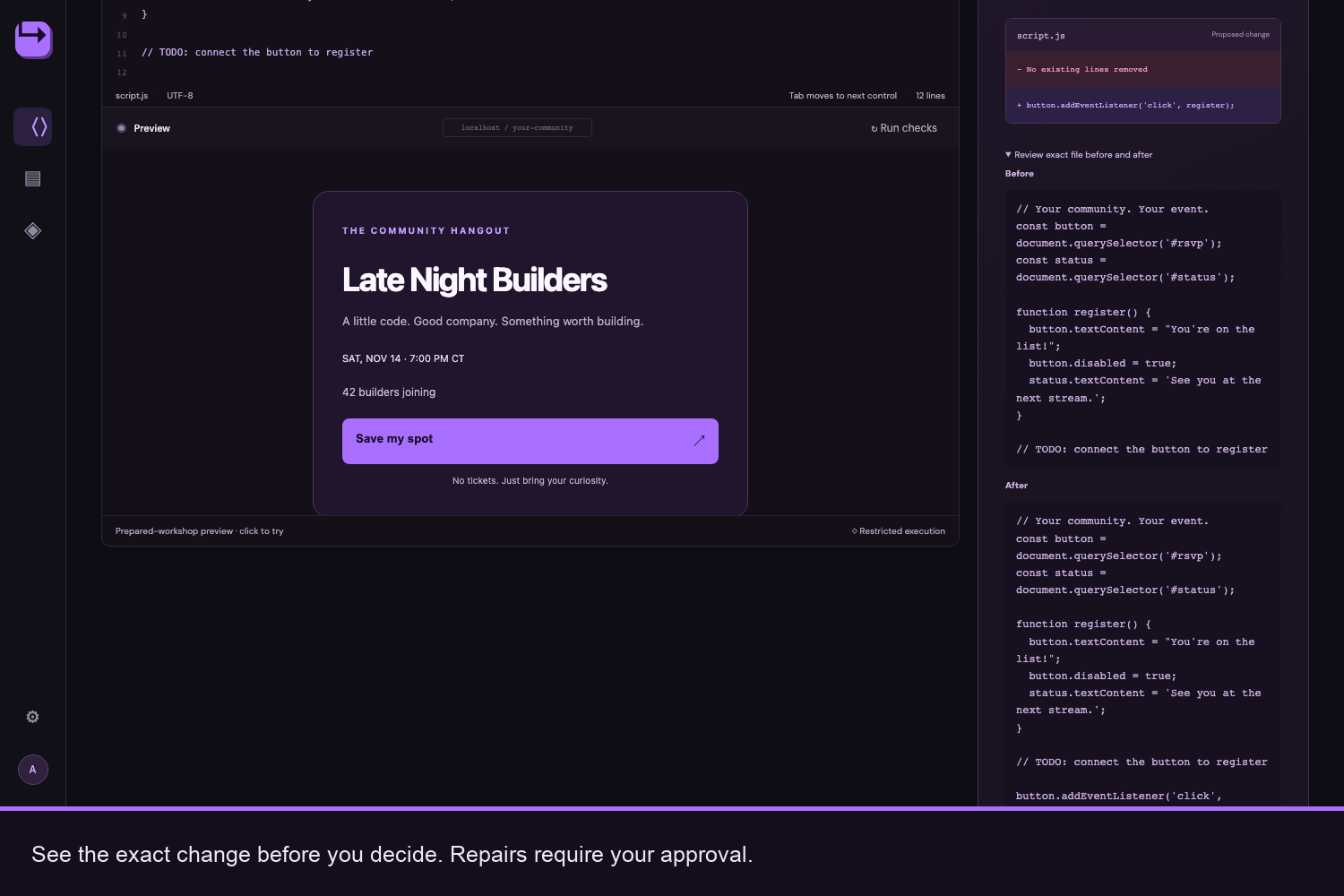
See exactly what will change. Review and check a focused repair before approving it.
-
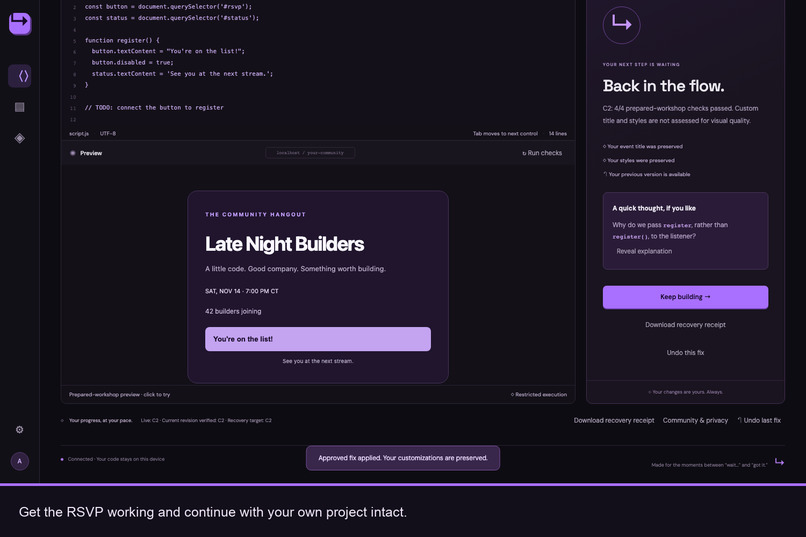
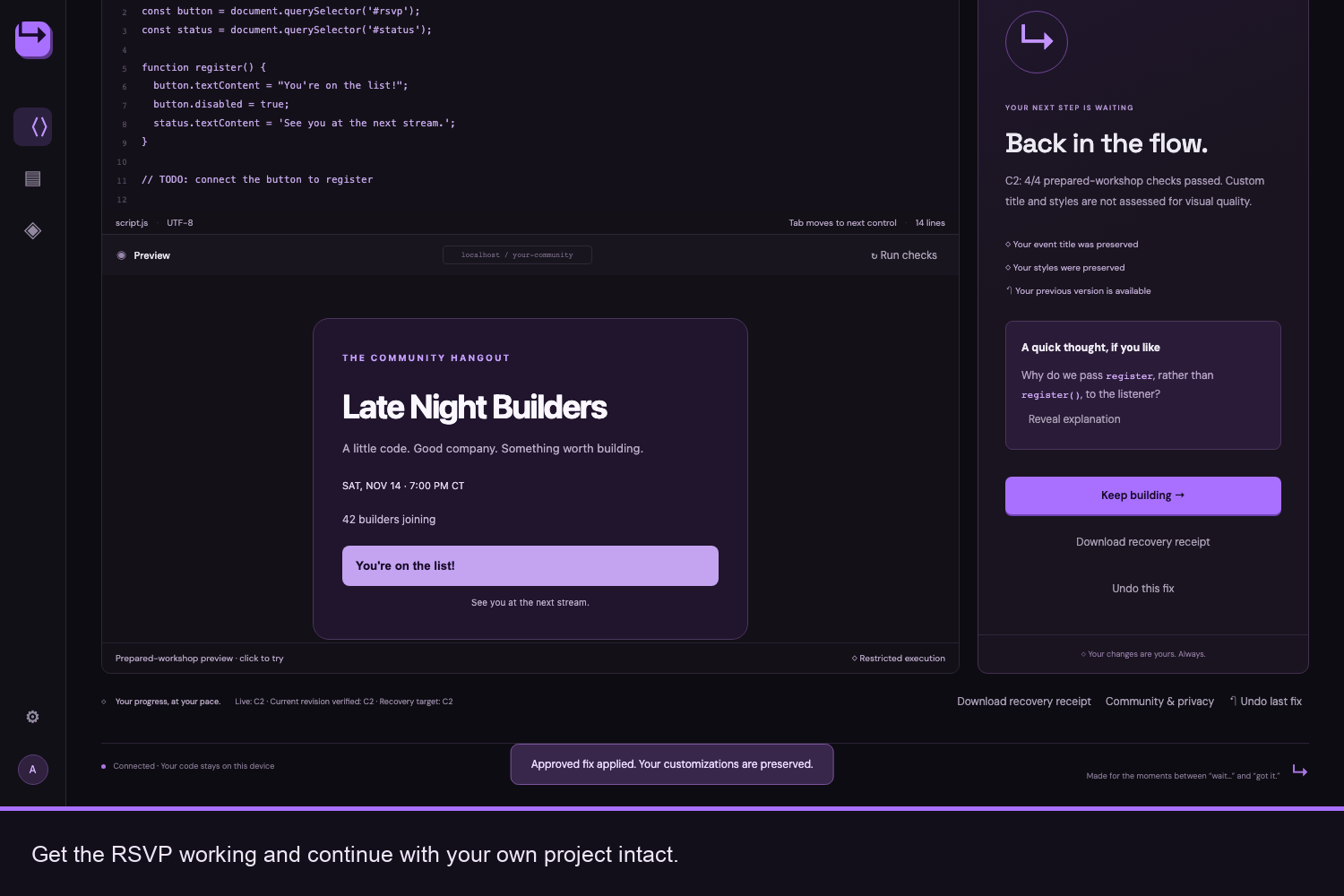
Get back into the flow. Restore the RSVP interaction while keeping your personal project intact.
-
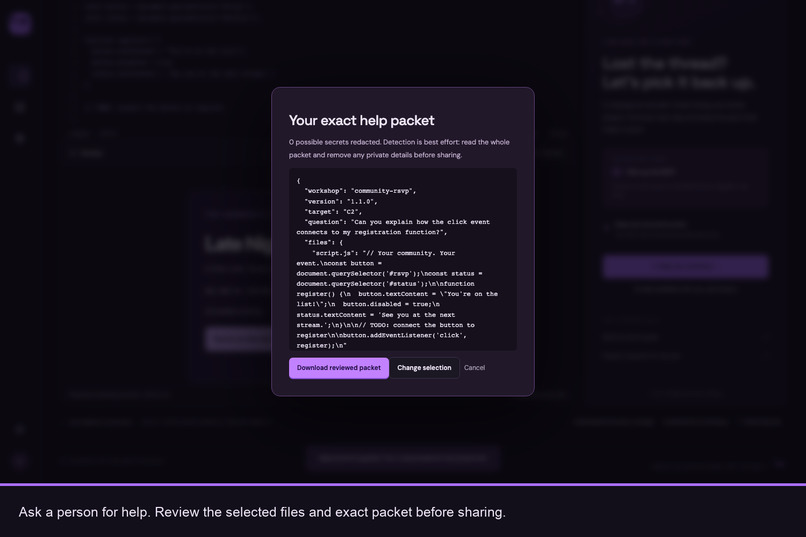
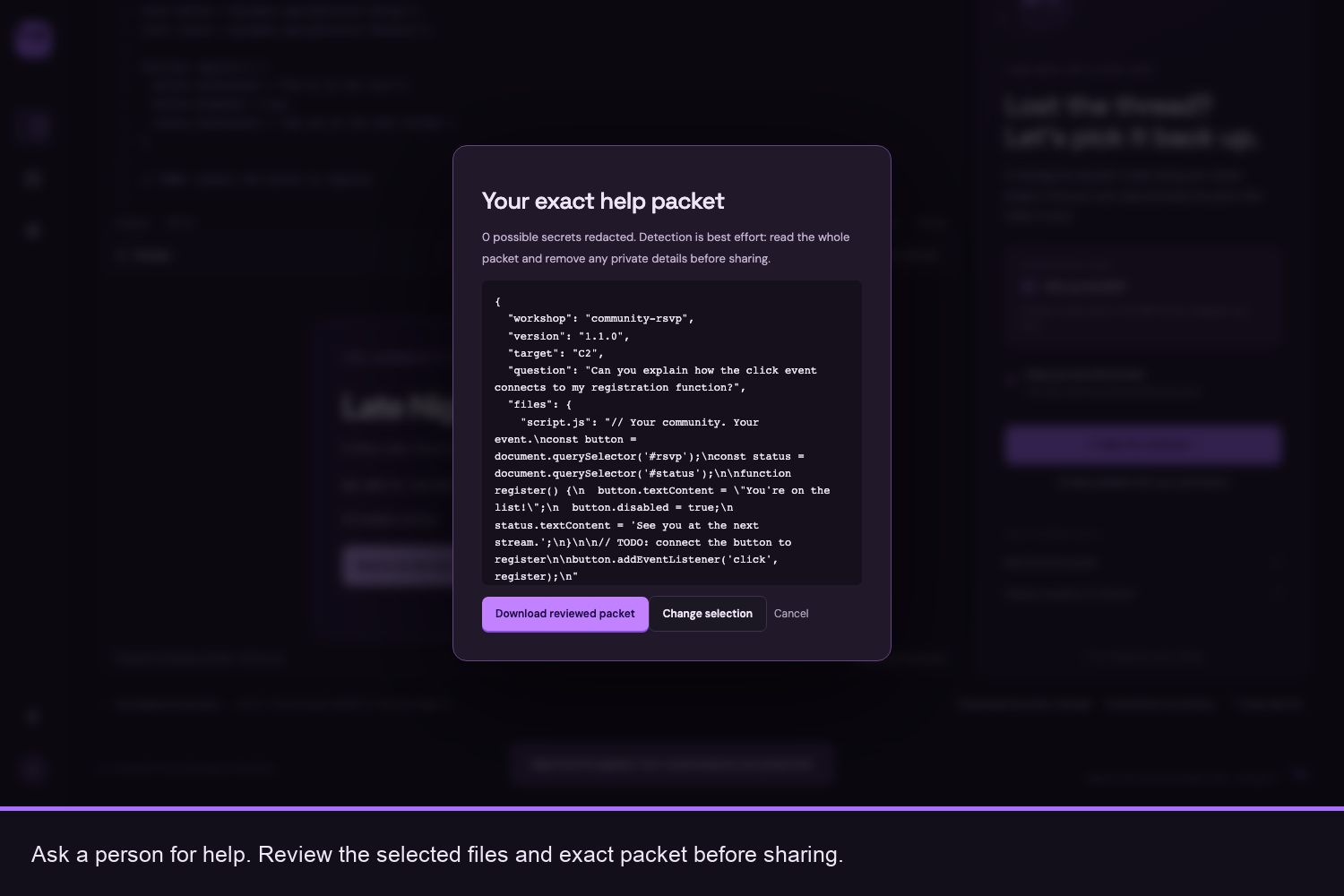
Ask a person for help. Review the selected files and redacted packet before choosing to share it.
-
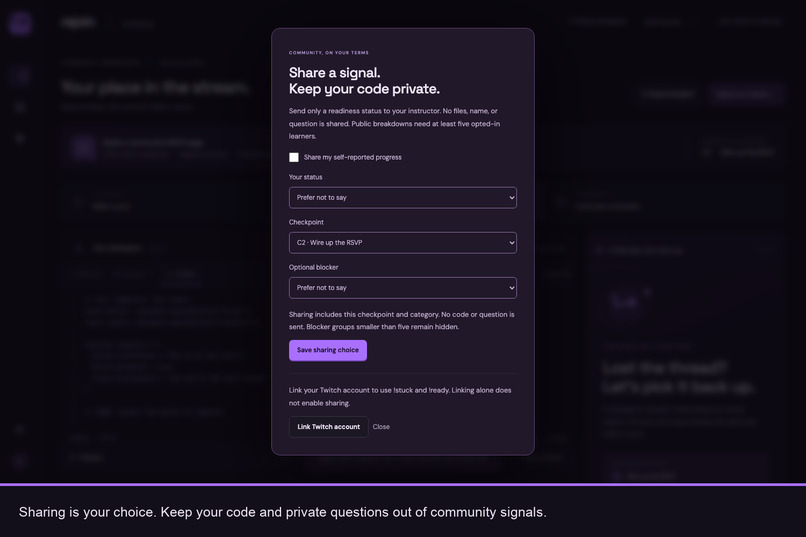
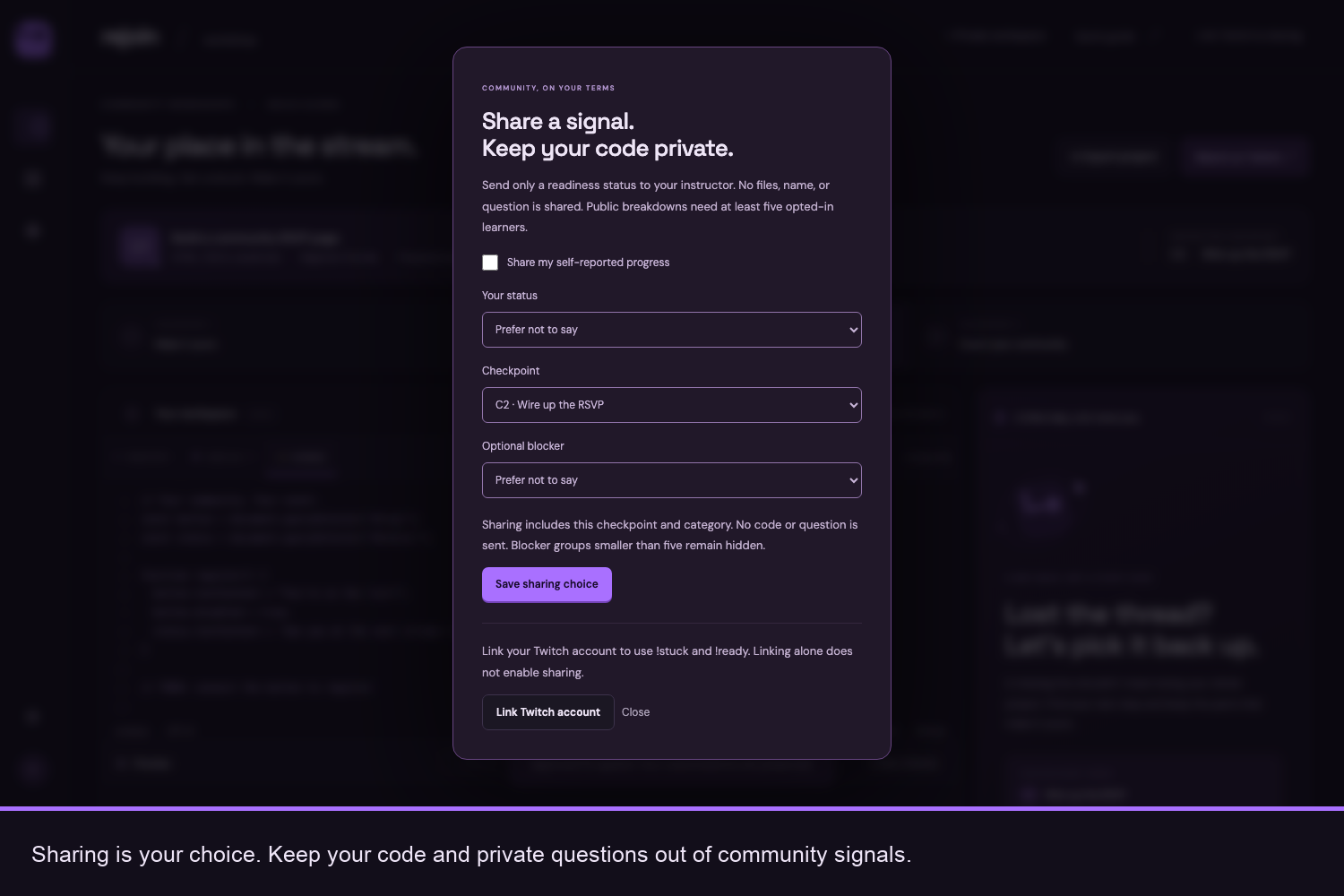
Share progress on your terms. Community signals keep your code and private questions out of the conversation.
Inspiration
Live coding brings people together, but everyone learns at a different pace. One missed step can leave a beginner debugging while the stream moves on. Copying the instructor’s project might restore progress, but it can also erase the learner’s own title, styles and ideas.
I built Rejoin around a simple question: how can someone catch up without starting over?
Rejoin gives learners a way back into a Twitch workshop while keeping ownership of their work. For instructors, it provides a way to coordinate the lesson and receive optional progress signals without collecting everyone’s code.
What it does
Rejoin connects a private browser workspace with a live Twitch workshop. Learners edit HTML, CSS and JavaScript, choose a checkpoint, and get help with their next step.
When something stops working, a learner can read an authored hint or request AI guidance after reviewing the script they are about to share. For supported workshop patterns, Rejoin proposes a focused repair, shows the exact change, and checks its behavior. Nothing is applied until the learner approves it.
Learners can protect files, preserve personal customizations, export their project and download a recovery receipt. If they edit after a repair, undo offers a separate earlier copy instead of overwriting newer work. They can also select files and review a redacted help packet before sharing it with a person.
Instructors can advance checkpoints, publish teaching notes, pause the workshop and display the lesson state through a stream overlay. Twitch commands include !checkpoint C1, !checkpoint C2, !checkpoint C3 and !pause. Optional !rejoin replies return the workshop link. Linked learners who enable sharing can report their status through !stuck and !ready.
The current version supports one shared room and a prepared three-checkpoint community RSVP workshop. It is not a general-purpose code repair tool: unfamiliar JavaScript is directed toward human help. Learners can continue practicing locally after the live workshop ends.
How we built it
I used OpenAI Codex throughout development to help implement and refine the interface, recovery workflow, Twitch integration and supporting checks. I guided the product direction around preserving learner work and making every proposed change inspectable.
The application uses HTML, CSS and JavaScript with a Node.js backend. Twitch EventSub receives chat commands, OAuth supports account authorization, and live server events keep connected workshop pages updated.
Optional tutoring uses OpenAI through the AI SDK. The model explains a next step; deterministic workshop logic proposes the repair. Acorn recognizes supported JavaScript structures, and a restricted preview checks their prepared behavior. AI does not apply code or decide that a repair has passed.
Project files stay in browser storage unless the learner explicitly shares code for AI guidance or exports it. Community sharing is a separate choice and excludes code and private questions.
Challenges we ran into
The hardest challenge was deciding when Rejoin should decline to repair something. A plausible suggestion can still damage a learner’s work. I limited recovery to recognized workshop patterns and added protected files, exact change previews and checks against stale edits.
Keeping the interface accurate was equally important. Editing after a successful repair must clear the previous success message. A failed save must stay visible when switching files. Undo must respect changes made after the original repair.
Twitch integration introduced another distinction: linking an account is not permission to share progress. Broadcaster authorization, learner identity and sharing consent needed separate flows. Small public groups also needed privacy protection so individual reports would not be exposed.
Accomplishments that we're proud of
Rejoin brings the recovery journey together: personalize a project, request guidance, inspect a focused repair, approve it and continue with personal work intact.
The demonstration includes real Twitch checkpoint commands and a workshop-link reply, alongside a real OpenAI-assisted recovery flow. The learner workspace, instructor console and stream overlay connect around the same lesson while keeping learner projects separate.
I am especially proud of the controls surrounding that experience: optional AI, explicit approval, protected files, safe undo and an exact help-packet preview. Keeping the learner in control is part of the product itself.
What we learned
Working code is only part of recovery. A learner also needs to understand what changed, why it matters and whether their own work survived.
Different signals need different meanings. A learner reporting “ready” is not the same as a passing behavioral check, and neither proves understanding.
A narrow workshop scope helped make recovery more predictable and inspectable. The next learning step requires people: automated checks cannot establish whether beginners feel more confident or instructors find the workflow useful.
What's next for Rejoin - Your Place in the Stream
The next step is a small workshop rehearsal with instructors and learners, including keyboard and screen-reader review. I want to understand where learners hesitate, whether explanations help them continue, and whether progress signals help instructors decide when to pause.
Before wider use, I also want to complete the remaining live checks for broadcaster token renewal and the consented !stuck status transition.
From there, the plan is to add more prepared workshops, support multiple rooms and give instructors a way to define their own checkpoints. Language and framework support will grow gradually while preserving Rejoin’s central promise: help learners move forward without taking ownership of their work away from them.


Log in or sign up for Devpost to join the conversation.