-
-
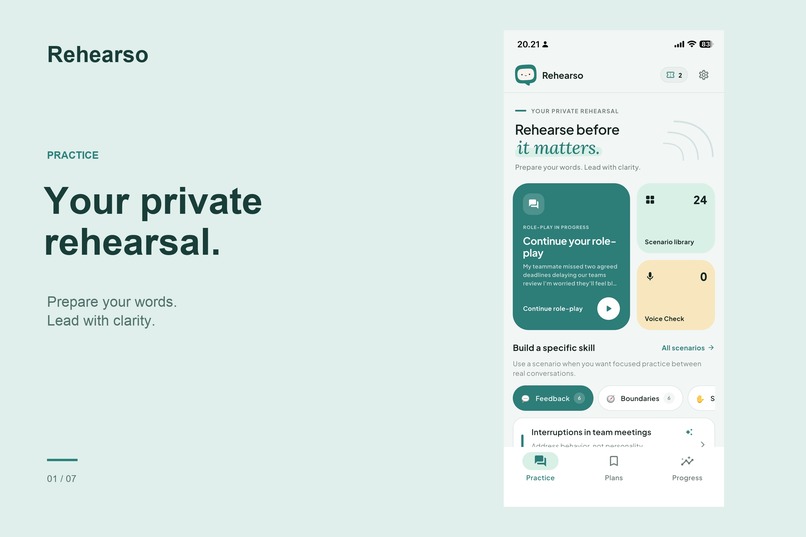
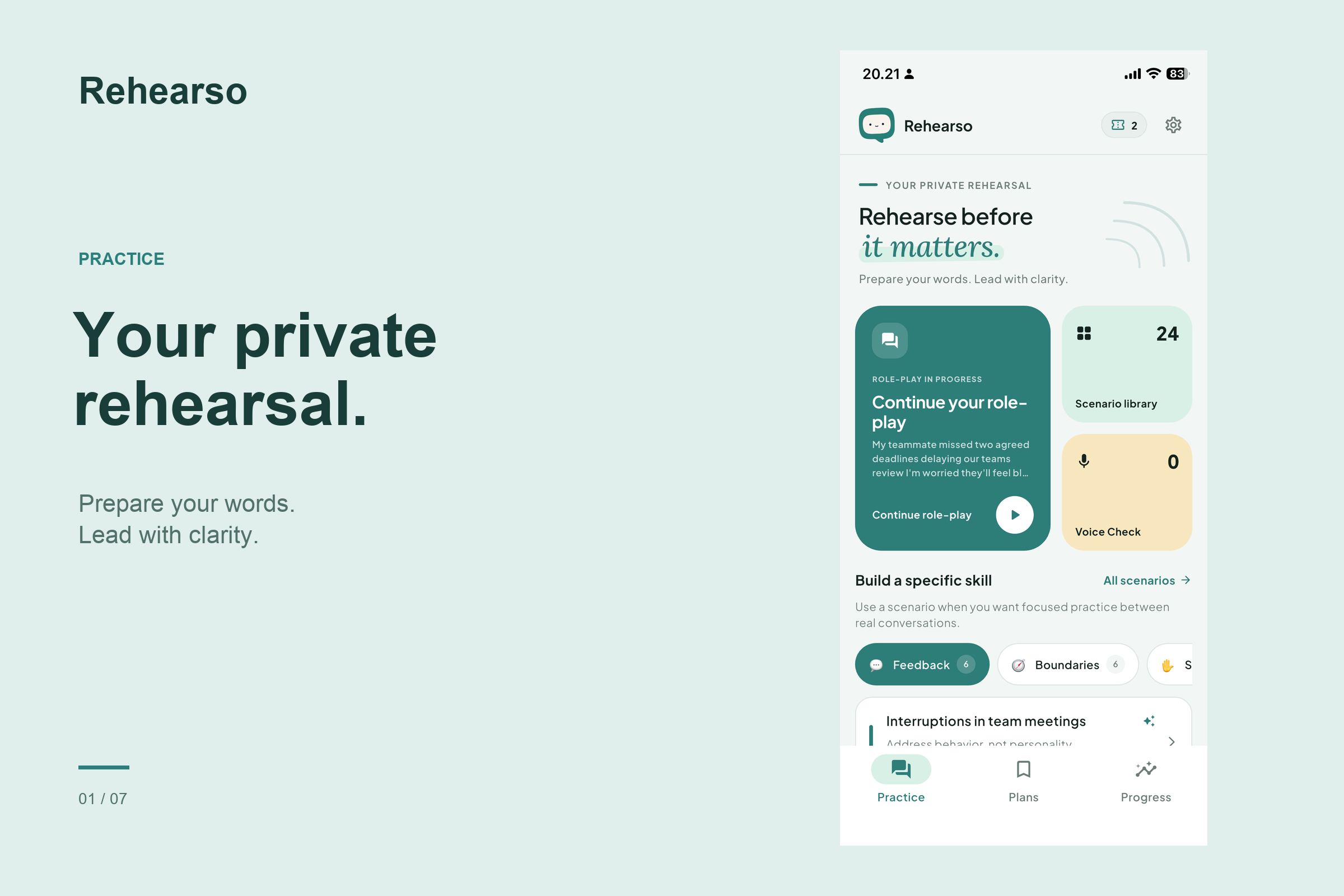
Rehearse before it matters. Prepare for important workplace conversations with private AI role-play.
-
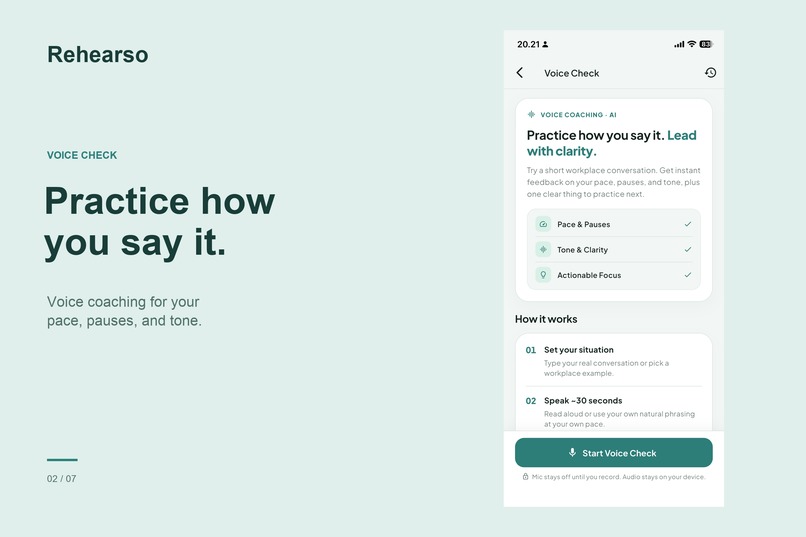
Speak with clarity. Get feedback on your pace, pauses, and tone before the real conversation.
-
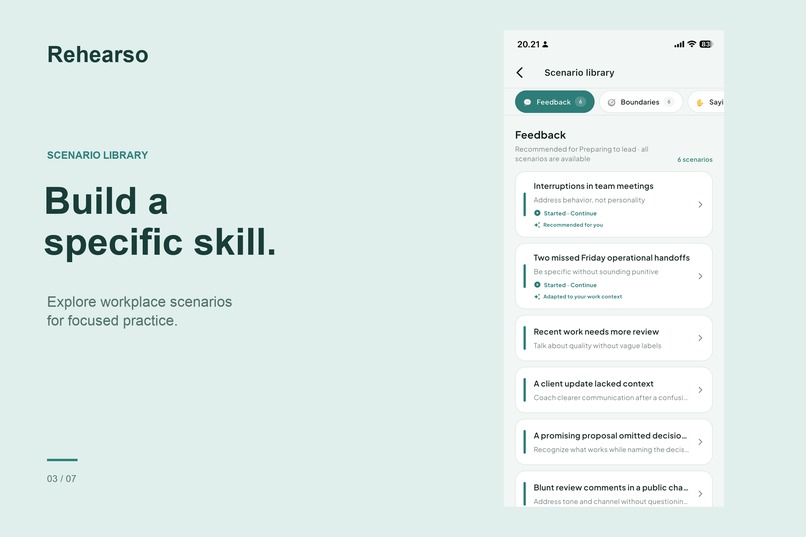
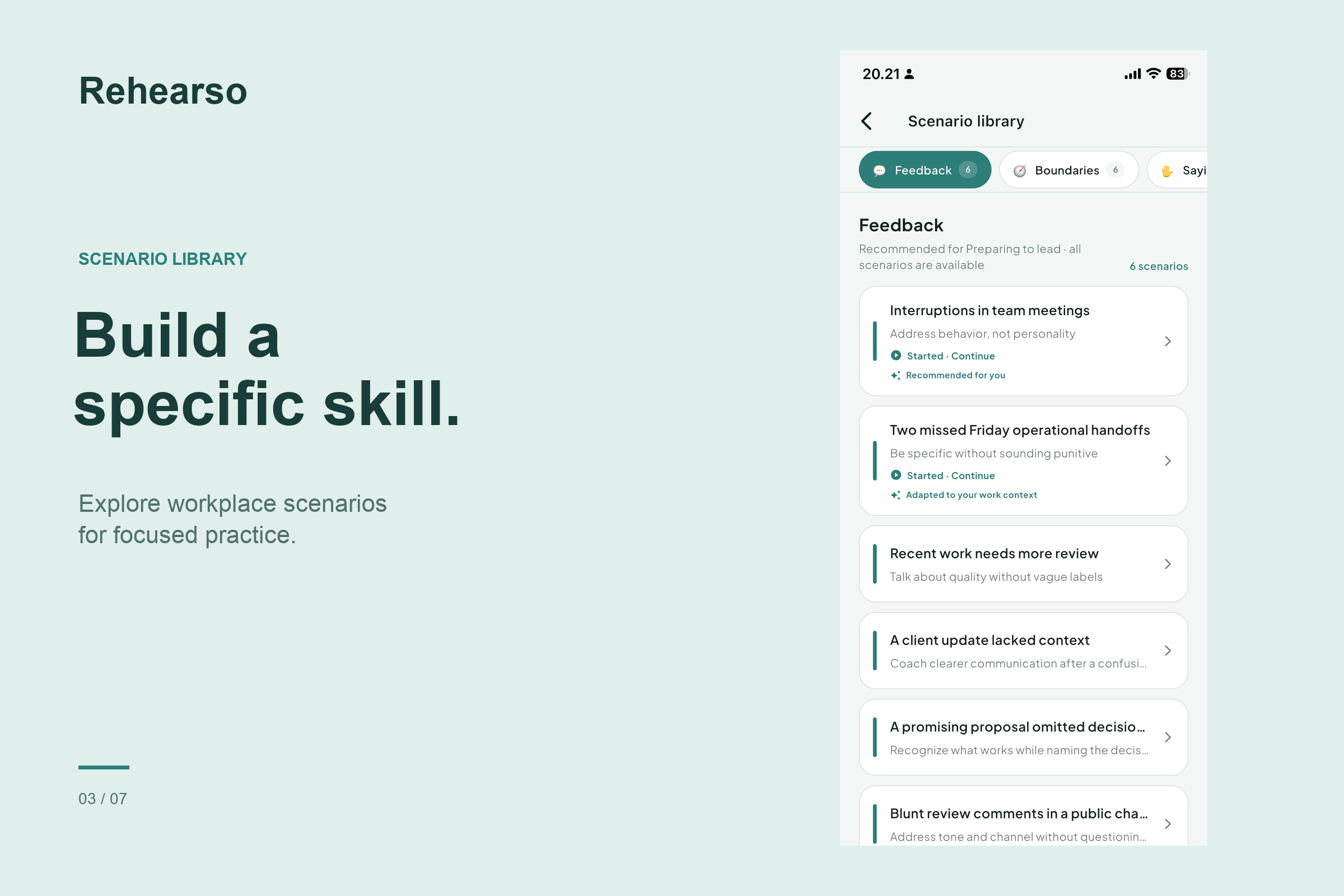
Practice real workplace scenarios to build your skills in feedback, boundaries, and difficult conversations.
-
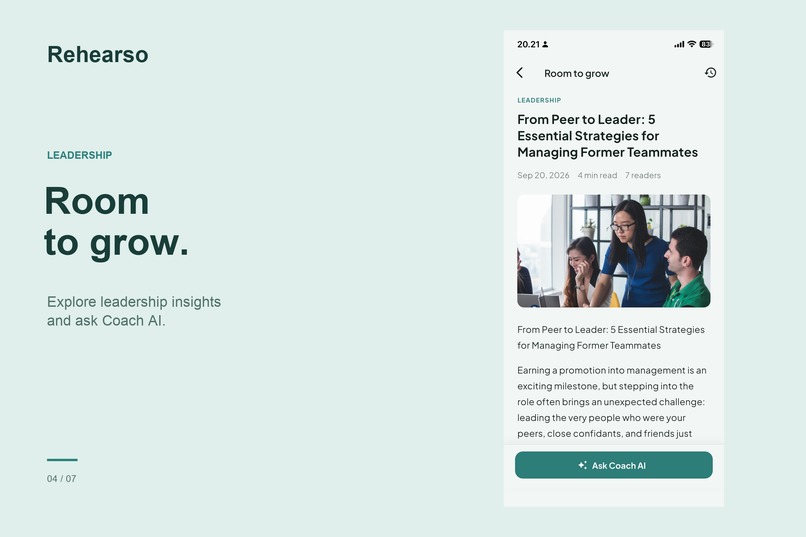
Grow as a leader with practical insights and guidance from Coach AI.
-
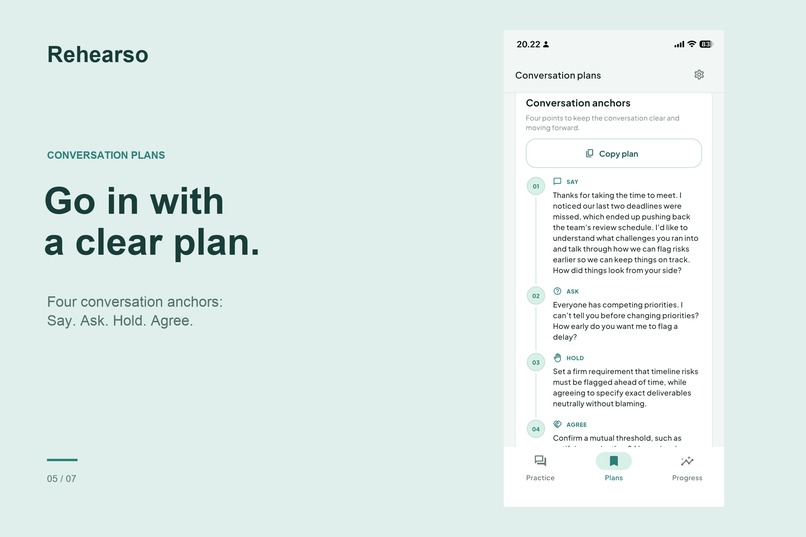
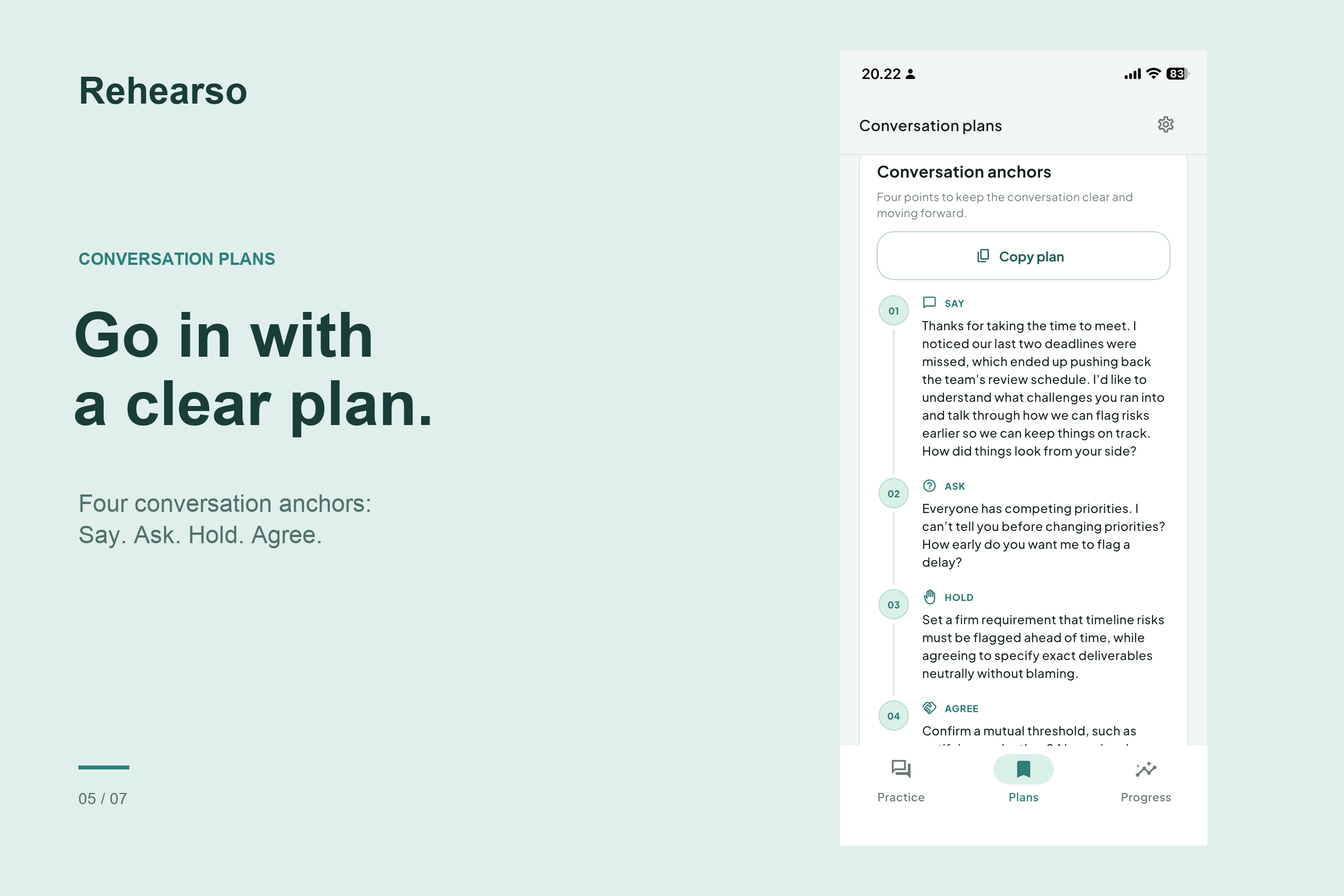
Turn practice into a clear plan with four conversation anchors: Say, Ask, Hold, and Agree.
-
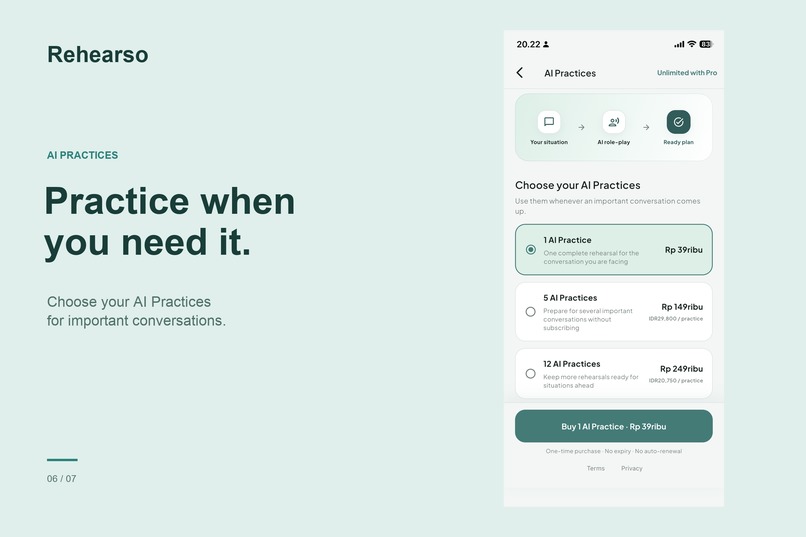
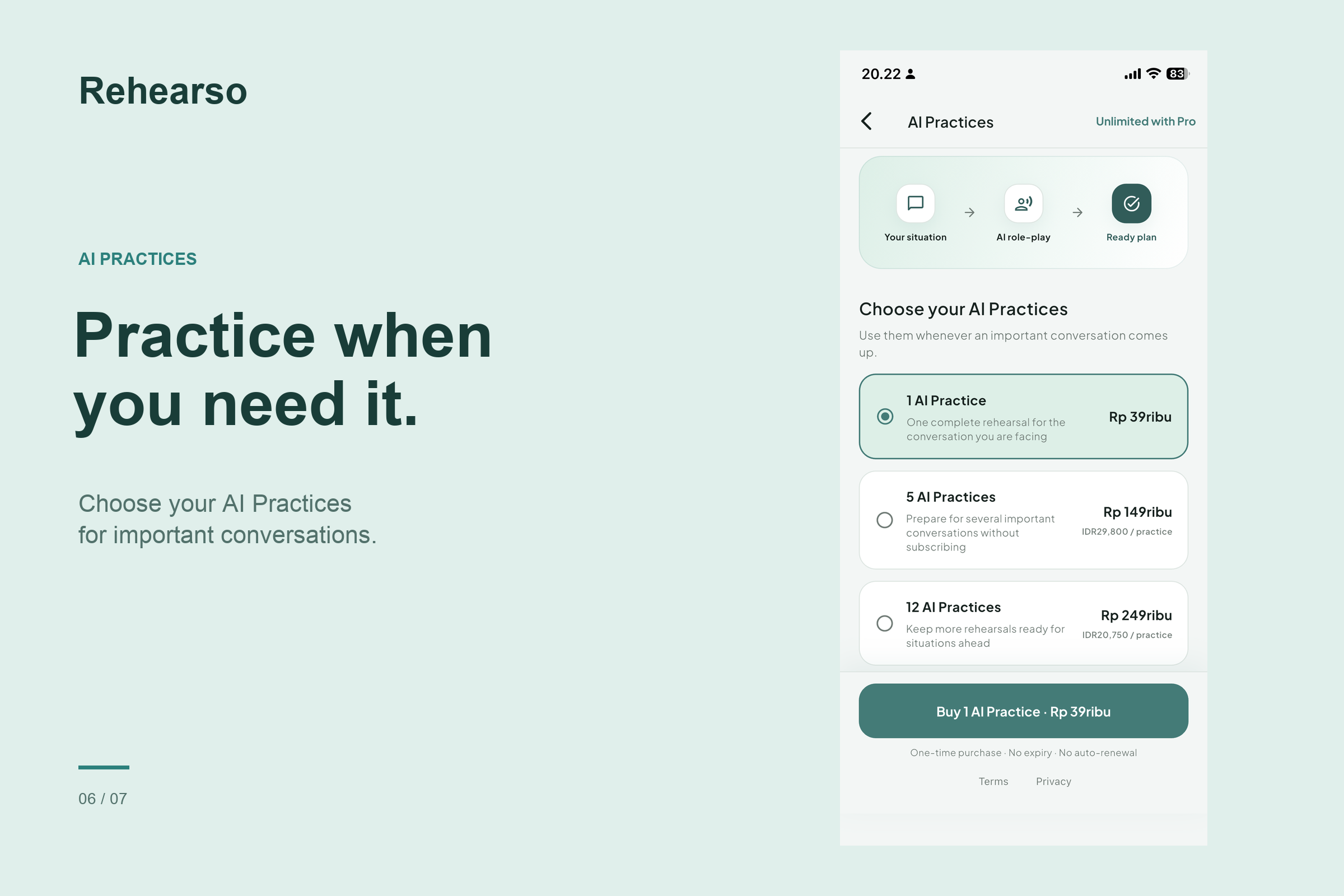
Prepare for your next big conversation with one-time AI practice packs. No subscription needed.
-
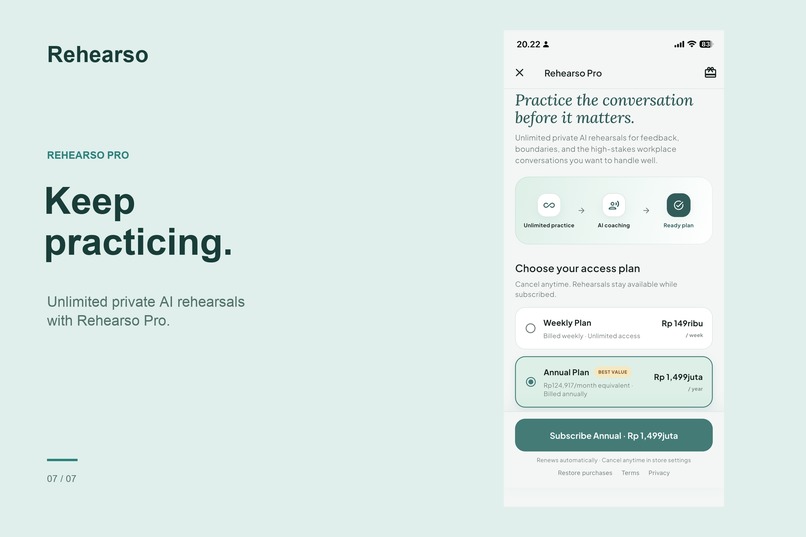
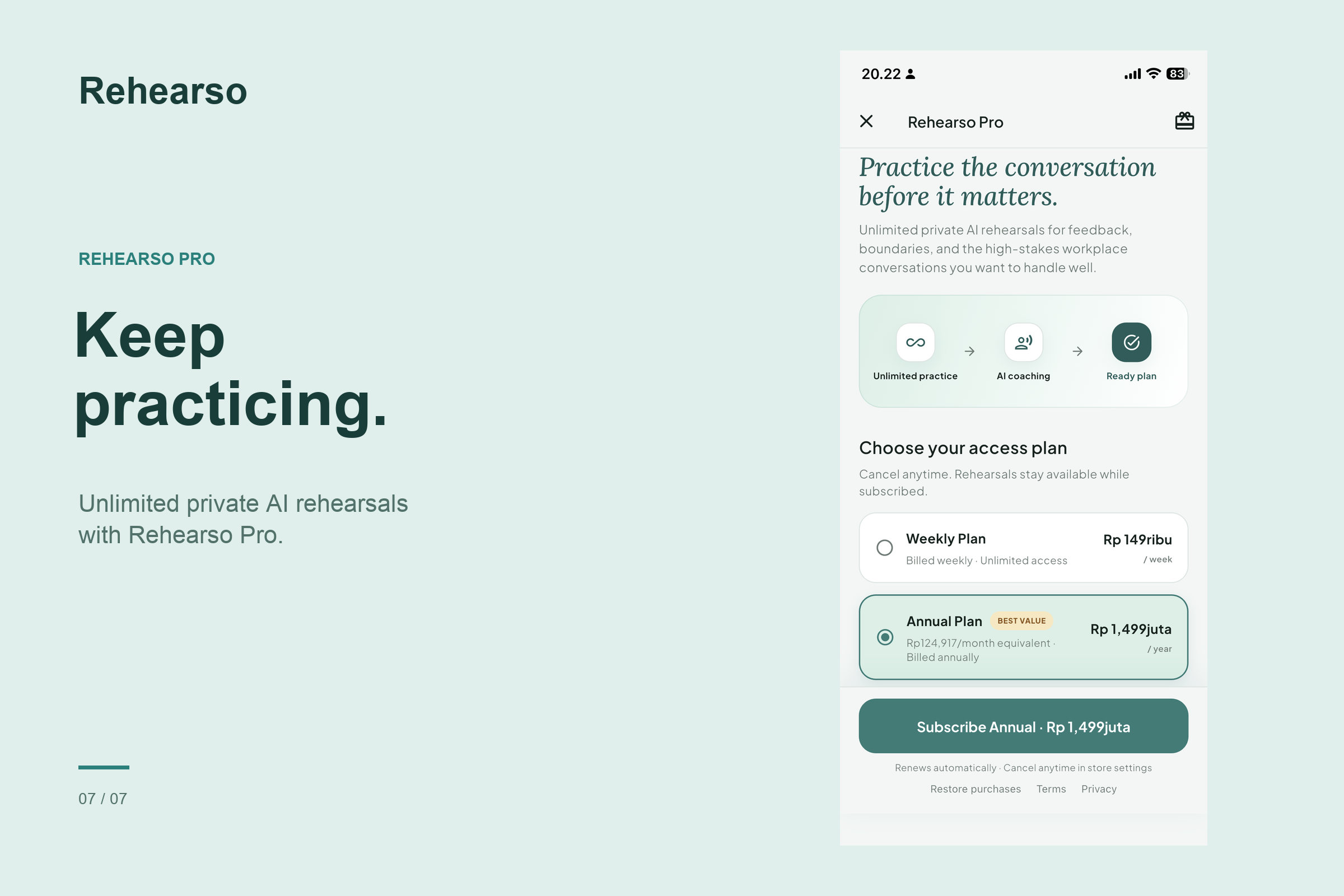
Build confidence with unlimited private AI rehearsals for workplace conversations that matter.
-

App Icon

Inspiration
Becoming a manager means having conversations you may never have been taught how to handle. Giving feedback, setting boundaries, saying no, and addressing missed commitments can feel intimidating, especially when you care about the person on the other side.
Rehearso started with a simple idea: people need a place to practice difficult conversations before having them.
We built it for first-time and newly promoted managers, starting with one manageable step: preparing what to say. From there, users can rehearse a conversation tailored to their situation, context, and goals.
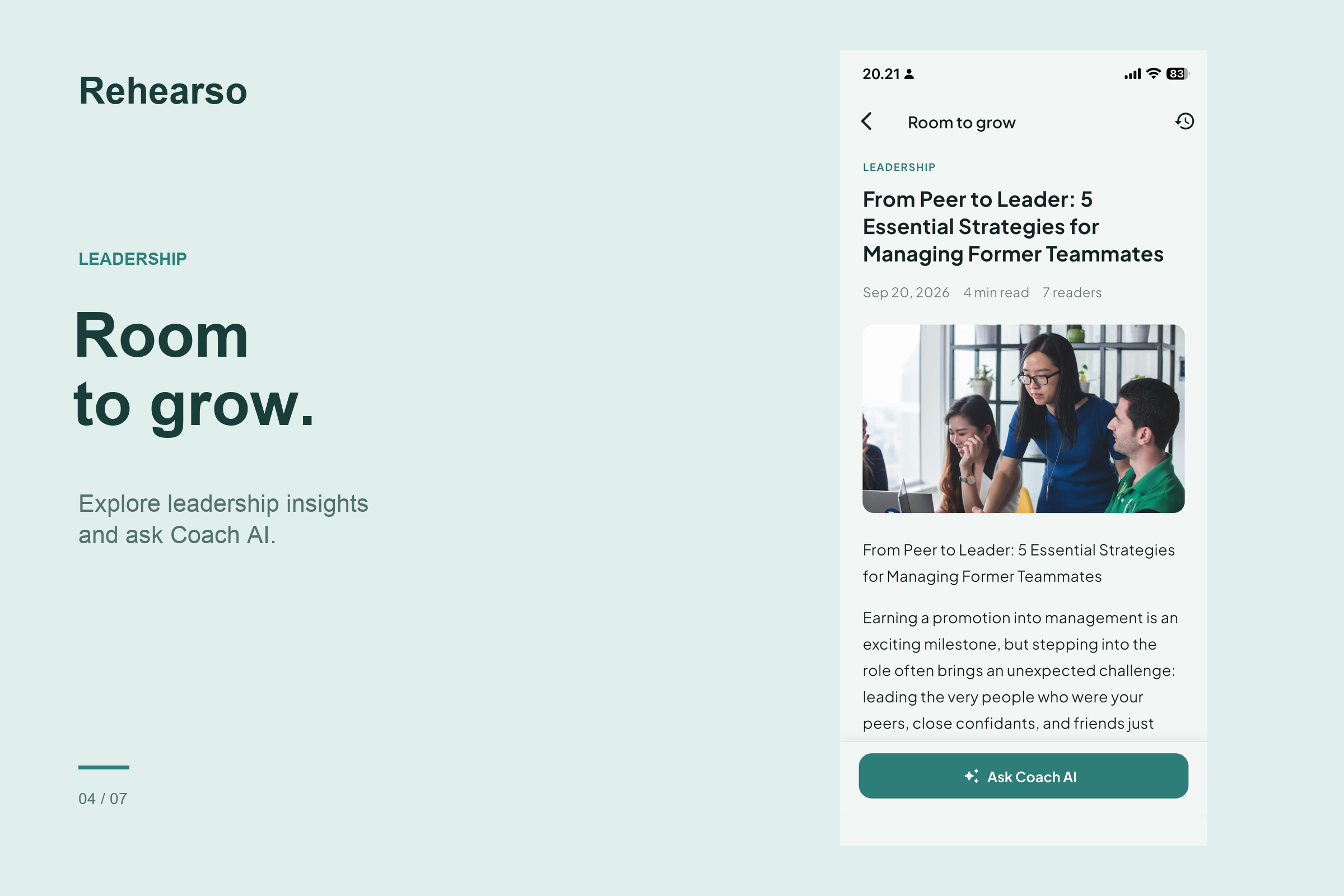
With Room to Grow, users can also explore leadership ideas between practice sessions and connect what they learn to situations on their own teams.
What it does
Rehearso is a leadership conversation coach that helps users prepare, rehearse, reflect, and keep learning.
Users can:
- Start with a relevant situation: Explore 24 curated scenarios across Feedback, Boundaries, Saying No, and Accountability, including a Pro collection, or describe a real workplace situation.
- Personalize their practice: Use the profile shared during onboarding to inform the experience, then review and adjust the practice context, communication style, and goals.
- Find their opening words: Prepare an opening around observation, impact, expectation, and invitation, with suggestions when they feel unsure how to begin.
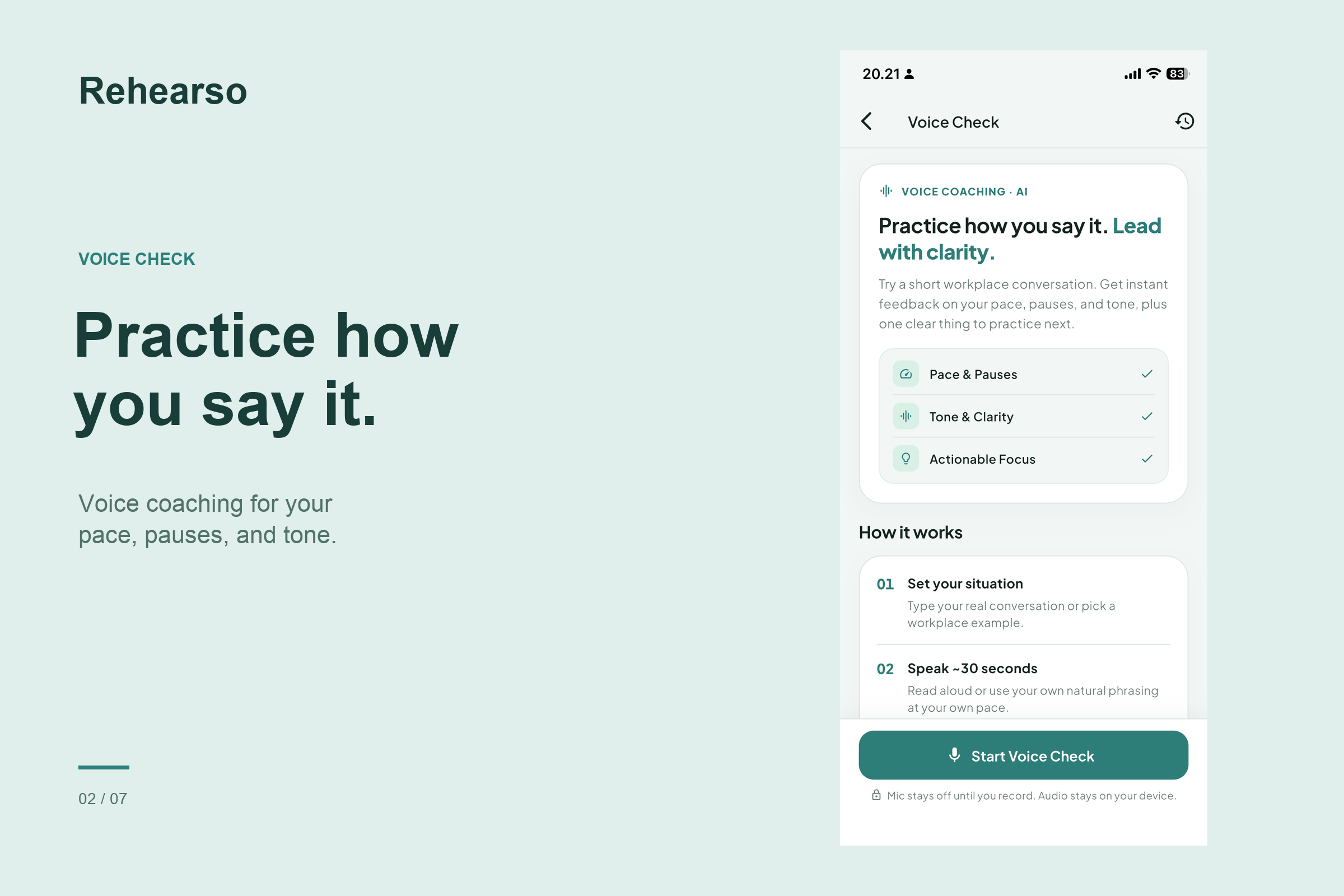
- Practice through voice or text: Rehearse aloud with recordings of up to 90 seconds, review AI feedback and an editable transcript, and try again, or continue through text.
- Respond to an AI counterpart: Practice a conversation in which the other person's reactions adapt to what they say.
- Get guidance along the way: Use coach notes to reconsider their approach, respond to concerns, and stay focused on the conversation's goals.
- Review actionable feedback: See what worked, identify what could improve, and review comparisons when revising their wording.
- Prepare for the real conversation: Save useful openings and a conversation plan, set reminders, and reflect afterward.
- Check their speaking delivery: Use Voice Check to record and replay 5–90 seconds of speech and receive AI feedback on pace, pauses, and tone clarity, using an AI Practice credit or Pro access.
- Learn with Room to Grow: Read free leadership articles and use Ask Coach AI to explain an idea, share an example, or discuss how to apply it with their team.
- Receive article updates: Opt in to notifications that open the relevant article directly inside Rehearso.
- Personalize the appearance: Start with the default Pine Teal theme, with six additional color themes available through Pro.
Free starter AI Practice credits let users try AI features before purchasing more credits or choosing an unlimited Pro plan. The starter allowance is configurable. Pro also unlocks the Pro scenario collection and additional color themes; credit purchases do not unlock those extras.
Users can begin without creating an account or signing in manually. The app uses an anonymous Firebase session for protected services.
Privacy guidance reminds users to remove names, employer identifiers, and confidential details before using AI features. Safety checks redirect high-risk requests away from ordinary communication coaching.
Practice history, saved openings, preferences, saved recordings, and article chat history are stored on the device. Relevant text is sent to Gemini when users use AI coaching. Voice rehearsal and Voice Check also send audio for analysis and transcription. Main rehearsal recordings are temporary and deleted when users leave the rehearsal screen; Voice Check recordings can be saved locally when users choose to keep them.
Cloud services also handle purchase and credit records, article readership receipts, and notification delivery.
How we built it
We built Rehearso with Flutter and Dart, combining guided preparation, audio recording, conversational practice, leadership articles, and AI coaching in a mobile experience.
Gemini powers situation clarification, scenario personalization, opening suggestions, adaptive role-play, and the final debrief. Audio analysis supports voice rehearsal and Voice Check, helping users review their delivery and spoken content.
The coaching flow uses the user's situation, profile, communication preferences, and goals to make practice more relevant. Users can adjust the context before practicing and choose whether to respond through voice or text.
For Room to Grow, Cloud Firestore delivers published articles without requiring an app update. Articles render as native Flutter content. Ask Coach AI uses the current article and recent chat context to help users understand and apply its ideas.
Before displaying a supported article-coaching answer, the app checks that the model supplied an excerpt found in the source article. Responses without a matching excerpt fall back to an insufficient-support message. This checks the excerpt against the source; it does not guarantee that every AI interpretation is correct.
RevenueCat manages pay-as-you-go AI Practices and subscription access. A Node.js backend handles authenticated credit operations, with Firebase Authentication verifying user identity and idempotent credit operations protecting against duplicate spending for the same request.
OneSignal supports optional article notifications. The app maintains an article-update preference so announcements can target interested readers. Campaigns can be created manually in the OneSignal dashboard with an article ID in Additional Data, allowing notification taps to open the relevant article.
The backend also supports scheduled OneSignal reminders before a planned conversation and follow-up check-ins afterward. Local notifications provide a fallback when remote scheduling is unavailable. Notification content excludes sensitive conversation details.
Limited lifecycle events, including practice completion, conversation scheduling, check-in completion, and notification opens, provide integration points for dashboard-configured OneSignal Journeys. These are integration capabilities; we do not claim measured retention improvements.
A shared Flutter theme system provides seven color themes: the default Pine Teal theme and six Pro options. The user's preference is saved locally.
Local storage preserves practice history and saved content. A text alternative supports practice without speaking aloud, while basic fallback feedback is available in supported flows. AI coaching and audio analysis require an internet connection.
Challenges we ran into
One challenge was making coaching useful without making users sound scripted. We needed enough structure to support clear communication while leaving room for their own words, personality, and preferred tone.
Another was balancing realistic role-play with constructive guidance. The counterpart needs to respond meaningfully, while coach notes and final feedback need to connect to what the user actually said.
Voice practice introduced additional complexity. Users need to understand when recording starts and stops, review the transcript, and recover from an analysis failure without unnecessarily recording again.
Room to Grow introduced a different challenge: turning reading into useful learning. We added article-based coaching so users could ask follow-up questions while keeping the conversation grounded in the article.
Privacy shaped the experience through contextual guidance, local data controls, temporary audio handling, and redirection for high-risk requests.
On the technical side, coordinating recording, playback in Voice Check, AI responses, and credit handling required careful state management. Retries needed to recover without spending credits twice for the same request. Notification routing also needed to handle opening the app and navigating to content that might no longer be available.
Accomplishments that we're proud of
We are proud of bringing preparation, rehearsal, feedback, follow-up, and continued learning into one focused experience.
Highlights include:
- 24 curated scenarios covering common leadership conversations.
- Personalized AI role-play informed by the user's context, communication preferences, and goals.
- Opening suggestions and coach notes that help users begin and respond when they feel stuck.
- Voice and text practice so users can rehearse in a way that fits their situation.
- Actionable feedback and revision comparisons that connect advice to the user's responses.
- Voice Check for reviewing speaking pace, pauses, and tone clarity.
- Saved conversation plans that connect practice to an upcoming discussion.
- Room to Grow, with free leadership articles and contextual AI coaching.
- Optional article notifications that link directly to relevant content.
- Seven color themes, including six Pro options.
- Flexible access through free starter credits, pay-as-you-go purchases, and subscriptions.
What we learned
A useful coaching experience needs to offer a clear next step. Someone preparing for a difficult conversation needs to know what to try, why it matters, and how to improve it.
Context matters. Understanding the relationship, workplace situation, communication preferences, and intended outcome helps make role-play and feedback more relevant.
We also learned that preparation involves responding as well as finding an opening. Users need opportunities to acknowledge concerns, ask questions, and adjust when a conversation takes an unexpected direction.
The same principle applies to learning. An article becomes more useful when readers can explore how its ideas fit their own team.
Finally, we learned to distinguish practice confidence from real-world results. Feeling more prepared is valuable, but it does not guarantee a successful conversation. Reflection after the actual discussion remains important for continued growth.
What's next for Rehearso: Leadership Coach
Our next priority is learning from first-time managers using Rehearso before real conversations, then improving the experience around their needs.
Future directions include:
- Expanding workplace scenarios and counterpart behaviors.
- Refining the relevance and timing of coach guidance.
- Improving voice delivery feedback and its usefulness.
- Growing the Room to Grow library around everyday management challenges.
- Extending personalization around recurring leadership goals.
- Improving reflection after real conversations.
- Expanding language coverage and accessibility.
- Evaluating how reminders and article notifications support continued practice.
- Exploring how coaches and leadership programs could use Rehearso between sessions.
Our goal is to help people approach difficult conversations with greater clarity, confidence, and care.
Awards we're entering
Our primary target is the Influencer Award - Career Coaching: Leadership Heather. Rehearso helps first-time and newly promoted managers actively rehearse difficult workplace conversations through realistic situations, personalized role-play, and feedback connected to their responses.
We are also entering:
- HAMM Award: For a hybrid monetization model that combines pay-as-you-go AI Practices with unlimited Pro subscriptions through RevenueCat.
- RevenueCat Peace Prize: For helping people practice clear, respectful workplace communication, with the aim of supporting healthier working relationships.
- RevenueCat Design Award: For guided interactions, clear feedback hierarchy, contextual privacy guidance, and a consistent visual language that makes conversation practice approachable.
- Keep Them Coming Back Award — OneSignal: For integrating optional article notifications, direct article navigation, conversation reminders, and follow-up check-ins that connect continued learning with preparation and reflection.

Log in or sign up for Devpost to join the conversation.