-
-
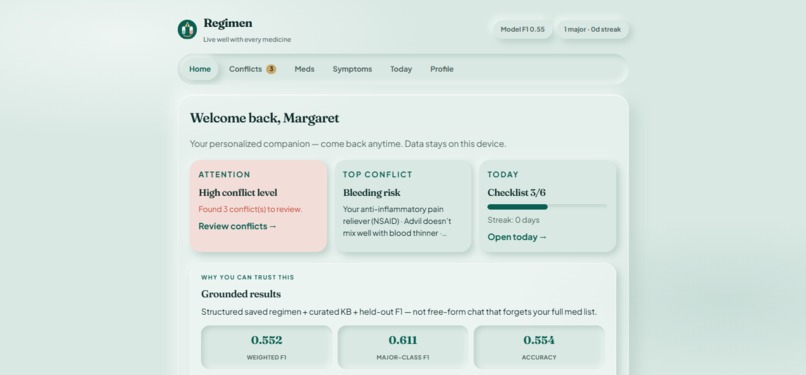
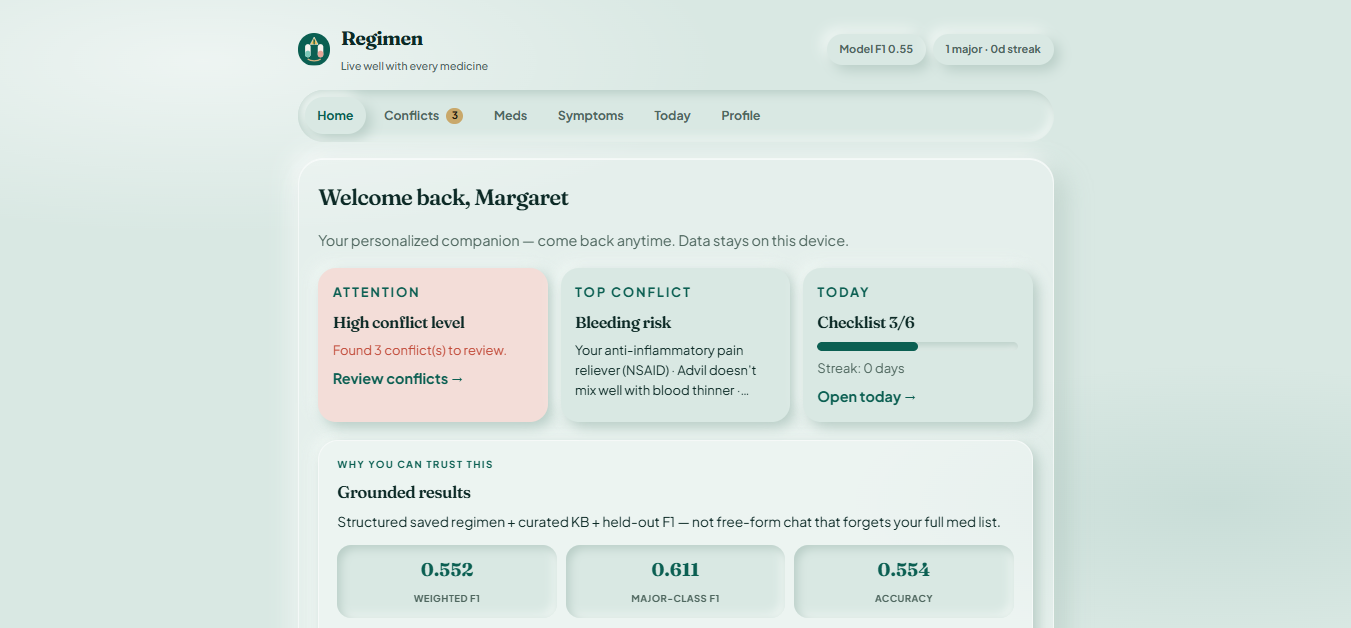
Home Page - Regimen
-
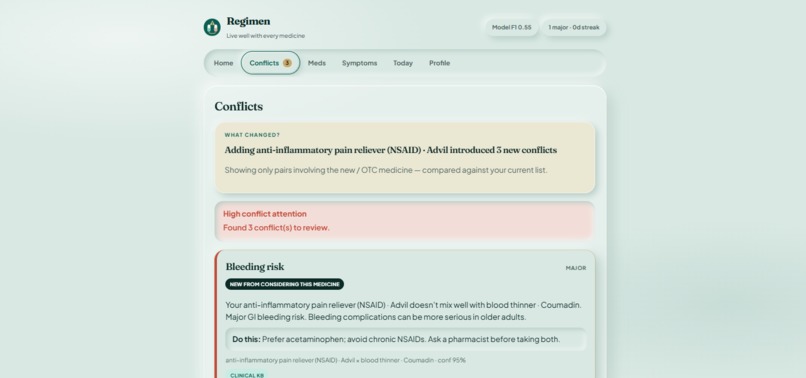
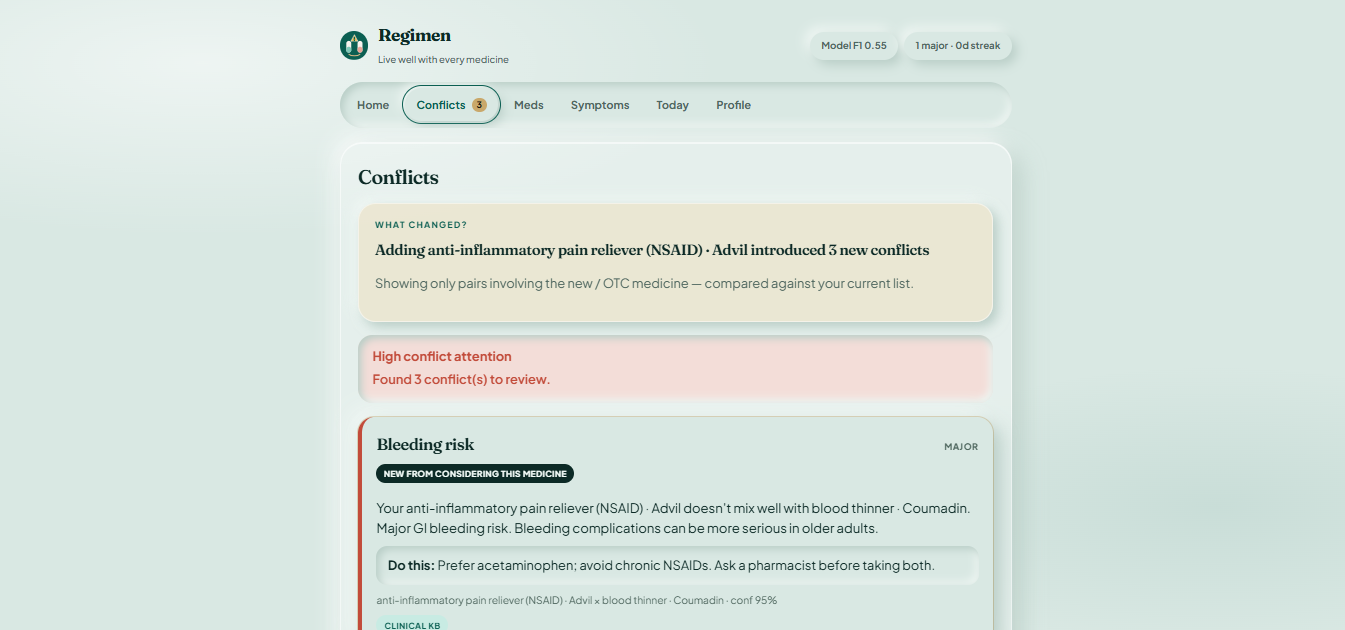
Health Conflicts Tab
-
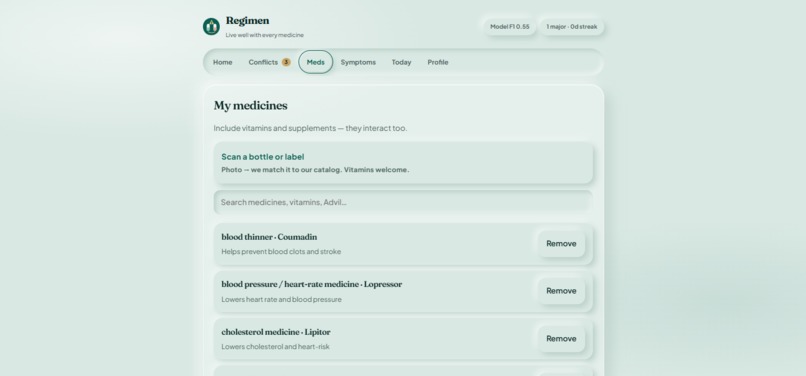
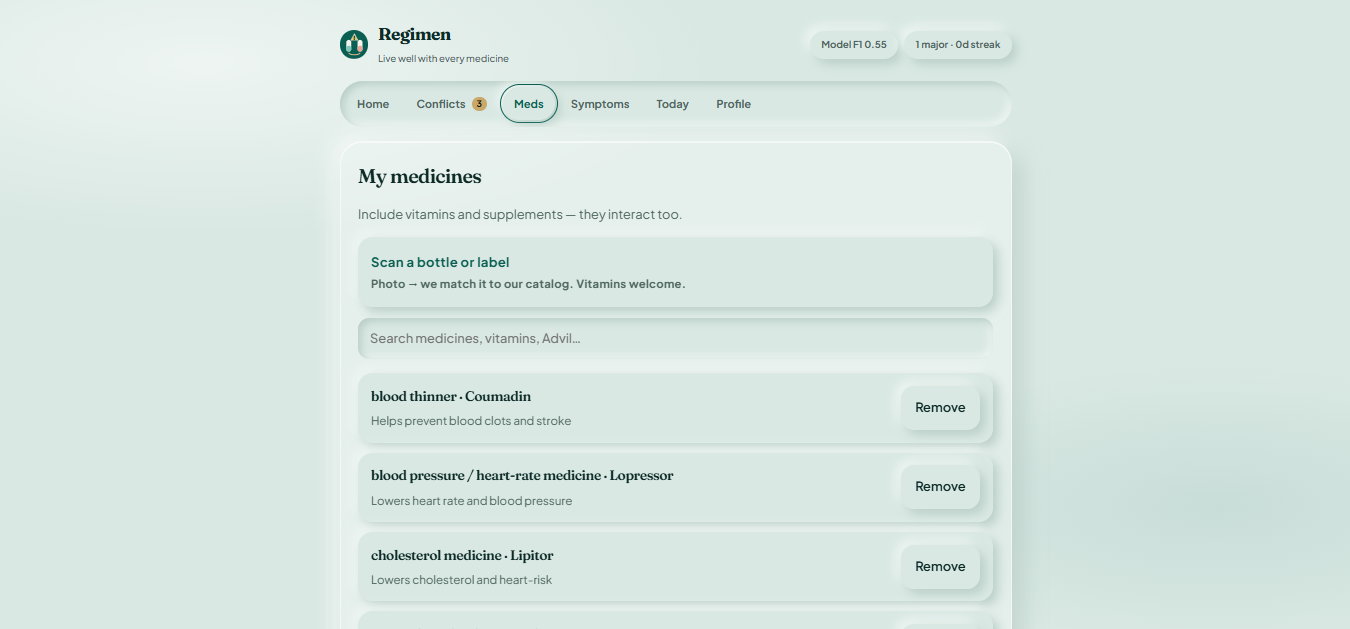
Medications Tab
-
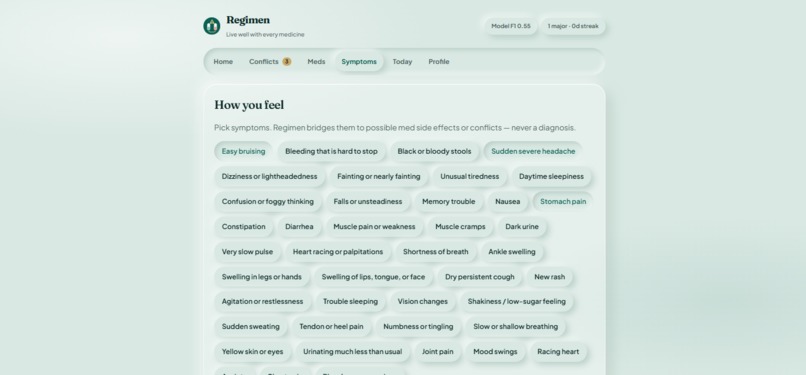
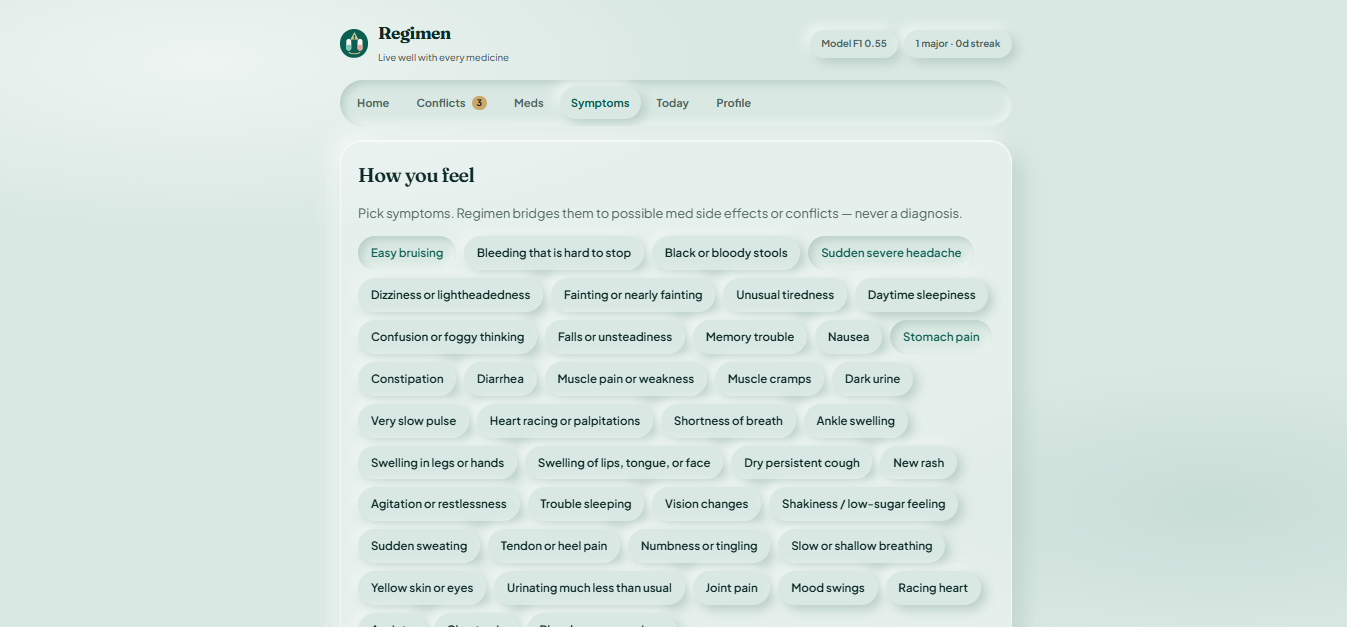
Symptoms Tab
-
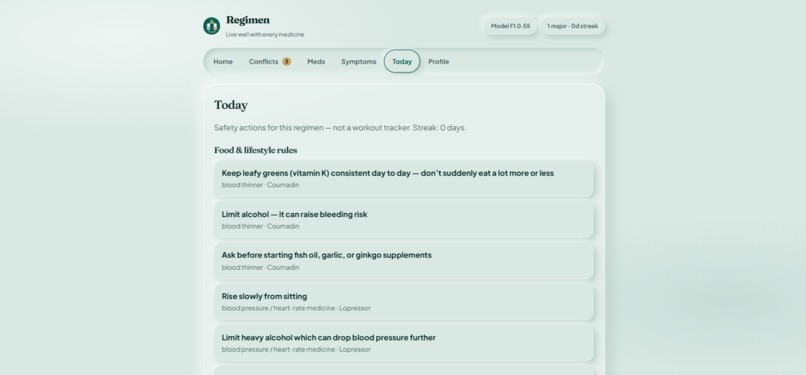
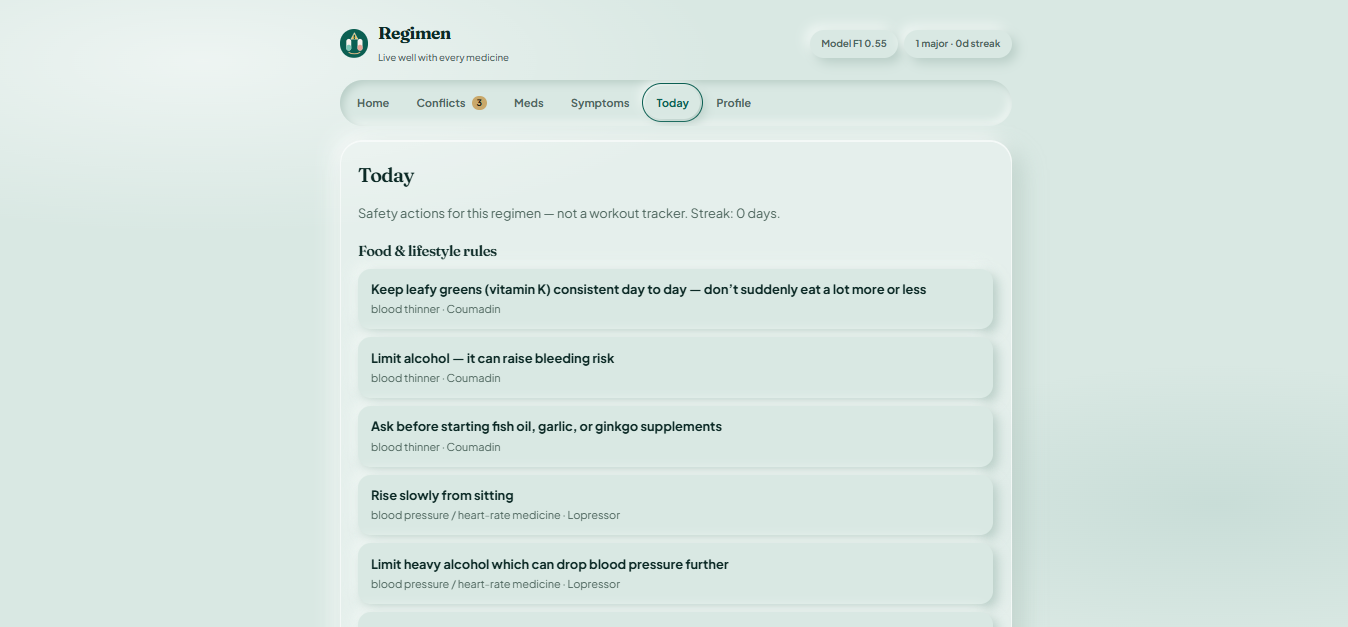
Tips for the Day
-
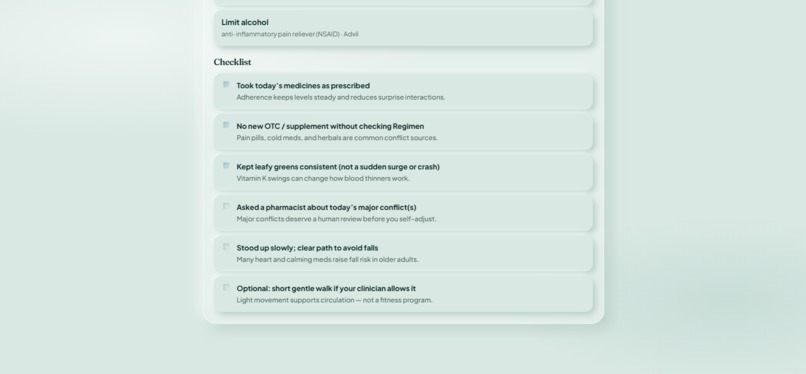
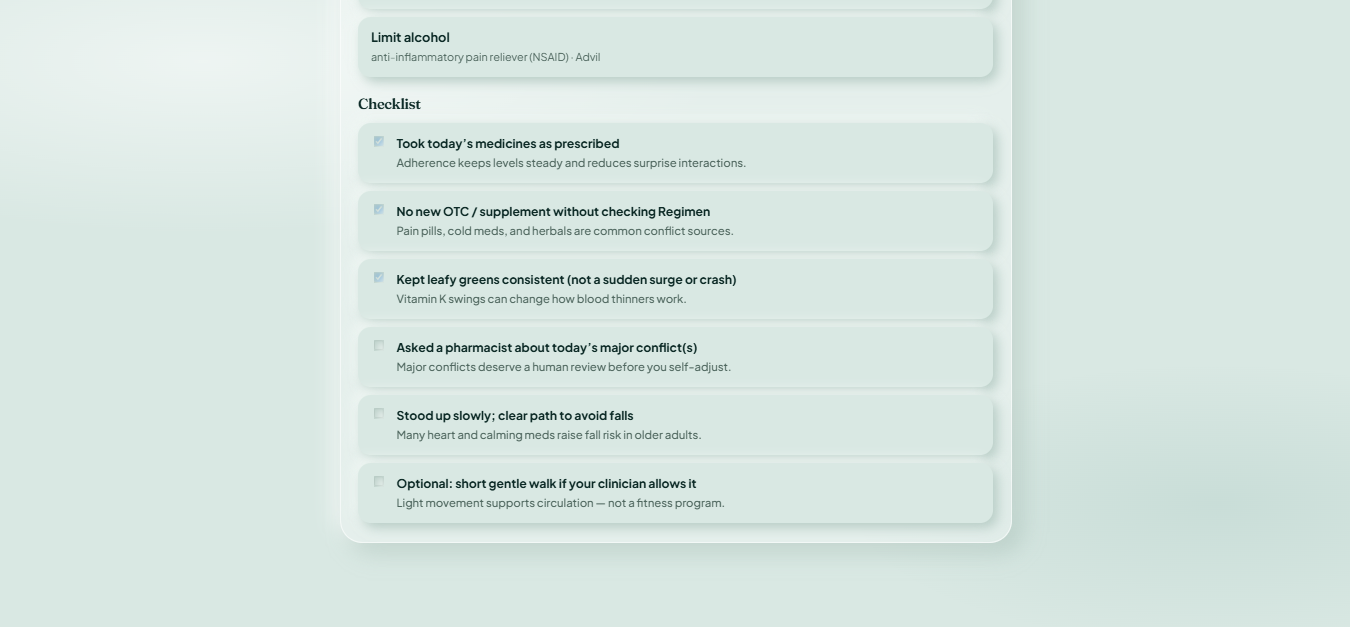
Daily Checklist
Regimen
Inspiration
Older adults often take several medications at the same time. Adding a new prescription, antibiotic, or even an over-the-counter painkiller can create interactions with medications they are already taking.
The problem is that most patients and caregivers do not understand terms like DrugBank IDs, CYP interactions, or clinical severity codes. They just know that someone might suddenly feel dizzy, bruise more easily, or feel different than usual.
We wanted to build something that focuses on the question people actually care about:
Could these medications be interacting, and what should I do?
That led us to build Regimen, a medication safety companion that helps caregivers understand potential drug interactions in plain English.
Instead of trying to become another general health or wellness app, we focused specifically on medication conflicts and making them easier to understand.
What It Does
Regimen guides users through a simple workflow:
- Create a profile
- Add current medications
- Analyze the regimen
- Review medication conflicts
- Explore symptom guidance
- Check food interactions and safety reminders
- View a personalized dashboard
Every interaction is broken down into three simple questions:
What?
What is happening between the medications?
Why?
Why could the interaction matter?
Do This
What should the user consider doing next?
We also show whether an interaction came from our curated clinical knowledge base or from our machine learning model.
Adding a New Medication
Regimen also looks at what changes when a new medication is added.
Instead of making users go through their entire medication list again, we highlight the conflicts introduced by the new medication.
This makes it easier to answer:
What changed after I added this medication?
Other Features
- Symptom-to-conflict guidance: Educational information about possible connections between symptoms and medication conflicts. Regimen does not diagnose symptoms.
- Daily food reminders: Highlights relevant food interactions and precautions.
- Safety checklist: Provides medication safety reminders.
- Pharmacist share card: Creates a concise summary that can be shared with a pharmacist.
- Model evaluation: Shows weighted F1, major-class F1, and per-class performance.
- Clinical disclaimer: Clearly states that Regimen is an educational tool and not a replacement for professional medical advice.
Our demo follows Margaret, whose combination of warfarin and Advil demonstrates how adding an over-the-counter medication can introduce a serious bleeding risk.
How We Built It
We did not want Regimen to be a chatbot that simply generates medical-sounding answers.
Instead, we built a hybrid system that combines a curated clinical knowledge base with machine learning.
Frontend
The frontend uses:
- React
- TypeScript
The interface follows a guided workflow. Users first build their medication regimen, then analyze it, and finally review the results.
Backend
The backend uses:
- Python
- FastAPI
- scikit-learn
There are two main parts to the backend.
1. Clinical Knowledge Base
Known medication interactions are stored in a structured knowledge base. This provides the clinical information used to explain known interactions.
2. Machine Learning Model
We trained a Gradient Boosting classifier to predict interaction severity.
The model helps classify and prioritize potential conflicts, while the knowledge base provides the information used to explain them.
Why We Used Both
A knowledge base gives us structured clinical information that we can trace back to known interactions.
Machine learning gives us another way to classify and prioritize conflicts.
Using both allowed us to build a system that is more structured than a free-form chatbot while still making use of machine learning.
Model Evaluation
We wanted to be transparent about how our model performs, so the evaluation metrics are displayed inside the application.
Predicting Severity
For each medication pair, the classifier produces a probability for each severity class.
The predicted severity is the class with the highest probability:
Predicted Severity = class with the highest predicted probability
In mathematical notation:
ŷ = argmax P(y | x)
Measuring Performance
We use weighted F1 because the number of examples in each class can be different.
Weighted F1 = Σ (class size / total samples) × F1 score of that class
Regimen displays:
- Weighted F1
- Major-class F1
- Per-class F1
- Performance bars
We chose to show these metrics directly in the application rather than only reporting them in our documentation.
Challenges We Faced
Keeping the Scope Focused
There were a lot of features we could have added.
Medication reminders, fitness tracking, nutrition planning, appointment management, and other health features were all possibilities.
We decided not to build them.
Our main goal was to make medication conflicts easier to understand, so we focused our time on that problem.
Explaining Medical Information
Clinical information can be difficult to communicate to someone without a medical background.
We had to find a balance between simplifying the language and keeping the important information.
The three questions that helped us shape the interface were:
What happened?
Why does it matter?
What should I do next?
Being Honest About the Model
We did not want to make claims about our model without showing the numbers.
That is why the model evaluation is part of the application. Users can see the metrics instead of having to take our word for it.
What We Learned
One of our biggest takeaways was that a hybrid system works well for this type of problem.
The clinical knowledge base gives us structured information about known interactions, while the machine learning model helps classify their severity.
We also learned that users do not necessarily need more medical terminology. They need the important information presented clearly.
The most useful format ended up being simple:
What happened?
Why does it matter?
What should I do next?
That became the basis for how we present medication conflicts throughout Regimen.
Accomplishments
We are especially proud of:
- Explaining a major medication conflict in under 15 seconds
- Creating a pharmacist-ready handoff card
- Showing model evaluation metrics directly in the application
- Highlighting only newly introduced conflicts when a medication is added
- Providing symptom-related educational guidance without attempting to diagnose
- Keeping the application focused on medication conflicts
- Maintaining a clear education-only disclaimer
What's Next
There is still a lot we want to improve.
Our next steps include:
- Expanding to larger licensed drug interaction datasets
- Expanding the clinical knowledge base
- Improving the machine learning model with more representative data
- Collecting real-world usage data
- Deploying scalable cloud infrastructure
- Building a mobile version
- Improving the way medication risks are explained to caregivers
Our goal is to make medication safety information easier for caregivers to understand and easier to share with a pharmacist or other healthcare professional.
Built With
Frontend: React, TypeScript Backend: Python, FastAPI Machine Learning: scikit-learn, Gradient Boosting Data: Curated clinical medication-interaction knowledge base
Disclaimer
Regimen is an educational tool and is not intended to diagnose, treat, or replace advice from a qualified healthcare professional.
Built With
- fastapi
- pandas
- pillow
- python
- react
- scikit-learn
- typescript
- vite

Log in or sign up for Devpost to join the conversation.