-
-
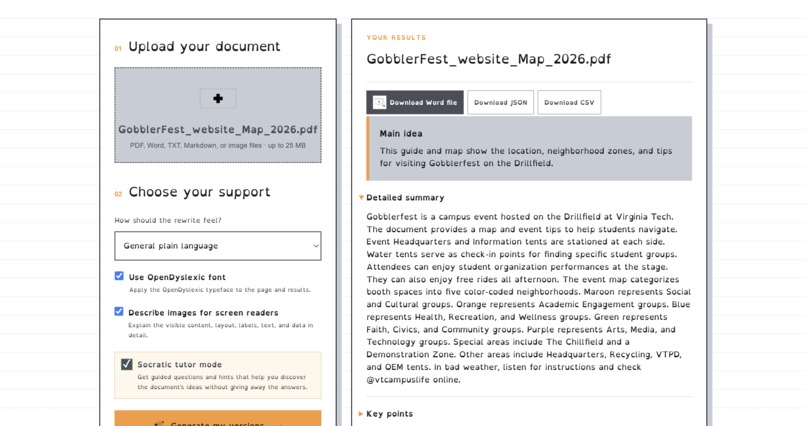
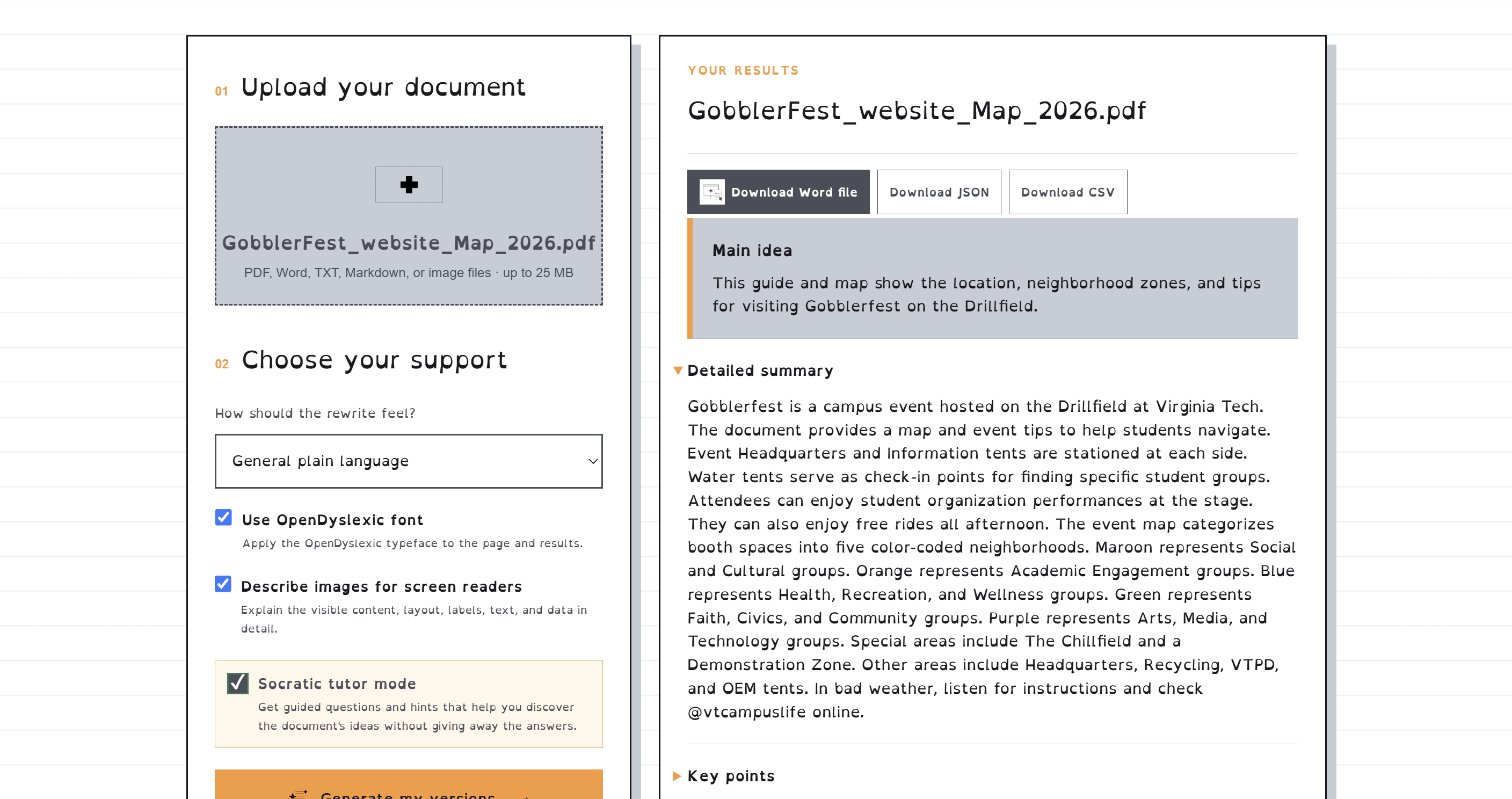
A campus event map rewritten in plain language, with OpenDyslexic and screen-reader image descriptions turned on.
-
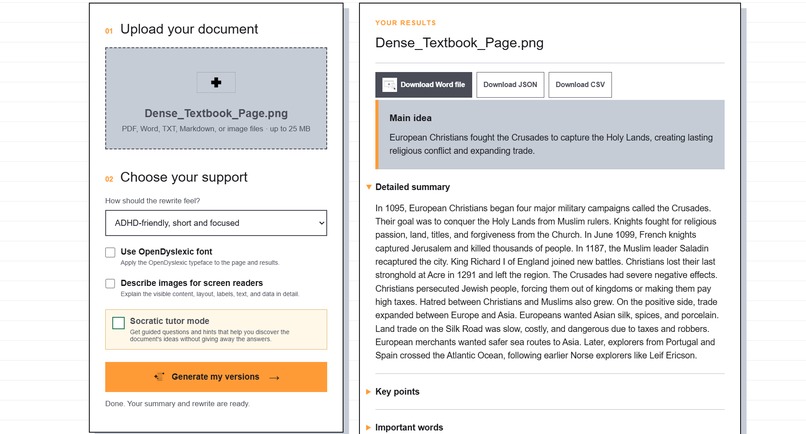
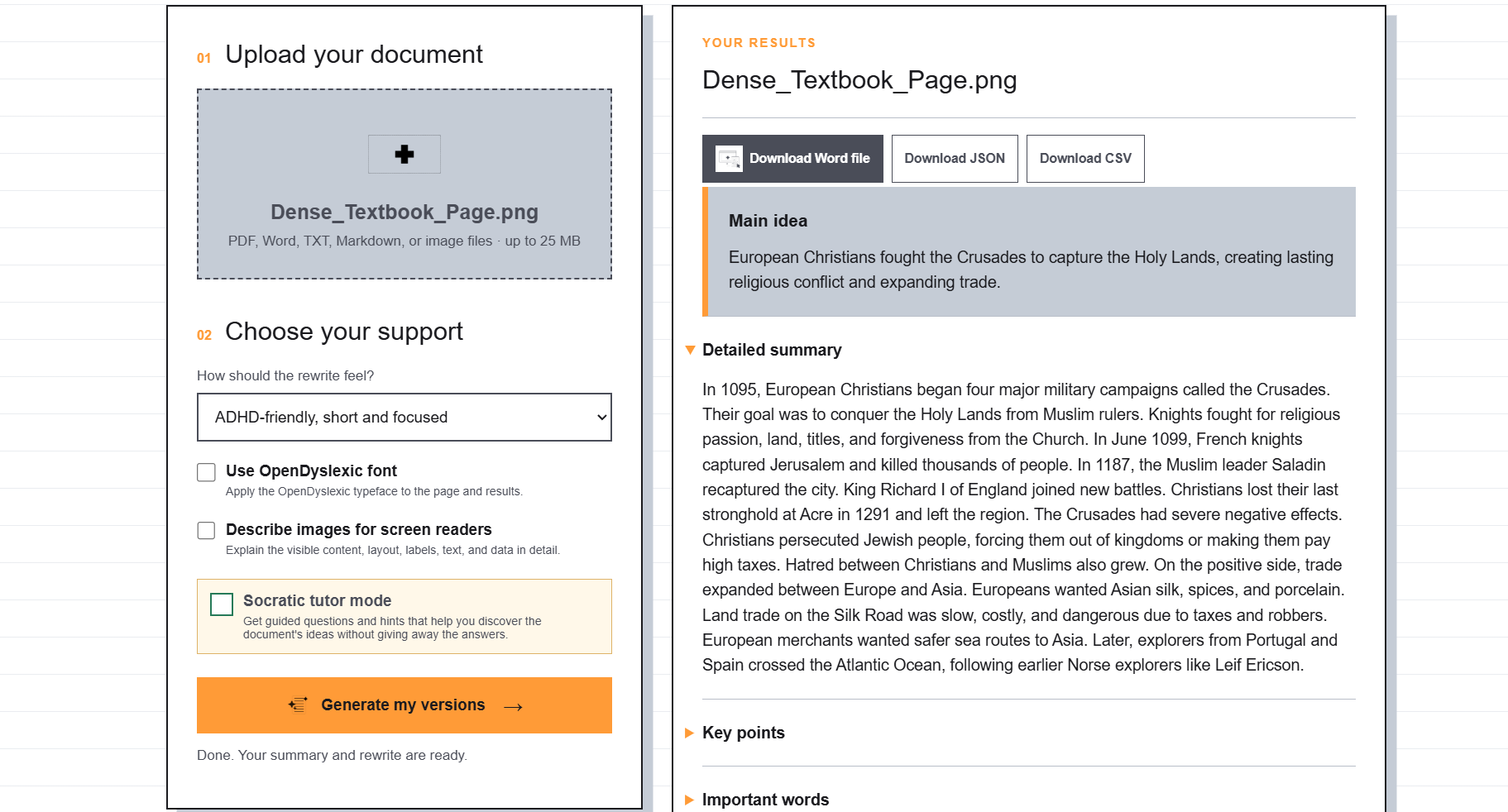
A dense textbook page becomes a short, focused ADHD-friendly summary, ready to download as Word, JSON, or CSV.
-
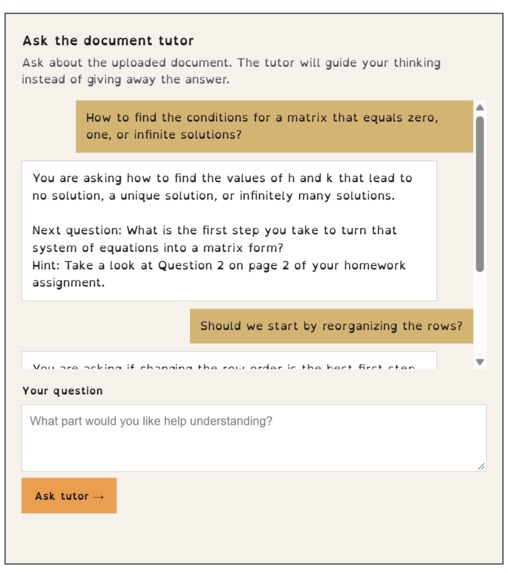
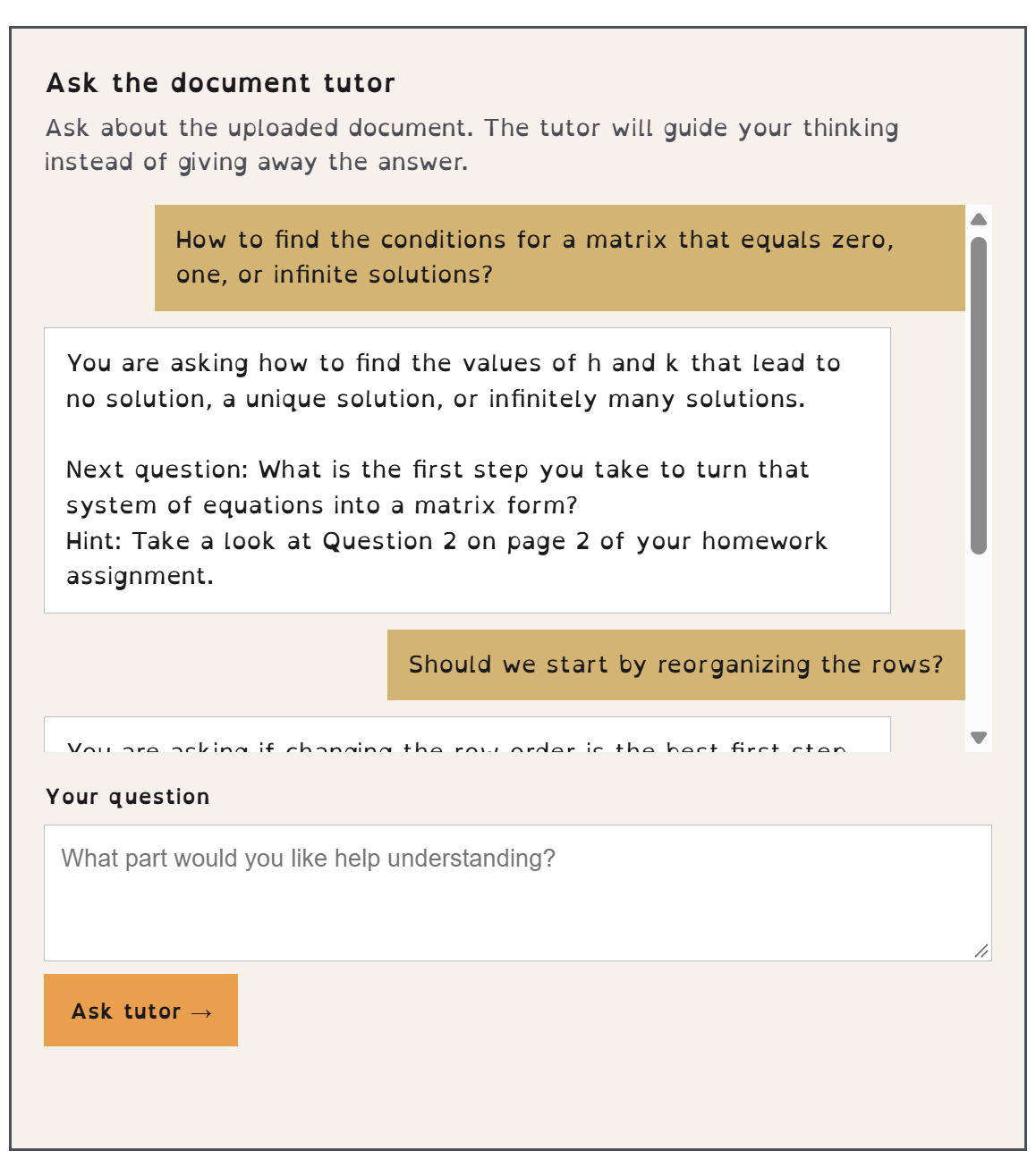
The Socratic tutor asks guiding questions and hints where to look in the document instead of handing over the answer.
Inspiration
Textbooks and reading assignments are built to fit in as much information as possible: tiny text, dense paragraphs, and jargon that sends you to a search engine every few sentences. For students with ADHD, dyslexia, and other learning disabilities, that adds up to cognitive overload, and eventually a negative feeling about learning itself. The tools that are supposed to help often come with their own barriers to entry. We wanted something a student could open, upload a file to, and get something readable back in a few clicks.
What it does
ReframeAI takes a document and reframes it around how a student learns:
- Plain-language rewrite: the entire document is rewritten at about a 7th-grade reading level, with short sentences, one idea at a time, and no idioms. It isn't just a summary, so nothing gets left out.
- ADHD-friendly mode: extra brief, most important idea first, and next steps that start with an action verb.
- OpenDyslexic font toggle: one checkbox switches the whole page and the results to the OpenDyslexic typeface.
- Image descriptions for screen readers: diagrams, charts, and photos get detailed descriptions covering layout, labels, visible text, and data trends.
- Socratic tutor mode: instead of handing over answers, the tutor asks guided questions and gives hints, then chats with the student about their document while staying grounded in it.
- Digestible results: everything lands in collapsible sections, and students can download a printable Word file (or JSON/CSV).
It accepts PDF, Word, TXT, Markdown, and image files.
How we built it
The back end is Flask (Python). Uploaded files go to the Google Gemini API, which reads PDFs and images directly so it can actually see diagrams and charts. We use Gemini's structured output with a Pydantic schema so every response comes back in the same predictable JSON shape, and a low temperature to keep the rewrite faithful to the source. All prompts live in one file so anyone on the team could tune the tone without touching code. Word export uses python-docx. The front end is plain HTML, CSS, and JavaScript with a calm, desaturated color palette, strong text contrast, collapsible sections, alt text on every image, and live regions for screen readers. We deployed it on Render.
Challenges we ran into
- Deployment headaches: getting the Gemini SDK to install and build cleanly on Render took several rounds of pinning dependency versions.
- Busy APIs: Gemini sometimes returned busy or quota errors, so we added retries with backoff and plain-English error messages instead of stack traces.
- Keeping the AI honest: we didn't want the model inventing facts, so we wrote strict prompts and lowered the temperature to keep the rewrite faithful to the source.
- Working in parallel: with the AI, back end, front end, and design all moving at once, we hit merge conflicts and had to agree on a stable data shape early so the front end never broke.
- Designing for many needs at once: calming for some users, readable for others, and usable with a screen reader.
Accomplishments that we're proud of
- A working end-to-end app that a student can use in a few clicks.
- Image descriptions written specifically for screen-reader users.
- A Socratic tutor that teaches instead of just answering.
- Rewriting the full document, not just summarizing it, with export to Word, JSON, and CSV.
- Building all of it as a team of four in one weekend.
What we learned
- How to get reliable, structured output from an LLM and how much prompt wording matters.
- That accessibility has to be designed in from the start, not added on at the end.
- How to split work across a team and use Git and GitHub to bring it all together.
- How to deploy a Python web app and debug it in production.
What's next for ReframeAI
- Add the dyslexia-friendly rewrite style (already in the AI layer) to the front-end dropdown.
- Run a formal accessibility audit and user-test with real students.
- Text-to-speech for rewritten documents.
- More reading levels and languages.
- Save and revisit past documents.

Log in or sign up for Devpost to join the conversation.