-
-
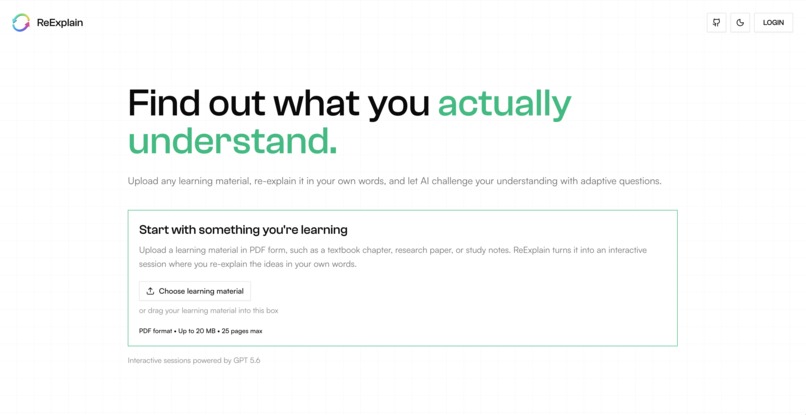
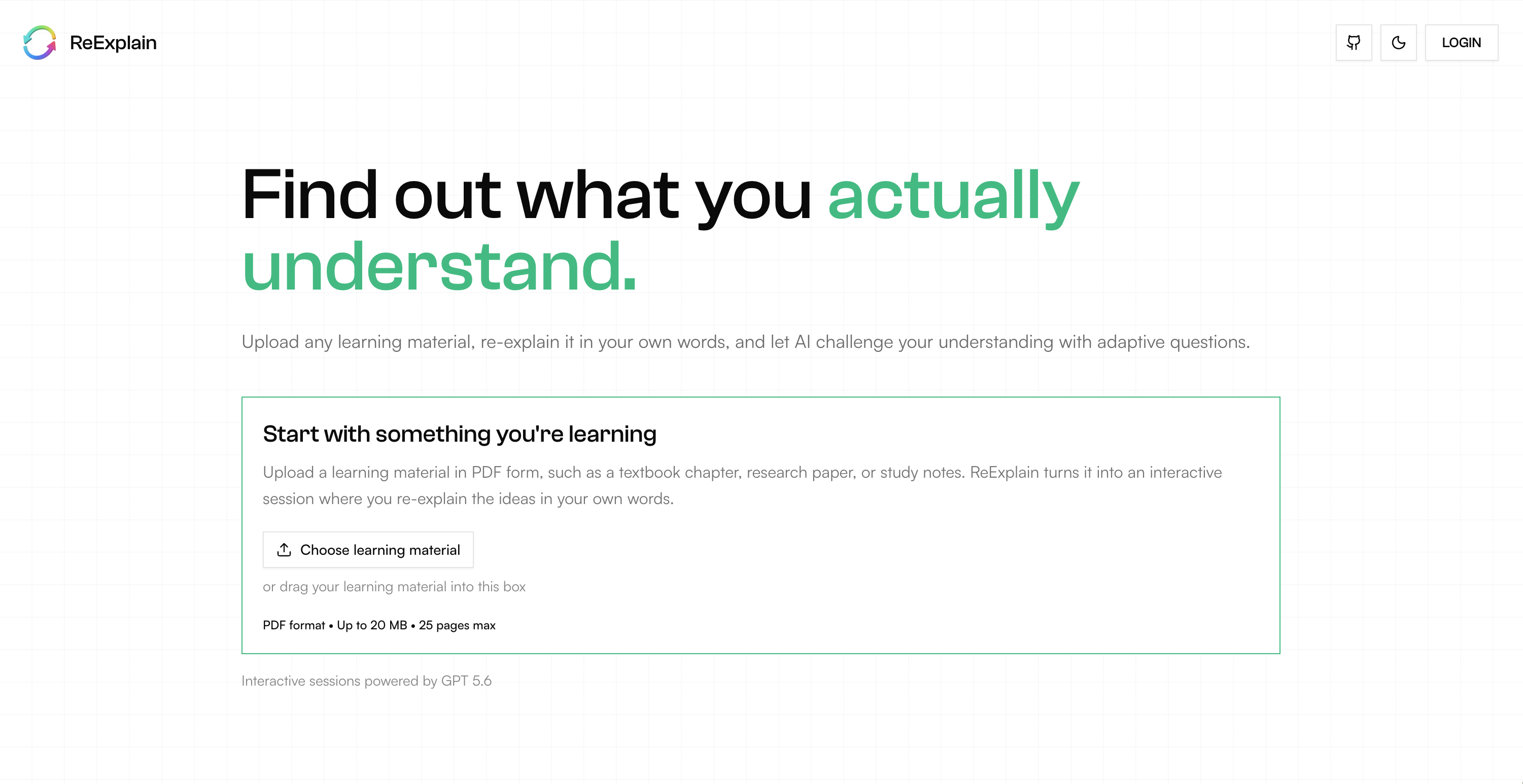
Landing Page
-
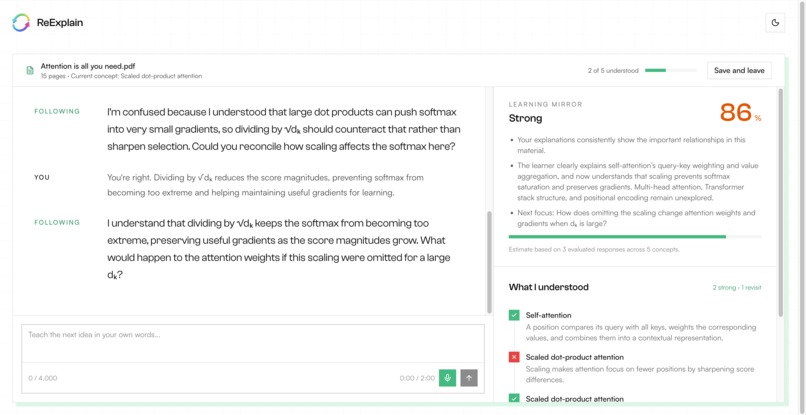
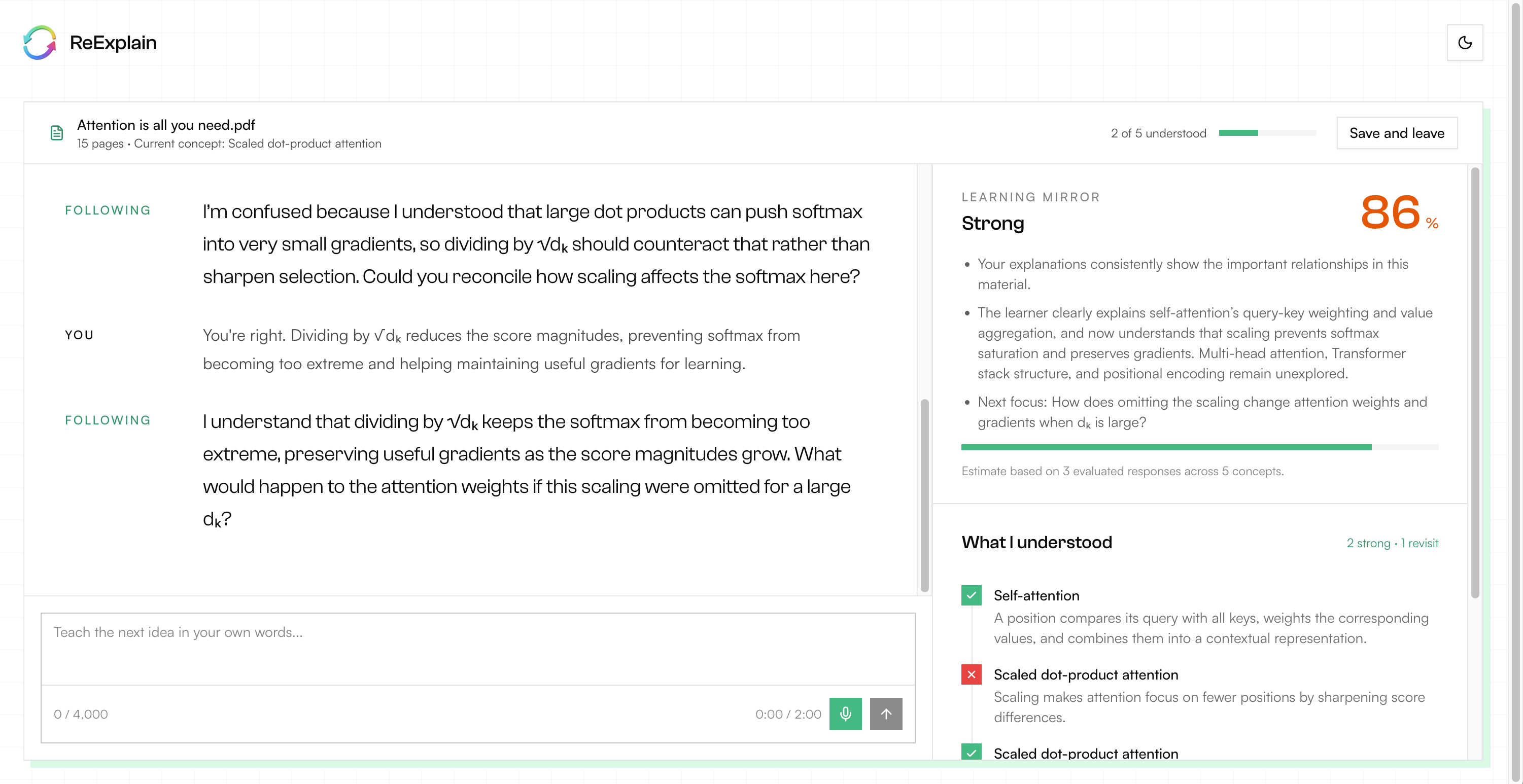
Learning Session
-
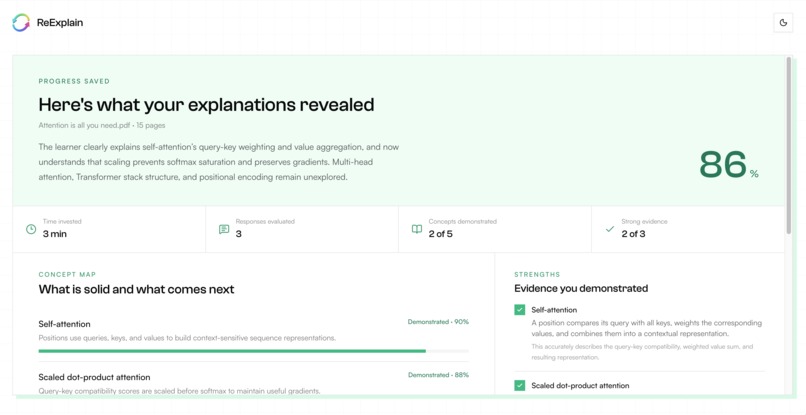
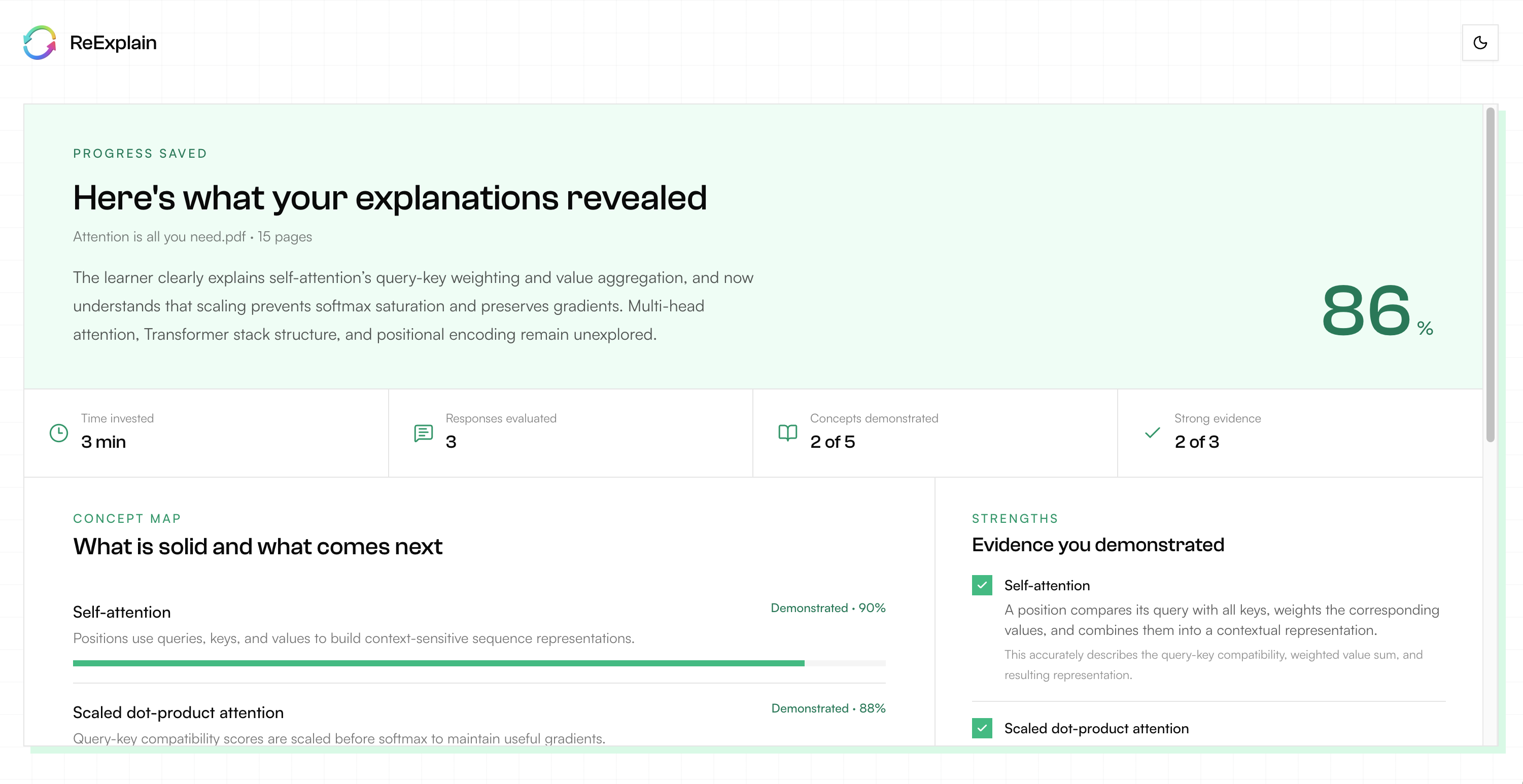
Session Summary
-
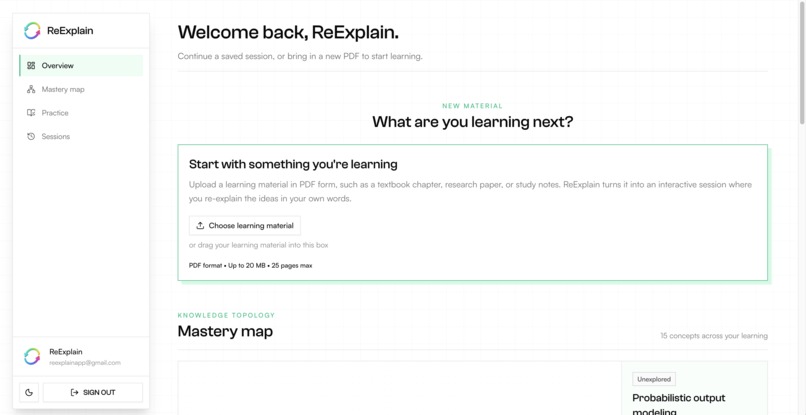
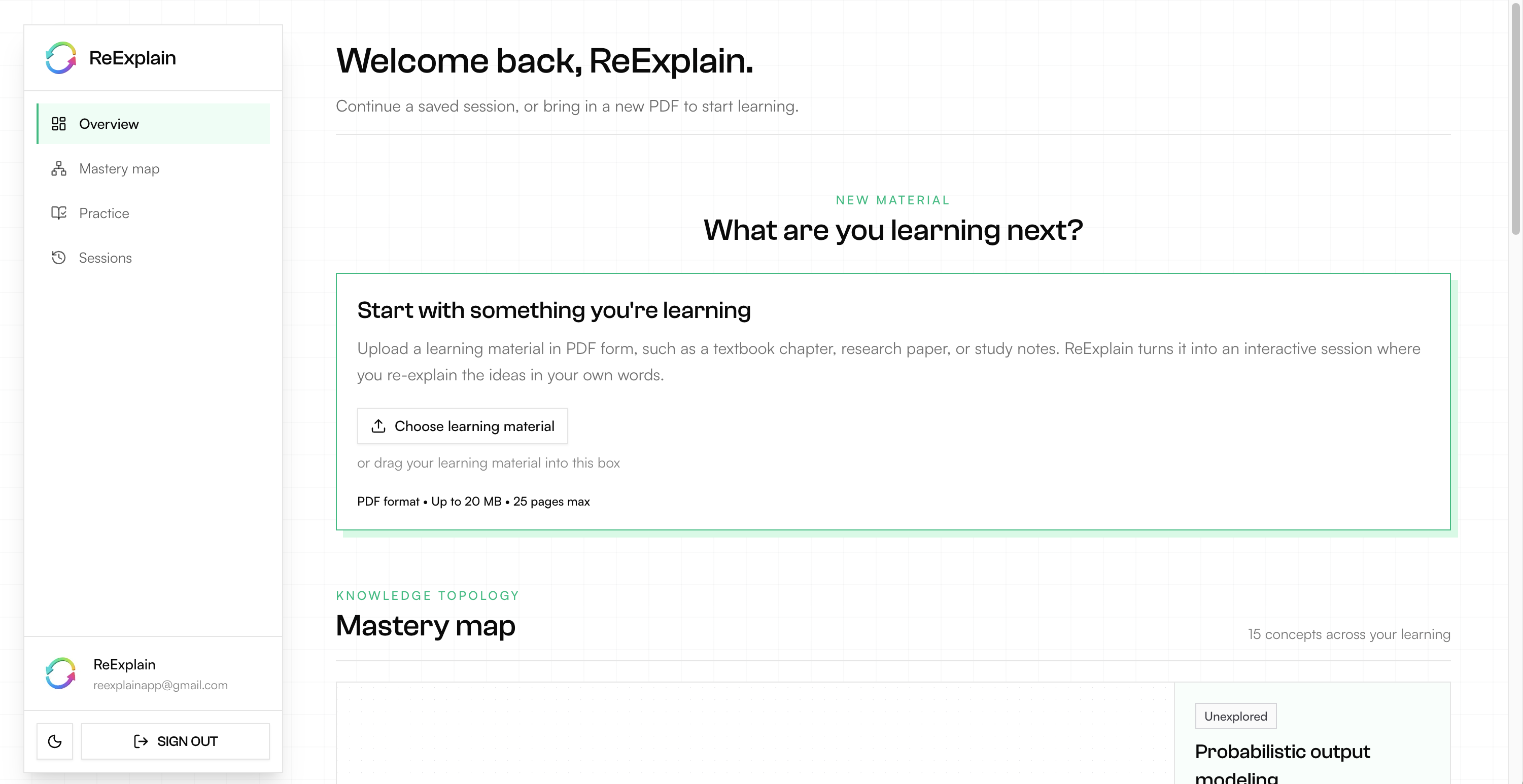
User Dashboard
-
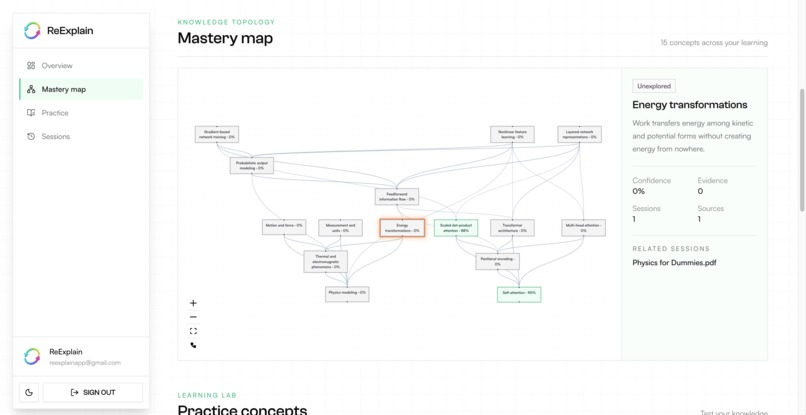
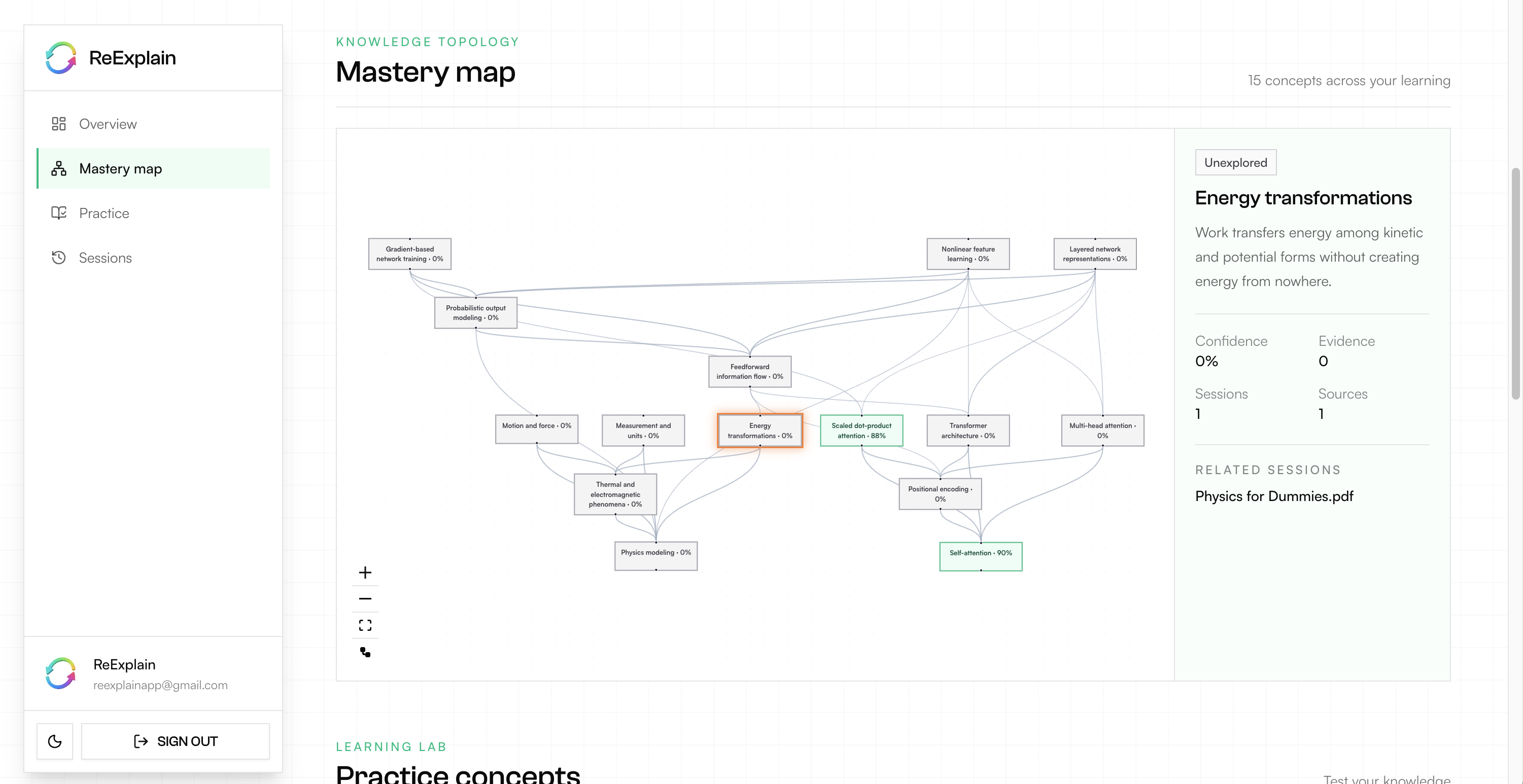
Mastery Map
-
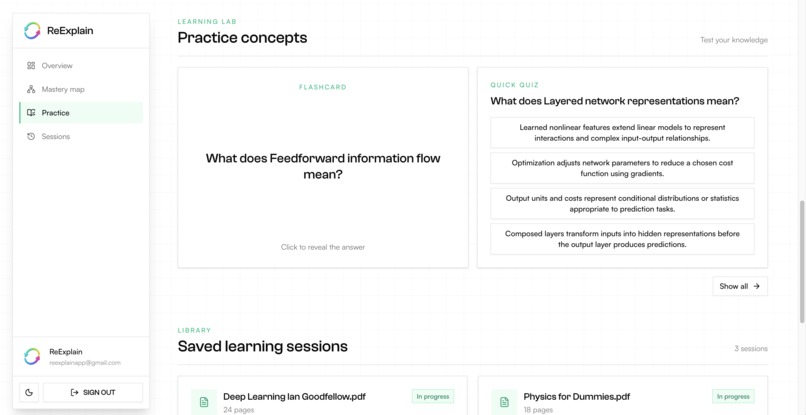
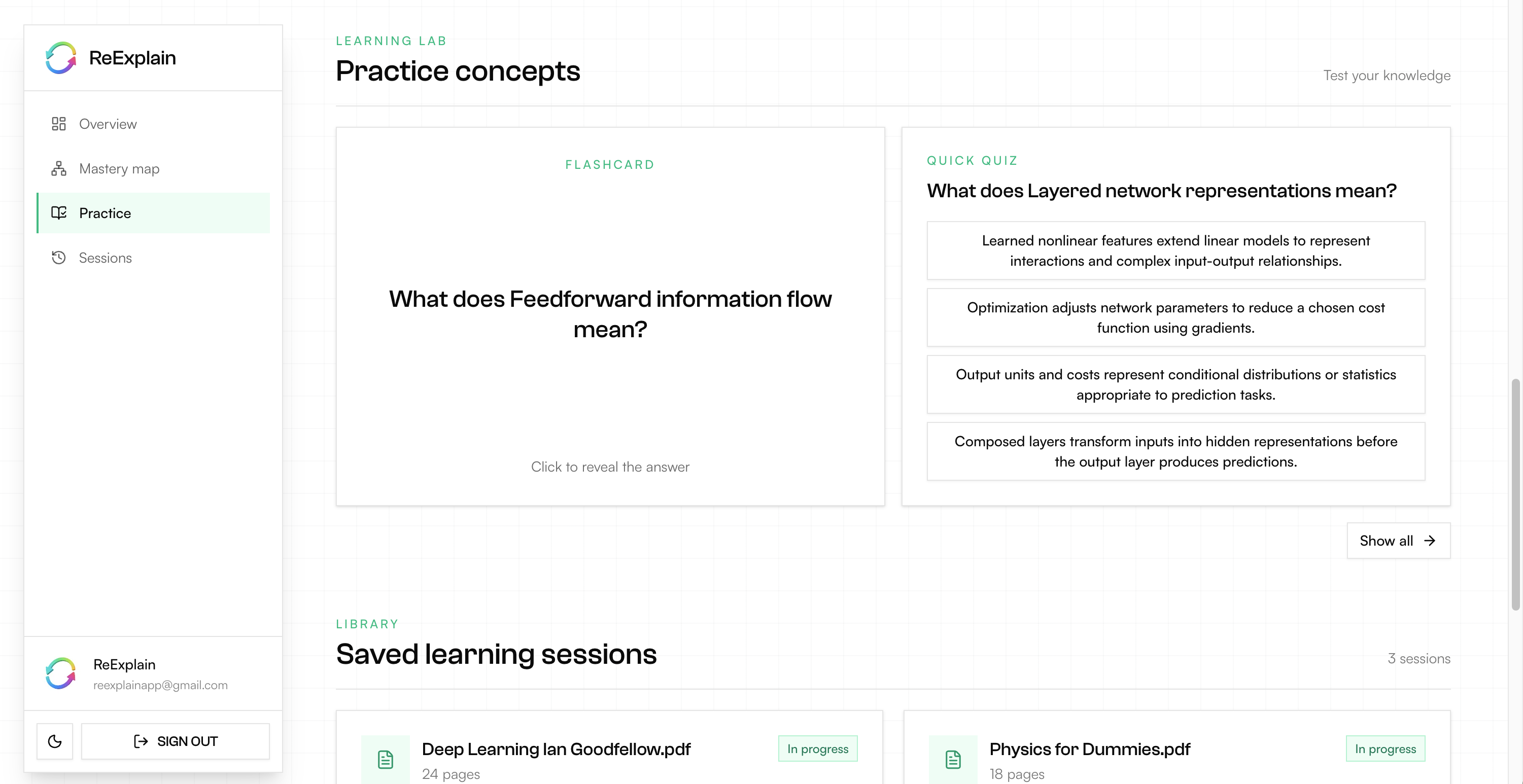
Practice Concepts
-
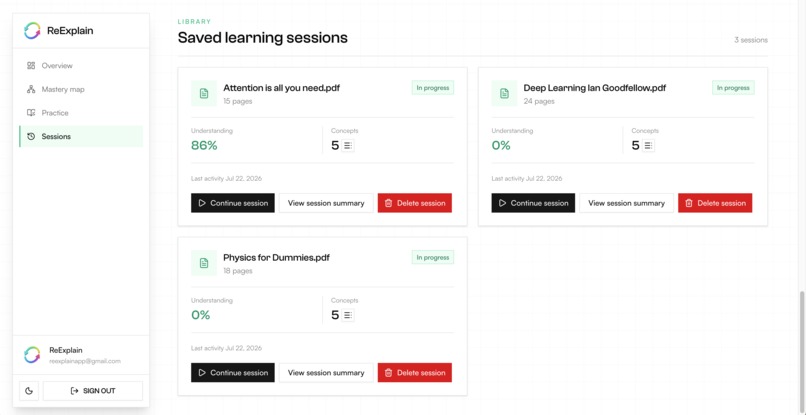
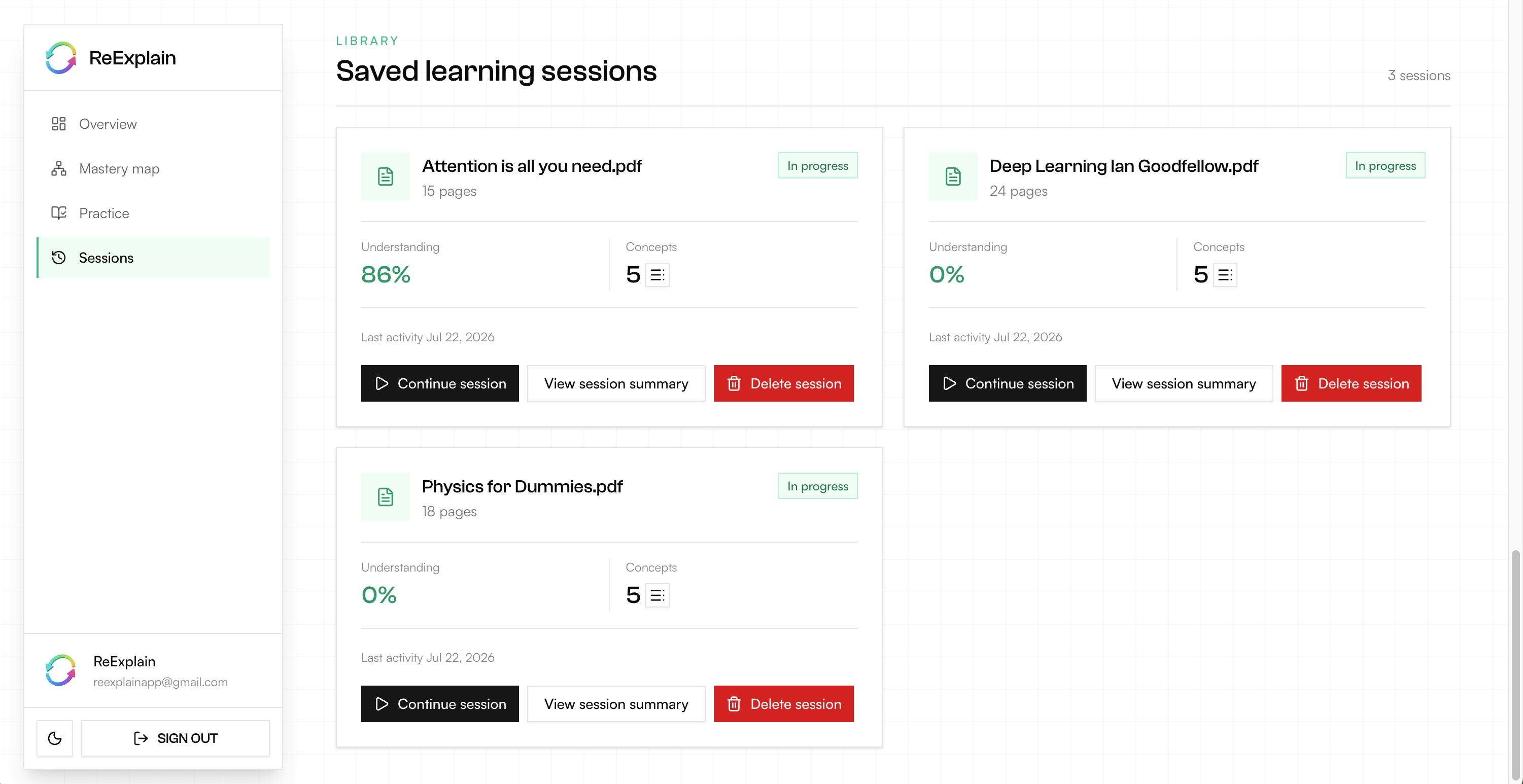
Saved Learning Sessions
-
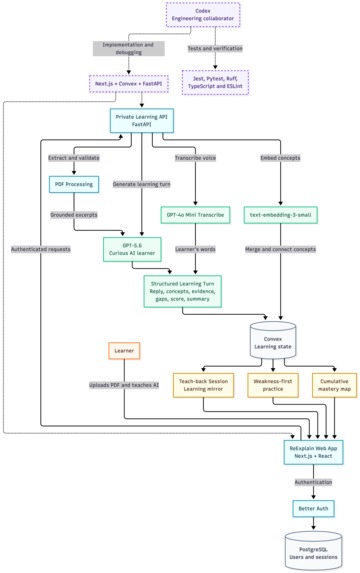
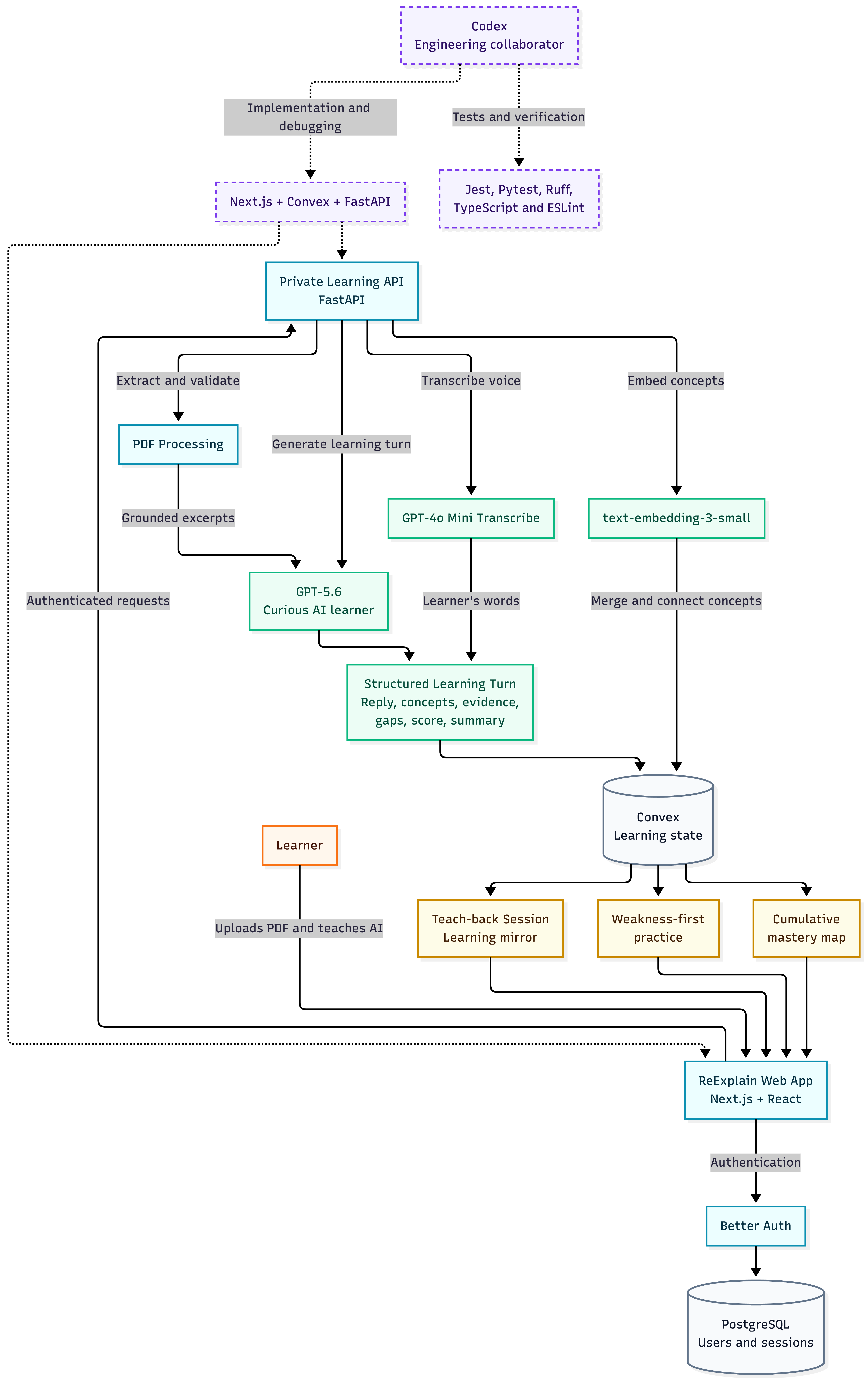
Detailed architecture diagram
-
Logo and motto
Inspiration
A lot of learning tools are good at giving people more material, but they rarely help someone figure out what they have actually understood. You can read a chapter, watch a lecture, or complete a quiz and still have only a shallow grasp of concepts that you learn.
That was the starting point for ReExplain. I wanted to explore a different role for AI in education: not an answer generator or a replacement for studying, but a learning partner that helps someone see the strengths and gaps in their own understanding.
One of the ideas that inspired ReExplain is the teach-back principle associated with Richard Feynman: you don't truly understand something until you can explain it clearly in your own words. Most learning tools focus on helping people consume more information, but I wanted to explore what happens when AI reverses its role - not by explaining everything to the learner, but by listening to the learner explain, asking thoughtful questions, and helping reveal what they actually understand.
What it does
ReExplain is a teach-back learning app.
A learner uploads a PDF and starts explaining its concepts to an AI learner in their own words. Rather than immediately correcting them or presenting a fixed quiz, the AI responds with:
- What it understood
- What remains unclear
- A useful follow-up question
The conversation stays grounded in the uploaded PDF. As the session develops, ReExplain records:
- Concepts
- Evidence from the learner's explanations
- Uncertainties
- Open questions
A learner can use voice or text, save an unfinished session, and return to it later. Saved sessions also produce focused practice activities and contribute to a mastery map that shows how understanding develops across various learning materials. It's like a mental map of your learning across sessions.
How I built it
I built ReExplain as three connected layers.
Frontend
The frontend uses Next.js, React, and TypeScript. It contains:
- The PDF upload flow
- The teach-back workspace
- Voice input
- Saved sessions
- Practice activities
- The mastery graph
Better Auth and PostgreSQL handle user accounts and login sessions.
Learning State
Convex stores the learning state, including:
- Documents
- Conversation turns
- Concepts
- Evidence
- Practice activities
- Mastery relationships
Its reactive queries keep the dashboard synchronized as learning data changes.
AI Service
A private FastAPI service handles:
- PDF validation and extraction
- Audio transcription
- Embeddings
- Structured AI responses
GPT-5.6 Luna acts as the AI learner and returns typed information about concepts, evidence, gaps, and understanding.
The browser never talks directly to the AI service, so credentials and model calls remain behind the server boundary.
Challenges I ran into
The hardest part was getting the AI to behave like a learner rather than a tutor.
Models naturally want to explain the answer themselves. I had to shape the prompt and response contract so the AI:
- Reflects what it understood
- Asks for clarification
- Leaves the learner responsible for the explanation
Keeping every interaction grounded in the PDF was another challenge. Practice activities and follow-up questions needed to come from the uploaded material and the learner's discussion, not from unrelated general knowledge.
There were also state-management challenges. Saving or deleting a session affects several parts of the dashboard at once:
- Saved sessions
- Practice activities
- The mastery graph
Treating those as separate updates caused stale UI, so I moved toward a shared dashboard snapshot and atomic updates.
Accomplishments that I am proud of
I am most proud that the central interaction still feels like teaching rather than chatting with a generic assistant.
The learner has to:
- Retrieve ideas
- Put them into words
- Connect concepts
- Respond to genuine uncertainty
I am also proud that sessions produce something useful beyond a transcript. The learner gets:
- Evidence tied to their own explanations
- Practice based on concepts they actually discussed
- A mastery map that can grow over time
On the engineering side, ReExplain now has clear boundaries between:
- Authentication
- Learning state
- AI processing
The main workflows are also fully covered by automated tests.
What I learned
I learned that adding AI to a product is often less about getting a model to produce impressive text and more about defining its role carefully.
The most useful response is not always the most complete one. In ReExplain, a short clarification or a well-timed question can be more valuable than a polished explanation.
I also learned that structured model output makes an AI feature much easier to build around. Concepts, evidence, uncertainties, and scores can be validated, saved, tested, and displayed consistently in ways that free-form responses cannot.
What's next for ReExplain
The next step is to make the mastery model more useful over longer periods. I want learners to see:
- How their understanding changes across sessions
- Where the same concept appears in different documents
- Which gaps continue to return
I also want to improve the practice system with:
- Better spacing (spaced repetition)
- More varied activity types
- Recommendations based on the learner's own evidence rather than a generic difficulty level
Other priorities include:
- Real-time voice communication instead of chat (Integration with GPT Live can be a killer feature!)
- Better support for larger learning material (over 100 pages)
- More transparent explanations of why ReExplain considers a concept developing or understood
Built With
- better-auth
- cloud-run
- codex
- convex
- fastapi
- gpt-5.6
- jest
- nextjs
- openai
- postgresql
- react
- ruff
- tailwind
- typescript
- uv
- vercel


Log in or sign up for Devpost to join the conversation.