-
-
ReelBinder — from screenplay to cut.
-
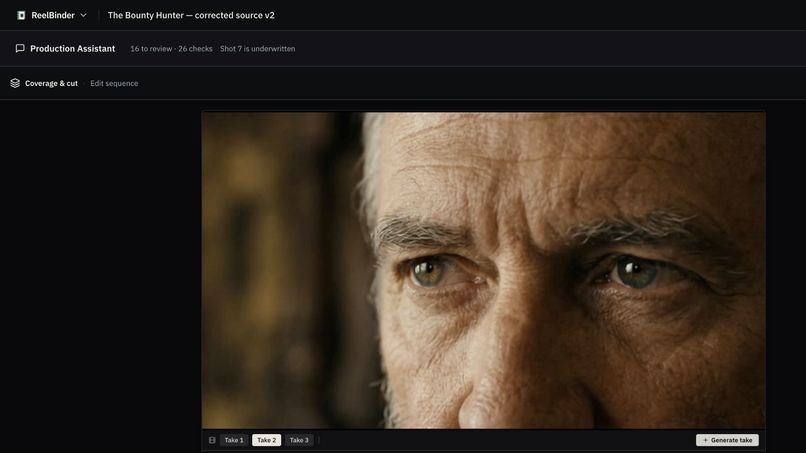
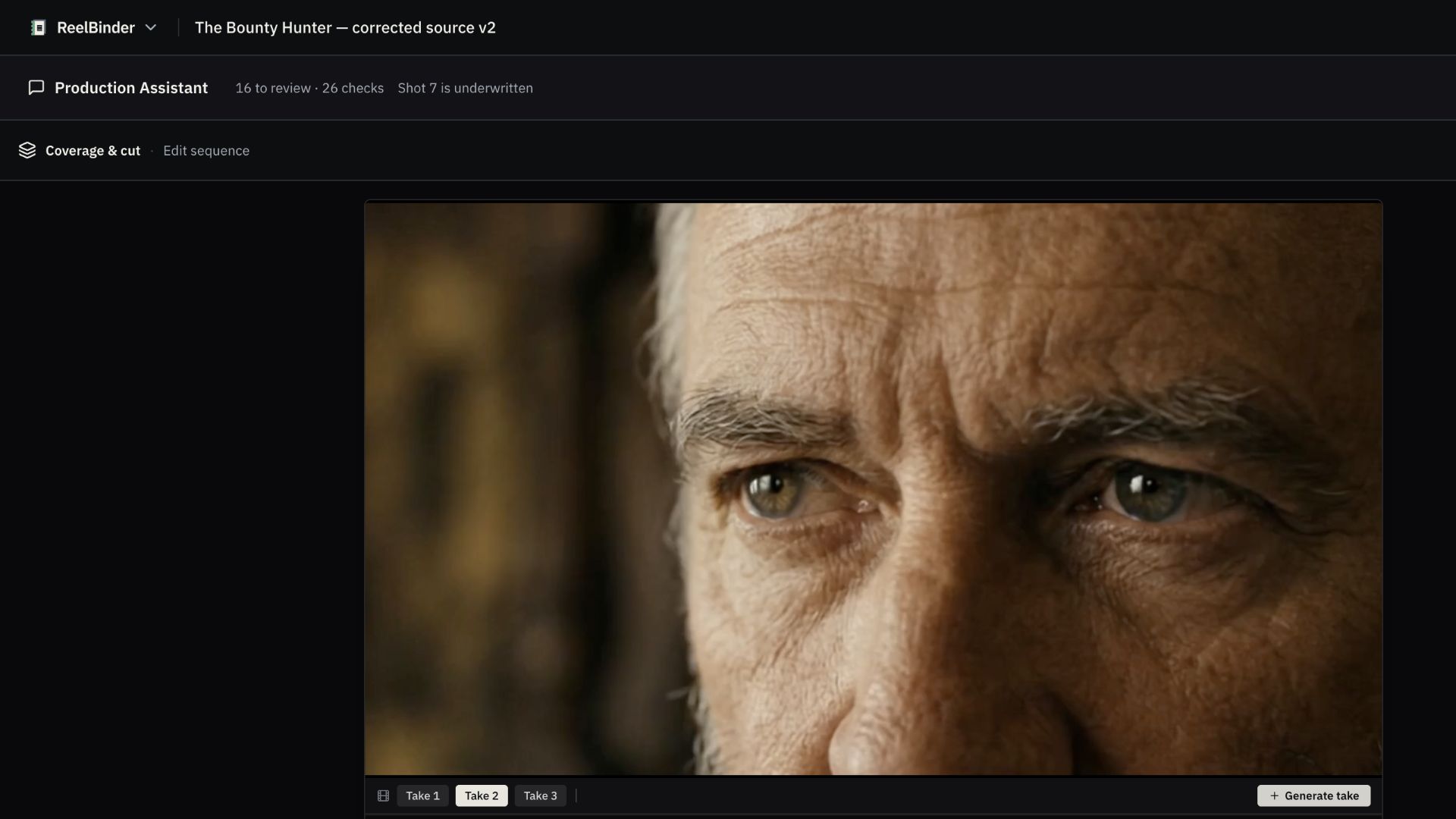
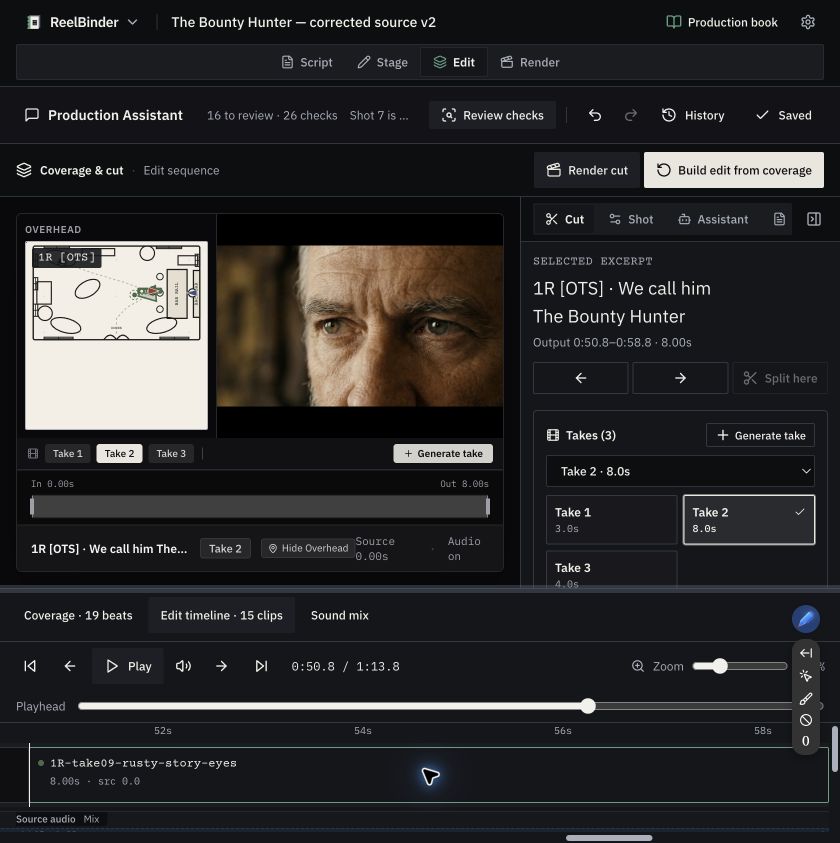
Choose among generated takes before carrying the selection into Edit.
-
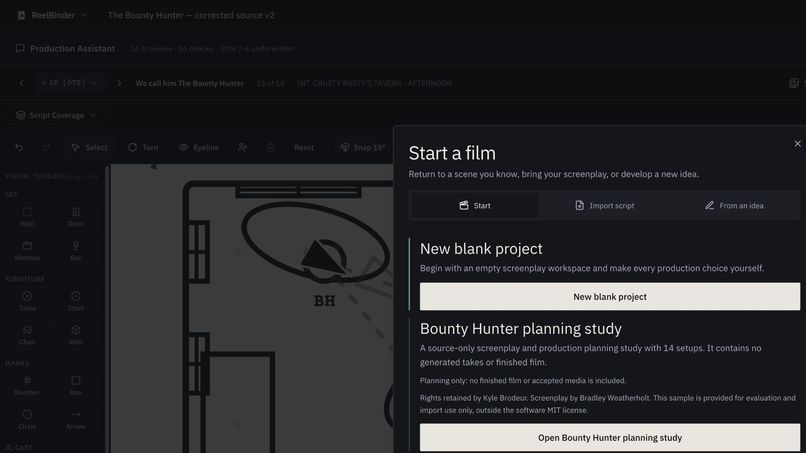
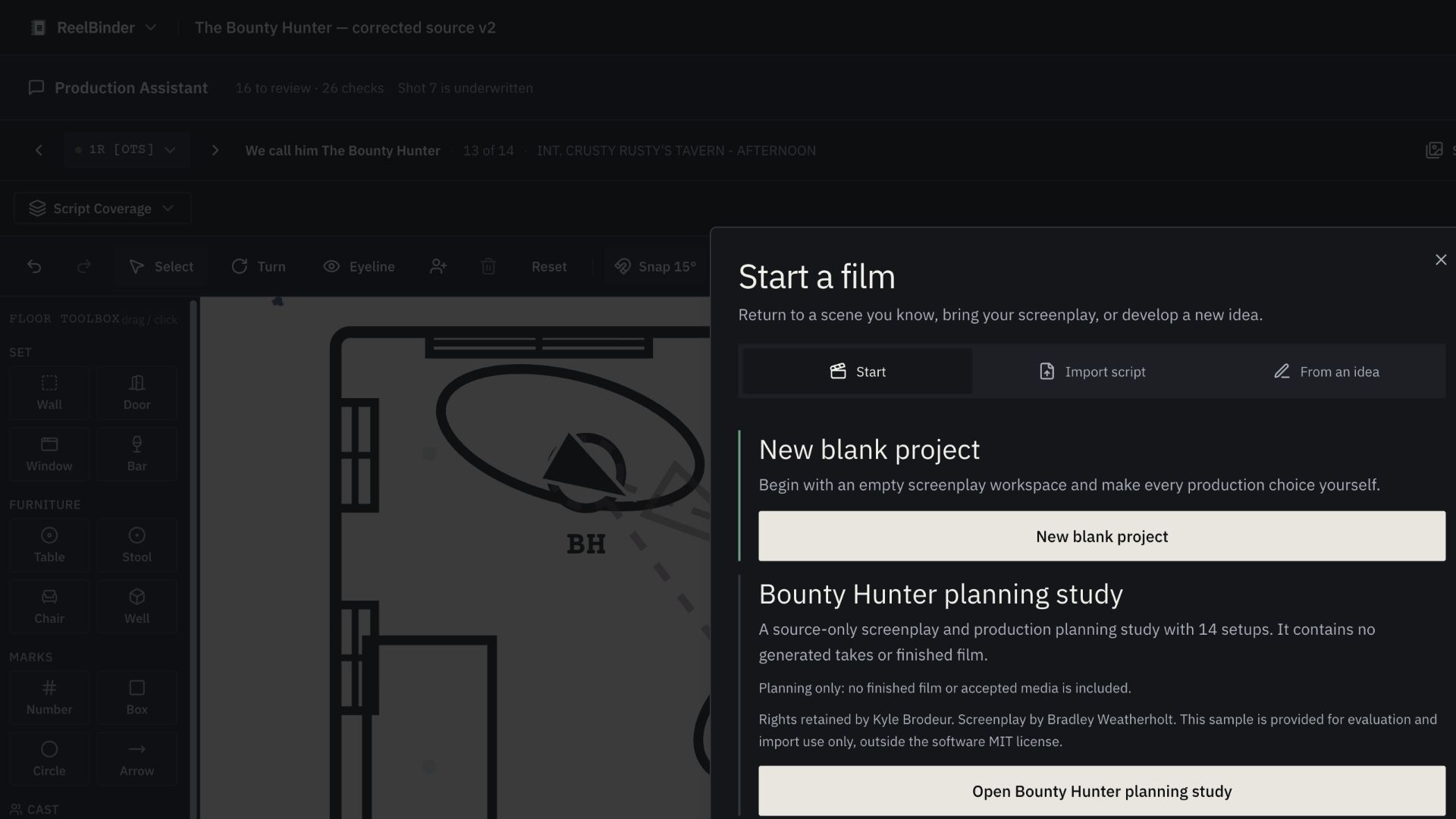
Start a film with a blank Project or the Bounty Hunter planning study.
-
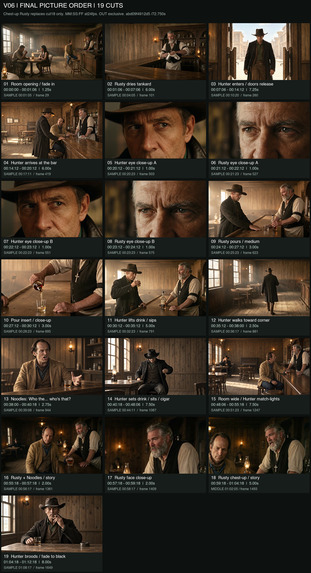
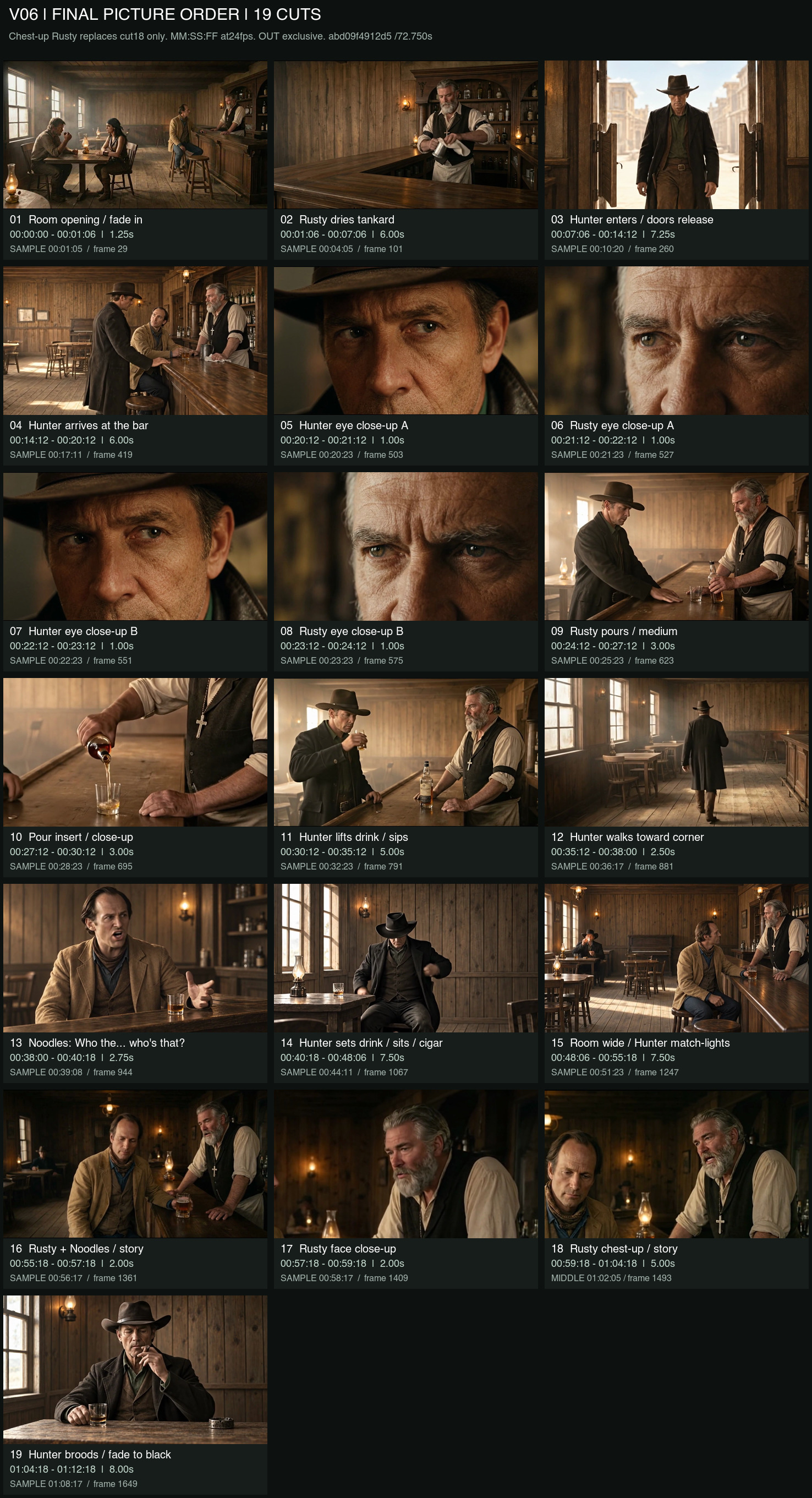
Sample contact sheet of the entire recreated scene.
-
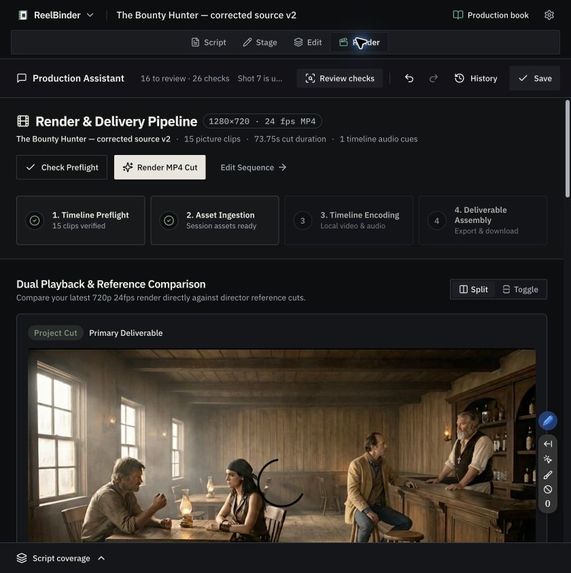
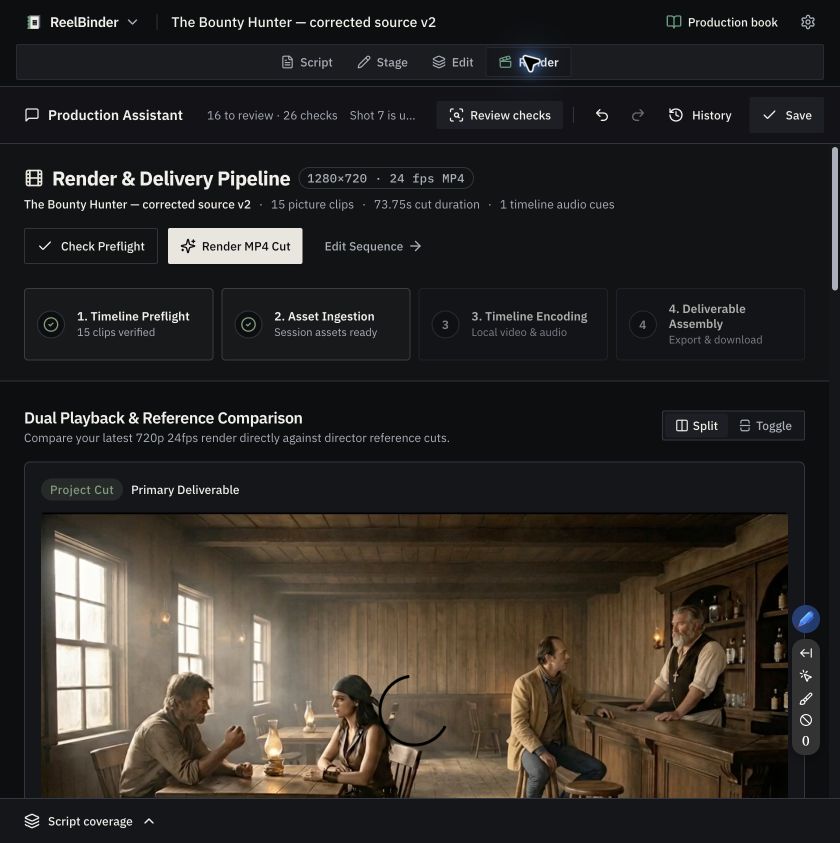
Review and render all in once place.
-
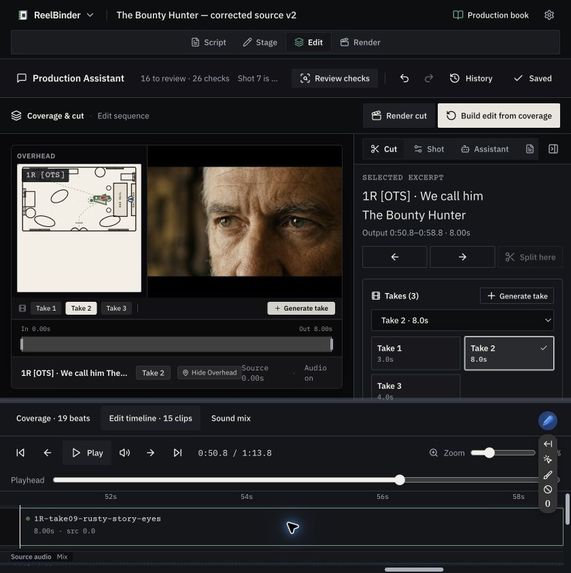
Use overhead diagrams and framing tools to get the right shot.
-
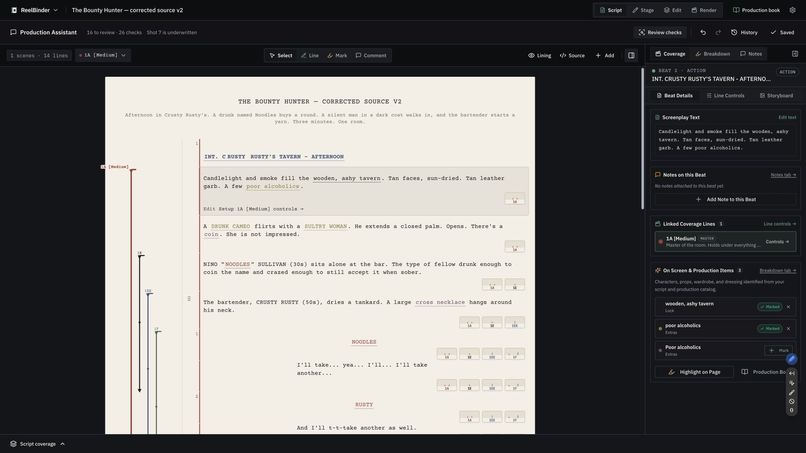
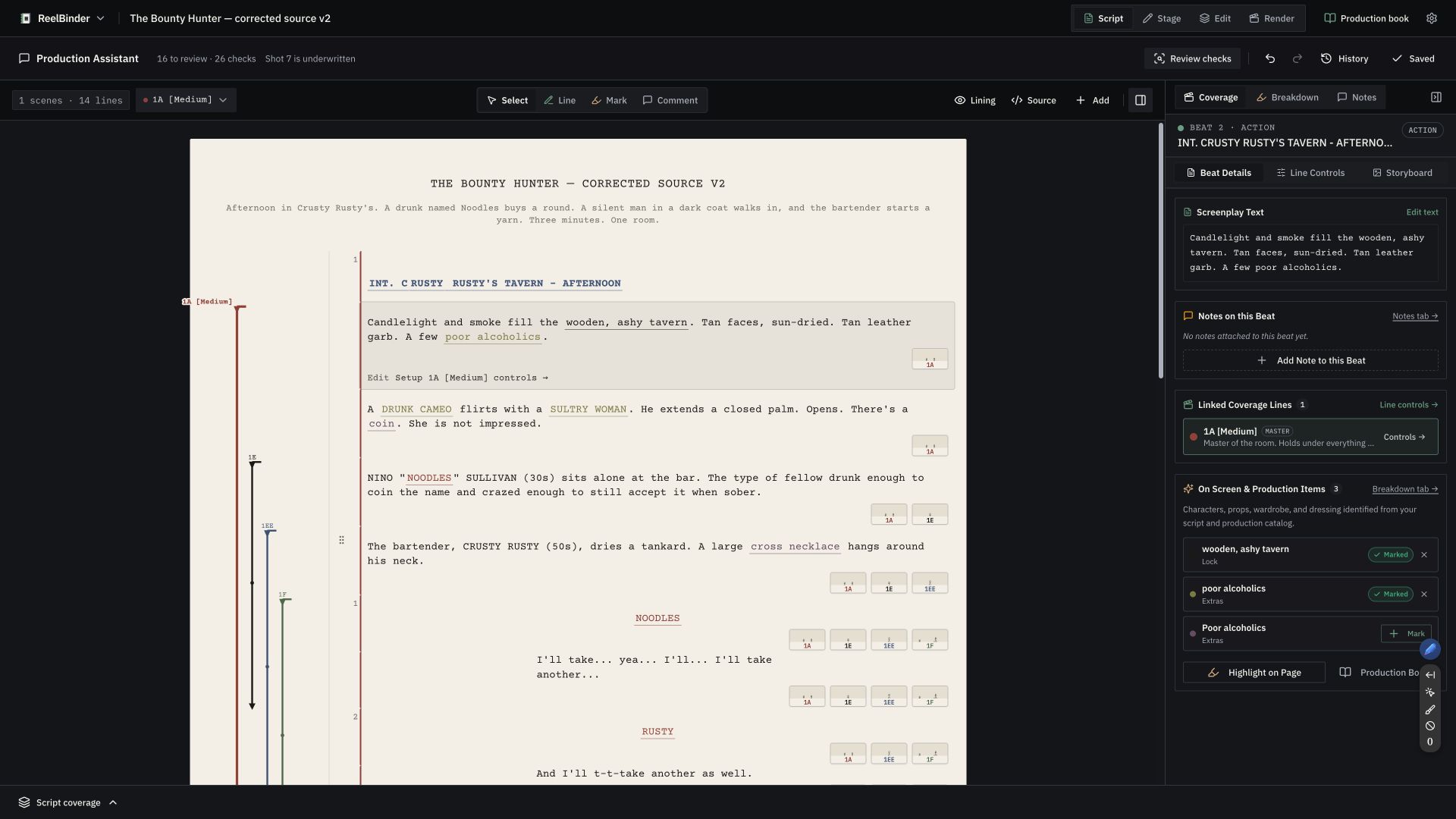
Keep screenplay beats and linked coverage together in Script.
Inspiration
Westerns are cool. I love Sergio Leone, especially The Good, the Bad and the Ugly and the Dollars Trilogy. The bounty hunter in my short film, The Bounty Hunter, is based on the Man with No Name.
I've spent about twenty years working in film and video: cinematography, producing, editing (a lot of editing), motion graphics, VFX and compositing. I've lived in After Effects, Premiere, Photoshop and Illustrator for weeks at a time, probably months all told. I'm also an engineer, software and AI developer, and AI educator. ReelBinder brings my film and software work together.
Filmmaking is as much an art as a science. I'm recreating a finished short because I kept the screenplay, production plans and finished film. That gives the AI a baseline to evaluate against. I can compare a generated shot with what we planned and filmed, then decide where it works and where it misses.
In ReelBinder, the screenplay stays linked to the shot plan, references, generated takes and edit. The filmmaker reviews the assistant's suggestions before changing the Project.
What it does
ReelBinder carries one production through Script → Assistant → Stage/Frame → Edit → Render.
- Script preserves authored beats, dialogue, characters and source-linked coverage.
- Production Assistant combines Gemini reasoning with Parallel Search to return cited production research and editable suggestions.
- Stage and Frame connect the shot plan to blocking, camera positions, references, generation prompts and image/video takes.
- Edit keeps selected takes tied to their source, lets you set their In and Out points, and combines picture with dialogue and music.
- Render validates the timeline and encodes the film. The Project retains the media and production records behind it.
- A
.reelbinder.zipProject carries the screenplay, lining, production state, references, media and provenance into a receiving workspace. Existing.slate.ziparchives remain supported.
New visitors start with a blank Project. They can open The Bounty Hunter planning study to explore an existing screenplay, coverage and production plan, or import their own Project. The planning study contains no generated takes or finished film; it can be opened and edited without connecting an account.
How we used Google Cloud and Parallel
I used these Google services in ReelBinder:
- Gemini through Google ADK powers screenplay and Production Assistant reasoning.
- Gemini image generation creates source-guided production frames.
- Veo creates motion takes that remain candidates until continuity review.
- Lyria supplies generated music.
- Cloud Text-to-Speech supplies source-bound character dialogue.
- Compute Engine, Persistent Disk, and dedicated networking host the application.
The Production Assistant calls Parallel Search through ReelBinder's backend. It shows the returned sources as citations alongside its suggestions.
Human control and provenance
Generated take records retain the available model, job, source and asset information. ReelBinder tracks which takes the filmmaker selects and keeps rejected versions distinguishable.
We rejected an otherwise strong saloon frame because a stray plume made a beer mug appear to be smoking. The image generated successfully, but the prop was wrong.
Visitor connections are explicit, encrypted, scoped, and expiring. ReelBinder has no hidden owner-key or default-credential fallback, and uncertain provider jobs are never retried automatically.
How we built it
The frontend uses React, TypeScript, TanStack Start, Tailwind CSS, Zustand, and Radix UI. A Python FastAPI service manages visitor-isolated projects, jobs, encrypted provider connections, media, and provenance in SQLite. Google ADK and the Google Gen AI SDK connect the reasoning and media routes; Parallel supplies cited research. FFmpeg and FFprobe render and validate picture and sound. JSZip implements portable Project export and import.
The hosted stack uses Docker, Caddy, Nginx, and Google Compute Engine with persistent storage.
Challenges
Keeping characters, props, positions, eyelines and sound consistent across short generated takes has been the hardest part. The edit also has to preserve the order of the action and the timing of the dialogue.
I also had to treat provider configuration, accepted requests, completed operations, valid media and filmmaker acceptance as separate states. Uncertain provider jobs need reconciliation before another request can be made.
A receiving workspace may assign new local asset IDs when it imports a Project. The archive has to preserve the original provider records through that change.
What we learned
A generated clip needs a picture and sound review before it belongs in the edit. File validation can catch a broken encode; it cannot tell me whether a character moved to the wrong side of the saloon. Before I call a Project portable, I need to reopen it in a clean workspace, play its media and render the edit again.
Built With
- caddy
- cloud-text-to-speech
- compute-engine
- docker
- fastapi
- ffmpeg
- gemini
- google-adk
- google-cloud
- google-gen-ai-sdk
- jszip
- lyria
- parallel
- playwright
- pytest
- python
- react
- sqlite
- tailwind-css
- tanstack-start
- typescript
- veo
- vertex-ai
- vite
- zustand

Log in or sign up for Devpost to join the conversation.