-
-
Project logo!
-
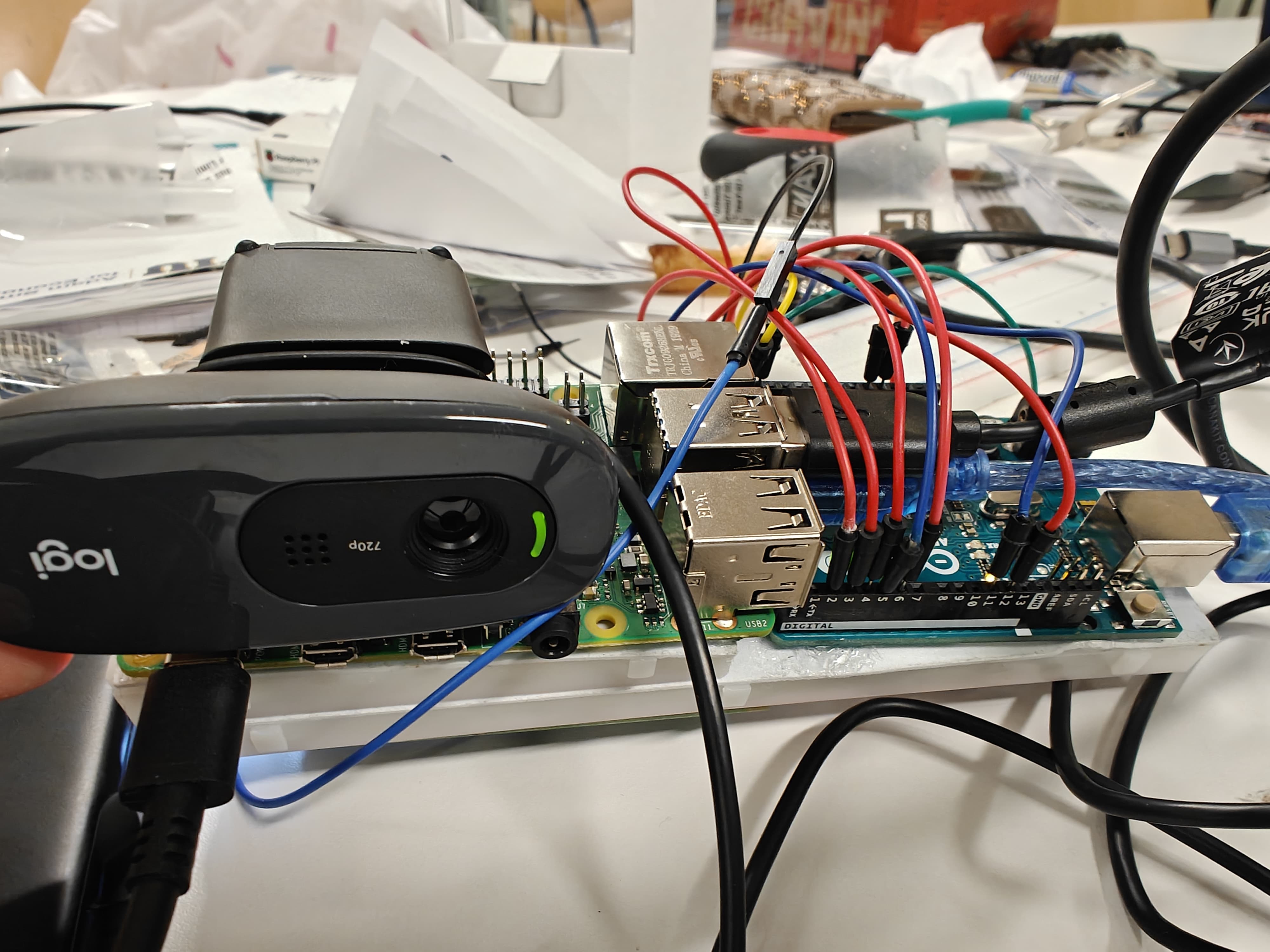
Product Prototype View 1
-
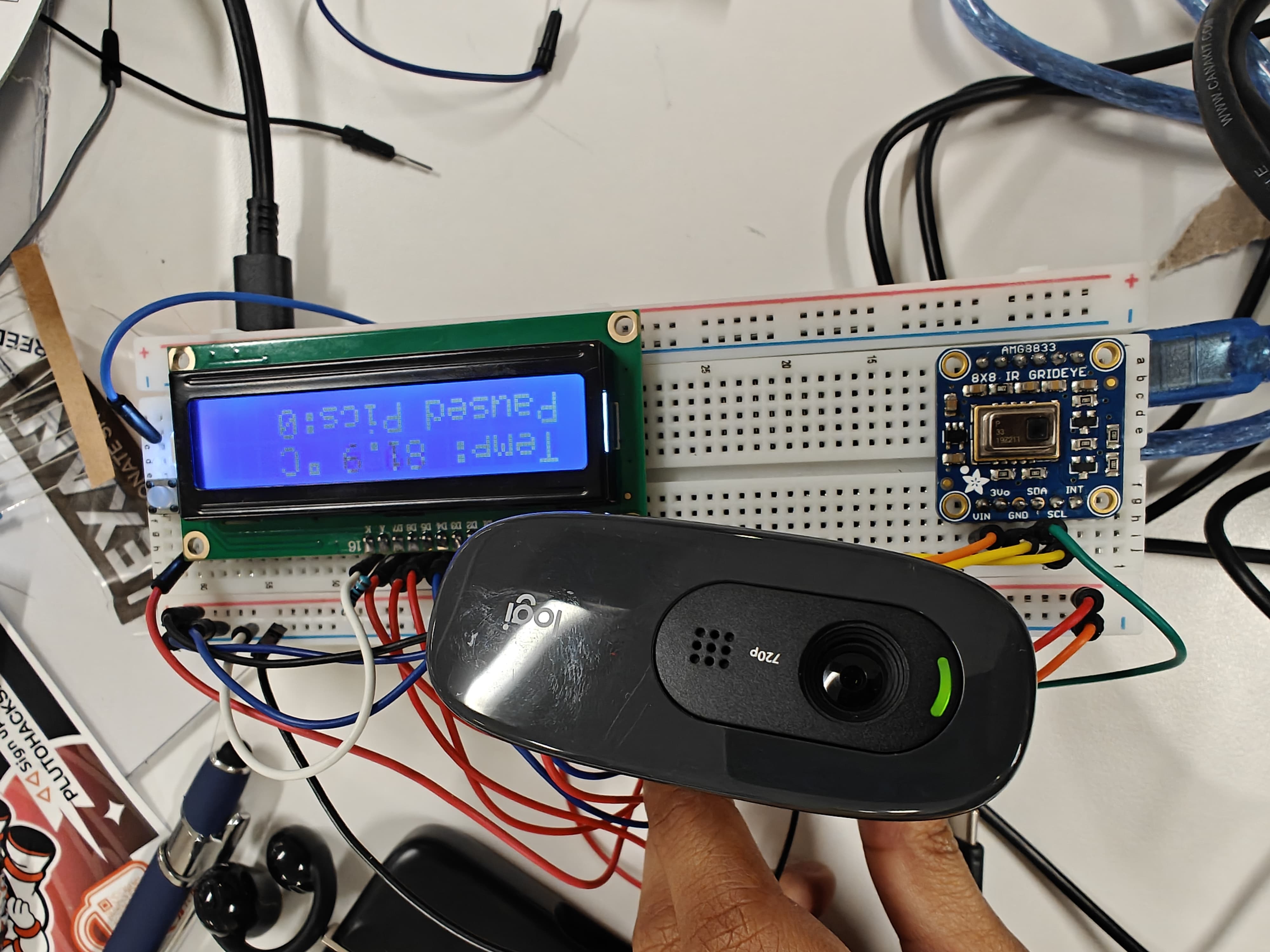
Product Prototype View 2
-
Product Prototype View 3
-
-
-
-
-
-
-
-
-
Inspiration
Our idea started with an article about GoPro for a Cause and SeaTrees, who used GoPro cameras to track the progress of kelp forest restoration. It showed us that simple, affordable cameras can collect data that genuinely helps the environment, and we wanted to build something with that same kind of impact at a time when so many environmental issues are being ignored.
We chose coral reefs because of how much depends on them. Reefs cover less than 1% of the ocean floor but support around a quarter of all marine species, protect coastlines from storms, and provide food and income for hundreds of millions of people. They're also dying as ocean temperatures rise. One of our teammates, a biomedical engineering student, had learned in class that corals survive because of tiny algae living inside their tissue, which give them their color and most of their energy. When the water gets too hot, most of these algae can't survive, and the coral bleaches and starves. But some strains of algae hold up to heat much better than others. Finding more corals that survive heatwaves, and learning which algae they carry, could give scientists and restoration teams valuable new data for protecting reefs. That's the question ReefWatch was built to help answer.
What it does
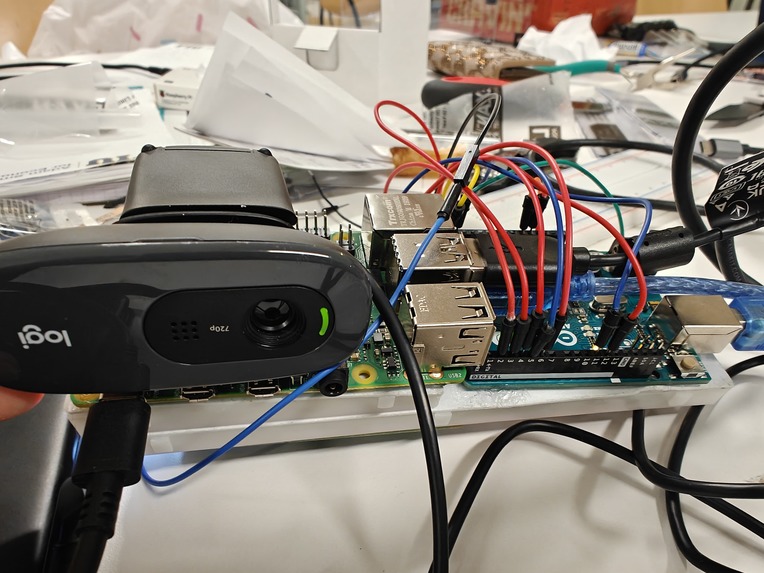
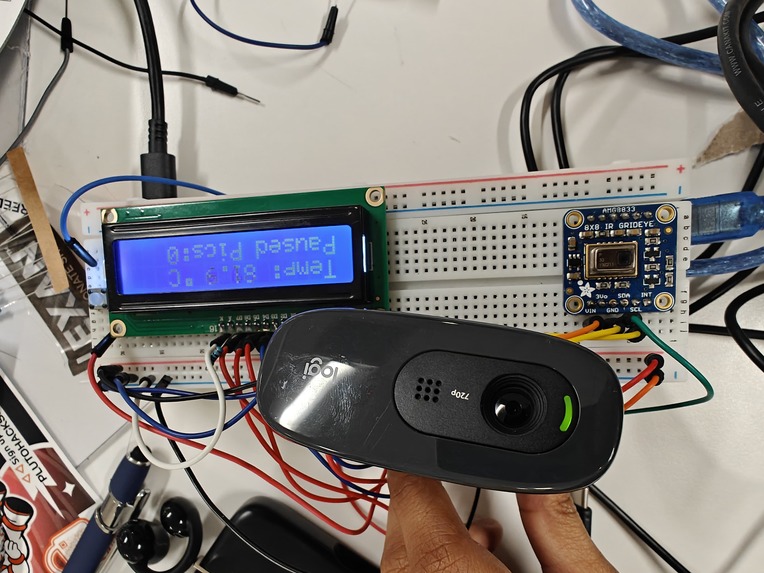
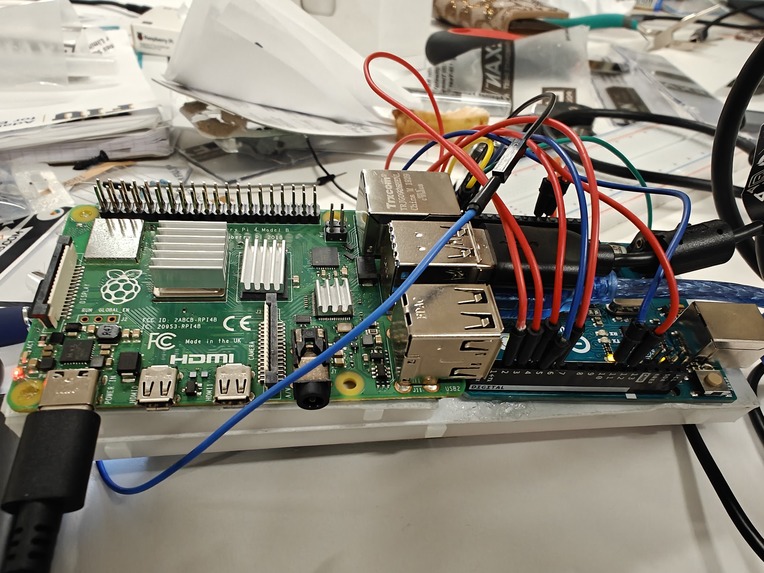
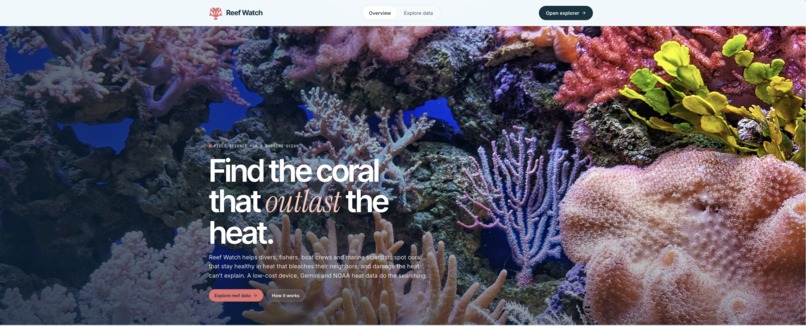
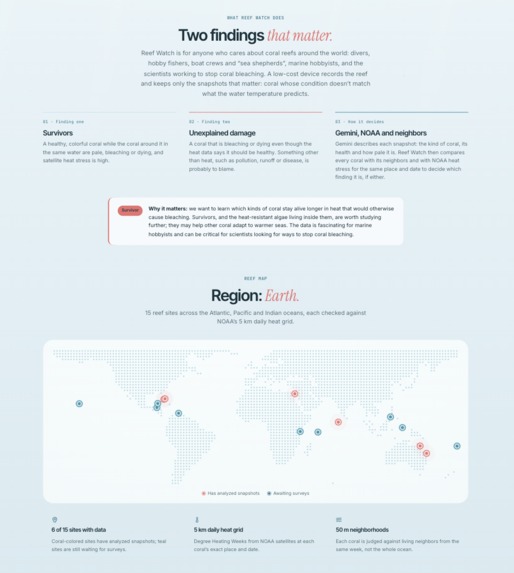
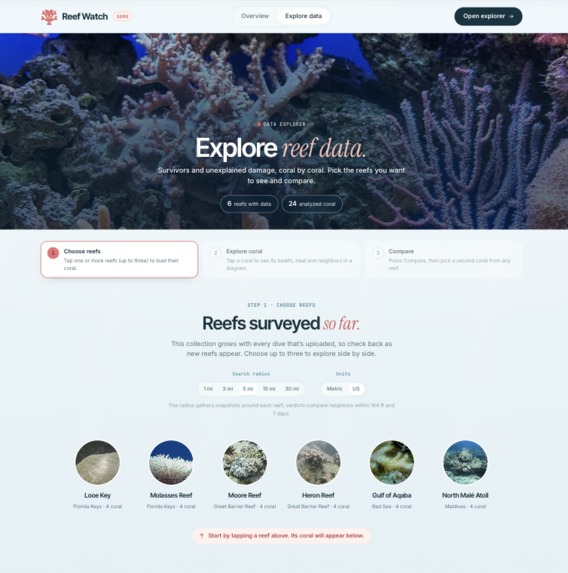
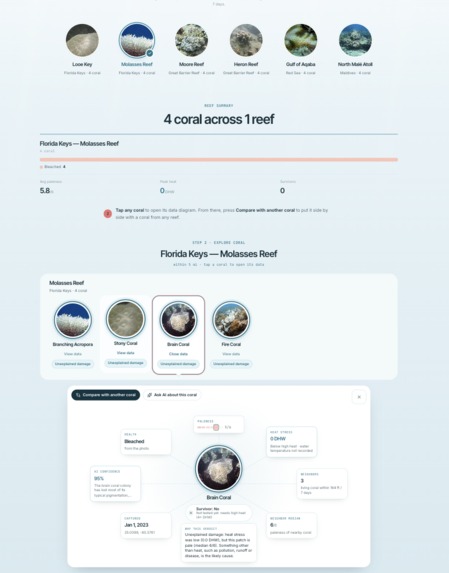
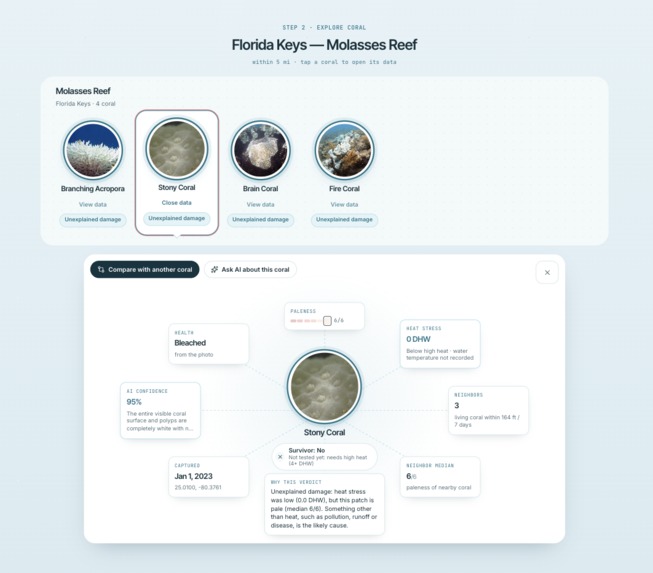
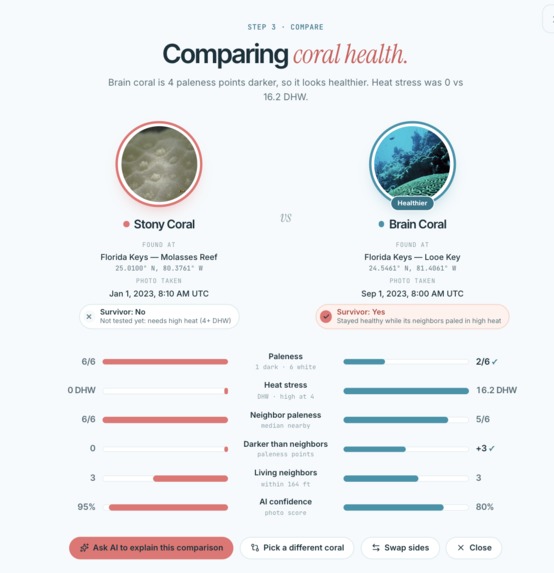
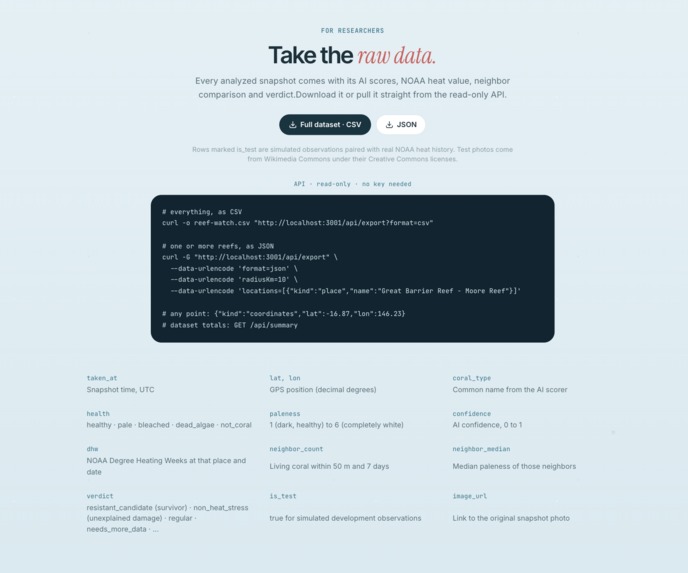
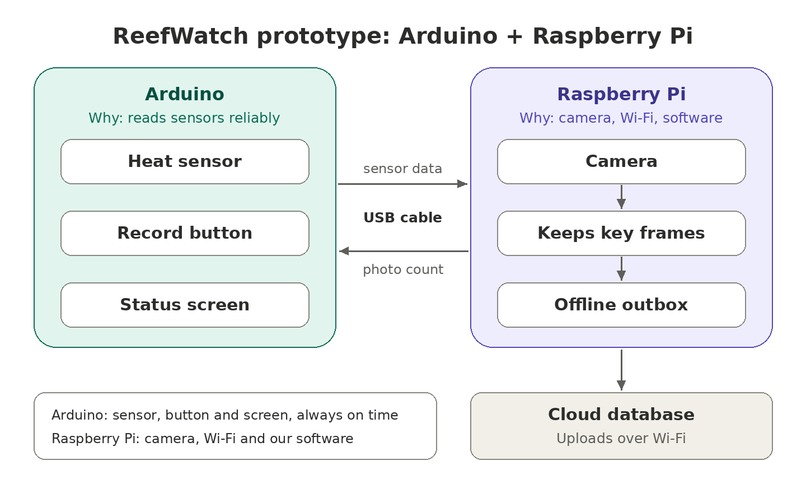
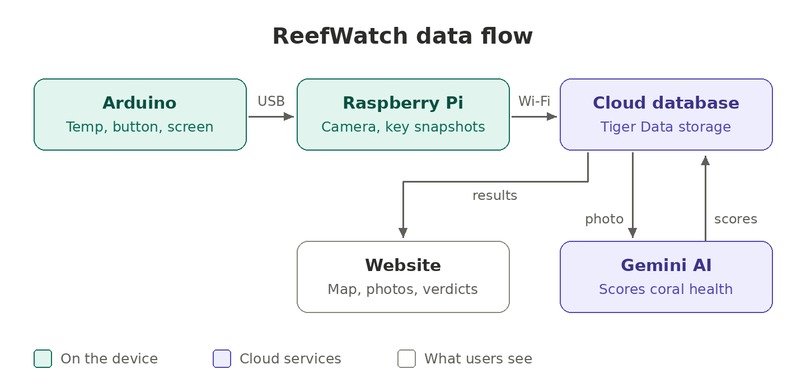
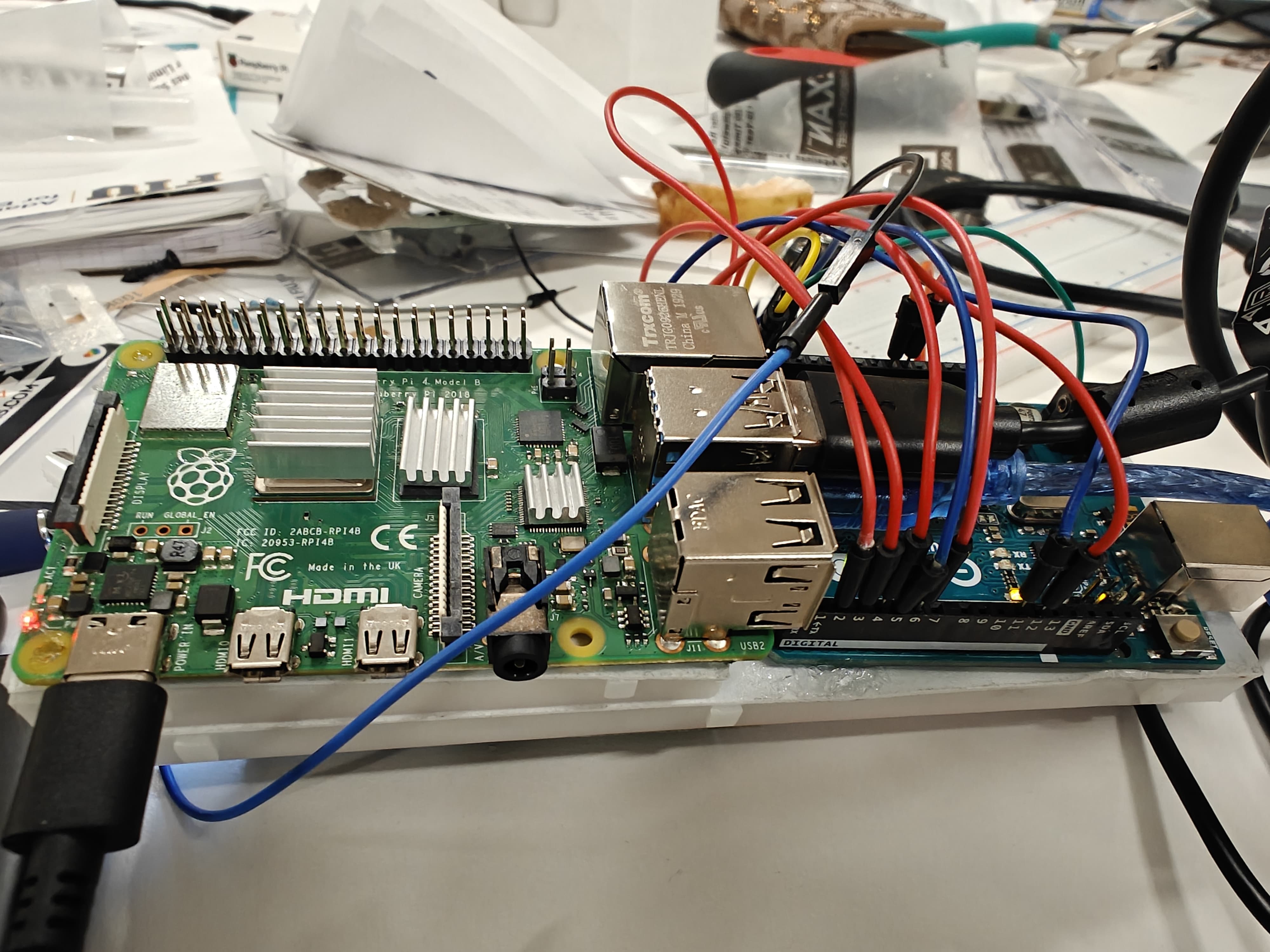
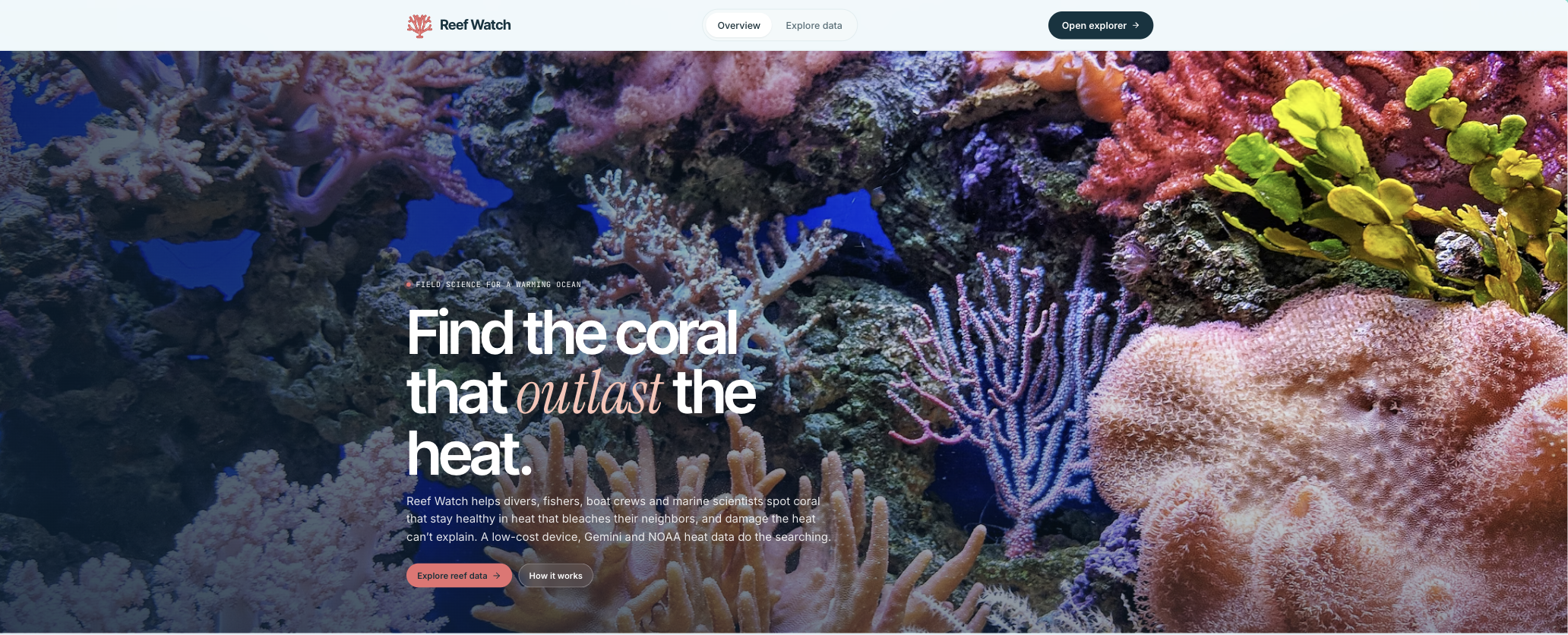
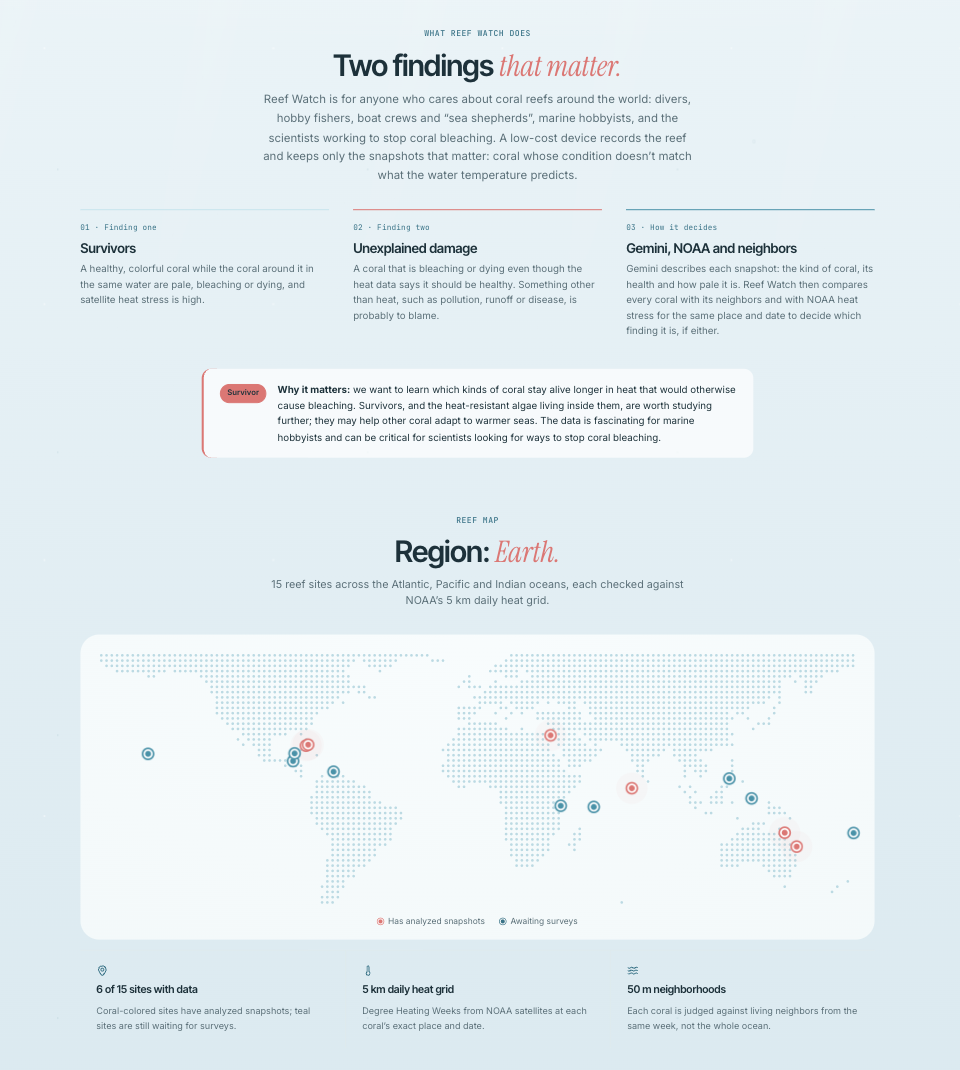
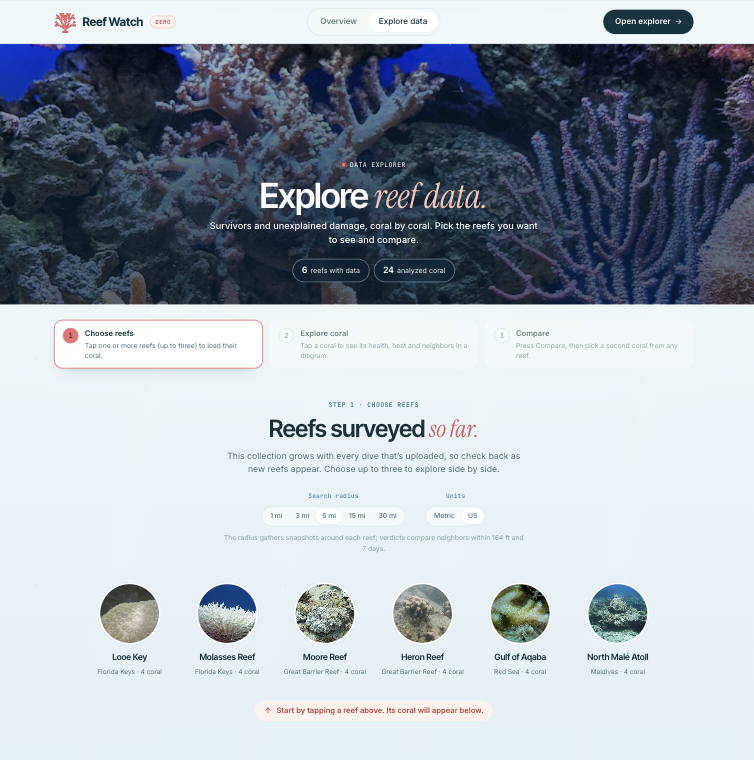
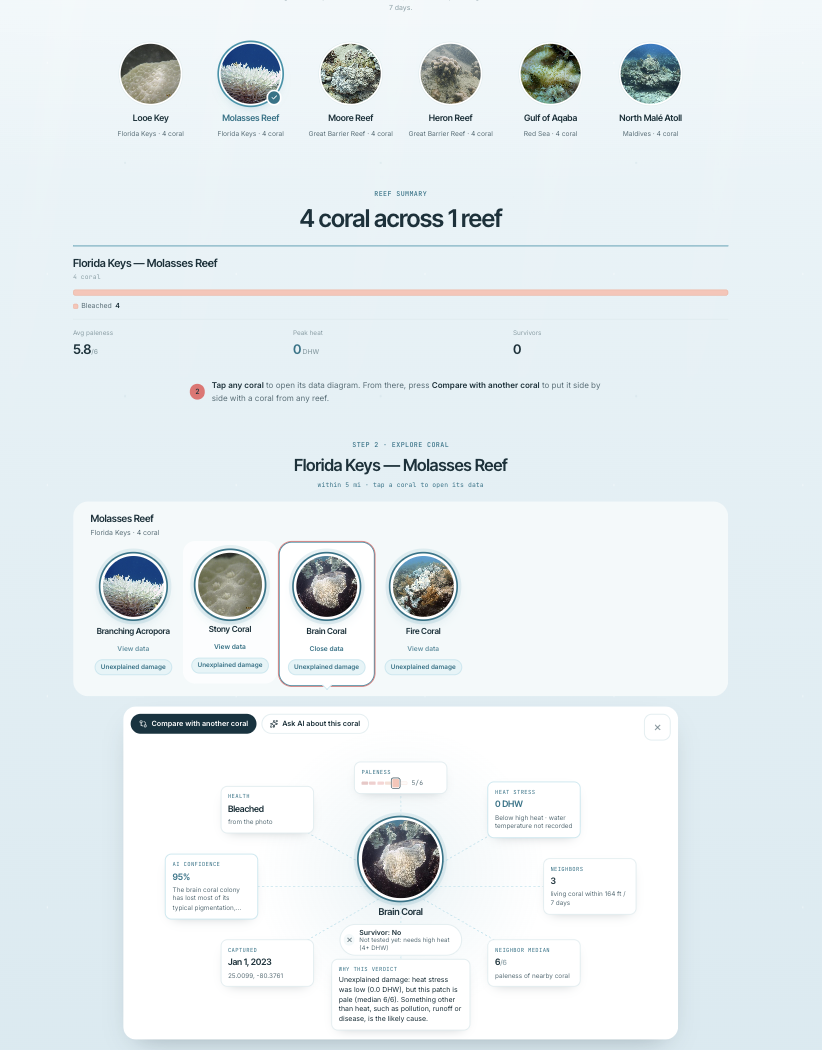
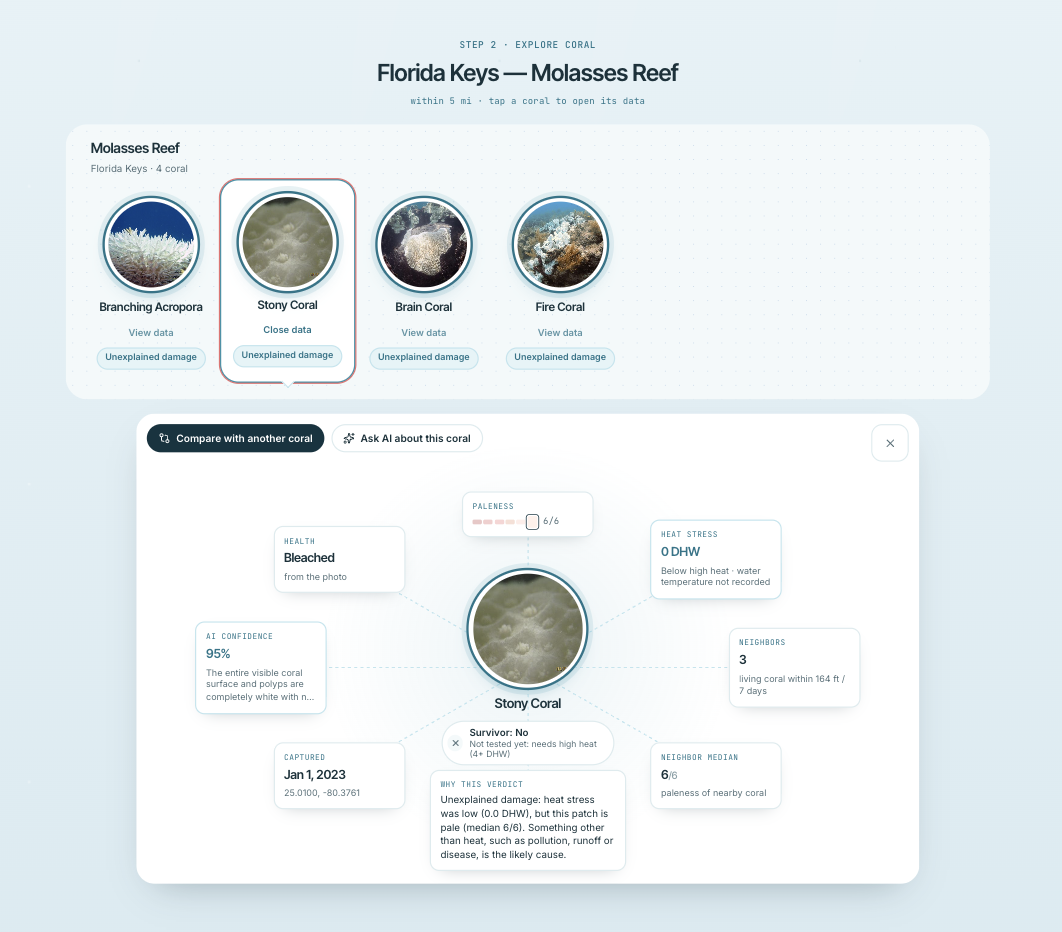
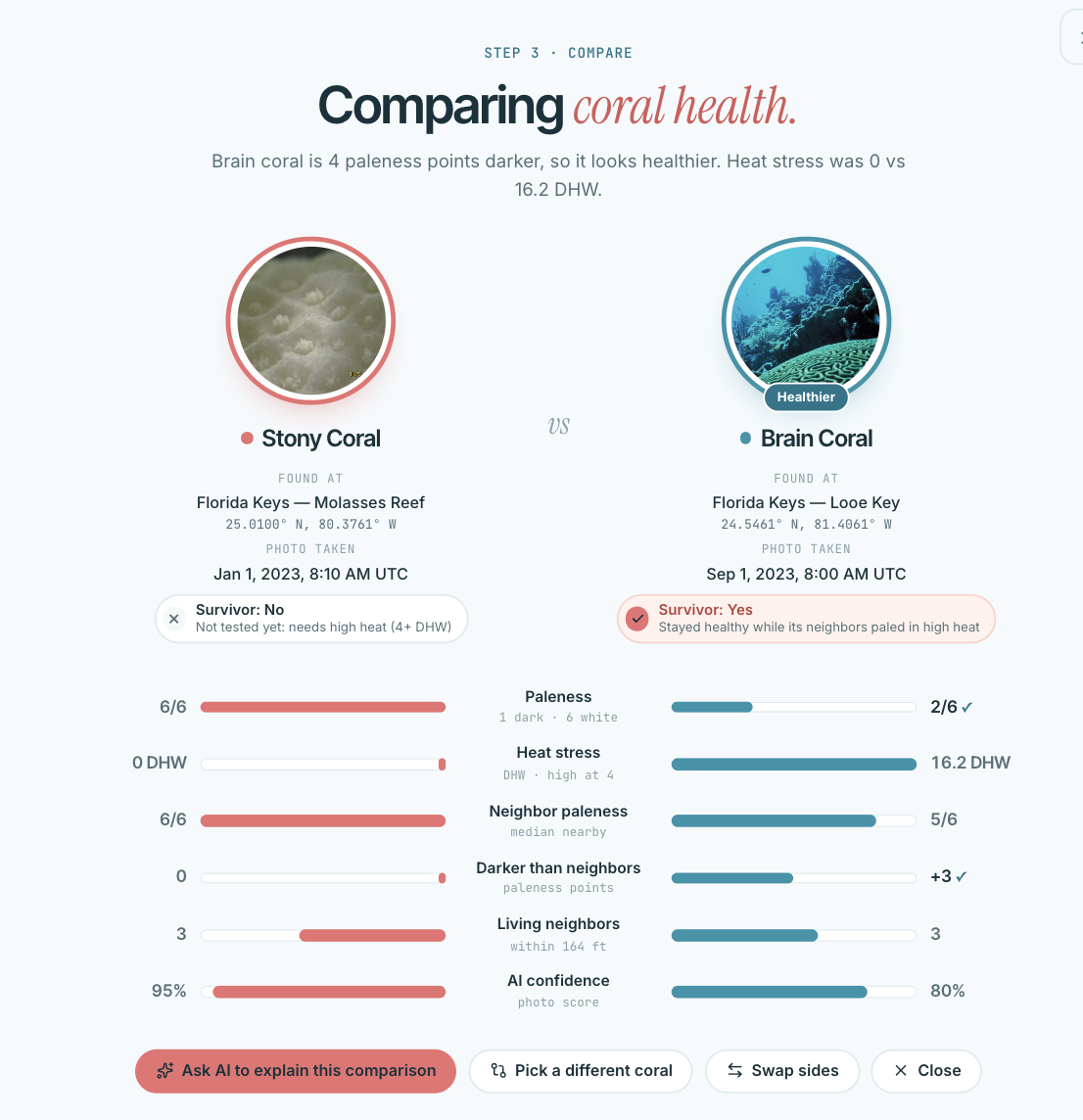
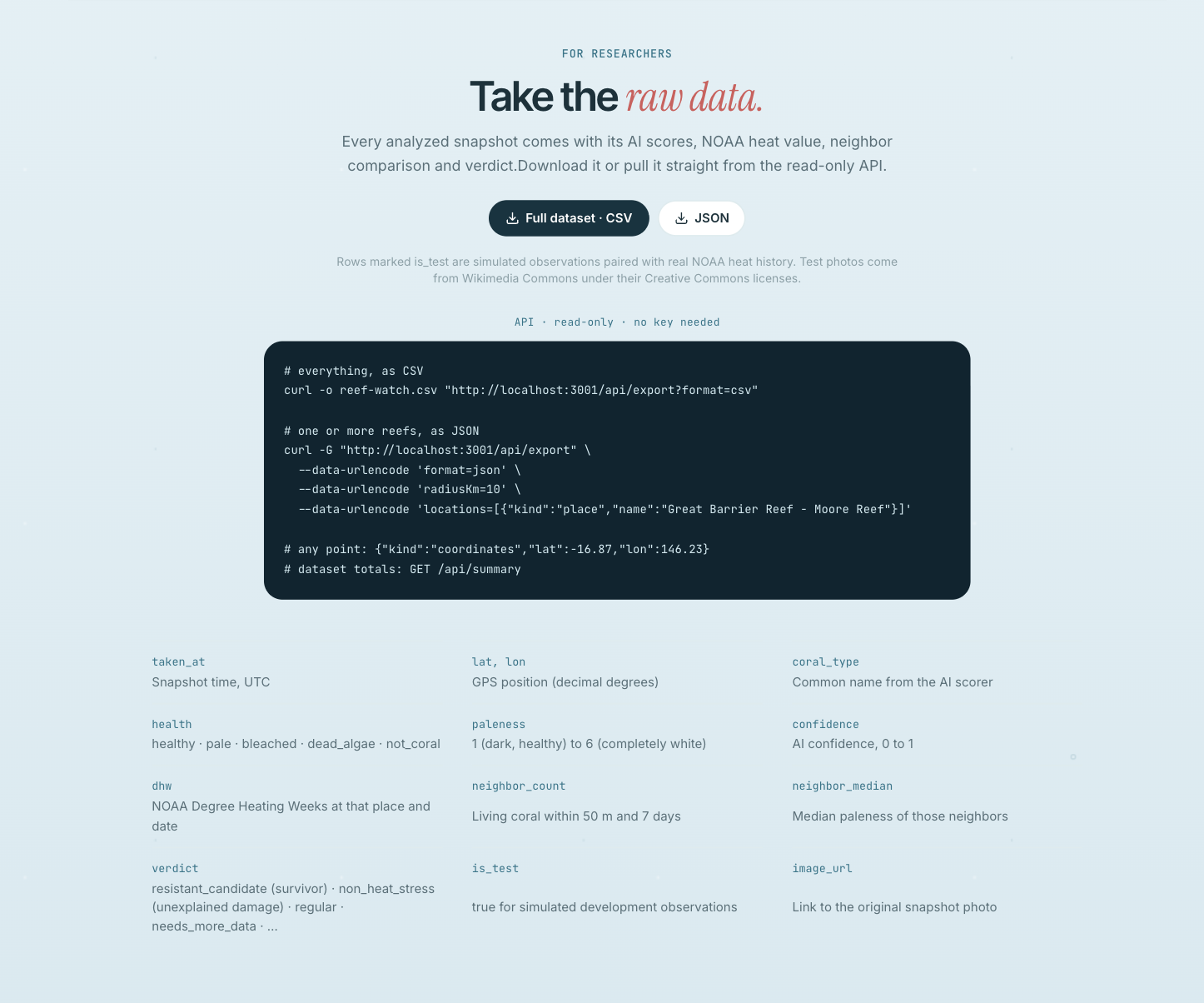
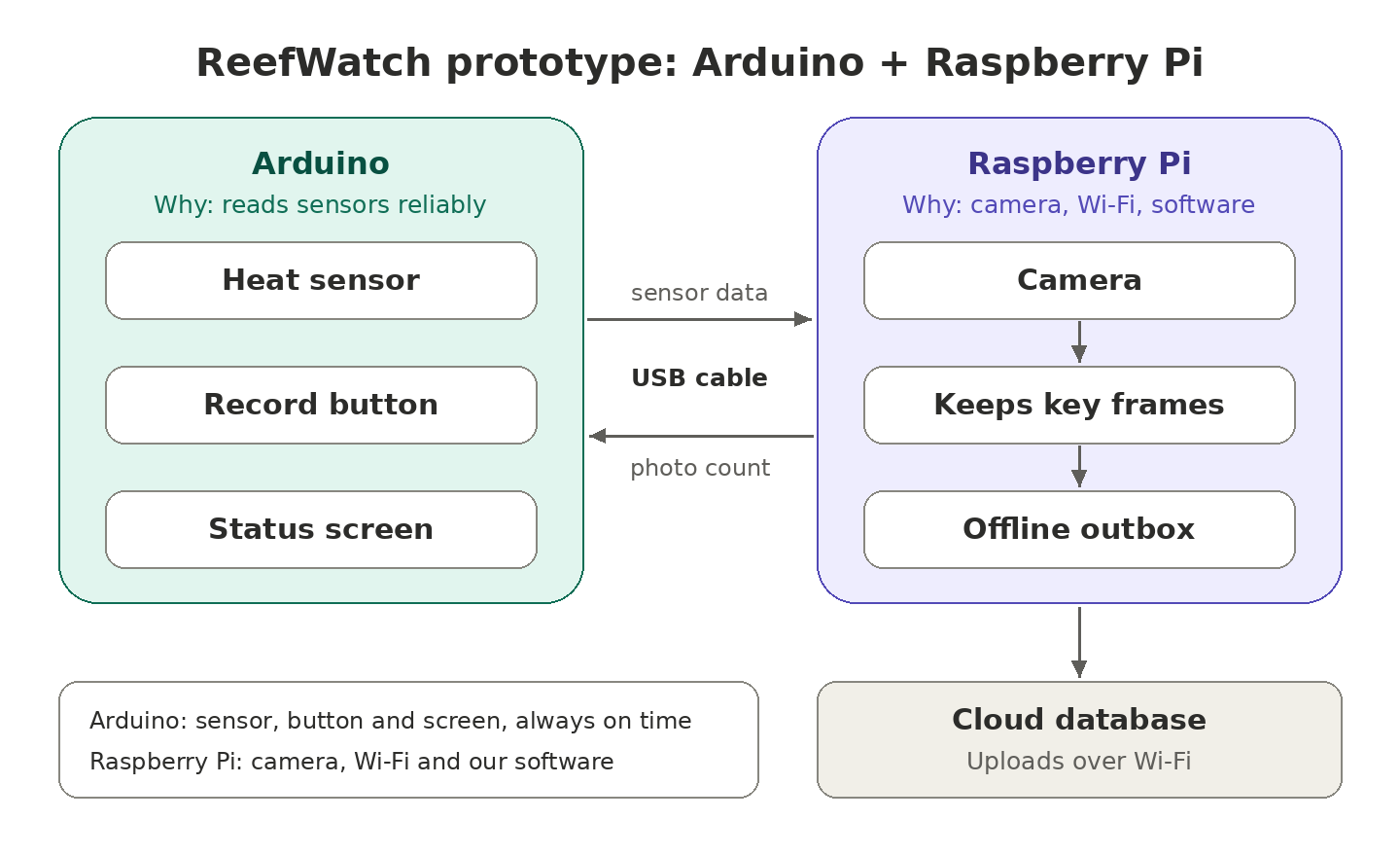
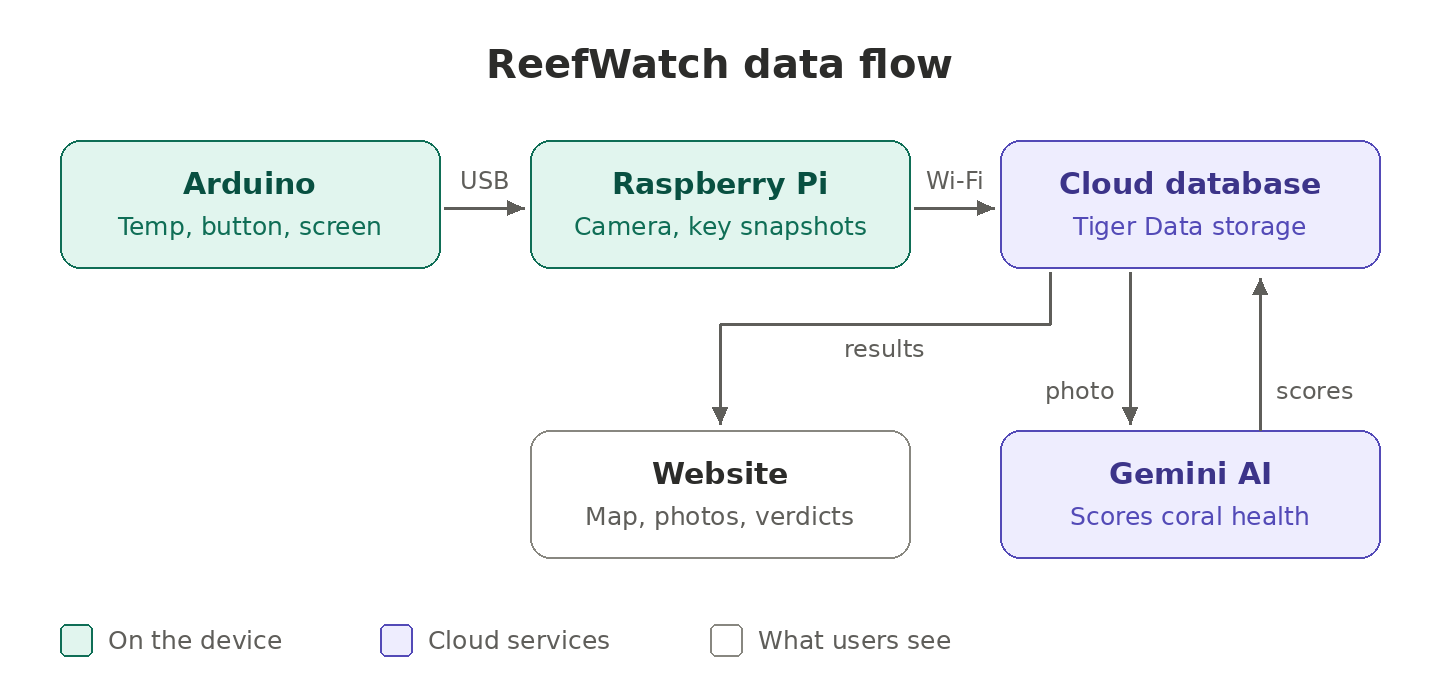
There are two main parts to our project: the product prototype and the website. We built the prototype as a proof of concept, but a finished version would be about the size of a GoPro. The prototype is an Arduino and a Raspberry Pi connected by a USB cable. The Arduino reads the temperature from a heat sensor, has a button to start and stop recording, and shows the temperature and photo count on a small screen, sending the Pi the current temperature and recording status every second. While recording, the Pi's camera saves only the reef frames that matter, tags each with the time, location, depth and temperature, and tells the Arduino to update its photo count. The Pi then uploads each snapshot to a cloud database, saving it for later if there's no signal. From there, Google's Gemini AI scores each coral's health, and the system pulls NOAA satellite heat data for the same place and date to compare each coral with its neighbors, marking it as a resistant candidate, something besides heat, or as expected. Finally, the website reads these results from the database and shows them on a map, where anyone can search by reef or location to see each coral's photo, health score, heat level and verdict.
How we built it
We built the prototype from two small computers: an Arduino and a Raspberry Pi. The Arduino is connected to a heat sensor, a record button and a small screen, and it sends the temperature and recording status to the Pi through a USB cable. The Pi runs a camera and our own software, which watches the reef and saves only the moments that matter, labeling each photo with when and where it was taken. If there's no internet, the photos wait on the device until they can be uploaded. Once online, they go to a cloud database built for tracking data over time. From there, our programs send each photo to Google's Gemini AI to rate the coral's health, look up how hot the water has been using NOAA's satellite data, and compare each coral with those around it to decide whether it might be heat-resistant. Finally, we built a website that displays all of these results on an easy-to-read map. For the demo, everything runs on the device itself, using a simulated boat route and clearly labeled test data.
Challenges we ran into
There were a lot of challenges we ran into, including not being very familiar with the hardware we were working with at first. Wiring the Arduino meant learning how a breadboard works from scratch, and our heat sensor and button didn't respond until we tracked down loose wires and a missing software library. The camera was another hurdle: our first camera had a manual lens that was hard to focus, especially while watching a laggy video feed over a phone hotspot, so we switched to a simpler USB webcam. Setting up the Raspberry Pi without a monitor was tricky too, since the Pi kept losing its connection to our hotspot and we had to find other ways to reach it. On the software side, we hit the daily limit on Gemini's free tier and had to save our AI requests for the moments that mattered. We also had to be honest about what our prototype can and can't do: GPS doesn't work underwater, so we used a simulated boat route, and our heat sensor reads surface temperature rather than the water around the coral. Finally, working across several laptops and a shared codebase taught us to keep passwords and keys out of our code and screenshots, after a few close calls.
Accomplishments that we're proud of
We were all really excited about the project we created. Any small victory with getting something to work was a celebration for us, and we really enjoyed the whole process, especially finally learning some software and hardware we've been interested in but never fully dived in on before. We're most proud that we built a complete system in one weekend: a button press on our prototype leads to a photo being taken, uploaded to the cloud, scored by AI, checked against real NOAA satellite data, and shown on a live map, all without a laptop in the middle. We're also proud of the idea at the heart of it. Instead of just mapping where the ocean is hot, ReefWatch compares corals that share the same water to find the ones that are beating the heat, which is information restoration teams could actually use. Finally, we're proud of how we handled the science. We labeled our test data clearly, explained the limits of our prototype openly, and designed the website so that anyone, from a curious diver to a marine biologist, can understand what the results mean.
What we learned
We learned a lot this weekend, starting with the basics of hardware: how to wire sensors, buttons and a screen on a breadboard, how an Arduino and a Raspberry Pi talk to each other, and how to set up and troubleshoot a Pi without a monitor. On the software side, we learned how to connect an AI model to our own code and get back answers our program could actually use, and how a cloud database can let every part of a project work independently. We also learned a surprising amount about coral reefs. Bleaching comes from heat that builds up over weeks, not a single hot day, and a bleached coral isn't dead yet, which is exactly why finding the survivors early matters. Beyond the technical skills, we learned how important it is to split work around a clear plan, keep passwords and keys private, and be honest about what a prototype can and can't do.
What's next for Reefwatch
Our first step is preparing ReefWatch to grow. Right now, every photo is stored directly in our database, which works for a demo but wouldn't hold up with thousands of devices uploading images every day. We plan to move the photos into Amazon S3 cloud storage, which is built for large amounts of files, while the database keeps only the information about each photo and a link to it. That keeps the database fast and lets the system scale to reefs around the world. We also want to turn the prototype into a real diving device: a waterproof, GoPro-sized unit with an autofocus camera, a waterproof temperature probe and a GPS float for accurate locations. Beyond coral, the same approach of capturing photos, letting AI find what stands out, and comparing it with nearby areas and outside data could help with other problems, such as tracking seagrass and mangrove health, spotting harmful algae blooms or invasive species, and monitoring pollution, or even work outside the environment, such as inspecting bridges and docks or detecting disease in crops. Our goal is to keep building ReefWatch into a tool that helps people find where to make a difference.
Built With
- arduino
- c++
- gemini
- python
- raspberry-pi
- tiger-data

Log in or sign up for Devpost to join the conversation.