Reduced
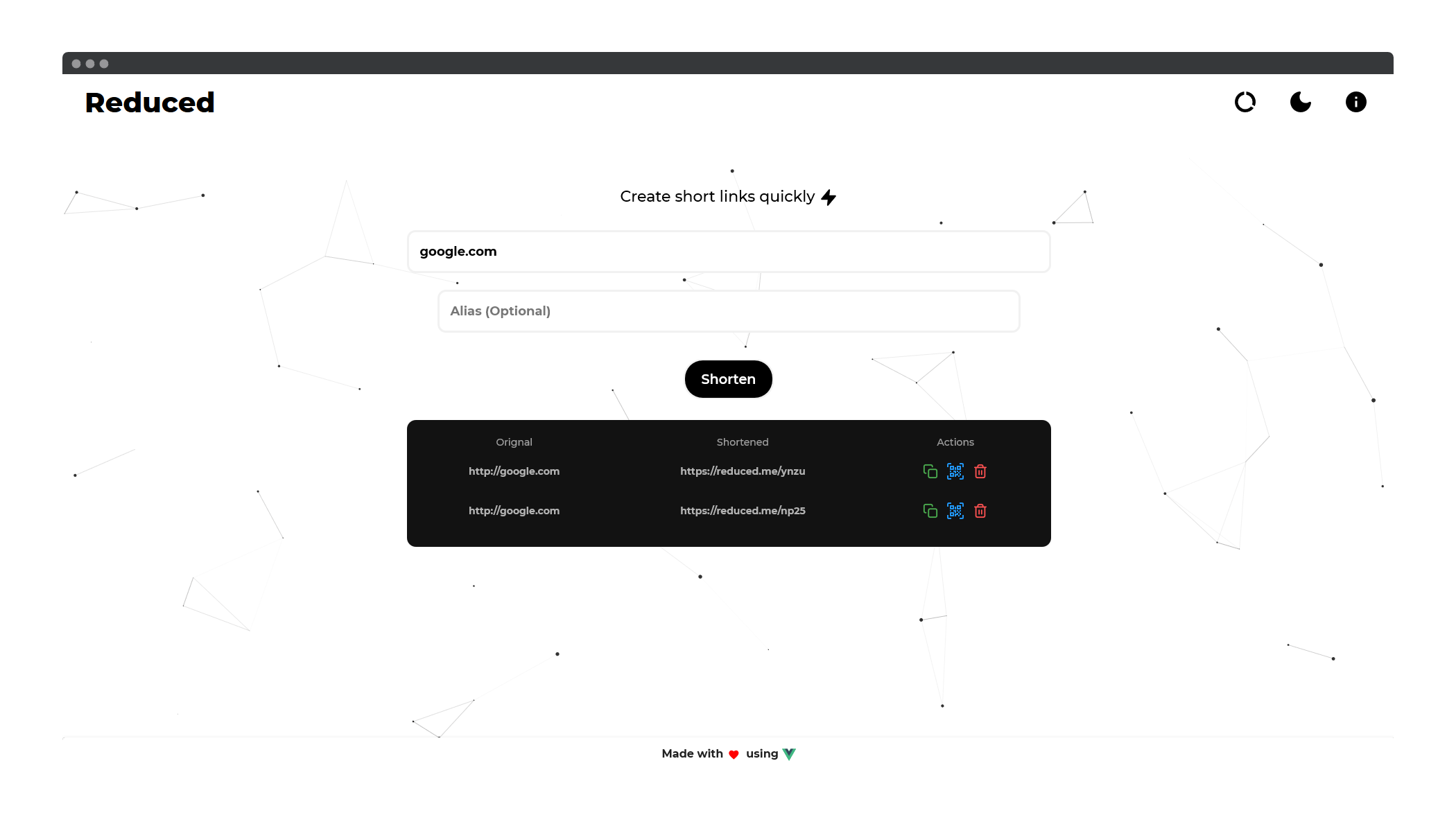
🔗 Reduced is a powerful modern custom URL shortener with a minimalistic design made with MEVN stack by Sumit Kolhe


✨ Features
:heart: Lightweight and minimalistic design : Modern minimalistic design that is a treat for the eyes.
:zap: Easy to use : Simple and intuitive design thats easy to use.
:rainbow: Support for Custom Aliases : Support user defined custom aliases as well as randomly generated ones.
:iphone: QR Code Support : Generates QR Code for shortened links instantly.
:card_file_box: Store previous links : Stores previously shortened links in localStorage of the browser for easy access.
:rocket: Performance : Reduced is built using the MEVN stack to ensure lightning-fast speeds and great performance.
:pencil2: Public API : Free public API that can be used to shorten links quickly or implemented on any other frontend.
:wastebasket: Auto link deletion : All shortened links are automatically deleted affter 10 days of creation.
:lock: Secure : We don't collect any data about you or store logs in our server.
🖥️ Demo
🧰 Built with
- VueJS : Frontend framework
- Vuetify : Vuejs Framework
- Express : Backend server
- Nodejs : Javascript runtime engine
- MongoDB : Data storage
:construction_worker: SETUP
- Clone the repository or download the latest release to a folder of choice.
$ git clone https://github.com/sumitkolhe/Reduced
:building_construction: Backend Setup
- Install the dependencies for the backend
$ cd Reduced

$ npm install
Rename the .sample-env file to .env and fill all the required fields
To start the app
$ cd Reduced

$ npm run dev
NOTE : Running only the backend server will use previously generated static files ( from server -> static ) for the frontend.
:art: Frontend Setup
- Make sure you have Vue-CLI installed, if not
$ npm install -g @vue/cli
- Install the dependencies for the frontend
$ cd client
$ npm install
Rename the .sample-env file to .env and fill the required fields
To run frontend only
$ cd client
$ npm run dev
- To build frontend
$ cd client
$ npm run build
NOTE : All frontend builds will automatically be placed in server -> static. You can edit this in client -> vue.config.js
:pencil: REST API Documentation
Reduced comes with a fully functional API that can be used to create short links with support for custom Aliases. As of now no authentication is required for using the API.
The API resides in Reduced -> server and can be modified as per one's use case
:alembic: Features of the REST API
- Allow creating short URLs with or without custom aliases.
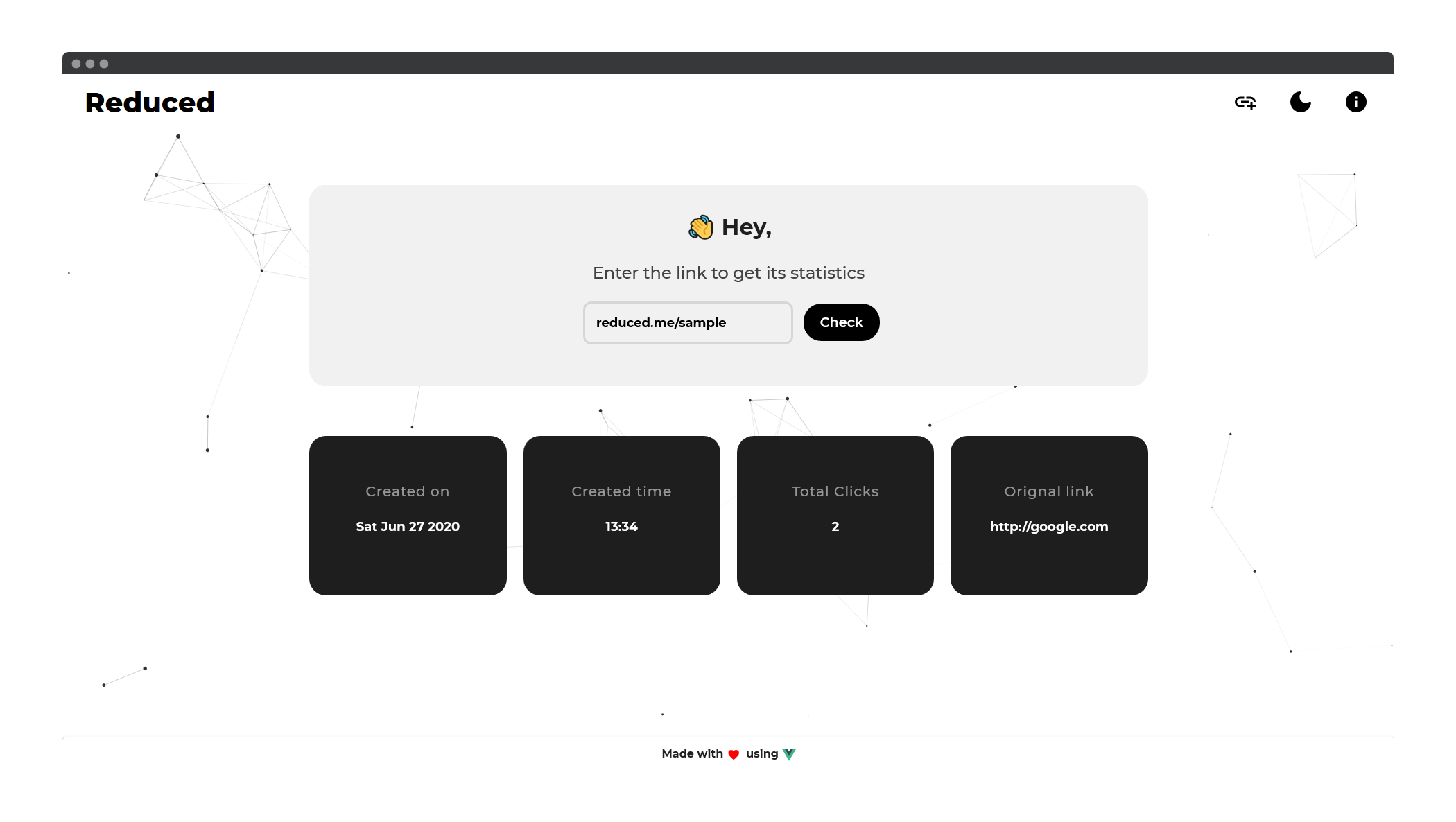
GET link statistics for shortened URLs. This includes -
- Total number of clicks
- Date / Day of Creation
- Time of Creation
- Original link
- Time / Date of link expiration
The API comes with Rate-Limiting by default. The settings can be changed as per one's requirements.
CORS is also enabled by default
:triangular_flag_on_post: REST API
The REST API requests and endpoints are described below.
# Create a short link
POST /api/shorten/
Creating short URL without custom alias
curl --header "Content-Type: application/json" \
--request POST \
--data '{"longurl":"google.com"}' \
http://localhost:80/api/shorten
Response Object
{"clicks":0,
"stats":[],
"_id":"5ef749408887c725bc489620",
"alias":"ejrf",
"shorturl":"https://reduced.me/ejrf",
"longurl":"http://google.com",
"created":"2020-06-27T13:27:28.374Z",
"expire":"2020-07-07T13:27:28.374Z",
"__v":0}
Creating short URL with custom alias
curl --header "Content-Type: application/json" \
--request POST \
--data '{"alias:"sample","longurl":"google.com"}' \
http://localhost:80/api/shorten
Response Object
{"clicks":0,
"stats":[],
"_id":"5ef74ae98887c725bc489621",
"alias":"sample",
"shorturl":"https://reduced.me/sample",
"longurl":"http://google.com",
"created":"2020-06-27T13:34:33.903Z",
"expire":"2020-07-07T13:34:33.903Z",
"__v":0}
Failed Requests
- Alias already exists : API throws error if a custom alias is provided but it already exists in database.
curl --header "Content-Type: application/json" \
--request POST \
--data '{"alias":"sample","longurl":"google.com"}' \
http://localhost:80/api/shorten
Response Object
{"status":"AAE",
"message":"Alias already exists"}
- Invalid link provided : API throws error if an invalid link is supplied
curl --header "Content-Type: application/json" \
--request POST \
--data '{"longurl":"google"}' \
http://localhost:80/api/shorten
Response Object
{"status":"IURL",
"message":"Invalid URL"}
# Get Link Statistics
POST /api/check/
curl --header "Content-Type: application/json" \
--request POST \
--data '{"linktocheck":"reduced.me/sample"}' \
http://localhost:80/api/check
Response Object
{"clicks":0,
"stats":[],
"_id":"5ef74ae98887c725bc489621",
"alias":"sample",
"shorturl":"https://reduced.me/sample",
"longurl":"http://google.com",
"created":"2020-06-27T13:34:33.903Z",
"expire":"2020-07-07T13:34:33.903Z",
"__v":0}
Failed Requests
- Link does not exist : When the supplied link to check does not exist in database.
curl --header "Content-Type: application/json" \
--request POST \
--data '{"linktocheck":"reduced.me/sampleinvalid"}' \
http://localhost:80/api/check
Response Object
{"message":"Link does not exist"}
- Invalid Link : When the supplies link is invalid (is not an actual link).
curl --header "Content-Type: application/json" \
--request POST \
--data '{"linktocheck":"invalidlink"}' \
http://localhost:80/api/check
Response Object
{"message":"Invalid Link"}
# Check Server Status
GET /api/status/
curl --header "Content-Type: application/json" \
--request GET \
http://localhost:80/api/status
{"status": "OK"}
✍️ Authors
- Sumit Kolhe - Author
📜 License
This project is licensed under the MIT License - see the LICENSE file for details.

Log in or sign up for Devpost to join the conversation.