🟦 Inspiration
The idea for Redraw Reality began with a personal experience.
Some time ago, I decided to renovate my own workspace. It sounded simple — repaint the walls and buy a larger monitor.
But the process quickly became filled with uncertainty.
I struggled to choose the right wall color. Would a lighter shade make the room feel more spacious? Would a darker tone improve focus? Everything looked great in catalogs, yet it was difficult to truly imagine how it would look inside my actual space.
Then came the monitor dilemma.
24 inches? 27 inches? Ultrawide?
Would it look proportional on my desk?
Would it feel too large for my viewing distance?
To be certain, I had to imagine every possibility — or physically try them one by one, which was clearly impractical and time-consuming.
That’s when a simple question emerged:
Why can’t I just draw these changes directly into my real space before making a decision?
Designing a room should not feel like a gamble.
It shouldn’t be about guessing the outcome and hoping everything works out.
Designing a space should feel like a natural creative process — like sketching ideas directly into the real world.
Because the right space is not just about aesthetics.
It is a long-term investment in comfort, focus, and productivity.
And beyond that, it is where meaningful moments are created with the people we care about.
Redraw Reality was born from the need to turn uncertainty into clarity.
🟦 What It Does
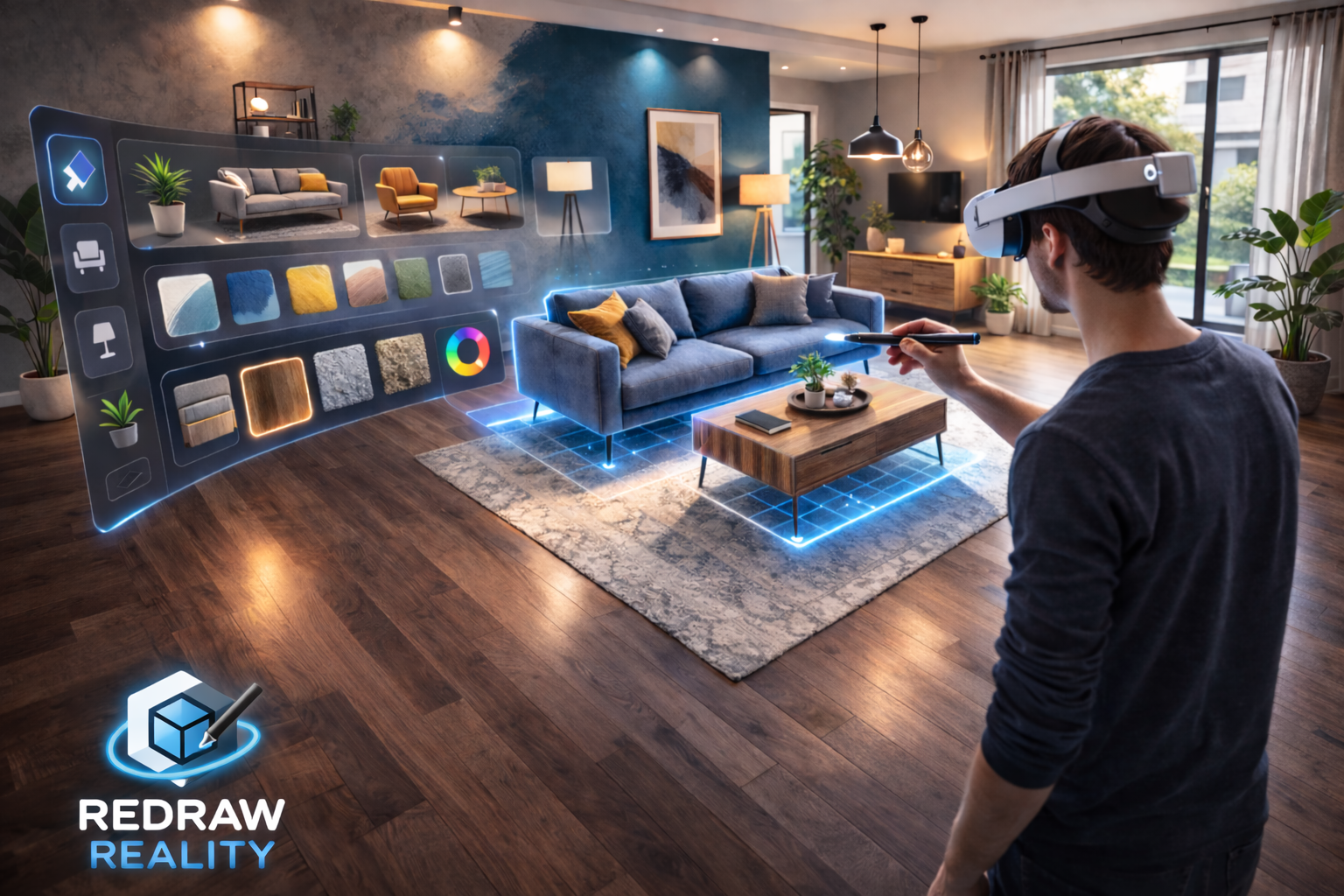
Redraw Reality transforms your physical room into a living design canvas that you can draw on directly.
Once the user puts on the headset, the real room is mapped in real time. Walls, ceilings, and surrounding surfaces become interactive fields that can be modified using the stylus.
Users can start drawing directly on the wall.
- Select a wall → the color changes instantly
- Try different color combinations without risk
Users can also create decorative elements directly on the wall:
- Draw wooden panels
- Create lighting strips
- Add patterns or accent designs
- Freely design aesthetic elements
Every stroke becomes part of the space.
To add 3D objects, users press the Rear Button to open a pop-up panel that appears intuitively around them.
From the panel, users can select:
- Tables
- Chairs
- Shelves
- Plants
- Lamps
- Other decorative elements
Selected objects appear in real scale and can be moved, rotated, and positioned until they feel perfectly aligned with the room.
Users can:
- Save multiple design versions
- Capture screenshots using the Meta Button
- Share their designs on social media or other platforms
- Collaborate in real time with friends or designers inside the same virtual space
Redraw Reality makes creativity tangible.
🟦 How We Built It
We built Redraw Reality with an experience-first approach.
The application leverages spatial mapping to understand room geometry in real time. Detected walls and surfaces become responsive, interactive canvases.
We developed a natural drawing engine that enables:
- Strokes to anchor directly onto real-world surfaces
- Color changes to follow stylus movement
- Decorative elements to appear contextually on selected surfaces
MX Ink integration was designed intentionally:
- Tip → draw and move objects
- Front Button → select and confirm
- Middle Button → reset / erase
- Rear Button → open object panel
- Meta Button → screenshot & share
We also implemented shared spatial anchors to enable real-time collaboration, allowing multiple users to see and modify the same space simultaneously.
The entire system was designed to preserve immersion, stability, and natural interaction.
🟦 Challenges We Ran Into
The biggest challenge was translating freeform drawing into a system that remains precise and stable.
Not every user draws the same way. We had to design a system capable of:
- Interpreting user intent from different stroke styles
- Maintaining accuracy while users move around the space
- Delivering UI elements that feel immersive rather than intrusive
Balancing creative freedom with structured design control was the core challenge.
🟦 Accomplishments That We're Proud Of
We are proud that Redraw Reality:
- Makes MX Ink the core of the experience, not just an accessory
- Turns renovation into an immersive creative exploration
- Introduces a spatial UI that respects the real environment
- Combines creativity, precision, and collaboration into one platform
We transformed “imagining change” into “seeing and experiencing it directly.”
🟦 What We Learned
We learned that real-world scale changes decision-making.
When users can walk around their ideas at full size, they think differently. Proportions become clearer. Lighting feels more realistic. Decisions feel more confident.
We also learned that a stylus changes interaction behavior. Precision and natural hand posture make the design process feel more personal and intentional.
Mixed Reality is not about adding a digital layer — it is about expanding how humans interact with space.
🟦 What's Next for Redraw Reality
Next, we plan to develop:
- An AI design assistant that adapts to user style
- Integration with real furniture marketplaces
- Material and renovation cost estimation
- A professional mode for interior designers
- Expansion into office and commercial space planning
A world where redesigning your space is as easy as drawing a single line.
Built With
- meta-quest-sdk
- metaxr
- mxink
- openxr
- unity-(c#)
- xr

Log in or sign up for Devpost to join the conversation.