-
-
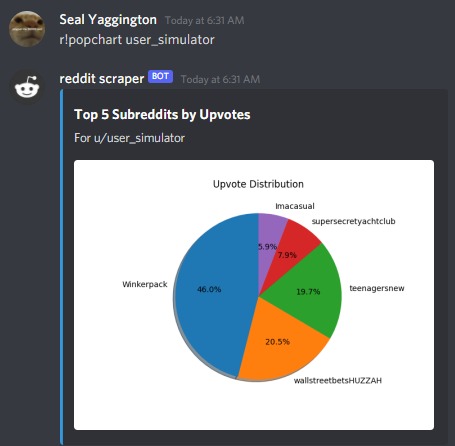
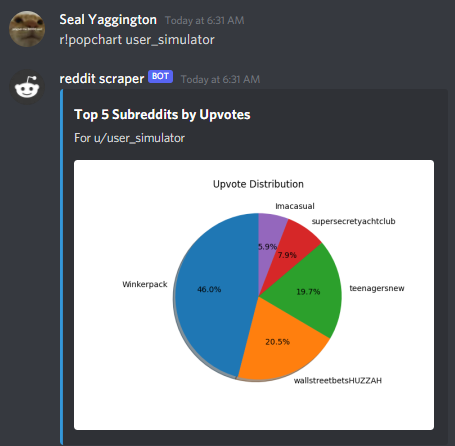
Pie-chart (Matplotlib) sample
-
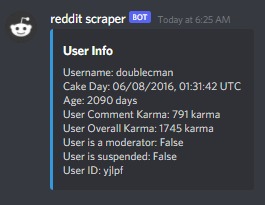
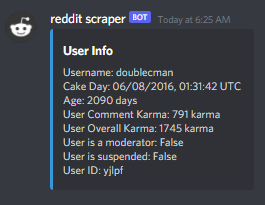
Redditor stats sample
-
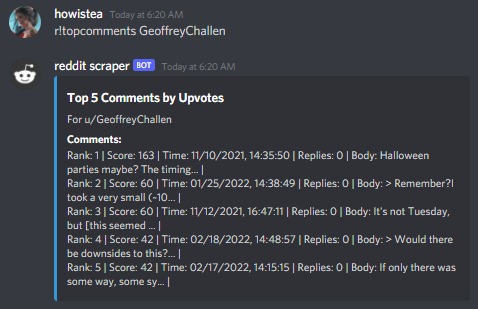
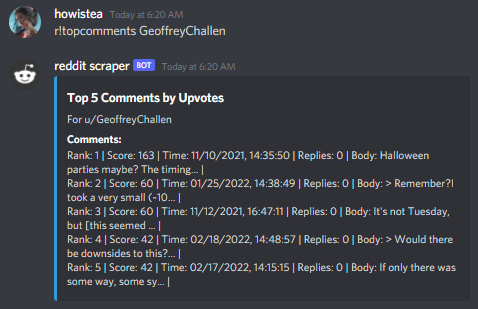
Ranked redditor comments sample
-
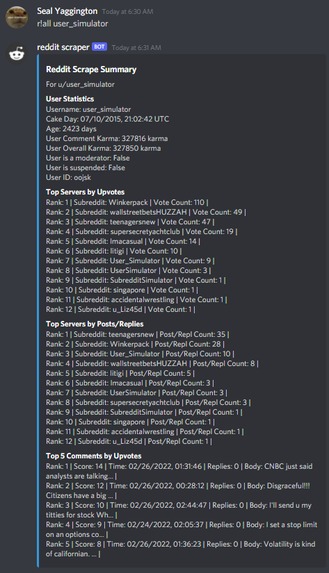
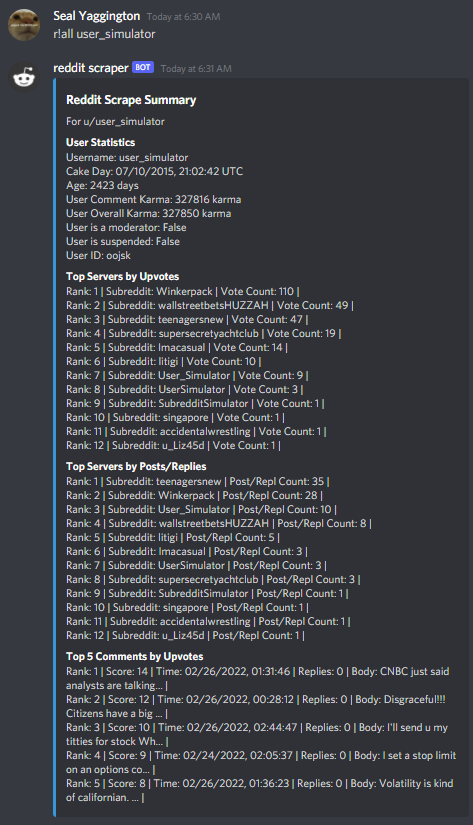
r!all sample (all processed data on user)
Inspiration
Recently, one of our group members began his own side project with PRAW. After seeing this, we thought it would be fun to extend this to our hackathon project as it was an interesting subject for which we already had some code to use as a base. We decided to extend this to a discord bot because we were already collaborating through discord, and we found the interface of a discord bot to be convenient to test as well as fun to experiment with. Our main goal was to make the discord bot fairly intuitive to use and give it features that go beyond what was possible with a simple command-line interface (as that is what our group member's side project was based around).
What it does
The bot reads data off of Reddit and displays them as a clean graph or statistic in a discord message. There are seven commands in total that we implemented.
- r!ping - responds "pong" this is used just to check the bot's connection
- r!stats - shows a list of basic user statistics
- r!all - shows all data scraped from reddit
- r!popchart - embeds a piechart of the user's upvote distribution
- r!activitychart - embeds a piechart of user's activity distribution
- r!topcomments - shows the user's top five voted comments
- r!topposts - shows the user's top five voted posts
How we built it
We used four tools from the GitHub Student Development Pack
- Pycharm: Pycharm was really useful as a python ide, providing remote debugging, external plugins, code completion, and a built-in VCS
- GitHub Desktop: Offered a very intuitive interface for members unfamiliar with GitHub, and was more helpful than built- in VCS for reading pull requests and merging branches
- Educative: The python course helped as a refresher since we had all forgotten some parts of the language. The data visualization course helped us figure out how to represent data as graphs and create pie charts. The data structures course was really helpful as well since we needed variations and combinations of maps and lists for the JSON formatting.
- Discord: The dev pack provided us with a preset Discord server template, which we used for communication and testing extensively.
Challenges we ran into
Our lack of hackathon experience and short 2-day window meant we were constantly dealing with unprecedented situations and forced to implement solutions the moment we created them. The grind felt fast and unforgiving.
Accomplishments that we're proud of
We're proud of how elegant and organized the results were, from the embedded messages to the pie charts. The Reddit API was also difficult to implement, not to mention the sheer amount of work accomplished in under two days.
What we learned
We found that Discord embeds (for both images and text) provided a clean way to organize our bot's output and make it feel more professional. We also realized that we have access to a lot of really useful resources that could exponentially speed up future projects.
What's next
The next step would be to make this bot hosted on a full-time server and to release it into the world.

Log in or sign up for Devpost to join the conversation.