Inspiration
People often paste private documents into AI tools without realizing how much personal or confidential information they are sharing. Redacto was created to make that moment safer and easier.
What it does
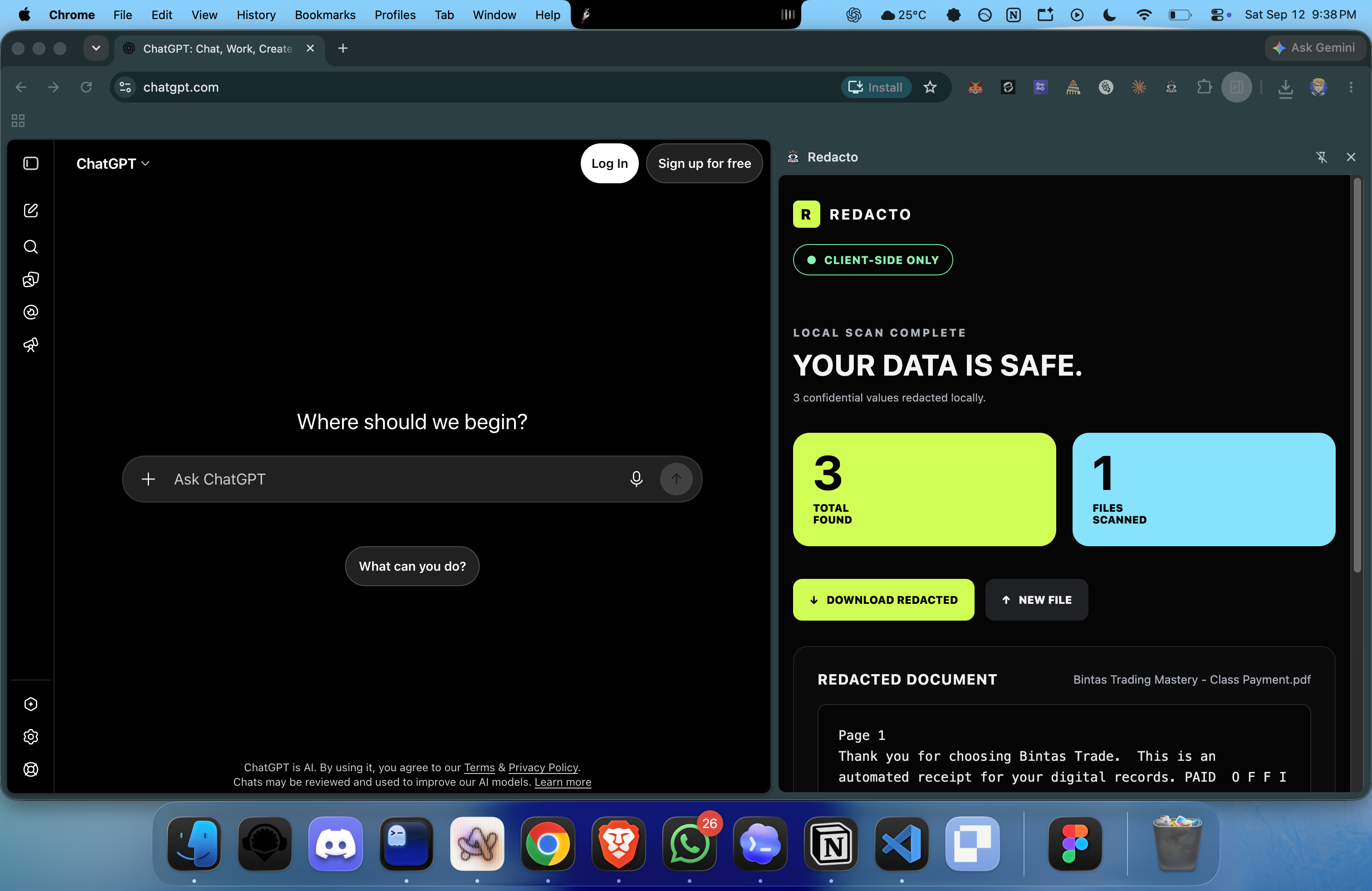
Redacto scans files locally for confidential information such as email addresses, phone numbers, payment cards, government IDs, API keys, and access tokens.
It shows how many items it found, displays a redacted preview, and creates a downloadable redacted copy before the user shares anything with an AI tool.
How we built it
Redacto is a Chrome extension with a side panel interface. It uses local JavaScript detection rules, PDF text extraction, Excel file parsing, reversible redaction, and downloadable output generation.
Challenges we ran into
Detecting confidential information without changing normal text required conservative patterns. PDF and Excel files also store text differently, so each format needed its own local parsing approach.
Making the interface work well inside a narrow browser side panel required careful responsive layout decisions.
Accomplishments that we're proud of
Redacto can scan multiple files, report detection counts per file, show a clear redacted preview, and generate downloadable redacted copies.
The original files are never overwritten, and the app keeps the user in control before anything is shared.
What we learned
Privacy tools need to be understandable at the exact moment a user is about to share information. Clear counts, visible replacements, and downloadable results make privacy protection easier to trust.
What's next for Redacto
We plan to add stronger address and name detection, OCR for scanned PDFs, support for more spreadsheet formats, richer file previews, custom redaction rules, and broader document compatibility.


Log in or sign up for Devpost to join the conversation.