Inspiration
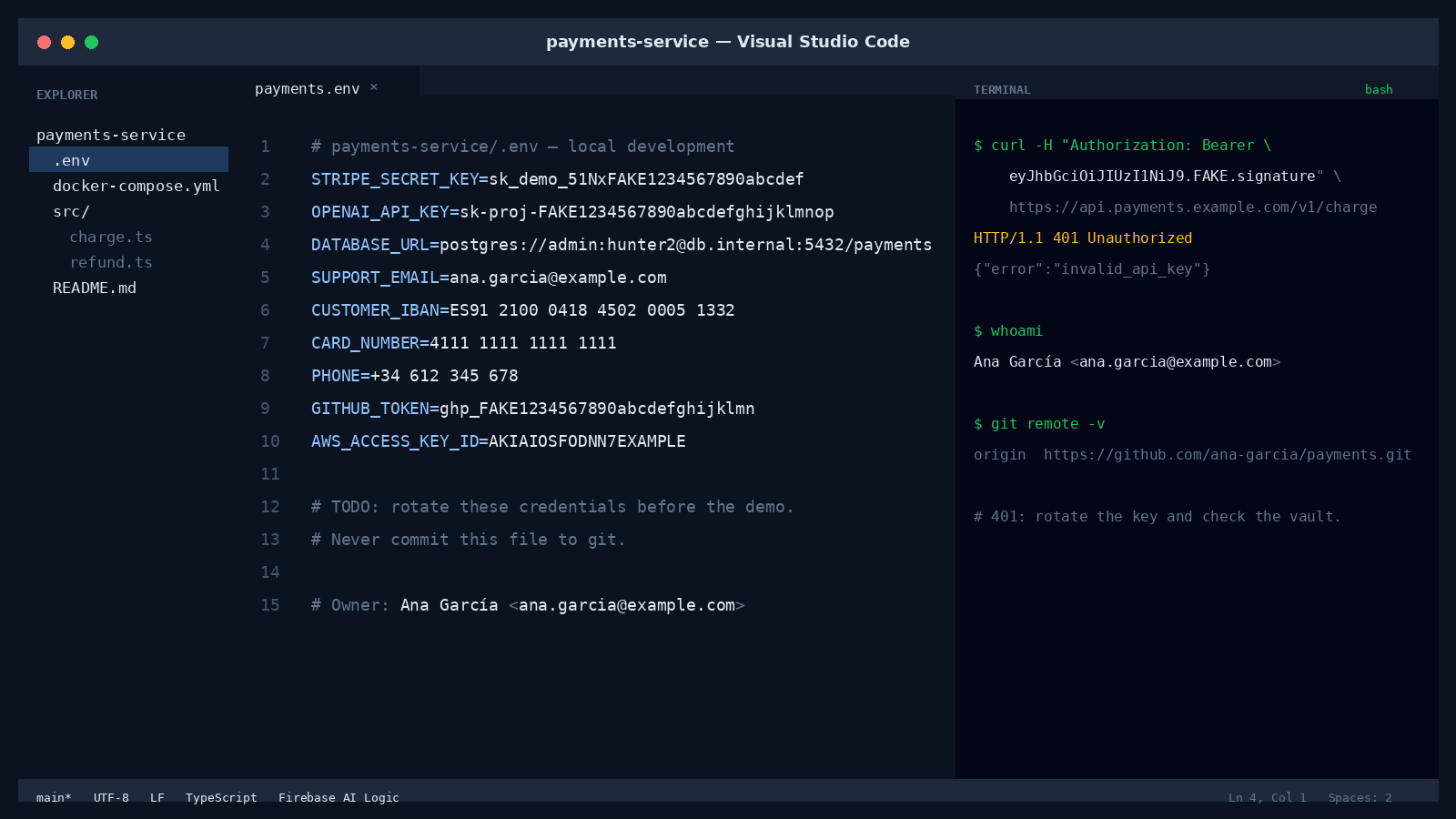
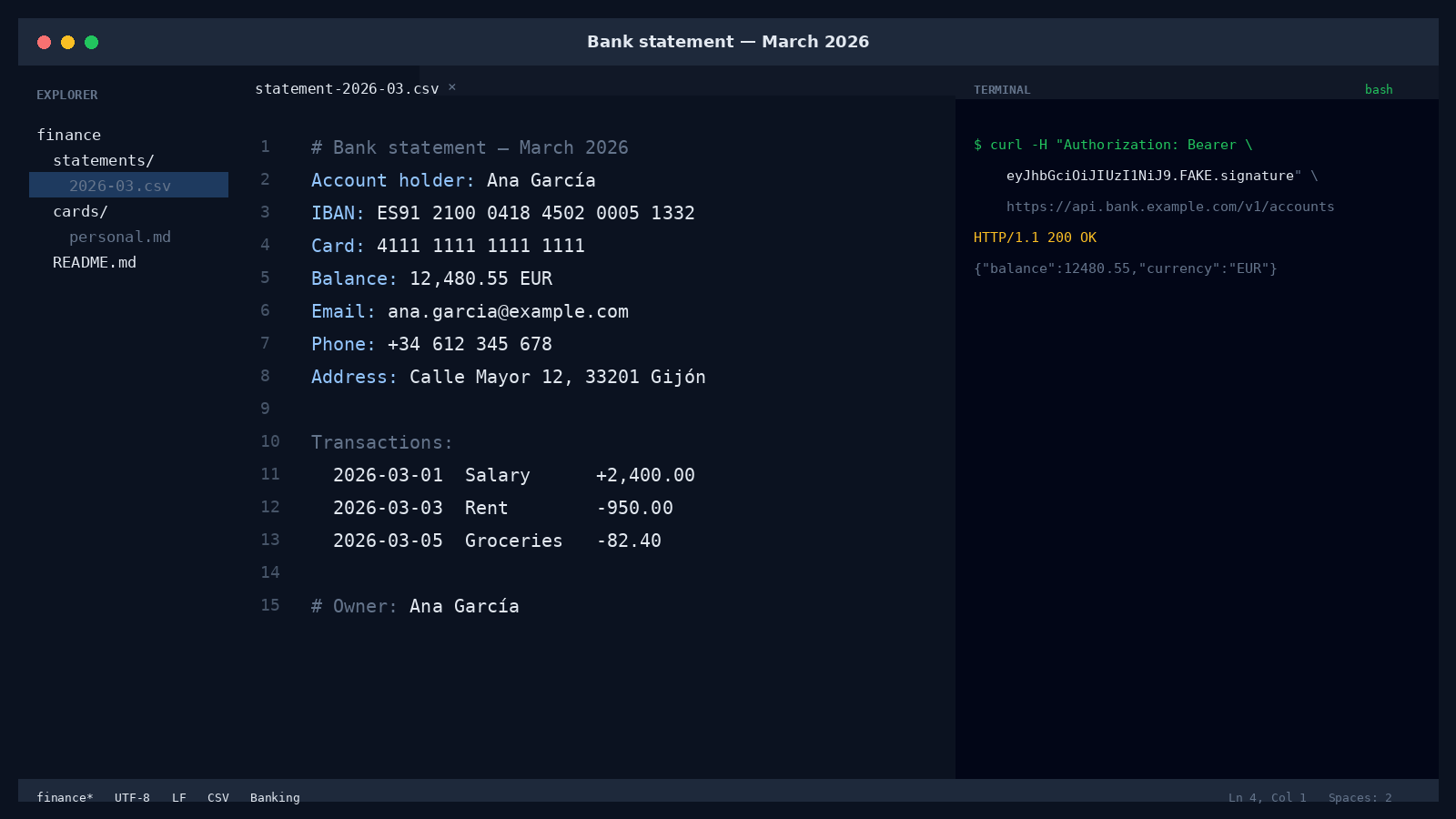
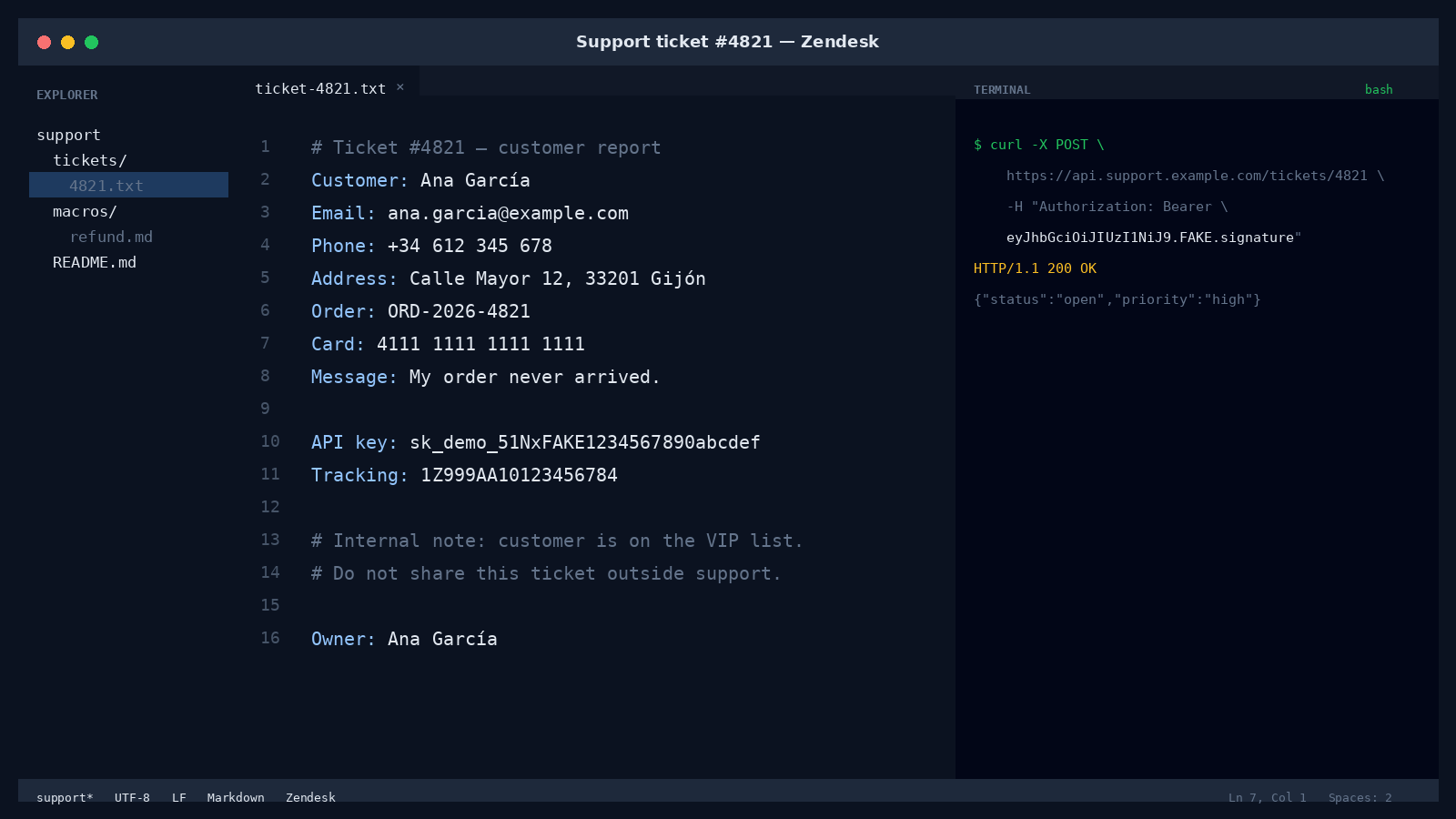
Most screenshot AI tools ask you to upload the whole screen. That usually means API keys, customer emails, IBANs and tokens leaving your device just to answer a simple question.
I wanted the opposite: use the local model for the sensitive first pass, and let the cloud answer only what is left. The privacy receipt makes that claim auditable instead of just a promise.
What it does
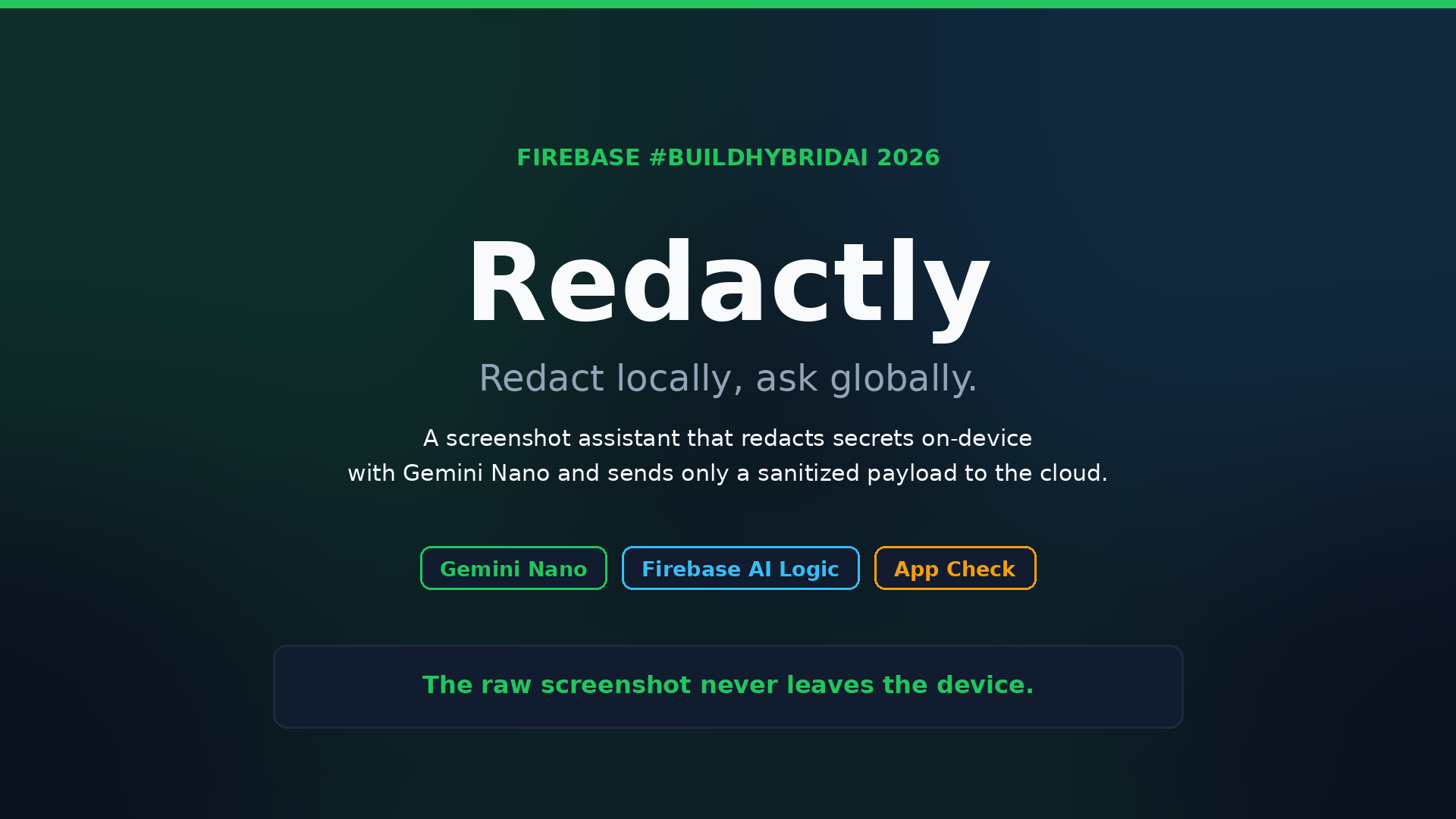
Redactly is a privacy-first screenshot assistant built with Firebase AI Logic and Gemini Nano.
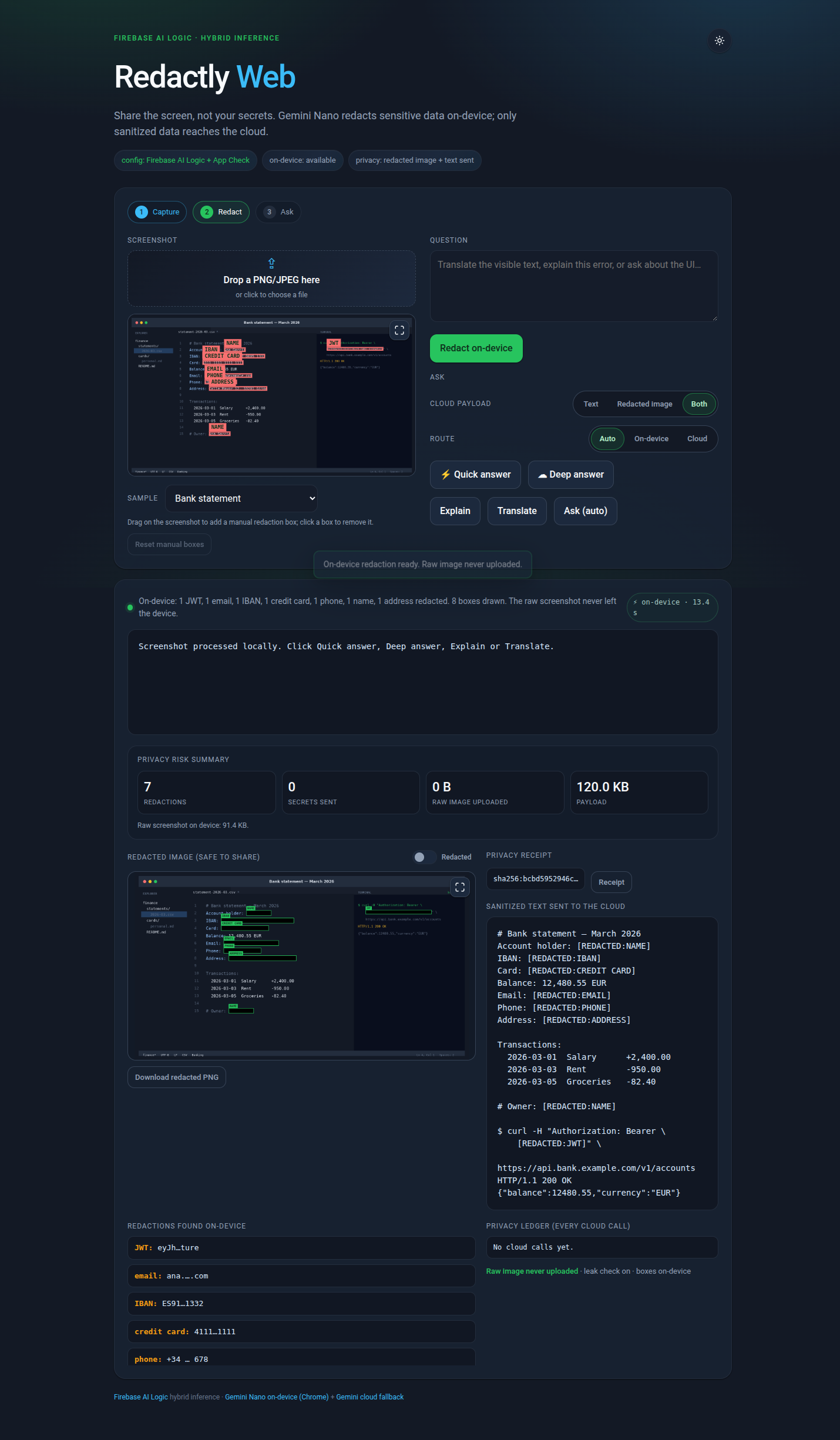
Load a screenshot and Gemini Nano finds and redacts emails, API keys, tokens, IBANs, card numbers and other secrets. You can review the boxes, add or remove manual boxes, and switch between the redacted image and the original.
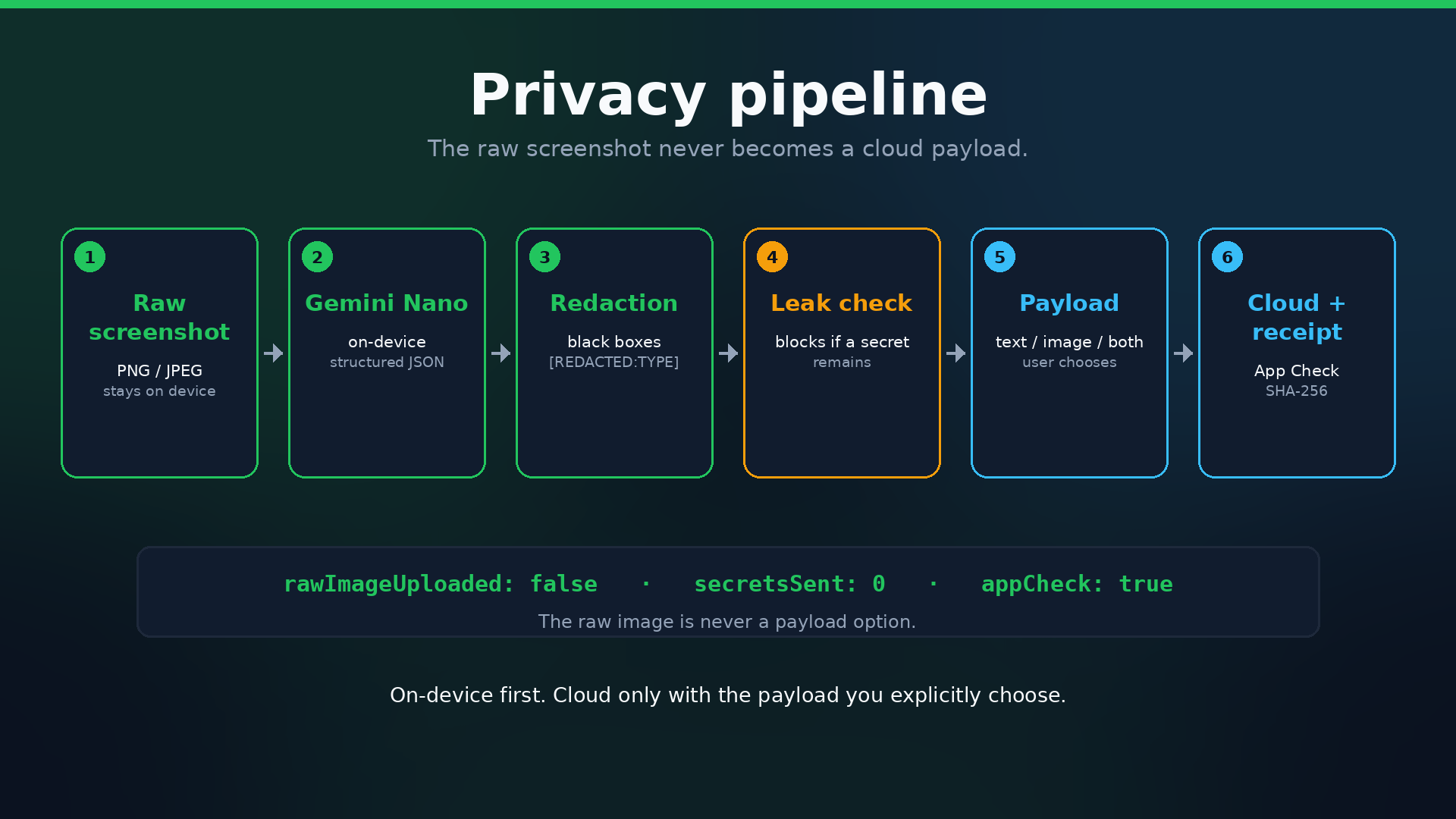
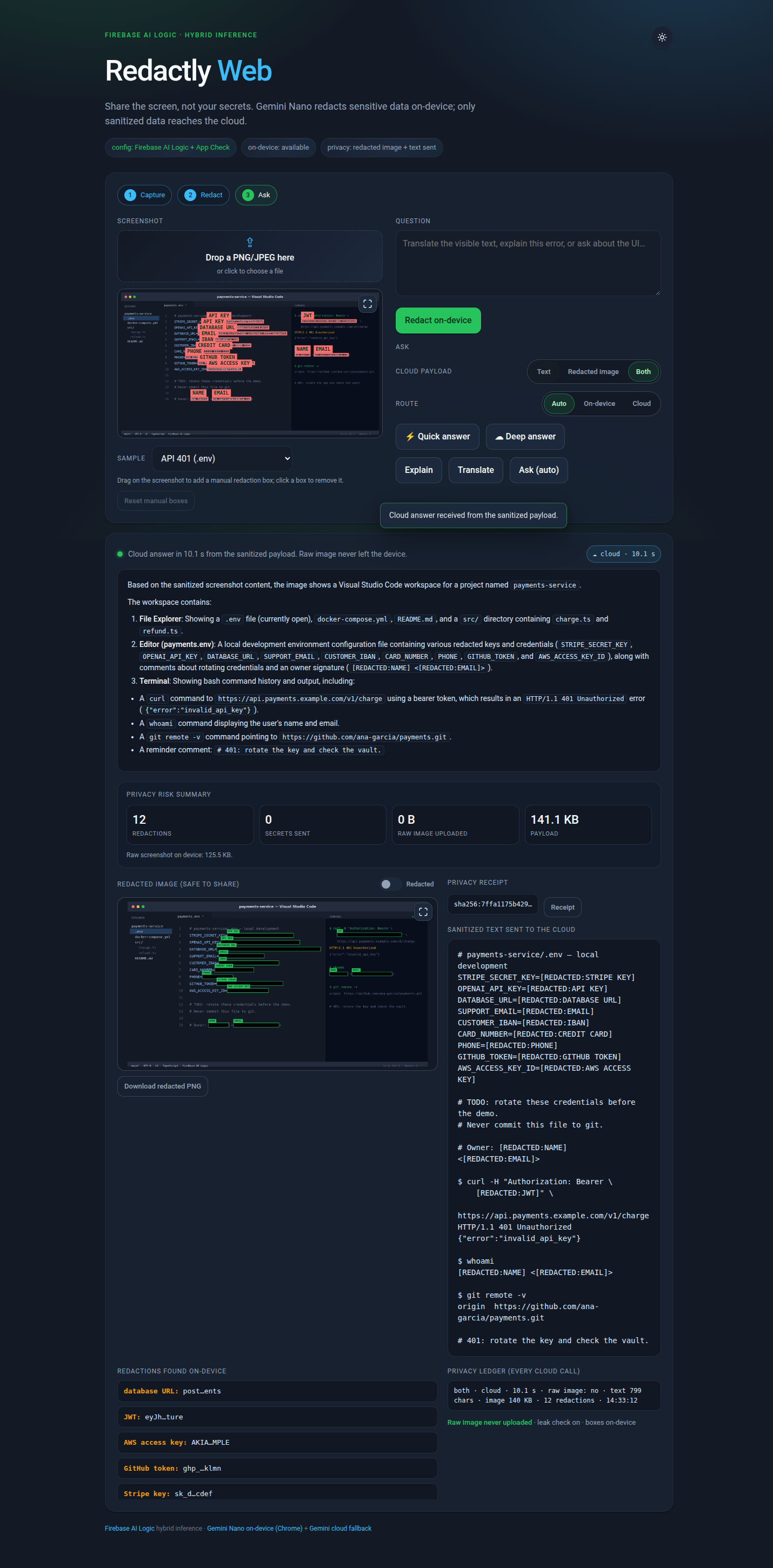
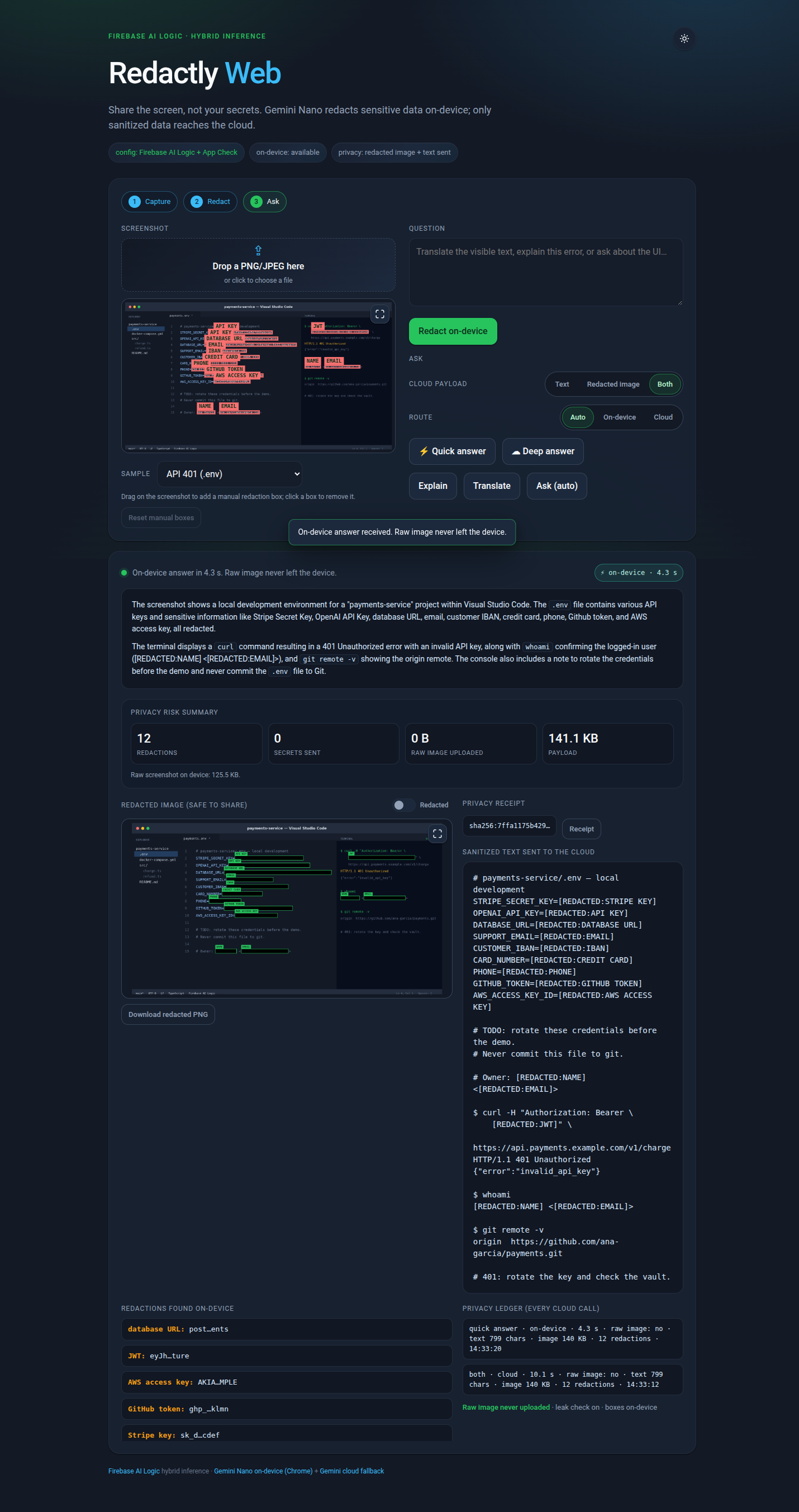
Then you choose what the cloud receives: sanitized text, the redacted image, or both. Quick questions stay on-device; complex questions use the cloud. A leak check blocks any original value before a cloud call.
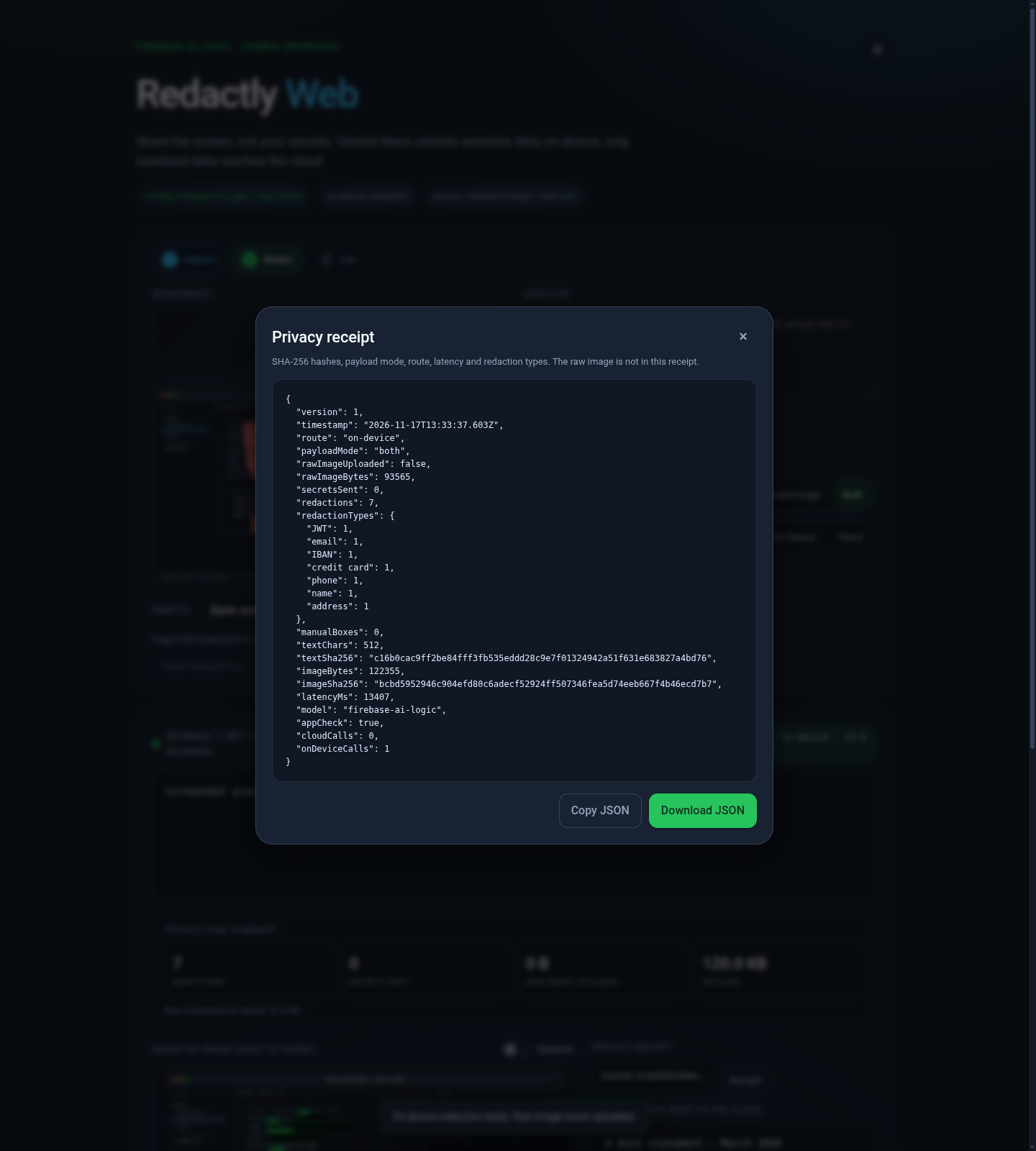
The app shows a risk card, a local privacy ledger and a downloadable SHA-256 receipt. App Check signs every cloud call.
How I built it
The app is vanilla JavaScript with Firebase AI Logic hybrid inference and no build step.
On-device calls use ONLY_ON_DEVICE with a structured-output constraint. Cloud calls use ONLY_IN_CLOUD and streaming. The two models are deliberately separate, so the boundary between local and cloud is explicit in the code.
The UI is a zero-build Material Design 3-inspired interface with a 3-step stepper, visual boxes, a manual box editor, a redacted/original toggle and a lightbox. Firebase App Check uses reCAPTCHA Enterprise on the hosted demo. The SDKs are imported lazily, so the mock mode works offline.
Challenges I ran into
Firebase AI Logic on-device inference is only supported on Web, Android and iOS, so the demo targets Web (Chrome).
Keeping the raw image off the network required more than routing: the on-device redaction model and the cloud answer model had to stay separate, with a leak check and a deterministic mock for offline testing.
Gemini Nano also downscales large screenshots to 768×768, which can make small text harder to locate. For the bundled synthetic samples I use their known ground-truth boxes as a fallback, and the cloud image payload is blocked when no redaction boxes were drawn.
Accomplishments that I'm proud of
A complete privacy flow: on-device visual and text redaction, a leak check, selectable cloud payloads, Quick/Deep routing, a SHA-256 receipt, a risk card and a privacy ledger.
The flow is tested end-to-end with real Gemini Nano and real App Check, both with a local debug token and with reCAPTCHA Enterprise on the hosted demo. Three synthetic scenarios, Node tests and CI keep the logic verifiable.
What I learned
Hybrid inference is not just a routing trick. The interesting part is deciding what must stay local, proving it, and making the cloud boundary explicit.
A privacy claim is much stronger when it is testable: a receipt with hashes, a risk card with zero secrets sent, and a leak check before every cloud call.
What's next
Android and iOS clients for multi-platform consideration, more detectors for context-dependent identifiers, and a small public gallery of synthetic scenarios so people can try the privacy flow without preparing their own screenshot.
Pre-existing code
This is a new repository for the hackathon. The web app is new and does not use any pre-existing code. All sample data is synthetic.
What was built during the submission period
The Web (Chrome) demo: on-device Gemini Nano redaction with structured output, visual boxes, manual box editor, text sanitization, leak check, Quick/Deep routing, selectable sanitized payload, SHA-256 privacy receipt, risk card, privacy ledger, three synthetic scenarios, Node tests and CI.
Testing
Open the hosted demo in Chrome:
https://redactly-dbb56.web.app
Use the three synthetic samples. No real data is required.
Local checks:
npm test
python3 -m http.server 8080
Open http://localhost:8080.
For real on-device mode: Chrome 139+, enable chrome://flags/#prompt-api-for-gemini-nano-multimodal-input, check await LanguageModel.availability(), then click Redact on-device. The hosted demo uses reCAPTCHA Enterprise, so no debug token is needed.
All sample data is synthetic. No real PII, API keys or Google Cloud secrets are included.

