-
-
Red Pen: essay feedback in minutes, not hours
-
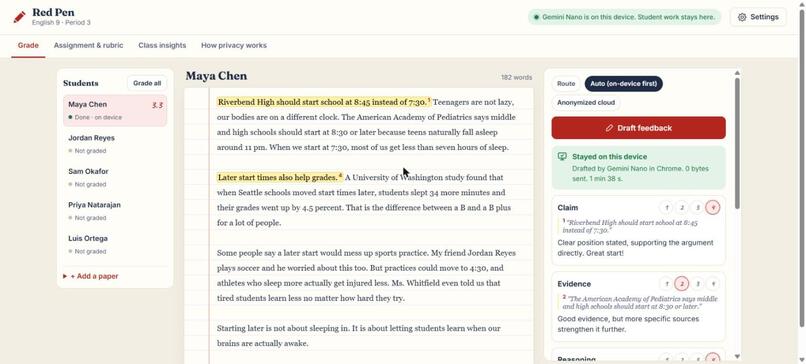
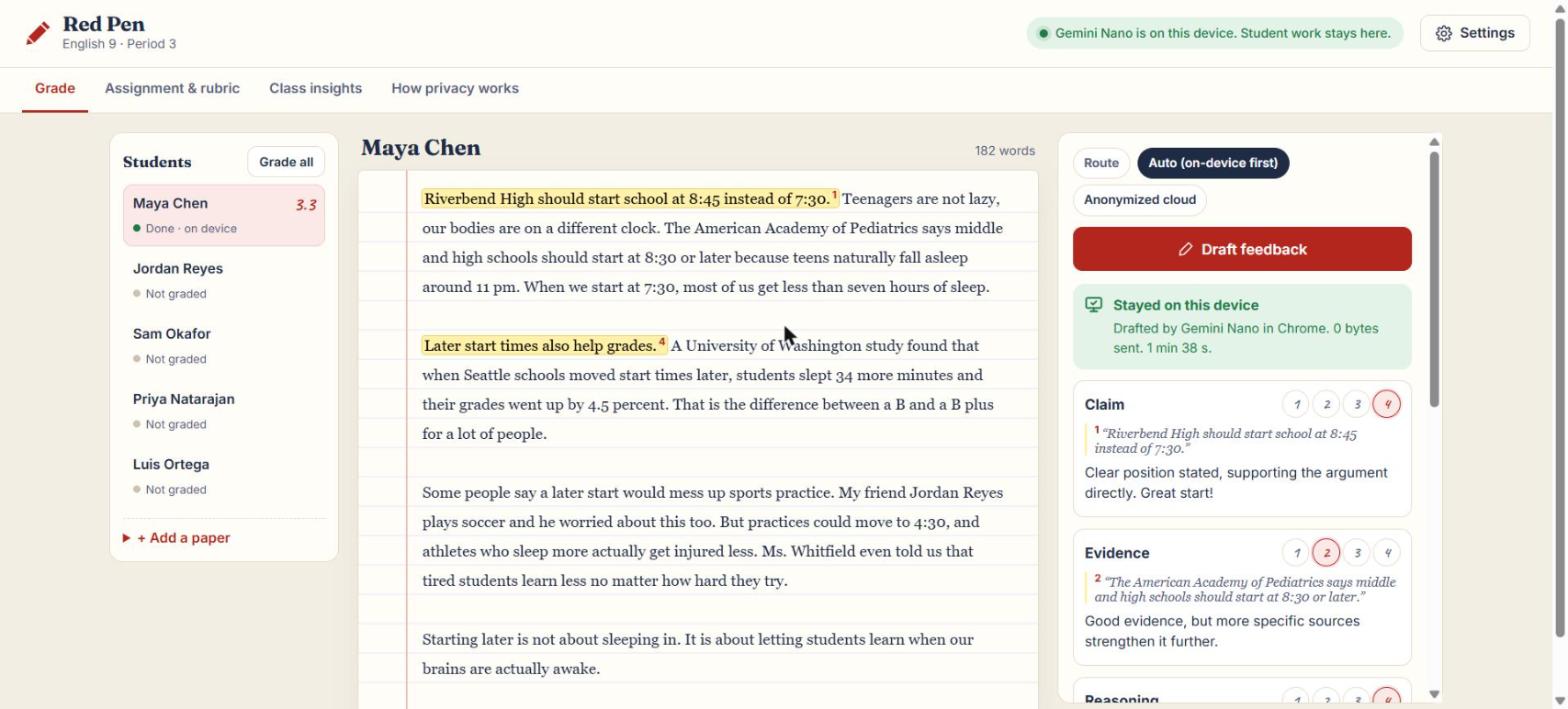
Graded on the laptop with Gemini Nano: every score quotes the line it is based on
-
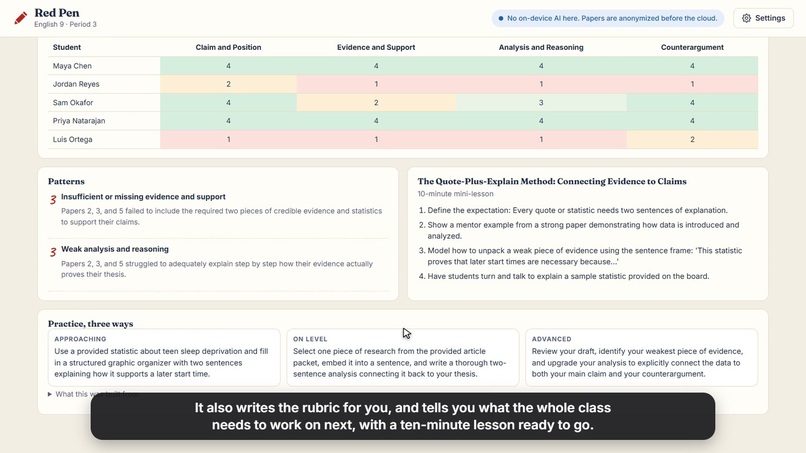
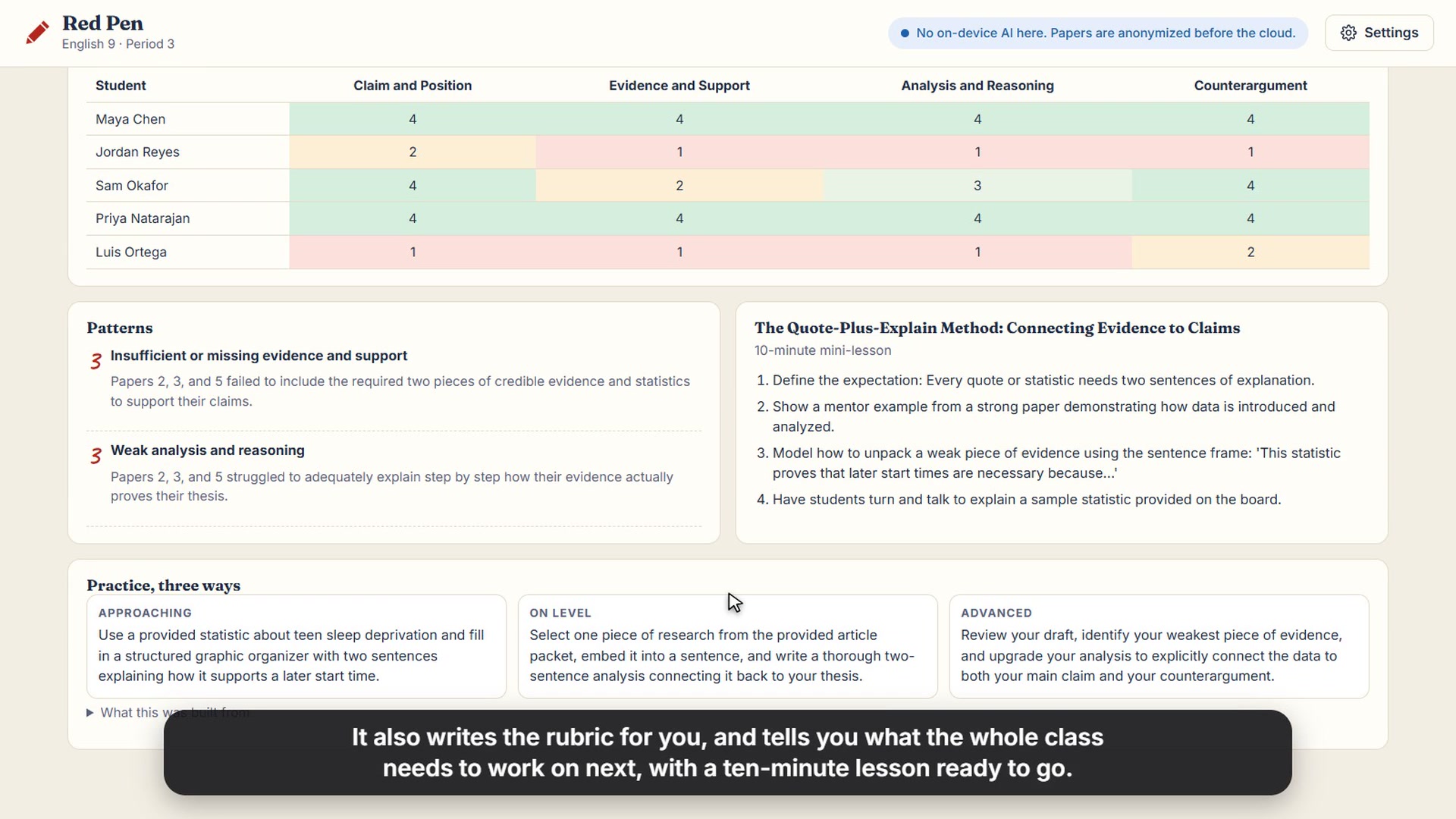
Class insights: what the class needs next, with a 10-minute lesson and practice at three levels
Inspiration Teachers spend hours every week writing the same feedback on essays. That time comes out of lesson planning and their evenings. Red Pen gives most of it back.
What it does
- Scores each part of the rubric and quotes the line in the essay behind each score, highlighted right in the paper
- Writes a strength, a next step and a short note to the student
- Grades the whole class in one click
- Drafts a rubric from the assignment prompt
- Shows what the class needs next: shared patterns, a 10-minute mini-lesson and practice at three levels
- The teacher can change any score or comment, then copy it straight into the gradebook
How we built it Red Pen uses Firebase AI Logic hybrid inference and picks the inference mode for each task on purpose:
- Grading a paper:
ONLY_ON_DEVICEwith Gemini Nano in Chrome when the laptop supports it - Grading on a laptop without Nano: names and personal details are removed on the device first, then
ONLY_IN_CLOUD - Rubrics and class insights (no student data):
PREFER_IN_CLOUD, falling back to the device when offline
Also:
- One JSON schema, built from the teacher's rubric (one entry per criterion, names fixed), shapes both the on-device output (
responseConstraint) and the cloud output (responseJsonSchema) - On-device drafts stream with a live progress bar. If the local model stops making progress for 30 seconds, Red Pen switches to the anonymized cloud route
- Every result shows where it ran: "Stayed on this device, 0 bytes sent", or exactly what text the cloud received
- Firebase App Check (reCAPTCHA Enterprise), Remote Config (cloud model and temperature) and Firebase Hosting
- Plain HTML, CSS and JavaScript modules, no build step. Installable and works offline once Nano is downloaded
- Built during the hackathon with help from Claude Code, an AI coding assistant
Challenges we ran into On a low-power laptop with integrated graphics, Gemini Nano took 1 to 3 minutes per essay and sometimes skipped rubric criteria. Locking the schema to the rubric fixed the skipping, and the progress bar makes the wait clear. The small model also wrote template text like "[Student's Name]", so Red Pen adds the student's name in code.
What's next Google Classroom import, more rubric types, and feedback in more languages.
Built With
- chrome
- firebase-ai-logic
- firebase-app-check
- firebase-hosting
- firebase-remote-config
- gemini
- gemini-nano
- javascript
