Inspiration
One of our team members’ mother endured a medical emergency that caused a stroke, leaving her permanently disabled. Having lived most of her life able-bodied and healthy, renegotiating her experience in her body has been a difficult adjustment on every level.
One of those levels is letting go of her able-bodied relationship with technology and reapproaching tech tools specifically after the loss of motor dexterity in her hands.
Recovery Studio’s team realized that the gestures available in VR experiences closely relate to some upper body (and hand) exercises a stroke patient might do. We asked, “What if VR could also help someone reapproach their relationship to tech at the same time as working on physical strength?”
What it does
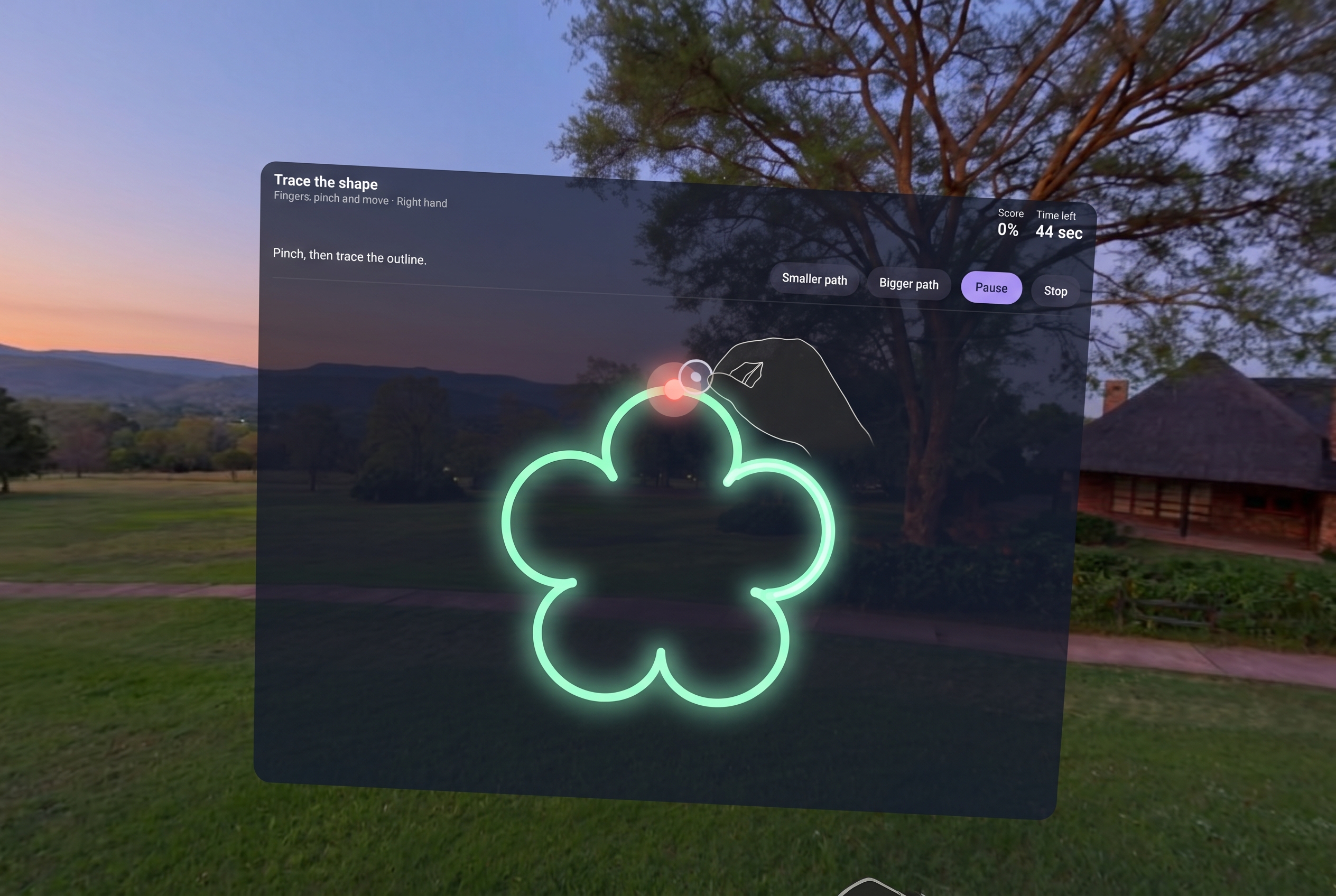
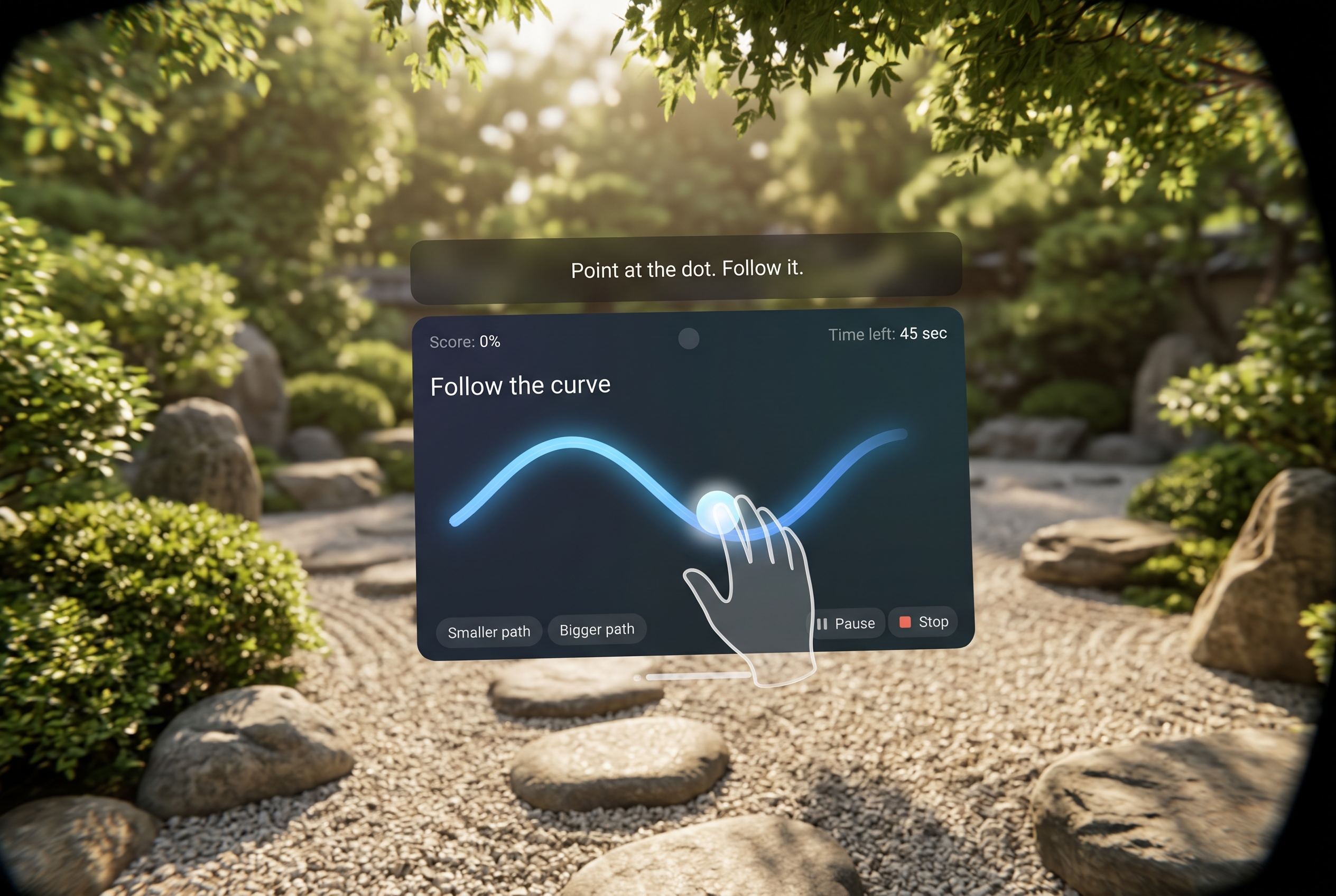
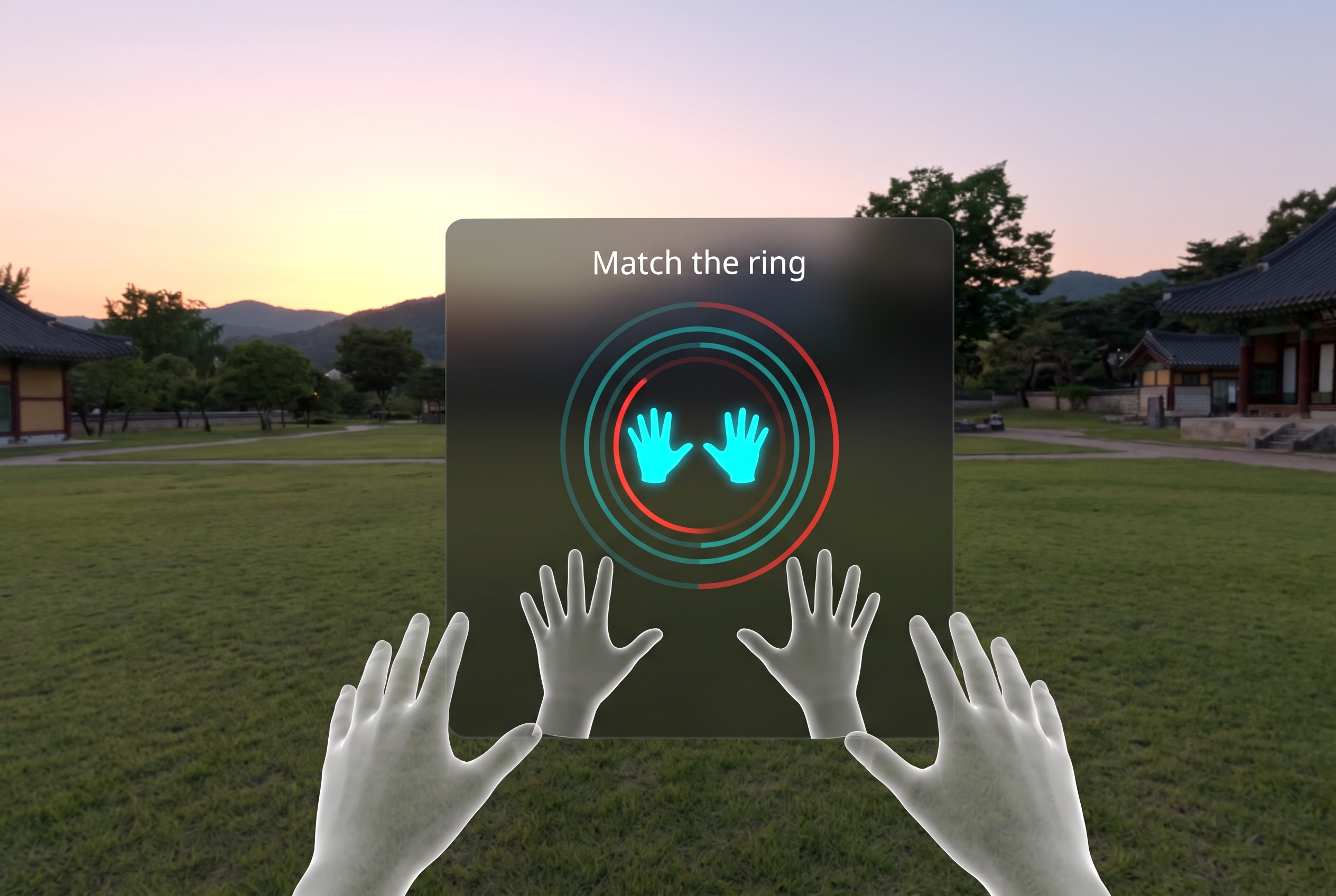
From the comfort of their home, a person can practice four exercises, and make voice notes on their experience. If they choose, they can change their environment to immerse themselves in scenes such as a garden or the seaside. They can also configure the ambient sounds.
How we built it
We conducted brief product research with our team member’s mother as a representative user. With her experiences in mind, we used Claude Design to create an interactive browser artifact, a PixiJS mock-up of the headset where mouse input represents hands, fingers, and gaze.
We then input that prototype with a detailed prompt into Claude Code using Claude Opus 5.5. Before writing any code we instructed Claude to ask plenty of questions, work out how each piece would translate to Meta Spatial SDK, and put together a plan for us to approve. We also leveraged the Meta VR CLI and documentation to check APIs.
Under the hood, Recovery Studio targets Android SDK 34 (Android 14) with Kotlin, Jetpack Compose, Hilt, ViewModels, Room and DataStore. All the exercise logic lives in a pure Kotlin core, backed by unit tests. Finger tracking first relied on an experimental Spatial SDK API, which kept the app out of the Meta Horizon Store. To fix this, we added a small C++ module that reads hand joints through OpenXR's standard hand-tracking support, inside the same session the Spatial SDK already runs. This removed the experimental requirement entirely, and the exercises work exactly as before.
From there, every round followed the same simple loop: write the code, run the tests, build it, pop it onto a Quest 3S, and tweak whatever the headset showed us. All team members, representing development and design/product, continued to work closely on iterating and tweaking the UX during development.
Challenges we ran into
The biggest challenge was getting the experience right for people recovering from a stroke, who may have a weaker hand, a tremor, tire quickly, or find reading and speaking harder. That meant:
- A simple home screen
- Large, well-spaced buttons
- A check before ending an exercise
- Short instructions read aloud
- A choice to pause during an exercise or between exercises
- Voice notes that wait while people pause to think
Hand tracking was the hardest technical part. The Spatial SDK only exposes finger joints through an experimental body-tracking API, which meant turning on a special developer setting every time the headset restarted and relying on an API that may change in future releases. It also kept the app off the Store, so we switched to OpenXR's standard hand tracking, which works without any special settings.
Accomplishments that we're proud of
When people think about surviving a stroke, they mainly think of the long journey of physical and occupational therapy over many months or often years. Until this project, we hadn’t really thought about what a person also has to go through to connect the gains from that therapy to their ability to interact with the world.
This experience transformed our perspective on what VR can do to include more people, in more ways, more of the time.
What we learned
We learned that designing for stroke survivors shapes every decision: simple screens, large buttons, plain words read aloud, and room to pause mattered more than extra features. Many problems only appear inside VR, so testing each change in the headset was essential, and early reviews from a UX and accessibility advisor caught issues we'd have otherwise missed.
What's next for Recovery Studio
Our future plans for improvement hinge on first conducting further testing with our intended audience and consulting physical therapists for professional feedback.
From there we would consider other exercises (potentially for other disability contexts where eye-only or voice-only interactivity is appropriate), and refine the existing exercises to include more complex patterns or control the tracing velocity. We also would like to improve the voice note functionality or explore other ways to leverage voice control. Last, we may consider evolving it into a B2B tool for healthcare teams to help their patients (as software by and for healthcare professionals, with their input and oversight).
Built With
- android
- android-studio
- claude
- compose
- kotlin
- quest
- sdk
- spatial
- vr
