-
-
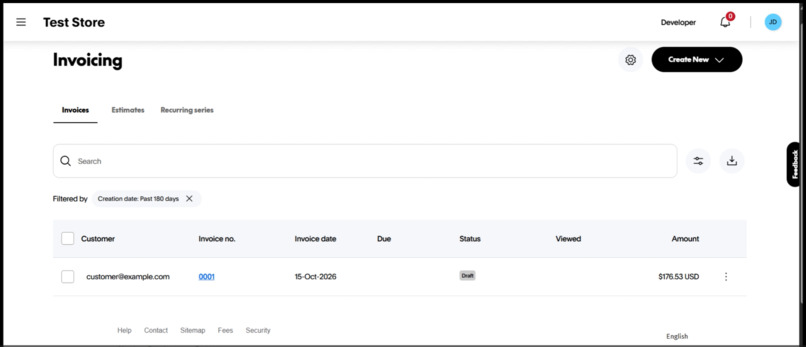
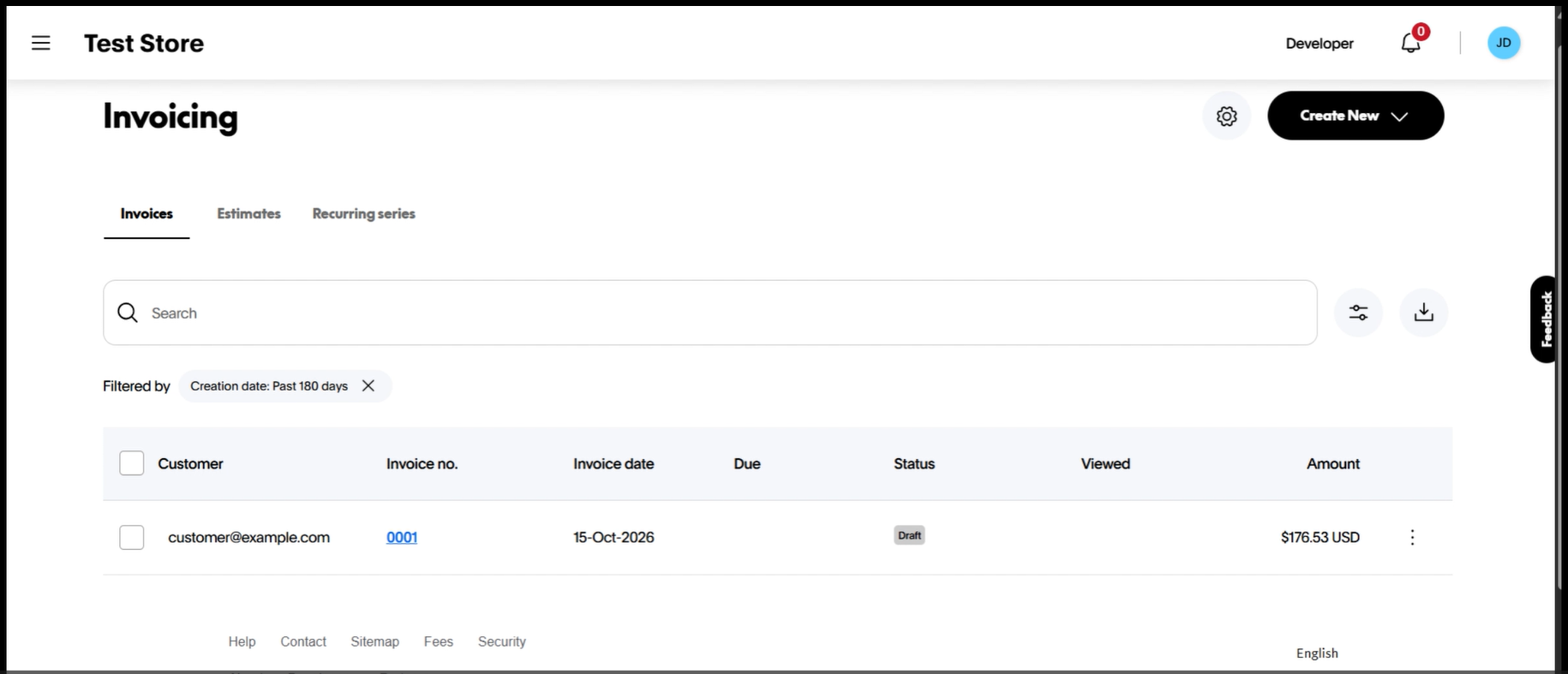
The draft invoice appears in the PayPal sandbox Invoicing dashboard. It is only a draft, nothing is sent to the customer.
-
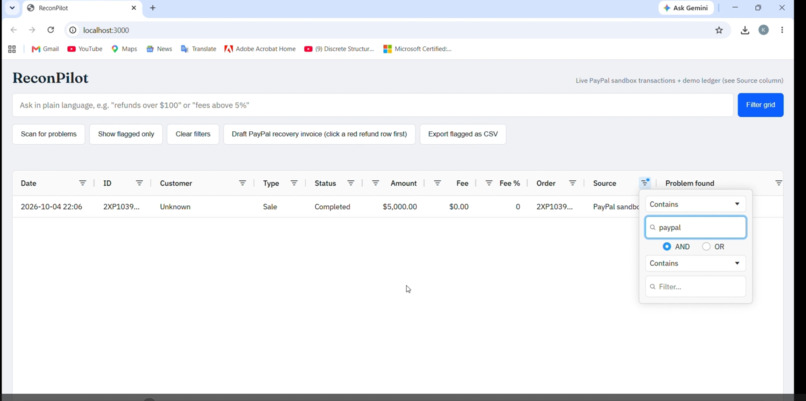
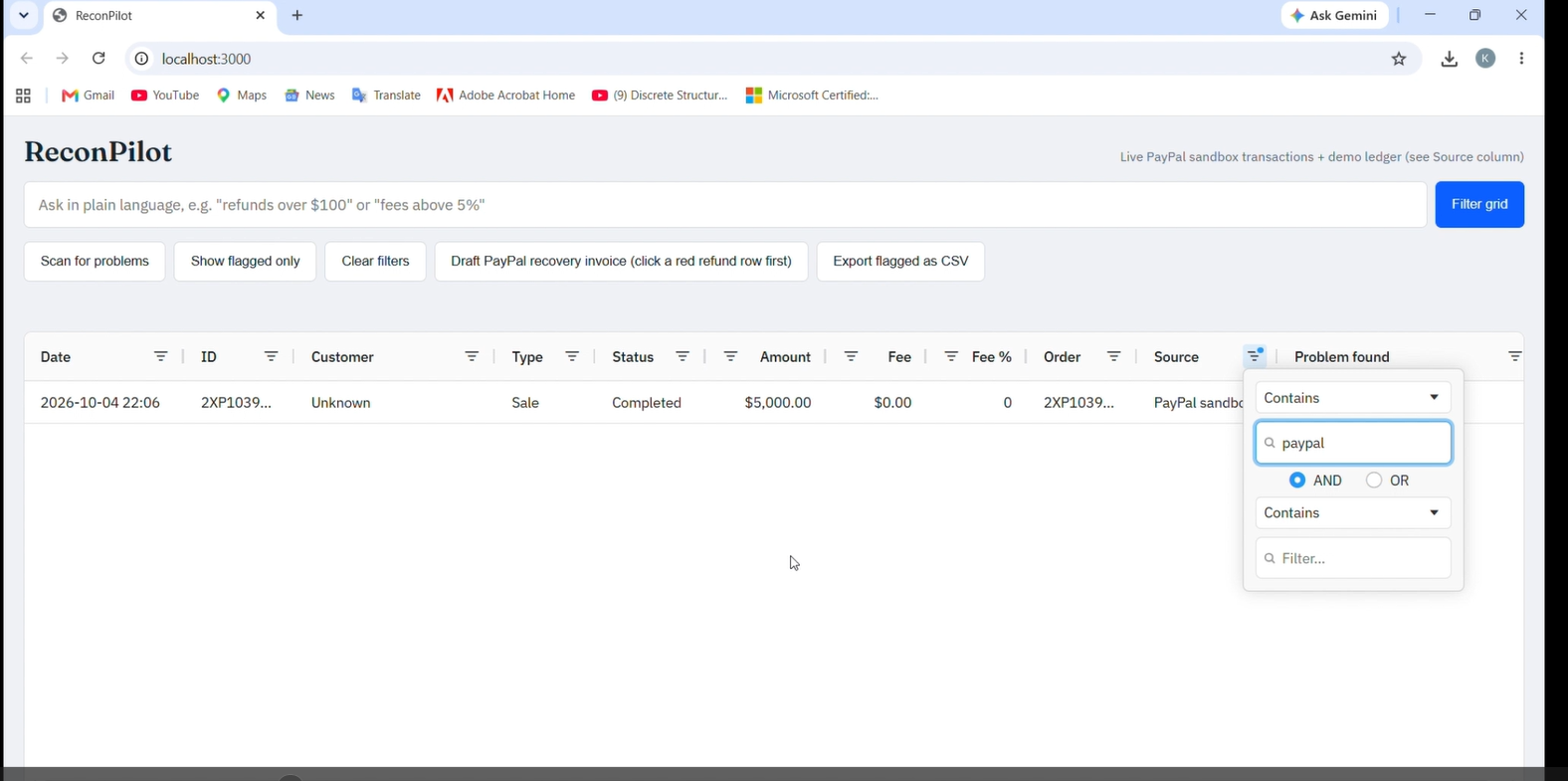
Filtering the Source column to "PayPal" shows the real transaction pulled from the PayPal sandbox API.
-
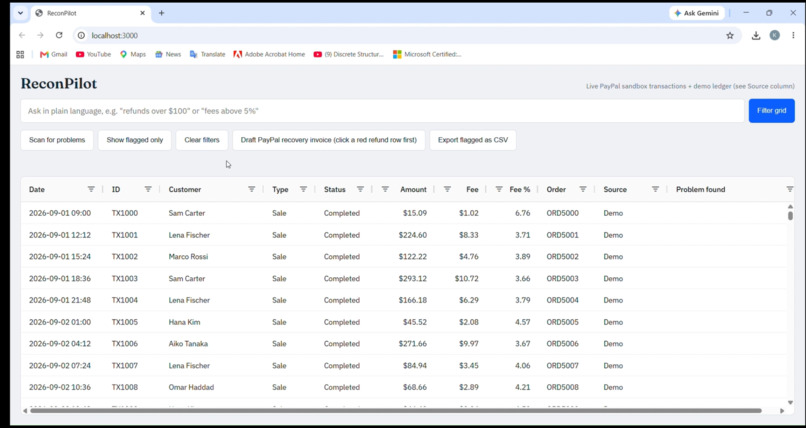
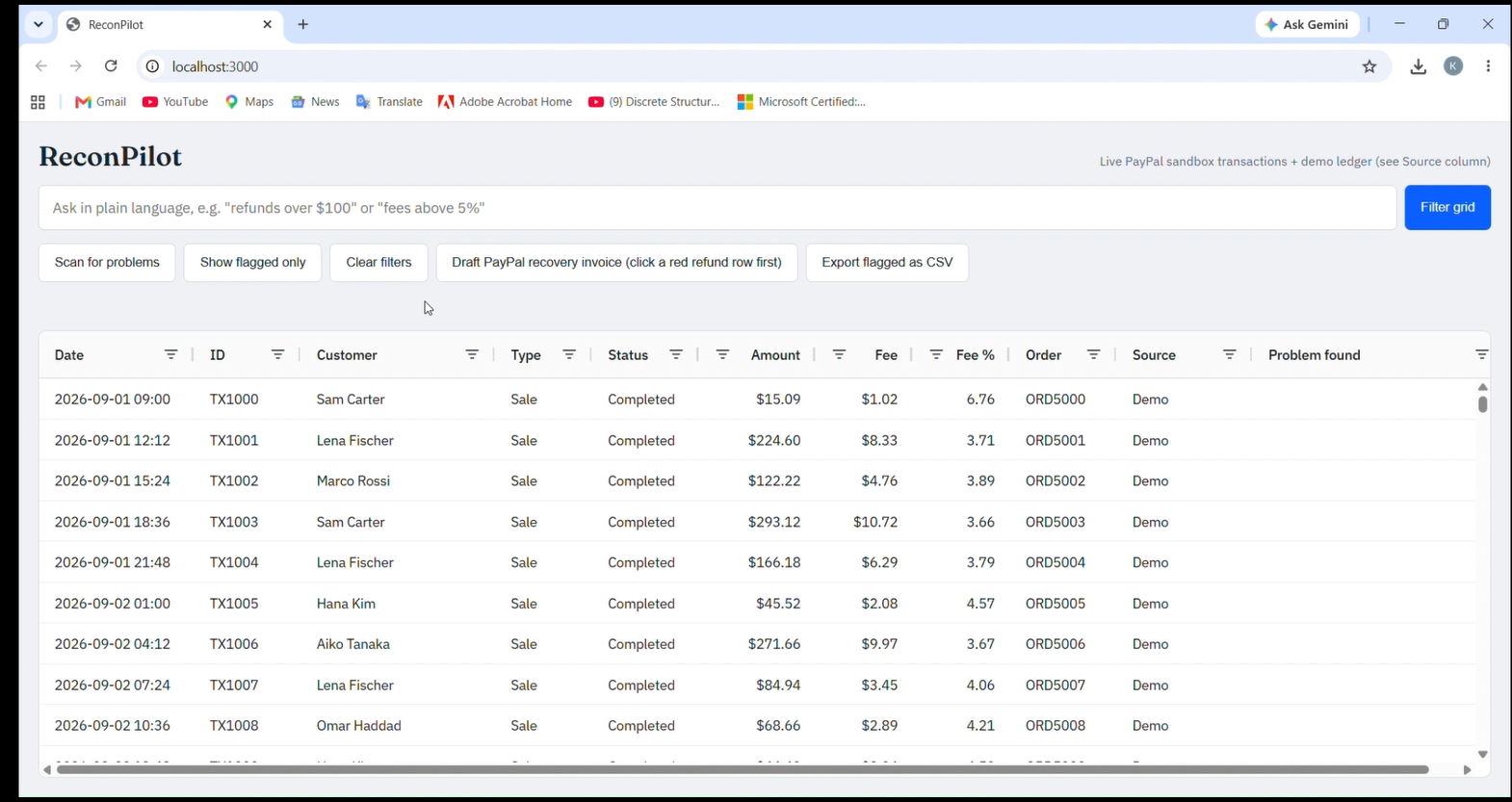
ReconPilot loads PayPal sandbox transactions into an AG Grid table, with a Source column marking real vs demo rows.
-
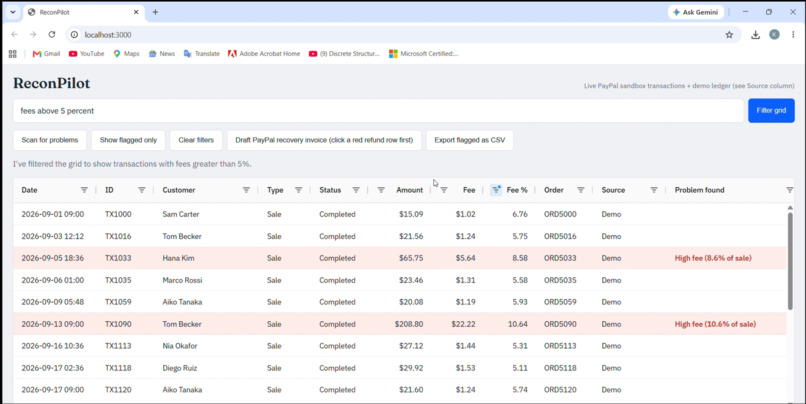
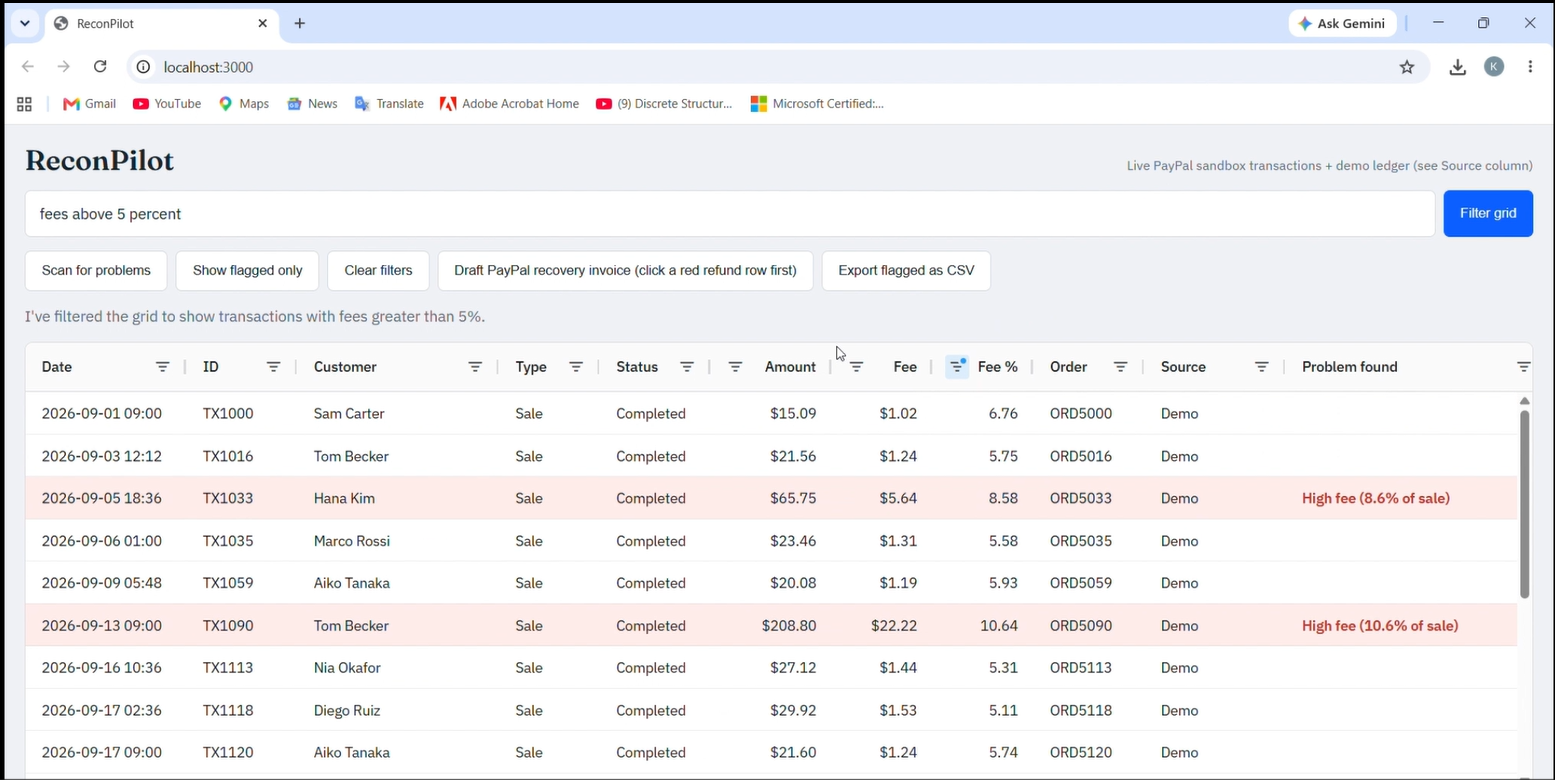
Another plain-language request: "fees above 5 percent" instantly filters the grid to unusually costly transactions.
-
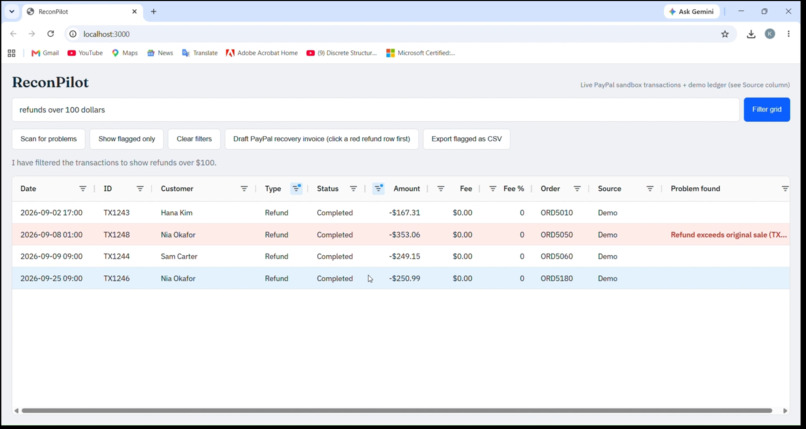
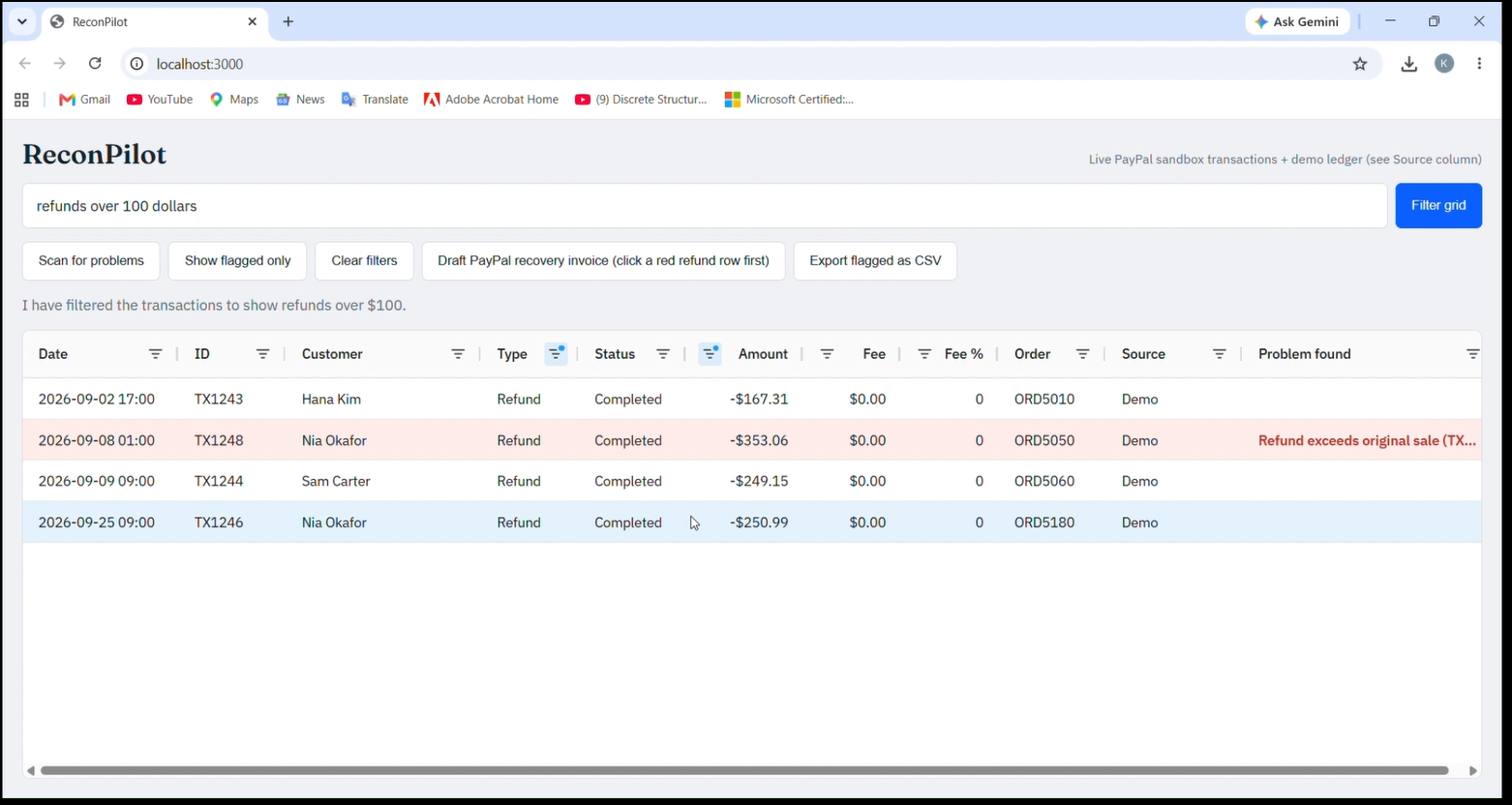
Ask in plain English: "refunds over 100 dollars". The AI turns the sentence into AG Grid filters via function calling.
-
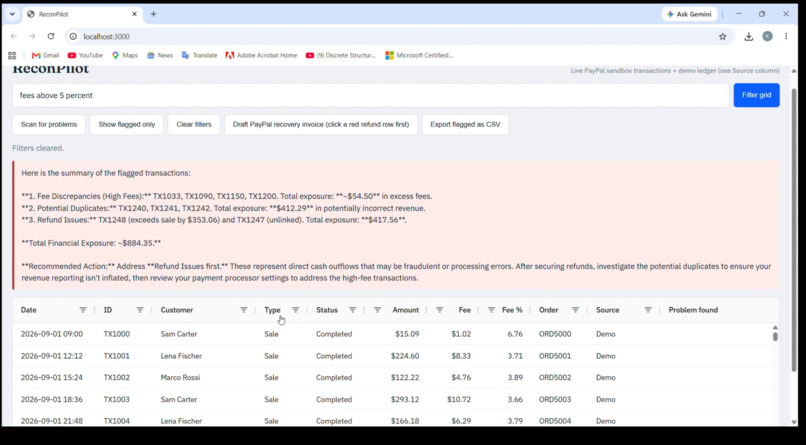
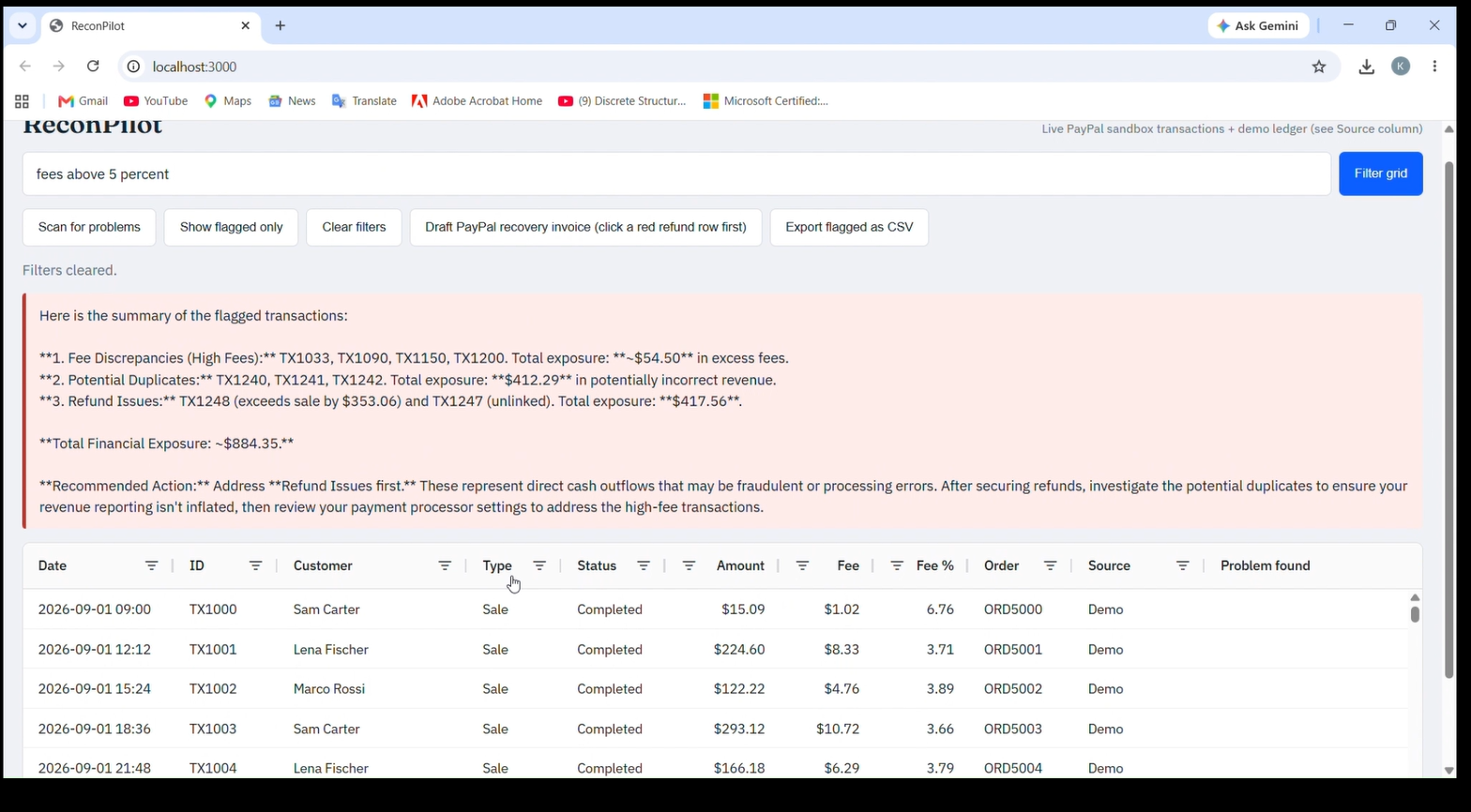
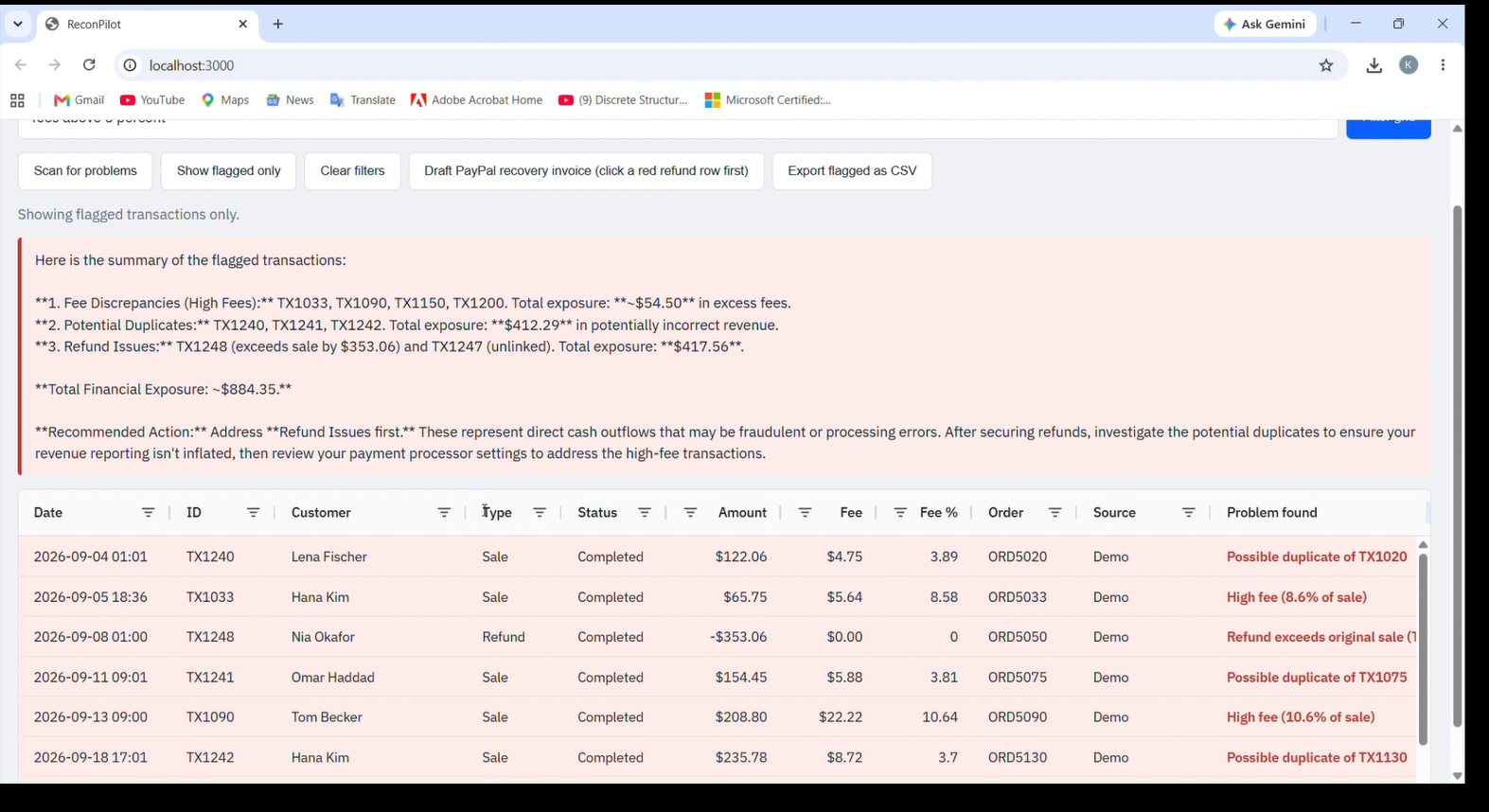
One click scans every transaction. The AI summarizes the problems, the money at risk and what to fix first.
-
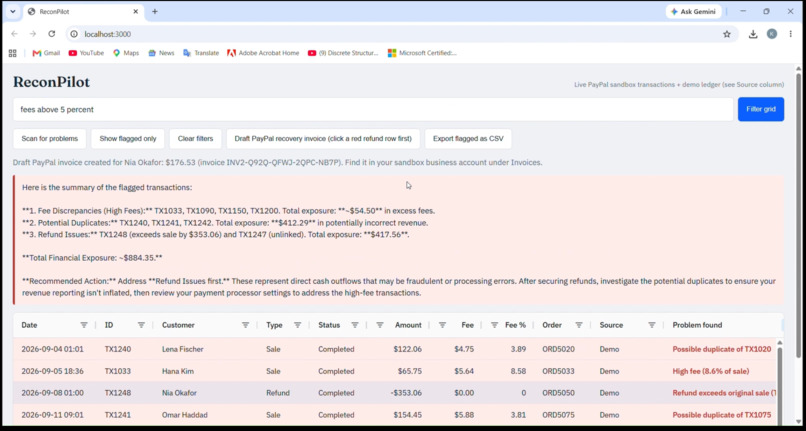
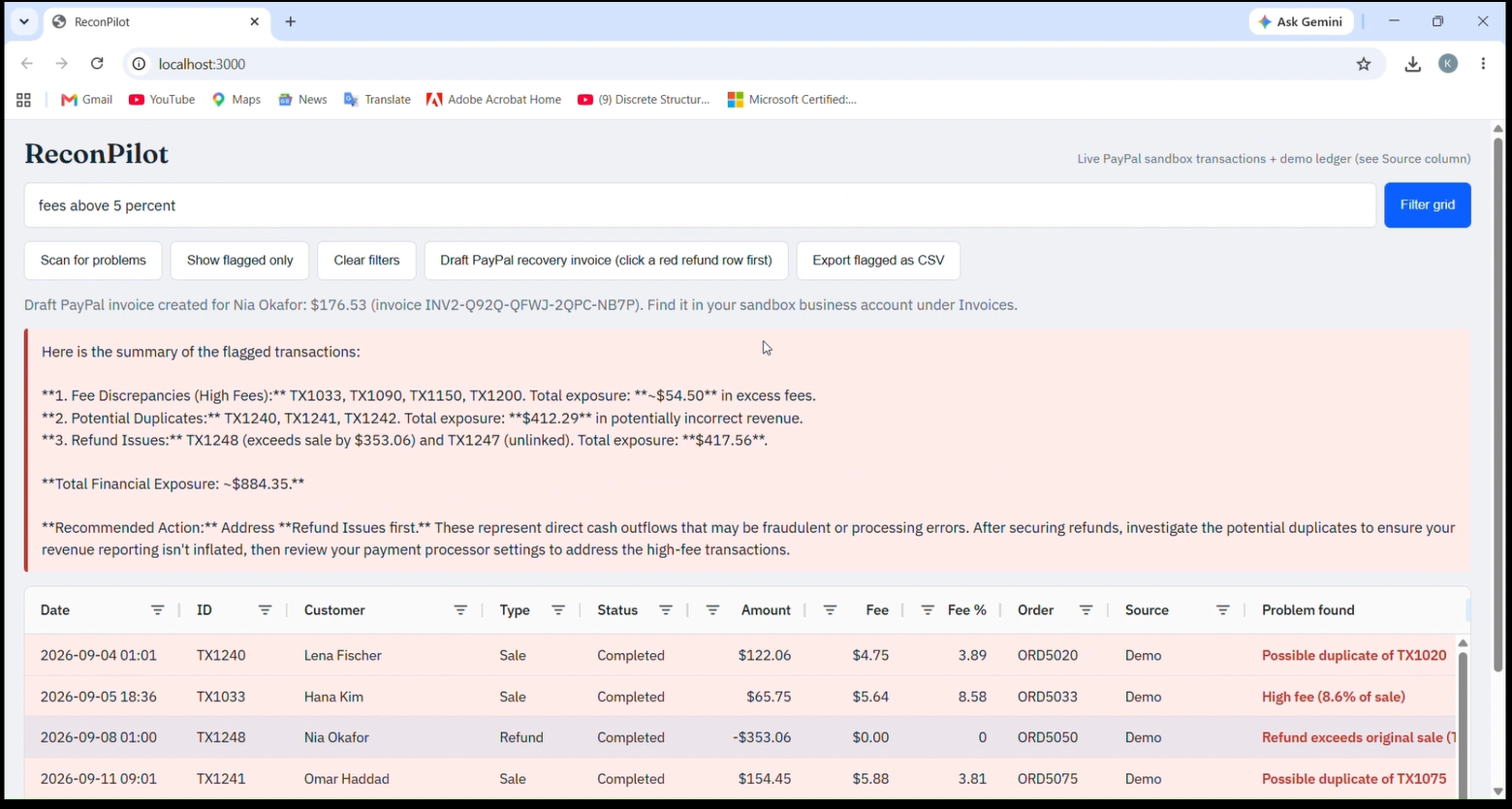
Clicking a flagged refund creates a draft recovery invoice through the PayPal Invoicing API.
-
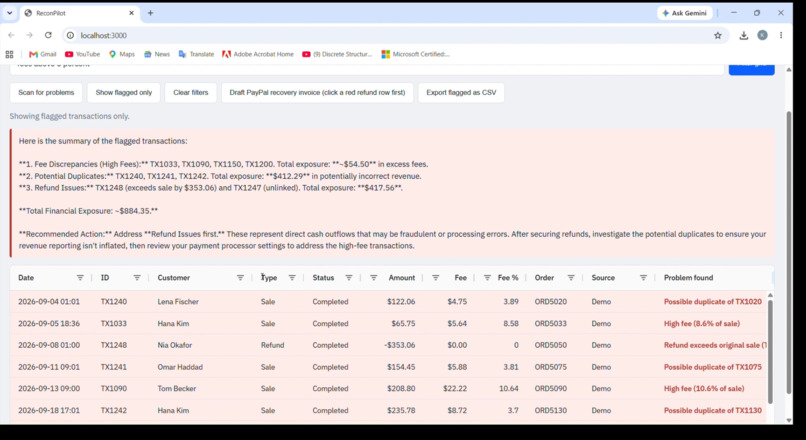
Flagged rows turn red, and the "Problem found" column explains each issue: duplicates, high fees, bad refunds.
-
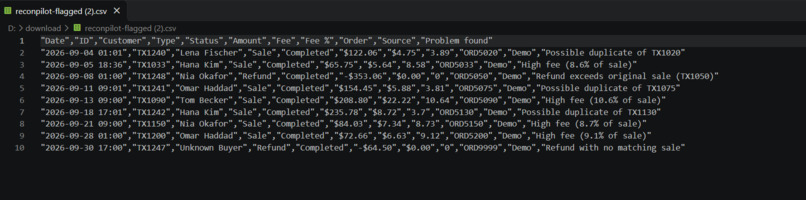
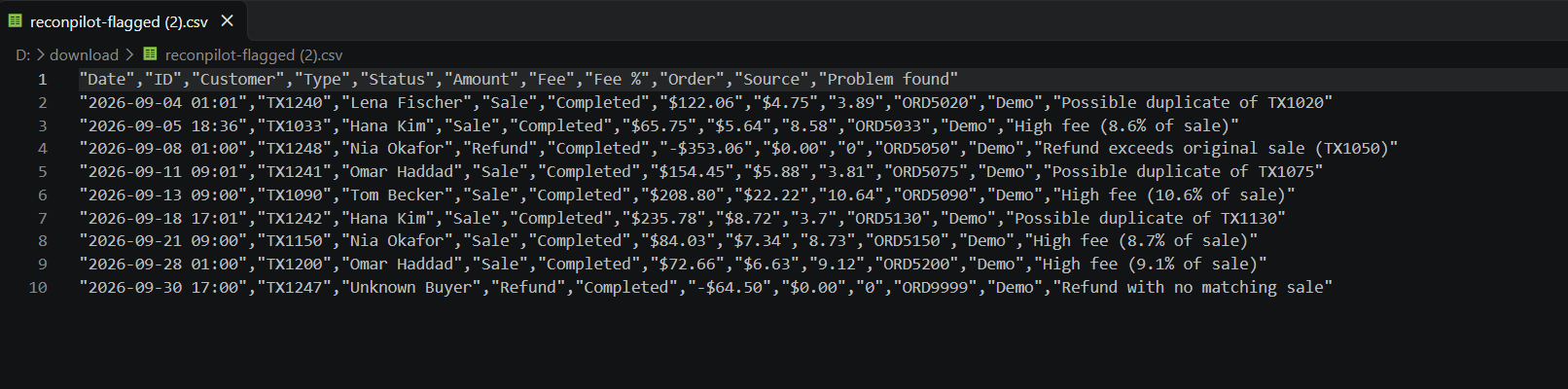
One click exports only the flagged rows as a CSV, ready to hand to an accountant.
Inspiration
Every small online seller who uses PayPal has the same nightmare: money that doesn't add up. A customer charged twice, a fee that's far too high, a refund bigger than the original sale. Big companies have finance teams to catch this. Small sellers usually have a spreadsheet at best, so the mistakes stay hidden. I wanted to build a copilot that finds them in seconds.
What it does
ReconPilot loads transactions from the PayPal sandbox (Transaction Search API) into an AG Grid table and does four things:
- Ask in plain language. Typing "refunds over $100" or "fees above 5%" makes the AI turn the request into AG Grid filters through function calling, so the AI drives the grid itself.
- Scan for problems. Rules flag duplicate charges, fees above 7% of a sale, refunds with no matching sale, and refunds larger than the original sale. The AI then summarizes the findings, estimates the money at risk and says what to fix first. Every flagged row explains its own problem.
- Recover the money. Clicking a flagged refund calls the PayPal Invoicing API and creates a draft recovery invoice in the PayPal sandbox for the amount to recover. It is only a draft, so nothing is sent to the customer.
- Export. One click downloads only the flagged rows as a CSV for an accountant.
About the data: a new sandbox account has very few transactions, so the grid shows real PayPal sandbox transactions together with a generated demo ledger of about 250 rows with deliberately planted errors. A Source column shows which rows are real and which are demo.
How we built it
- Backend: Node.js and Express. It keeps the PayPal and AI keys off the browser, gets a PayPal OAuth token, and calls the Transaction Search API (
/v1/reporting/transactions) and the Invoicing API (/v2/invoicing/invoices). - AI: the Google Gemini API (free tier) with function calling. The model gets one tool,
apply_filters, and returns structured filters that the frontend converts into AG Grid filter models. A second call writes the problem summary. If no AI key is set, a keyword fallback keeps the app working. - Frontend: AG Grid Community for the table, column filters, row highlighting and CSV export.
- Problem detection: deterministic rules in code, so results are reliable and repeatable. The AI explains and prioritizes them instead of guessing.
- Development: parts of the code were written with AI coding assistants (Claude and Gemini) inside Antigravity. I designed the product, tested it and connected it to PayPal.
Challenges we ran into
- A new PayPal sandbox account has almost no transactions, so I built a demo ledger with planted errors and labelled every row's source.
- The Invoicing API first returned a 403 permission error until the Invoicing feature was enabled on the sandbox app.
- AI model names change quickly: the Gemini model I started with was being retired, so the model name is now a setting.
Accomplishments that we're proud of
A complete flow from a messy table to flagged problems to a real draft PayPal invoice and an exportable report, where the AI genuinely controls the interface and the project is honest about what is real and what is demo.
What we learned
How to connect to the PayPal sandbox with OAuth, how function calling can turn natural language into structured UI actions, and how to combine fixed rules with AI so each does what it's good at.
What's next for ReconPilot
- Sending PayPal refunds directly for duplicate charges
- Letting sellers review and send the recovery invoice from the app
- Pulling longer history with webhooks for live monitoring
Built With
- ag-grid
- express.js
- function-calling
- google-gemini
- javascript
- node.js
- paypal
- paypal-invoicing-api
- paypal-sandbox

Log in or sign up for Devpost to join the conversation.