-
-
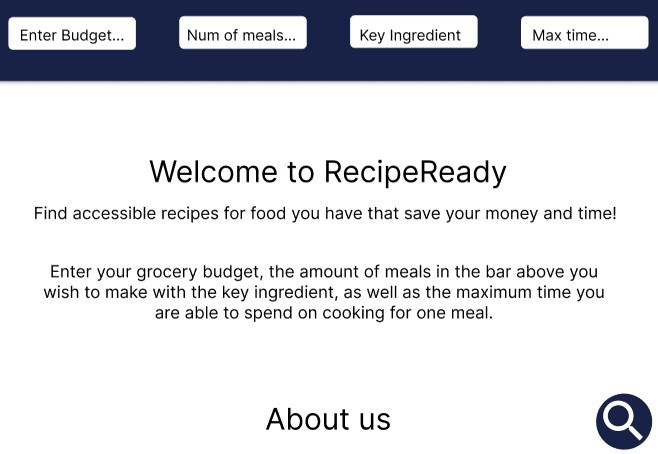
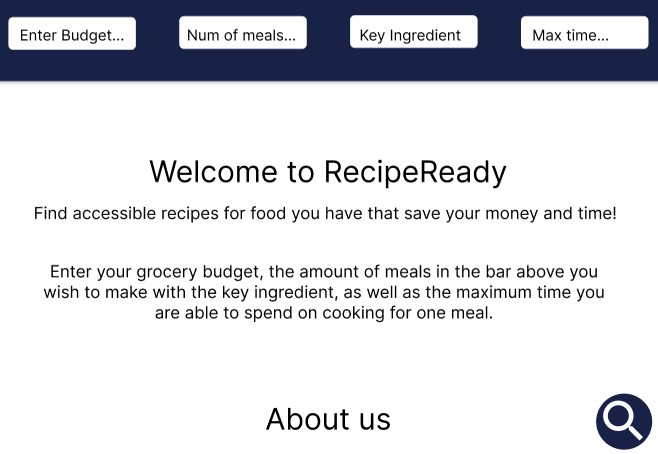
Home Page of RecipeReady
-
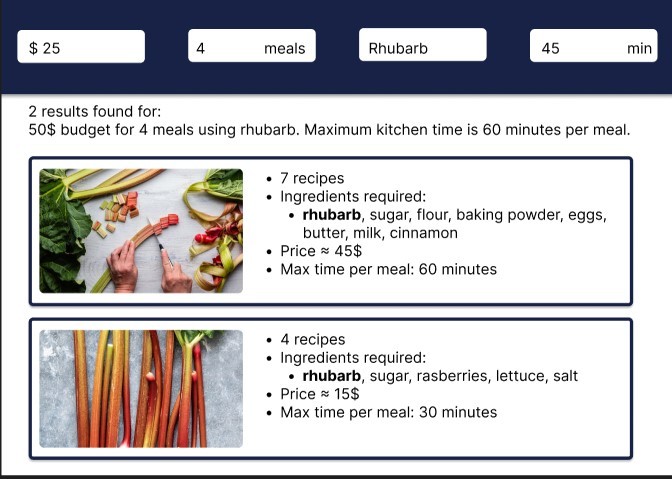
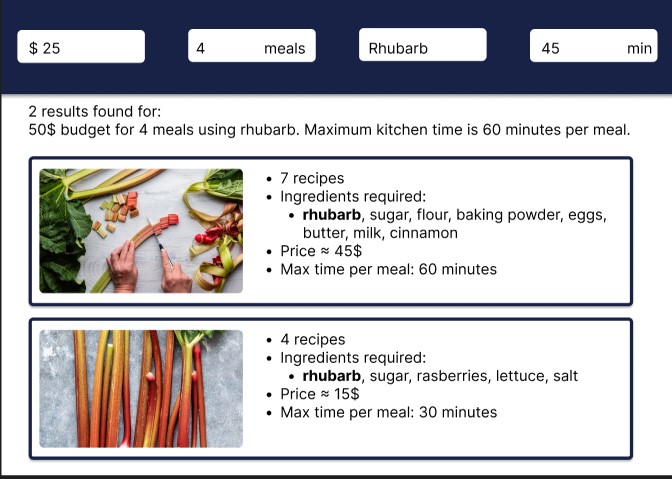
After initial Search, select an option that comes with a set of recipes
-
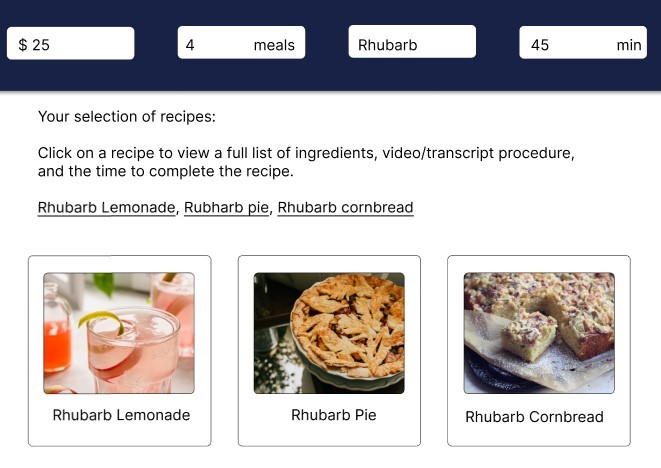
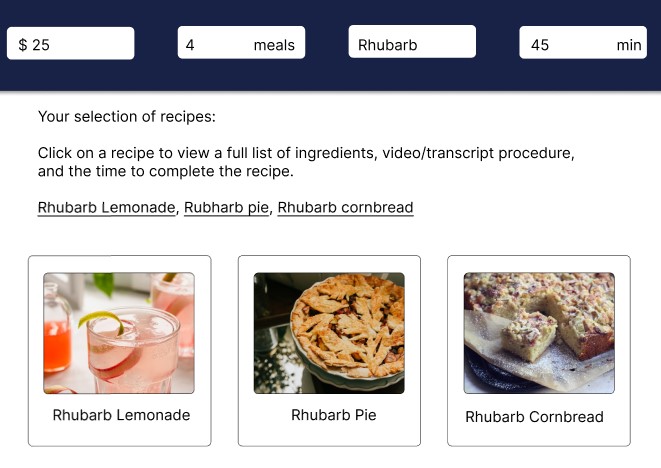
Select one of the recipes from your option
-
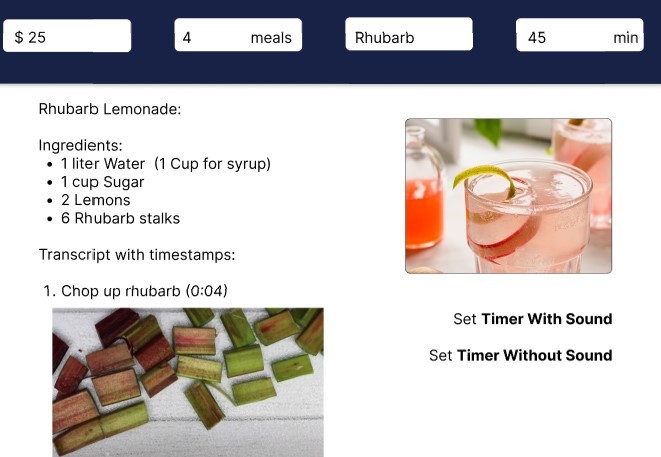
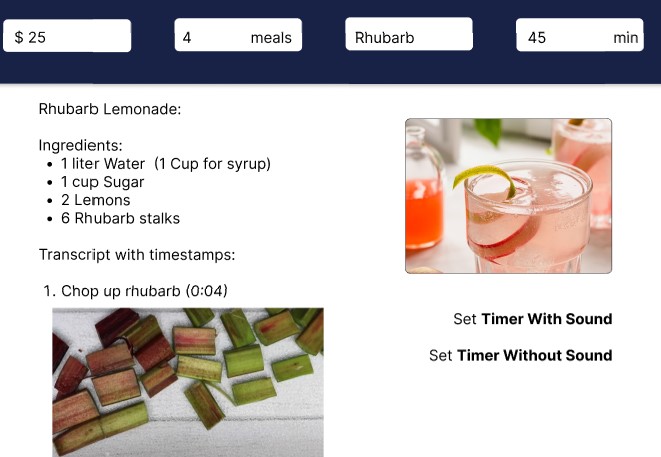
Recipe in transcript mode
-
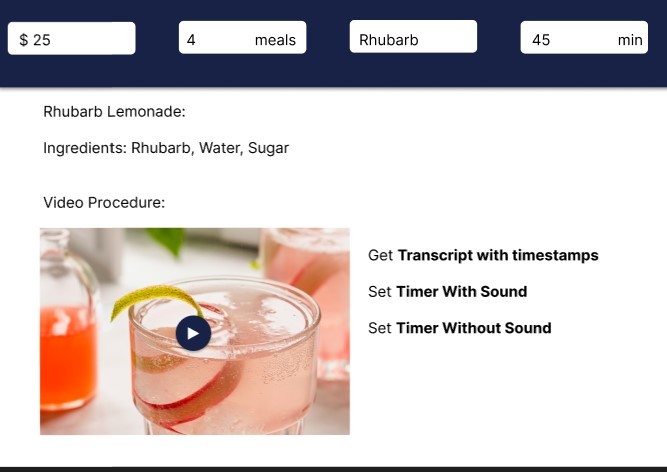
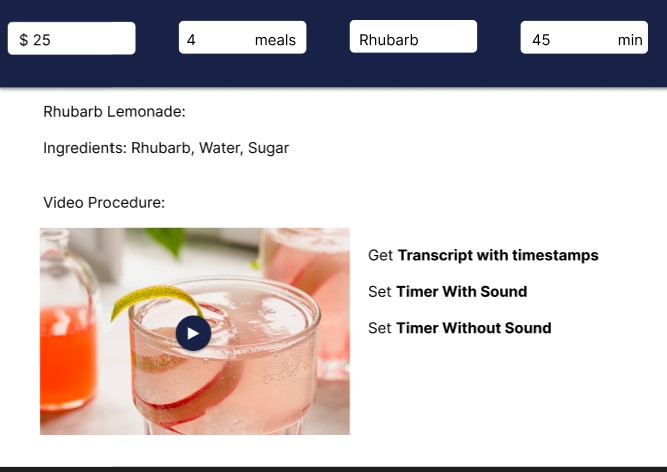
Recipe as a video
Inspiration
One of us worked at a Community Health Center over the summer. This Health Center's priority population was lower income households. Every other week, the Health Center would supply a type of easily accessible food and offer three recipes that use that ingredient. (For example, rhubarb from their garden could be used for rhubarb lemonade, pie, and muffins) This prevents food/money wastage, and we thought we could make it more accessible by targeting it to the D/deaf community in a digital format.
What it does
User Input: Grocery Budget, number of meals using a key ingredient, key ingredient, and time a user can spend cooking at once. Output: A list of recipes that are as close a match to these user's input. These recipes may be in video form, If the recipe is in video form, the website can take the transcript and deliver it in a user and recipe-friendly manner.
How we built it
We used HTML, CSS, and JavaScript for the front-end. We used Python and the AssemblyAI API for the backend.
Challenges we ran into
We ran into some trouble while using AssemblyAI API for the first time. We followed many tutorials and worked through it, but we found that
Accomplishments that we're proud of
We are proud of the research we put into the user requirement's at the start of the project. We know how crucial the requirements stage is in Software engineering and hope to continue to do this research in the future.
What we learned
We learned a lot about difficulties for people who are hard-of-hearing when it comes to cooking. We also used AssemblyAI API for the first time and learned a lot about the uses and tools that it comes with.
What's next for RecipeReady
Next up, we will get the AssembyAI API running and will complete the functionality of the website. We hope to pitch it to the original Community Health Center that inspired us from the start, in hopes that more people are able to make use of a program they started.
Built With
- api
- assembly
- assemblyaiapi
- css
- html
- javascript
- python

Log in or sign up for Devpost to join the conversation.