-
-
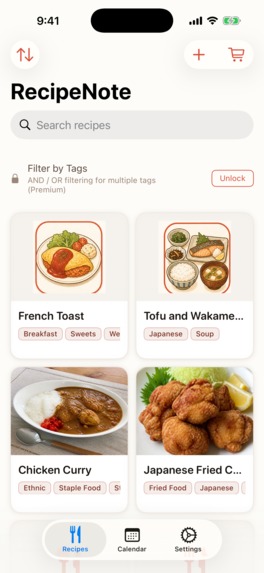
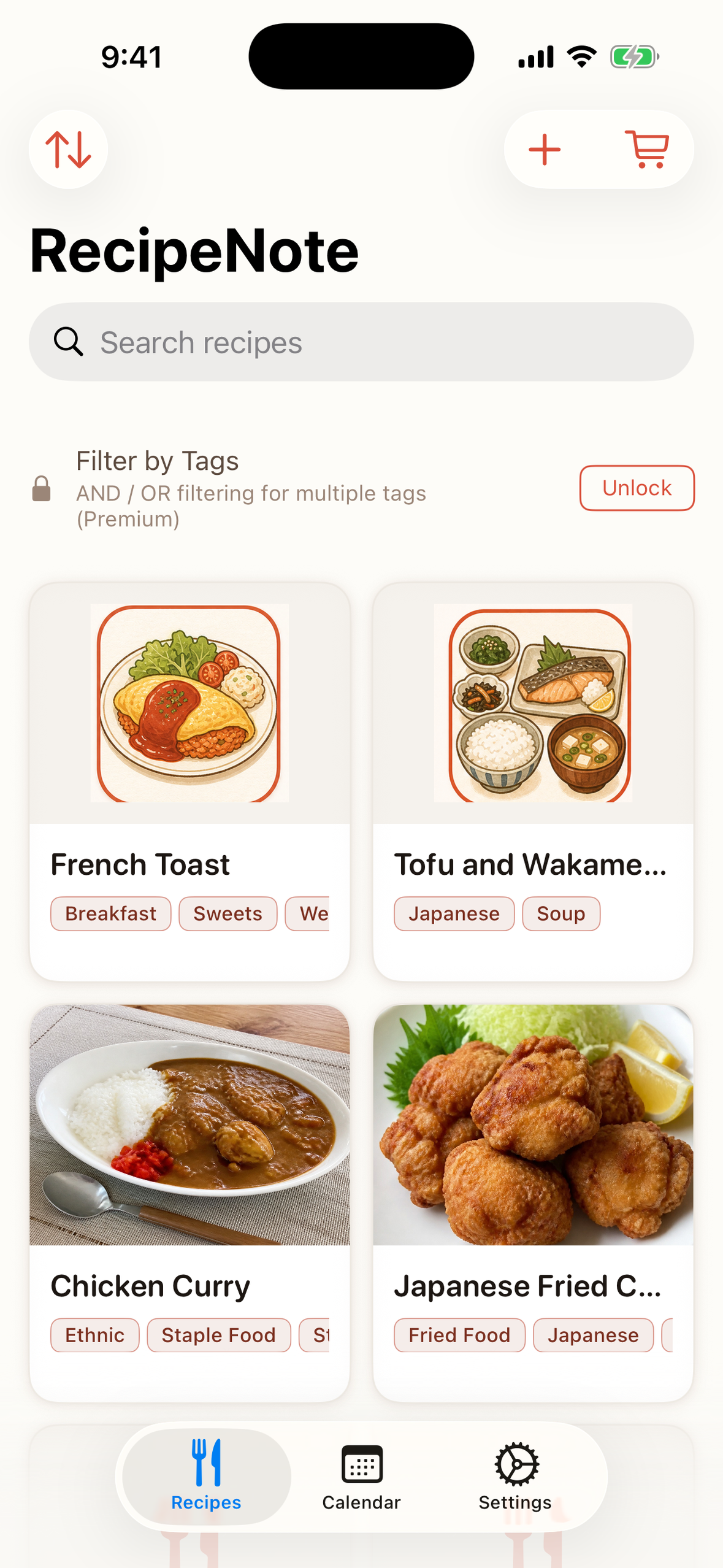
Your recipes, with the photos you took
-
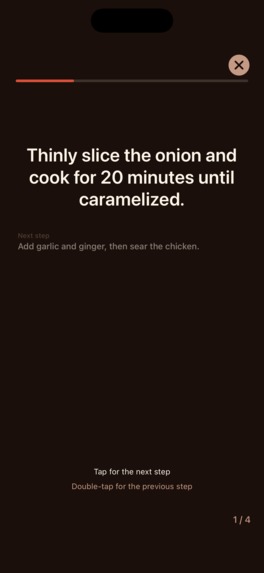
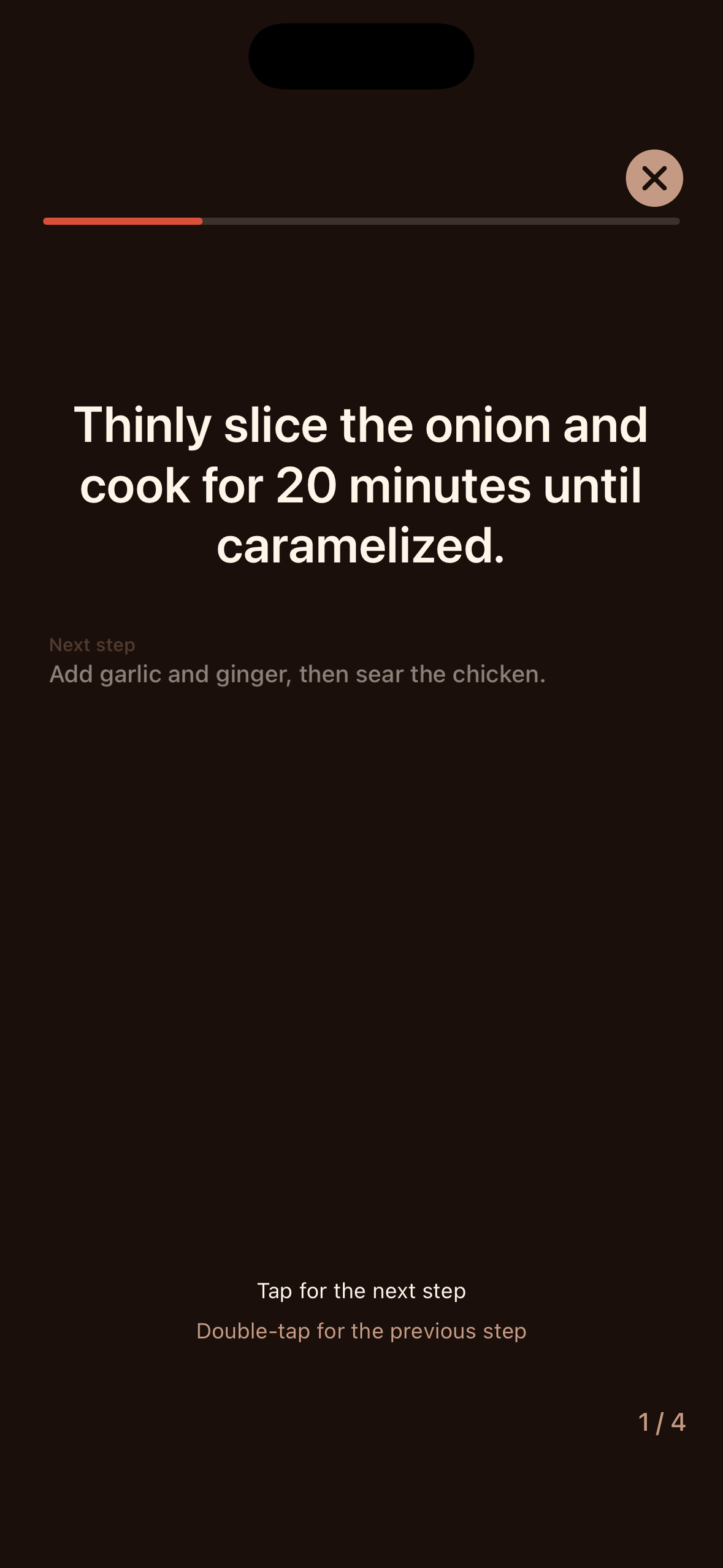
Cooking mode: one step per screen
-
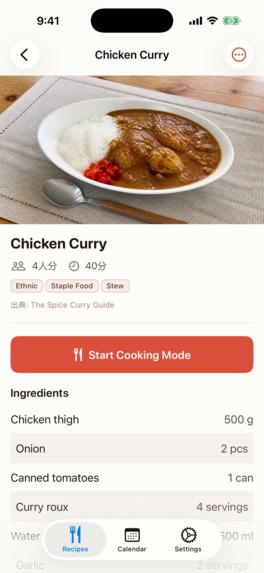
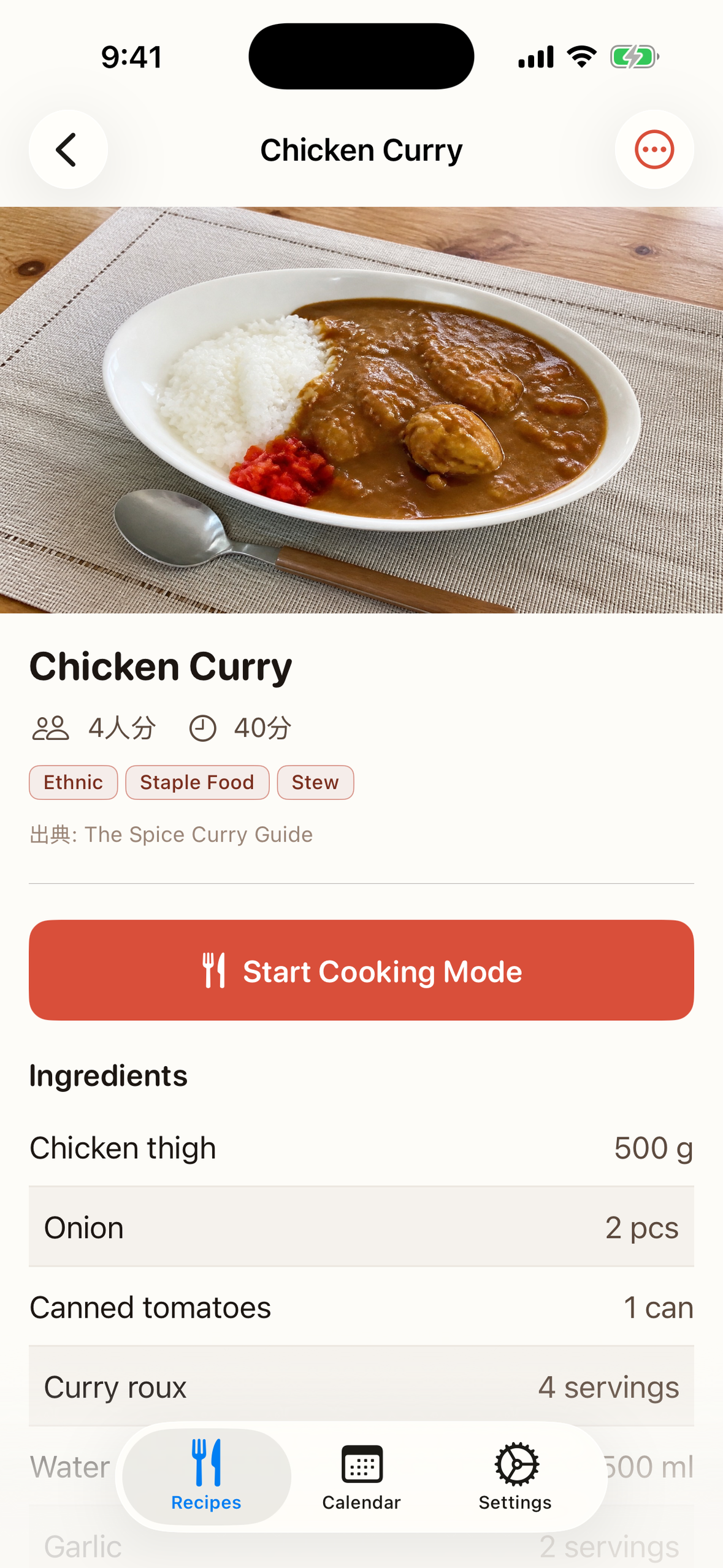
Ingredients and steps, ready to cook
-
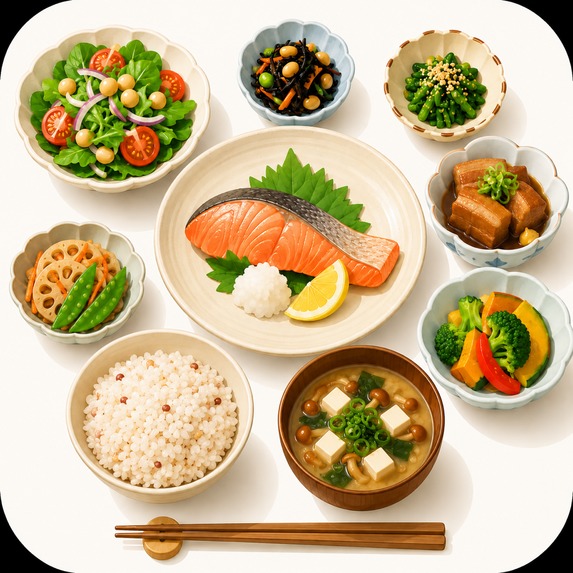
Inspiration
Family recipes are scattered by nature: a dish glimpsed on a TV show, a page in a cookbook, a ratio your mother explains over the phone. The collecting is easy. The problem appears at 6 p.m. with wet hands, when the recipe you want is in whichever place you did not look.
We wanted one shape for all of them - photo, ingredients, steps - captured by camera where possible, and readable from across the counter while you cook.
What it does
RecipeNote keeps home recipes in one place and turns them into something you can cook from.
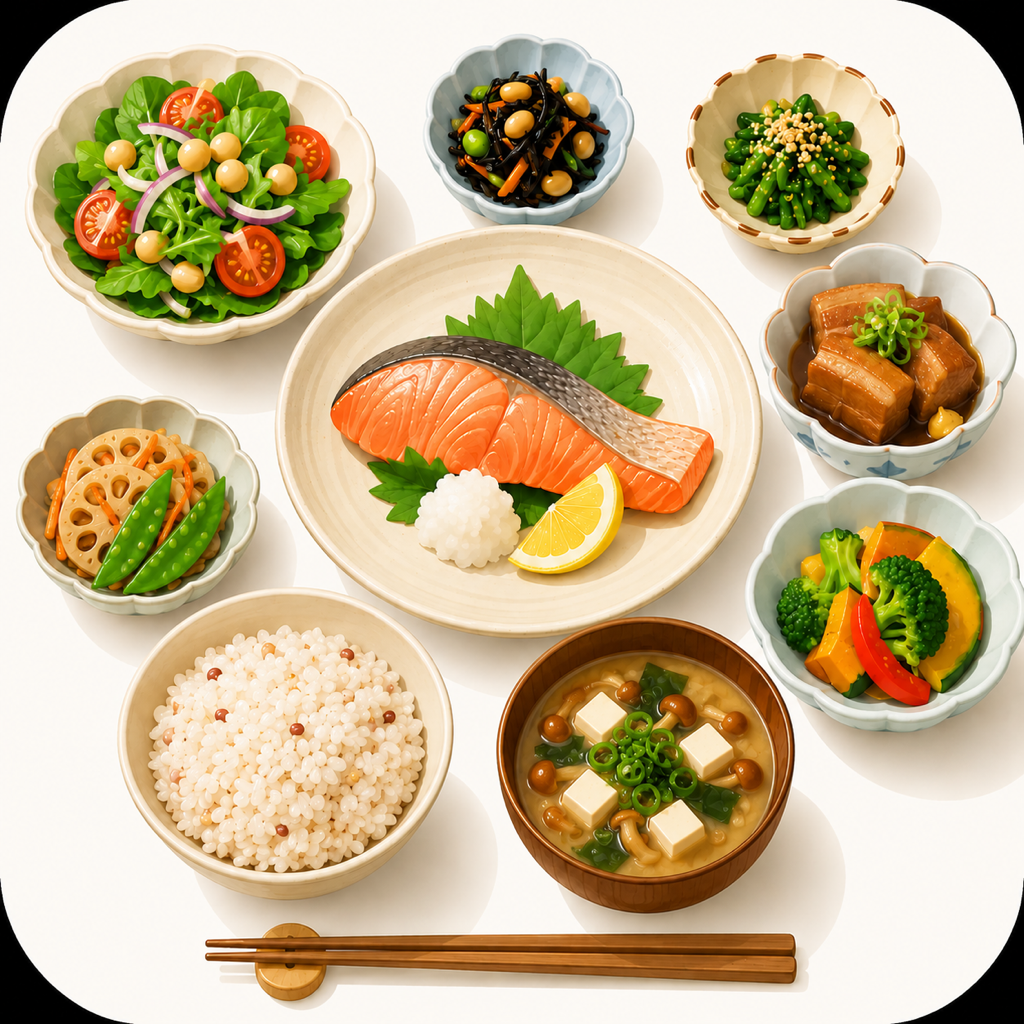
- One recipe, properly kept. A photo (or a stand-in illustration), ingredients line by line with amounts and units, steps with an optional photo each, the source (show, book, URL), servings, time, notes, and color-coded tags.
- Paper enters by camera. Point the camera at a cookbook page or a handwritten memo and the text is recognized on the device - into the ingredients field or the steps field - then corrected on a confirmation screen before saving. Neither the image nor the text ever leaves the phone.
- Cooking mode. Full screen, one step at a time: tap for the next step, double-tap to go back, with the previous and next steps visible small above and below. A progress bar, a step counter, a screen that never dims mid-recipe, and a dark palette with warm white text designed for a dim evening kitchen.
- A meal calendar. Attach recipes to days with morning / noon / evening slots and a memo, so the week is decided before the shopping trip.
- iCloud sync. Recipes back up to the user's own iCloud account and follow them to a new phone. We cannot see any of it.
- iPhone and iPad. On iPad the list and the recipe sit side by side, and cooking mode splits text and photo into a two-pane layout.
The free plan includes all of the above with a 20-recipe cap. Premium (JPY 380 per month / 2,800 per year on the Japanese storefront) unlocks unlimited recipes, AND/OR tag filtering, and an automatic shopping list built from the planned recipes' ingredients.
How we built it
Swift and SwiftUI on top of Core Data, with NSPersistentCloudKitContainer doing the iCloud synchronization - the user's own account, no server of ours.
- Vision for the on-device text recognition that turns cookbook pages and handwritten notes into editable ingredients and steps
- RevenueCat with StoreKit 2 for the subscription: two products, one group, one entitlement (premium_access)
- A flat data model for the shopping list - generated from meal-plan ingredients into a single table, deliberately without entity relationships, which keeps the CloudKit schema migration-friendly
Challenges we ran into
An App Review rejection that was really an iPad geometry bug. Review reported our paywall's terms and privacy links as unresponsive - on an iPad. The links worked; the presentation did not. A default SwiftUI sheet becomes a centered form-sheet card on iPad, our links sat below its visible area, and touches near the card's edge were captured by the dimming view behind it, which interpreted them as "dismiss." We pinned it down with a hit test that names the exact view receiving each touch, fixed all six presentation sites with an explicit page-sized presentation, verified by tapping on an iPad, and resubmitted - so the corrected version is the one that shipped as 1.0.
Auditing our own paywall against the code. While writing store copy we cross-checked every claimed benefit against the implementation and found the paywall selling things that did not exist - an ad-removal toggle with no real ads behind it, a theme picker that had never been built. Everything unimplemented was cut before submission. Embarrassing to find; worse to ship.
Accomplishments that we're proud of
The capture-to-cook loop works end to end with nothing leaving the device: a cookbook page becomes structured text on the phone itself, and the same recipe is readable at arm's length with wet hands that same evening. We are also proud of the honesty pass - the paywall that reached the App Store promises exactly what the app does, nothing more.
What we learned
Copywriting is a form of code review. Writing down what the app supposedly does, benefit by benefit, exposed gaps that tests had not - because tests verify what exists, and copy describes what should. And once again: iPad presentation defaults are a distinct runtime to verify, not a bigger iPhone.
What's next for RecipeNote
Limited family sharing through iCloud, so a household can cook from one collection - designed carefully around the fact that recipes are often someone's copyrighted work - and continued growth of the tagging and filtering that make a large collection navigable.

Log in or sign up for Devpost to join the conversation.