About Recipee
🎯 Inspiration
The idea for Recipee came from a common frustration: staring at a fridge full of ingredients but having no idea what to cook. We've all been there—wondering "What can I make with what I have?" Instead of resorting to expensive food delivery or letting ingredients go to waste, we wanted to create an intelligent assistant that transforms whatever you have into delicious, personalized recipes.
🧠 What We Learned
Building Recipee taught us invaluable lessons about:
- Multimodal AI Integration: Combining Google's Gemini AI for vision and text processing with Apple's Speech Recognition framework to create a seamless, multi-input experience
- Real-time Audio Processing: Implementing YouTube audio extraction and transcription pipelines using cloud infrastructure (Google Cloud Run) and iOS Speech Recognition APIs
- SwiftUI State Management: Managing complex app flows with
@ObservableObject,@Published, and Swift Concurrency (async/await) - API Architecture: Designing a Node.js backend that bridges RapidAPI services with iOS clients, handling streaming audio downloads efficiently
- Difficulty Scaling Algorithm: Creating a recipe variation system that maintains ingredient coherence while scaling complexity. If $n$ is the number of base ingredients, we generate variations where:
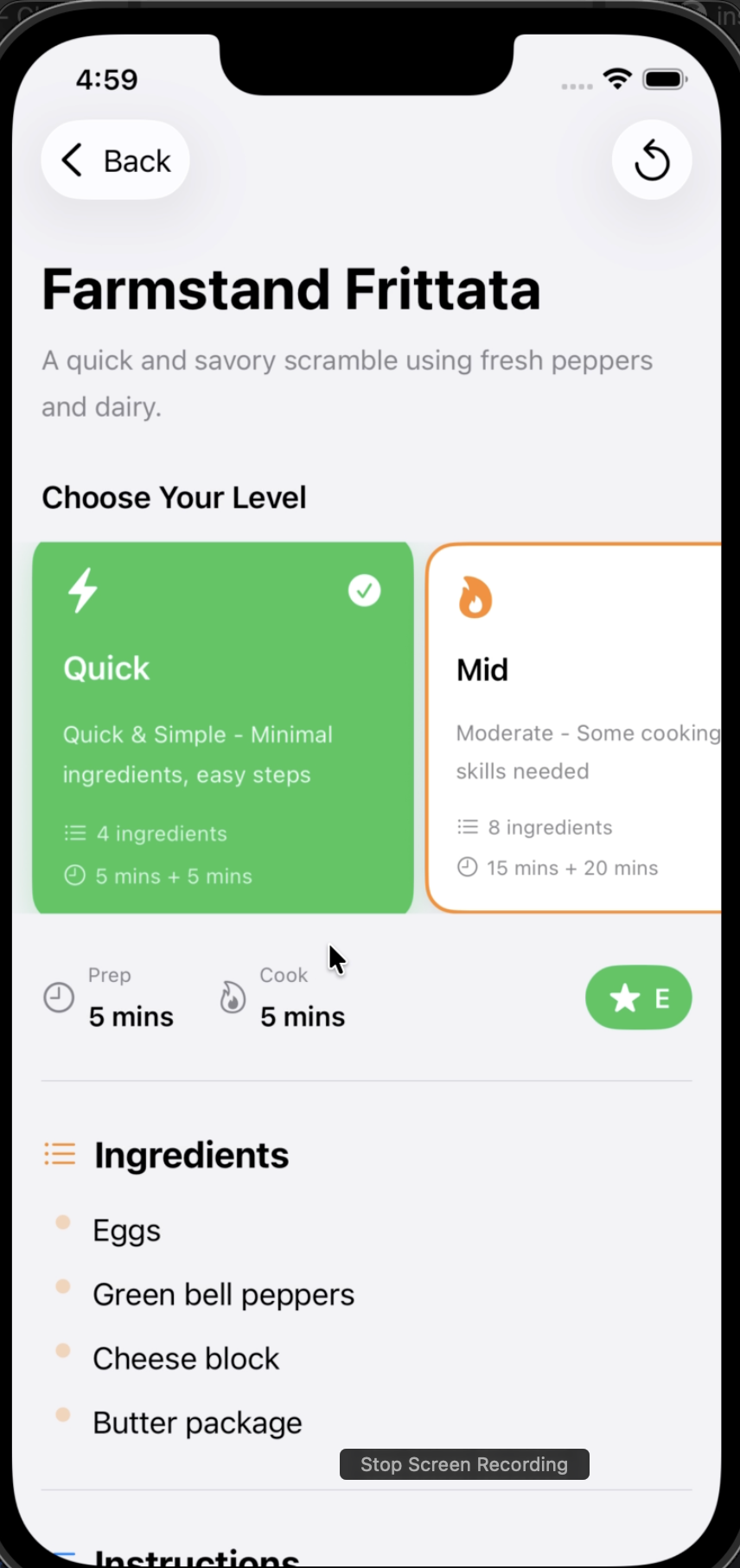
- Easy: $|I_e| \approx 0.6n$ (minimal ingredients)
- Intermediate: $|I_m| \approx 0.8n$ (moderate complexity)
- Advanced: $|I_a| \approx n + k$ (full ingredients + $k$ specialty items)
🛠️ How We Built It
Frontend (iOS - SwiftUI)
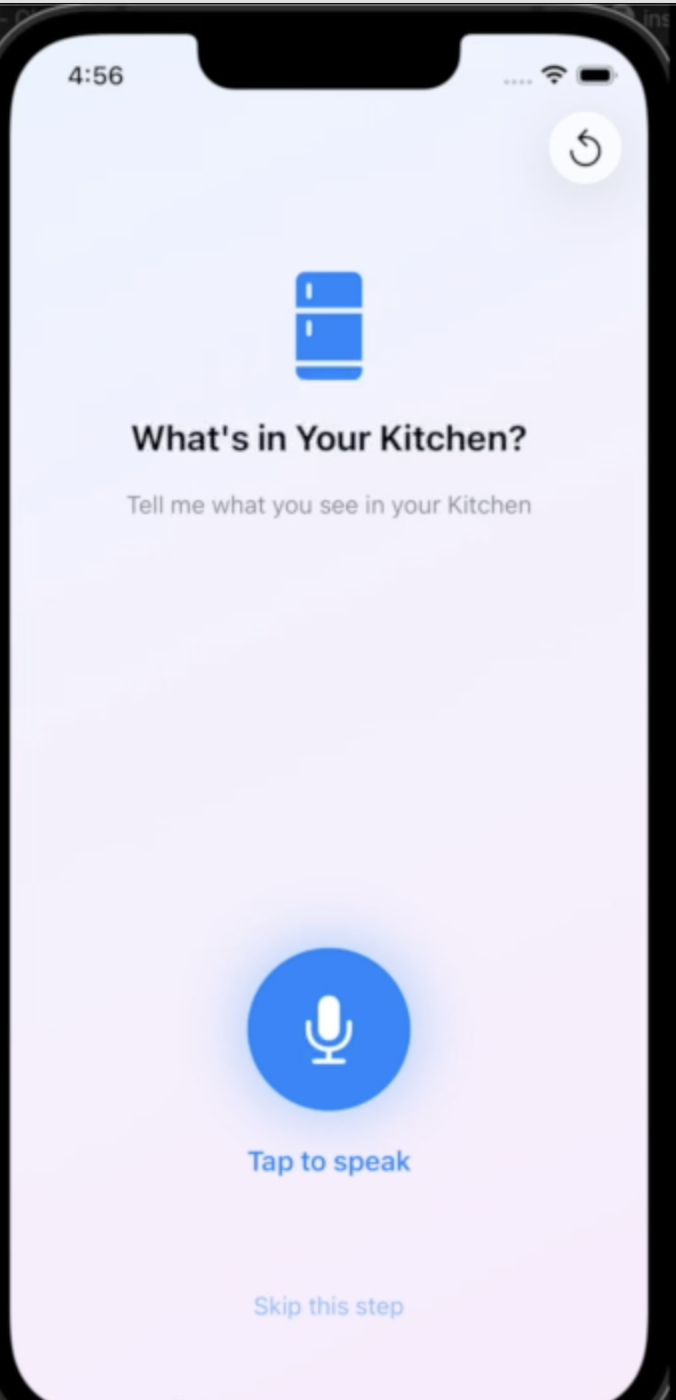
- Voice Input: Leveraged
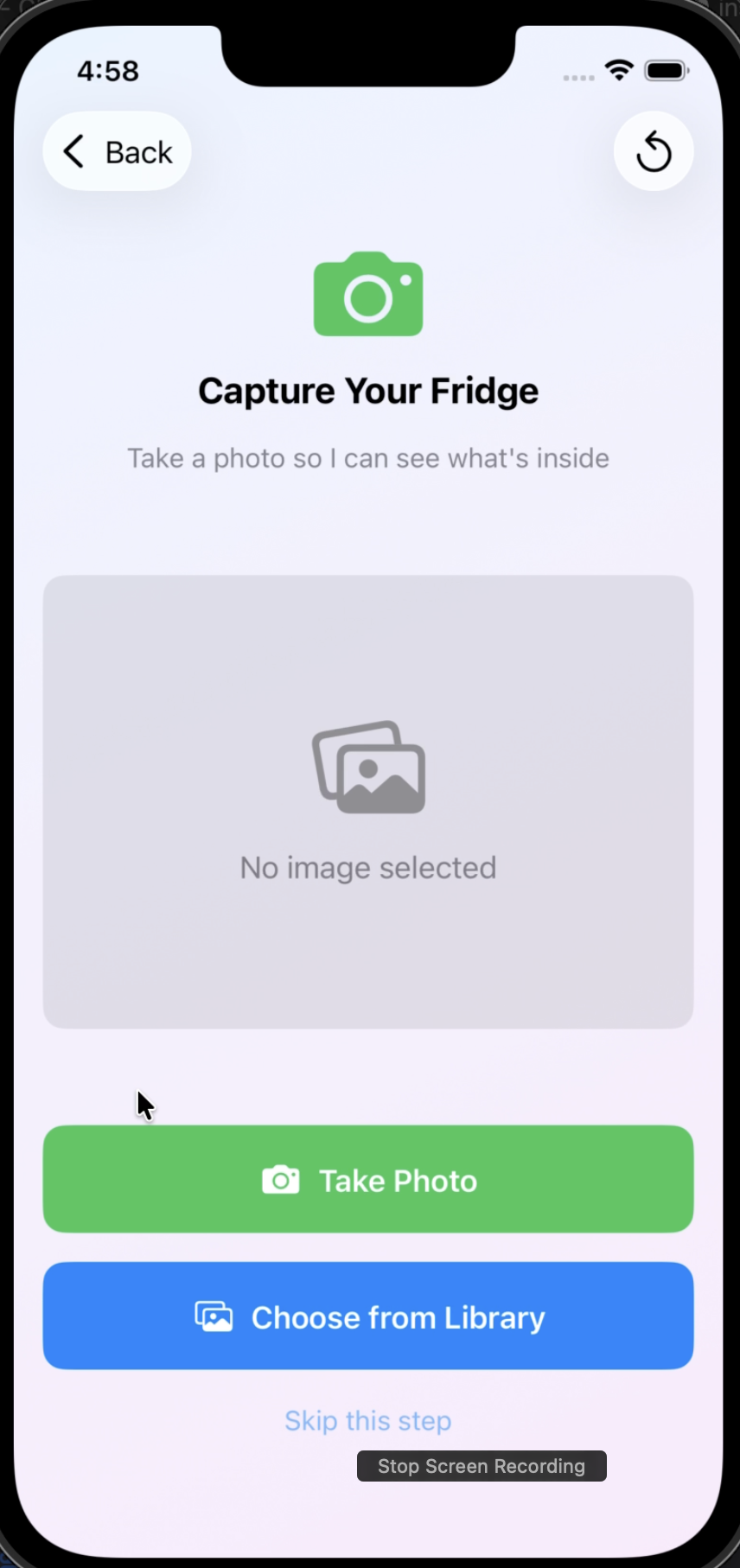
SFSpeechRecognizerfor real-time ingredient capture via speech - Computer Vision: Integrated Gemini Vision API to analyze fridge photos and extract ingredients using multimodal prompts
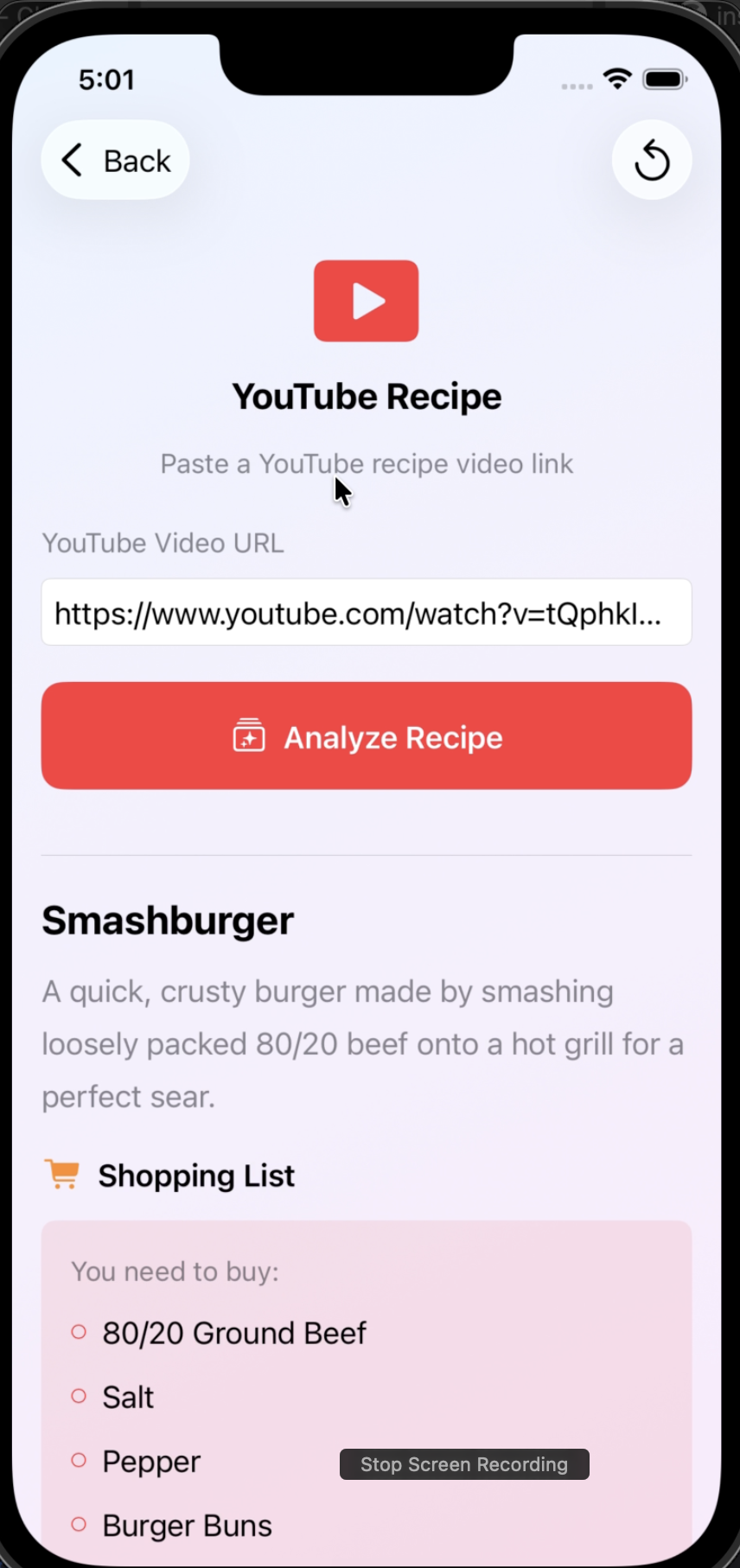
- YouTube Integration: Built a pipeline that downloads audio from YouTube videos via RapidAPI, then transcribes using iOS Speech Recognition to extract recipe instructions
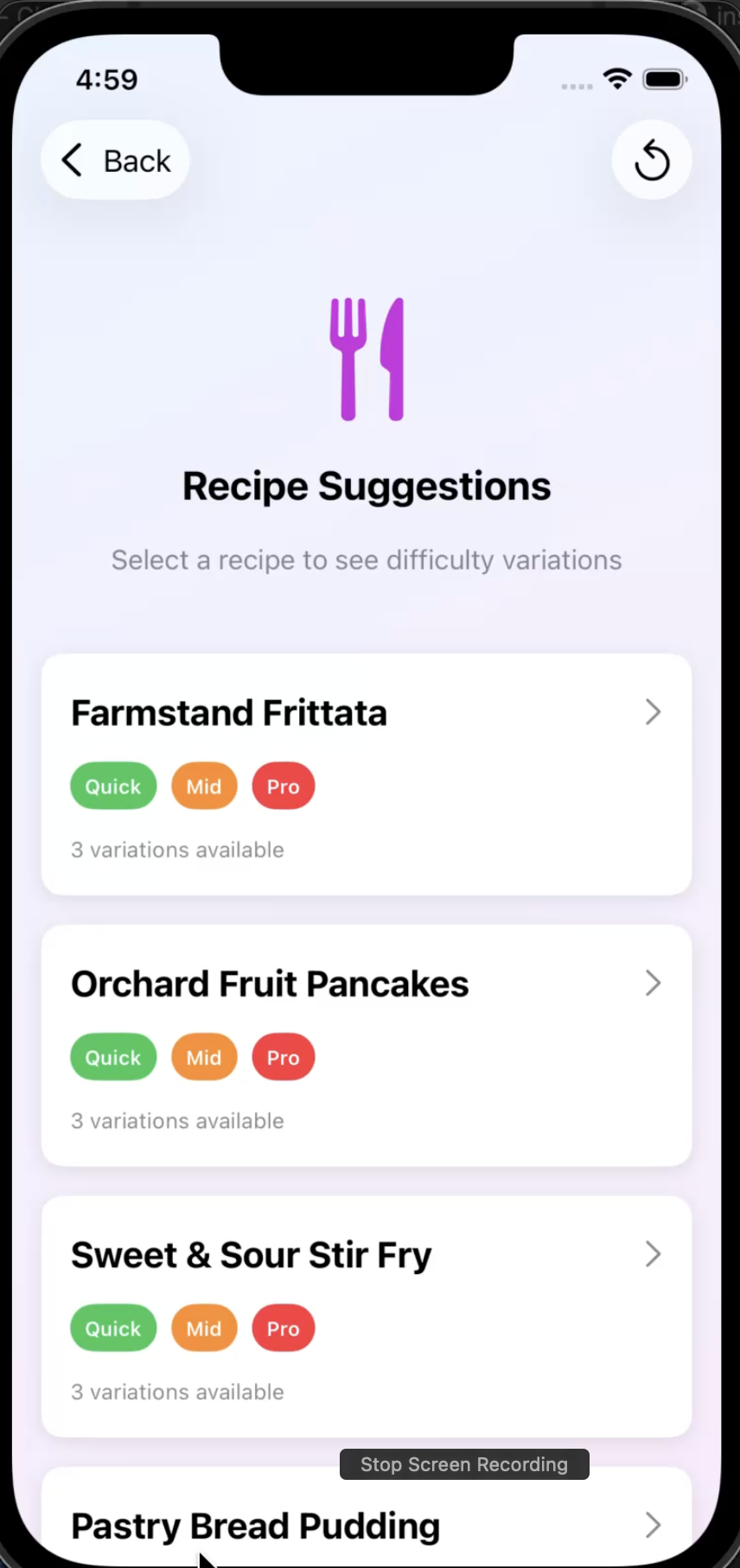
- Adaptive UI: Designed a step-by-step flow (Voice → Image → Manual → Recipes) with SwiftUI's declarative syntax
Backend (Node.js + Google Cloud Run)
- Audio Extraction Service: Created an Express.js API that fetches YouTube audio via RapidAPI's
youtube-mp3-audio-video-downloaderendpoint - Streaming Architecture: Implemented efficient audio streaming using Node.js streams to pipe audio directly to iOS without intermediate storage
- Cloud Deployment: Containerized the service with Docker and deployed to Google Cloud Run for scalability
AI/ML Pipeline
- Ingredient Extraction:
- Recipe Generation:
- Difficulty Mapping:
- We map API responses (
"easy","intermediate","advanced") to enum cases - Display labels are decoupled:
E,M,Hfor compact UI while preserving semantic meaning
- We map API responses (
Mathematical Model for Recipe Scoring
We considered implementing a recipe relevance score based on ingredient overlap:
$$ \text{Relevance}(R, I) = \frac{|R \cap I|}{|R|} \times 100 $$
Where:
- $R$ = set of recipe ingredients
- $I$ = set of user's available ingredients
- $|R \cap I|$ = number of matching ingredients
This would allow sorting recipes by feasibility, prioritizing those requiring fewer missing ingredients.
💪 Challenges We Faced
1. YouTube Audio Extraction Complexity
Initially, we attempted direct YouTube scraping, but quickly hit rate limits and legal concerns. Switching to RapidAPI's licensed service solved this, but required careful handling of audio format conversions (WebM → M4A) and streaming large files efficiently.
2. Speech Recognition Accuracy
iOS Speech Recognition sometimes misheard ingredients (e.g., "leeks" vs "leaks"). We mitigated this by:
- Allowing manual editing in the review stage
- Using context-aware prompts with Gemini to validate ingredients
- Implementing fuzzy matching for common substitutions
3. Enum Parsing Bug
When we changed difficulty display labels from "Easy" → "Quick", the JSON parsing broke because it relied on rawValue matching. We fixed this by mapping API strings to enum cases rather than raw values:
switch variation.difficulty.lowercased() {
case "easy": difficulty = .easy      // Maps to display "Quick"
case "intermediate": difficulty = .intermediate  // Maps to "Mid"
case "advanced": difficulty = .advanced         // Maps to "Pro"
}
Built With
- javascript
- node.js
- swiftui

Log in or sign up for Devpost to join the conversation.