Inspiration
Websites are traditionally designed for people to navigate by clicking buttons, completing forms, and moving between pages. AI assistants, however, often need to interpret the interface or inspect page content before they can help. Recipe Radar was inspired by a different possibility: what if a website could clearly tell an AI assistant what it can do? We built Recipe Radar to explore how WebMCP can turn websites into agent-accessible applications. It demonstrates a future where users can interact with the web conversationally while websites provide structured, reliable tools behind the scenes.
What it does
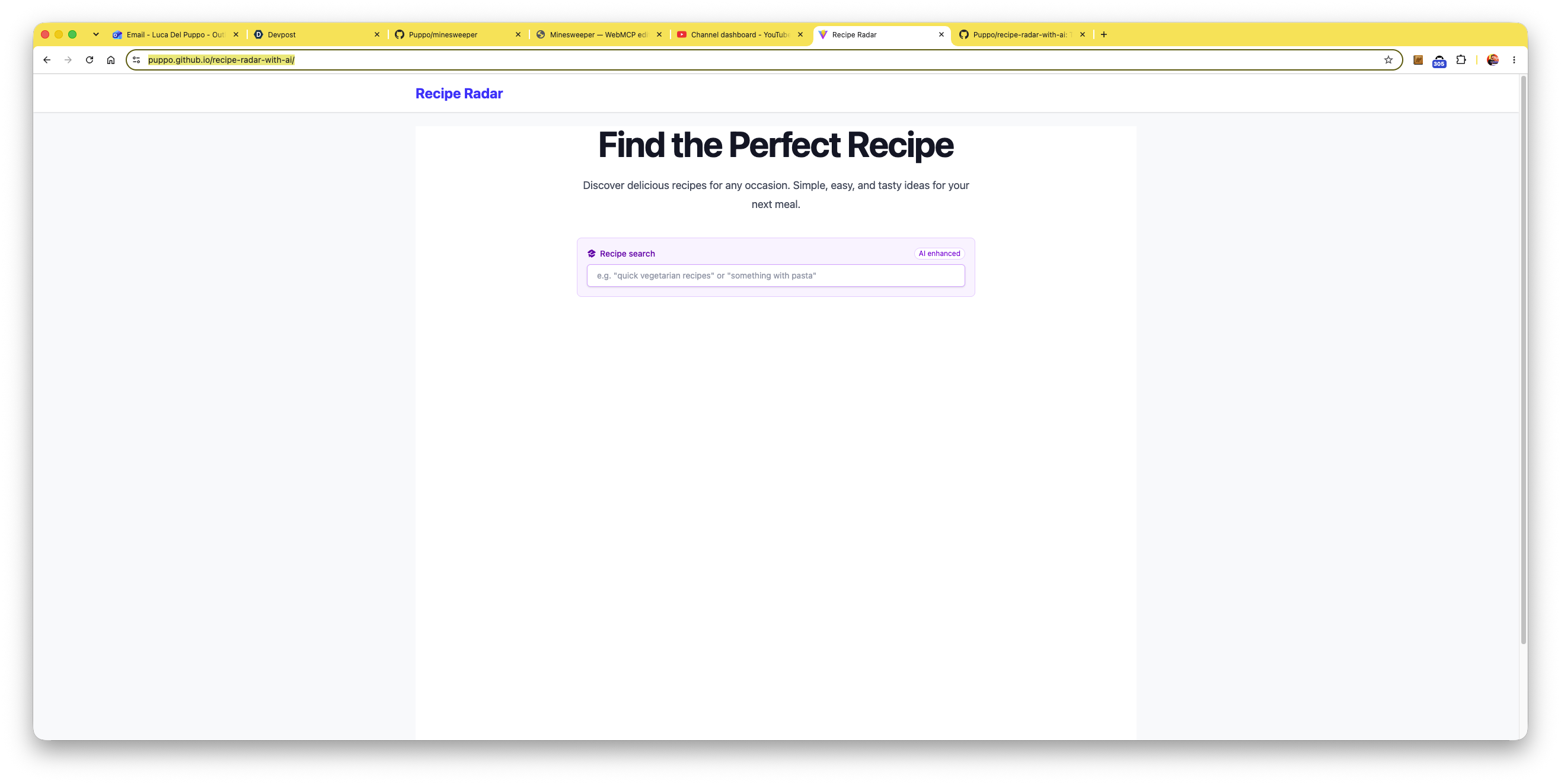
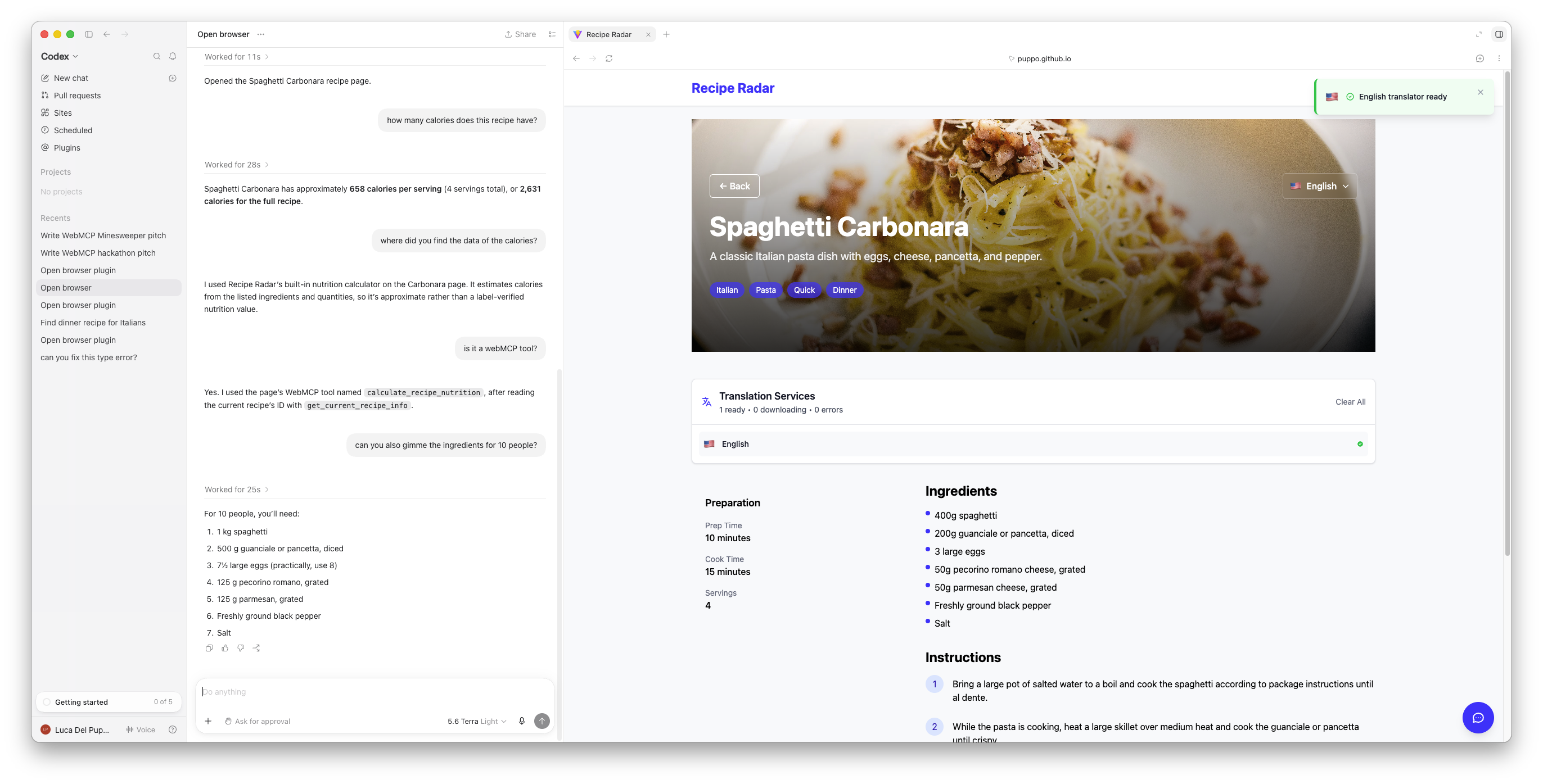
Recipe Radar helps users discover recipes and obtain useful information about different dishes. Users can browse and search through the regular website interface, while an AI assistant can use the WebMCP tools exposed by the page to:
- Search for recipes and dishes
- Retrieve details about a selected dish
- List its ingredients
- Provide calorie and nutritional information
- Help the user navigate the recipe catalog
For example, a user can ask:
“Find me a pasta recipe and tell me its ingredients and calories.”
The assistant can call the appropriate website tools and answer with structured information supplied directly by Recipe Radar.
How we built it
Recipe Radar is a browser-based application built with:
- React
- TypeScript
- Vite
- Tailwind CSS
- WebMCP
We first created the traditional recipe-search experience, including the recipe catalog, search functionality, and dish-detail views. We then exposed these capabilities as WebMCP tools with clear names, descriptions, and structured input parameters. These tools connect the AI assistant to the same application logic used by the visible interface. This approach keeps the human and AI experiences synchronised: users can continue interacting with the website normally, while an assistant can discover and invoke its supported capabilities.
The website also contains other Built-in AI features, but not all are already available in GPT.
Challenges we ran into
One of the main challenges was designing tools that an AI assistant could understand and use reliably. Tool names, descriptions, parameters, and returned data all need to be clear enough for the assistant to select the right capability from a natural-language request. We also had to think differently about website navigation. A flow that is intuitive for a person clicking through an interface is not necessarily the best flow for an AI agent. We needed to identify the core user intentions—such as finding a recipe or checking its calories—and expose them as focused, structured tools. Another challenge was working with a new and evolving browser technology. WebMCP is still experimental, so testing browser compatibility and understanding its current behaviour were important parts of the development process.
Accomplishments that we're proud of
We are proud that Recipe Radar remains a normal, usable website while also providing a new AI-native interaction layer. The project shows that WebMCP doesn't need to replace the existing interface. Instead, it can make that interface accessible to both people and AI assistants.
We are especially proud of:
- Creating multiple useful WebMCP tools
- Supporting natural-language recipe discovery
- Returning structured recipe and nutritional information
- Connecting agent actions with the visible website experience
- Building a clear demonstration of how web interactions could evolve
Recipe Radar is intentionally focused and easy to understand, allowing people to quickly see the value of WebMCP in a real application.
What we learned
We learned that building for AI agents requires a different mindset from building only for traditional web users. Good agent tools need focused responsibilities, descriptive names, explicit parameters, predictable results, and useful error messages. The quality of this contract strongly affects how successfully an assistant can use a website. We also learned that WebMCP can reduce the gap between natural-language intent and website functionality. Instead of asking an agent to guess how to operate an interface, developers can expose the website’s capabilities directly. Most importantly, we learned that AI does not have to sit beside the web experience as a separate chatbot. It can become another way to interact with the website itself.
What's next for Recipe Radar
The next step is to expand Recipe Radar into a more capable personal cooking assistant (if I will have time :) ). Future improvements could include:
- Filtering recipes by allergies and dietary requirements
- Searching by available ingredients
- Comparing the nutrition of multiple dishes
- Creating meal plans
- Generating shopping lists
- Saving favourite recipes
- Suggesting ingredient substitutions
- Supporting voice-driven interactions
- Adding more WebMCP tools for multi-step cooking workflows
We would also like to explore how WebMCP tools can work across multiple websites. An assistant could find a recipe, build a shopping list, compare products, and help order the required ingredients—all from one conversation.
Recipe Radar is a small demonstration of a larger idea: the next generation of websites will not only display information. They will expose useful capabilities that AI assistants can understand and safely operate.
Built With
- react
- typescript
- vite

Log in or sign up for Devpost to join the conversation.