Inspiration
Students lose track of money in small amounts: coffee, groceries split three ways, a textbook, a pharmacy run. Budgeting apps want your bank login, and spreadsheets need discipline nobody has during midterms. Receipts end up in a pocket and then the trash, along with the ones you needed at tax time. We wanted the lowest-effort way to know where your money went.
What it does
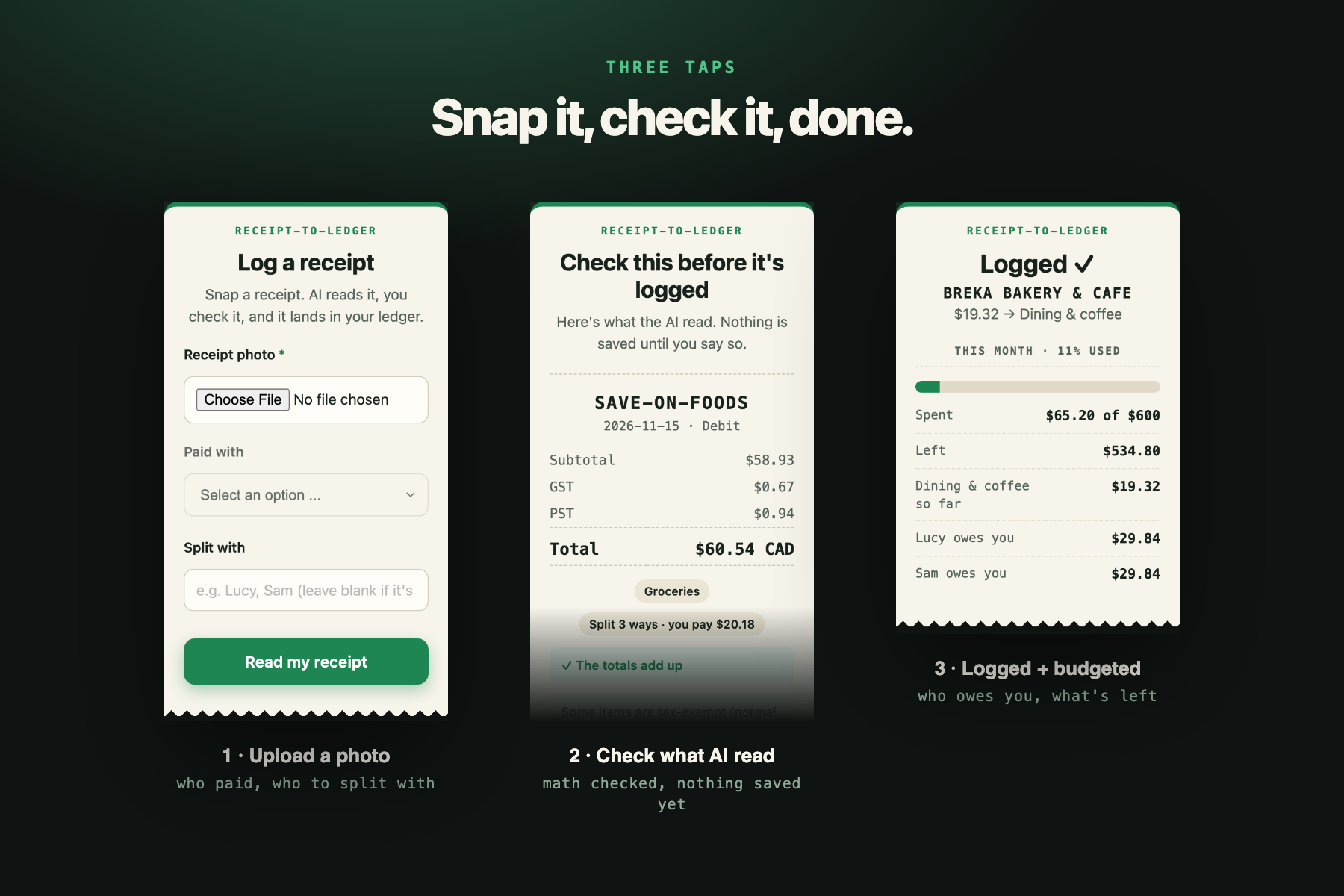
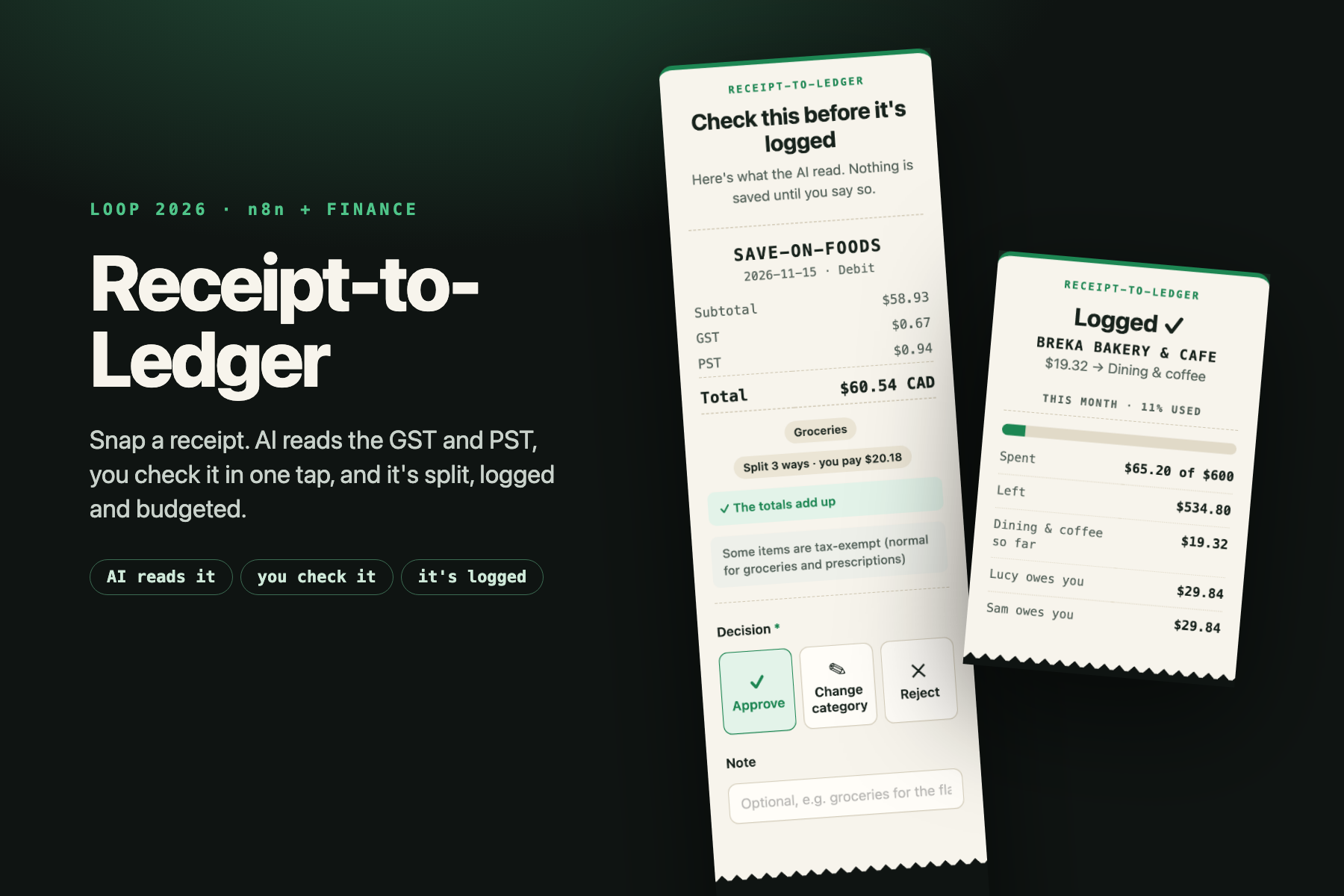
- Snap and upload a receipt photo through a simple form.
- AI reads it. It pulls out the vendor, date, subtotal, GST, PST and total, and suggests a category.
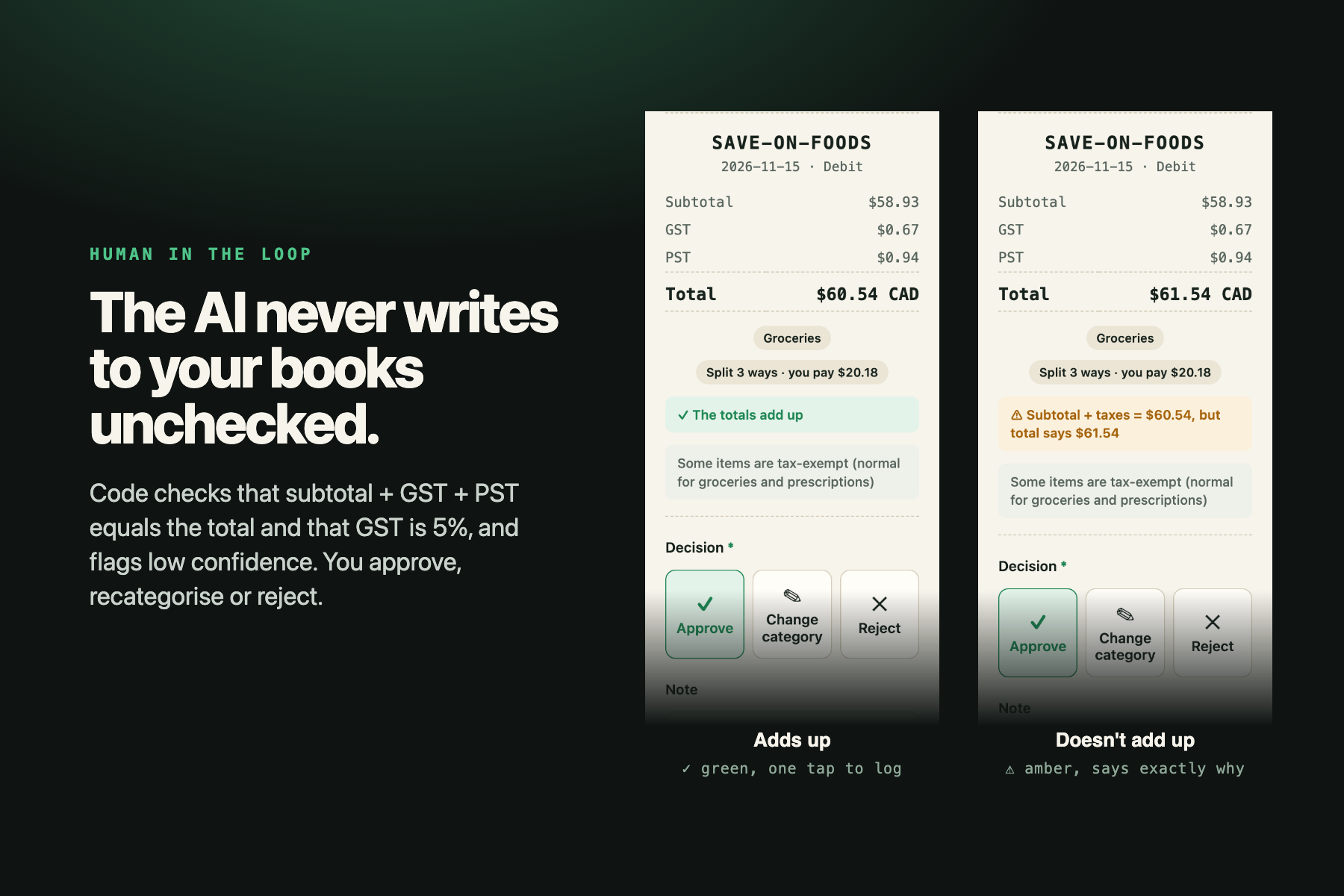
- Checks the math. The workflow checks that subtotal + taxes = total, that GST is 5%, and whether PST looks partly exempt. It flags anything off, plus low AI confidence.
- A human checks it. Before anything is saved you see what the AI read and approve it, change the category or reject it. The AI never writes to your books unchecked.
- Splits with roommates. Type "Lucy, Sam" and it logs each person's share and tracks who owes you. Only your share counts toward your budget.
- Flags receipts to keep for taxes, such as medical expenses (eligible for the federal medical expense tax credit).
- Shows your budget instantly: "You've used $412 of $600 this month, $188 left."
- Sends a Sunday recap email. An AI-written note covers your week's spending by category, your biggest purchases, who owes you, and one thing to try next week.
How we built it
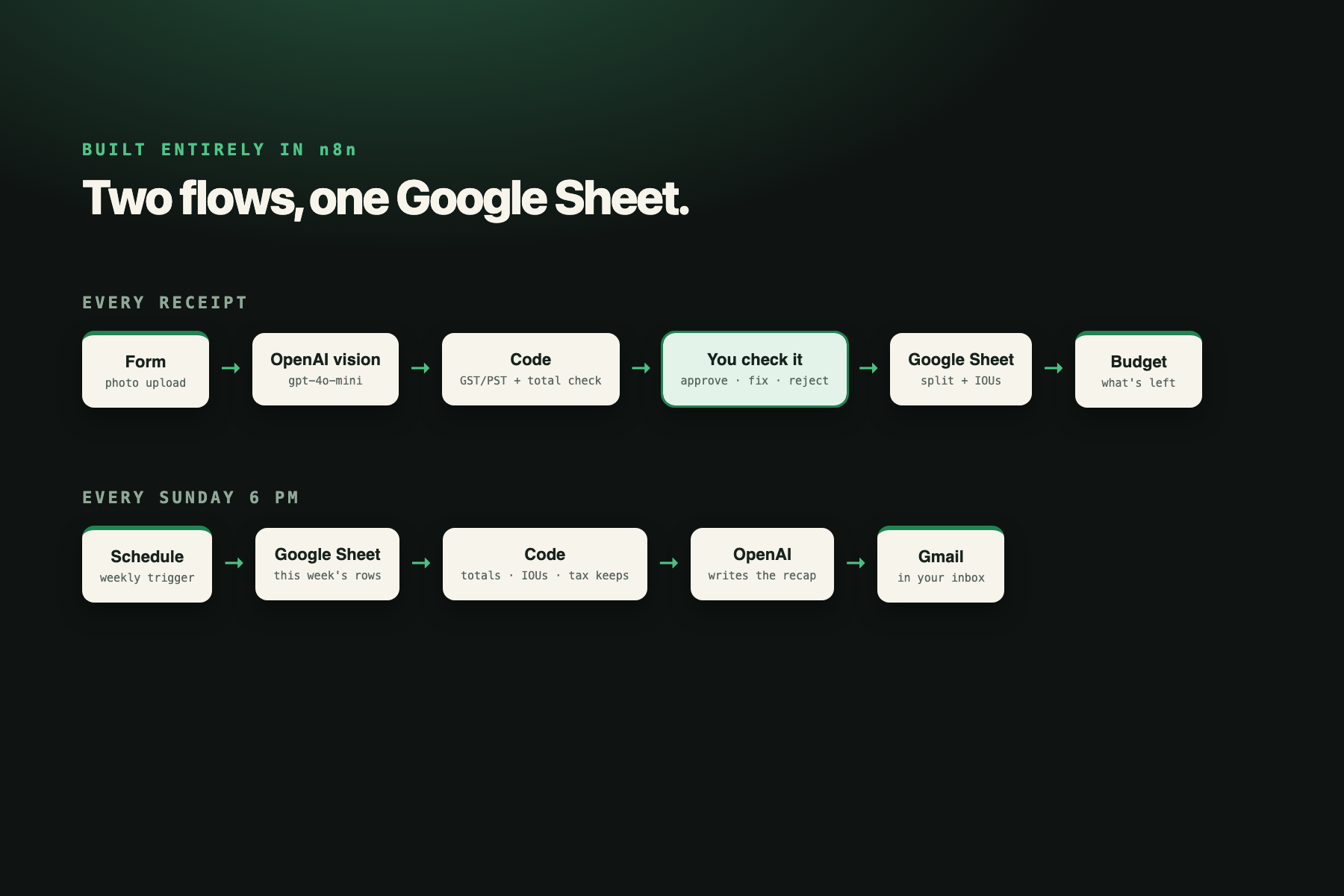
It's built entirely in n8n, as two flows:
- Receipt flow:
- n8n Form Trigger (file upload)
- OpenAI vision (gpt-4o-mini) with a bookkeeping prompt tuned for Canadian GST/PST
- a Code node that parses the reply and runs the tax and total checks
- a second n8n Form page for the human-in-the-loop review
- an IF branch (approve or reject)
- Google Sheets append, then a month-to-date read
- a Code node for the budget and IOU math
- a confirmation page
- Weekly flow: Schedule Trigger → Google Sheets → Code (weekly totals, IOUs, tax-keep count) → OpenAI writes the note → Gmail.
The ledger is an ordinary Google Sheet, so your data stays yours and works with any tool.
Challenges
- Receipts are messy: faded thermal paper, tax lines named differently by every store, and exempt items mixed with taxed ones. Rather than trust the AI, we check its numbers against each other and show the user exactly what doesn't add up.
- Getting a human approval step to feel like one tap instead of a chore.
Accomplishments
- A real human-in-the-loop design: the AI does the reading and a person makes the decision.
- Canadian-specific tax logic (GST/PST) instead of a generic "tax" field.
- It fits how students actually spend: shared costs and receipts worth keeping.
What we learned
How to chain AI vision, validation code and human review in n8n, and that a confidence check plus a math check catches most AI misreads.
What's next
- Forward e-receipts by email, so it works for online orders too.
- Spot recurring subscriptions ("you've paid Spotify 3 months in a row").
- Send IOU reminders over text, with a "mark settled" button.
- A CSV export formatted for a tax return or for an accountant.
Team
Braxton Hauw (UBC Sauder, n8n build + write-up) and Lucy Liu (NYU, UI/design).
Outside services
OpenAI gpt-4o-mini via n8n Cloud free credits, Google Sheets, Gmail. No templates; built with help from an AI assistant (Claude).
Built With
- gmail
- google-sheets
- javascript
- n8n
- openai
