Inspiration
Every spring the same thing happens in a lot of homes in Toronto and everywhere else. Tax slips arrive by mail, by email and as phone photos, and they all end up in one scan folder. When it is time to file, you still have to work out which T4 or RRSP receipt is in there, which one is a second copy, and which slip never arrived. A home NAS already holds those files, so it felt like the right place to sort them once, privately, with a clear stop before anything moves.
What it does
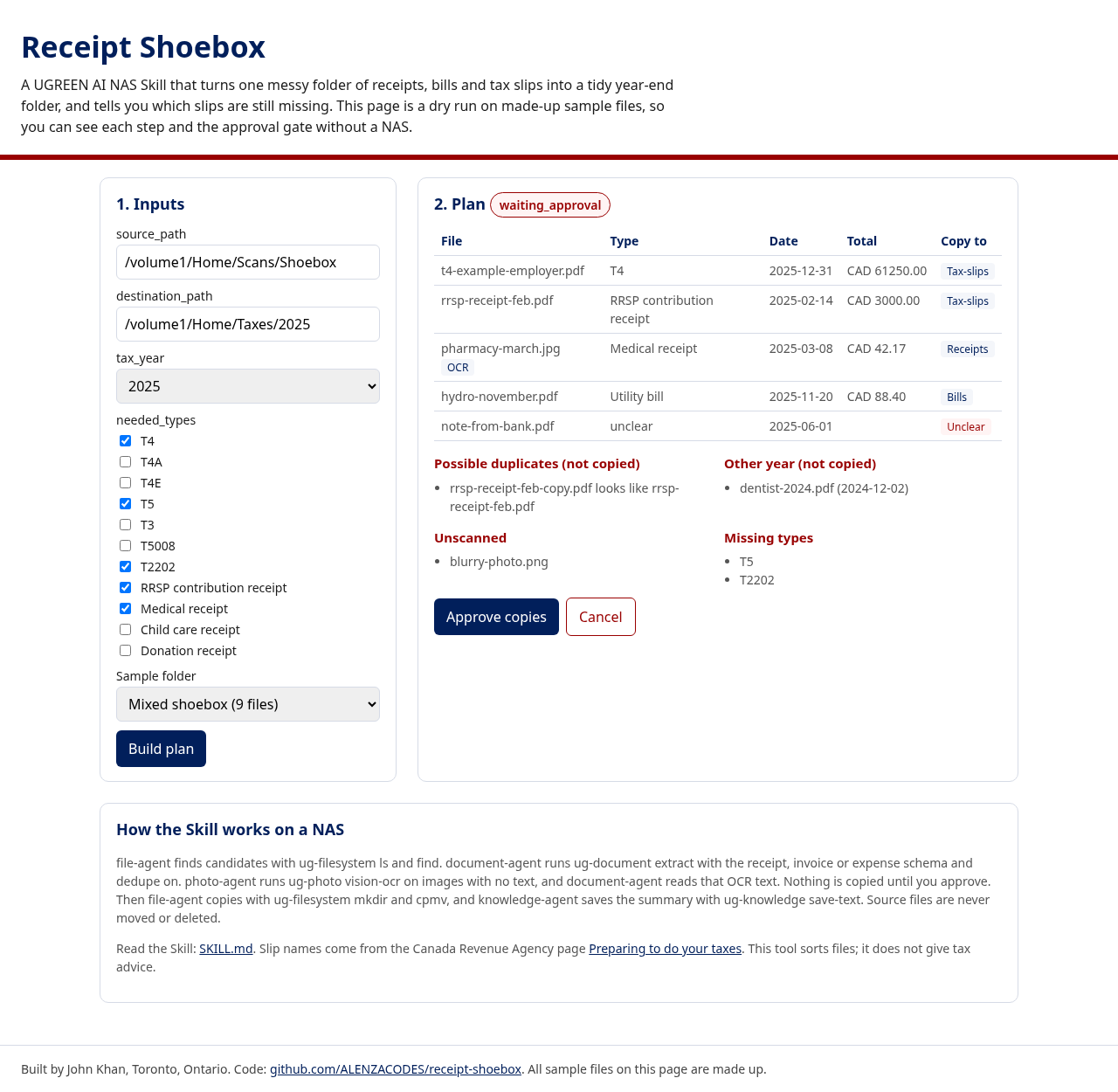
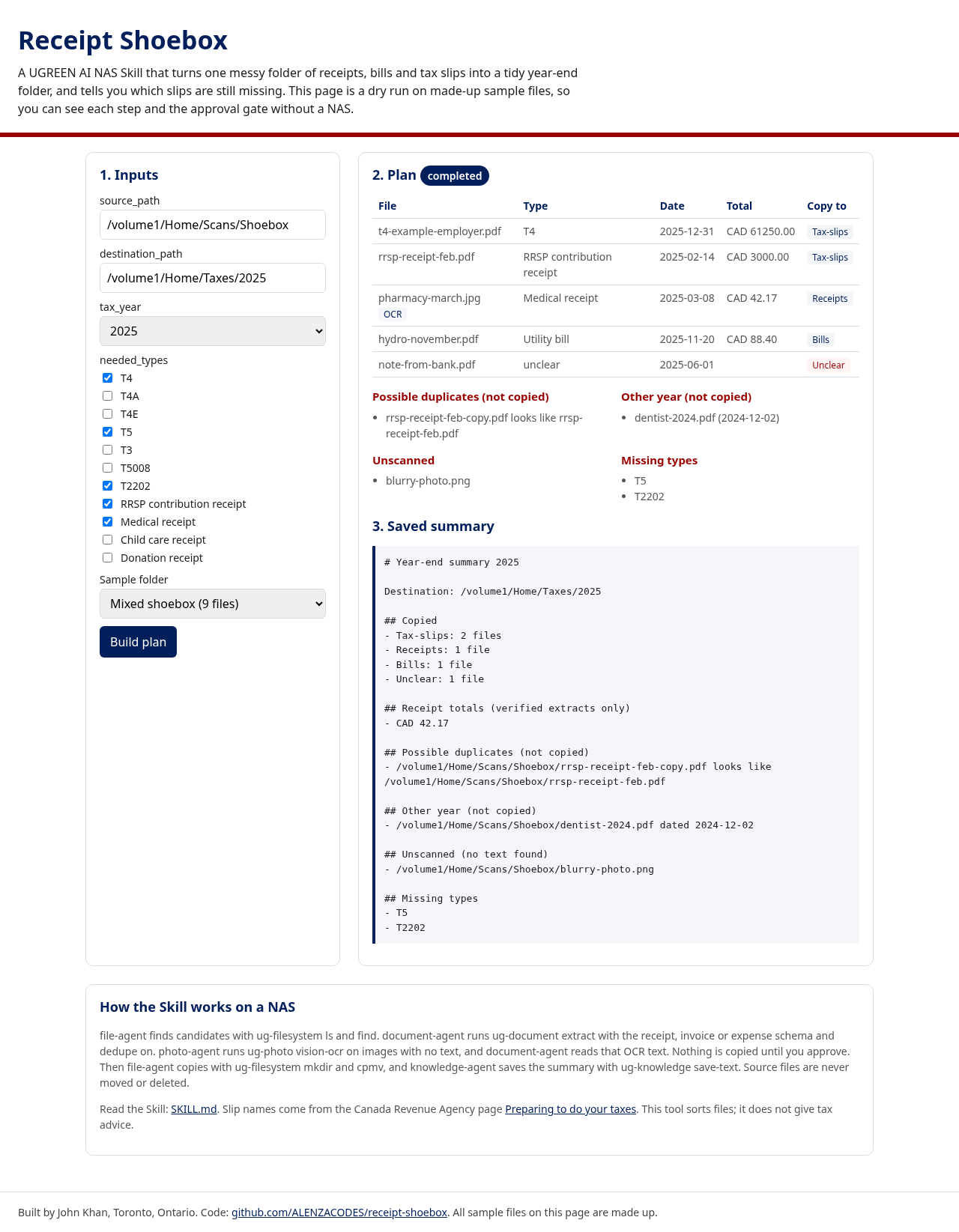
Receipt Shoebox is a Skill for UGREEN AI NAS. You give it a source folder, a destination folder, a tax year and, if you like, the slip types you expect, such as T4, T5, T2202 or an RRSP contribution receipt. It finds the candidate files, reads each one with the NAS document extractor, and sends photos with no text through vision OCR. It then shows a plan: what goes into Tax-slips, Receipts, Bills and Unclear, which files look like copies, which are dated in another year, which could not be read, and which needed types were not found. Nothing is created or copied until you approve. After approval it copies the files (it never moves or deletes the originals) and saves a plain summary in the destination folder.
The live page is a dry run of the same rules on made-up sample files, so anyone can try the plan, the approval step and the summary without a NAS.
How I built it
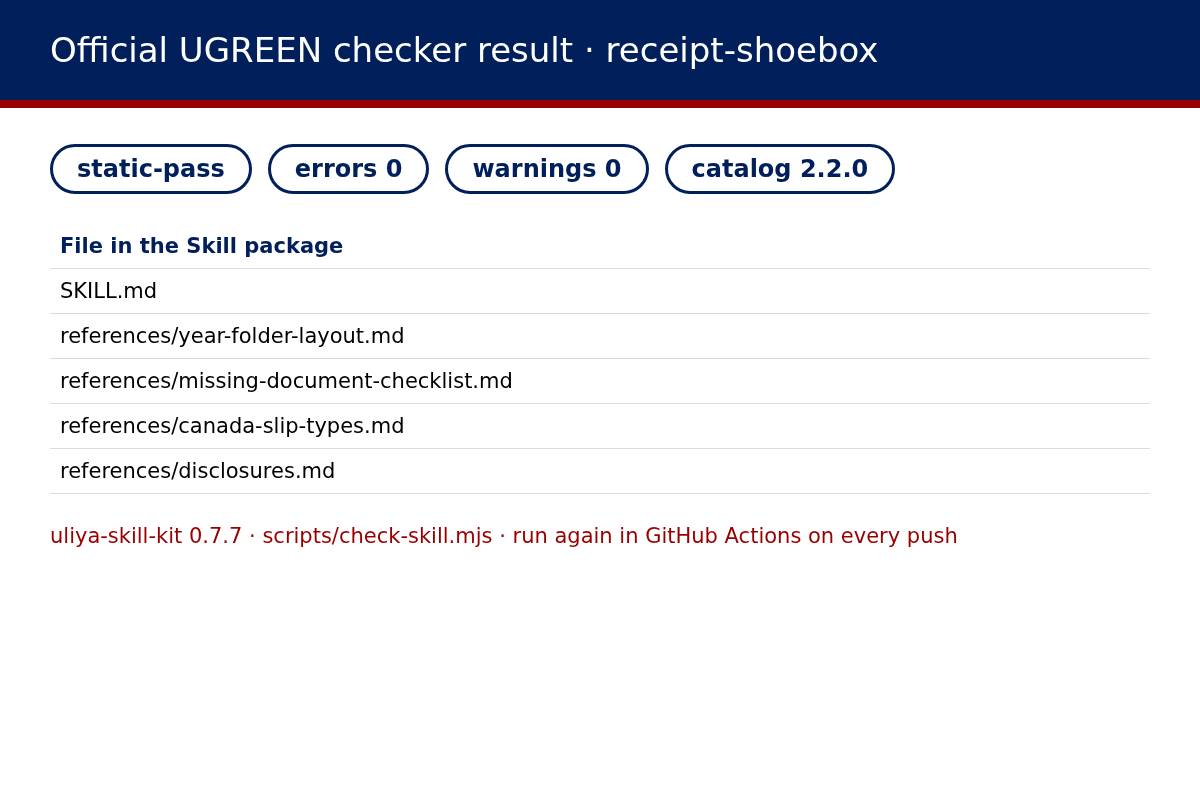
The Skill is one SKILL.md with four linked references, written to the Uliya Skill Development Standard from the free UGREEN Skill Developer Package. It hands each step to the built-in NAS experts: file-agent with ug-filesystem for finding, creating folders and copying, document-agent with ug-document extract for receipt, invoice and expense fields with dedupe on, photo-agent with ug-photo vision-ocr for images, and knowledge-agent with ug-knowledge save-text for the summary. The package passes the official checker from kit 0.7.7 with zero errors and zero warnings. The dry run page is plain HTML, CSS and JavaScript with no libraries. Node tests cover the plan rules and the package limits, and GitHub Actions runs those tests and the official checker before every Pages deploy.
Challenges I ran into
Keeping every step honest. Each step may only use real paths and real text from the step before it, so an unreadable photo is listed as unscanned instead of being guessed, and a partial extract goes to Unclear. The catalog also changed my plan in small ways: save-text adds a timestamp to the file name, so the summary is saved under a filename hint rather than a fixed name. Deciding what to do with a receipt from last year took a few tries. It now sits in its own list and is not copied unless you ask.
Accomplishments that I'm proud of
A Skill package that passes the official checker cleanly, with an approval gate before any change and a source folder that is never touched. A missing slip list that turns a vague worry into two lines, for example T5 and T2202. A dry run anyone can open in a browser, backed by tests that run on every push.
What I learned
The hard part of tax paperwork is usually not the amounts. It is knowing what you have, what is a duplicate and what is still missing. I also learned to read the capability catalog closely, because small details such as dedupe flags and file name hints shape the workflow.
What's next
If selected as a finalist, run it on a real UGREEN AI NAS: scanned slips, phone photos of pharmacy receipts, and an empty folder. Then add an optional rename rule, more bill types, and a side by side view of two tax years.