-
-
thumbnail
-
first screen
-
next to check
-
too faded
-
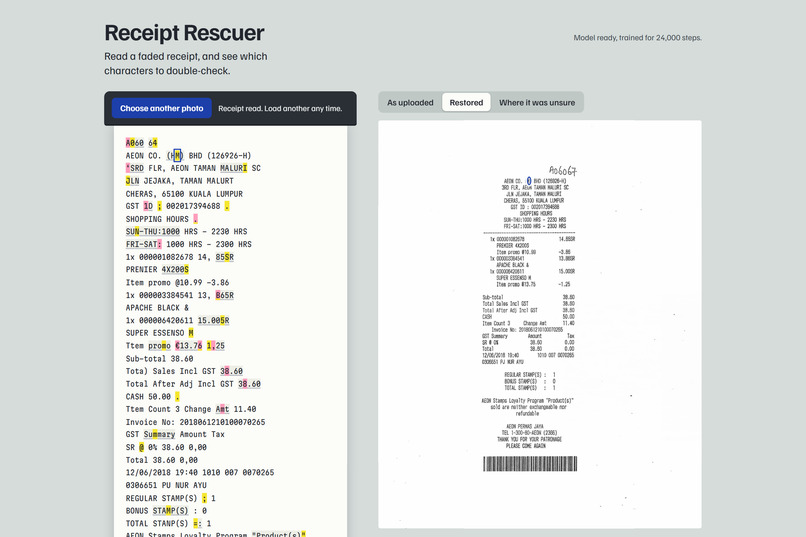
stepping ring
-
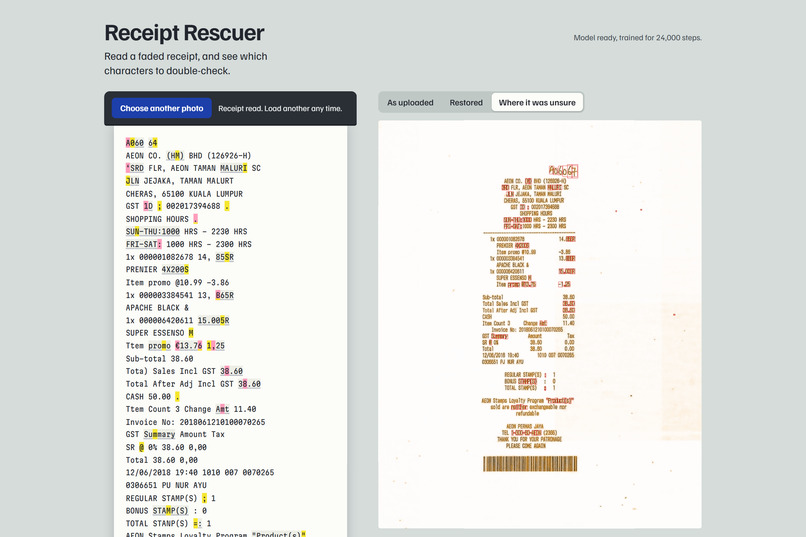
where it is unsure
-
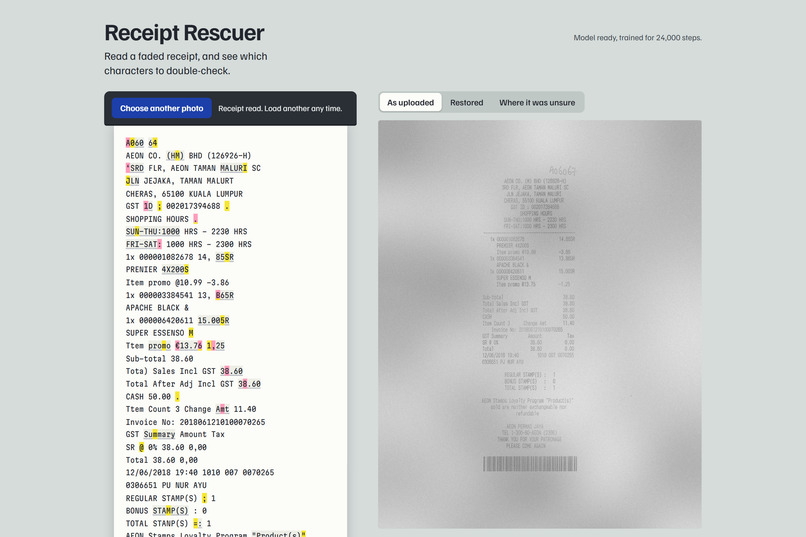
faded input
-
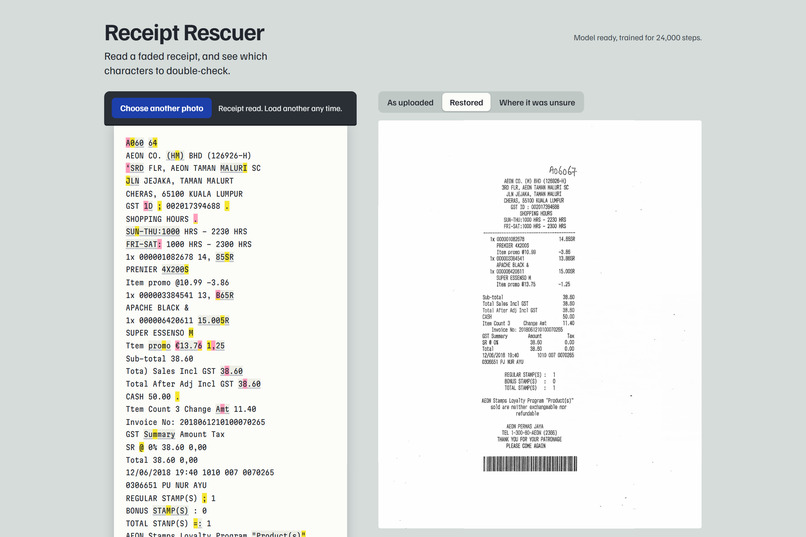
restored
Inspiration
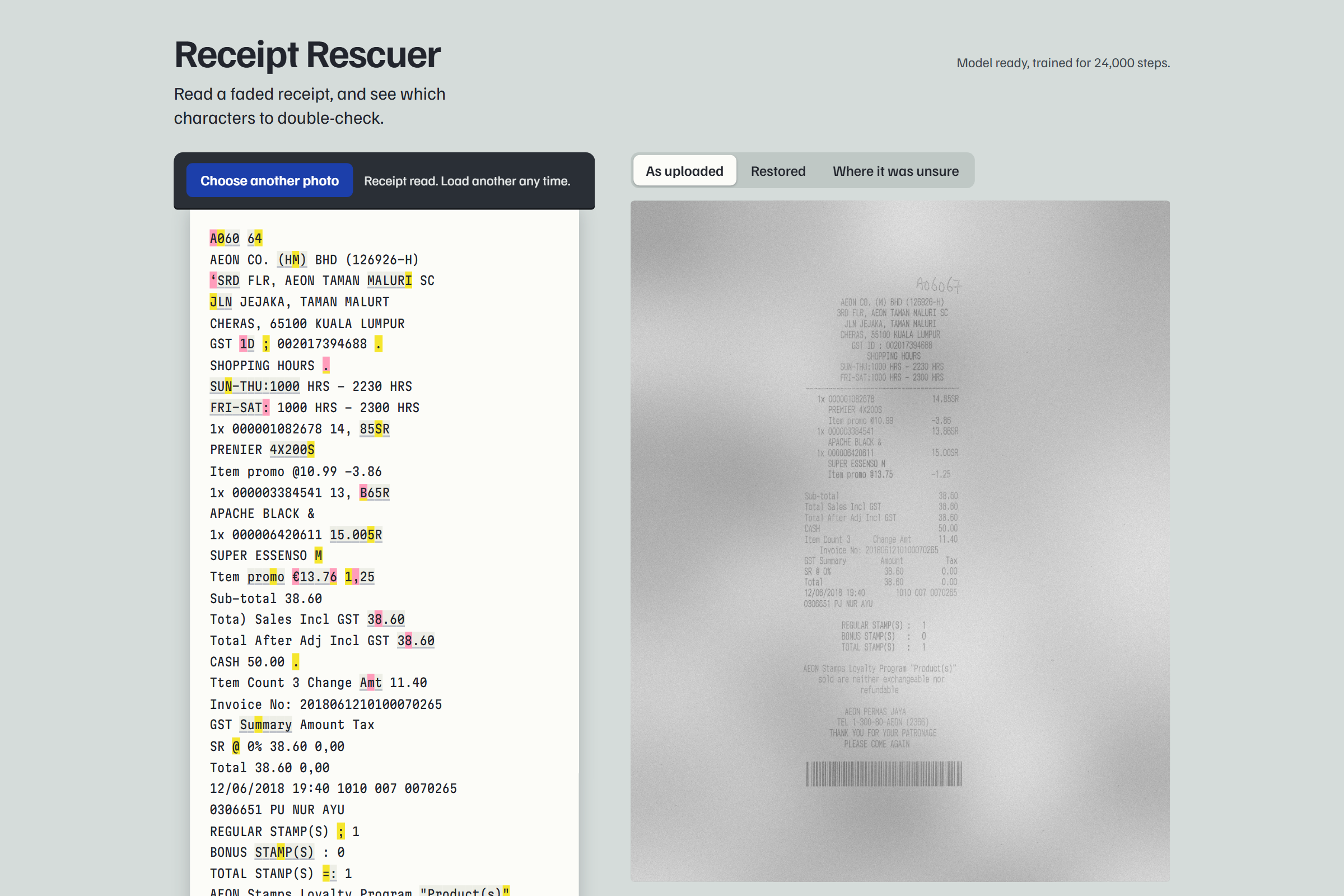
Thermal receipts fade. By the time you need one for a warranty claim or a reimbursement, the amount and the invoice number are often gone.
Scanner apps brighten and sharpen the photo, and newer AI enhancers redraw the text. A redrawn "8" that was really a "3" looks as crisp as a correct digit, and on a document a wrong number you trust does more damage than a blur you know to distrust. I wanted a restorer that is honest about what it recovered.
What it does
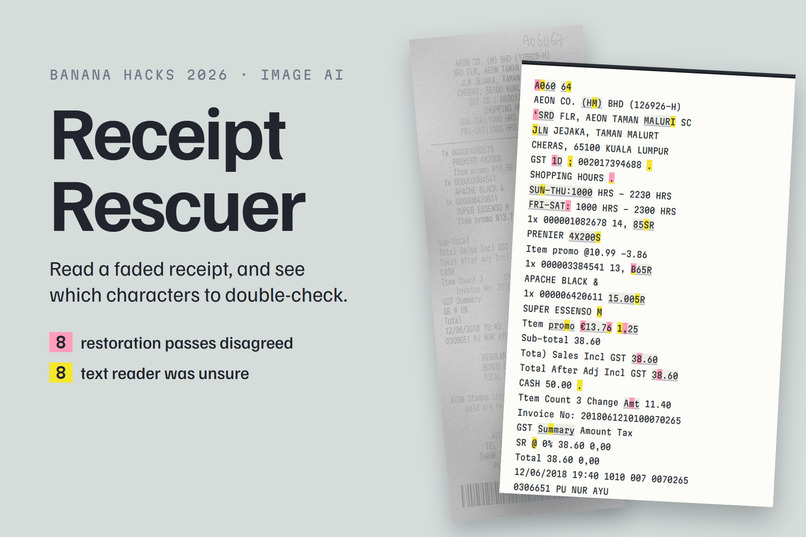
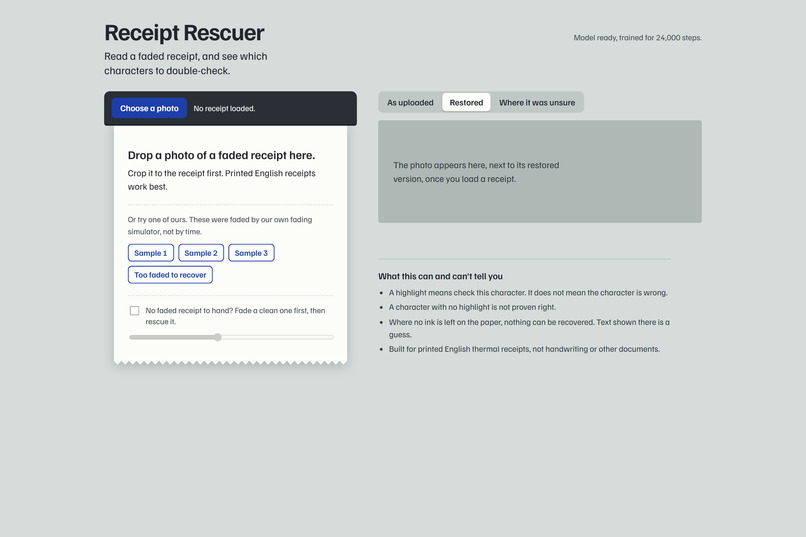
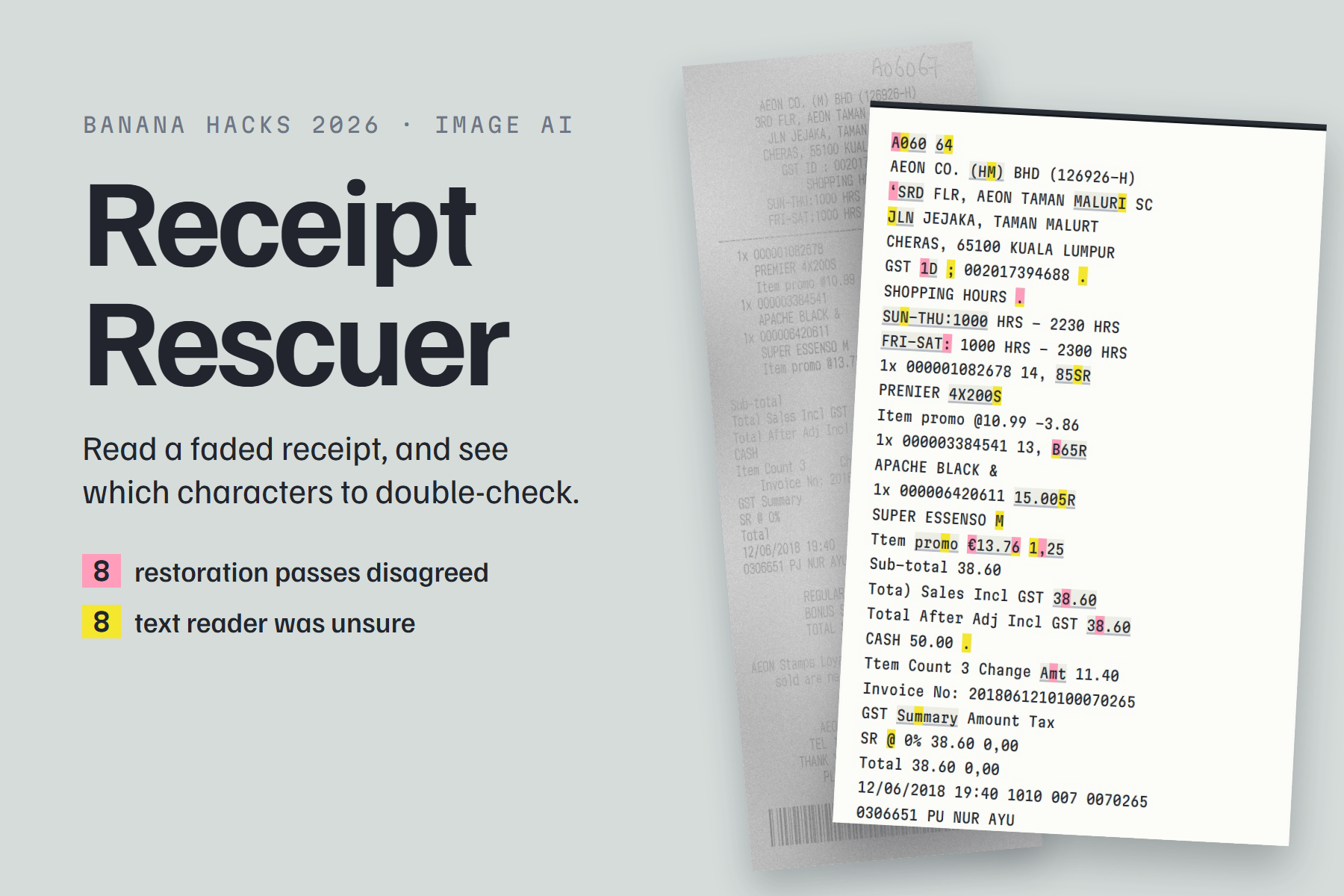
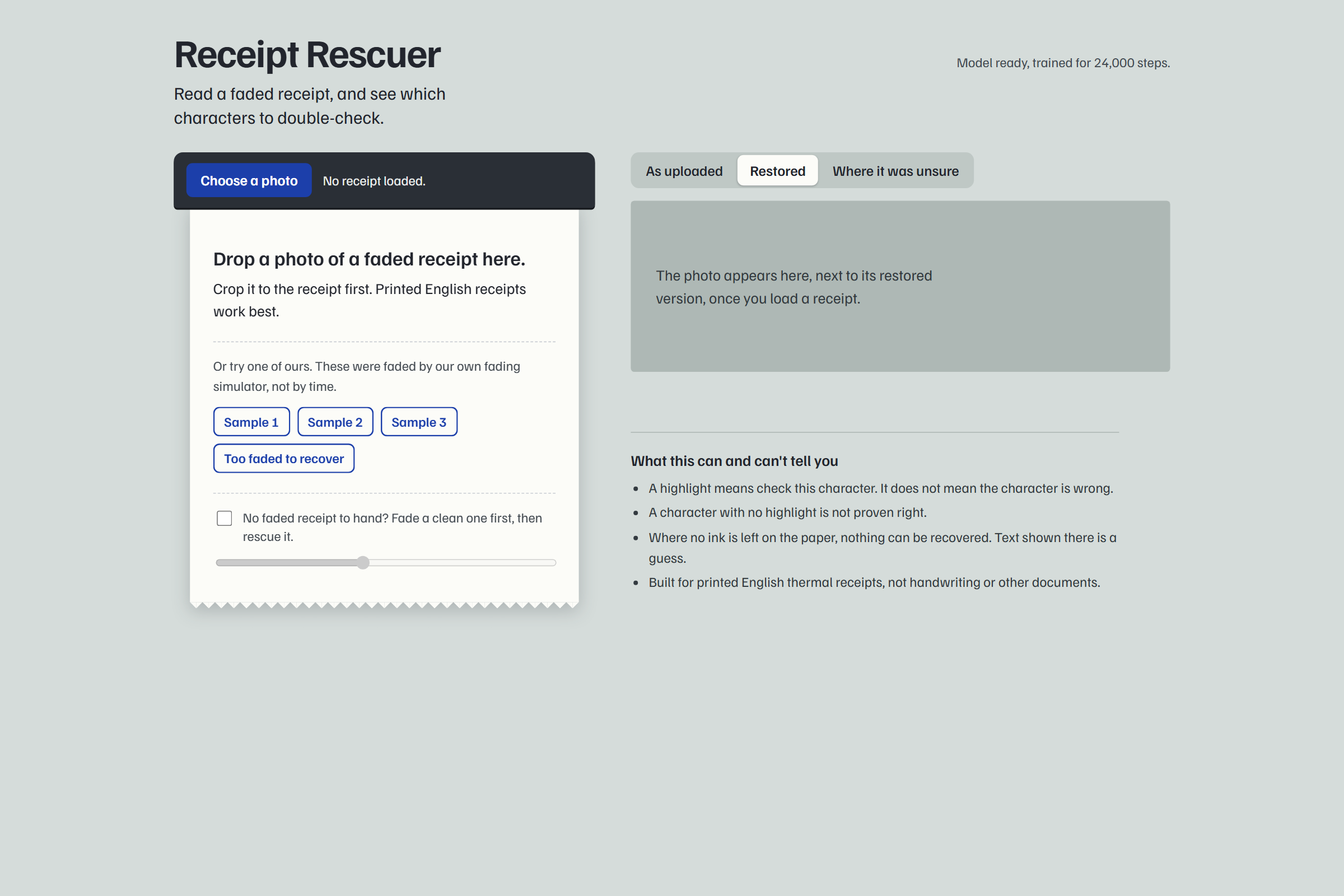
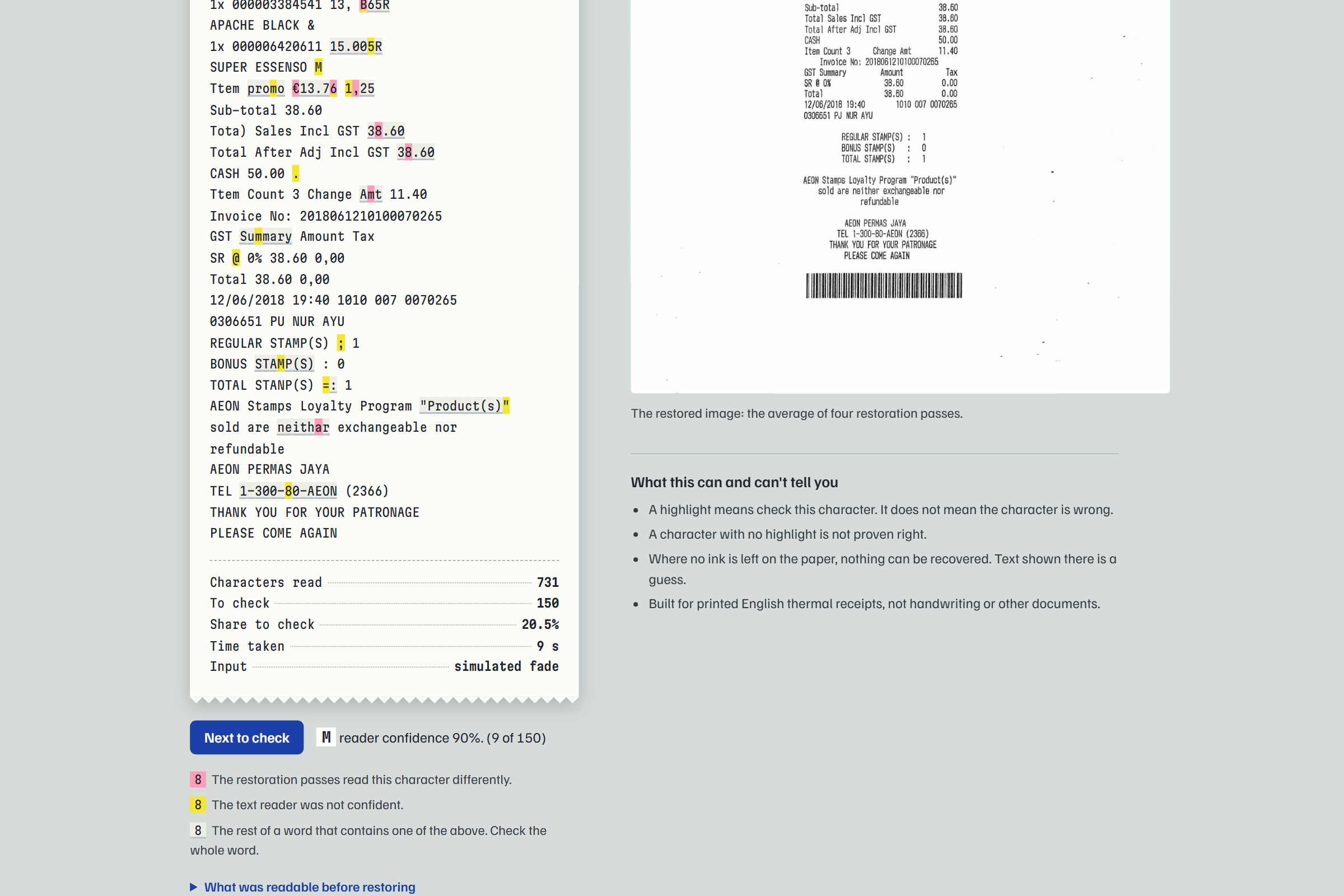
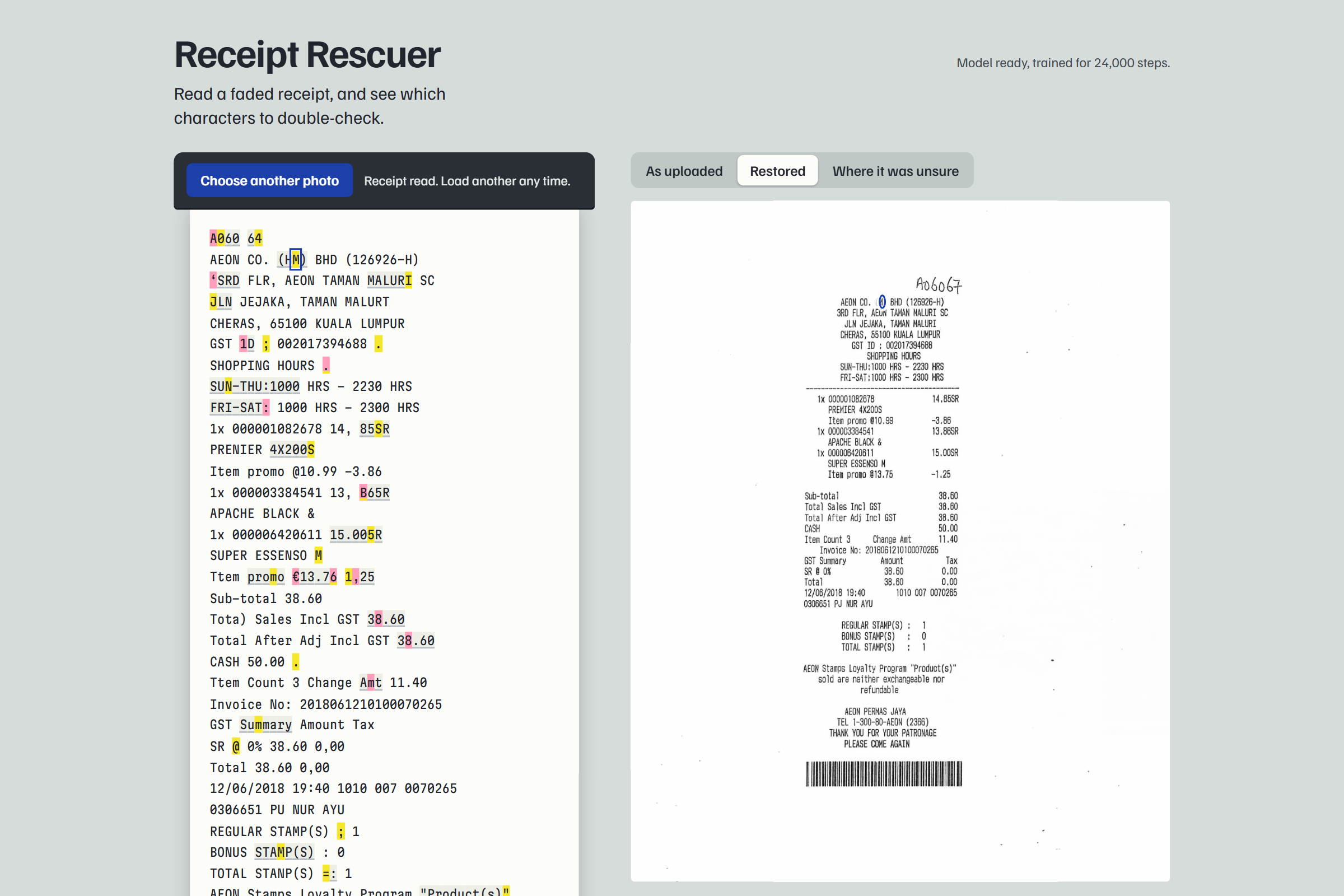
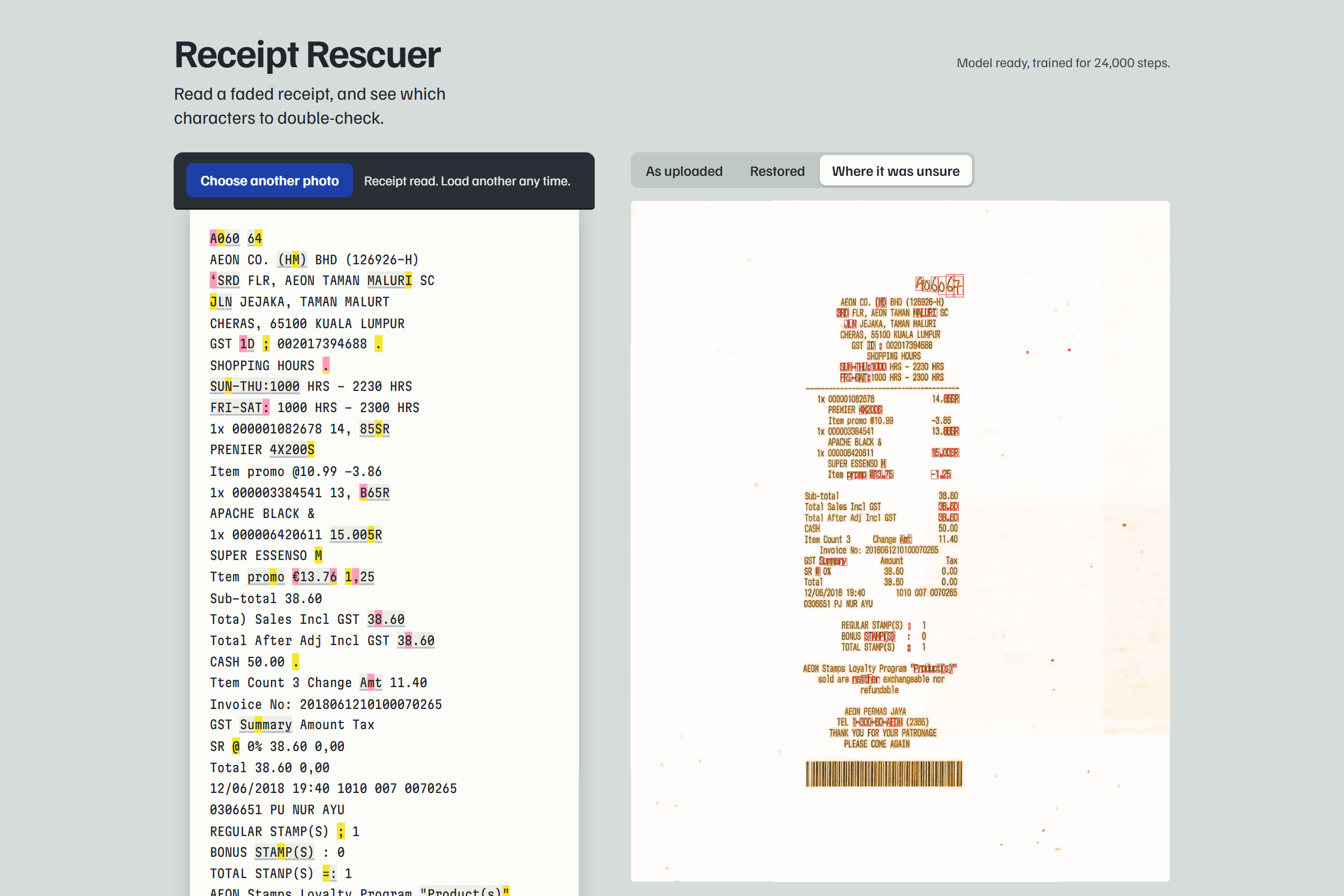
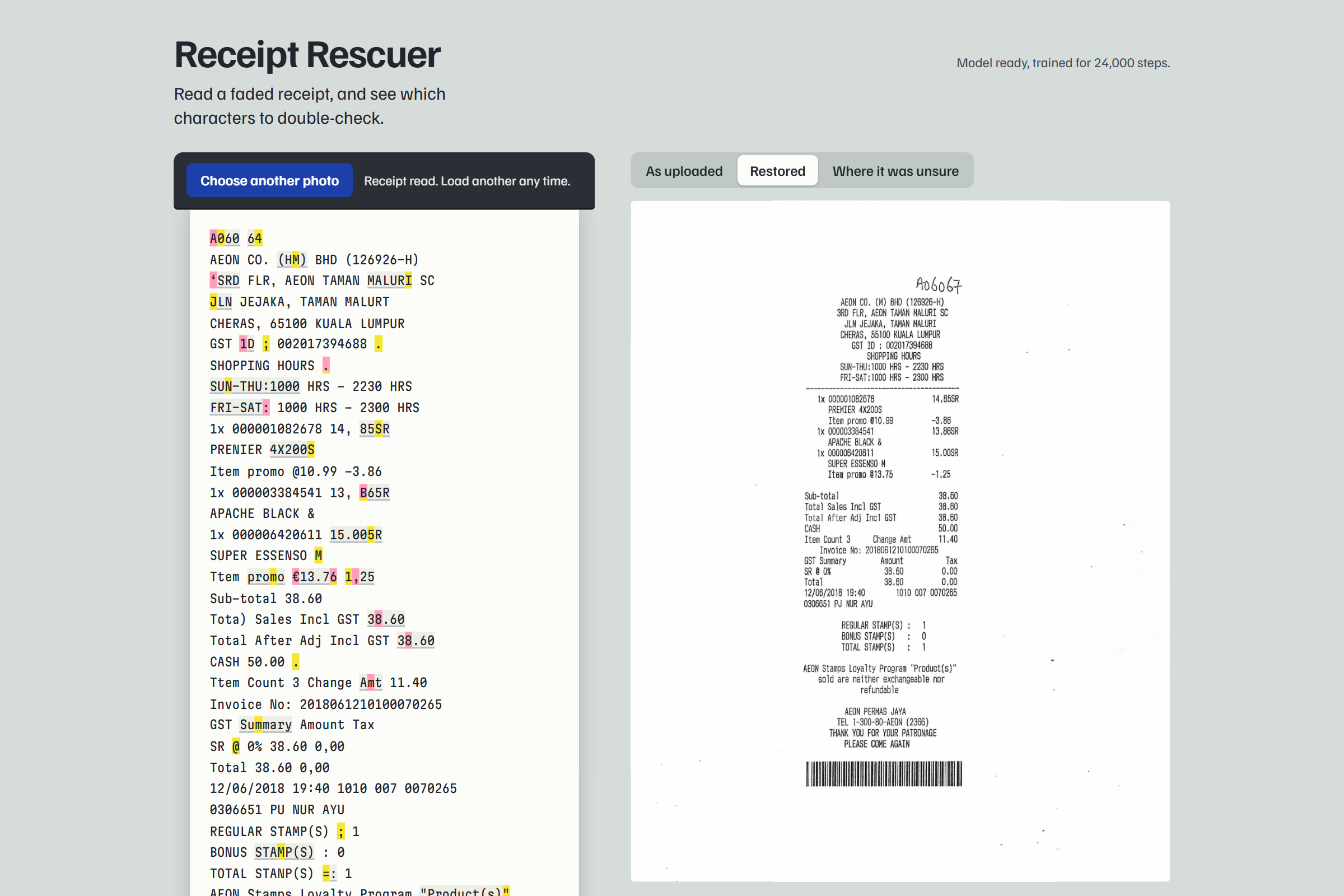
Upload a photo of a faded receipt. Receipt Rescuer restores the image with a network I trained during the hackathon, reads the text, and highlights every word it is unsure about:
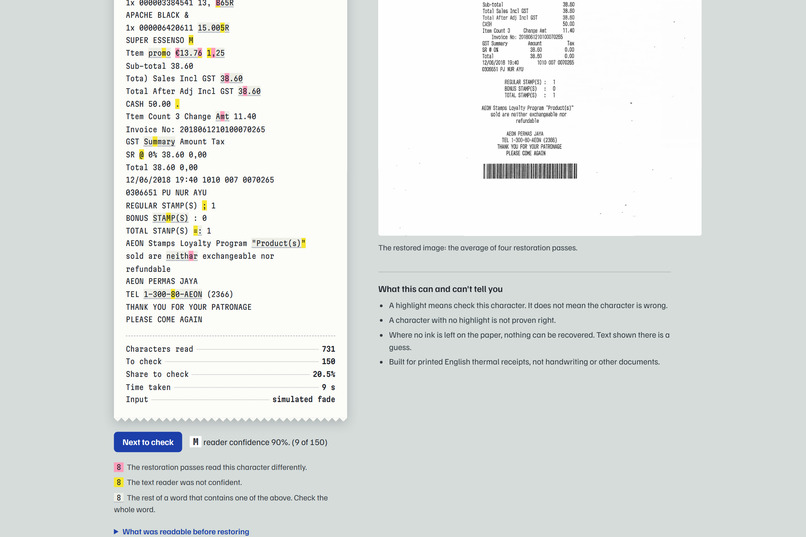
- Pink: I restored the receipt four times under different flips, and the readings disagreed here.
- Yellow: the text reader's own confidence was low.
- Grey: the rest of a word that contains a pink or yellow character.
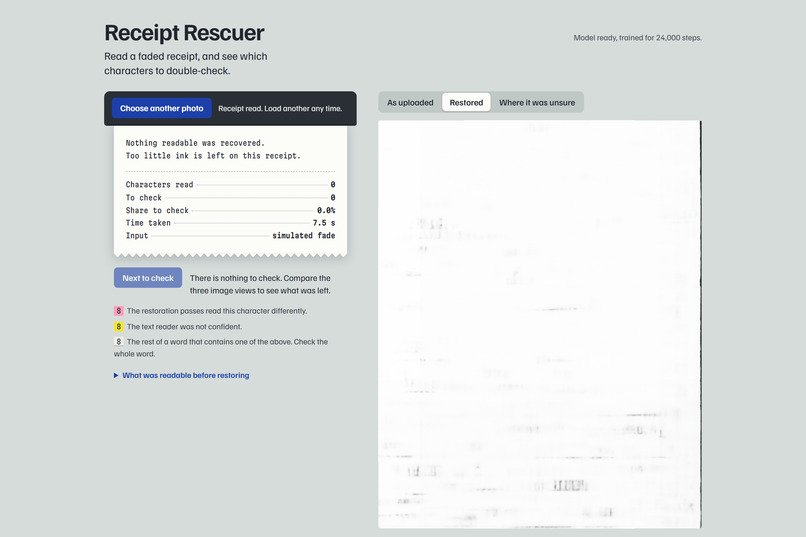
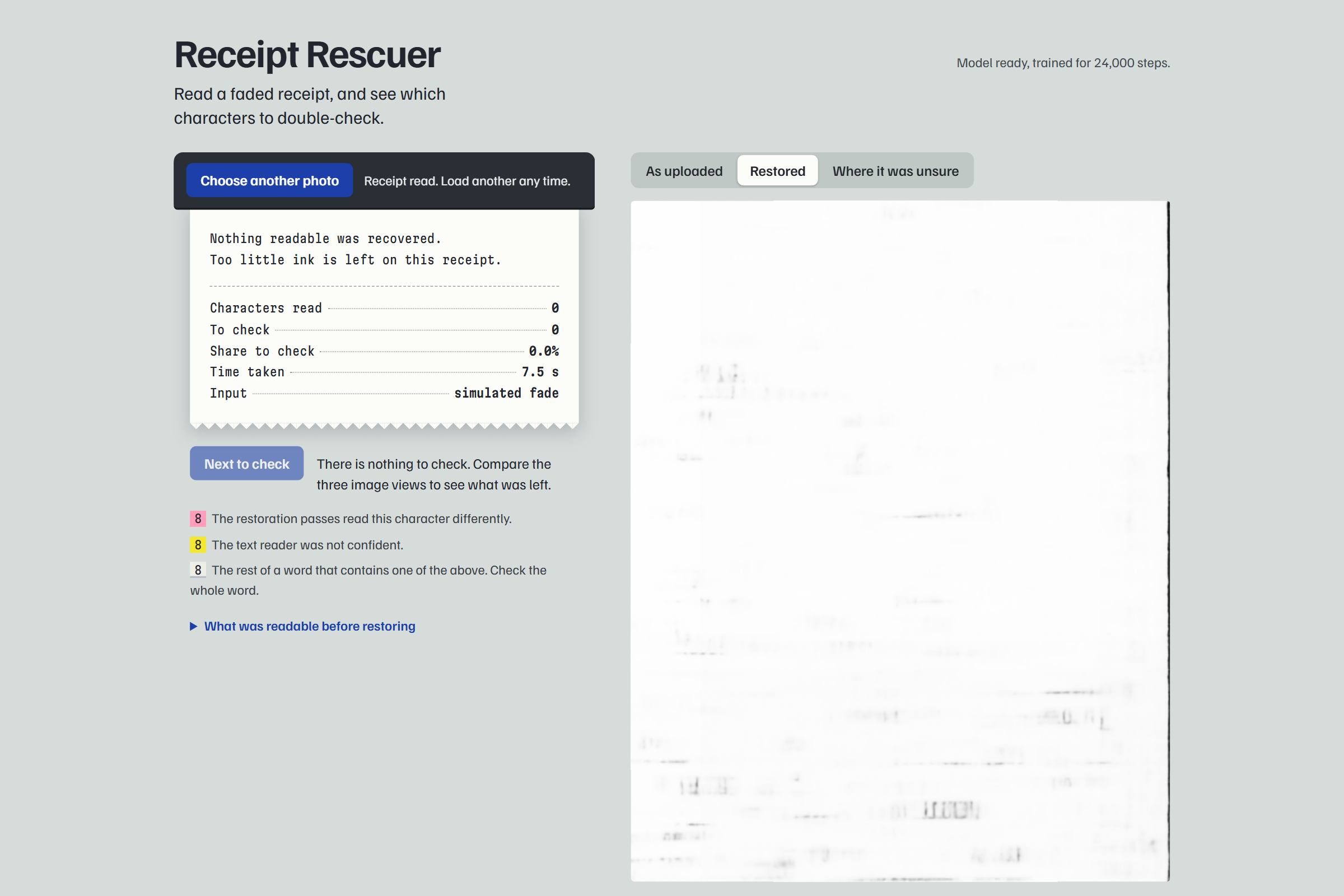
A "Next to check" button steps through the doubtful characters and rings each one on the photo. A highlight is a prompt to check that character against the paper. It can still be correct, and a character with no highlight can still be wrong. When too little ink is left, the app says so and returns nothing.
How I chose the idea
I started from the judging criteria. I listed ten ideas around image AI, including a general image enhancer, a rental damage checker, a document tamper detector and a lecture-board cleaner, and scored each against the five criteria plus what one person could finish in a weekend. The general enhancer scored lowest on originality and usefulness, so I kept its core, restoration, and gave it a specific user and a specific claim.
I stress-tested the winner before building, and two objections changed the design. Disagreement between flipped passes does not prove a hallucination, so I flag at the level of characters read, combine it with OCR confidence, and measure how often flagged characters are wrong. Users want the amount and the date as text more than a prettier picture, so the flagged text is the main output and the restored image comes second.
How I built it
- Fading simulator. I could not find a public set of faded English receipts, so I wrote a model of thermal fading: patchy ink loss, faint strokes vanishing first, print-head streaks, paper tone drift, then phone-camera shadow, blur, noise and JPEG compression. It runs on 712 clean scans from the SROIE set, 641 for training and 71 held out.
- Restoration network. A NAFNet-style encoder and decoder (3.3 million parameters, grayscale), written for this project and trained from random initialisation for 25,000 steps on one RTX 4060 laptop in about two and a half hours.
- Uncertainty. The receipt is restored four times under flips. The average is the output, and each version is read separately and aligned to the final reading. Tesseract's hOCR output adds a confidence value per character.
- Web app. A FastAPI server and a single page, styled as a receipt printing out of a till.
Results
Measured on 20 held-out receipt scans (13,419 characters), faded at three strengths.
| Fade strength | Read wrong, faded | Read wrong, contrast fix | Read wrong, restored | Text highlighted | Wrong characters caught |
|---|---|---|---|---|---|
| 0.4 | 62% | 77% | 24% | 45% | 84% |
| 0.6 | 68% | 84% | 32% | 50% | 85% |
| 0.8 | 83% | 99% | 47% | 65% | 88% |
These numbers come from synthetically faded receipts. The fading is from my own simulator, the same one the network was trained on, applied to different receipts. I did not have real faded receipts to test, so real-world performance is unmeasured. The three sample receipts in the app were picked because they restore well; the table is the average behaviour.
Challenges
- My first network filled the GPU's memory and crawled. Moving most of the depth to lower resolutions made training several times faster.
- My confidence signal was silently dead. I set the OCR threshold at 60, then found Tesseract's confidence on restored receipts only ranges from about 72 to 99.6, so it never fired. I measured the error rate at each confidence level and reset the threshold to 95 on a separate set of receipts.
- One sample read a price as "Ric. 65". The original scan was misprinted there before any fading, so the network had reproduced the damage. Only one character of that word was highlighted, which led me to highlight whole words. That raised the share of wrong characters caught from 68% to 85%.
What I learned
- Enhancement that looks better can read worse. The contrast fix raised the reading error in every test.
- An uncertainty signal needs its own evaluation. Mine had a dead half that only showed up when I measured each signal separately.
- I should say plainly what was tested. Everything here is on simulated fading.
What's next
Collect and hand-transcribe real faded receipts and measure on them. Half the text is highlighted at medium fade, which is too much, so the highlights need narrowing.
Resources and credits
- Receipt scans: SROIE, via Voxel51/scanned_receipts on Hugging Face (CC-BY-4.0).
- Network design: Chen et al., "Simple Baselines for Image Restoration" (NAFNet), ECCV 2022. The implementation is my own.
- Text reading: Tesseract OCR (Apache-2.0).


Log in or sign up for Devpost to join the conversation.