-
-
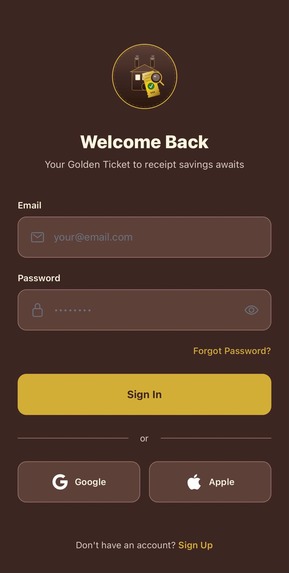
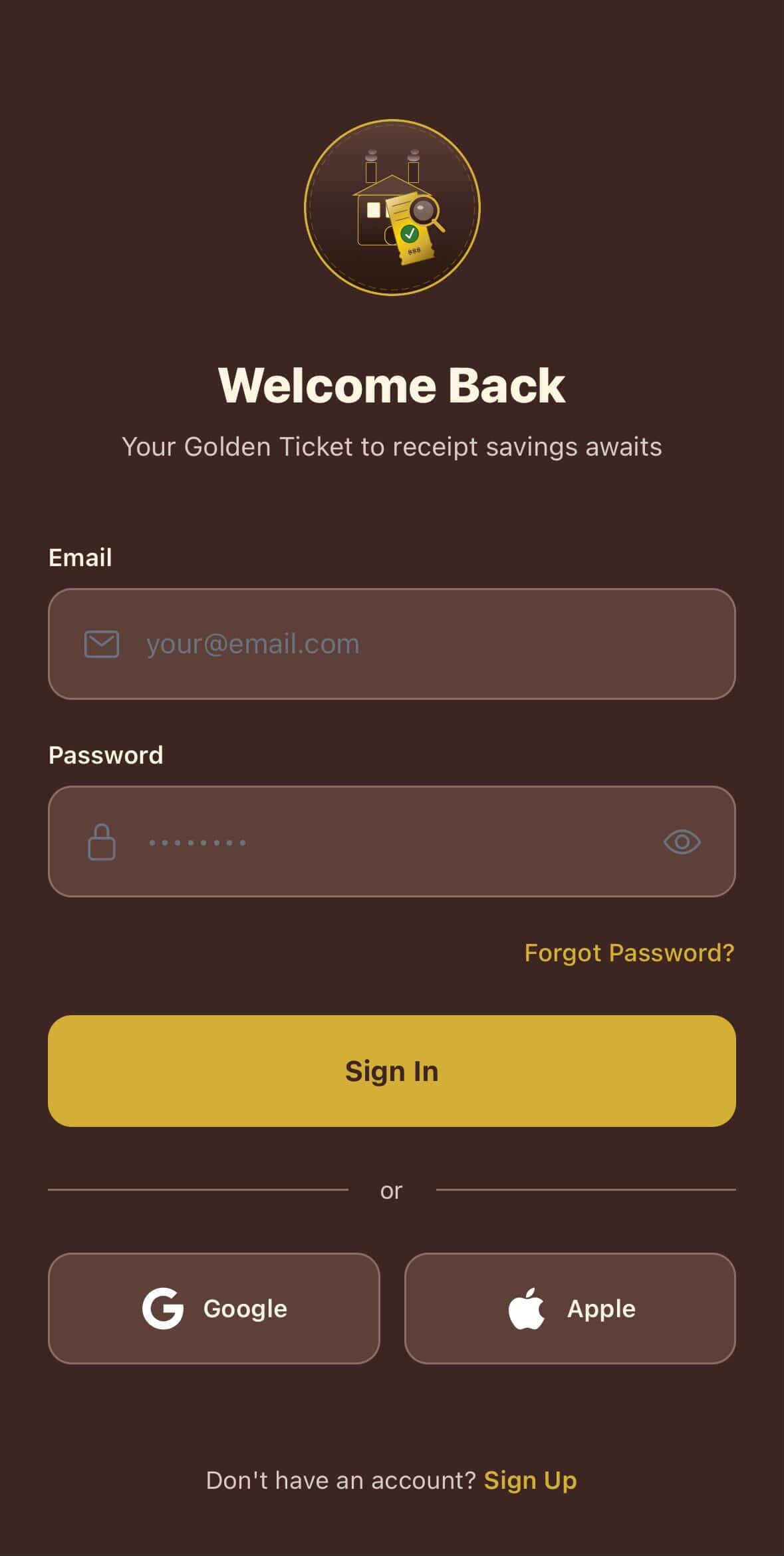
Onboarding Screen
-
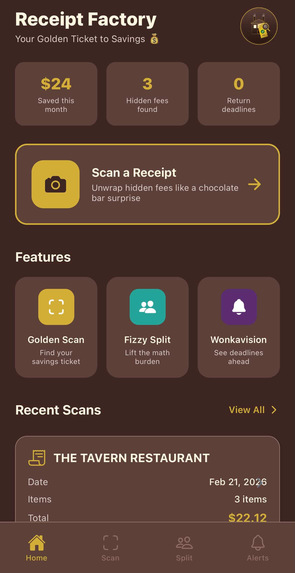
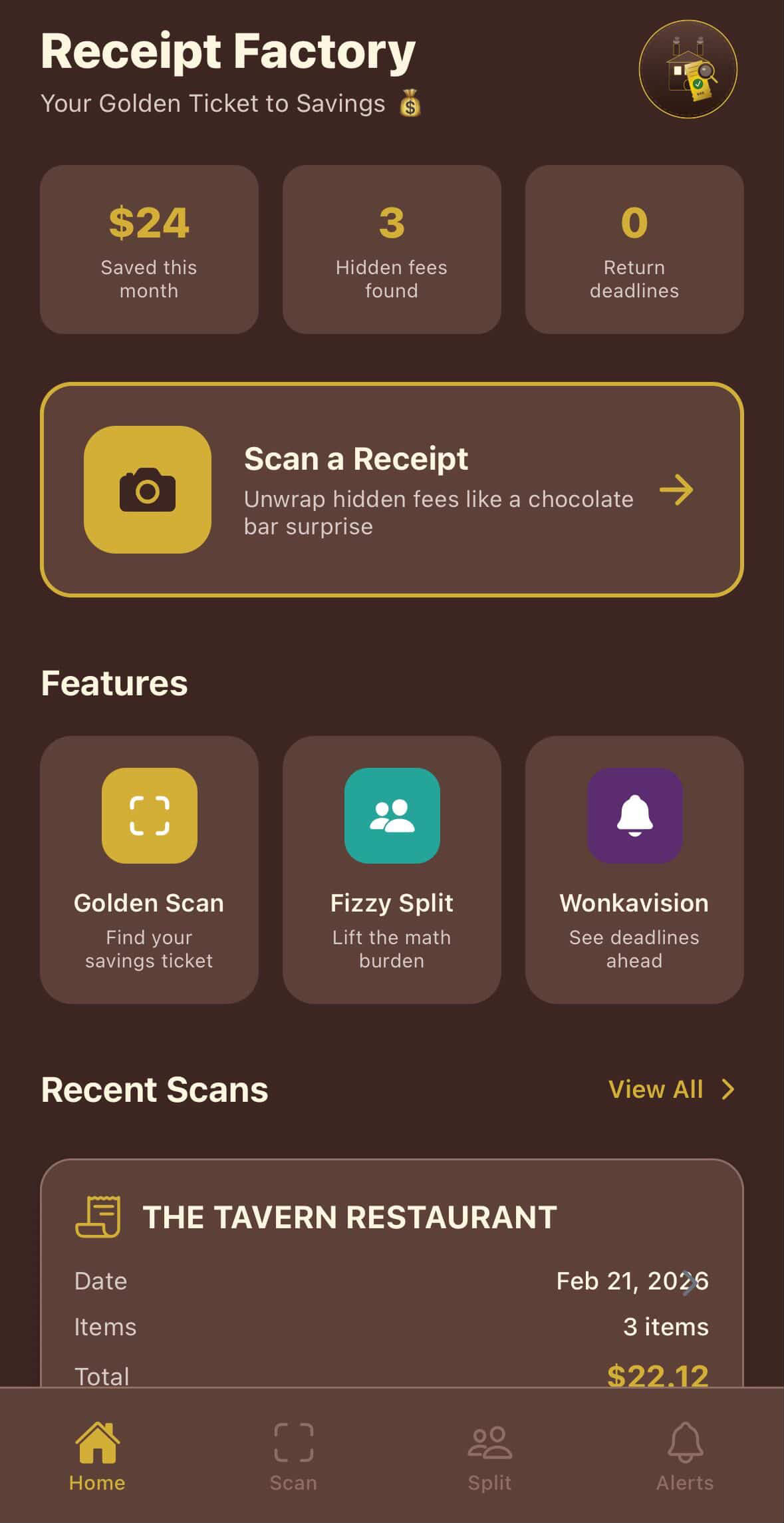
Home Screen
-
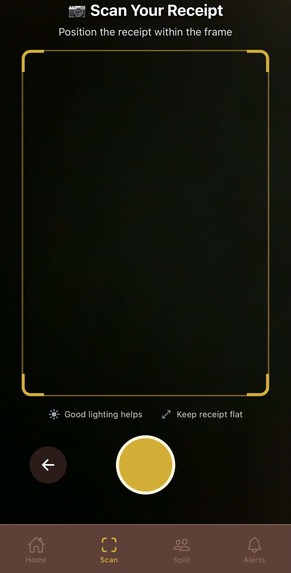
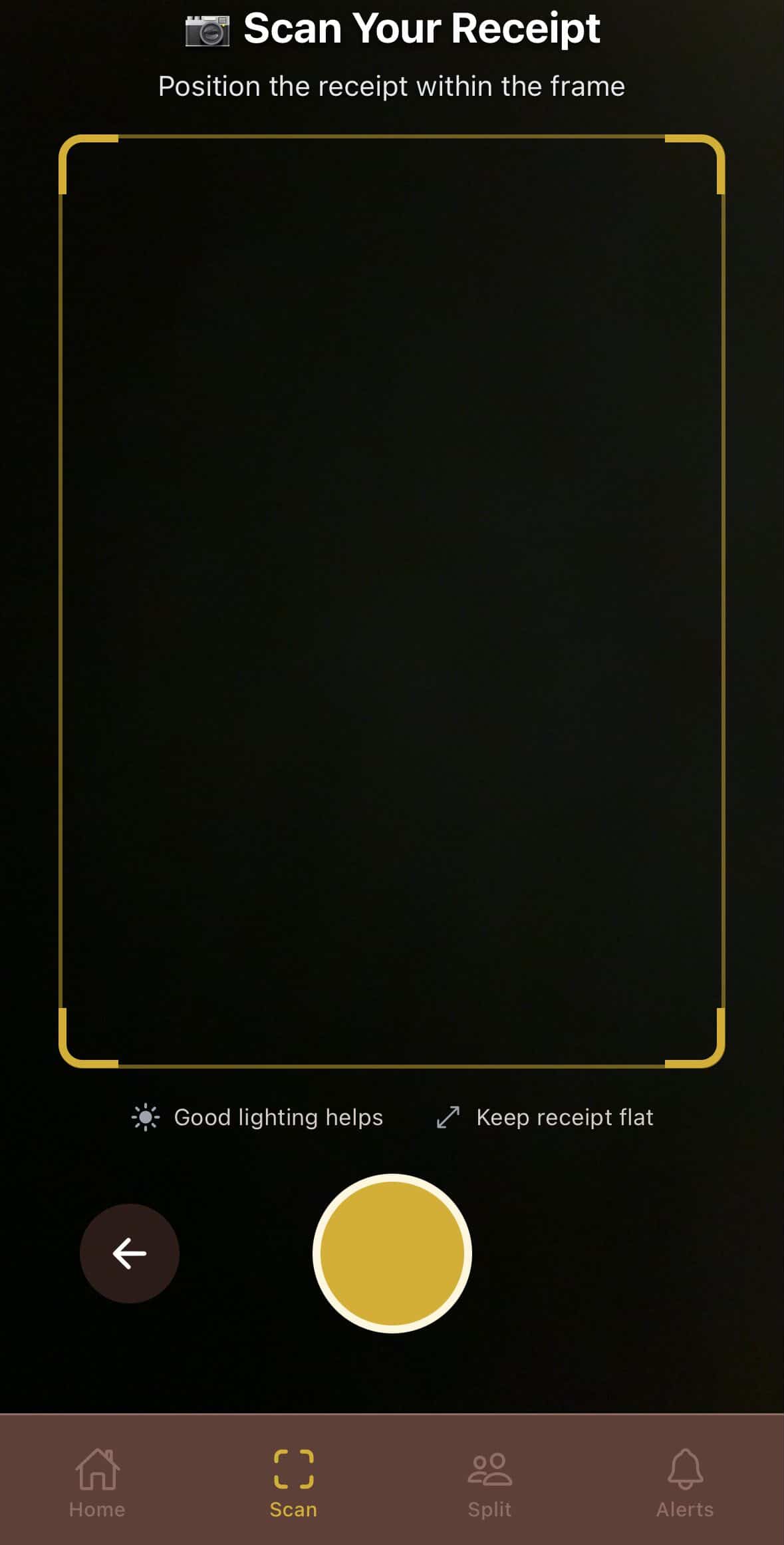
Golden Scan Feature
-
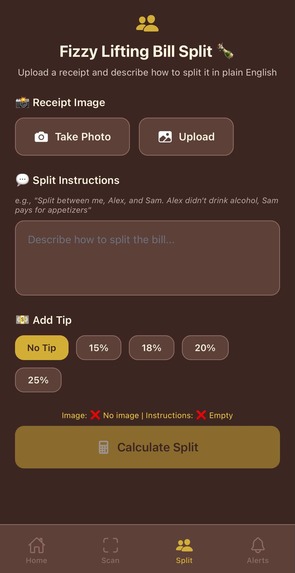
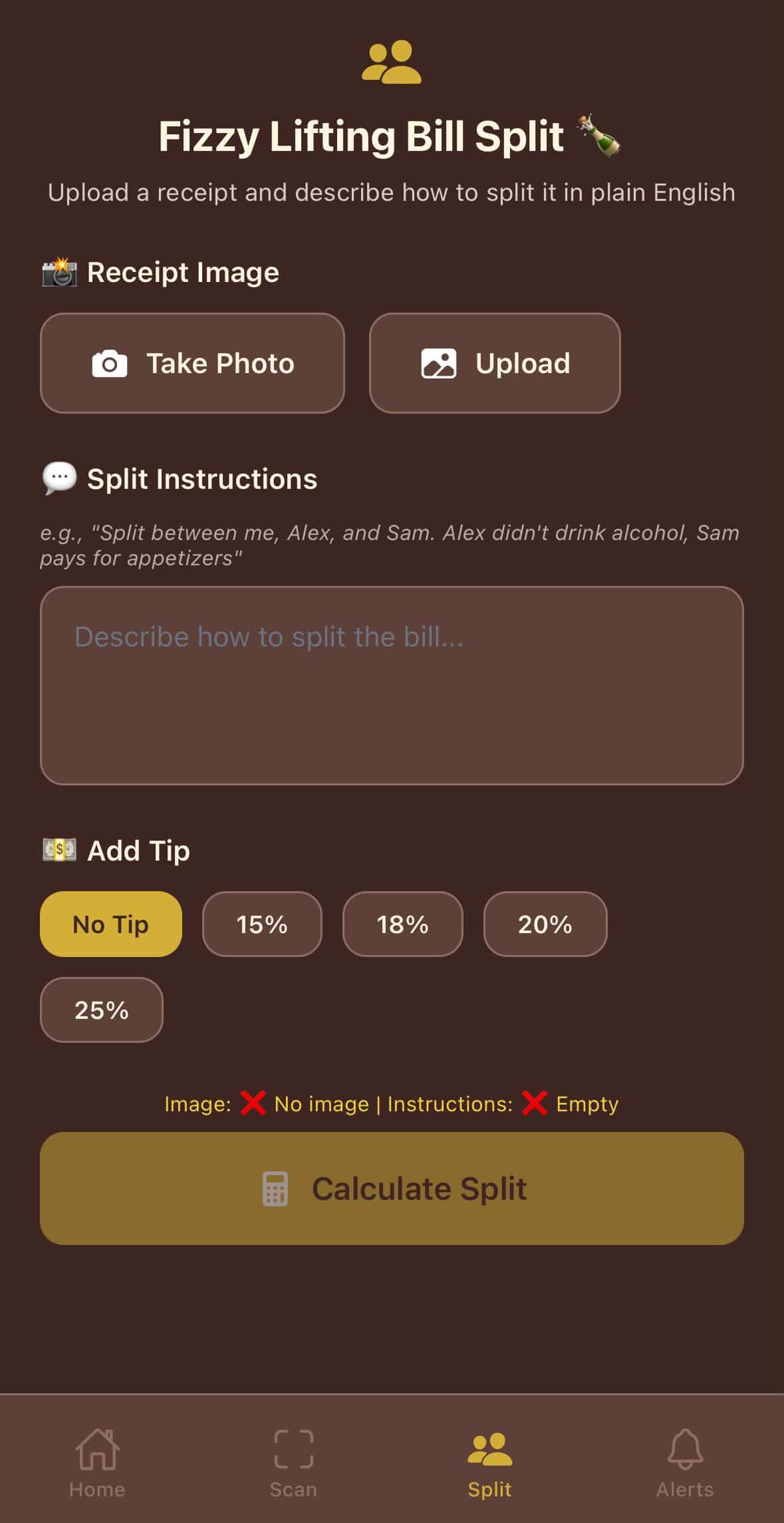
Fizzy Split Feature
-
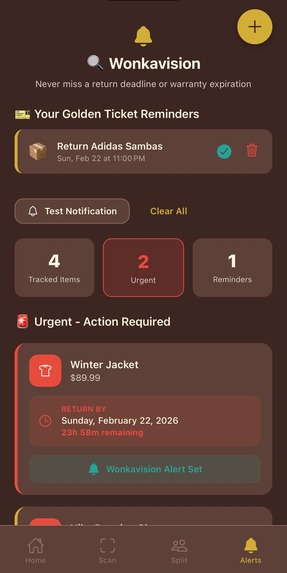
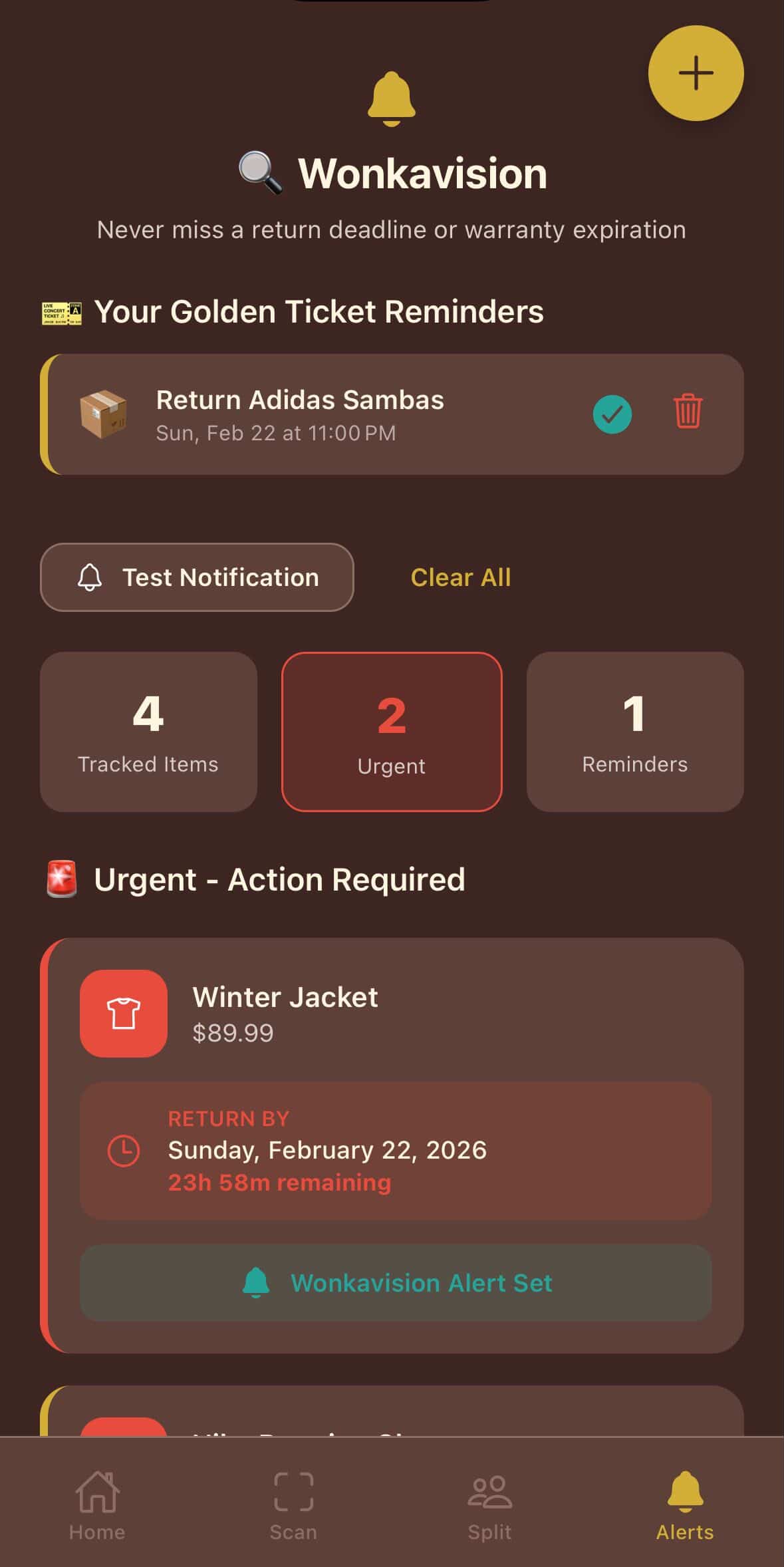
Wonkavision Feature
-
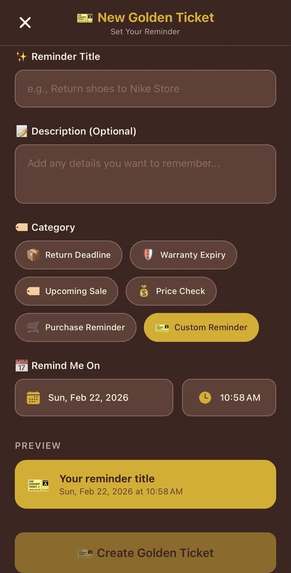
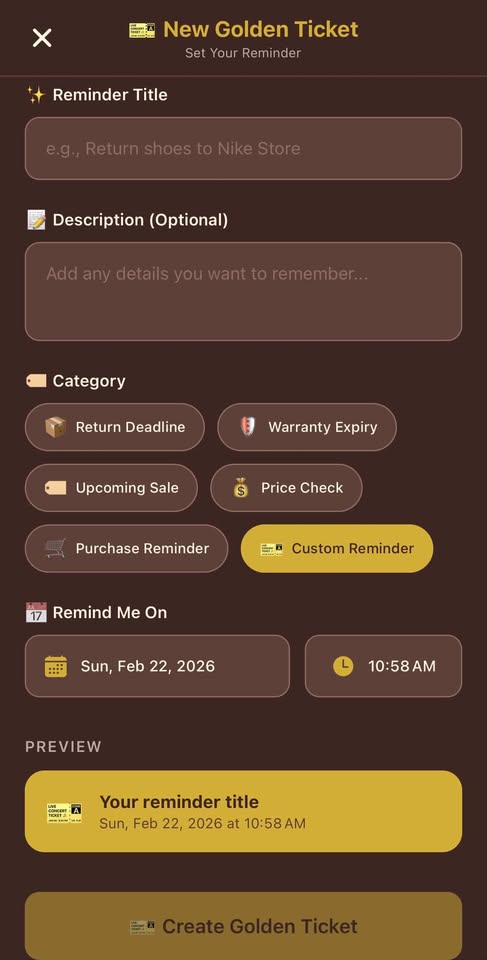
New Golden Ticket Feature
-
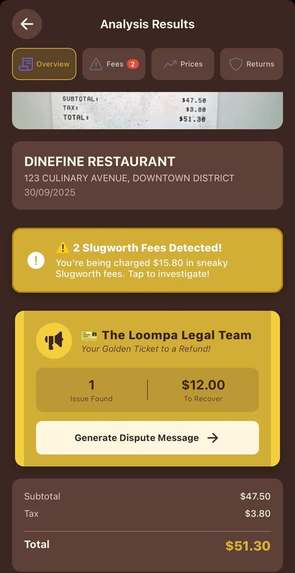
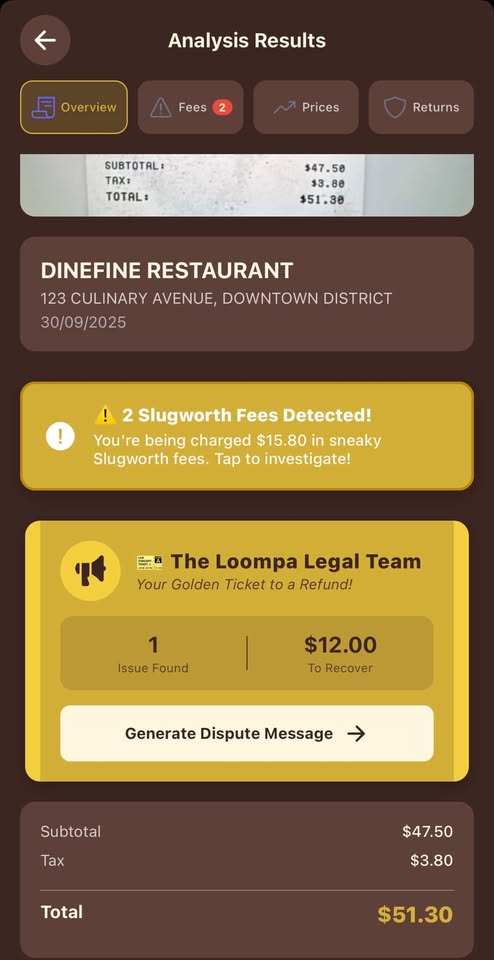
Analysis Results Overview Feature
-
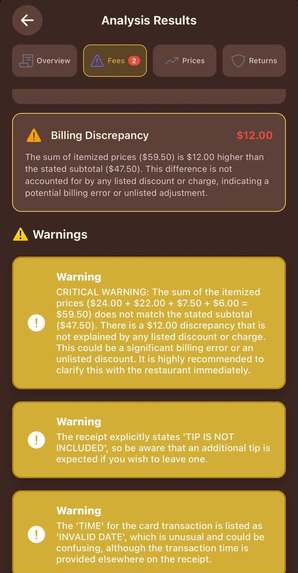
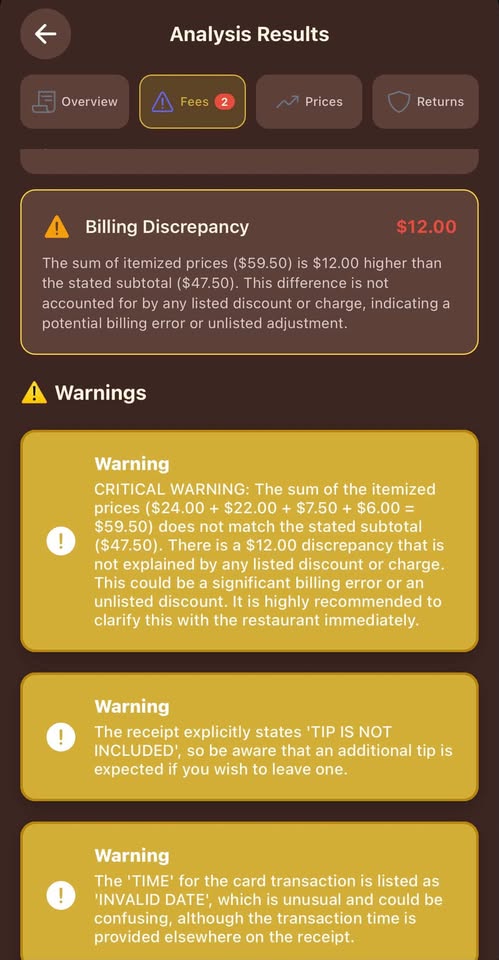
Analysis Results Fee Feature
-
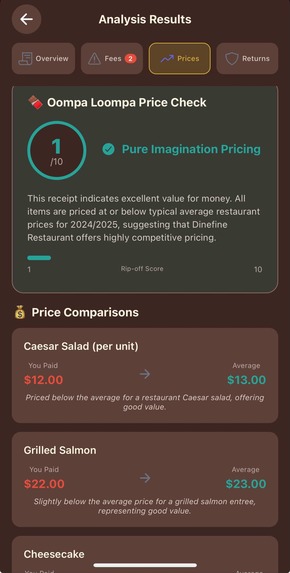
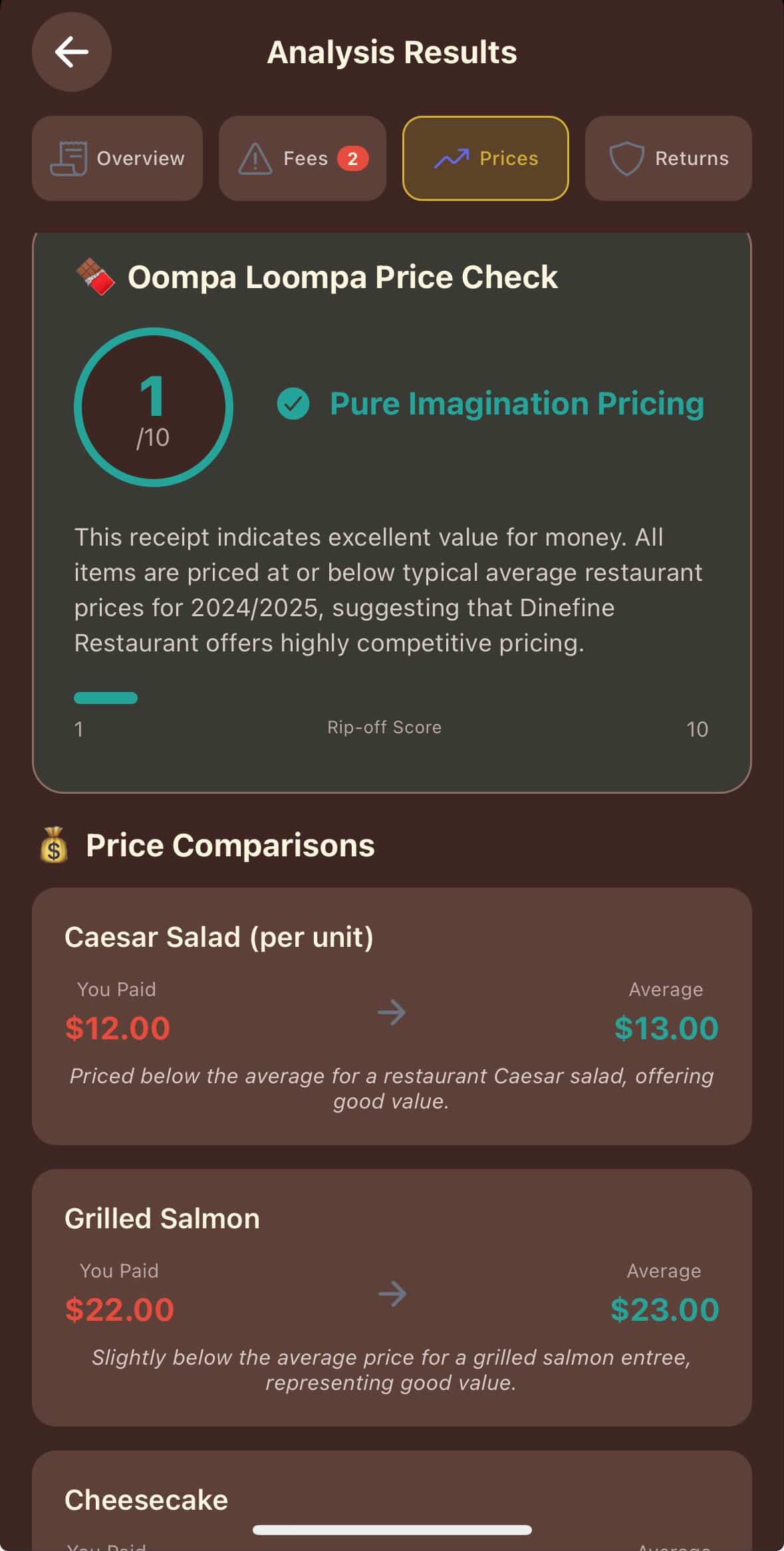
Prices/Oompa Loompa Price Check Feature
-
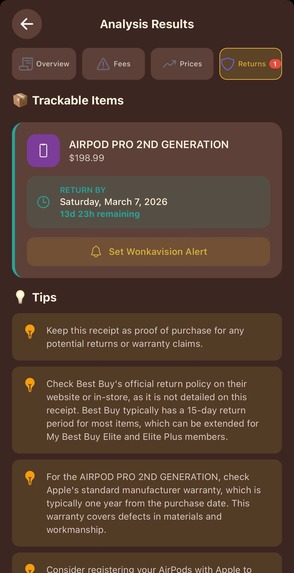
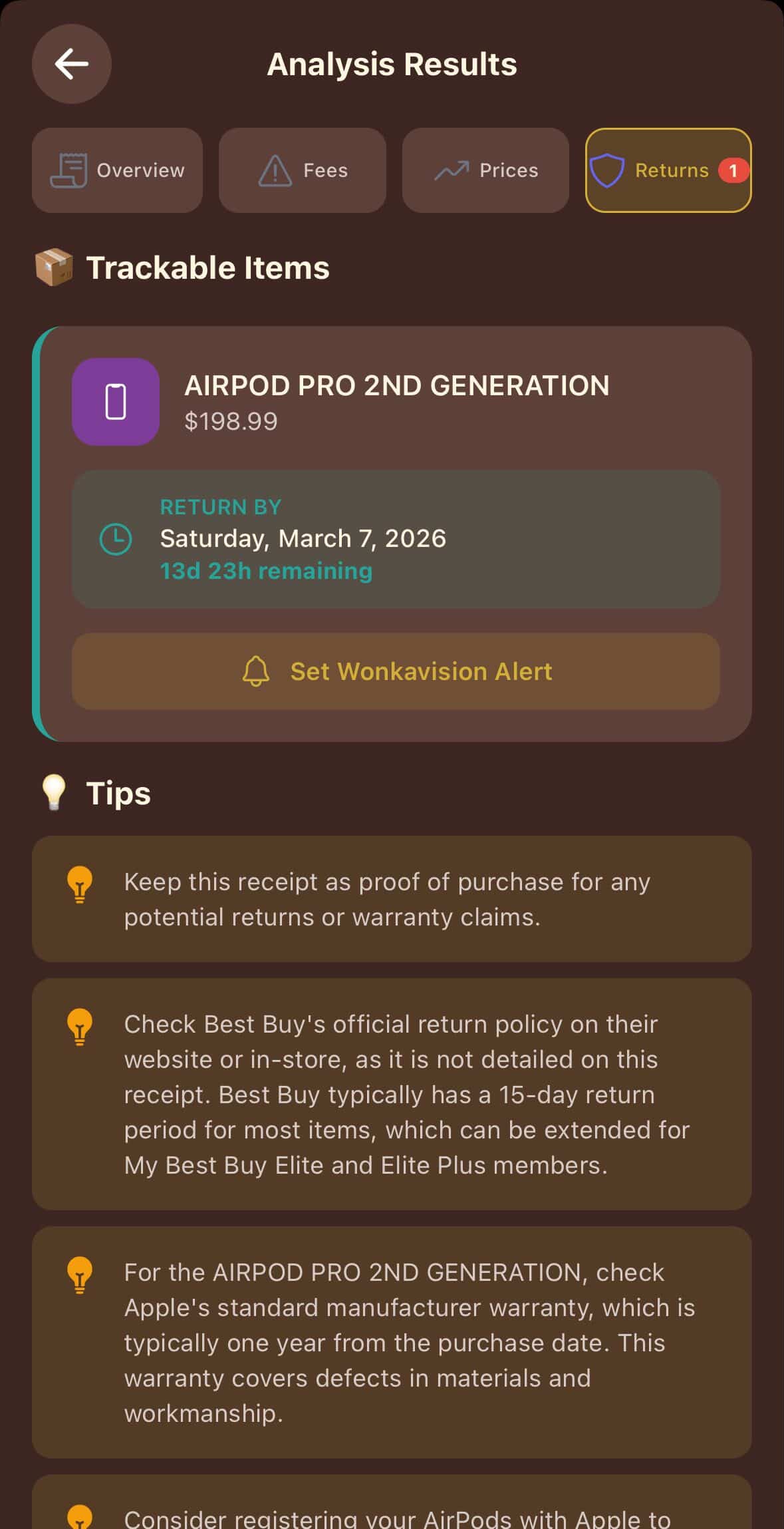
Returns Feature
-
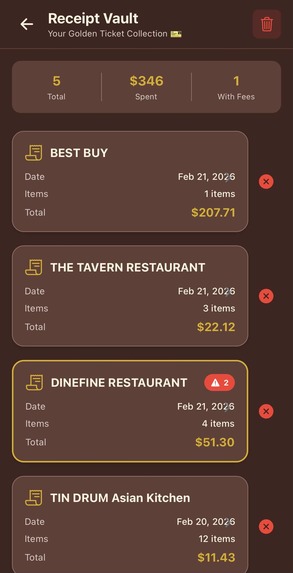
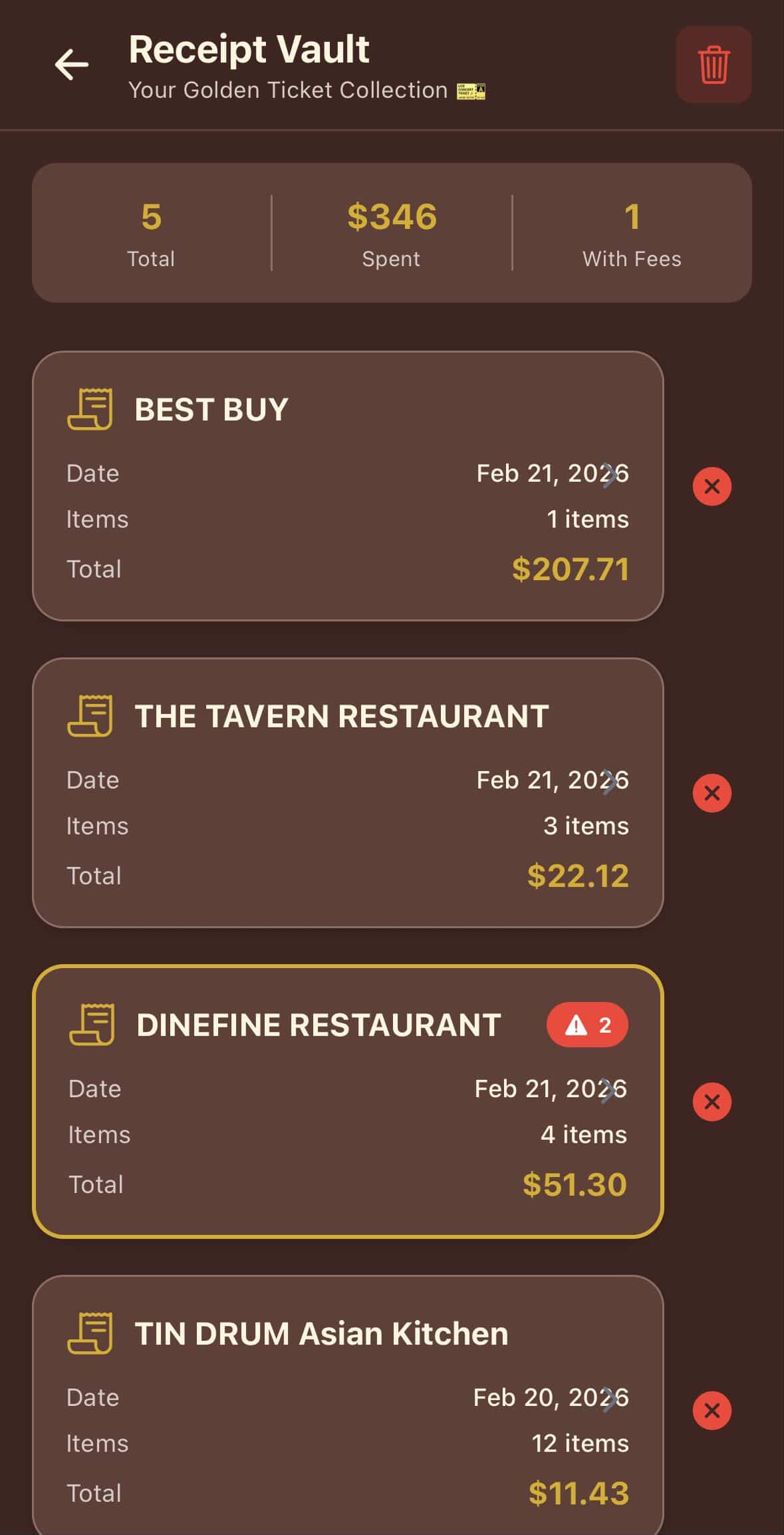
Receipt Vault Feature
-
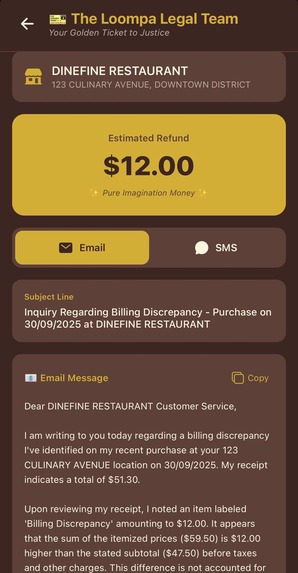
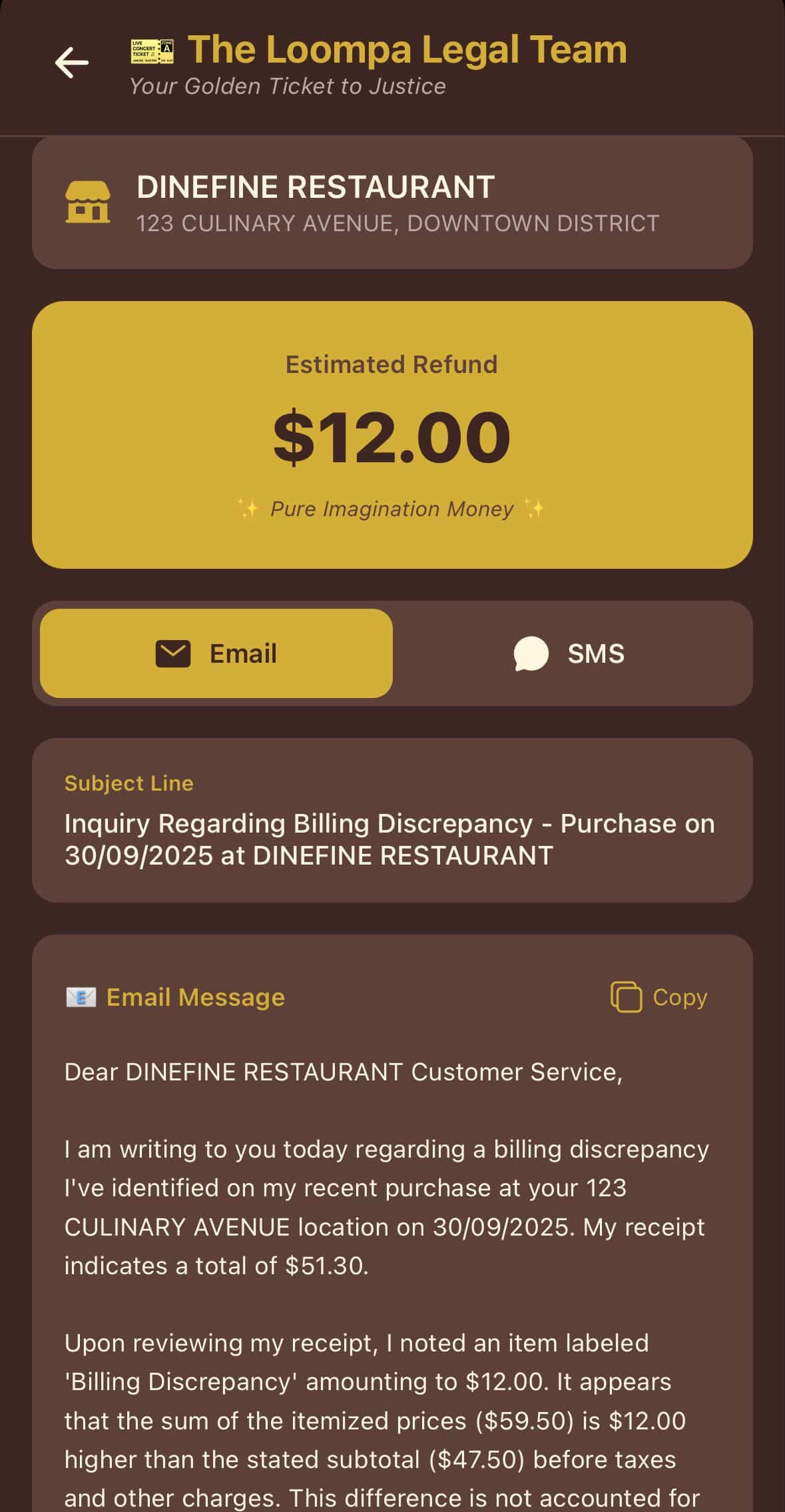
The Loompa Legal Team Feature
-
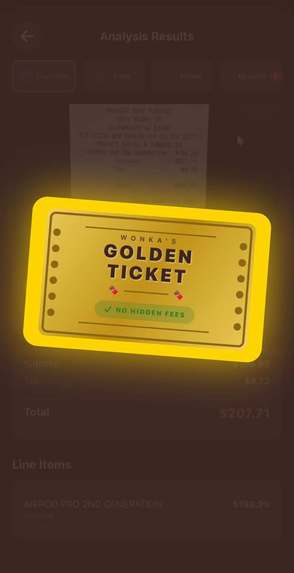
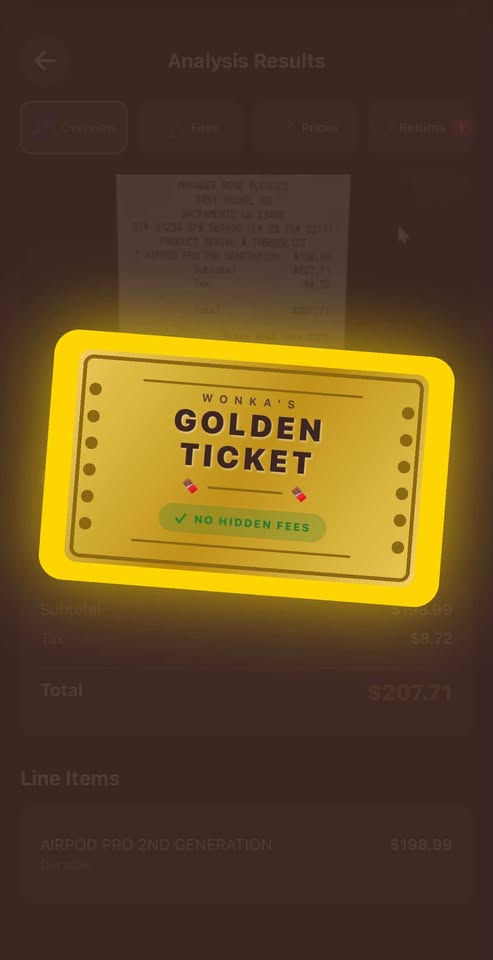
Golden Ticket Animation
-

App Icon

Receipt Factory 🏭🎫📖
The Story Behind the Factory
What Inspired Us
The initial spark for Receipt Factory came from the recent Ashley Furniture class action lawsuit, which highlighted widespread issues with misleading customer receipts and deceptive pricing practices. It made us realize a fundamental truth: consumers are constantly exposed to pricing models designed to obscure the true cost of their purchases.
Hidden fees, undisclosed service charges, and confusing "original" price references cost everyday people millions of dollars annually. While federal and state consumer protection laws exist, the average shopper lacks the tools to enforce them at the checkout counter.
Standard banking and receipt-tracking apps only care about the total amount spent, ignoring the how and why behind that number. We wanted to build an app that acts as a personal consumer advocate—giving people access to current market trends, catching sneaky fees, and tracking important return windows in a world where our phones are already too cluttered for us to remember everything manually.
How We Built It
We started with the Expo Documentation to quickly scaffold the React Native mobile app and establish a clean, cross-platform foundation.
Working in Visual Studio Code, we integrated Google's Gemini 2.5 Flash vision capabilities via Google AI Studio to handle the heavy lifting of reading and logically auditing receipts.
For the backend, we utilized Firebase:
- Set up authentication to securely manage users
- Implemented Firestore and Firebase Storage
- Created the "Receipt Vault" for seamless receipt storage and retrieval
Challenges We Faced
React Native Polyfill Issues
Using standard Node.js AI SDKs in React Native often leads to complex polyfill errors. We bypassed this by implementing direct REST API fetch calls to the Gemini endpoints, ensuring a lightweight and bug-free connection.
Forcing Structured Outputs
LLMs naturally want to return conversational text, but Receipt Factory needs precise data.
We engineered the prompts and utilized:
responseMimeType: "application/json"
This forced Gemini to return strict JSON schemas that the app's UI could reliably render.
Complex Proportional Math (Fizzy Split)
Building the Fizzy Split feature required translating natural language into strict mathematical logic.
If someone orders only an appetizer, they shouldn’t pay an equal fraction of the tax and tip generated by someone else’s expensive cocktail.
For an individual \( i \) with personal items totaling \( S_i \), against a total receipt subtotal of \( \sum_{j=1}^{n} S_j \), the final amount owed \( O_i \) (including total tax and tip \( T \)) is:
$$ O_i = S_i + \left( T \times \frac{S_i}{\sum_{j=1}^{n} S_j} \right) $$
What We Learned
Building Receipt Factory was a crash course in integrating multimodal AI into consumer tech.
We moved beyond basic OCR (Optical Character Recognition) to true vision reasoning, where the AI doesn’t just read text but understands context—like distinguishing a consumable from a durable good.
We also deepened our understanding of:
- Mobile state management
- Camera permissions
- Local device notifications using Expo
🏭 Why Receipt Factory Matters
Consumers are increasingly exposed to pricing practices that obscure true costs. Hidden or undisclosed fees—charges not clearly revealed before purchase—are a recognized issue under consumer protection law.
Standard banking and receipt apps focus only on transaction totals, not how those totals were generated.
Receipt Factory changes that.
Instead of just logging totals, it uses advanced AI to analyze every line item and highlight potential issues standard tools miss.
With Receipt Factory, consumers can:
- Detect pricing inconsistencies and hidden fees
- Track returns, warranties, and purchase terms
- Split bills fairly and transparently
- Organize receipts for dispute resolution
- Strengthen documentation for consumer inquiries
By bringing transparency to the checkout level, Receipt Factory empowers people to see exactly where their money goes—and act confidently when something doesn’t add up.
✨ Features
- 🔍 Golden Scan – Detects hidden fees, service charges, and automatic gratuities. Shows a bold RED warning if you're about to double-tip.
- 🧑🤝🧑 Fizzy Split – Natural-language bill splitting with proportional tax and tip distribution.
- 🛡️ Oompa Loompa Price Check – Compares prices to US market averages and assigns a Rip-off Score (1–10).
- ⏰ Wonkavision – Categorizes goods and schedules push notifications 48 hours before return deadlines.
- 🏆 Golden Ticket Reminder System – Tracks warranty dates and return deadlines.
- 🏦 Receipt Vault – Secure receipt storage and organization.
- 👩⚖️ The Loompa Legal Team – Generates refund request emails/SMS automatically.
- 🪄 WonkaVision AI – Uses Google Gemini 2.5 Flash vision for receipt analysis.
- 🎫 Golden Ticket Animation – Fun animated achievements.
🚀 Getting Started
Prerequisites
- Node.js 18+
- Expo CLI
npm install -g expo-cli
- iOS Simulator / Android Emulator / Physical Device
Installation
1. Clone the Repository
git clone <repository-url>
cd Receipt-Factory
2. Install Dependencies
npm install
3. Set Up Environment Variables
Create a .env file in the root directory:
EXPO_PUBLIC_FIREBASE_API_KEY=your_firebase_api_key
EXPO_PUBLIC_GEMINI_API_KEY=your_gemini_api_key
4. Start the Development Server
npx expo start
5. Run on Your Device
- Scan QR code with Expo Go
- Press
afor Android emulator - Press
ifor iOS simulator
📁 Project Structure
Receipt-Factory/
├── app/
│   ├── (tabs)/
│   │   ├── index.tsx
│   │   ├── scan.tsx
│   │   ├── split.tsx
│   │   └── alerts.tsx
│   ├── results.tsx
│   └── _layout.tsx
├── src/
│   ├── components/
│   ├── services/
│   │   ├── firebaseSetup.ts
│   │   └── geminiVision.ts
│   └── utils/
│       ├── mathSplits.ts
│       ├── dateFormatting.ts
│       └── notifications.ts
└── .env
🛠 Tech Stack
- Framework: React Native with Expo
- Navigation: Expo Router
- Camera: expo-camera
- Notifications: expo-notifications
- Backend: Firebase (Auth, Firestore, Storage)
- AI Engine: Google Gemini 2.5 Flash
🤖 Gemini API Integration Note
All AI calls use direct REST fetch to avoid Node polyfill issues:
const response = await fetch(
  `${GEMINI_API_URL}?key=${GEMINI_API_KEY}`,
  {
    method: 'POST',
    headers: { 'Content-Type': 'application/json' },
    body: JSON.stringify({
      contents: [{ parts: [{ inline_data: { ... } }, { text: prompt }] }],
      generationConfig: { responseMimeType: 'application/json' }
    })
  }
);
🔒 Privacy
Receipt Factory analyzes receipts using cloud AI but never stores financial data externally without consent.
All notification scheduling happens locally on-device.
Built With
- android
- expo-camera
- expo-notifications
- expo-router
- expodocumentation
- expogo
- firebase
- gemini
- github
- google-gemini-2.5-flash
- googleaistudio
- ios
- native-device-features
- node.js
- npm
- react-native
- visual-studio


Log in or sign up for Devpost to join the conversation.