-
-
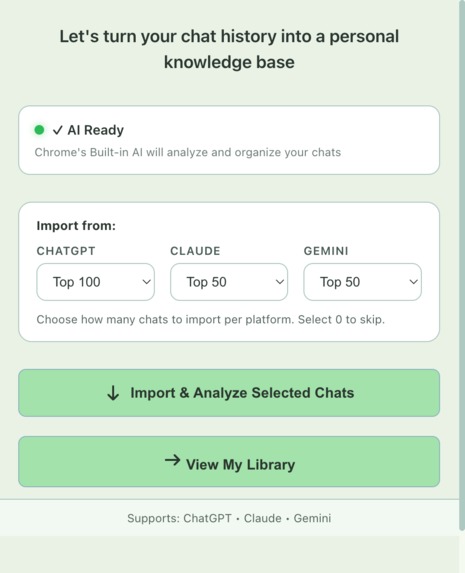
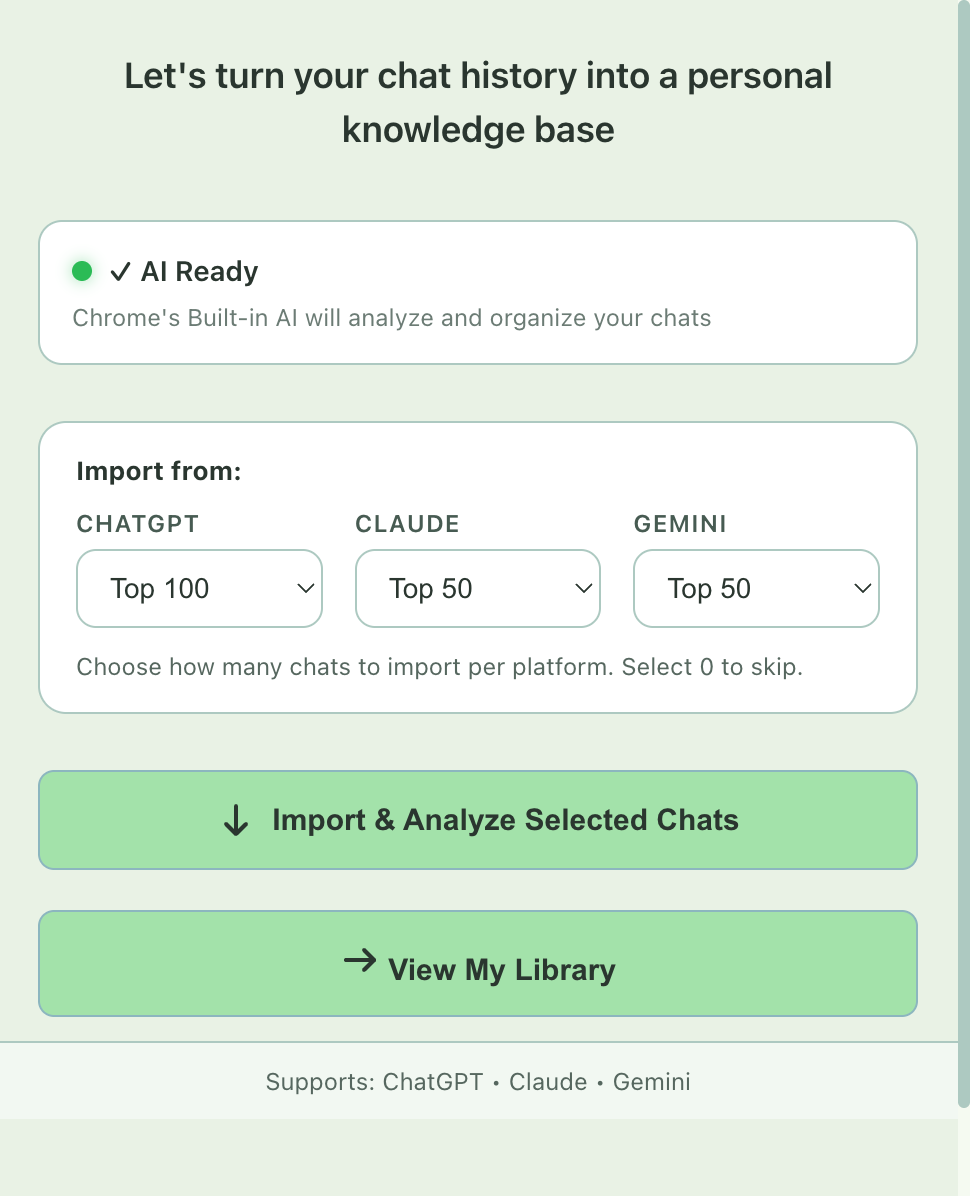
Import Screen: Sign-In to ChatGPT/Gemini/Claude and click the import button
-
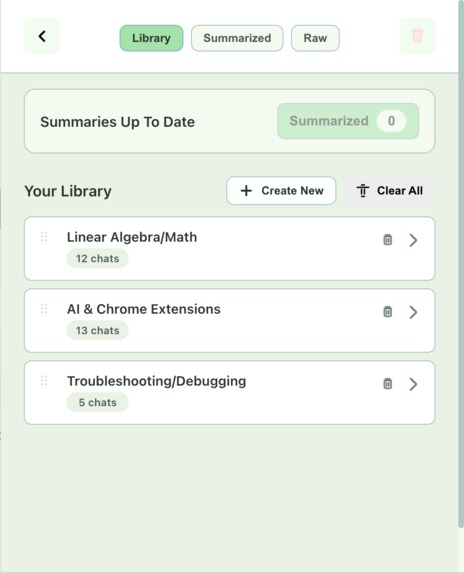
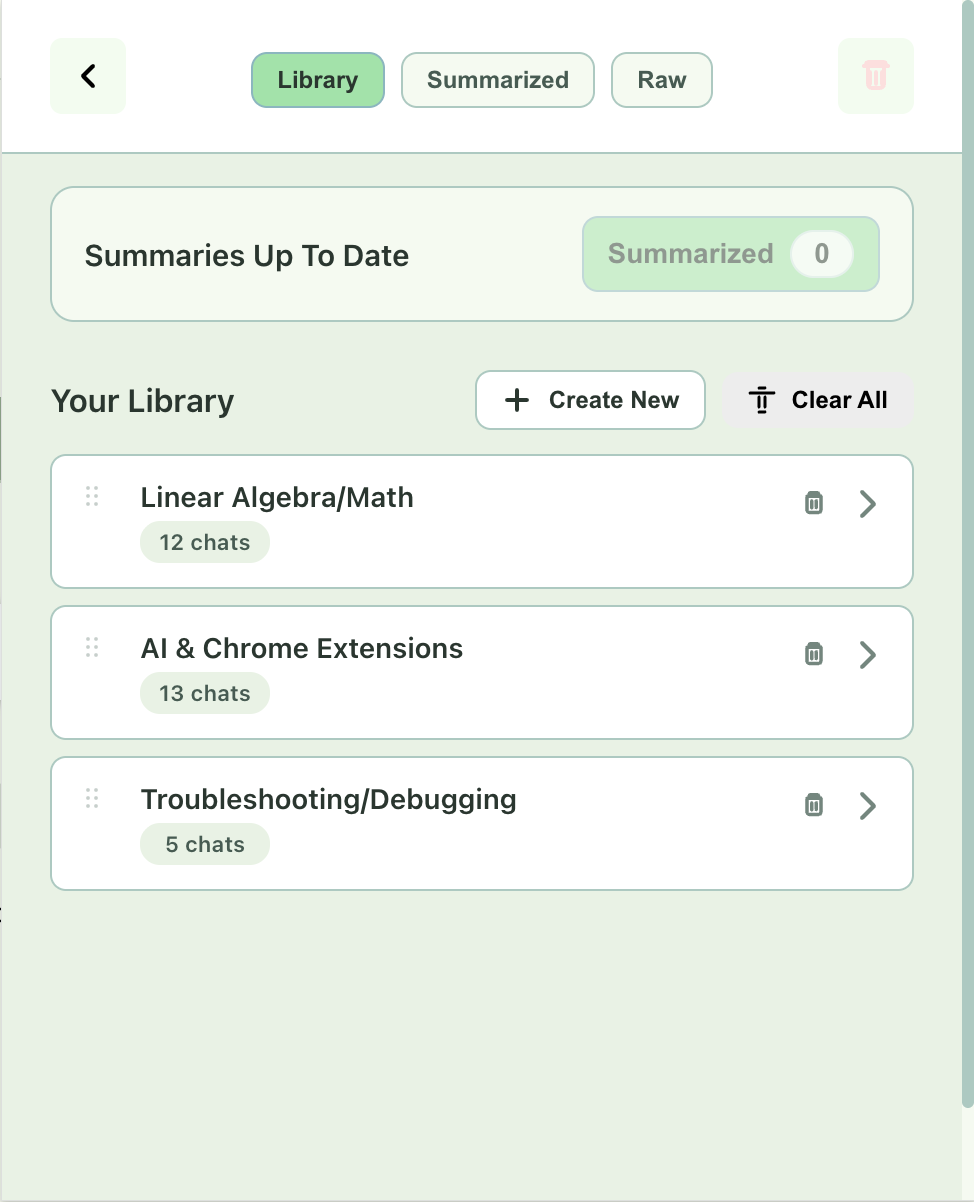
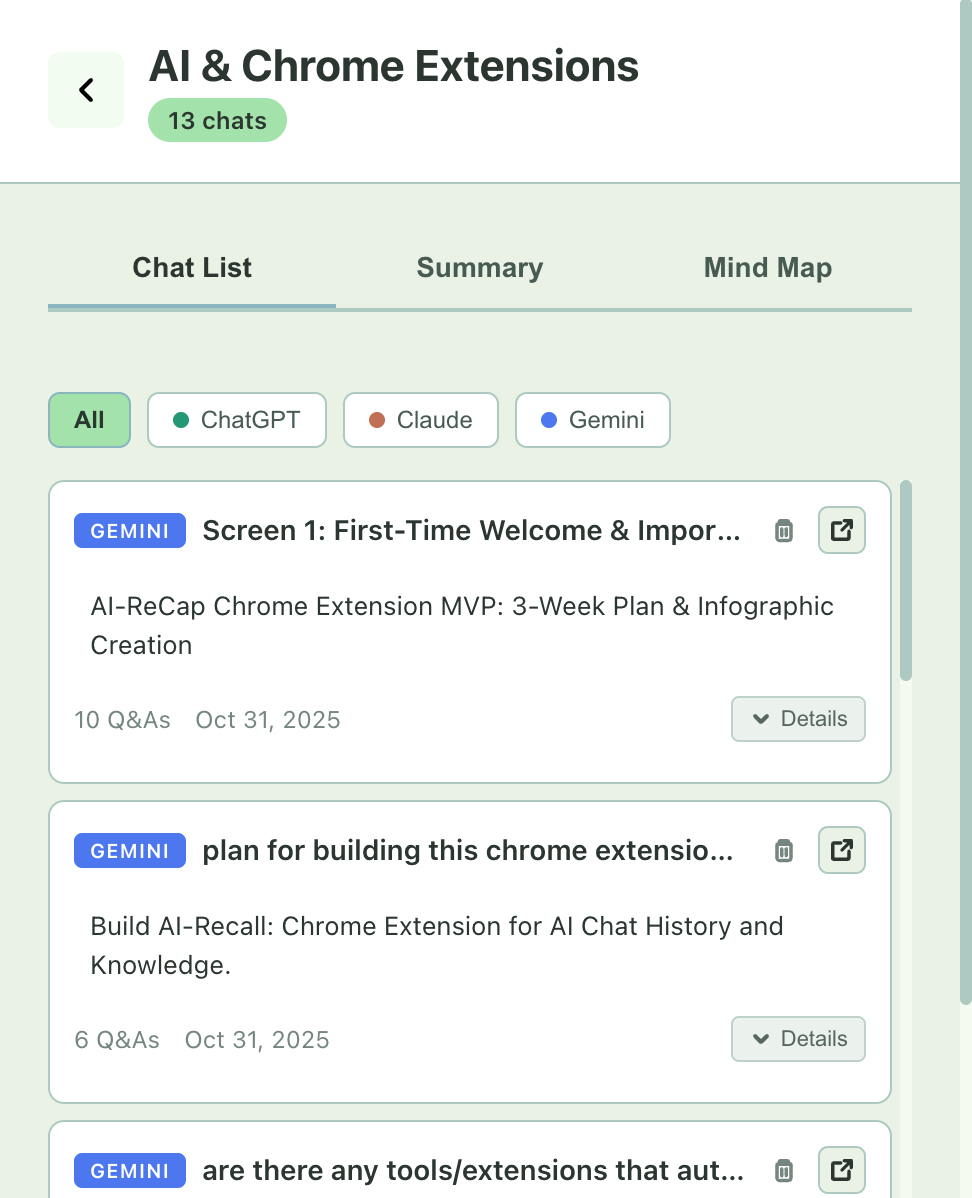
Library Screen: After import, click summarization button to summarize all chats using summarizer api to get an overview of the chats
-
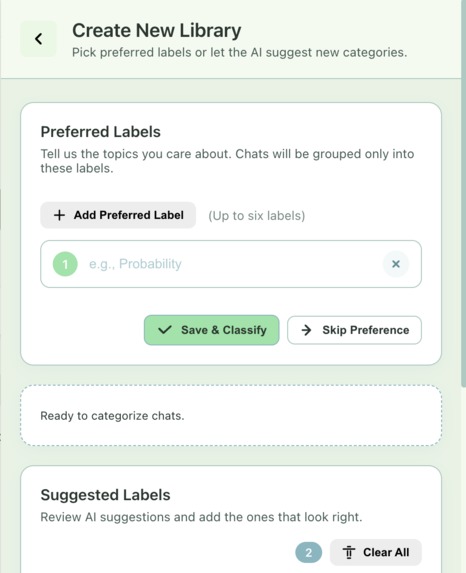
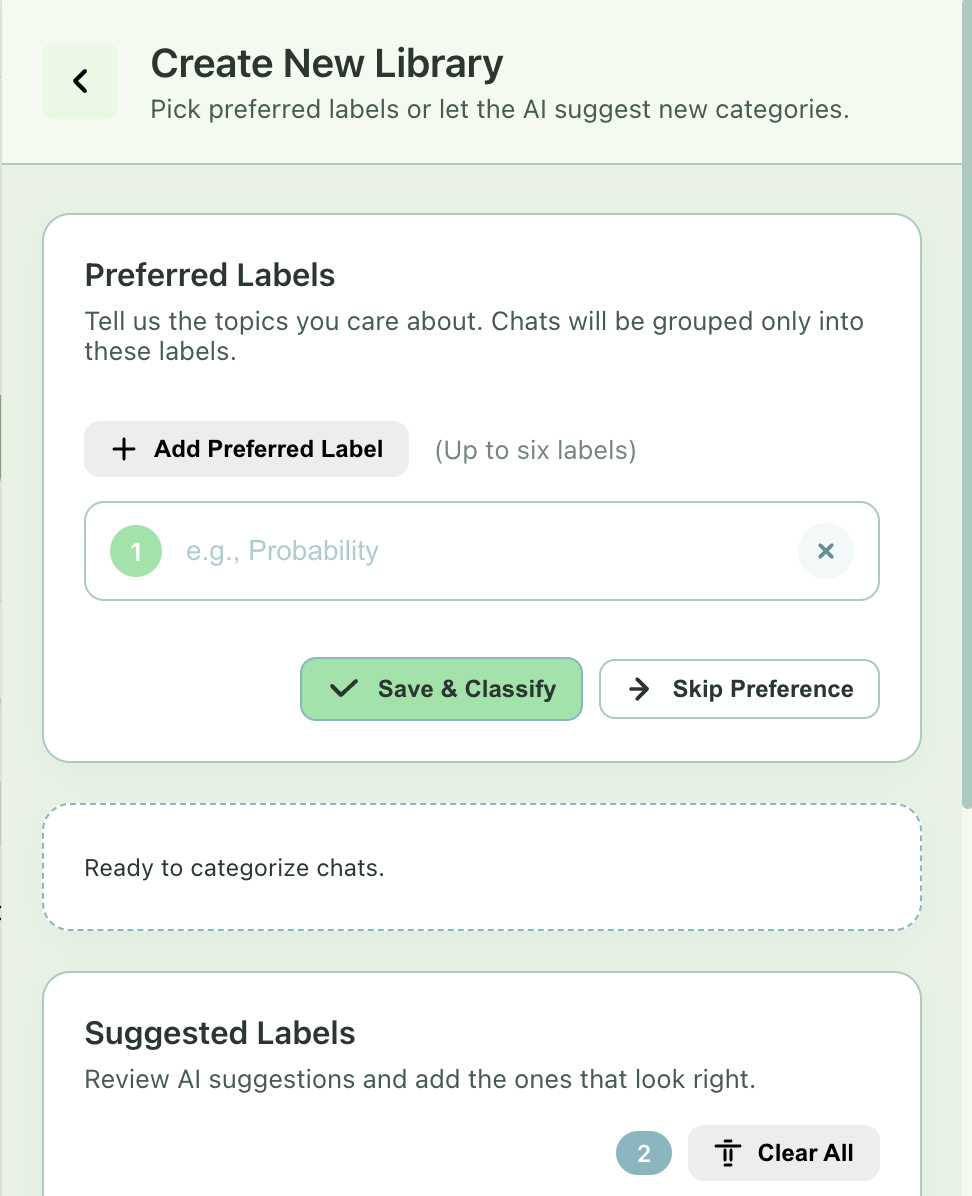
Label Creation Screen: Click "Create New" on import page to create new labels (either chosen label or letting AI to create new labels)
-
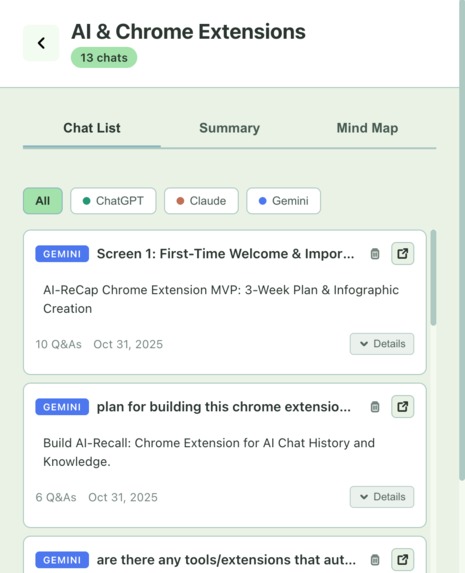
Label Screen (Chat view): After accepting labels on label creation screen, go to a label and it shows the chat lists as default
-
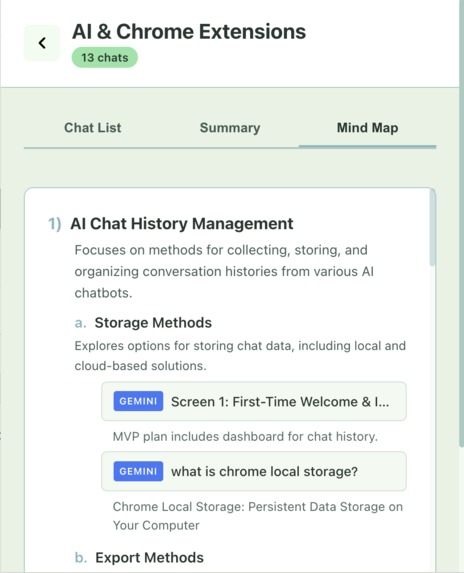
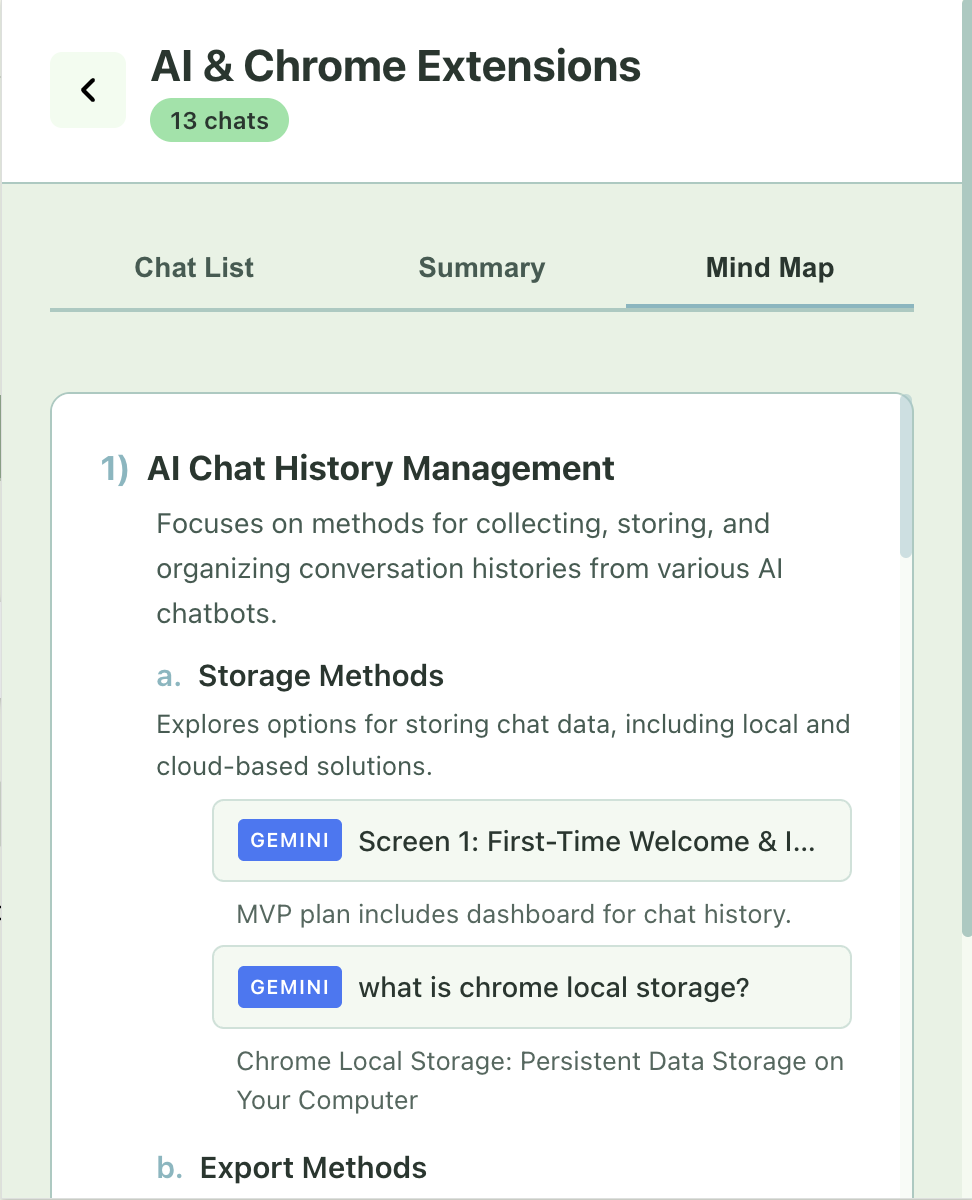
Label Screen (Mindmap view): Click "generate mindmap" in mindmap view. It will show a hierarchal mindmap with original chat links
Inspiration
We interact with LLMs daily, but these valuable conversations are often ephemeral and left unvisited. Many chats contain complex information that isn't fully understood in the moment.
We saw an opportunity to change this. We envisioned a personal knowledge hub that imports chats from services like Gemini, ChatGPT, and Claude. The goal is to transform these transient conversations into a structured, reviewable knowledge base, allowing users to revisit, recap, and truly learn from their AI interactions.
What It Does
AI-Recap is a Chrome extension designed to capture and synthesize your AI chat history.
- Imports Chats: It seamlessly imports your conversations from Gemini, ChatGPT, and Claude.
- Summarizes & Labels: Using Chrome's built-in AI, the extension summarizes entire conversations and automatically labels them thematically (e.g., "Python Programming," "Marketing Strategy").
- Creates a Knowledge Hub: It synthesizes this information into interactive learning tools. The primary feature is a dynamic mind map that visually organizes the concepts from your chats, helping you understand the connections between topics and relearn key information.
How We Built It
Our process focused on breaking down chats into digestible pieces of knowledge:
- Initial Summarization: We first use a summarizer API to condense each individual message pair (a user's question and the AI's answer).
- Headline Generation: These "message pair summaries" are then used to generate a concise headline for the entire chat.
- Thematic Labeling: We process these summaries and headlines and feed them to another prompt API to generate relevant labels for each conversation.
- Knowledge Hub Curation: Within a specific label (e.g., "Linear Algebra"), we reuse all the associated message pair summaries and headlines to build a dedicated knowledge page. This page features a generated mind map that helps users visualize the relationships between different pieces of information, making it easier to review and understand the topic.
Tech Stack
- Languages: CSS, JavaScript
- Core Technique: DOM scraping to import chat data directly from the LLM web interfaces.
- Storage: Chrome's local storage is used to store all imported chats, summaries, and labels directly on the user's machine.
Known Limitations
- Same Google Account: Import only works under the same Google account used for the chats.
- Active Window Needed: The chat page must remain open and visible during import; switching tabs will pause the process.
- ChatGPT Cap: Only ~28 chats load if you are not actively on the page. To import more, you must have the popup open on the ChatGPT tab.
- Claude Limit: Only the first 30 conversations can be scraped due to pagination issues.
- No File Summaries: Uploaded files or attachments are not processed.
- No Incremental Sync: The current scraper does not track timestamps or edits, so duplicates may appear on re-import.
- Manual Sync Pending: A "Re-Sync" button is planned. For now, users must re-import manually to refresh data.
Challenges We Ran Into
- Context Quotas: Due to limited API context quotas, we could not feed an entire chat into the prompt. We had to use a summarizer first, which sometimes resulted in a loss of detail and accuracy.
- Label Generation: The label generator sometimes miscategorized conversations. Our solution was to add more restrictions, but this significantly increased compute time and reduced the number of general conversations added to the library.
- Scraping Speed & Limits: Importing via DOM scraping is slow. Gemini also has anti-scraping mechanisms that limit the total number of imports.
- DOM Parsing: Claude’s DOM structure does not clearly differentiate between user and AI messages, making it difficult to correctly pair questions and answers.
Accomplishments That We're Proud Of
- Creating a functional library system that effectively classifies chats and allows users to navigate their knowledge base.
- Building a client-side solution that ensures portability and protects user privacy by storing all data locally.
- Using AI (summarization, labeling) to meaningfully enhance the user experience of other AI tools.
What We Learned
- Chrome extension development
- DOM scraping and parsing techniques
- UI/UX design and development
- API tuning and prompt engineering
What's Next for ReCap
- Generate interactive, hierarchical mind maps where each end node links back to the original chat conversation.
- Improve the DOM scraper, with the long-term goal of replacing it with official APIs where available.
- Add export options, allowing users to export their chats, summaries, or mind maps.
Built With
- css
- javascript
- prompt
- summarizer


Log in or sign up for Devpost to join the conversation.