-
-
Splash screen
-
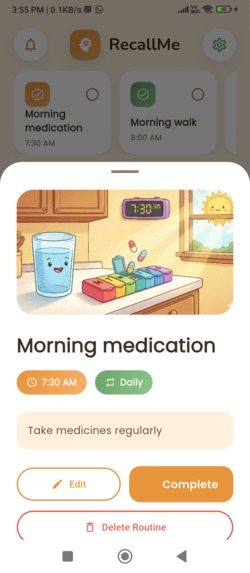
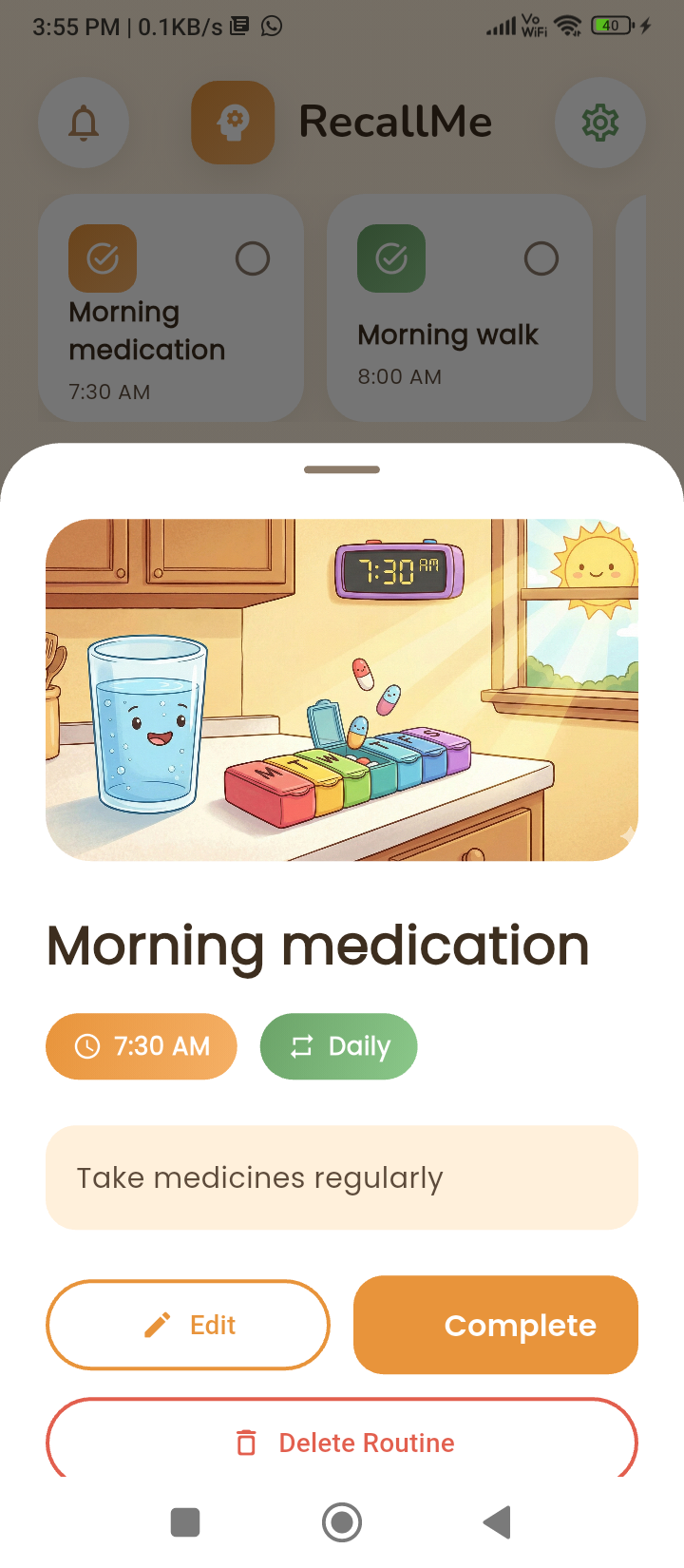
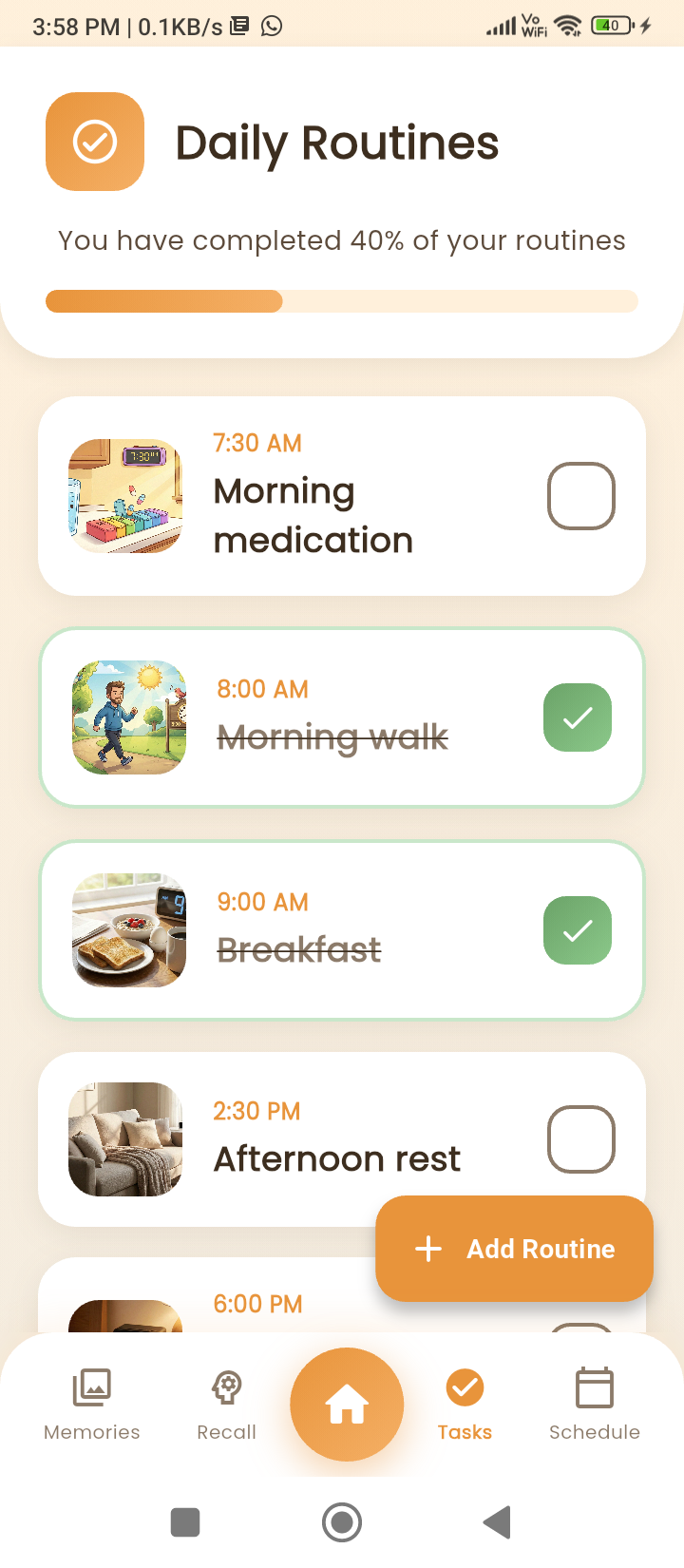
Daily routine
-
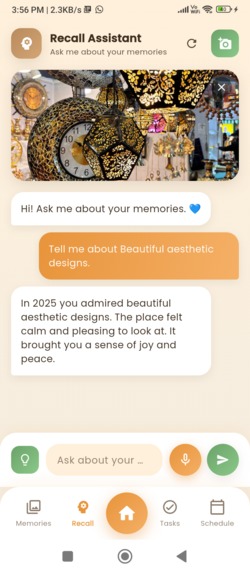
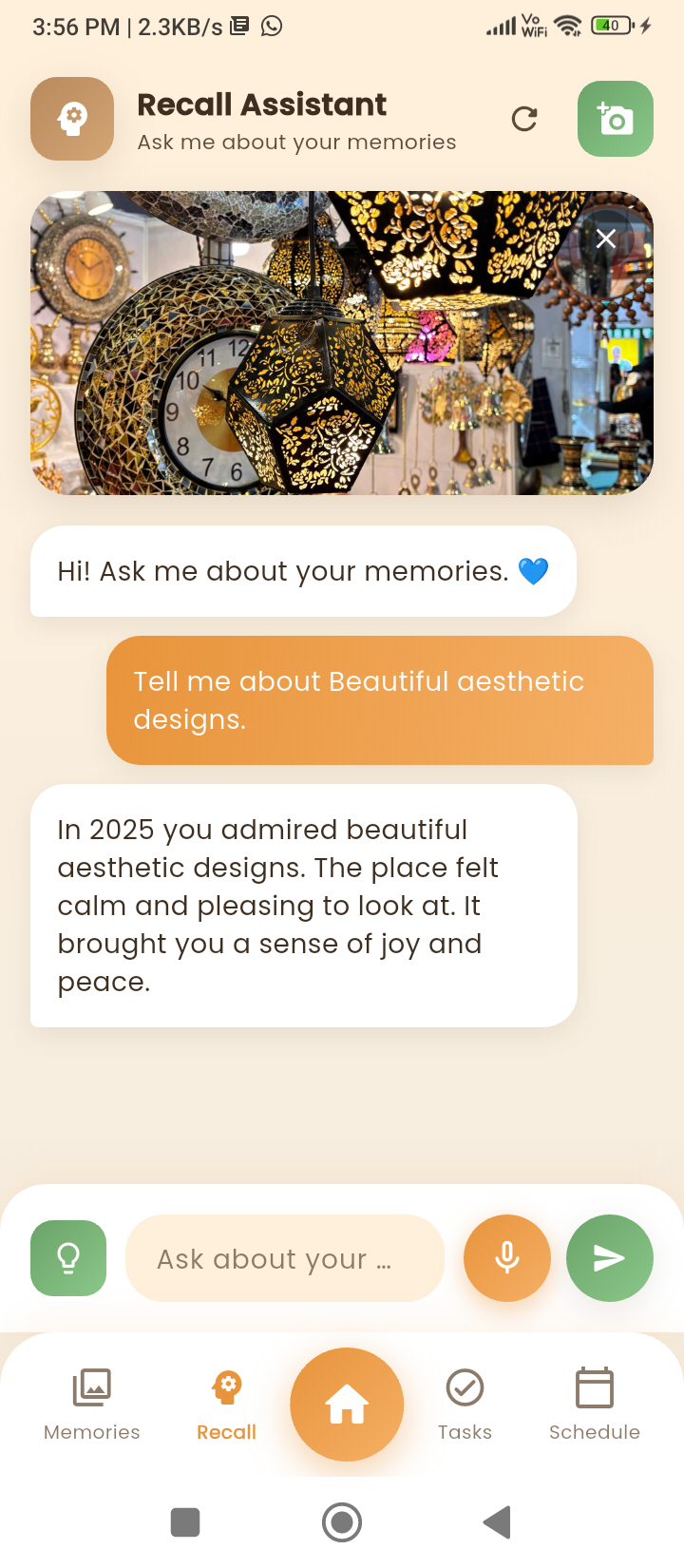
Recall me memory glimpse
-
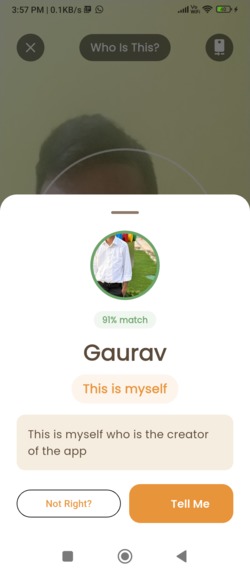
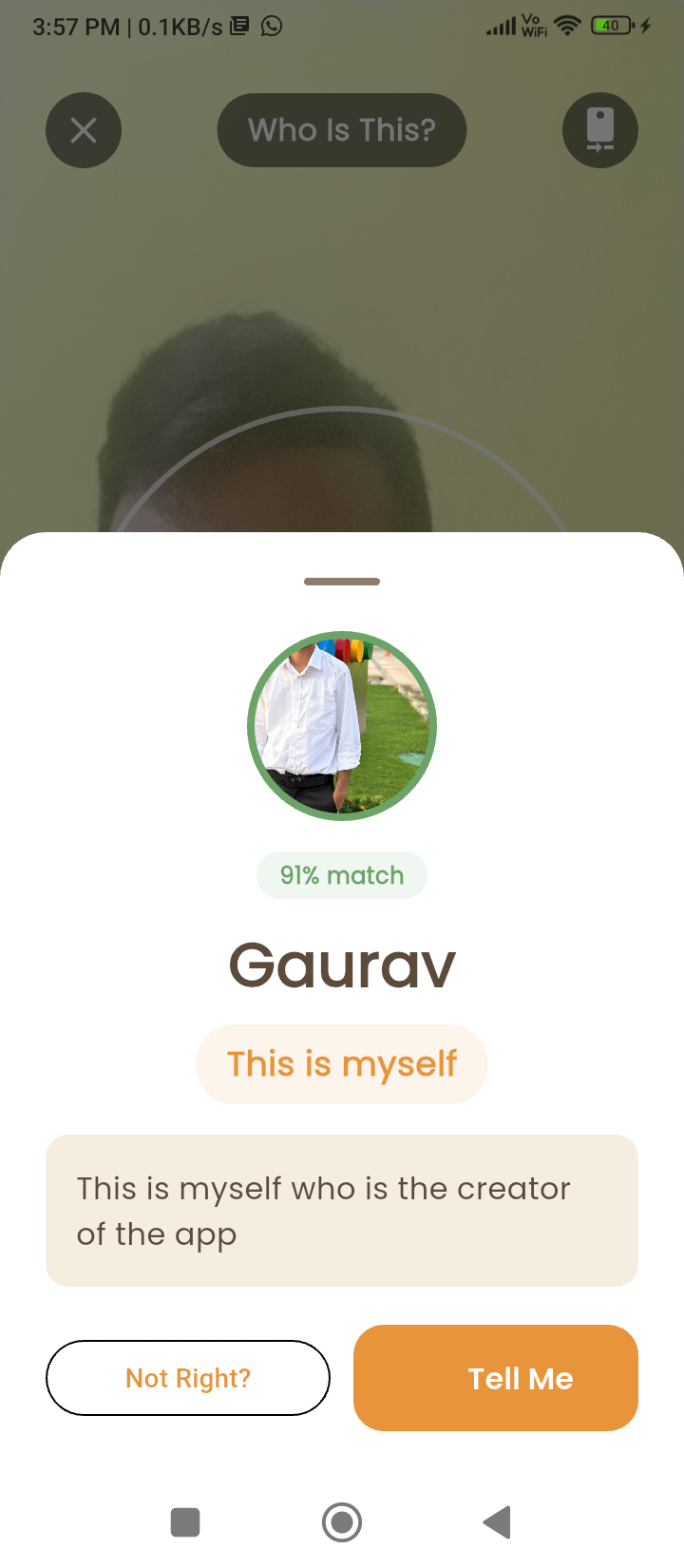
Face and person recognition
-
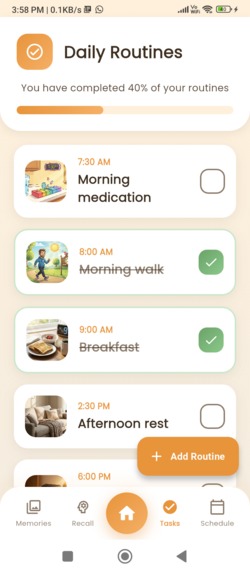
Daily routine
-
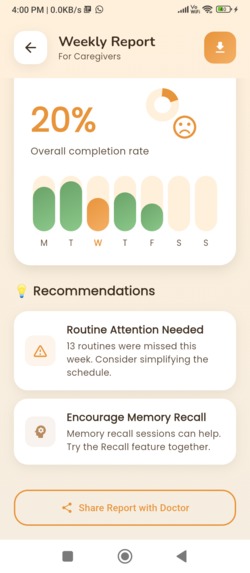
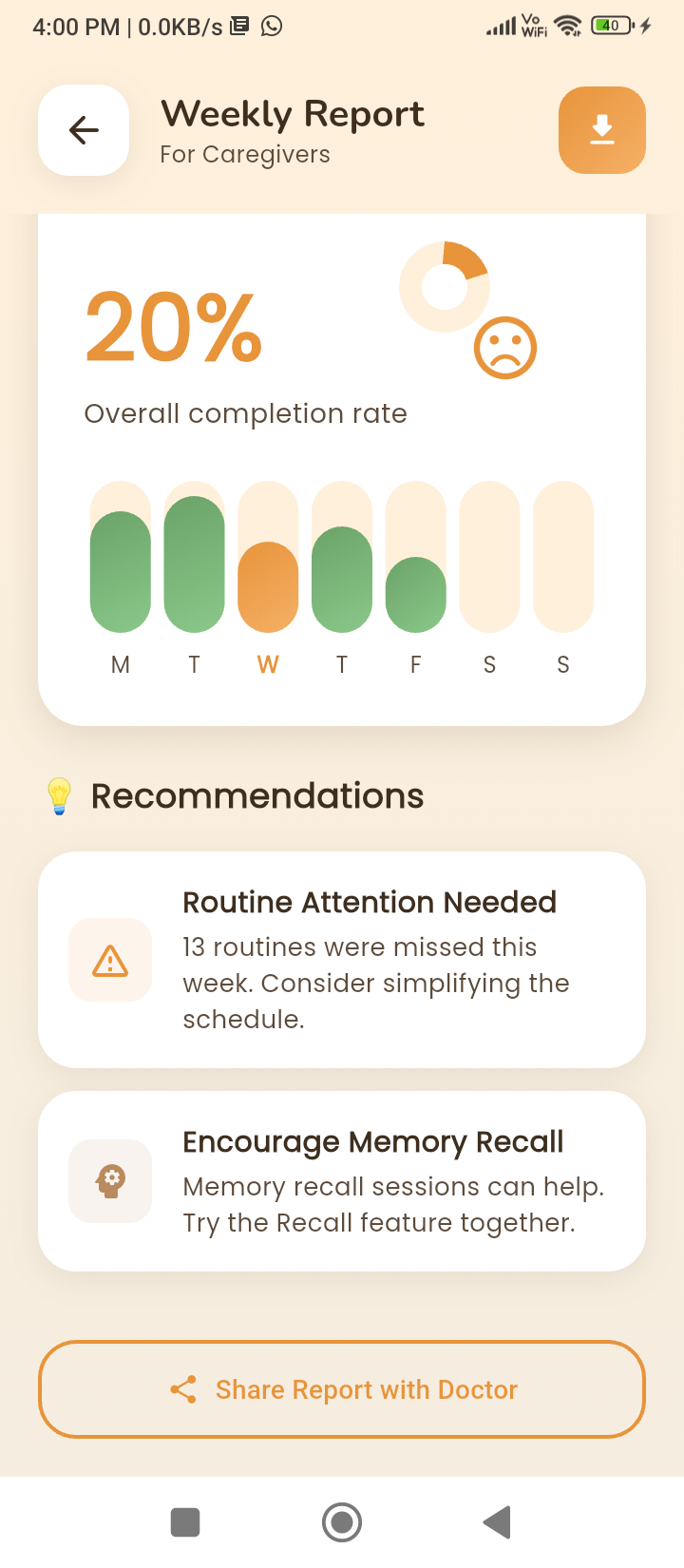
Weekly report
-
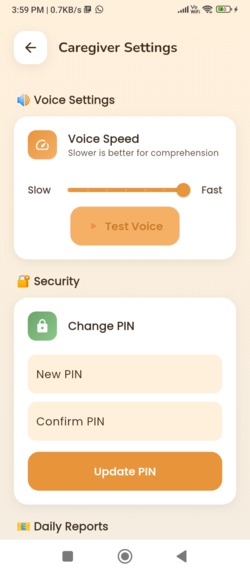
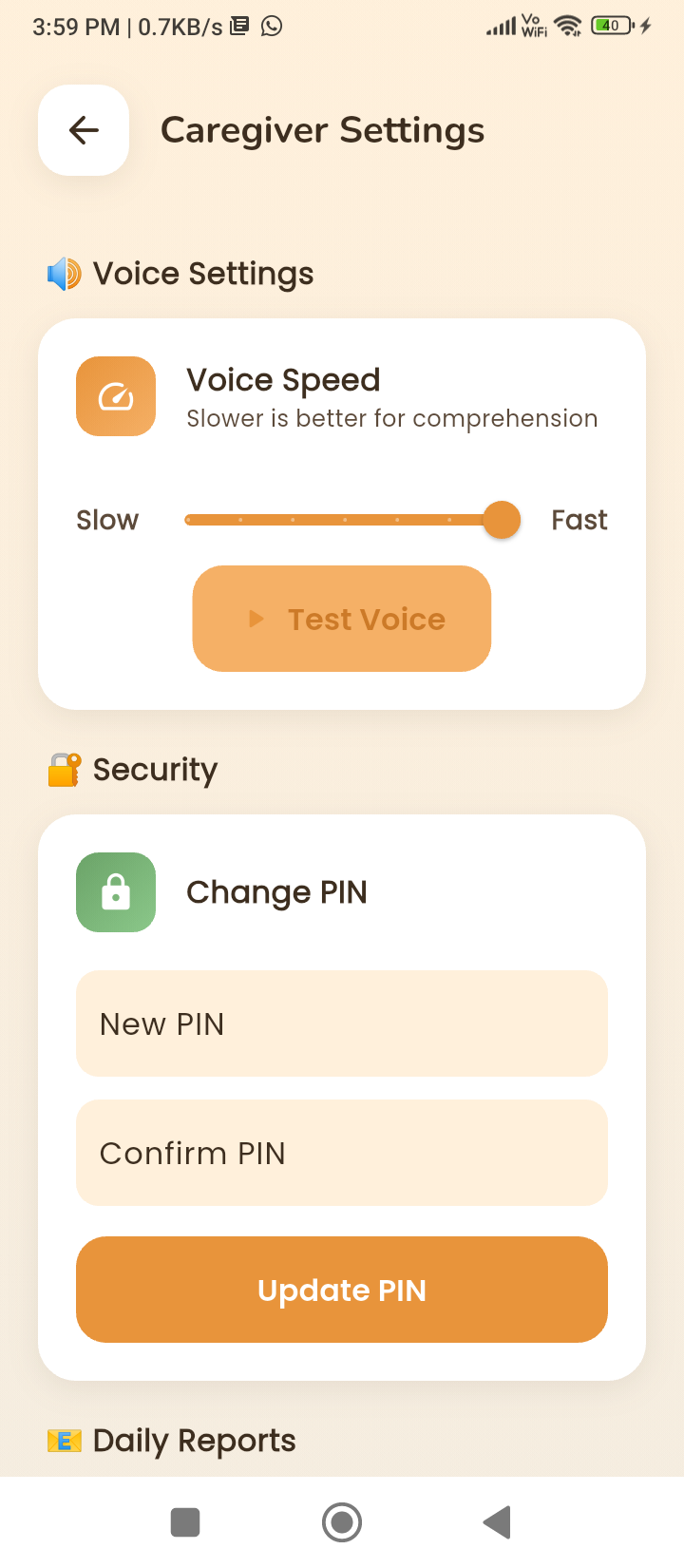
Caregiver settings
Inspiration
Working with caregivers and families of people with dementia, we saw the same pain points repeat:
loved ones not being recognized, important routines being forgotten, and overwhelming caregiver burnout.
Existing apps were either too simple (just reminders) or too risky (cloud-based photo uploads, privacy issues).
We wanted to explore a harder, more interesting question:
How far can we push on-device AI on an Arm phone to actually help with day-to-day dementia care?
That challenge combining real impact, strict privacy, and constrained mobile hardware became the core inspiration for RecallMe.
What it does
RecallMe is an on-device AI companion for dementia support that runs entirely on an Arm-based Android device.
At a high level, it:
1. Recognizes familiar faces using the camera
Shows:
- Who the person is (name, relation)
- A confidence percentage
- A short, friendly spoken description
2. Helps recall memories
- Stores photos as “memories” with metadata (year, people, memory word)
- Lets users ask: “Tell me about this picture”
- Responds in short, simple, spoken sentences
3. Manages daily routines
- Scheduling (once/daily/twice-daily/weekly/custom)
- Smart notifications at the right times
- Weekly reports and completion tracking
4. Works offline and keeps data private
- Photos, embeddings, and memory data never leave the device
- All recognition and most logic run locally on the Arm CPU/GPU
How we built it
RecallMe is designed as a layered system: Flutter UI + native Android ML core.
Architecture overview (high level)
UI & State Management
- Flutter
providerfor global app state- Screens: Home, Memories, Recall, Face Recognition, Schedule, Weekly Records
Data Layer
hivelocal NoSQL storage:
Person,Memory,Routine,CaregiverReport,ConversationLogflutter_secure_storagefor sensitive keys (PIN, Azure API keys)
AI & ML Layer
- Face detection: Google ML Kit (on-device, Arm-optimized)
- Embedding generation: custom Kotlin code in
MainActivity.kt - Similarity search: cosine similarity in Dart (256-D vectors)
- LLM integration: Azure OpenAI (optional, with strict system prompts)
Speech
- STT:
speech_to_text - TTS: native Android
TextToSpeechvia MethodChannel
Face recognition pipeline (implementation details)
Capture frame
- Using the Flutter
camerapackage - Dedicated screen:
who_is_this_screen.dart
Face detection (ML Kit)
- Image bytes passed into
FaceRecognitionService - Fully on-device with TensorFlow Lite (Arm-optimized)
Embedding extraction (Kotlin, on-device)
In generateSimpleEmbedding(...), we:
- Decode face region into a Bitmap
- Compute features:
- Color histograms (R, G, B, grayscale)
- 8×8 spatial intensity grid
- Gradient features (eyes, nose, mouth)
- LBP histogram
- Quadrant intensity averages
- Color histograms (R, G, B, grayscale)
- Concatenate + normalize into a 256-dimensional vector
- Use NEON-friendly loops for Arm performance
Matching (Dart)
We compute cosine similarity:
\( \text{sim}(a,b) = \frac{a \cdot b}{|a|\;|b|} \)
- Tuned threshold: ≈ 0.45
- Return highest-scoring person with similarity %
Result UI & TTS
- Show: photo, name, relation, “XX% match”
- Speak a short description
Memory Recall Assistant
On the Recall screen:
- Load all
Memoryobjects - Construct prompts with:
- Memory name
- Year
- People’s names
- Memory word
- Last few conversation turns
- Memory name
- Strict dementia-friendly system prompt:
- Short responses (2–3 sentences)
- No markdown / emojis
- Only describe the selected memory
- Short responses (2–3 sentences)
Send to Azure OpenAI (optional).
Clean response → show in chat → send first 2 sentences to TTS.
Voice subsystem
STT
- Implemented with
speech_to_text SttServicehandles streaming partial/final results
TTS
Native:
- MethodChannel:
'com.recallme/tts' - In
MainActivity.kt:
- Set
Locale.US - Apply speech rate & pitch from settings
ttsService.speak(text)for output
- Set
Routine engine
- Routine times stored as minutes since midnight (int)
- Convert to DateTime (timezone-aware) using
timezonepackage - Scheduling:
flutter_local_notificationsAndroidScheduleMode.exactAllowWhileIdle
Completion updates flow to:
- Home screen
- Daily Tasks
- Schedule
- Weekly Records
Challenges we ran into
1. On-device face recognition without a big model
- No large models like FaceNet
- Built a custom classical feature-based 256D embedding
- Threshold tuning was challenging
2. Accuracy vs performance
- Too many features → slow + battery drain
- Too few → misidentification
- Needed careful feature engineering
3. TTS initialization issues
- Native TTS async behavior caused skipped speech
- Solved via deferred
onInitand caching results
4. Notification reliability
Due to Android restrictions:
- Exact alarms
- Doze mode
- Permissions:
SCHEDULE_EXACT_ALARM,POST_NOTIFICATIONS
5. Designing for dementia
- Simplified language
- Soft colors
- Gentle animations
- LLM must be strictly constrained & cleaned
Accomplishments that we're proud of
- Fully on-device face recognition on everyday Arm phones
- Production-quality UX: splash screen → routines → weekly reports
- Multi-modal AI stack:
- Computer vision
- Memory reasoning
- Speech
- Time-based logic
- Computer vision
- Privacy by design: no photo uploads, no cloud embedding storage
- Warm, dementia-friendly UX with calming palette and short responses
What we learned
On-device AI works extremely well when engineered carefully
- Classical features can outperform small neural nets in constrained environments
Latency is critical
- Elderly users need instant feedback
- UI must always acknowledge actions
Strict prompting is essential
- Prevent LLM from returning long paragraphs, markdown, emojis
Android’s power management needs respect
- Doze + exact alarms require deep understanding
Dementia UX requires empathy
- Every simplification requires deliberate design decisions
What's next for RecallMe OnDevice AI Dementia Support & Memory Assistance
1. On-device language model
- Integrate a quantized 1–3B LLM fully offline on Arm
2. Better face embeddings
- MobileFaceNet-style model (TFLite + NNAPI/GPU acceleration)
3. Caregiver portal & secure sync (optional)
- Optional web dashboard with consent-based sharing
4. Adaptive assistance
- Suggest better routine times
- Request improved training photos
- Highlight missed routines
5. Accessibility enhancements
- High-contrast mode
- Guided mode
- Multi-language STT/TTS
6. Tools for developers
- Open-source our face recognition + routine engine as reusable Flutter packages


Log in or sign up for Devpost to join the conversation.