-
-
Splash Screen
-
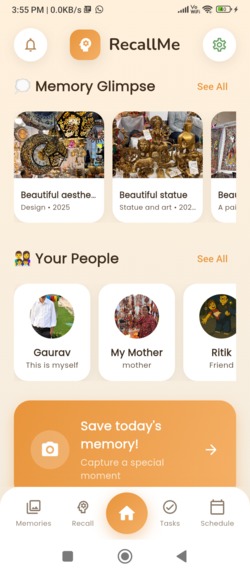
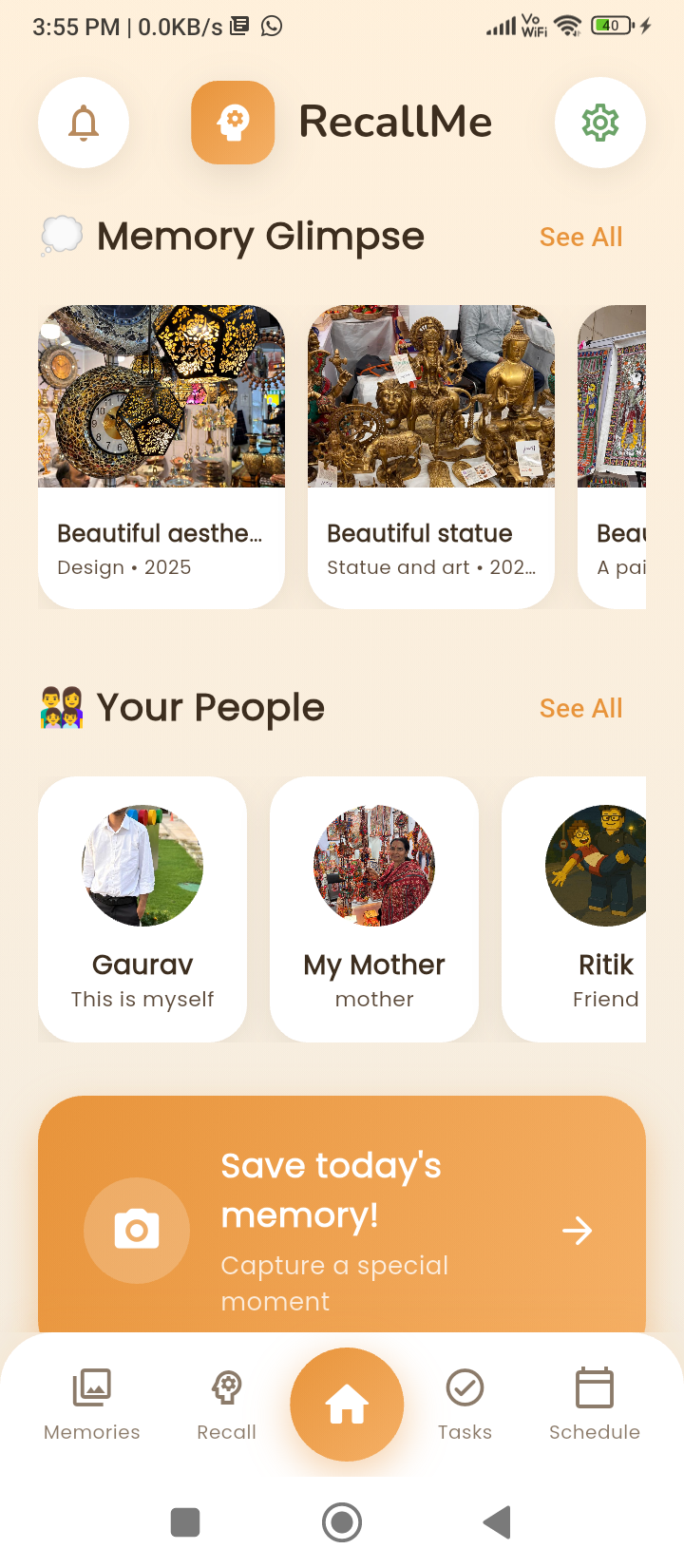
Memory glimpse
-
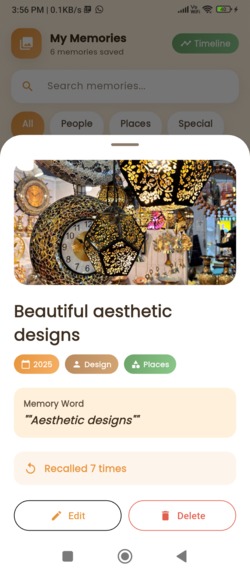
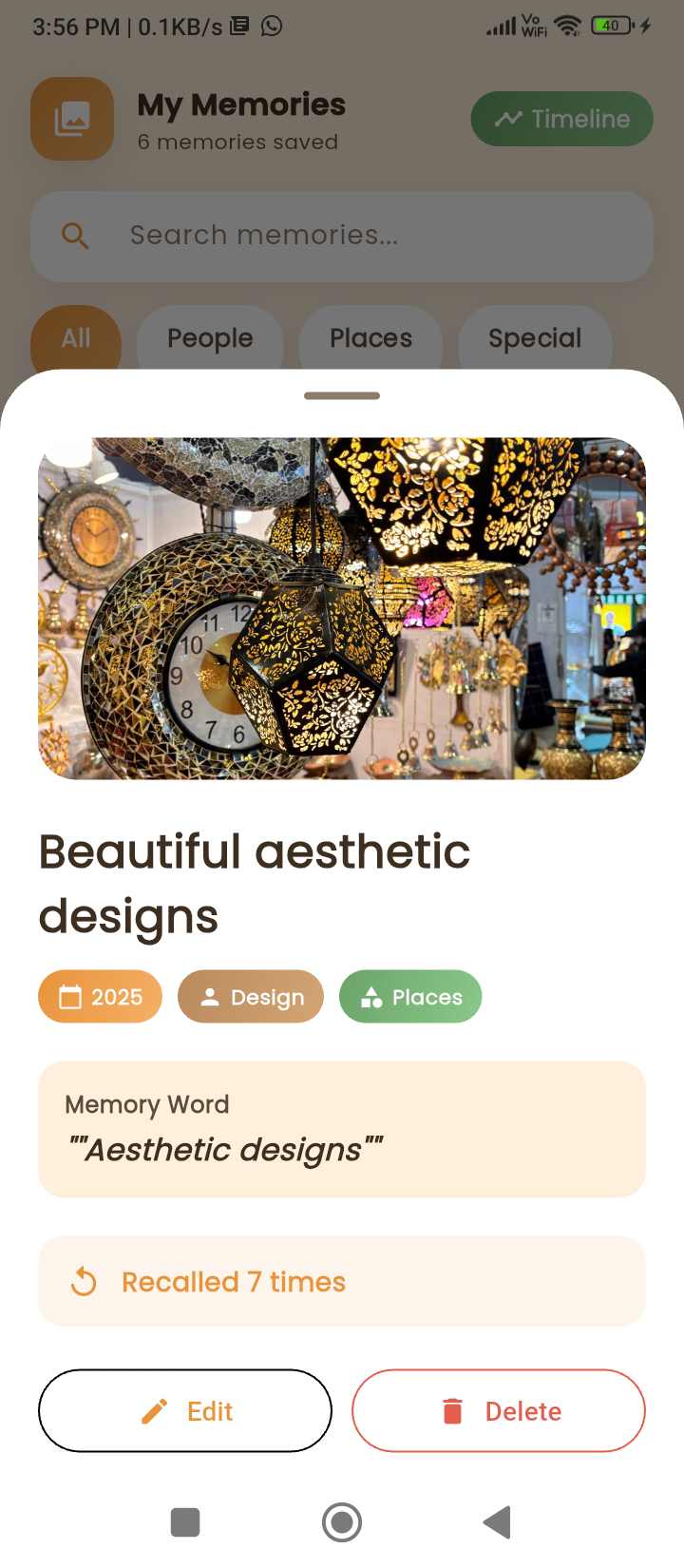
Memories
-
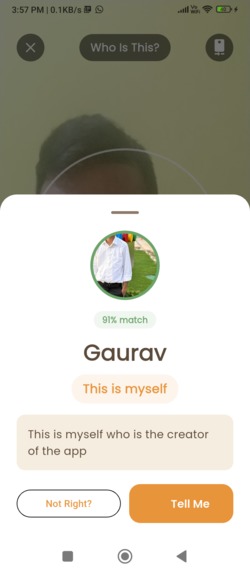
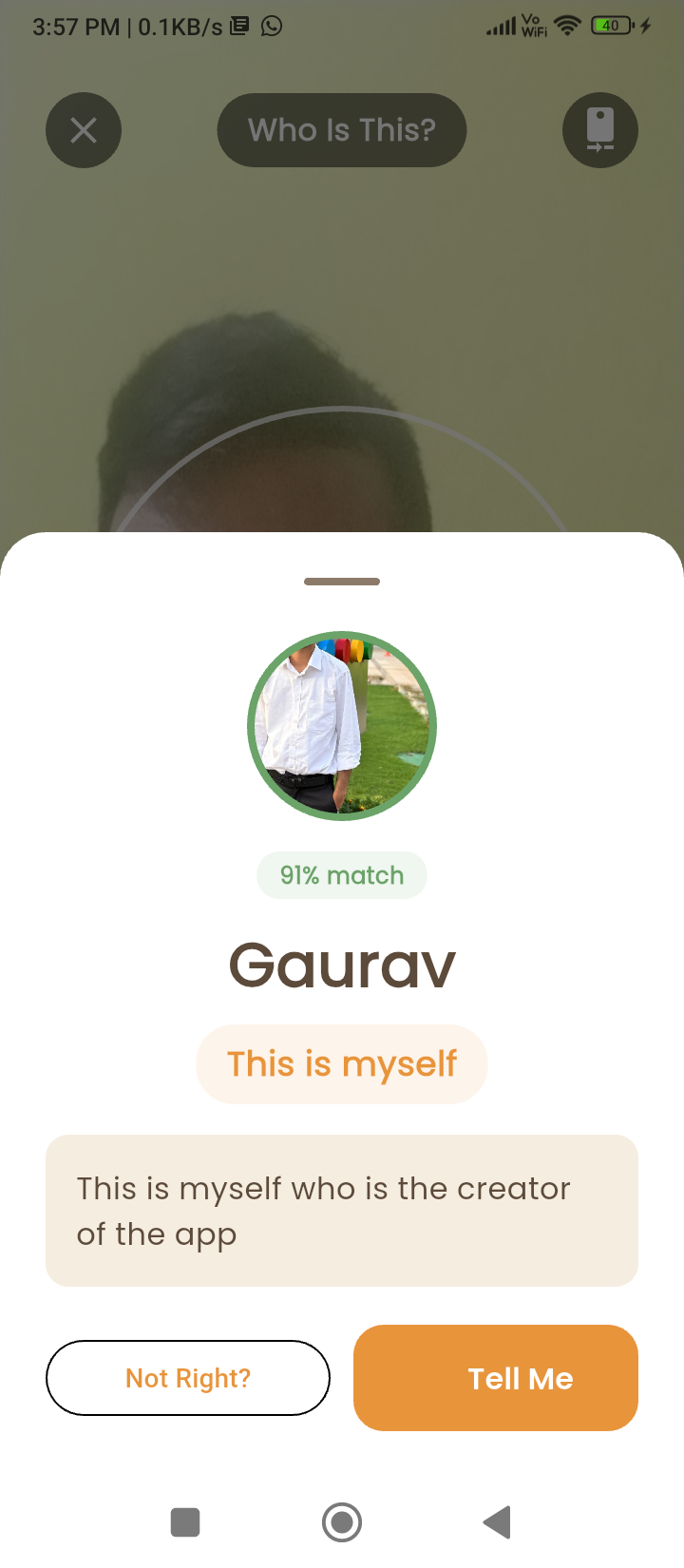
Face Recognition
-
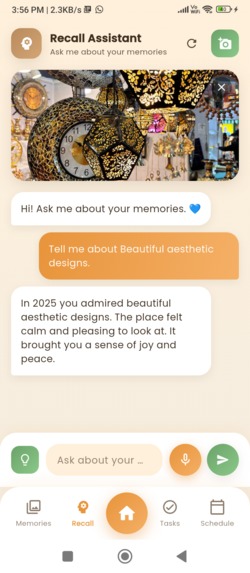
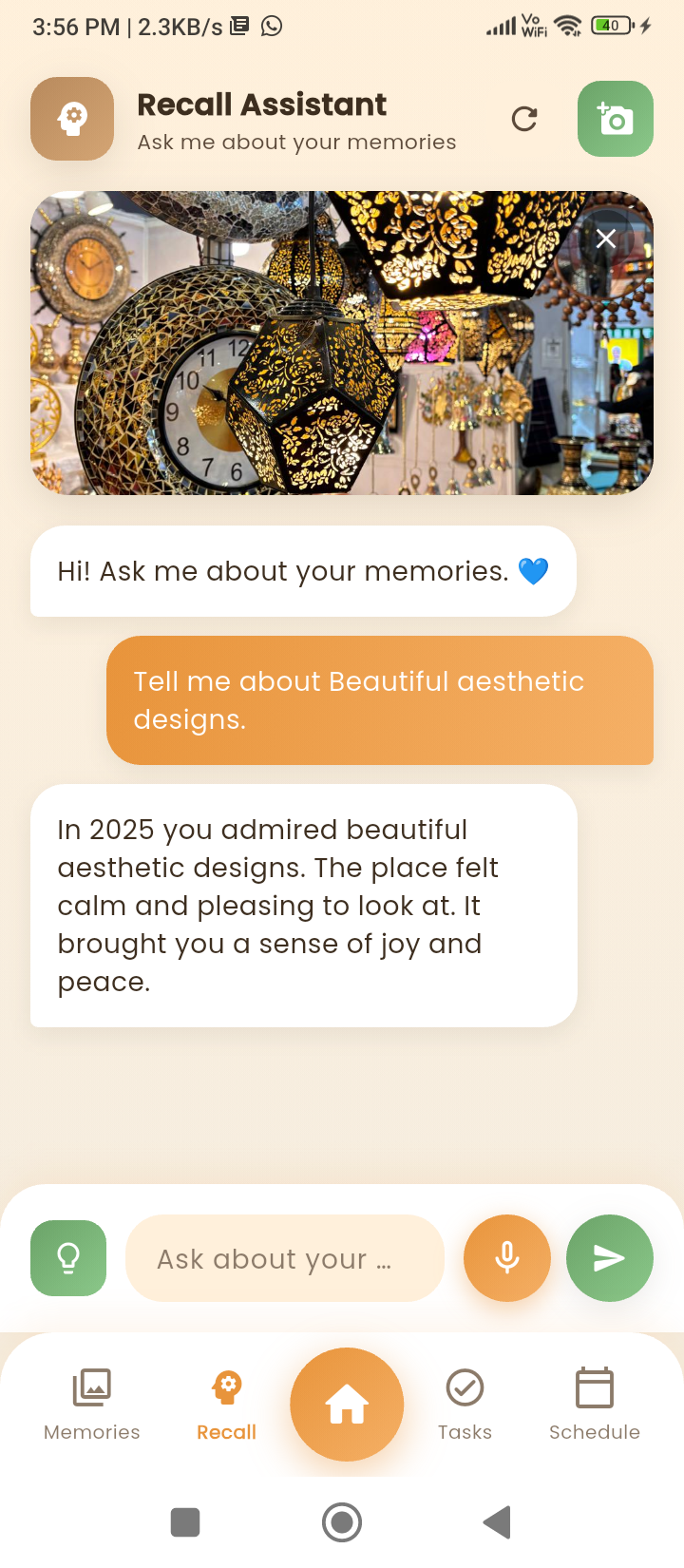
Recall Me
-
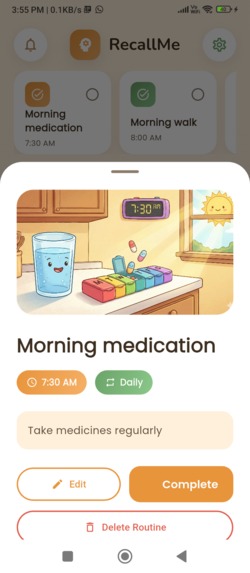
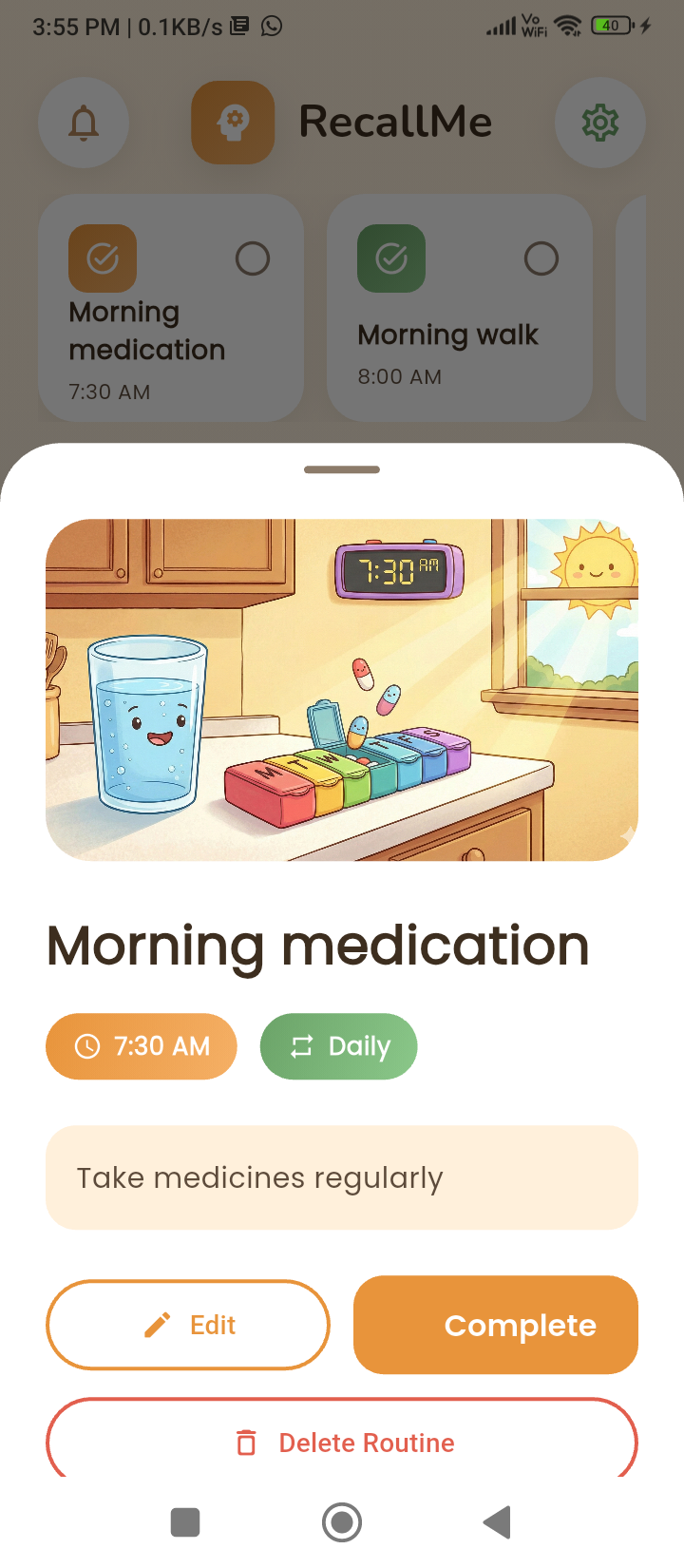
Daily Routine
-
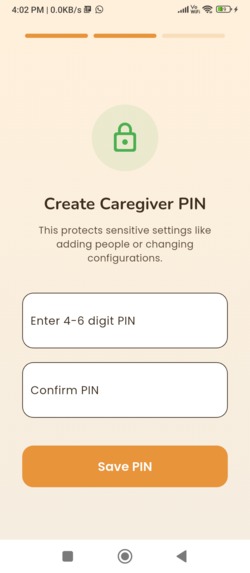
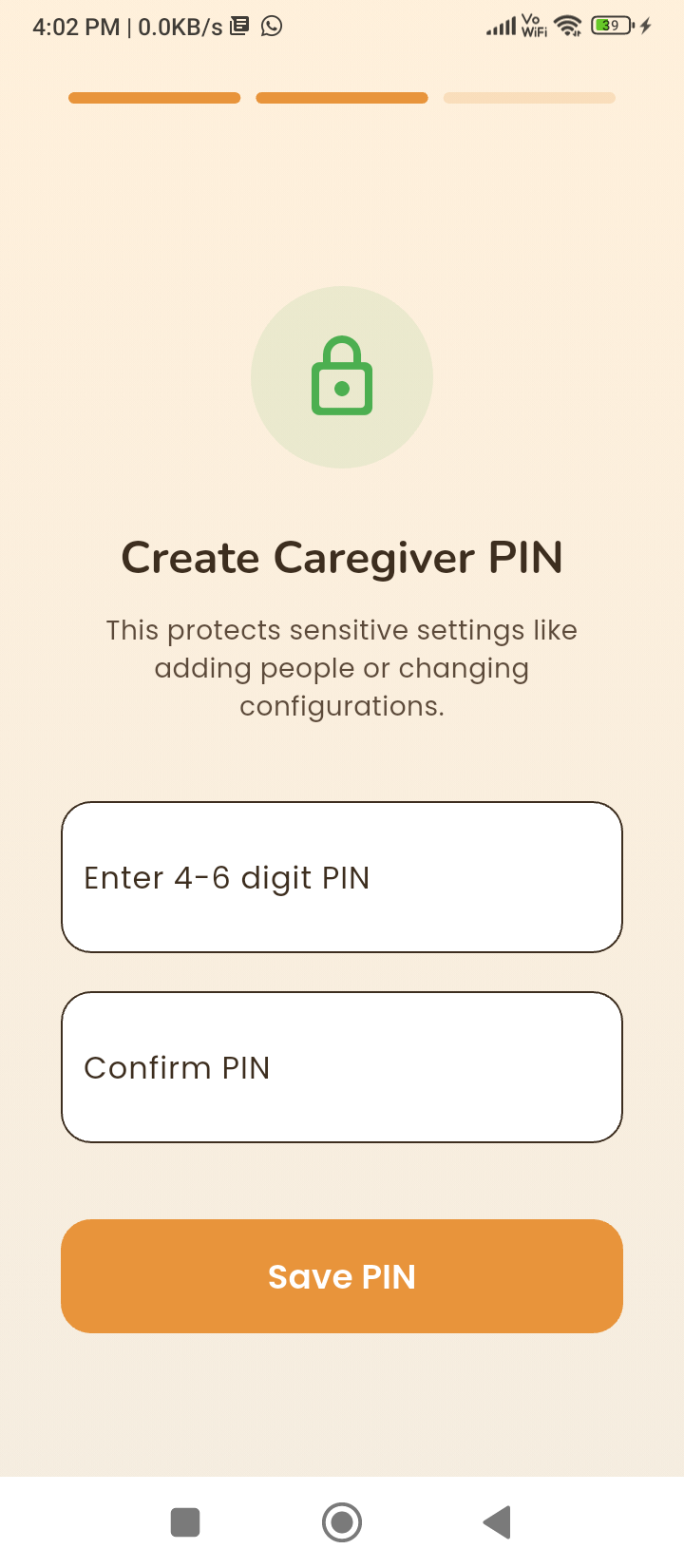
Caregiver settings
Inspiration
Working with caregivers and families of people with dementia, we repeatedly saw the same painful patterns:
Loved ones not being recognized, important routines being forgotten, and caregivers feeling overwhelmed and emotionally exhausted.
Existing apps were too simple (just reminders) or too risky (cloud-based photo uploads with privacy concerns).
We wanted to answer a deeper question:
How far can we push on-device AI on an Arm phone to meaningfully support day-to-day dementia care without compromising privacy?
That pursuit—combining real human impact, strict privacy requirements, and constrained mobile hardware—became the inspiration for Recall Me.
What it does
Recall Me is an on-device AI companion designed to support individuals living with dementia by helping them recognize familiar faces, recall important memories, and follow daily routines—all while protecting their privacy.
At a high level, it:
Recognizes familiar faces
- Uses the device camera to identify known people
- Shows name, relation, and confidence percentage
- Speaks a short, friendly description
Helps recall memories
- Stores photos as structured “memories” with year, people, and a memory keyword
- Users can ask: “Tell me about this picture”
- Generates short, simple spoken explanations
Manages daily routines
- Schedules customizable routines
- Sends smart notifications
- Shows weekly completion reports
Protects privacy
- Works entirely offline for vision tasks
- Photos, embeddings, and memory logs never leave the device
- Most logic runs locally on the Arm CPU/GPU
How we built it
We built Recall Me as a layered system combining Flutter for UI and native Android/Kotlin for the AI core.
UI & State Management
- Flutter
providerfor global app state- Screens: Home, Memories, Recall, Face Recognition, Schedule, Weekly Records
Data Layer
- Local NoSQL database using
hive - Models:
Person,Memory,Routine,CaregiverReport,ConversationLog - Sensitive values stored with
flutter_secure_storage
AI & ML Layer
- Face detection: Google ML Kit (on-device, Arm-optimized)
- Embedding generation: Custom Kotlin logic producing a 256D vector:
- Color histograms
- 8×8 intensity grid
- Gradient/edge features
- LBP histogram
- Quadrant intensity averages
- Color histograms
Similarity search
We used cosine similarity:
\[ \text{sim}(a,b) = \frac{a \cdot b}{|a|\;|b|} \]
A tuned threshold of ≈ 0.45 determines recognition confidence.
Memory Recall Assistant
- Constructs prompts using photo metadata
- Strict system prompt ensures dementia-friendly responses
- Azure OpenAI provides optional reasoning
- Output is cleaned and spoken via TTS
Speech Subsystem
- STT:
speech_to_text - TTS: Native Android
TextToSpeechvia MethodChannel
Routine Engine
- Routine times stored as minutes from midnight for precise control
- Timezone-aware scheduling
flutter_local_notificationswith exact alarms when allowed- Completion synced across multiple screens
Challenges we ran into
1. On-device face recognition without big models
We couldn’t use large models like FaceNet.
We engineered a small but effective classical pipeline tuned for Arm devices.
2. Balancing accuracy and performance
Too many features → slow, battery-heavy
Too few → incorrect matches
Finding the 256D “sweet spot” required extensive experimentation.
3. TTS initialization issues
Native TTS initializes asynchronously, causing missed speech.
We solved it with deferred callbacks and cached results.
4. Reliable notifications on modern Android
Doze mode, exact alarm limits, and new permissions required careful handling.
5. Dementia-friendly UX
We had to simplify text, avoid visual clutter, restrict LLM output, and adopt soothing colors to avoid cognitive overload.
Accomplishments that we're proud of
- A fully on-device face recognition pipeline running smoothly on an Arm phone
- A production-quality feel: splash screen → routines → reports
- Multi-modal AI integration:
- Vision
- Language
- Speech
- Time-based reasoning
- Vision
- Privacy by design: no photos or embeddings ever leave the device
- UX tailored for cognitive accessibility—warm palette, simple language, and guided flow
What we learned
On-device AI is powerful when engineered for constraints
Classical ML features can outperform small DNNs in constrained environments.
Latency matters more than raw accuracy
Elderly users need immediate verbal/visual feedback.
LLM safety requires strict prompting + output sanitation
Without constraints, LLMs produce long paragraphs or unsuitable formatting.
Android power management must be respected
Doze mode, exact alarms, and foreground execution deeply affect AI workflows.
Empathy drives UX
Designing for dementia requires continual simplification and iteration.
What's next for Recall Me
- On-device LLM: A quantized 1–3B model for fully offline reasoning
- Improved face embeddings: MobileFaceNet-class models accelerated with NNAPI/GPU
- Caregiver portal (optional): Consent-based web dashboard
- Adaptive assistance: Personalized routine suggestions based on usage
- Accessibility upgrades: High-contrast mode, guided mode, multi-language STT/TTS
- Developer tools: Open-sourcing our embedding + routine engine for Flutter developers
Built With
- ai
- dart
- dementiacare
- flutter
- machine-learning
- texttospeech

Log in or sign up for Devpost to join the conversation.