Inspiration
Knowledge workers use 9+ apps daily and spend 30% of their time just searching for information they've already seen. Meanwhile, AI coding assistants have become essential — 92% of developers use them — but they start every session completely blind. Your Claude Code doesn't know about the Slack thread where your team solved the exact bug you're debugging. Your Cursor can't see the Notion doc with the architecture decisions you made last week.
We realized the bottleneck isn't AI capability — it's context fragmentation. Every tool is a silo. Every AI session starts from zero. We built Recall to fix that.
What it does
Recall creates a unified semantic memory layer that spans your entire digital workspace:
- Screen Capture — Event-driven screenshots described by GPT-4.1-nano vision AI. Captures happen on app switches and at regular intervals, with intelligent deduplication to avoid redundant storage.
- Slack Integration — OAuth-connected workspace ingestion. Channel messages are chunked, embedded, and made semantically searchable.
- Notion Integration — OAuth-connected page ingestion. Document content is extracted, chunked, and indexed.
- AI Agent Session Capture — Watches Claude Code and Cursor conversation history files. Every past AI interaction becomes searchable context for future sessions.
- MCP Server — Exposes 5 tools via the Model Context Protocol standard:
search_memory,get_recent_context,get_source_context,save_memory, andsync_source. Any MCP-compatible agent can query the unified memory. - Proactive Suggestions — macOS desktop notifications when your current screen activity matches relevant context from Slack, Notion, or past AI sessions.
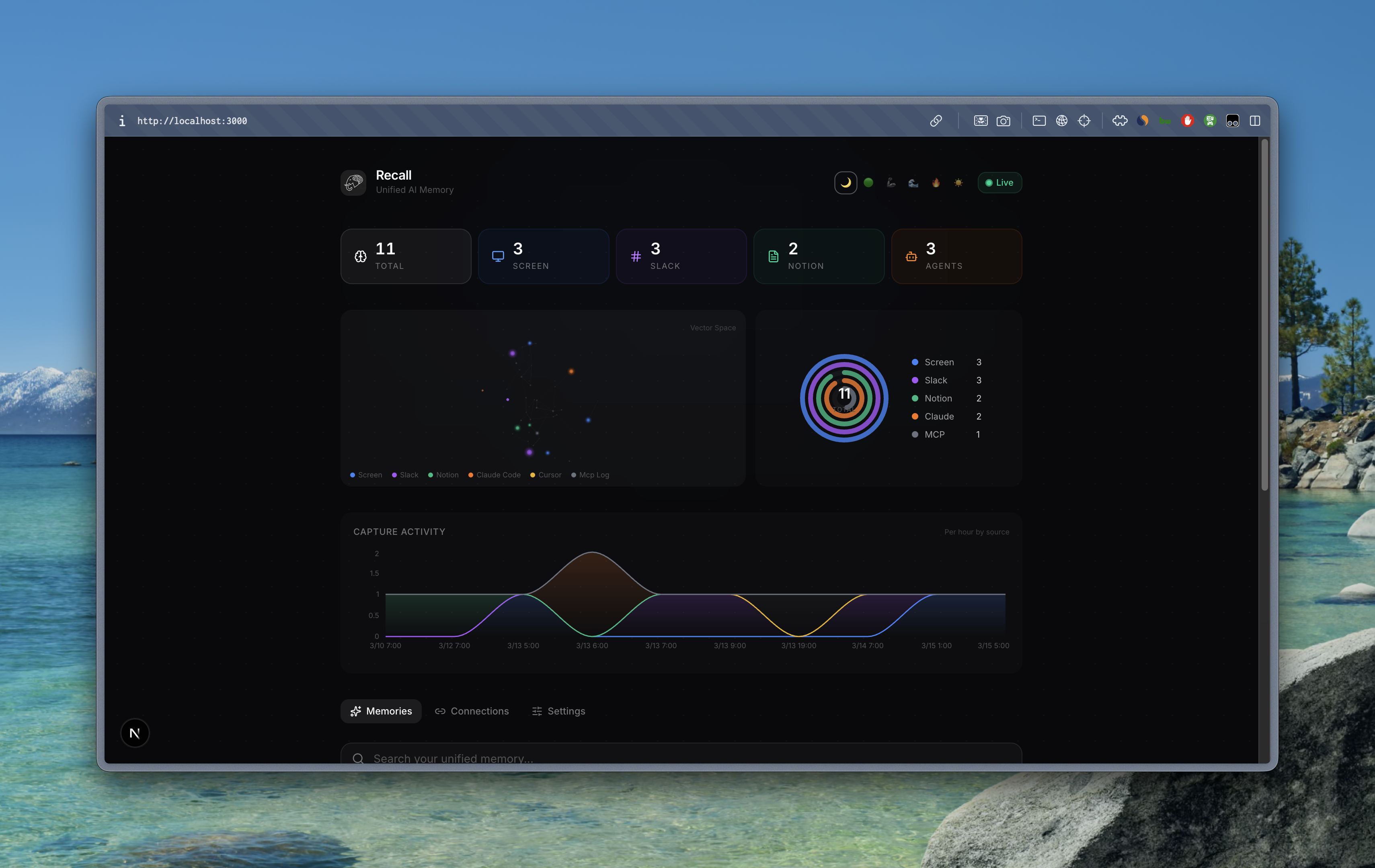
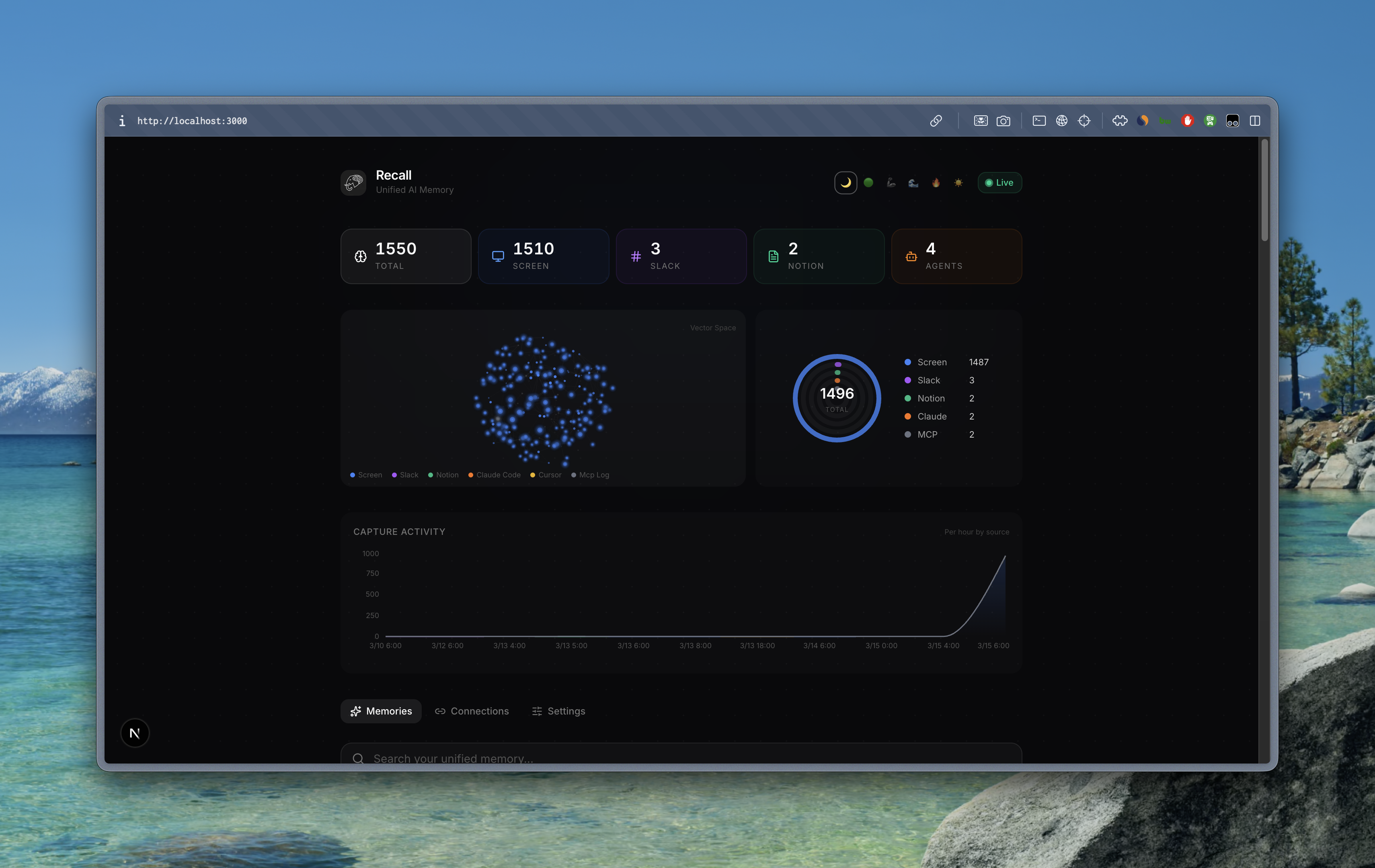
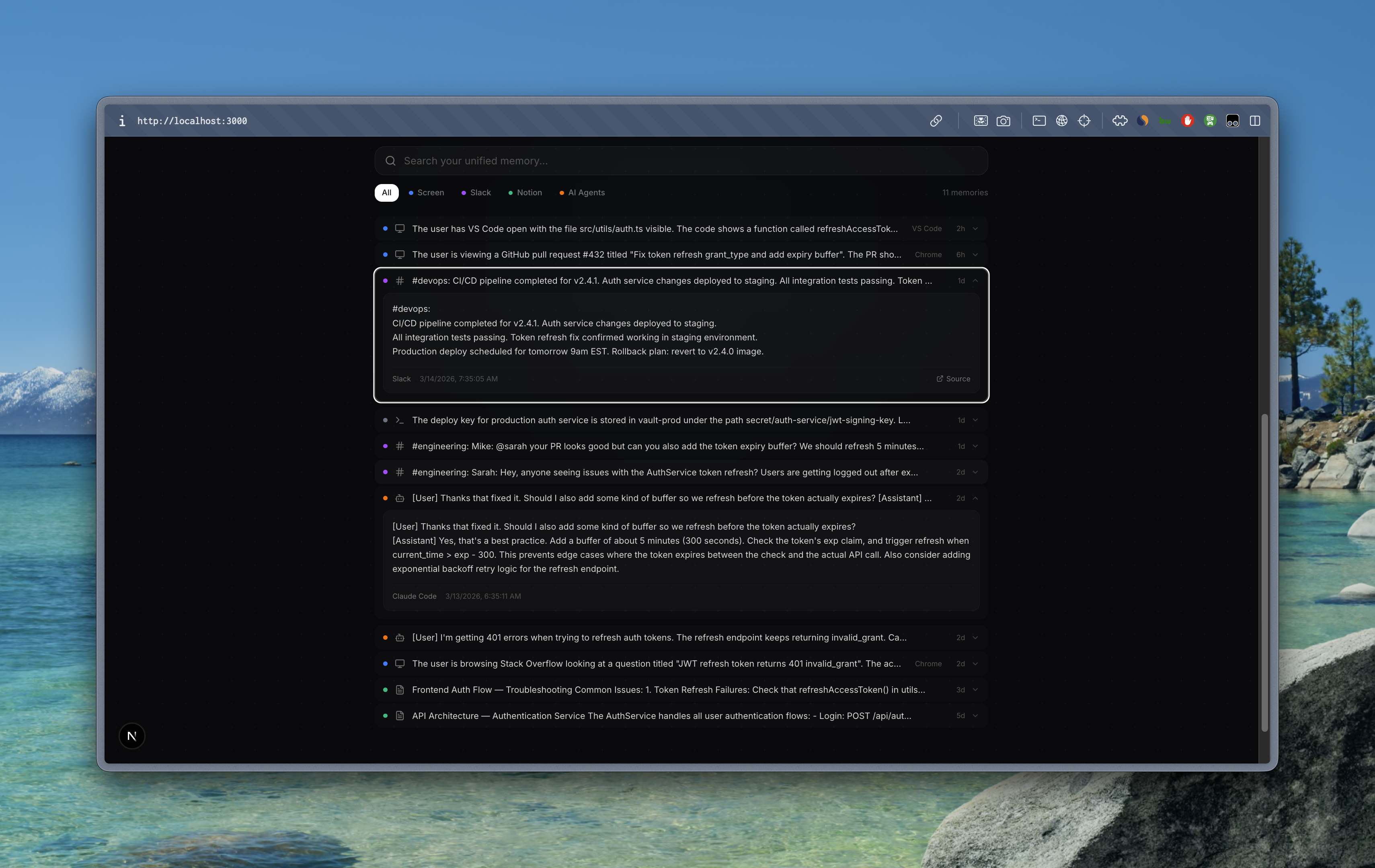
- Real-time Dashboard — Next.js web app with live memory timeline, semantic search, source filters, and integration management.
- Moorcheh AI Integration — Dual-write to Moorcheh's semantic memory engine for high-fidelity storage and explainable retrieval.
The result: ask your AI assistant "What do we know about the auth token refresh bug?" and it returns relevant Slack threads, Notion docs, screen captures, AND past AI conversations — all from a single query.
How we built it
Capture Engine (Node.js/TypeScript): Hybrid event-driven + interval-based screen capture using macOS screencapture CLI. Window title polling every 2 seconds detects app switches for immediate capture. A 60-second fallback timer catches passive activities. Cosine similarity deduplication (90% threshold) prevents redundant storage. Screenshots are sent to GPT-4.1-nano for rich semantic descriptions, then embedded via text-embedding-3-small into 1,536-dimensional vectors.
Storage: Supabase Postgres with the pgvector extension serves as both the relational database and vector store. A custom search_memories SQL function performs cosine similarity search with source filtering. All memories are also dual-written to Moorcheh AI's semantic memory engine for explainable retrieval with per-source namespaces.
MCP Server (TypeScript): Built on @modelcontextprotocol/sdk with stdio transport. Five tools let any MCP-compatible agent search, retrieve, save, and sync memories. Bidirectional logging captures every MCP interaction as a new memory, creating a feedback loop where AI agents both read from and write to the unified memory.
Integrations: Slack and Notion connect via OAuth flows with dedicated sync API routes. A file watcher (chokidar) monitors Claude Code JSONL conversation files for real-time AI session ingestion.
Dashboard (Next.js 16 + React 19): Real-time memory timeline powered by Supabase Realtime (WebSocket). Semantic search via server-side embedding + pgvector RPC. Source filter chips, expandable compact cards, connection management with OAuth flows, and live stats.
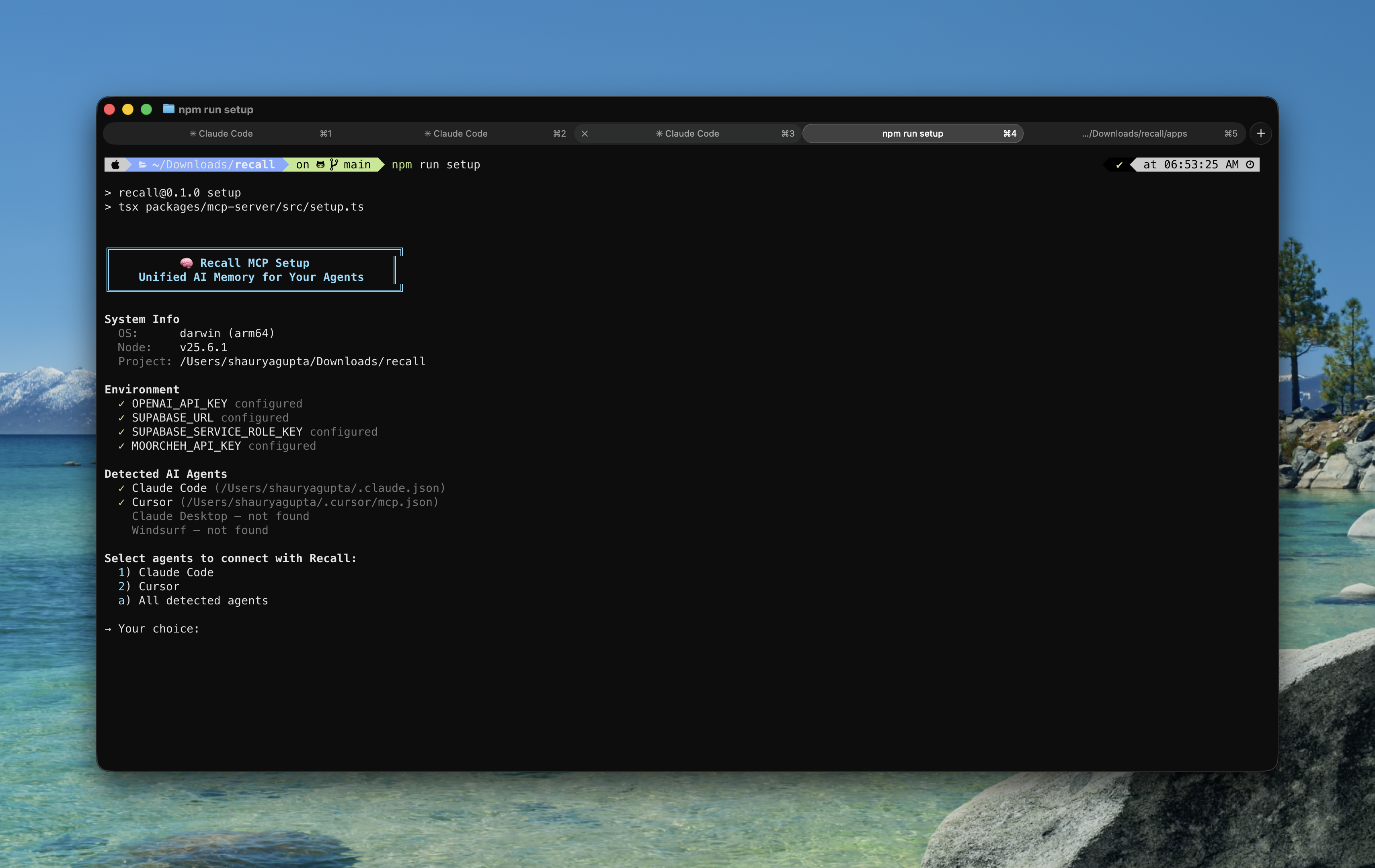
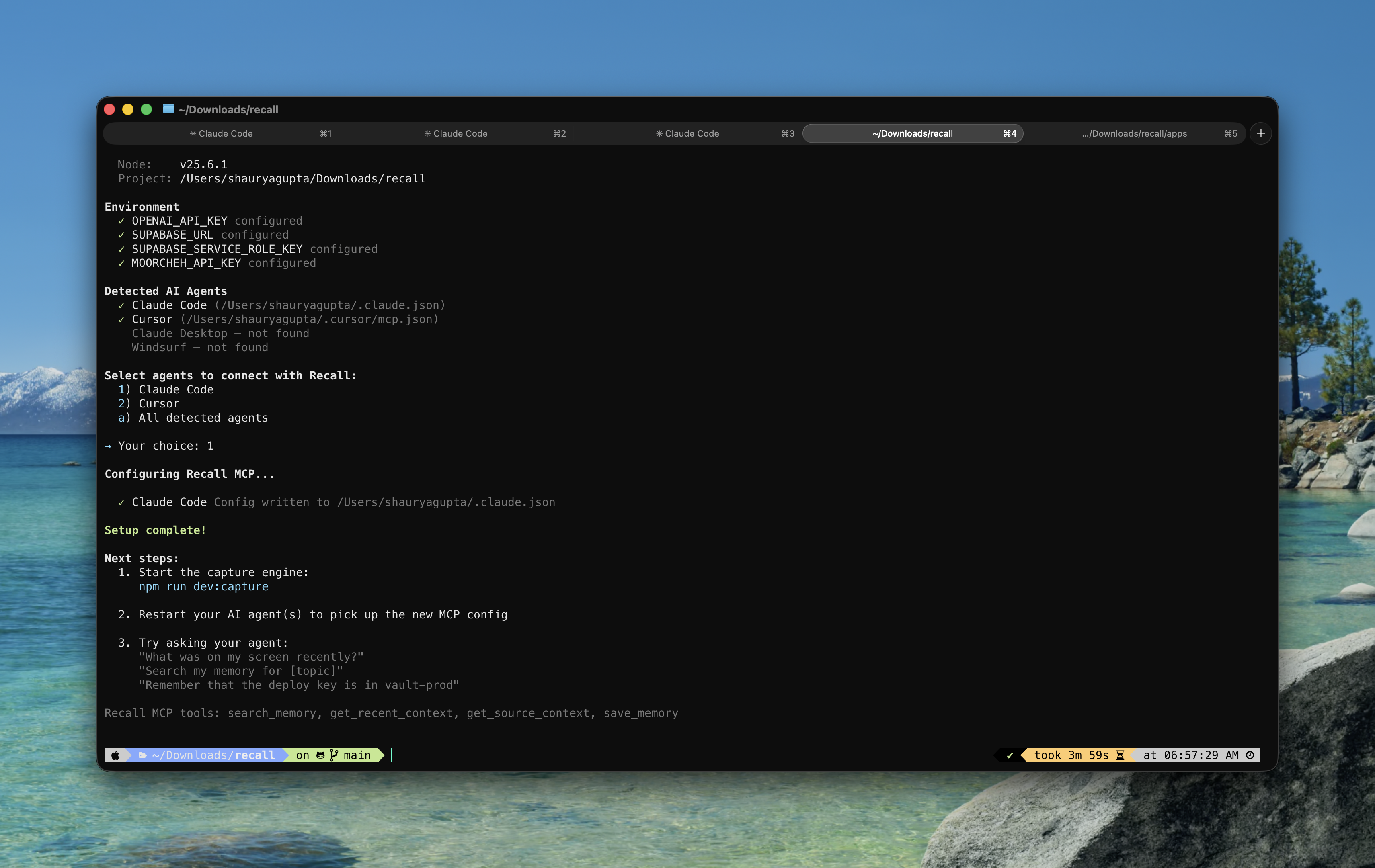
Setup Wizard: A CLI tool (npm run setup) that auto-detects installed AI agents (Claude Code, Cursor, Claude Desktop, Windsurf), checks environment configuration, and writes MCP server config to the correct location — zero manual JSON editing.
Challenges we ran into
- Capture frequency vs. cost balance: Continuous screenshot capture would be expensive and noisy. We solved this with event-driven triggers (app switch detection) plus cosine similarity deduplication — screens that haven't meaningfully changed are skipped entirely, keeping costs under $0.20/day.
- pgvector embedding format: Supabase's RPC function expected embeddings in a specific string format (
[0.1, 0.2, ...]), not as JSON arrays. Debugging this required testing the SQL function directly before we found the mismatch. - Moorcheh free tier limits: The community plan allows 5 namespaces, and we initially tried to create one per source. Consolidated to a single namespace with source metadata in document tags.
- Claude Code MCP config location: The setup wizard initially wrote to
~/.claude/settings.jsonbut Claude Code reads MCP configs from~/.claude.json. Required investigating the actual file structure to fix. - Cross-source semantic relevance: Getting meaningful results when searching across very different content types (code screenshots vs. Slack messages vs. Notion docs) required lowering the similarity threshold and letting the ranking surface the best matches naturally.
Accomplishments that we're proud of
- Cross-source context retrieval actually works — searching "auth token refresh" returns a Slack thread, a Notion troubleshooting doc, a past Claude Code session, AND a Stack Overflow page the user viewed. Four different sources, one semantic query.
- Under $0.20/day operating cost for continuous capture, making it viable for real daily use.
- 5 MCP tools that transform any compatible agent from a stateless assistant into a context-aware collaborator.
- One-command setup —
npm run setupdetects your agents and configures everything automatically. - Real-time dashboard — memories appear the instant they're captured, powered by Supabase Realtime WebSocket subscriptions.
- Bidirectional AI memory — agents don't just read from the unified memory, they write to it. Every MCP interaction becomes a searchable memory for future sessions.
What we learned
- The Model Context Protocol (MCP) is a game-changer for AI composability. Building once and having it work across Claude Code, Cursor, and any future MCP agent is incredibly powerful.
- Event-driven capture with deduplication is far more efficient than continuous recording — and produces better quality context because it focuses on meaningful transitions.
- GPT-4.1-nano is remarkably capable at understanding screenshots semantically — it describes code structure, UI layouts, diagram content, and even the purpose of what the user is doing, not just raw OCR text.
- Moorcheh's semantic memory engine provides a richer retrieval experience than raw vector search alone, with stateful context that makes multi-turn agent interactions more coherent.
- Supabase pgvector with Realtime is a killer combo for building real-time AI applications — vector search and live updates in one managed service.
What's next for Recall
- Team-based unified memory — Shared context across engineering teams with permission-based access controls. Imagine onboarding a new engineer who can ask their AI: "How does the payment system work?" and get answers from months of team context.
- Personal knowledge graphs — Evolve flat memories into connected knowledge nodes with relationships, enabling complex reasoning across disparate information.
- More integrations — Google Drive, GitHub Issues/PRs, Linear, Gmail, Calendar. Every tool becomes a context source.
- Domain-specific versions — Specialized Recall instances for legal (case law + client communications), medical (patient records + research), and engineering (specs + incident reports).
- Advanced proactive agents — AI that doesn't just notify but takes action: drafts responses, pre-fetches relevant docs, summarizes meetings, all based on observed context patterns.
Built With
- framer-motion
- gpt-4.1-nano
- javascript
- macos
- model-context-protocol-(mcp)
- moorcheh-ai
- next.js
- node.js
- notion-api
- openai
- pgvector
- postgresql
- react
- shadcn/ui
- slack-api
- supabase
- tailwind-css
- text-embedding-3-small
- typescript


Log in or sign up for Devpost to join the conversation.