-
-
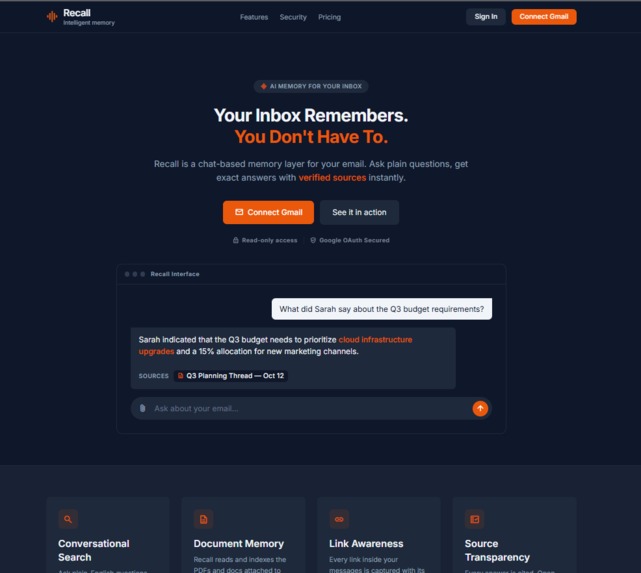
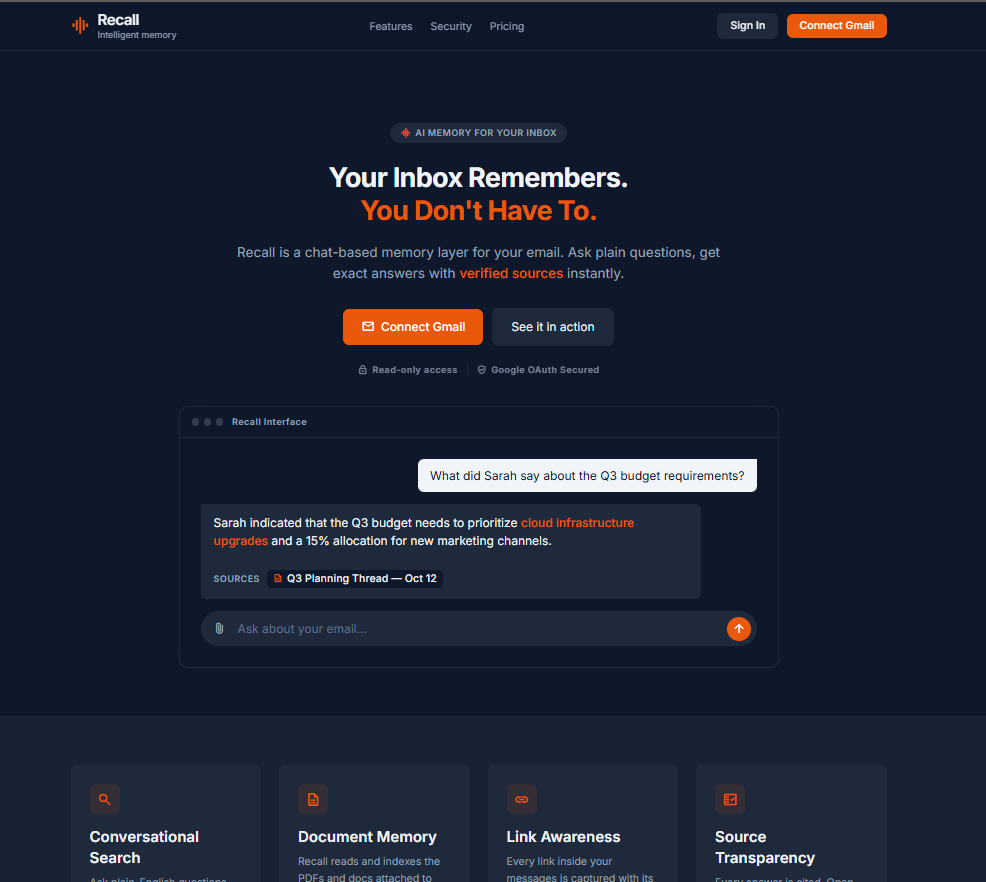
The landing page where you sign in with Google and connect your inbox.
-
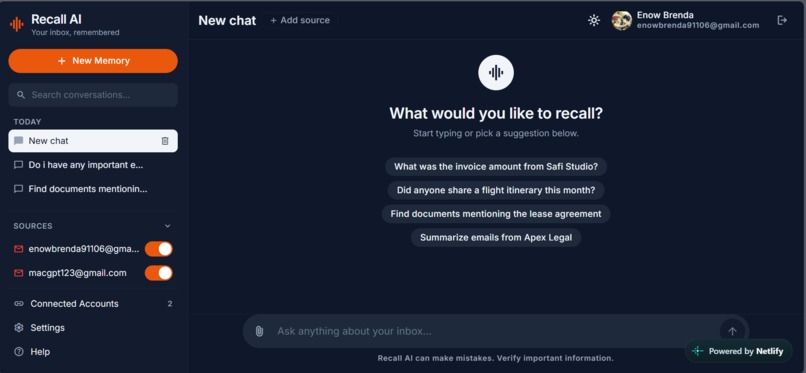
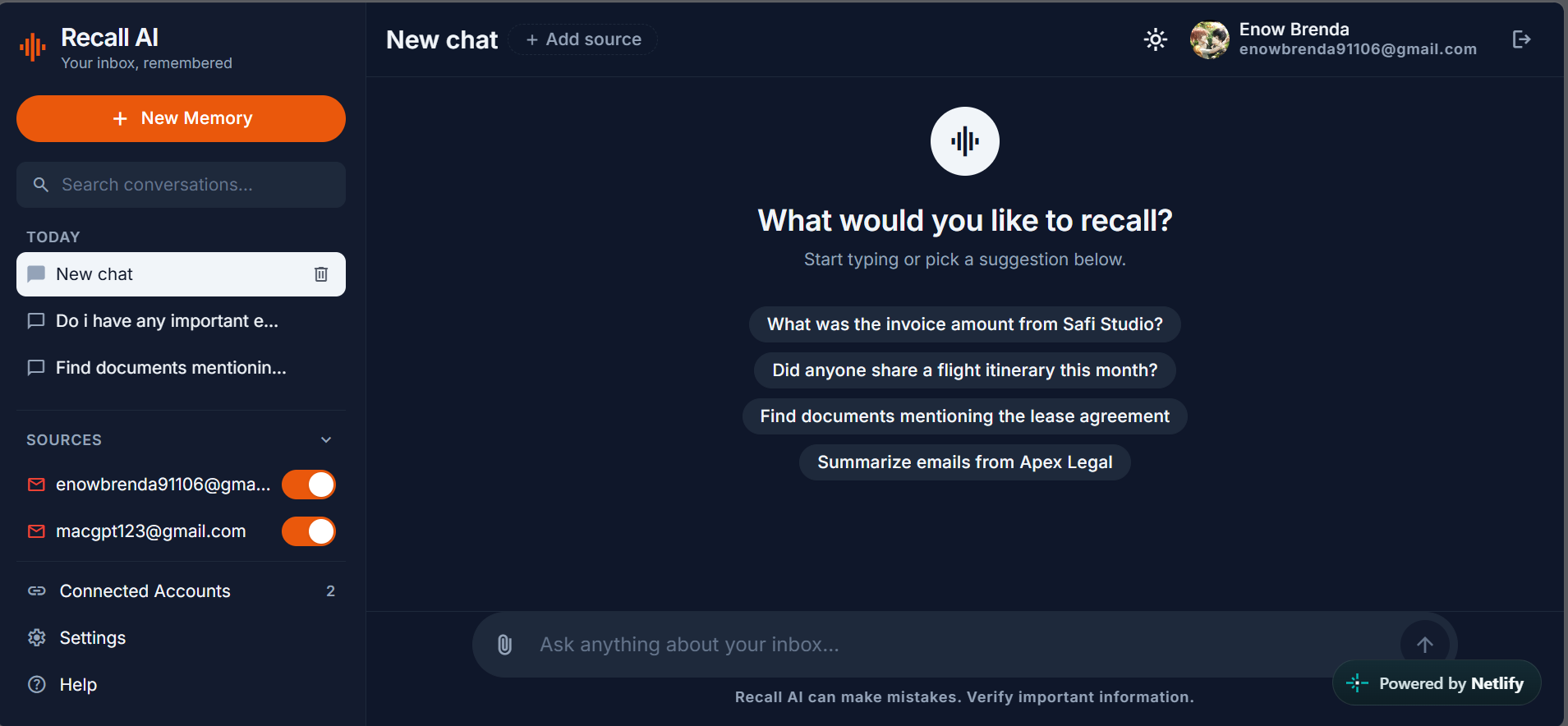
A new chat where you ask a question the way you'd ask a friend.
-
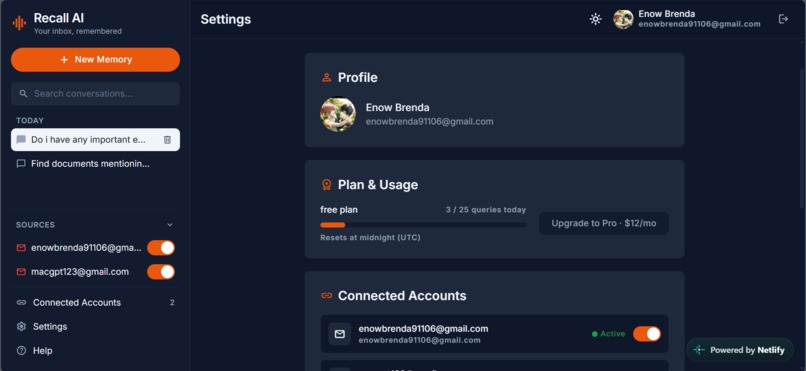
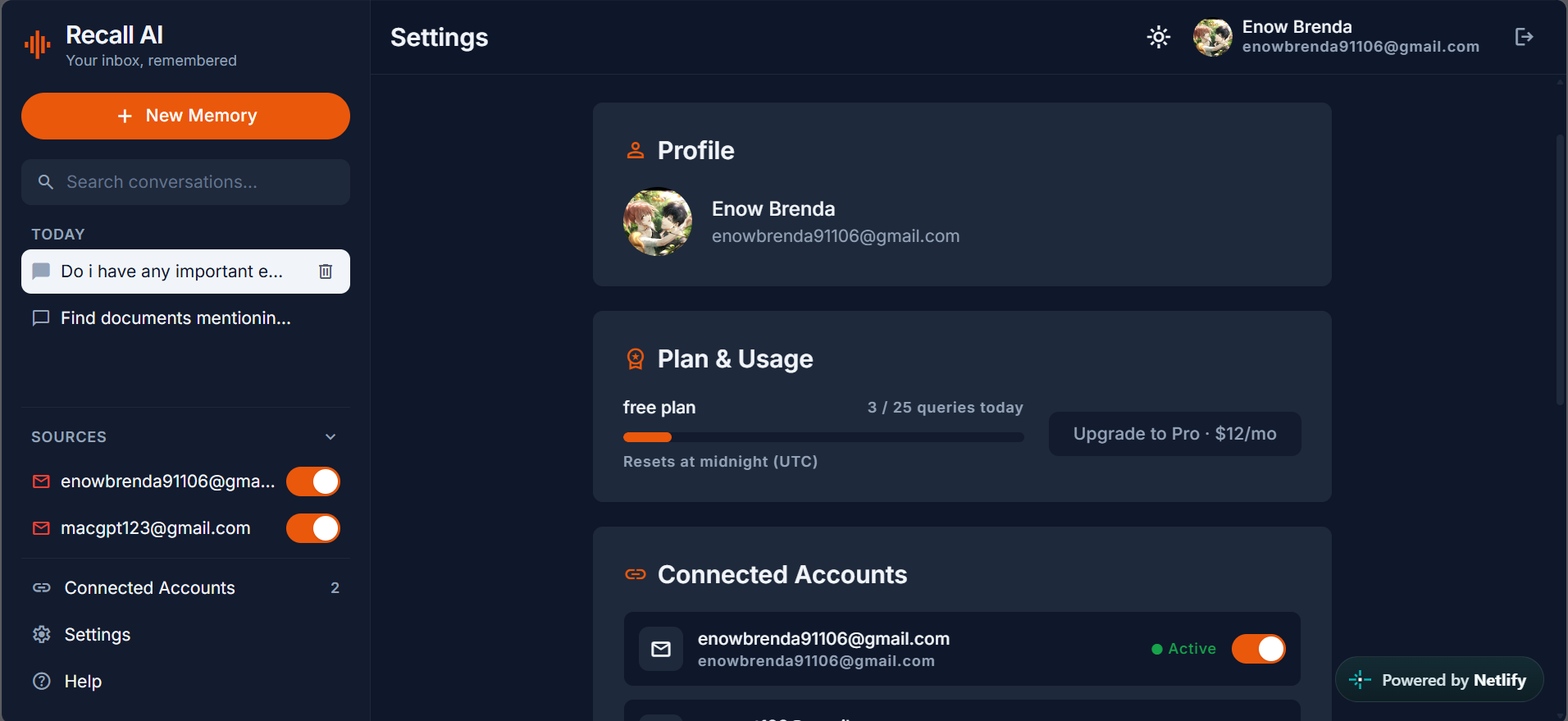
Settings where you manage accounts and appearance.
-
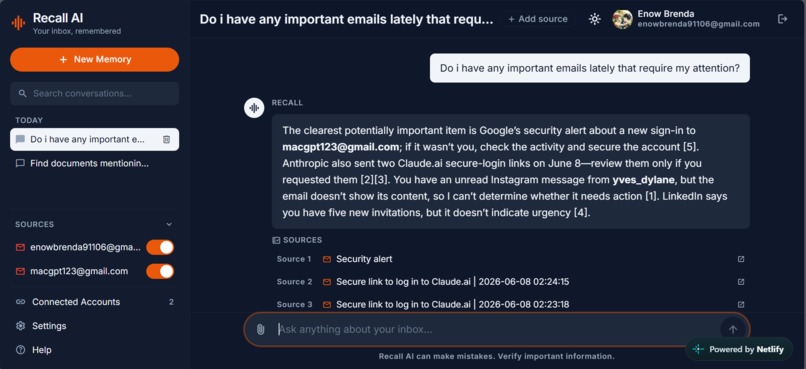
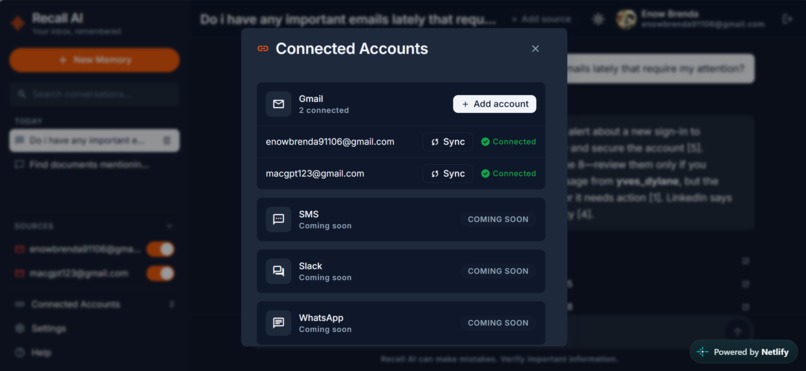
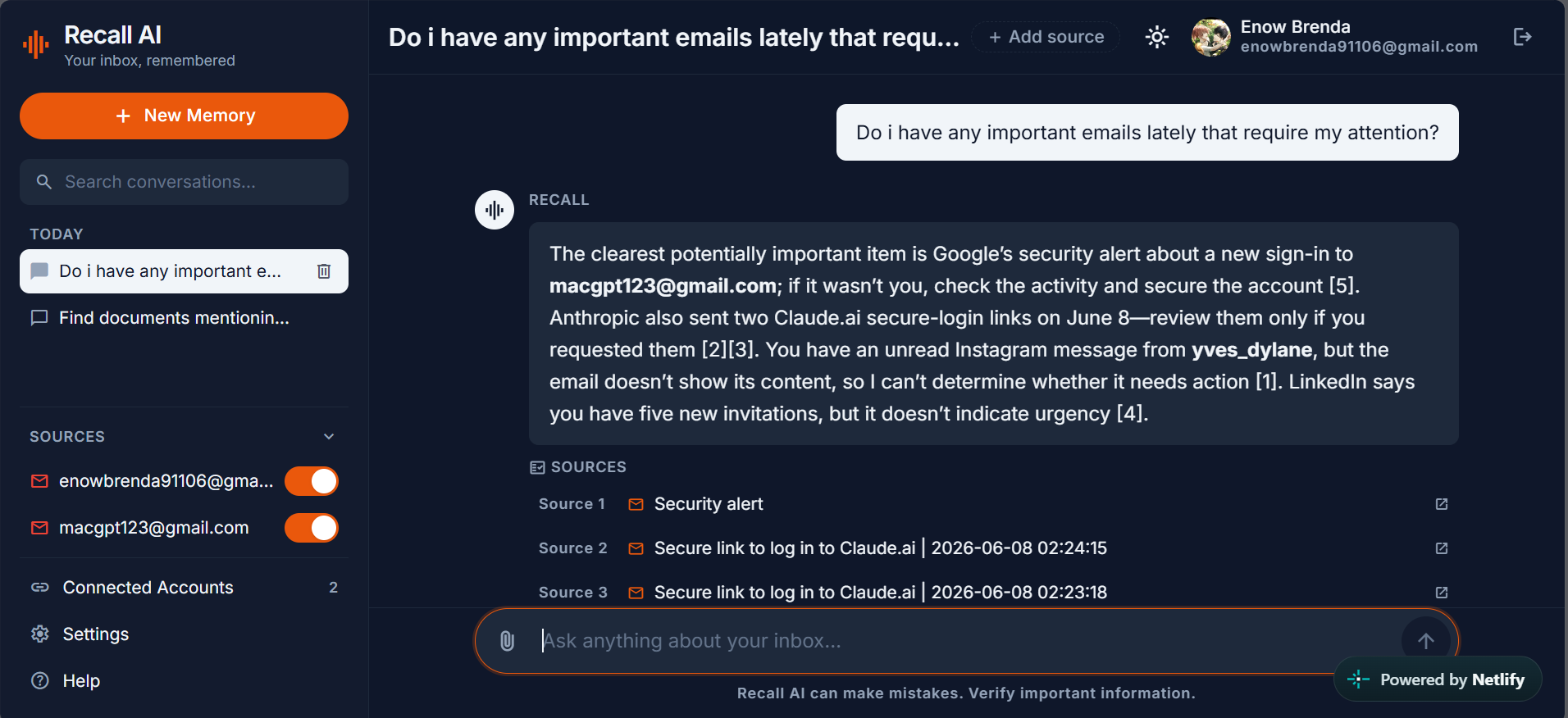
The assistant answering a question, with the email it pulled the answer from below.
-
Connect your Gmail account in one click.
Inspiration
I realized that some of the most valuable information in my life is hidden inside my email:
Invoices, contracts, links, decisions, instructions, and important details all pass through the inbox but when I need something later, I end up scrolling through hundreds or even thousands of messages trying to find it.
That led me to a simple question:
What if my inbox could remember for me?
I wanted to build something beyond traditional keyword search something that could understand what I was asking and help me rediscover information I had already encountered. Instead of searching for the exact words I typed weeks ago, the system should find what I meant.
That idea became Recall AI.
What it does
Recall AI is an intelligent memory and retrieval assistant for your email.
Instead of manually digging through Gmail, you ask questions naturally and Recall AI finds the information that matters grounded in the actual source.
For example, instead of hunting for a keyword, a user could ask:
"Did I ever get the signed contract from the design agency?"
or
"What was the link they sent for that meeting?"
Recall AI understands the intent behind the question, searches the meaning of your email content including the text inside attached documents and the links in message bodies and answers with the message, document, or link it came from.
The goal is simple: turn email from something we forget into something we can easily recall.
Access currently in private test mode
Recall AI is live at https://macgpt-recall-ai.netlify.app (interface) with the AI backend running at https://recall-ai-eemc.onrender.com.
Because the Google OAuth app uses Gmail's read scope, it has not yet completed Google's OAuth verification, so sign-in is limited to approved test users. If you'd like to try it, reach out to me at [email protected] and I'll add your Gmail address as a test user so you can connect your inbox.
How I built it
I built Recall AI as a full-stack AI application a modern web interface, a backend API, and an AI-powered retrieval system working together.
The core workflow is:
$$ \text{Inbox Data (Emails · Attachments · Links)} \rightarrow \text{Ingestion & Embedding} \rightarrow \text{Semantic Retrieval} \rightarrow \text{User Query} \rightarrow \text{Relevant Information with Sources} $$
Behind the scenes, Google Gemini embeds email bodies and extracted attachment text into vectors stored with pgvector in PostgreSQL (a single 1536-dimensional semantic space). A FastAPI backend serves semantic search, ranking every candidate email by cosine similarity:
$$ \mathrm{sim}(\mathbf{q}, \mathbf{d}) = \cos\theta = \frac{\mathbf{q} \cdot \mathbf{d}}{\lVert \mathbf{q} \rVert \lVert \mathbf{d} \rVert} $$
Only hits above a tunable relevance threshold become evidence:
$$ \text{result} = \begin{cases} \text{sourced answer with citation} & \text{if } \mathrm{sim} \geq \text{threshold},\[4pt] \text{“I couldn't find anything about that”} & \text{otherwise} \end{cases} $$
An LLM chain (OpenRouter with a Gemini fallback) then turns the retrieved evidence into a grounded, natural-language answer that always cites its source. A React frontend keeps the whole system as simple as a chat the AI complexity stays behind the scenes.
Challenges I ran into
The biggest challenge was the unstructured nature of email. People write differently they use different words for the same idea, refer to earlier messages indirectly, change topics, and assume context that is never stated. Designing retrieval that finds what is relevant rather than what merely matches keywords was genuinely hard.
Related to that, I had to decide how the system should behave when it doesn't find a good match. Rather than letting the AI invent an answer with fabricated sources, I built a relevance gate so Recall honestly says "I couldn't find anything about that" when it has nothing solid being correct matters more than appearing confident.
I also worked entirely within free AI tiers, which meant juggling per-model rate limits, batching embeddings, and building automatic fallbacks across models. And as a solo developer, integrating every component of a full-stack AI app while keeping the experience simple forced me to constantly prioritize the features that delivered the most value.
Accomplishments that I'm proud of
I'm proud that I turned a simple idea giving email a memory into a functional, AI-powered application.
I'm particularly proud of:
- Building a complete full-stack AI application end to end.
- Creating a natural-language interface that answers with cited sources, not just search results.
- Designing retrieval around meaning rather than keyword matching.
- Making attachment contents and links searchable, not just message text.
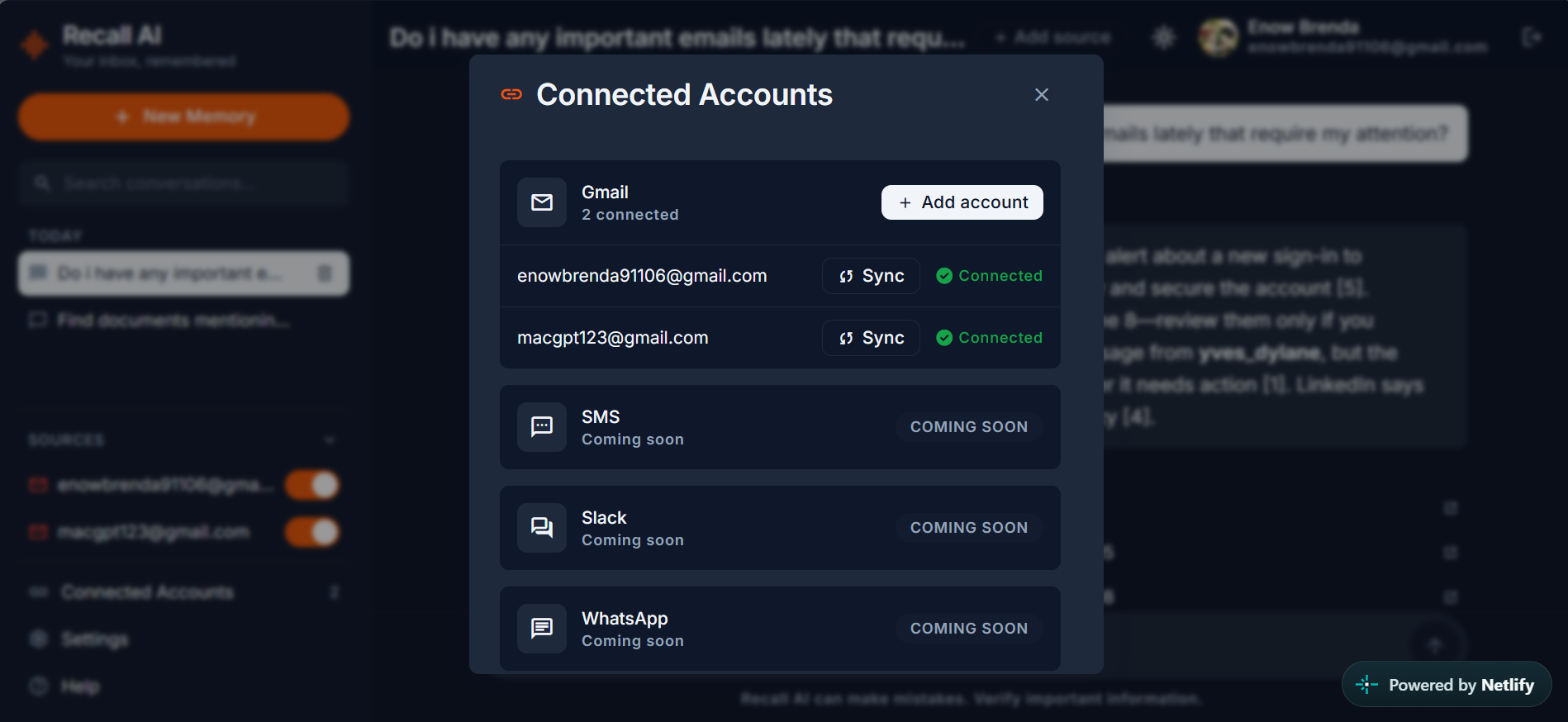
- Supporting multiple connected Gmail accounts with background syncing.
- Teaching the system to admit when it doesn't know, instead of fabricating answers.
Most importantly, I'm proud that Recall AI feels like the beginning of a product rather than just a technical experiment.
What I learned
Building Recall AI taught me that building useful AI products requires far more than integrating a model.
I learned how important data organization, retrieval quality, grounding, system integration, and user experience are and that there is a significant difference between making a model respond and making a product useful.
The project pushed me to think not only as a developer but as a product designer: What problem am I solving? Why does it matter? How can the solution feel natural? Constraint itself was a teacher free-tier quota limits forced me to design a resilient multi-provider architecture instead of a fragile single dependency.
Most importantly, I learned that AI becomes far more powerful when it's applied to a problem people already experience every day.
What's next for Recall AI
Recall AI is only the beginning.
My vision is to evolve it into a personal AI memory layer that helps people remember information across all their communications not just email.
Future versions could include:
- Public OAuth verification, so anyone can sign in rather than waiting to be added as a test user
- More powerful semantic and contextual retrieval
- Automatic organization of personal information
- Long-term personalized memory
- Conversation and thread summarization
- Integration with more platforms (SMS, WhatsApp, Slack)
- Calendar-event detection and Google Calendar integration
- Context-aware recommendations
- AI-generated connections between previously unrelated pieces of information
- A more proactive assistant that surfaces what matters before you ask
Ultimately, I want Recall AI to become the place where your digital memories become searchable, understandable, and useful.
Your inbox remembers. You don't have to. Remember less. Recall more.
Built With
- ai
- fastapi
- gemini
- google-directions
- hackaton
- openrouter


Log in or sign up for Devpost to join the conversation.