-
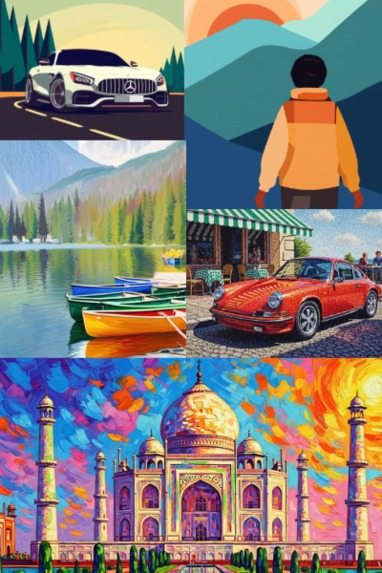
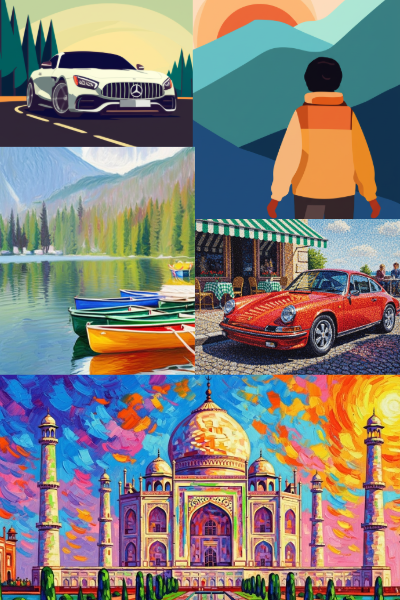
a snapshot of images generated using this tool
Inspiration
As a designer, I’ve always admired the emotion and texture behind classic art styles like Impressionism, Pointillism, and vector arts. I wanted to give creators a way to instantly transform their images into these styles — without leaving their design workflow or relying on external apps.
What it Does
Rebrush lets users apply fine-art-inspired transformations to their images directly within Adobe Express. With just one click, an image can be reimagined in the style of a Monet painting, a Seurat dot composition, or a bold Picasso-like abstraction — all non-destructively and inside the Express canvas.
How I Built It
Rebrush was built using:
- Adobe Express Add-on SDK (for UI integration and image handling)
- React + JavaScript (for the frontend logic)
- Style transfer models processed by AI model
Challenges I Faced
- Ensuring image quality and aspect ratio are preserved after transformation
- Integrating real-time previews within the Express UI
- Building an efficient backend to handle style transfer at scale
Accomplishments I’m Proud Of
- Successfully implemented multiple distinct art styles that look true to their historical inspiration
- Created an intuitive and minimal interface that fits seamlessly into Adobe Express
- Optimized performance to support fast previews even with large images
What I Learned
- Deep understanding of the Adobe Express Add-on architecture and sandbox communication
- Practical experience combining AI-based image transformation with real-world UI/UX
What’s Next
- Expanding the style library with more global and contemporary styles
- Adding custom style upload so users can bring their own inspirations
Built With
- addonuisdk
- css
- javascript
- react
- swc


Log in or sign up for Devpost to join the conversation.