-
-
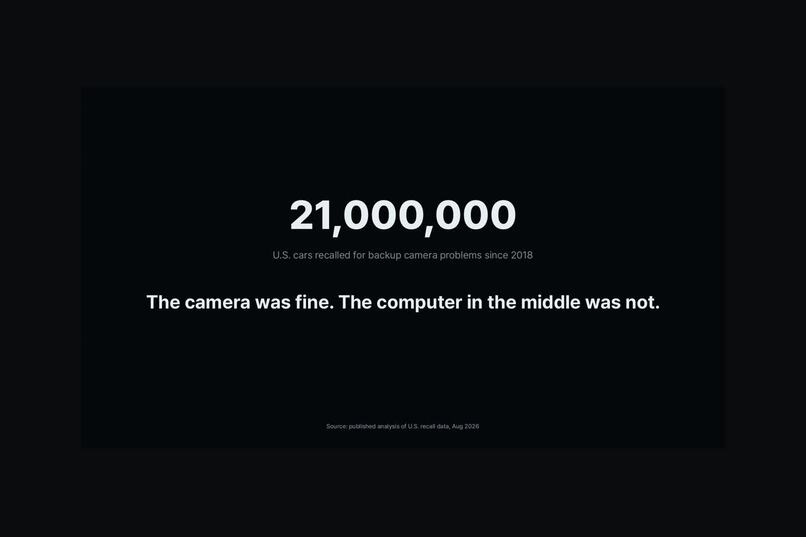
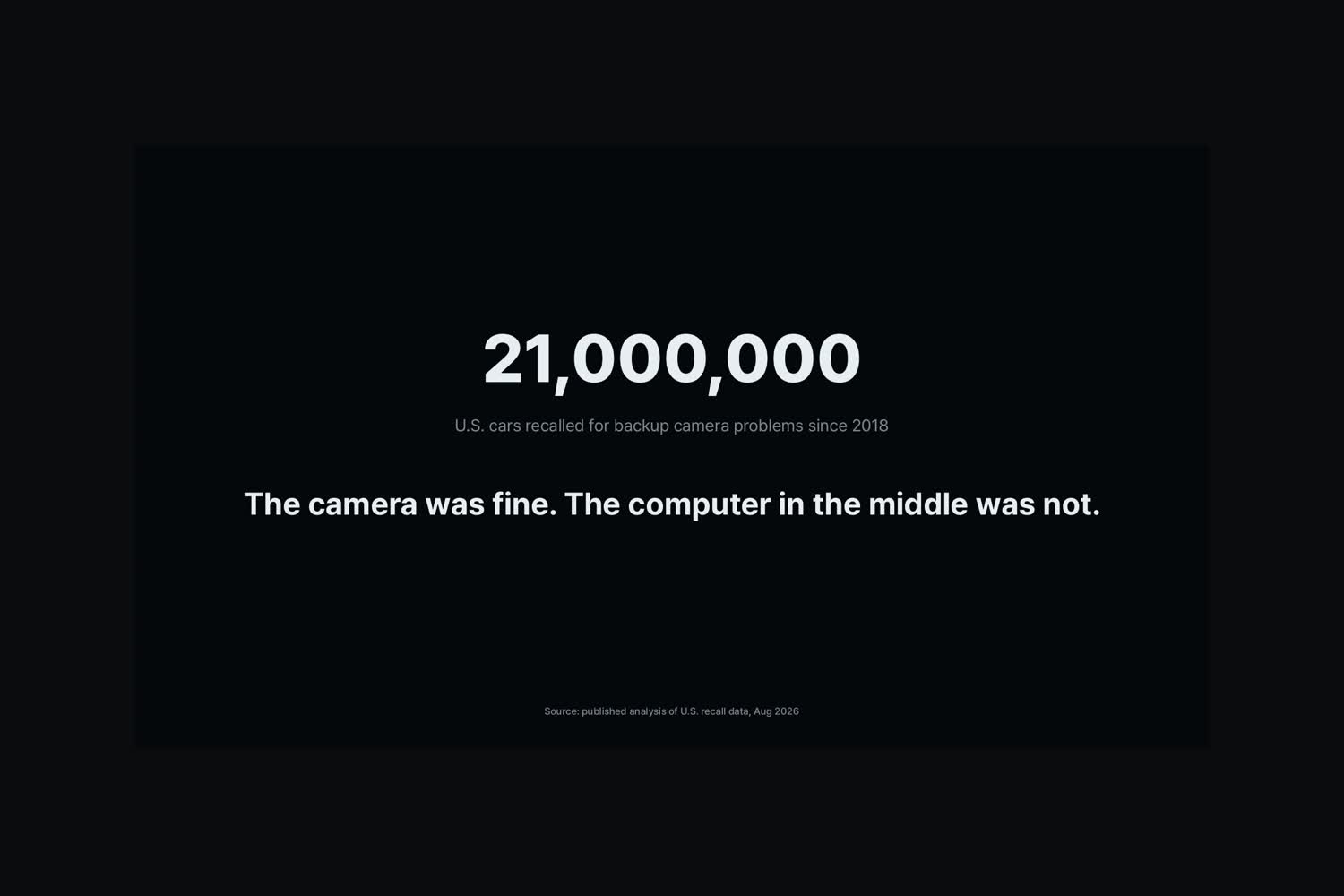
About 21 million US cars were recalled for backup camera problems. The camera was fine; the computer was not.
-
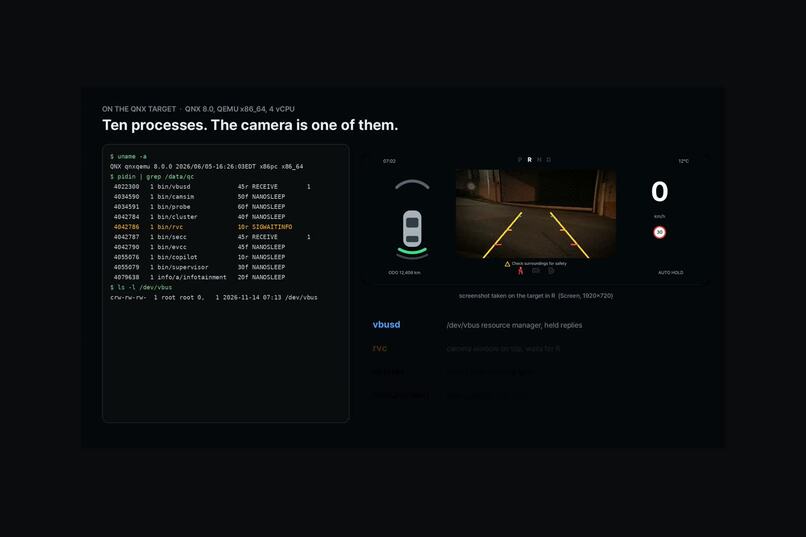
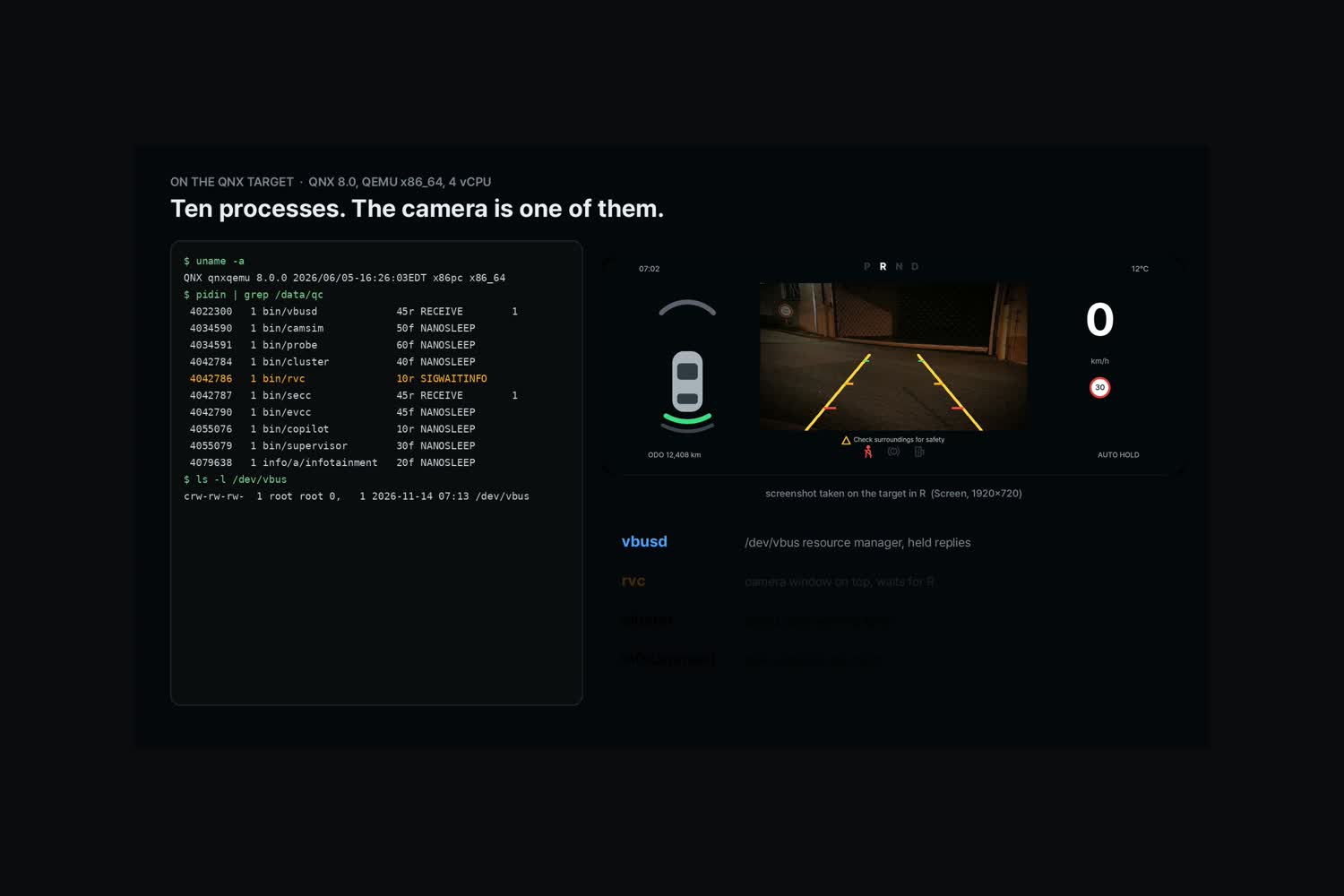
The car computer on QNX 8.0 in QEMU: isolated processes, and the rear camera is one of them.
-
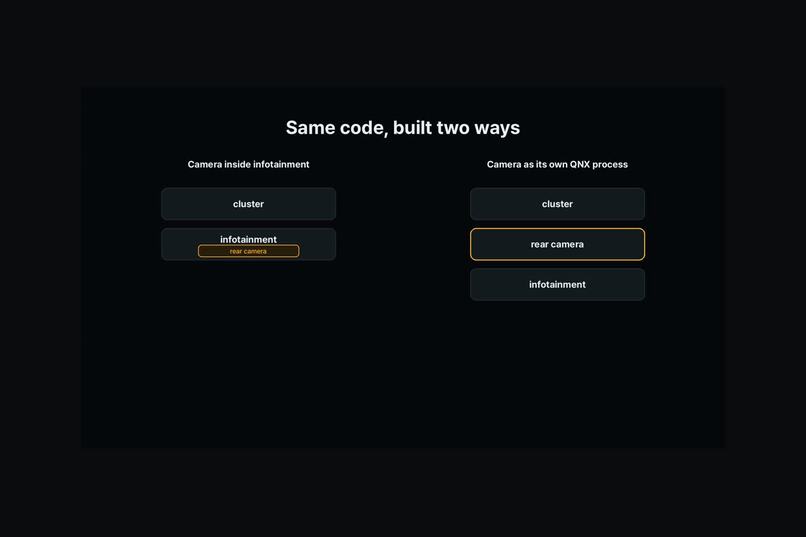
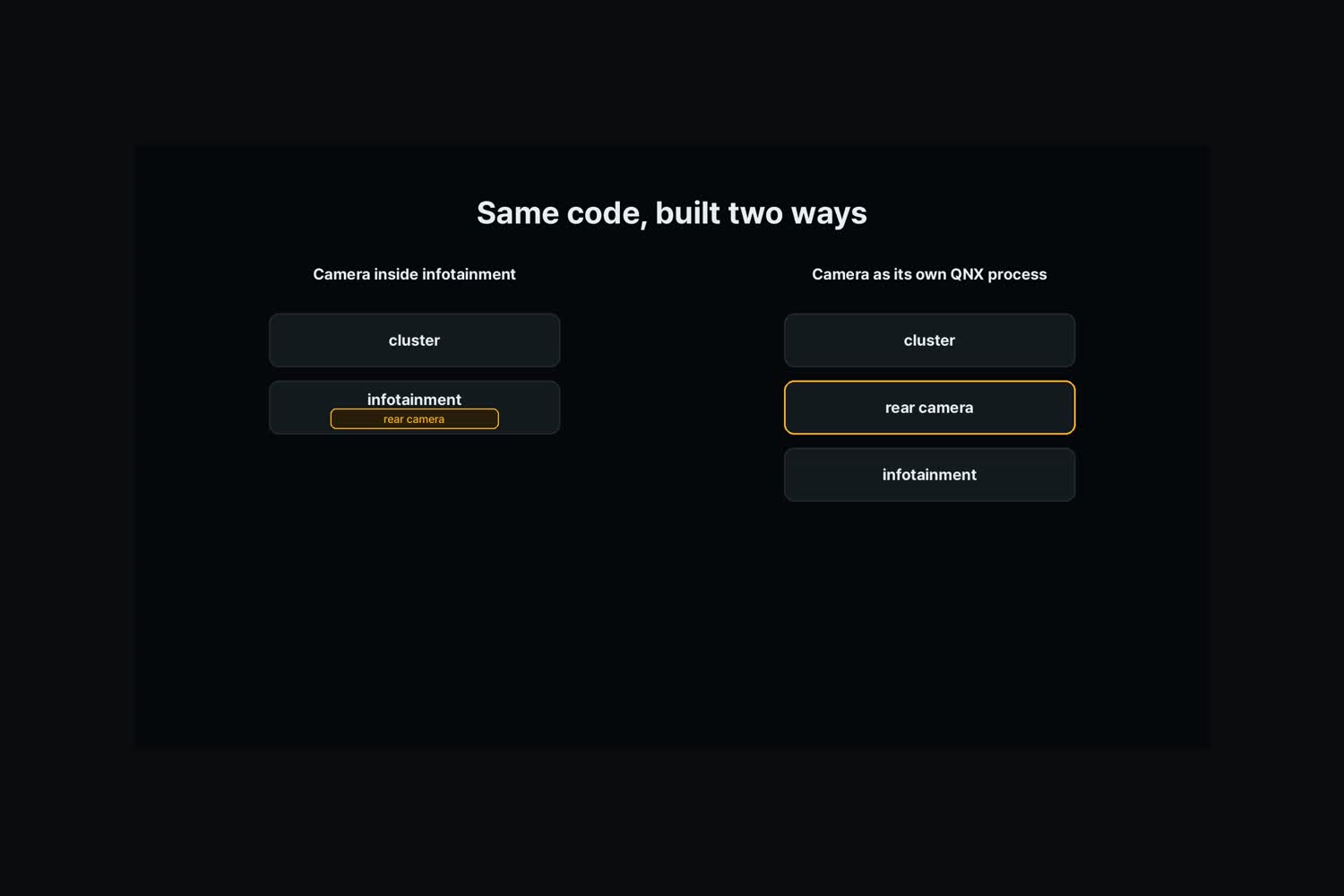
Same code, built two ways: camera inside infotainment, or camera as its own QNX process.
-
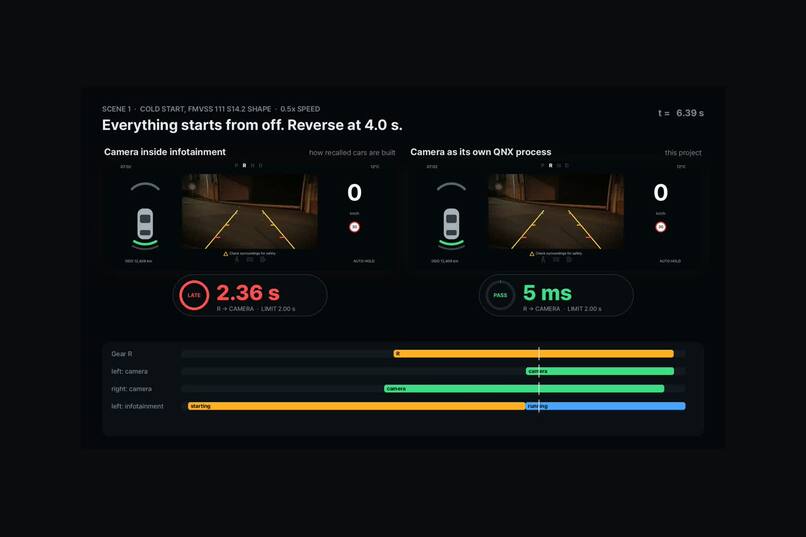
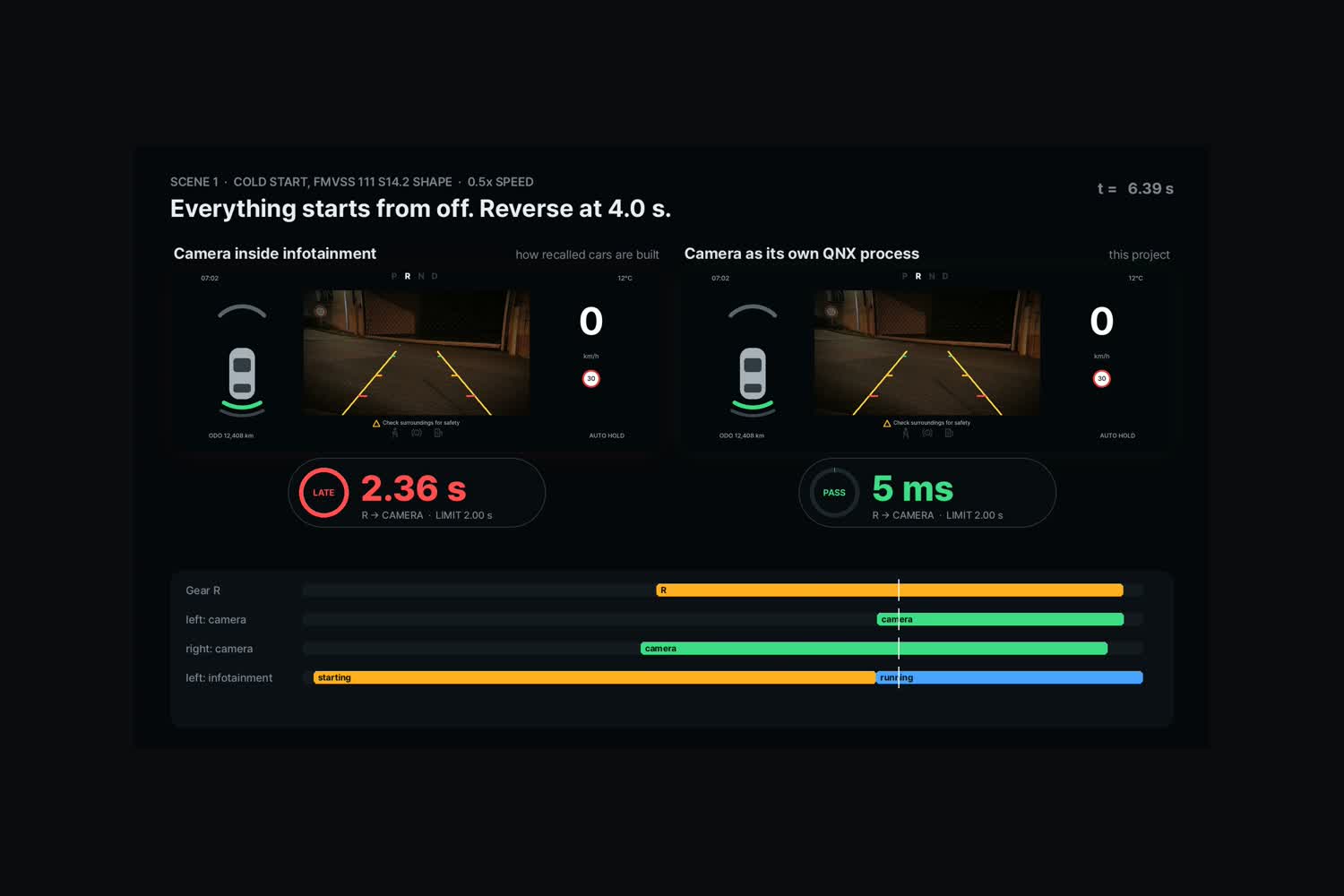
Start from off, reverse at 4 s. Inside infotainment: 2.36 s, fails. Own process: 5 ms.
-
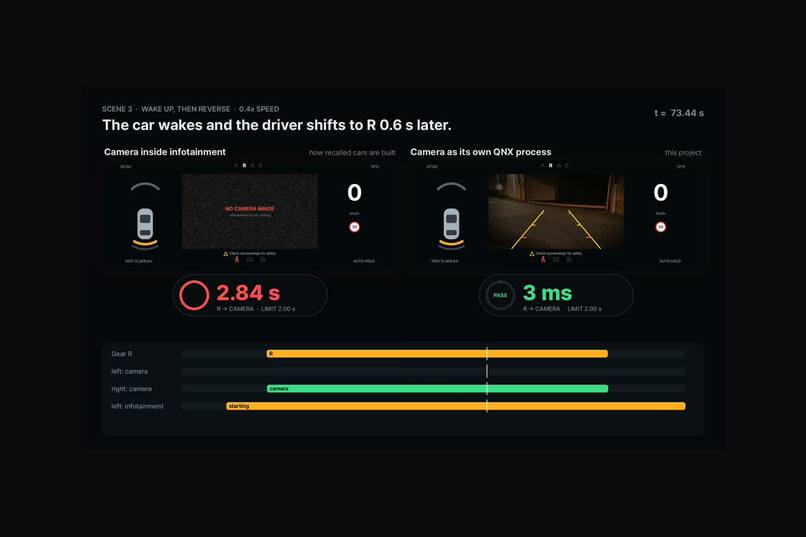
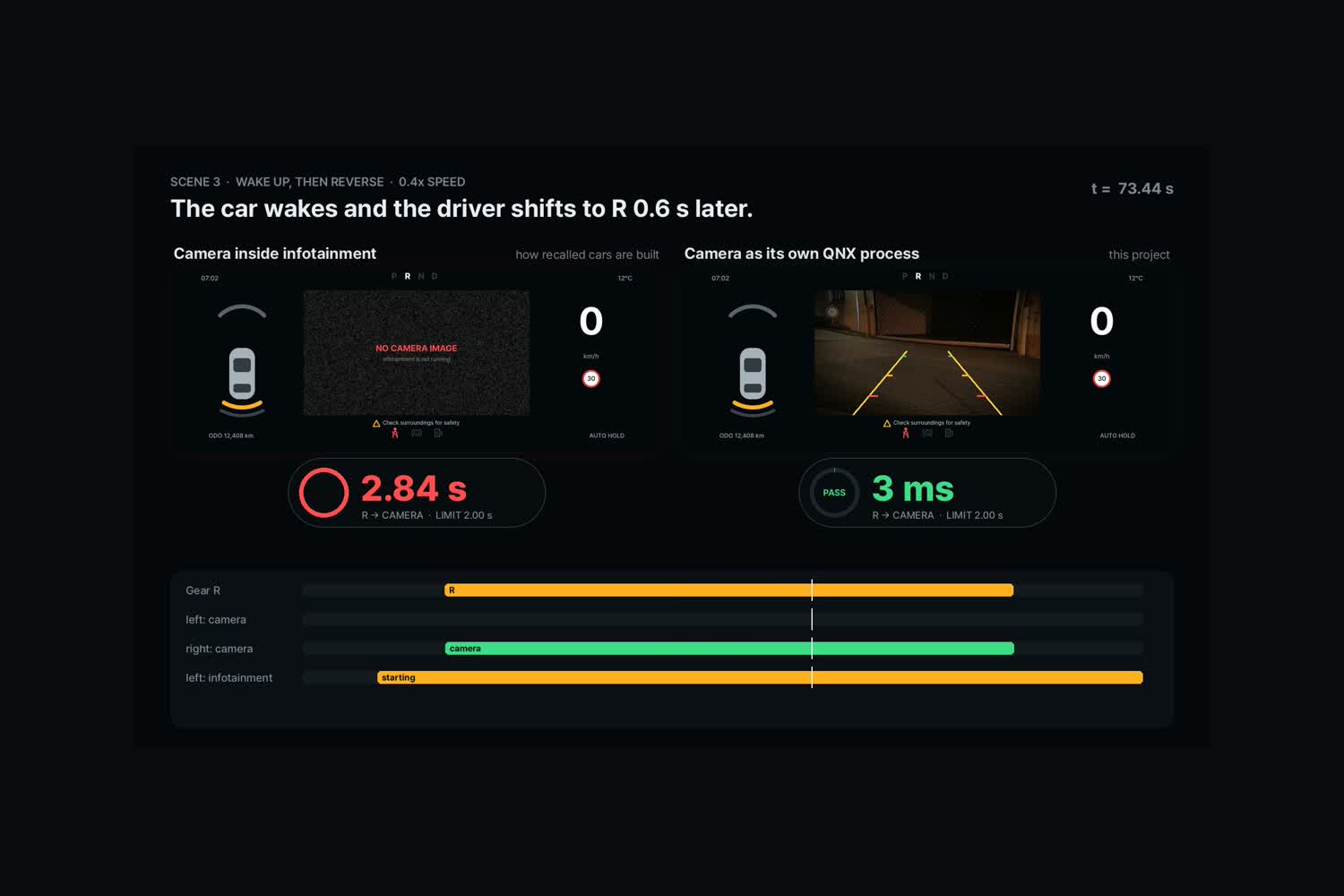
The car wakes and reverses right away. Inside infotainment: no image. Own process: 3 ms.
-
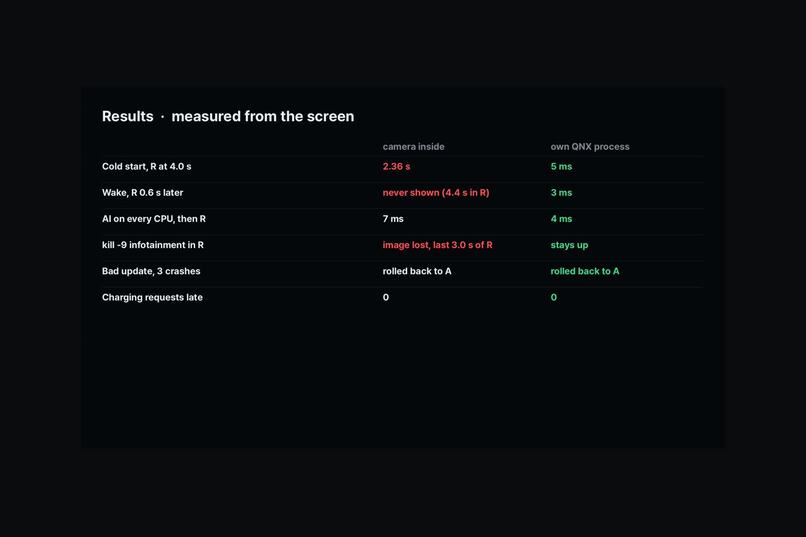
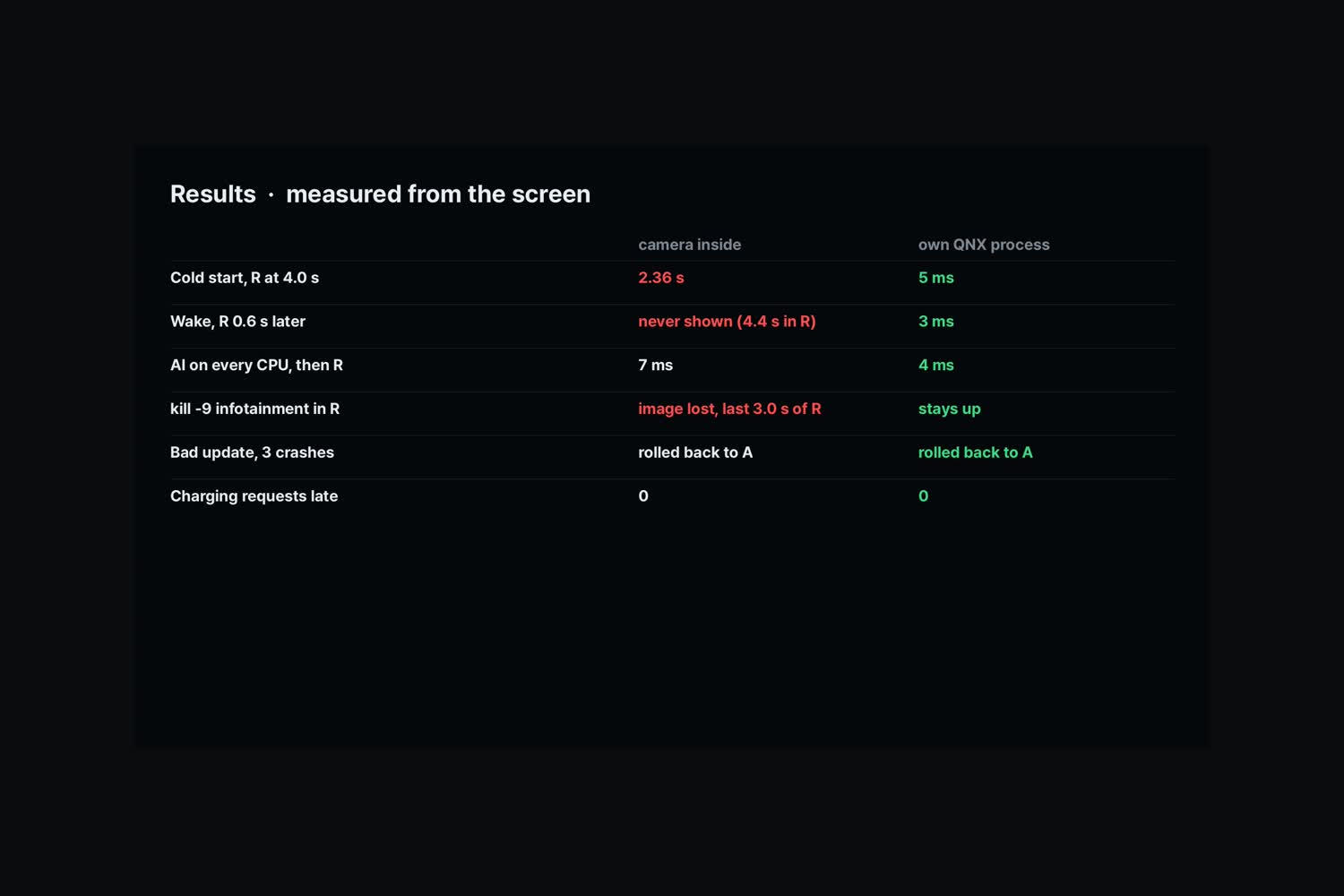
Results, measured from the screen every 4 ms by a separate probe process.
Inspiration
Since 2018, about 21 million cars in the US have been recalled for backup camera problems. In most of them the camera was fine. The computer in the middle of the car was not: one box now runs the cluster, the rear camera, infotainment, software updates and soon an AI assistant. The US safety standard (FMVSS 111) says the rear image must appear within 2.0 seconds of shifting into reverse. We wanted to show, with a stopwatch, what it takes to keep that promise while everything else on the same computer goes wrong.
What it does
RearGuard is a car computer on QNX 8.0, running in QEMU on a 1920x720 virtual display, the size of a 12.3-inch cluster. One night in a parking lot plays out in four scenes:
- Start from off. The car software starts from nothing and the driver shifts to R at 4 s, the shape of the federal test.
- A broken overnight update. While the car charges, an update installs a bad infotainment build. It crashes three times and the supervisor rolls back to slot A. The charging session never misses a request.
- Wake and reverse. In the morning the car wakes and the driver shifts to R 0.6 s later.
- AI load and kill -9. An AI assistant keeps every CPU busy, then infotainment is killed while the car is in R.
The same code is built two ways. On the left, the camera lives inside infotainment, the way many recalled cars are built. On the right, the camera is its own QNX process with its own window on top. A separate probe reads the composited screen every 4 ms and decodes a frame number hidden in the camera image, like a person filming the display.
Results (QEMU, same conditions for both builds):
- Start from off: 2.36 s inside infotainment (fails the 2-second rule), about 5 ms as its own process.
- Wake and reverse: no image during the whole 4.4 s backing event inside infotainment, 3 ms as its own process.
- kill -9 infotainment while in R: the image is lost inside infotainment; as its own process only infotainment restarts and the camera stays up.
- Bad update: both builds roll back to slot A. Charging requests late all night: 0 in both.
How we built it
- Small QNX processes, one job each. A vehicle signal bus, rear camera, fake camera, instrument cluster, infotainment, supervisor, update agent, charging pair, AI load generator and the probe.
- Vehicle bus as a resource manager.
vbusdserves/dev/vbus. The camera process waits on a held reply (_RESMGR_NOREPLY) and gets it the moment the gear changes, so there is no polling. - Message passing. The charging session uses
name_attachandMsgSend/MsgReceive/MsgReplywith 100 ms requests and a 250 ms timeout. - Isolation and restart. The supervisor starts processes with
posix_spawn, keeps A/B slots, and rolls back after three failed starts. Killing infotainment never touches the camera or the cluster. - Screen and LVGL. The cluster is drawn with LVGL 9.5 on QNX Screen; the camera window sits on top in Screen's z-order.
- Measured from outside. The probe uses
screen_read_displayand starts its clock when the bus records gear R. The video is rebuilt from those logs; no number in it is typed by hand. - Priority inheritance ablation. We built the bus channel with
_NTO_CHF_FIXED_PRIORITYas a control. Under this load it made no measurable difference, so the result comes from process isolation.
Challenges we ran into
- The build server has no GPU and no KVM, so QNX runs under QEMU TCG with Screen compositing in software. Absolute timings are slower than hardware, so we only compare the two builds under the same conditions.
- Booting the OS itself takes about 100 s under TCG, so "start from off" restarts the car software, not the kernel.
- A real rear-camera rule says nothing may cover the image, so all labels moved below the video.
Accomplishments that we're proud of
- A clear pass and fail on a real legal number: 2.36 s against 5 ms, measured from the screen.
- The recalled-car failure modes (late image, no image after wake, image lost when infotainment dies) all reproduce in one build and disappear in the other.
- Every frame of the video comes from logs and in-guest screenshots of the QNX runs.
What we learned
The rear camera does not need a faster computer. It needs to stop depending on the biggest, slowest and most often updated program in the car, and QNX process isolation gives that for free.
What's next for RearGuard
- Run on a Raspberry Pi 5 with a real camera module and a gear switch on GPIO, and measure power-off to image on hardware.
- A QNX resource manager for a CAN FD board, so reverse comes from a real vehicle bus.
- A fast-boot image that starts the camera and cluster before anything else.
