-
-
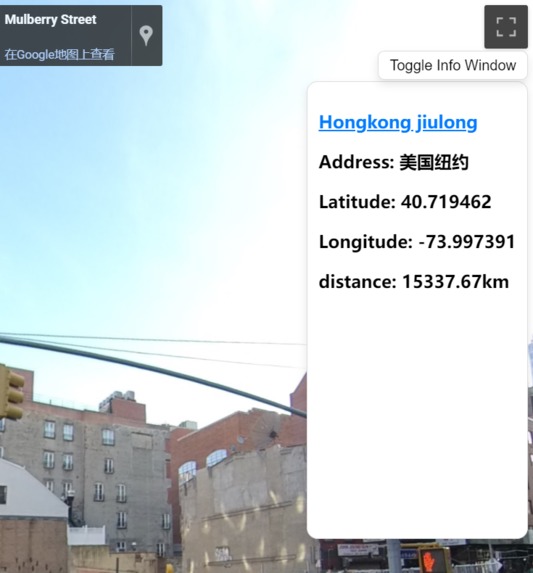
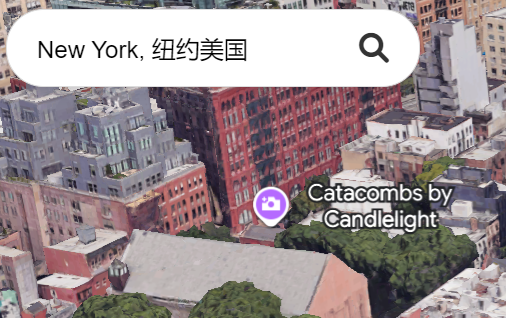
marketing window
-
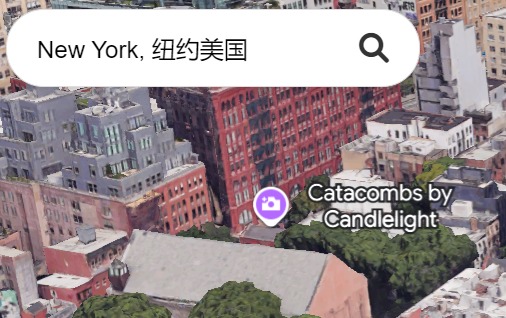
searching function
-
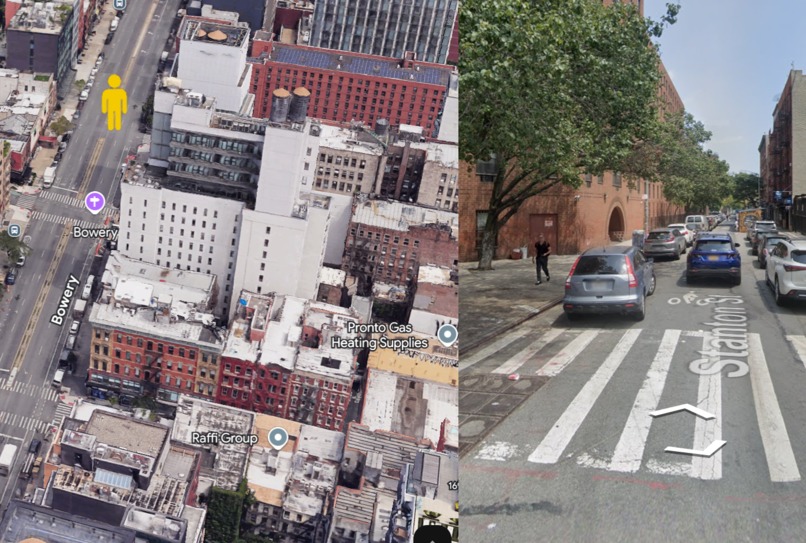
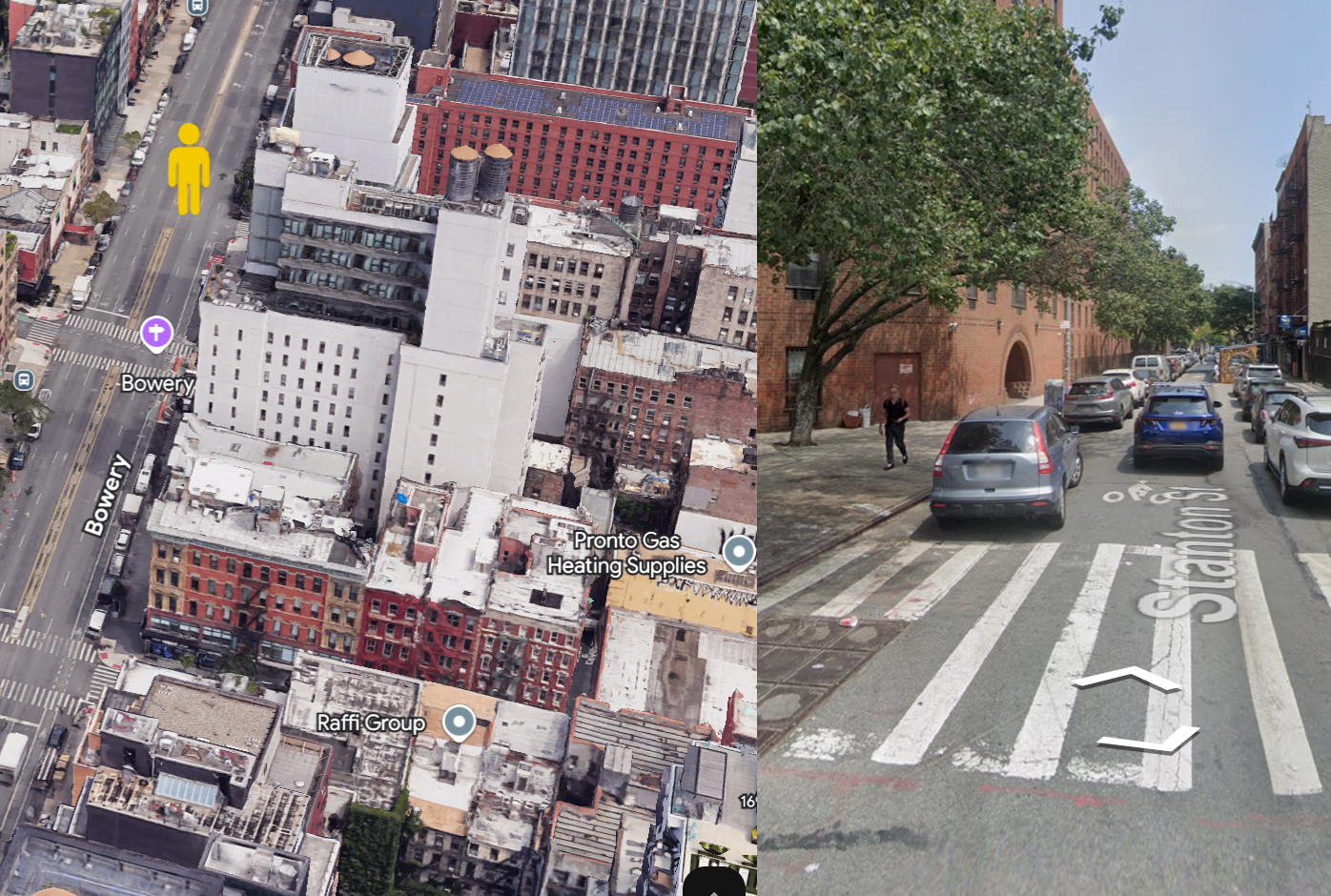
merge with street view
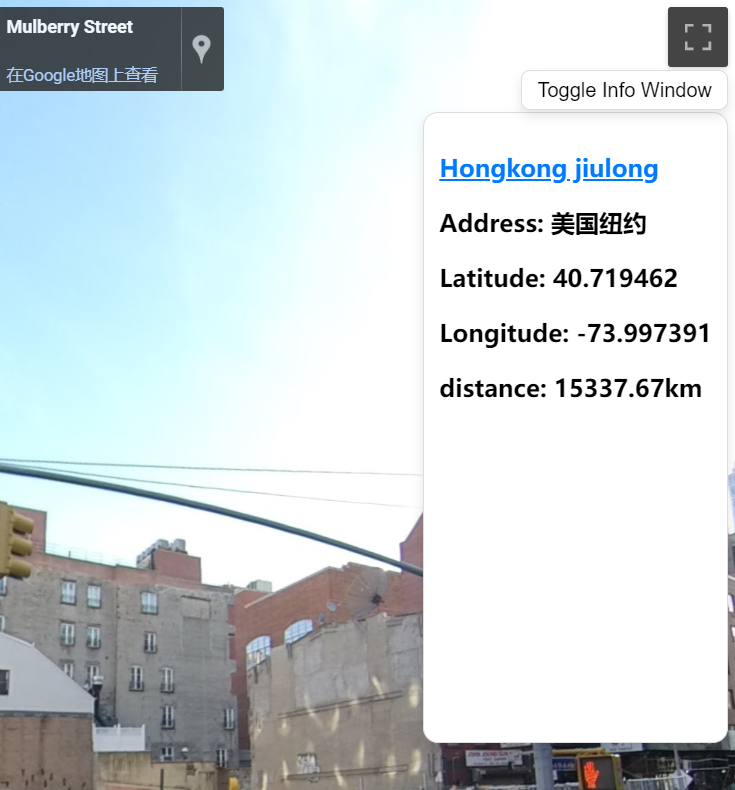
RealWorld Canvas: Immersive Marketing Solution
Our project, RealWorld Canvas, addresses the challenges of Category 2: Immersive Marketing by offering users a seamless and engaging platform for well-integrated, captivating marketing experiences.
The idea for RealWorld Canvas was born out of a desire to bridge the physical and digital worlds in an engaging and meaningful way. As advertising continues to evolve, we saw an opportunity to reimagine traditional outdoor spaces by transforming them into dynamic, interactive canvases. The increasing prevalence of 3D mapping and augmented reality inspired us to create a platform that not only delivers ads but also creates memorable experiences for users.
User Interface Overview
The user interface of RealWorld Canvas is divided into two main sections:
Google Maps Photorealistic 3D Maps (Left Panel):
This section incorporates all standard functionalities provided by Google Maps, such as search, zoom, tilt adjustment, rotation, and translation.Real Street View (Right Panel):
This panel displays a street-level perspective corresponding to the position of the “yellow person” on the 3D map.
The integration of these two panels provides users with both a comprehensive overview of the location and a detailed, ground-level view.
Additional User Interface Features
Street View Maximization:
A button located in the top-right corner allows users to expand the street view, offering an enlarged and focused display of street-level details.Toggle Advertisement Display:
The “Toggle Info Window” button enables users to control whether advertisements are displayed, ensuring a customizable experience.
Function Description
Accurate Navigation & Precise Route Planning:
Users can search for destinations on the 3D map and initiate navigation. By combining an overview from the 3D Maps with the detailed street view, users receive both comprehensive directional guidance and a clear sense of distance and orientation.Dynamic Position Switching:
With a simple mouse click, users can reposition the “yellow person” on the 3D map. The street view on the right panel updates in real-time to reflect this change, allowing users to better explore and understand the area surrounding their destination.Integrated Advertising: Superlinks & Reality Views:
This feature is the core highlight of RealWorld Canvas, providing unique advertising opportunities:
Location-Based Advertising:
Businesses can purchase advertising slots for specific areas. For instance, a store can reserve a 3km-radius advertisement zone centered on its location. When users navigate within this radius, the store’s advertisement automatically appears in the advertisement info window on the right panel.Visual Embedding:
Businesses can opt to display their logos or icons directly within the street view, creating a more engaging and direct advertising experience that captures users’ attention.
By combining advanced navigation, dynamic position switching, and immersive advertising, RealWorld Canvas offers an innovative platform that bridges the gap between marketing and interactive user experiences.
Key Learnings
Throughout this project, we learned how to integrate multiple technologies to create a cohesive product. Specifically, we gained expertise in:
- Using 3D rendering engines for immersive visualizations.
- Integrating geolocation services for precise ad placement.
- Enhancing user engagement with interactive elements in augmented reality (AR).
Additionally, we delved into user experience design to ensure that the interactions felt natural and intuitive.
Challenges Faced
The journey wasn’t without obstacles:
Balancing Creativity and Usability:
Ensuring the ads were engaging without being intrusive was a constant focus during development.Scalability:
Designing a system flexible enough to accommodate diverse environments and advertising needs posed a significant challenge.

Log in or sign up for Devpost to join the conversation.