-
-
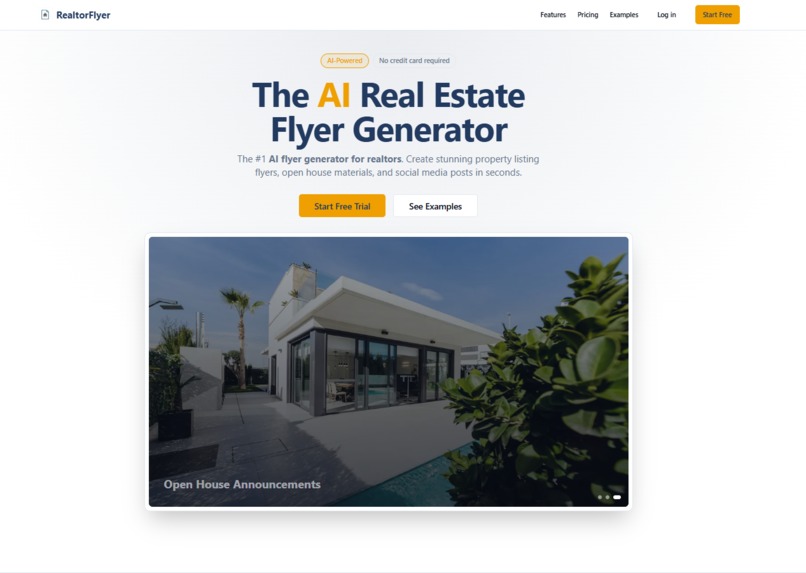
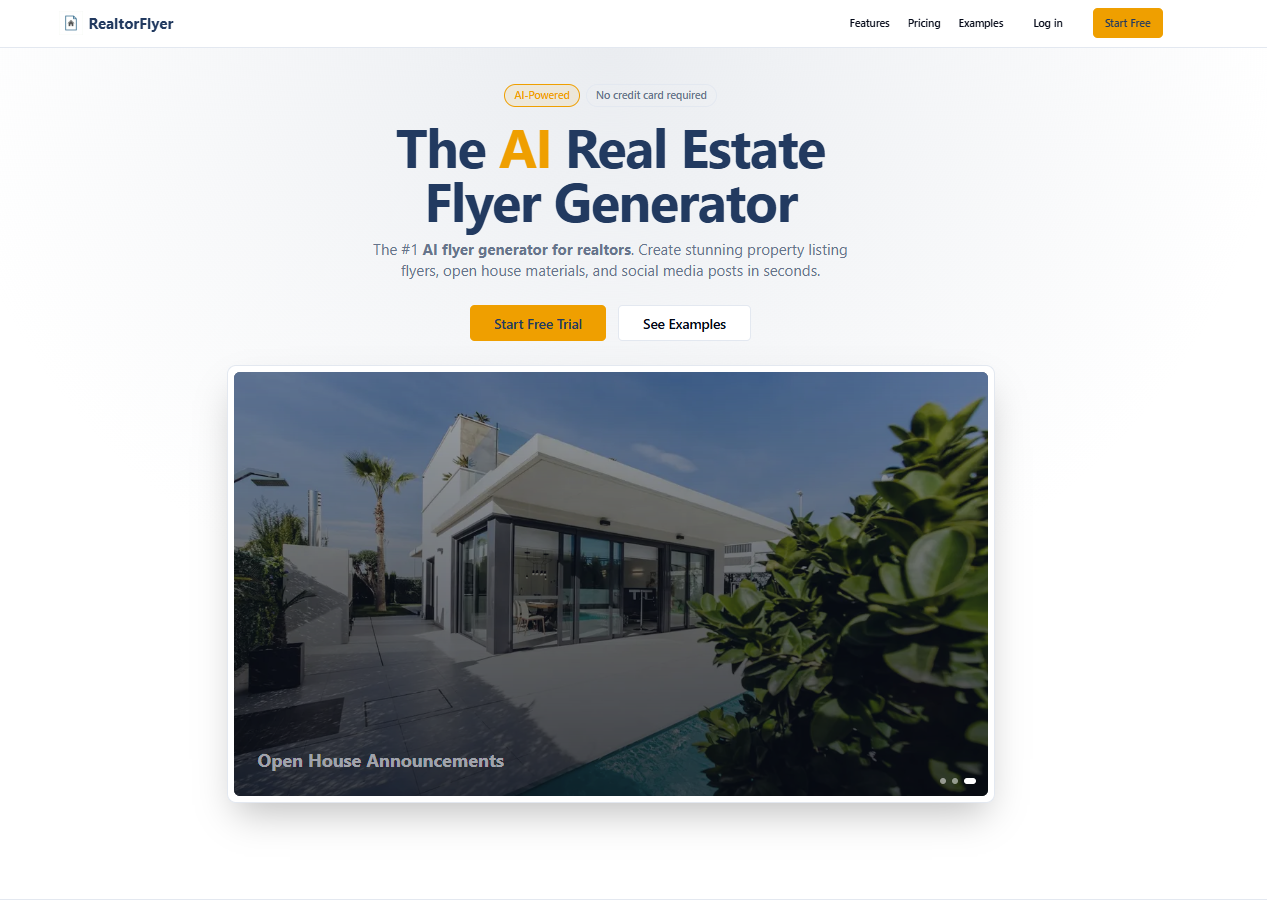
Landing Page
-
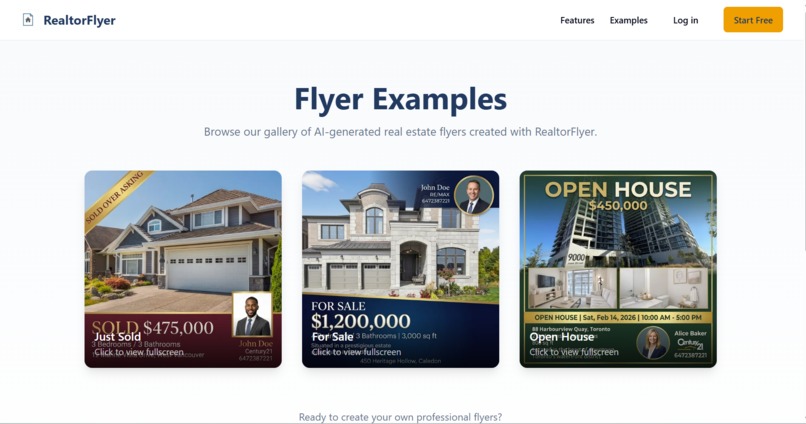
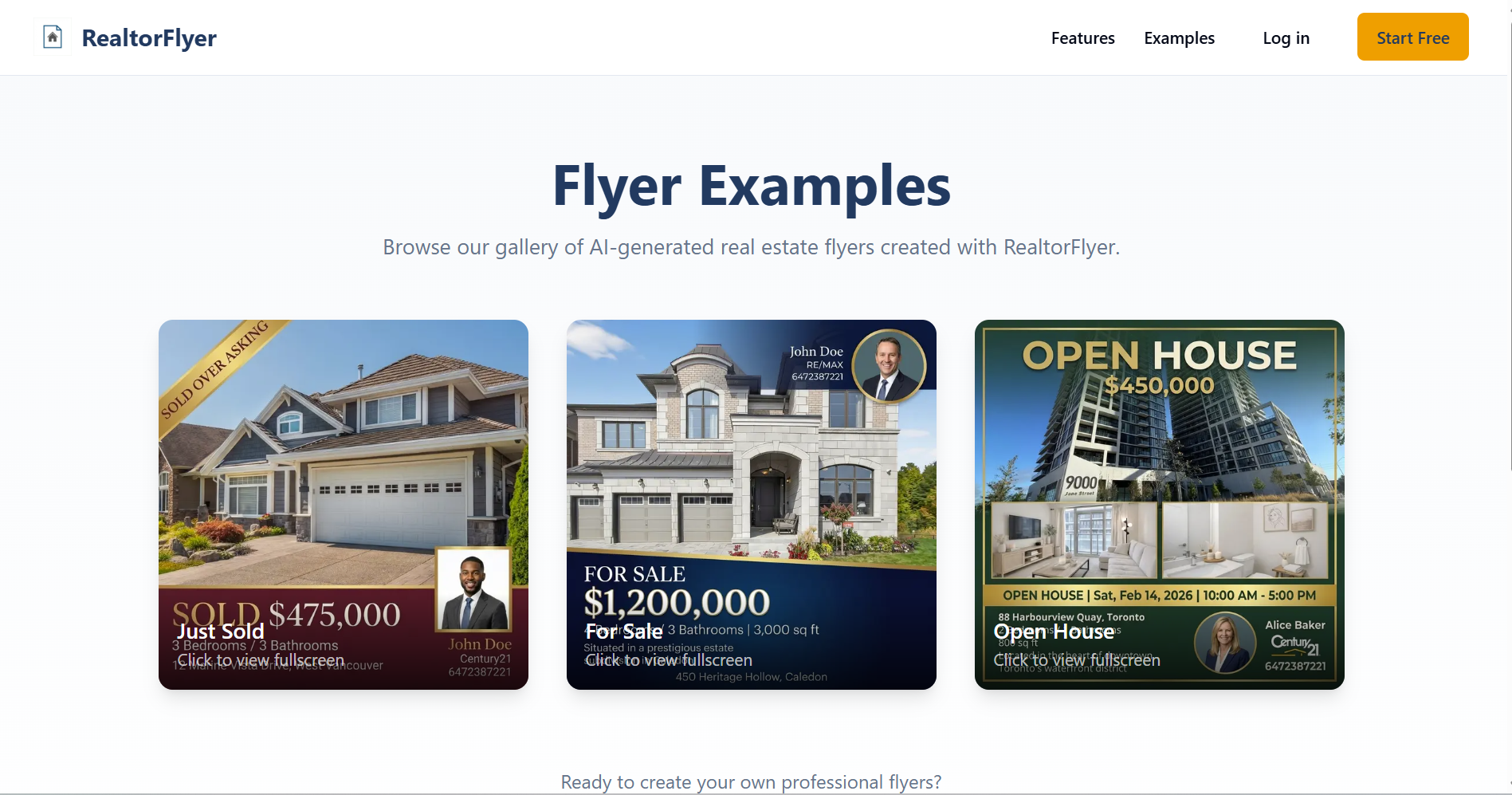
Examples Page
-

Generated Flyer: Just Sold
-

Generated Flyer: For Sale
-

Generated Flyer: Open House



Inspiration
Every week, thousands of Canadian real estate agents waste hours on the same tedious task: copying listing details from REALTOR.ca, downloading photos, opening Canva, and manually assembling marketing flyers. I have friends in real estate who complain about this constantly. They became agents to sell homes, not to fight with design software.
The problem is clear: agents either spend 30+ minutes per flyer, pay designers $25-50 each time, or settle for generic templates that do not stand out. None of these options scale when you are juggling 10, 20, or 50 active listings.
I wanted to eliminate that friction entirely. One professional flyer in under 60 seconds.
What it does
RealtorFlyer transforms any listing into a polished, print-ready marketing flyer instantly.
Here is the workflow:
- Agent enters property details (address, price, beds, baths, features, photos)
- Agent profile info (name, headshot, contact, brokerage logo) loads automatically from saved settings
- Gemini 3 analyzes the listing and generates compelling marketing copy (headline, description, feature highlights)
- A professionally designed flyer renders with the agent's branding
- Agent downloads as PDF or image, ready for print or social media
No design skills. No starting from scratch every time. No waiting on freelancers.
How I built it
Frontend: Next.js 14 with React and TypeScript, styled with Tailwind CSS. The UI is minimal and focused on speed since agents want results, not complexity.
Backend & Database: Supabase handles authentication, user profiles, saved flyers, and usage tracking. PostgreSQL stores everything with row-level security for multi-tenant safety. Agent profiles (name, headshot, contact info, brokerage logo) persist across sessions so users never re-enter the same information twice.
AI Generation: The listing data gets structured into a detailed prompt and sent to the Gemini 3 API. Gemini generates:
- A punchy headline that hooks buyers
- A compelling property description (2-3 sentences)
- Curated feature highlights optimized for flyer layouts
RealtorFlyer uses the gemini-3-pro-image-preview model's native multimodal image generation to create professional real estate marketing flyers instantly. The application leverages Gemini 3 Pro Image's ability to process multiple input images alongside text prompts. Agents upload property photos and an optional portrait, which are converted to base64 and passed directly to the model as inline data parts within the contents array. The API call combines a structured text prompt (built via buildFlyerPrompt) with these image parts, allowing Gemini to generate a complete, print-ready flyer that intelligently integrates real photos into a cohesive design with crisp typography for pricing, property details, and agent contact information. This multimodal approach is central to the application: rather than templating or layering, Gemini 3 Pro Image makes holistic design decisions, adjusting layout, color palette, and visual hierarchy based on the property type and uploaded images. The result transforms a 30-minute manual Canva workflow into a single API call that handles image composition, copywriting, and professional design simultaneously.
Rendering: The AI output feeds into React-based flyer templates. Users can preview, tweak, and download as high-resolution PDF or PNG.
Payments: Stripe integration (in progress) will support pay-per-flyer credits and unlimited monthly subscriptions.
Hosting: Deployed on Vercel for fast edge delivery.
Documentation Website: [link]https://deepwiki.com/Choudhry-Shaharyar/RealtorFlyer/1-overview
Challenges we ran into
Prompt engineering for marketing copy. My first prompts produced bland, generic descriptions that could apply to any property. I iterated dozens of times to get Gemini to write copy that feels specific, highlights unique selling points, and uses emotional language that resonates with buyers. The key breakthrough was structuring the input data with explicit context about neighborhood character, price positioning, and target buyer demographics.
Balancing speed and quality. Agents want instant results, but rushing the AI pipeline produces worse output. I optimized by preprocessing and validating input data before sending it to Gemini, which reduced unnecessary tokens and improved response quality without adding latency.
Flyer layout constraints. Marketing flyers have strict space limits. Gemini sometimes generated descriptions that were too long or headlines that did not fit. I solved this by adding explicit character limits to the prompts and implementing client-side truncation as a fallback.
Profile data management. Agents work across multiple brokerages and need flexibility in their branding. Designing a profile system that saves time without being too rigid required careful UX decisions.
Accomplishments that we're proud of
- End-to-end automation: From listing details to finished flyer with minimal manual work
- Sub-60-second generation: The entire pipeline completes in under a minute
- Production-quality output: Flyers that agents are genuinely excited to use, not just "good enough for AI"
- Real user validation: Early testers have generated flyers for actual listings they are marketing right now
- Clean, focused UX: No feature bloat. Agents can go from landing page to downloaded flyer in three clicks
- Smart profile persistence: Enter your agent info once, use it forever
What we learned
- Preprocessing is everything. The quality of AI output depends heavily on how well you structure the input. Cleaning and organizing data before sending it to Gemini made a dramatic difference in results.
- Prompt iteration never ends. What seems like a "final" prompt always has room for improvement. Small tweaks to wording, structure, and examples compound into noticeably better output.
- Constraints improve creativity. Giving Gemini explicit limits (character counts, tone guidelines, format requirements) produces more usable output than open-ended prompts.
- Solve one problem extremely well. Agents do not need another "everything app." They need flyers fast. Staying focused on that single use case kept the product sharp.
- Reduce repetition ruthlessly. Every field an agent has to re-enter is friction. Persistent profiles dramatically improve the experience.
What's next for RealtorFlyer
- Automatic listing import: Scrape REALTOR.ca, Zillow, and MLS URLs so agents can paste a link instead of entering details manually
- Multiple flyer templates: Luxury listings, condos, open houses, "just sold" announcements, and seasonal designs
- Social media formats: One-click export to Instagram story, Facebook post, and LinkedIn dimensions
- Batch generation: Upload a CSV of listings and generate 50 flyers at once
- Brand customization: Upload logos, set brand colors, choose fonts to match brokerage guidelines
- US market expansion: Integrate with American MLS systems to serve US agents
- Email and print integration: Direct send to print shops or embed in email campaigns
- Analytics dashboard: Track which flyers get downloaded, shared, and printed most
Built With
- api
- css
- gemini
- next.js
- react
- supabase
- tailwind
- typescript
- vercel

Log in or sign up for Devpost to join the conversation.