-
-
-
-
-
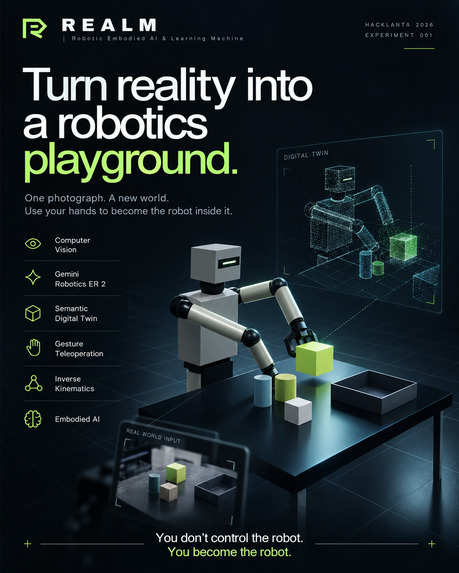
Poster
Inspiration
Robots are usually controlled through keyboards, joysticks, programmed trajectories, specialized controllers, or expensive motion-capture systems.
I wanted to explore a different question:
What if controlling a robot could feel less like operating a machine and more like becoming one?
That question became REALM — Robotic Embodied AI & Learning Machine.
As a Mechanical Engineering student interested in robotics, computer vision, simulation, and embodied AI, I wanted to build something where all of those technologies worked together inside one continuous interaction loop.
I did not want to create another chatbot connected to a 3D interface or another robot animation disconnected from the physical world.
Instead, I wanted the user's real environment to become the simulation, their body to become the controller, and AI to help the robot understand and reason about the world around it.
The core idea became:
Reality becomes the simulation. You become the robot.
I built REALM as a solo project during Hacklanta.
What it does
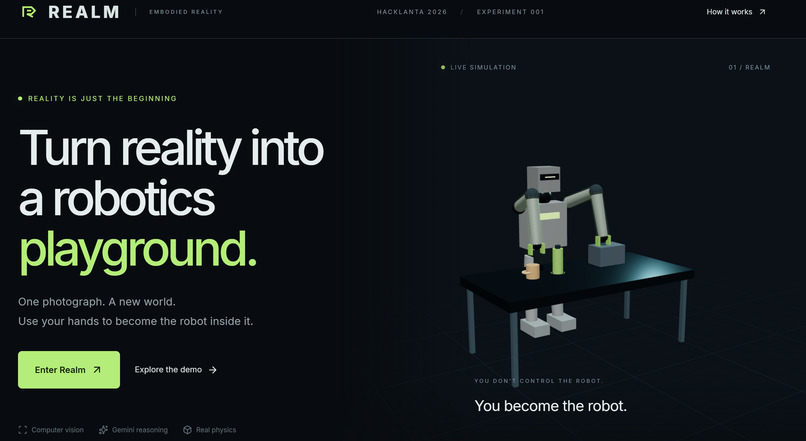
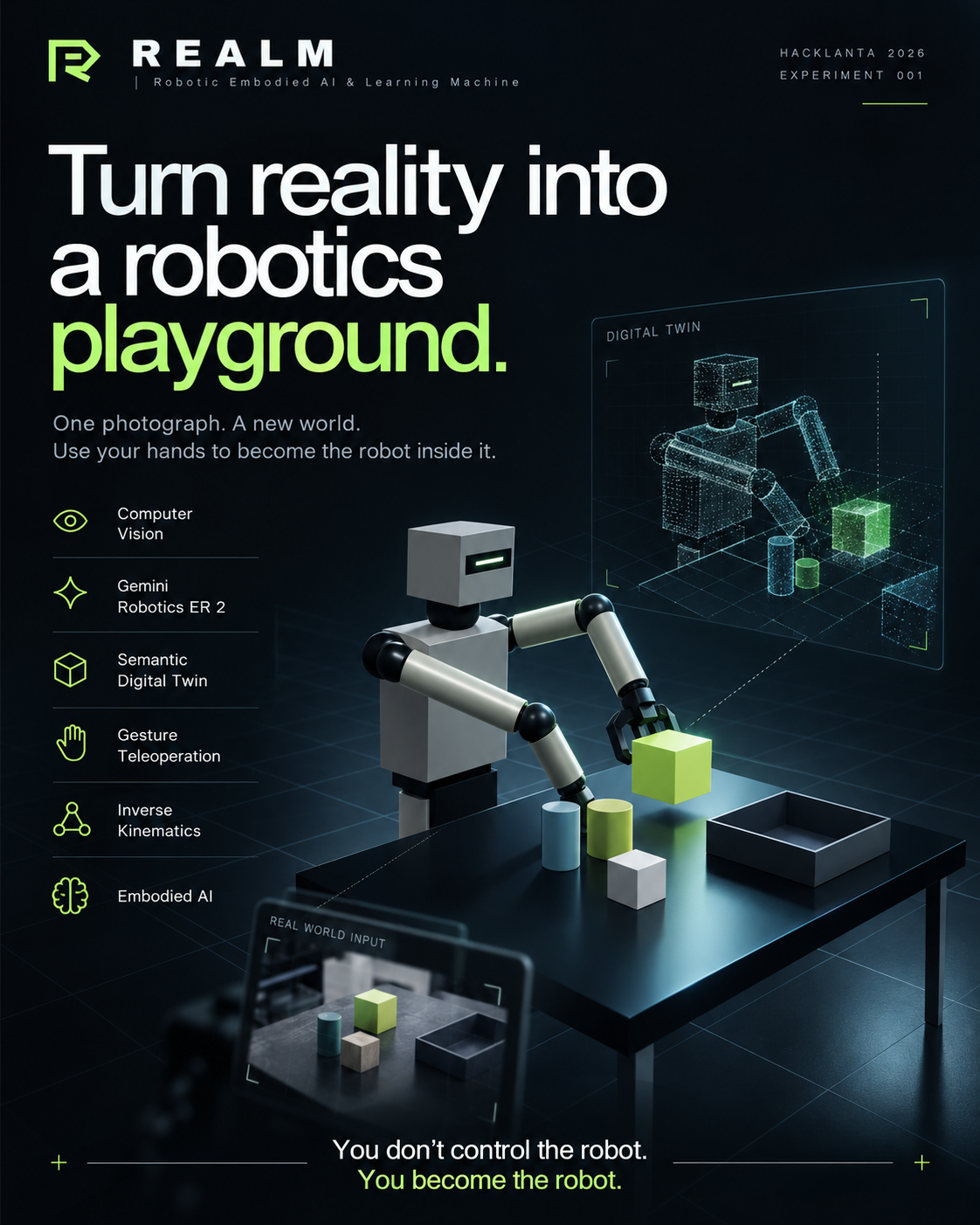
REALM transforms a real environment into an interactive robotics playground.
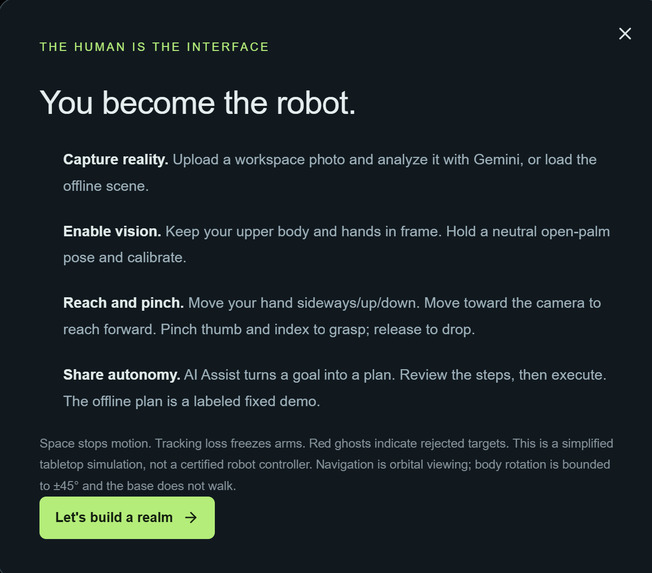
A user begins by uploading or capturing an image of a physical workspace containing objects such as bottles, cups, desks, phones, laptops, boxes, chairs, or obstacles.
Gemini Robotics ER 2 analyzes the scene from a robotics perspective and identifies:
- manipulable objects
- support surfaces
- obstacles
- approximate positions
- object relationships
- potential robot targets
- possible manipulation tasks
REALM converts that information into a simplified 3D semantic digital twin.
Instead of attempting perfect photorealistic reconstruction, REALM focuses on the information that matters to a robot:
- what objects exist
- where they are
- what can be manipulated
- what acts as an obstacle
- how objects relate spatially
For example:
- bottle → cylinder
- cup → cylinder
- phone → thin rectangular box
- desk → large platform
- package → cuboid
- chair → obstacle geometry
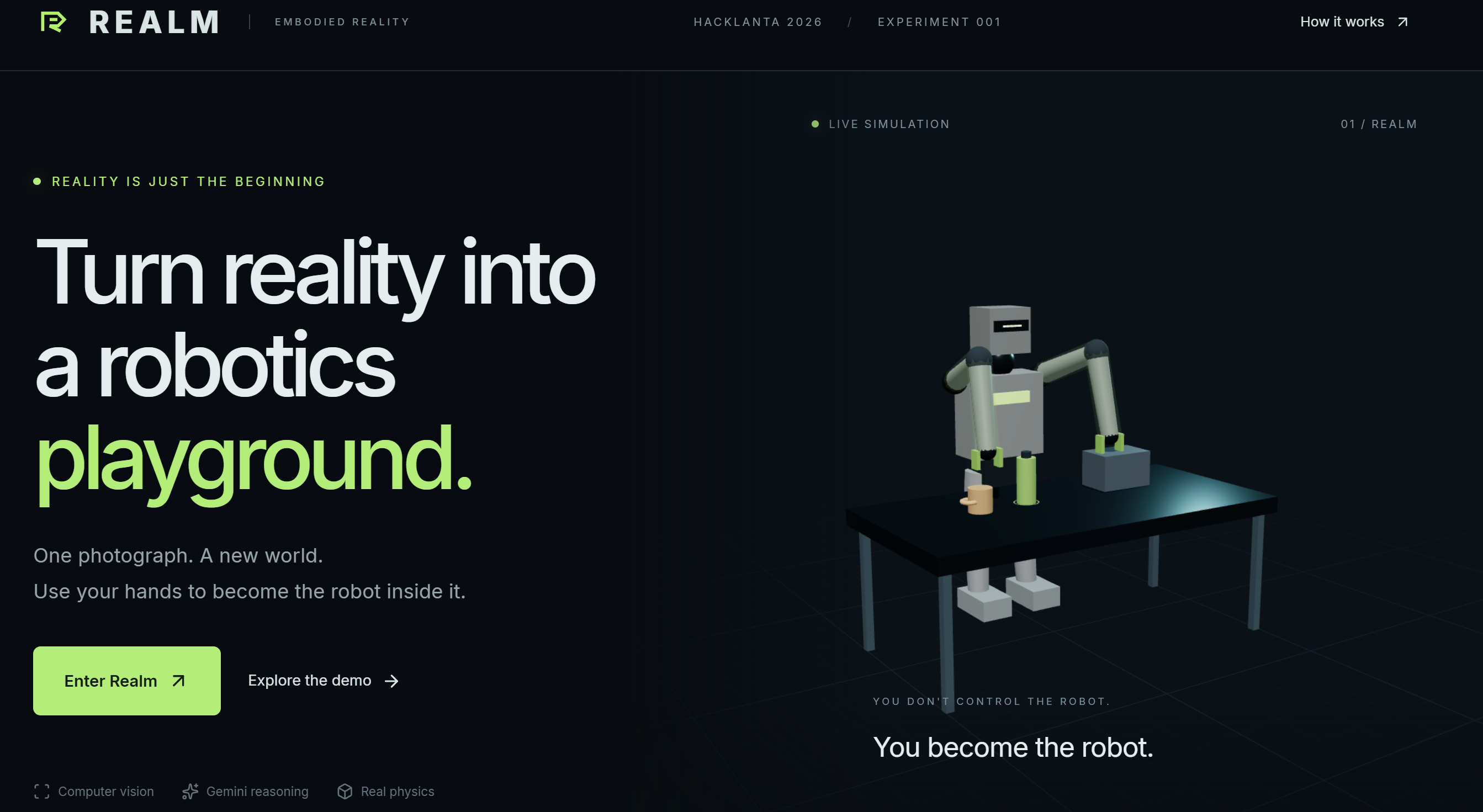
A virtual humanoid robot is then placed inside this generated environment.
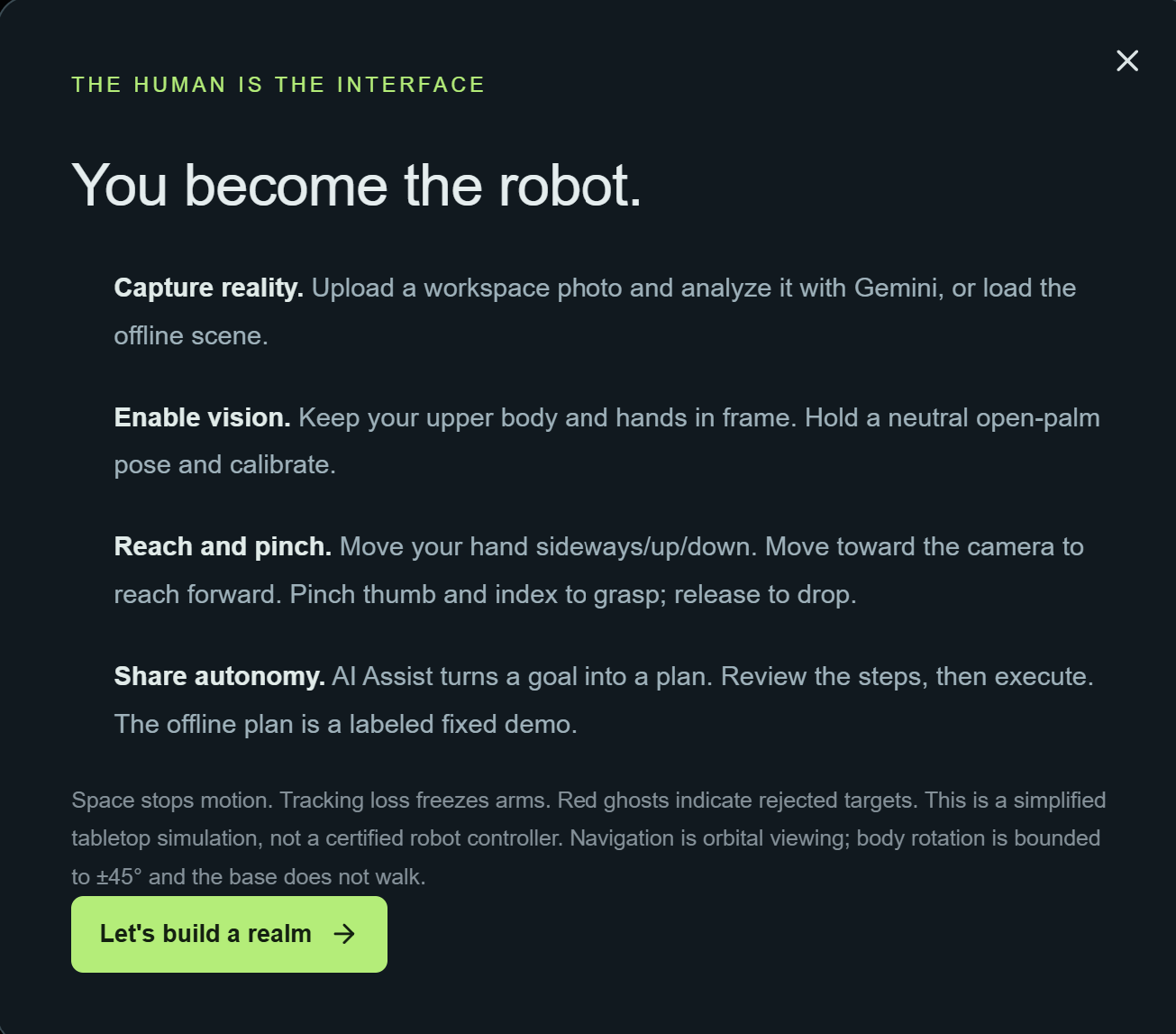
The user's laptop webcam becomes the teleoperation interface.
Using real-time computer vision, REALM tracks the user's hands and body and maps those movements onto the simulated robot.
The main gesture controls are:
- Open palm → activate arm control
- Move hand → move robot arm
- Pinch → close gripper / grab
- Release pinch → open gripper / release
- Fist → freeze arm
- Point left/right → rotate robot
- Two open palms → recenter tracking
This allows a user to physically reach toward a virtual object, pinch their fingers, watch the robot grasp it, move it, and place it somewhere else.
REALM also applies simplified robotics constraints including:
- inverse kinematics
- joint-angle limits
- workspace limits
- reach limits
- end-effector tracking
- collision detection
- velocity limits
- acceleration limits
- gripper state
- object grasp regions
- estimated mechanical effort
The robot is therefore not just an animation. Human motion represents intent, while the robotics system decides what motion is mechanically possible.
REALM also includes Ghost Motion, which visualizes a transparent target pose before a major robot movement is fully executed. If the requested pose violates a joint limit, workspace boundary, or collision constraint, REALM can reject the motion before execution.
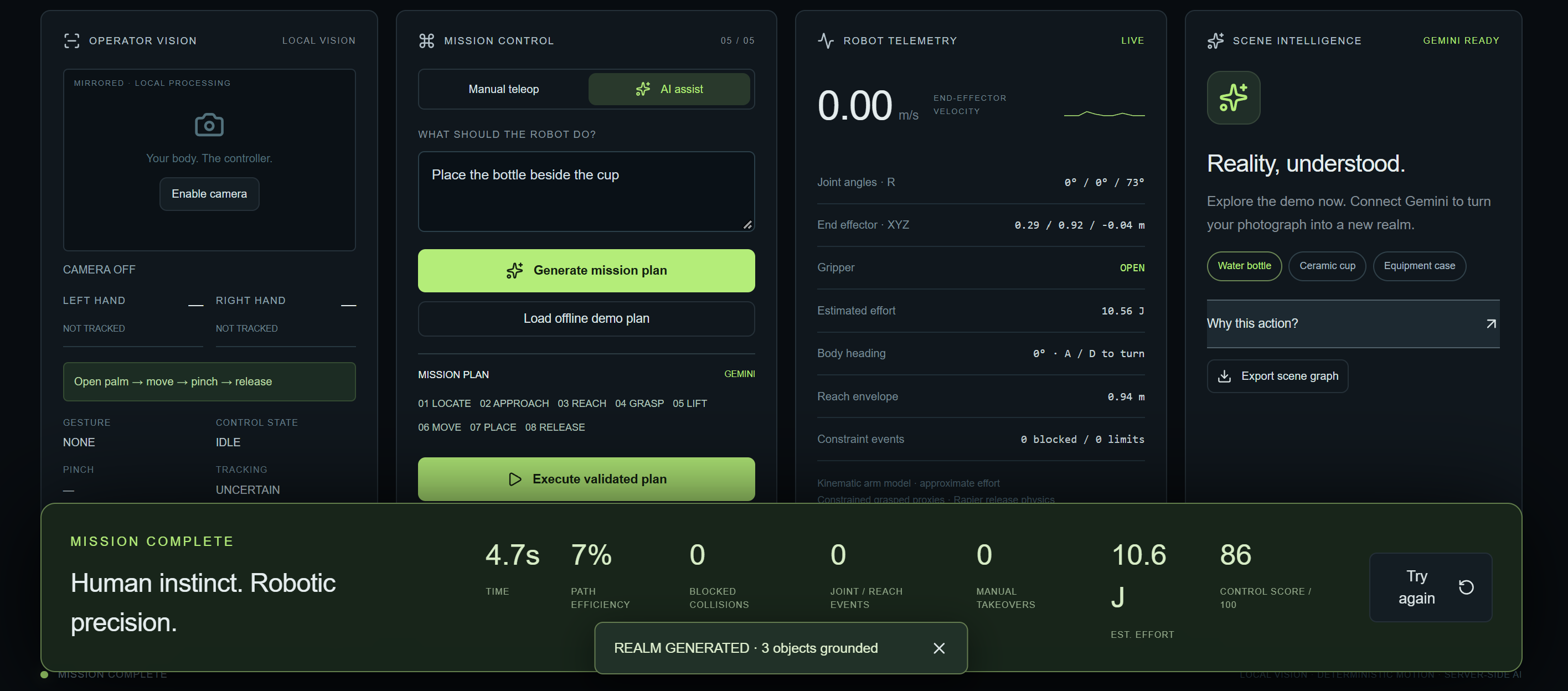
The interface also supports:
- Reality / Digital Twin comparison
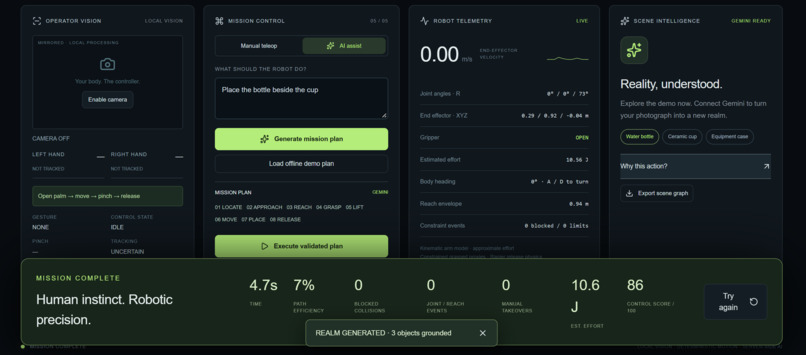
- robotics telemetry
- CV confidence
- gesture state
- robot joint information
- mission objectives
- interactive manipulation challenges
- AI-assisted task planning
- mission scoring
A user can also give REALM a mission such as:
"Pick up the bottle and place it beside the cup."
Gemini Robotics ER 2 can convert that into high-level robot actions:
Locate → Approach → Reach → Grasp → Lift → Move → Place → Release
Gemini decides what should happen.
REALM's deterministic robotics systems determine how the robot can physically do it.
How we built it
I built REALM as a layered robotics system rather than a single AI pipeline.
The architecture is divided into three main loops.
Computer Vision Loop
The webcam provides real-time human input.
WEBCAM
↓
HAND + BODY TRACKING
↓
GESTURE INTERPRETATION
↓
HUMAN INTENT
I use local computer vision for high-frequency tracking instead of sending every webcam frame to a cloud model.
This keeps teleoperation responsive.
The gesture-control system includes:
- landmark smoothing
- temporal gesture confirmation
- dead zones
- confidence gating
- pinch hysteresis
- cooldowns
- calibration
- stable left/right hand tracking
- explicit gesture states
The main gesture pipeline behaves like:
IDLE
↓
OPEN PALM
↓
ARM CONTROL
↓
PINCH
↓
GRIPPING
↓
RELEASE
↓
ARM CONTROL
Robotics Control Loop
Human motion cannot be copied directly onto a robot because human anatomy and robot geometry are different.
REALM therefore uses a human-to-robot retargeting layer.
HUMAN POSE
↓
NORMALIZED MOTION
↓
ROBOT COORDINATE MAPPING
↓
END-EFFECTOR TARGET
↓
INVERSE KINEMATICS
↓
JOINT CONSTRAINTS
↓
ROBOT MOTION
This layer converts human motion into mechanically plausible robot movement.
The simulated robot also checks:
- joint limits
- reachability
- collision boundaries
- workspace limits
- gripper state
- object interaction
Gemini Robotics ER 2 Loop
Gemini Robotics ER 2 acts as REALM's embodied reasoning layer.
REAL-WORLD IMAGE
↓
GEMINI ROBOTICS ER 2
↓
SPATIAL UNDERSTANDING
↓
SEMANTIC SCENE GRAPH
↓
DIGITAL TWIN
↓
HIGH-LEVEL ROBOT TASK PLAN
Gemini is used for:
- semantic scene understanding
- spatial reasoning
- object relationships
- manipulation targets
- mission understanding
- high-level task planning
- shared-autonomy assistance
I deliberately do not use Gemini for:
- continuous hand tracking
- inverse kinematics
- physics
- collision detection
- 60 FPS robot control
Those systems remain local and deterministic.
This separation was one of the most important architectural decisions in REALM.
Challenges we ran into
The first major challenge was gesture accuracy.
Raw hand landmarks are noisy, and small changes in finger position can cause unwanted robot movement or rapidly switch a gesture between states.
To improve reliability, I added:
- landmark smoothing
- temporal confirmation
- confidence thresholds
- movement dead zones
- gesture cooldowns
- pinch hysteresis
- calibration
- explicit gesture-state logic
Another challenge was mapping human movement to robot movement.
A human arm and a robot arm have different dimensions, degrees of freedom, and mechanical constraints. Directly mapping webcam coordinates onto robot joints created unrealistic poses, so I added a retargeting and inverse-kinematics layer.
A third challenge was deciding where AI should and should not be used.
Gemini is extremely useful for spatial reasoning and task planning, but real-time robotics requires predictable low-latency control. Separating AI reasoning from deterministic robot control made the system more reliable.
Another challenge was generating a useful digital environment from only one image.
Instead of attempting a fragile full 3D reconstruction, I focused on a semantic digital twin that preserves the important robotics information: objects, surfaces, obstacles, scale, and spatial relationships.
Finally, because I built REALM solo, I had to balance ambition with reliability. I had to constantly choose between adding another feature and making the existing interaction more dependable for a live demo.
Accomplishments that we're proud of
The accomplishment I am most proud of is connecting several complex systems into one interaction that still feels simple to use.
REALM combines:
- computer vision
- gesture recognition
- human pose tracking
- robot teleoperation
- human-to-robot retargeting
- inverse kinematics
- mechanical constraints
- collision logic
- digital twins
- object manipulation
- robotics telemetry
- Gemini Robotics ER 2
- embodied task planning
- interactive 3D simulation
The final experience can be explained in only a few seconds:
Move your hand. The robot moves. Pinch. The robot grabs.
I am also proud that REALM uses Gemini as a true robotics reasoning layer rather than simply as a chatbot.
Another major accomplishment was making the project work using only a normal laptop webcam and browser-based software, without requiring physical robot hardware or expensive motion-capture equipment.
Building the entire system as a solo project also forced me to understand every layer from perception to robot mechanics instead of treating any part as a black box.
What we learned
REALM taught me that embodied AI is fundamentally a systems engineering problem.
A robot does not become intelligent simply because it has a powerful model.
A complete system needs:
Perception → Understanding → Planning → Kinematics → Physics → Interaction
Each layer constrains the next.
Computer vision can detect movement, but that does not guarantee a mechanically possible robot pose.
AI can propose a task, but that does not mean the robot can physically reach the target.
Inverse kinematics can produce joint values, but that does not guarantee the path is collision-free.
I also learned how important abstraction is.
A photorealistic reconstruction is not always the most useful representation. For robotics, a semantic model of the environment can be much more valuable than visual perfection.
Most importantly, I learned that sophisticated engineering becomes much more powerful when it remains intuitive.
A user does not need to understand inverse kinematics before raising their hand and immediately seeing the robot respond.
What's next for REALM - Robotic Embodied AI & Learning Machine
REALM is currently simulation-first, but I designed the architecture so it could eventually extend to physical robots.
One future direction is real robot teleoperation, where the simulated humanoid is replaced by or synchronized with physical robotic hardware.
Another is learning from demonstration.
A human could demonstrate:
PICK
↓
LIFT
↓
MOVE
↓
PLACE
REALM could record that sequence and teach the robot to reproduce it autonomously.
Other future directions include:
- physical humanoid or robotic-arm control
- autonomous grasp planning
- trajectory optimization
- reinforcement learning
- richer digital twins
- SLAM
- stereo vision
- depth cameras
- Gaussian splatting
- multi-object manipulation
- manufacturing workcell simulation
- operator training
- robotics education
- accessibility-oriented robot control
- human-robot collaboration
- autonomous shared-control systems
I also see REALM evolving into a low-cost robotics development environment.
A laptop webcam could become a motion-capture system.
A photograph could become a robot workspace.
A gesture could become a robot command.
Gemini could provide embodied spatial reasoning.
A browser could become a robotics laboratory.
The long-term vision remains:
Turn any physical environment into a robotics lab.
And the idea at the center of REALM remains just as simple:
You don't control the robot. You become the robot.
Built With
- computer
- gemini
- mediapipe
- react
- robotics
- three.js
- typescript
- vercel

Log in or sign up for Devpost to join the conversation.