Inspiration
Blade repair today means technicians on ropes, hundreds of metres up, in wind and cold, with short weather windows. Crawler robots already exist, but they are watched on flat screens and get stuck on the situations autonomy can't handle. RealityHack puts the technician inside the robot's view, so their expertise reaches the blade without them having to.
What it does
Robot Teleoperation
- Drive and turn the crawler robot along the curved windmill blade surface with the joysticks.
- Switch between Navigation mode (drive) and Tool mode (arm) with one button.
Hands-On Repair
- In Tool mode, hold the grip and move your real hand: the tool arm follows.
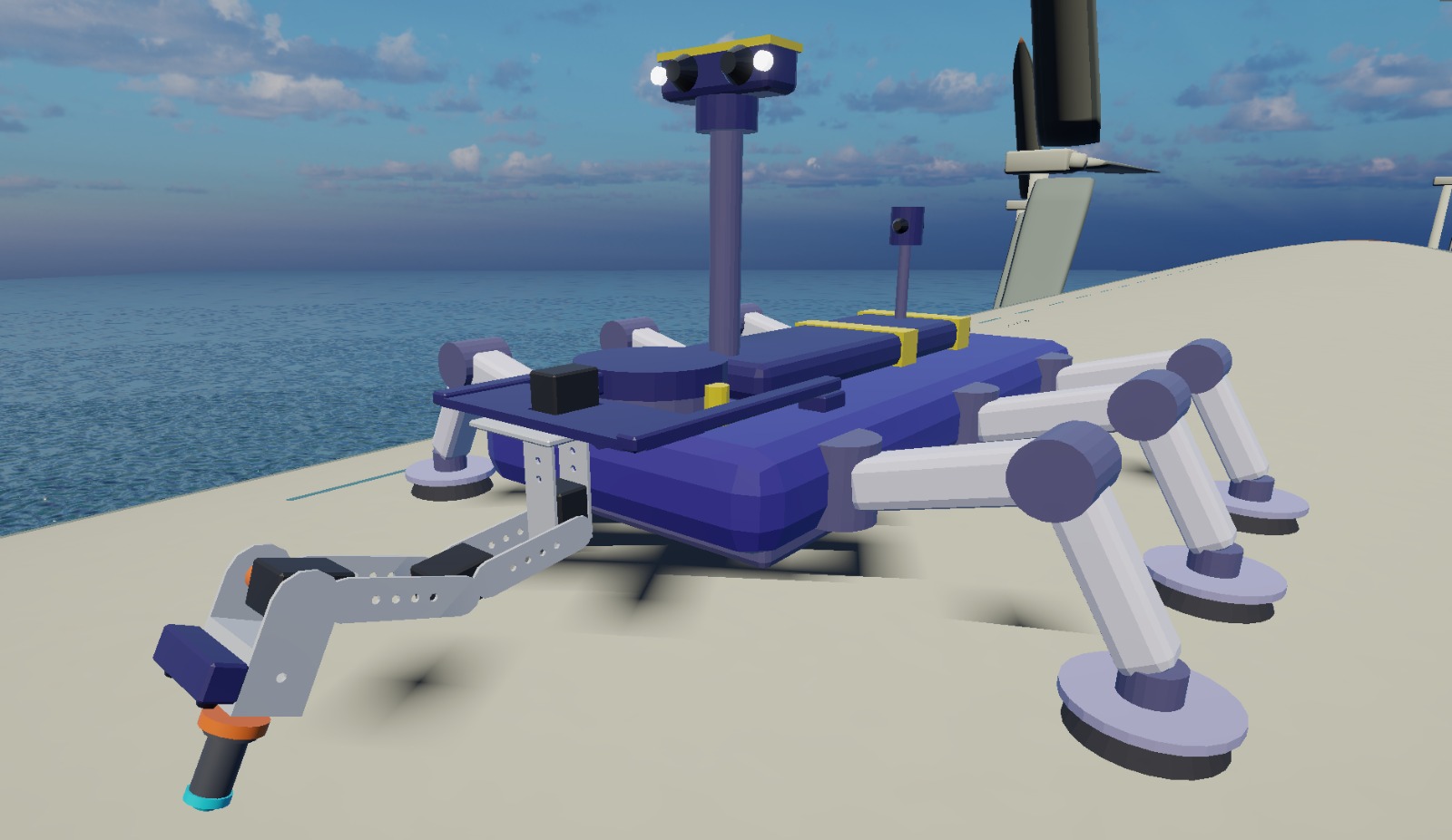
- Switch the arm's tool between the Scanner and the Epoxy filler to inspect and repair cracks.
Robot's-Eye View
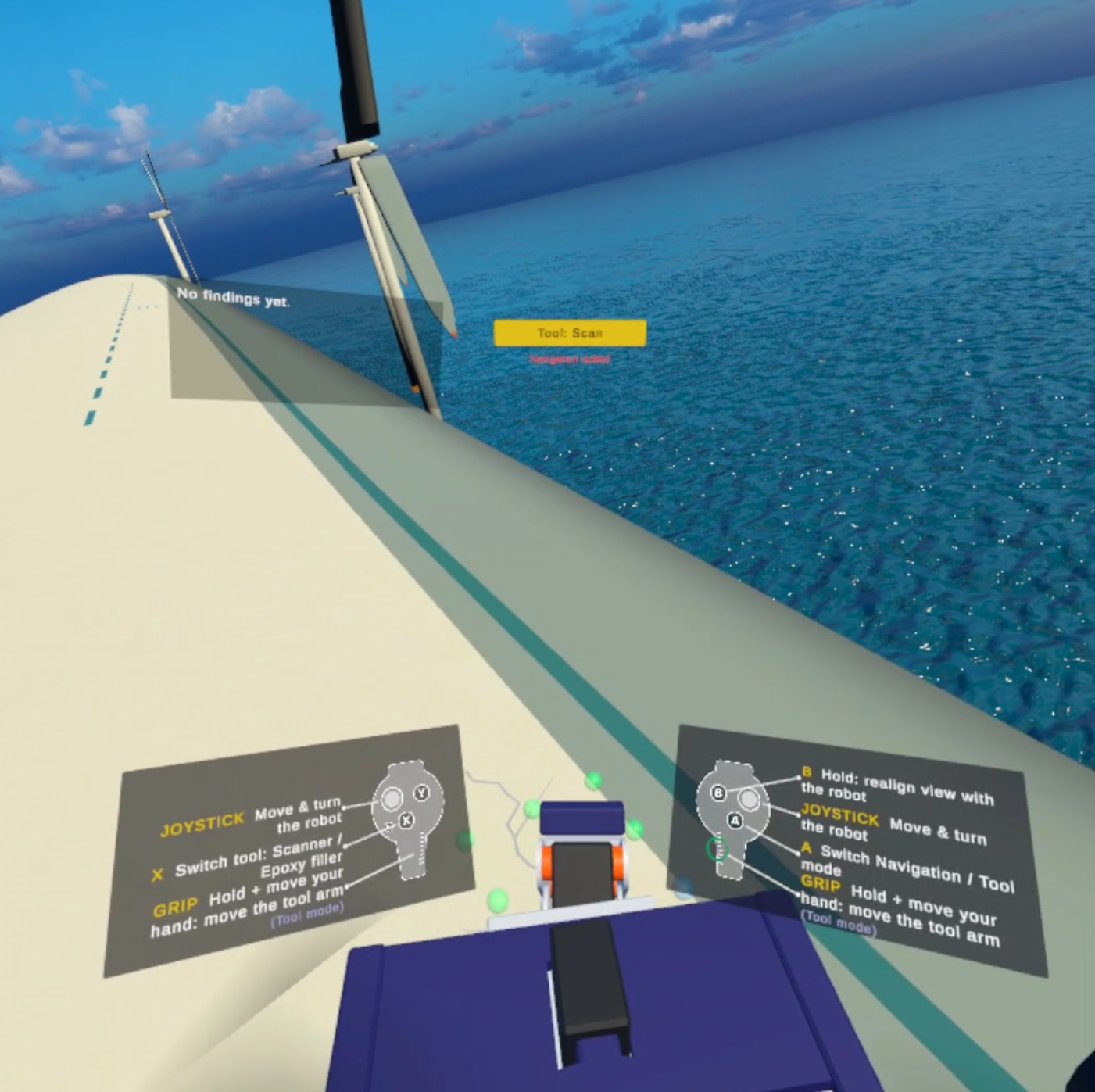
- The headset view sits on the robot's camera mast, so you look around the blade just as the robot sees it.
- Hold B for 2 seconds to recenter the view.
Readable Interface
- Two panels low on the left and right of your view show a drawing of each controller with a line to what every button does.
- Pressed buttons light up, hold actions fill a ring, and a badge shows Navigation or Tool mode.
Logging System: *In a panel in the upper left corner, actions done by the robot are logged. It includes a timestamp, the spot ID and which action was completed
How we built it
- Engine & XR: Unity 6 with the XR Interaction Toolkit and OpenXR on Meta Quest.
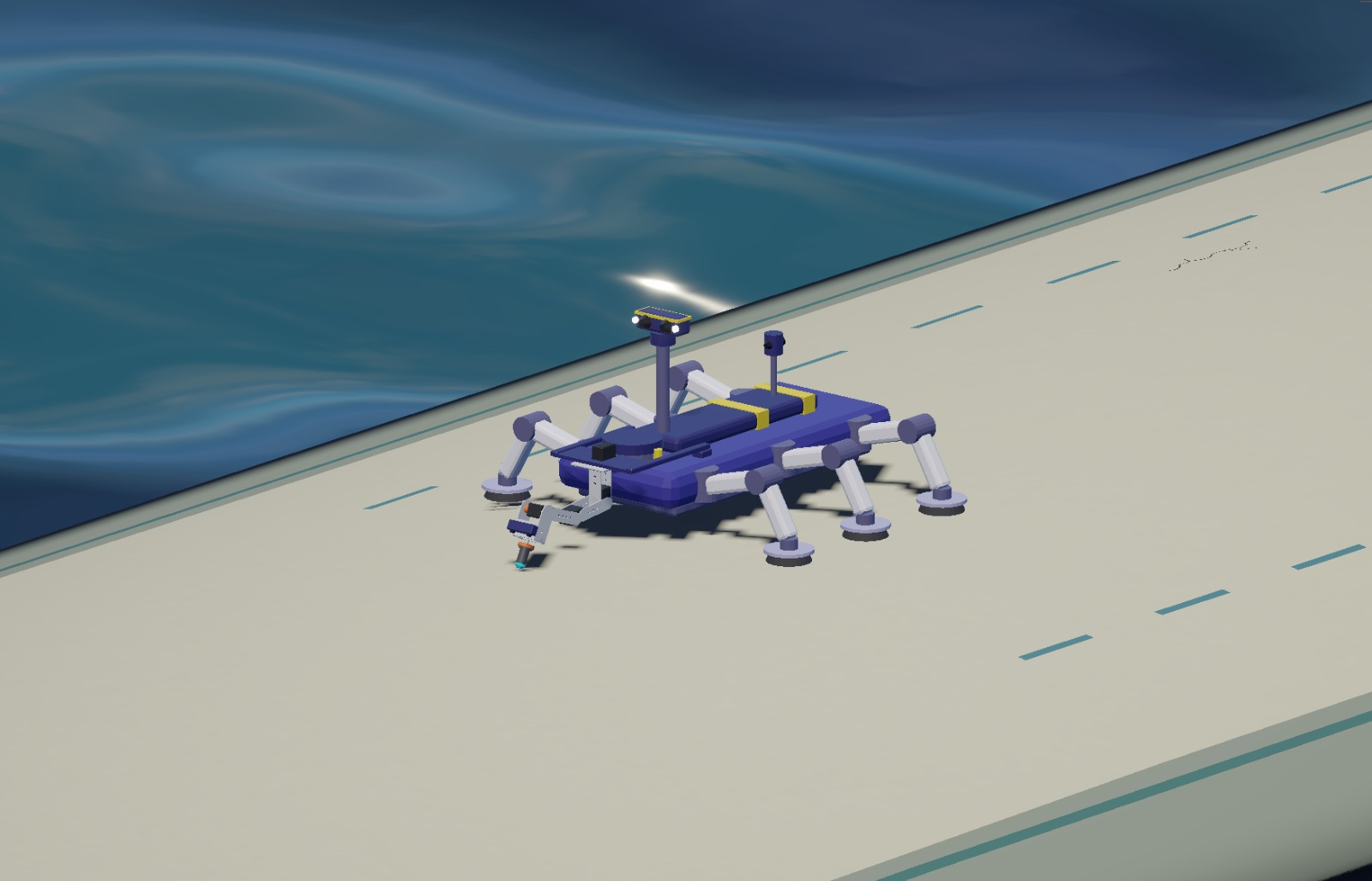
- 3D Assets: Robot (crawler body, legs, camera mast, separate 5-joint arm parts and tools) and the offshore blade environment modelled in Blender and exported to Unity at real-world scale.
- Environment: Full-scale work blade with collision, three marked crack zones, sea, sky and a wind farm with all rotors facing the same wind.
- Robot Movement: Surface-following drive that keeps the crawler on the curved blade and stops it before it leaves the edge.
- Controls & UI: Input System bindings per controller; one config file holds every control's name, text and position, so the controls and UI teams could work in parallel; head-locked world-space panels for the button guide.
Challenges we ran into
- Intuitive robot controls: Mapping driving, mode switching, tool switching and arm movement onto the robot so they make sense and feel natural on a VR controller.
- UI for first-time VR users: Designing on-screen guidance that shows where each button is and what it does, clearly enough for someone who has never used VR.
- Finding a real VR use case: Choosing a task that is genuinely better in VR than on a 2D screen. We landed on crack repair, where depth and hand control matter.
- Turning a human repair into a robot workflow: Recreating what a technician does on a blade as a clear interaction: scan the crack first then fill it with epoxy. Building that step-by-step interaction was the hardest part.
Accomplishments that we're proud of
- End-to-end VR loop: spawn on the blade → drive → switch to Tool mode → scan / fill.
- A robot that rides the real curve of a turbine blade from a first-person camera view.
- A controller guide that shows people where each button is and when they are being pressed.
What we learned
- Our software must be built to a specific robot and the robot may need to be retrofitted in order to provide the best VR experience.
- Testing with 8 users showed that most people can’t remember VR controls without on-screen guidance. A help overlay that shows each controller and what every button does is essential, not optional.
- Fast movement, and driving and turning with the same hand, caused motion sickness. Slower movement, with one hand moving the robot and the other turning it, is far more comfortable.
- Seeing parts of the robot’s own camera in the view broke the feeling of looking through the robot’s eyes. A clean first-person view matters for immersion.
- Looking straight down at the blade made users lose their sense of depth and orientation. Ground gridlines and stronger stereoscopic cues are needed to keep them oriented on the blade surface.
What's next for RealityHack
- Research the teleoperation industry and reach out to an expert in the field via a warm connection.
- Research the offshore industry and reach out to an expert in the field via a warm connection.
- Reach out to the company that owns the BladeBUG robot that we focused our demo on for a collaboration.
External Assets
- AI was used in the process of creating the models and for parts of the scripts. However, the robots movement and tool functionality was not coded by AI.
- For the skybox, we used https://assetstore.unity.com/packages/2d/textures-materials/sky/allsky-free-10-sky-skybox-set-146014
