Inspiration
Every student has said "that'll take an hour" about something that took four. Psychologists call it the planning fallacy: we estimate the best case, not the real one. Calendars make it worse. They'll happily let you plan a problem set into the 45 minutes between practice and dinner, as if you start the second you sit down, never get tired, and never check your phone.
We wanted a planner that's honest with you. It should take your guess, account for how you actually work, and tell you what's really left of your week. During exam season it should also tell you how much trouble you're in and what to do about it.
What it does
RealityCheck is a student planner built around one question: how long will this actually take me?
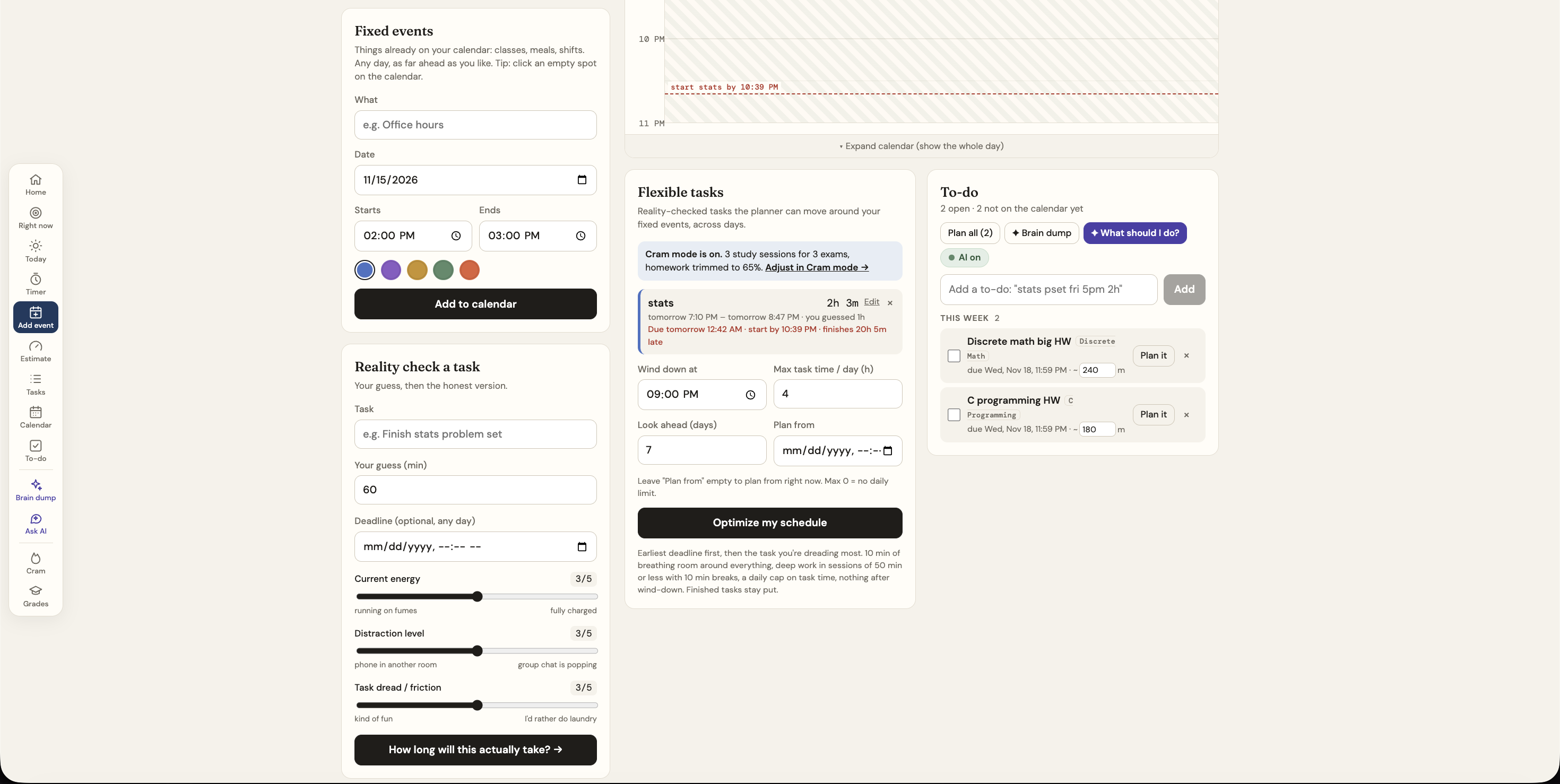
- The reality check. You give a time guess plus your energy, how distracting your setup is, and how much you dread the task, each from 1 to 5. RealityCheck turns that into a realistic estimate split into setup, deep work and buffer, and explains every minute.
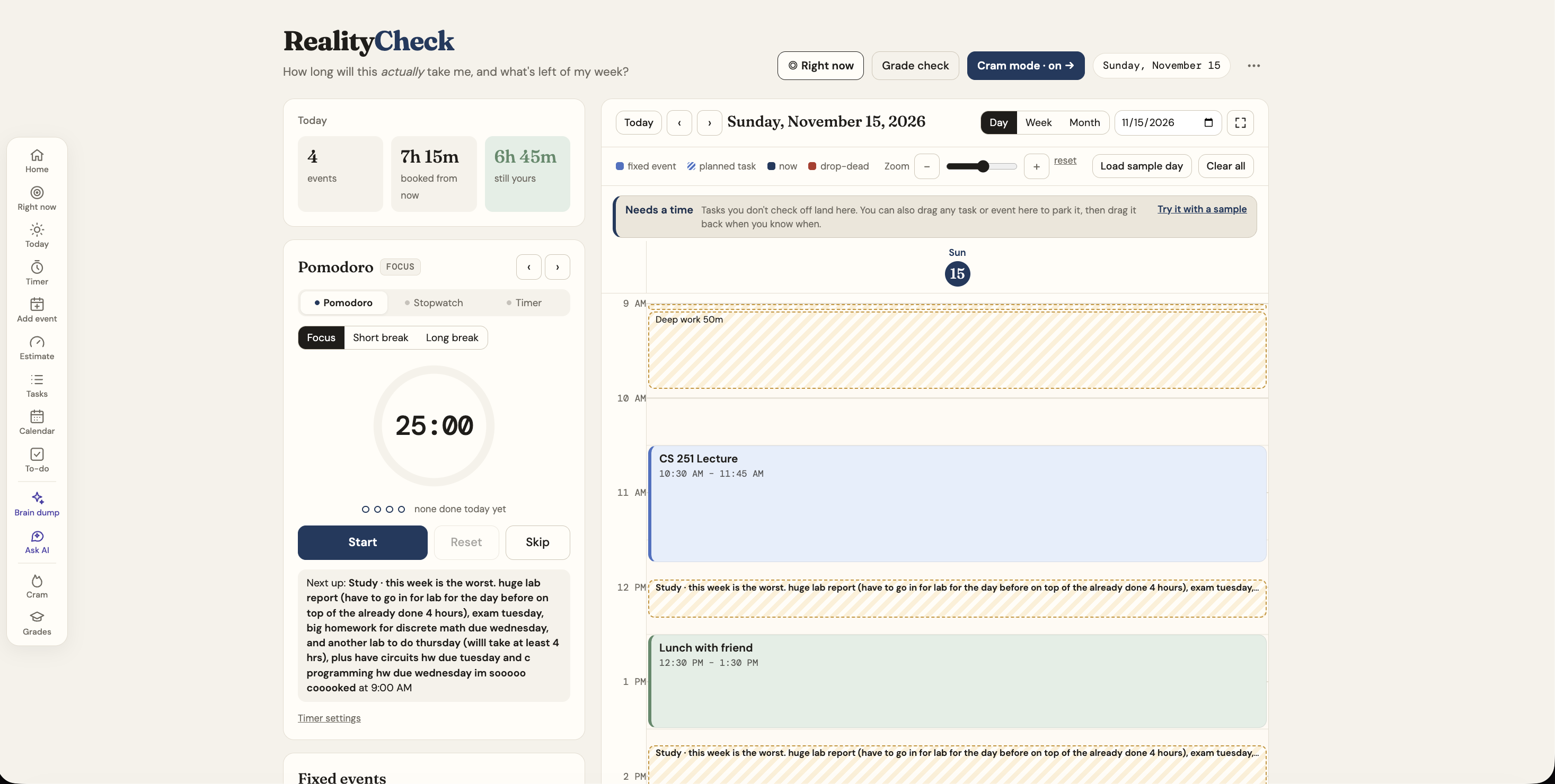
- A calendar that plans for you. Fixed events (classes, shifts, practice) are blocked off. Flexible tasks are placed around them earliest-deadline-first, with 50-minute deep-work sessions, 10-minute breaks, a daily work cap, and recovery time after draining events like a 4-hour practice. Tasks that slip past without being checked off land in a "needs a time" tray, where you drag them to a new slot.
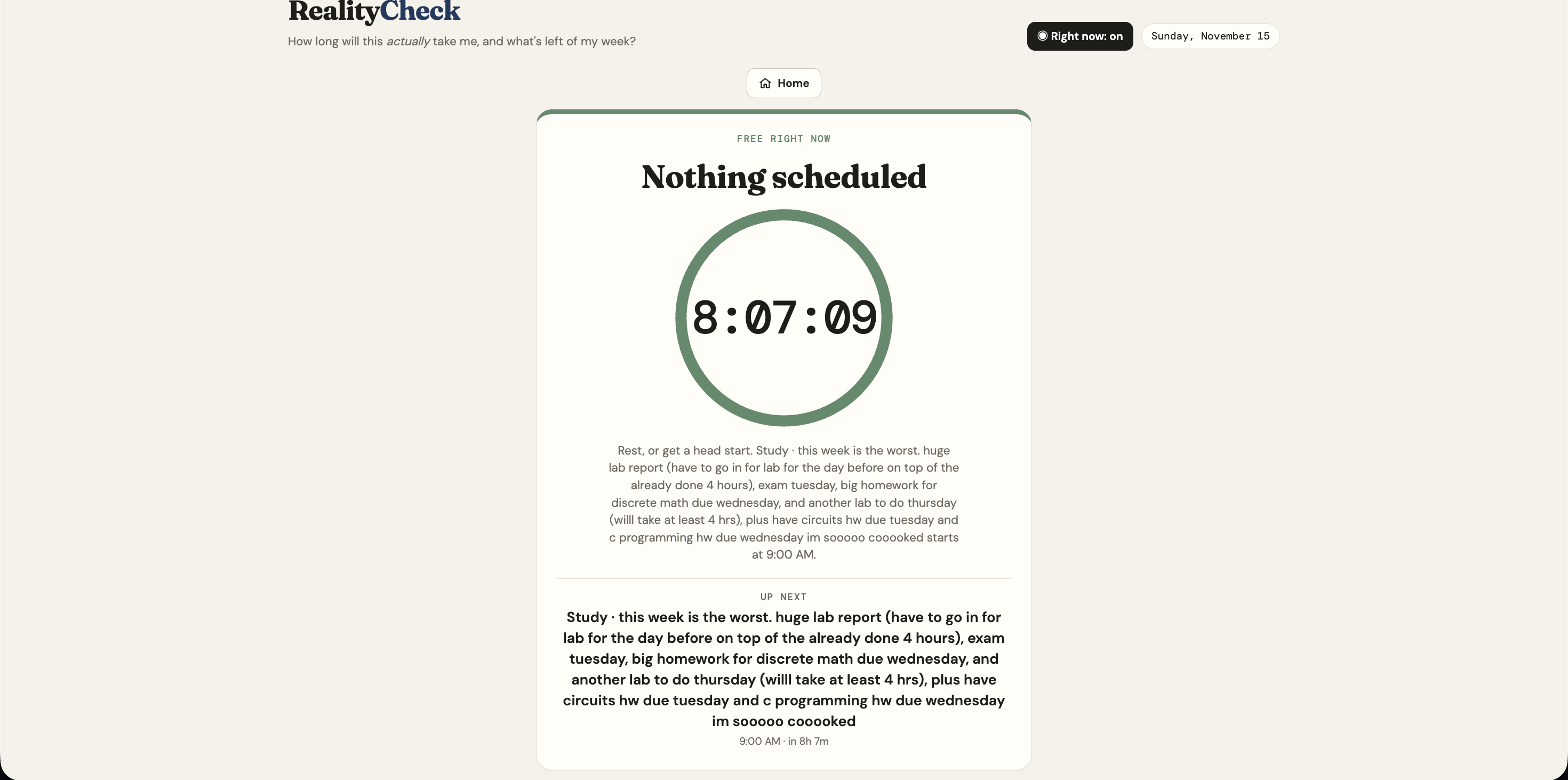
- Right now mode. One button hides everything except what you should be doing this minute: a live countdown, progress on the task, and what's next.
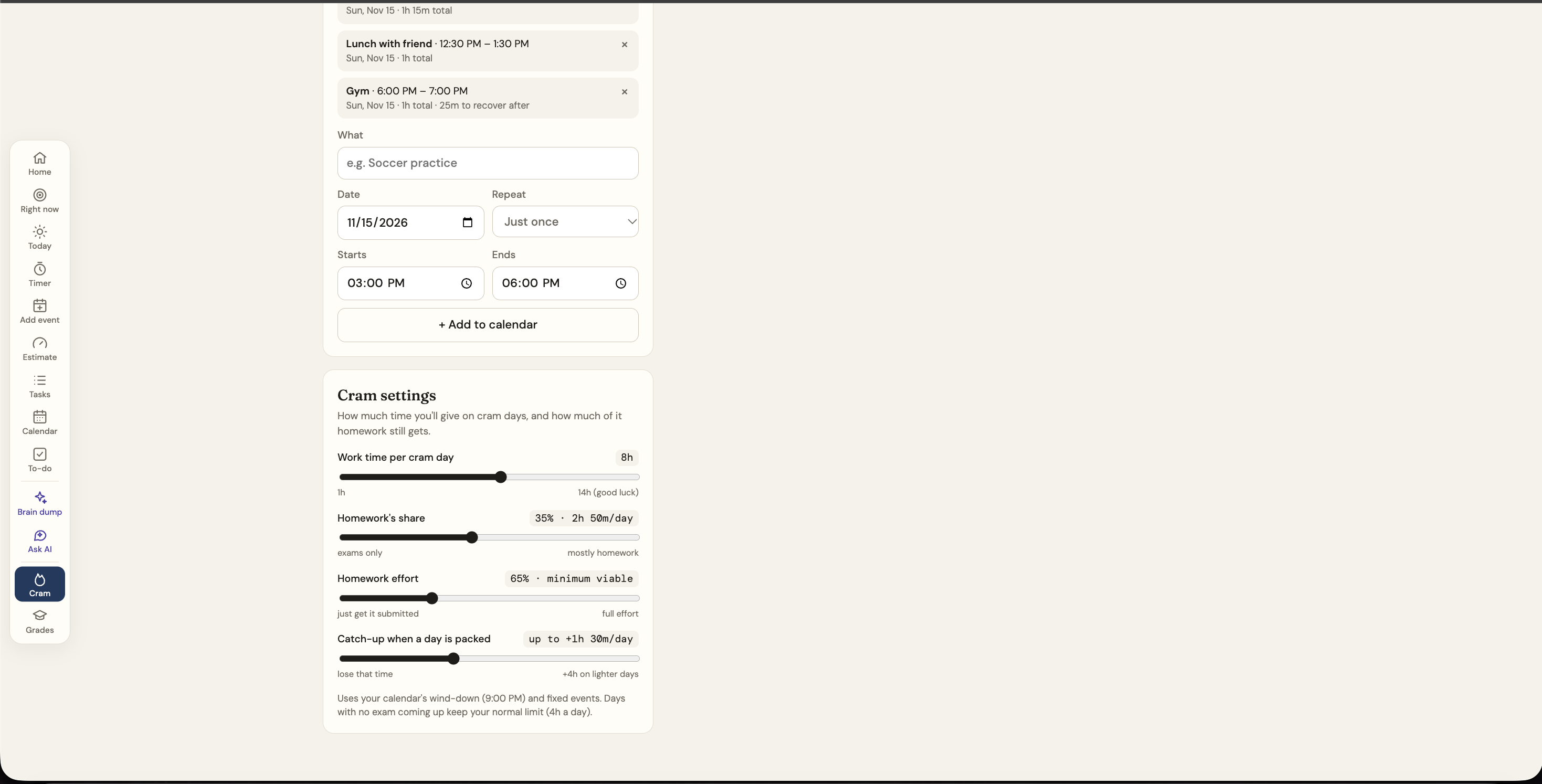
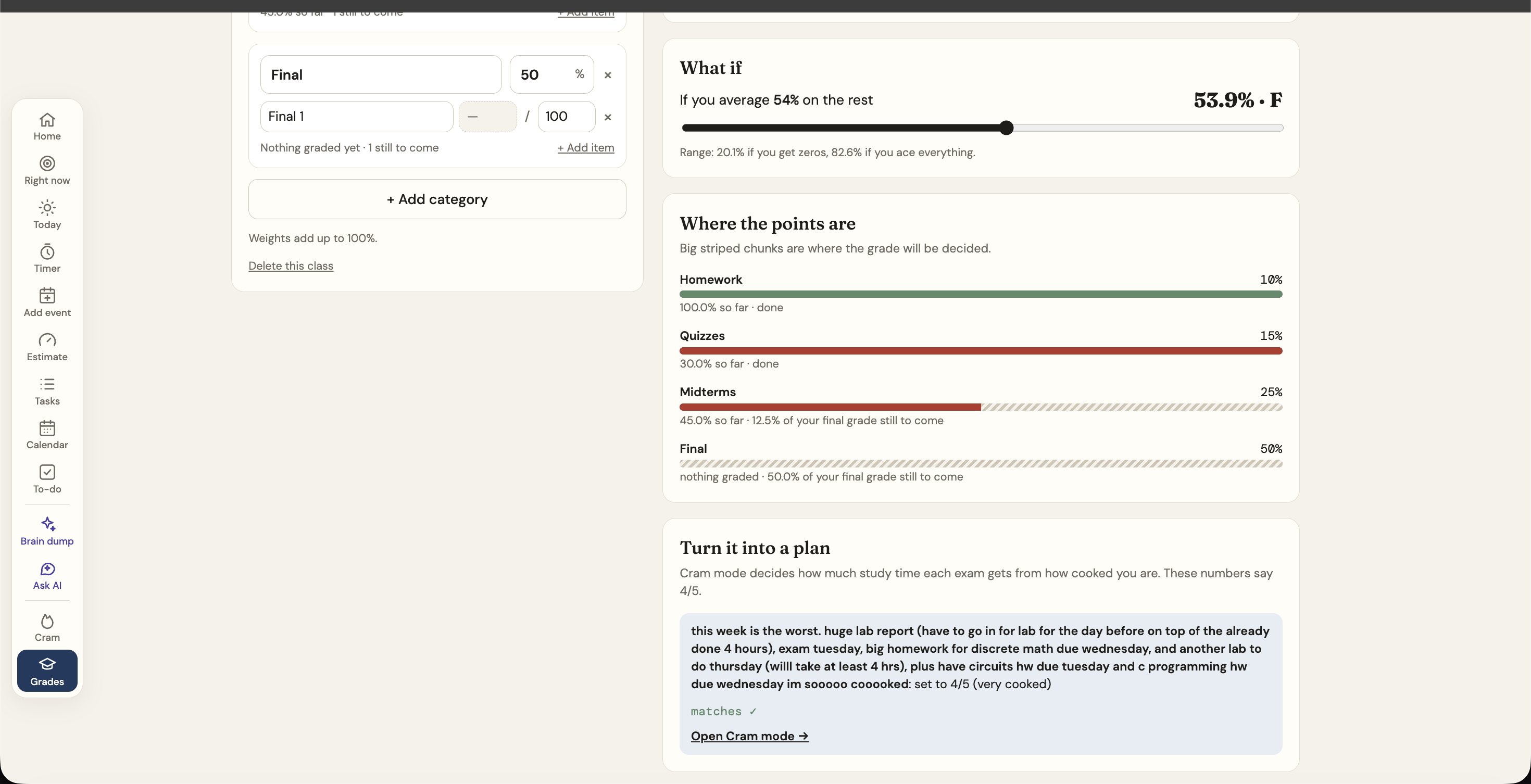
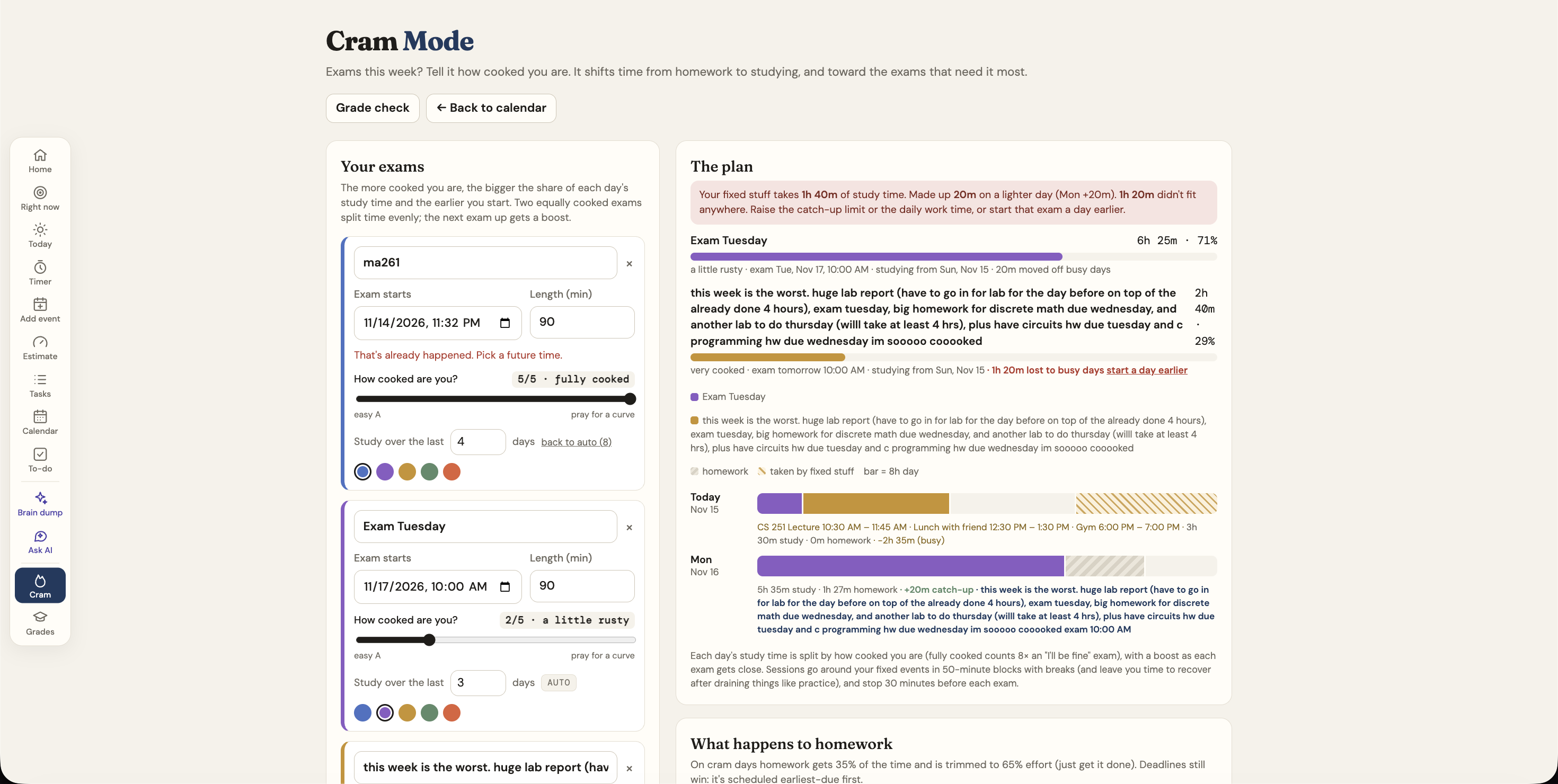
- Cram mode. Add your exams and how cooked you are (1–5), or let it suggest a level from your Grade Check numbers. It splits your study hours across exams, gives homework a trimmed share, works around big fixed blocks, and puts it all on the calendar.
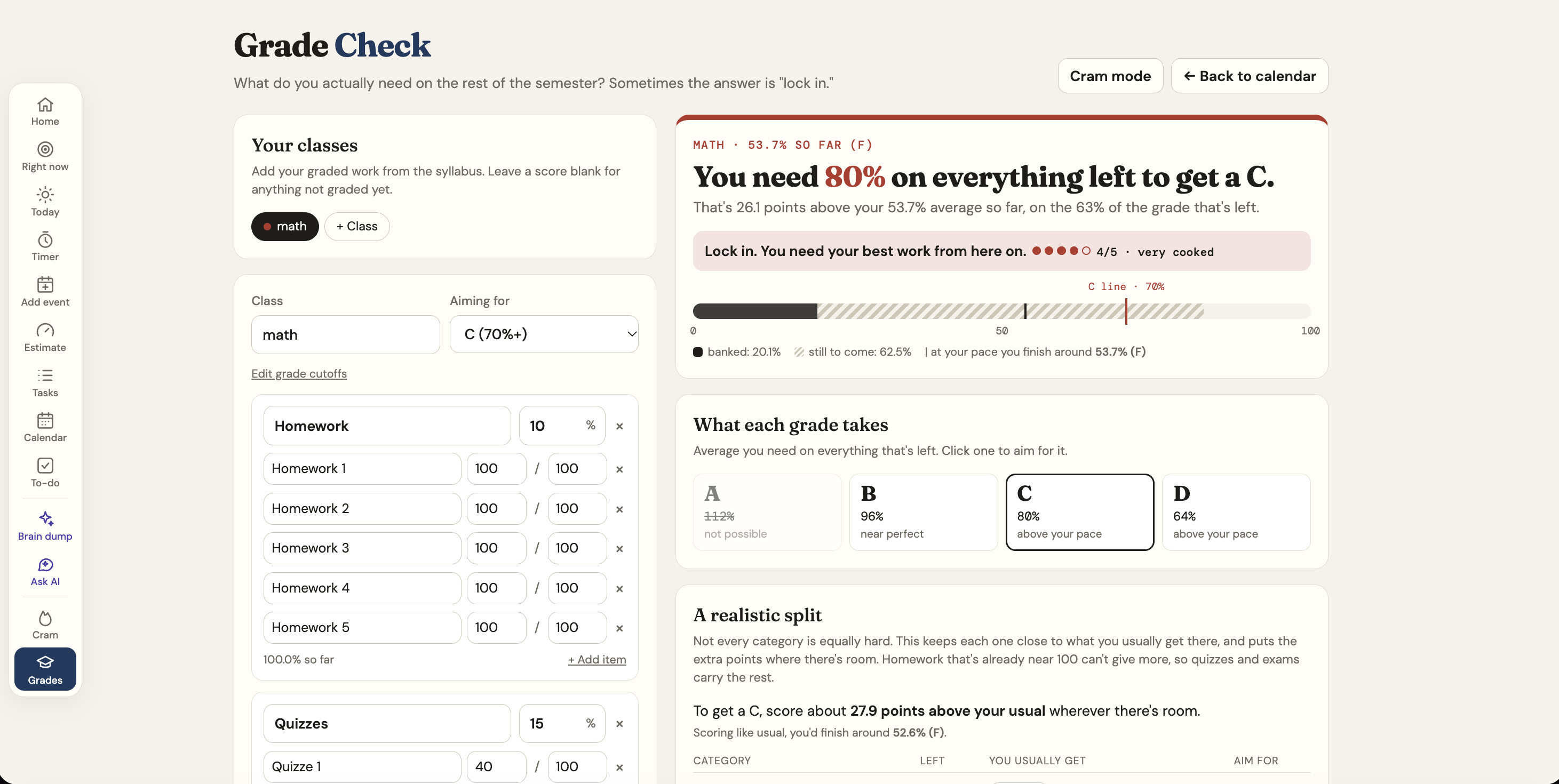
- Grade Check. Enter your syllabus categories and scores. It shows what you need on everything left for each letter grade, plus a realistic split: every category gets the same bump over your usual score, and anything already near 100 can't take more, so the harder ones carry the rest.
- Clocks. Pomodoro, stopwatch and timer, as slides in one tile.
- Optional AI (Claude). A brain dump turns messy text into to-dos, exams and events, and "What should I do?" suggests next steps from your whole week.
- Your layout. Rearrange and resize every tile and pick an accent color. Everything is saved.
How we built it
RealityCheck is three static pages (calendar, Cram mode, Grade Check) with no build step. React 18 and Babel load from a CDN, so the app opens straight from a file. Data lives in localStorage and stays in sync across tabs through storage events.
The logic lives in a shared plain-JS engine.js, so it can be tested outside the browser.
The estimate. For a guess \( g \) minutes, energy \( e \), distraction \( d \) and dread \( r \) (all from 1 to 5):
$$ \text{setup} = 5 + 3r, \qquad \text{deep} = g \bigl(1 + 0.1(5-e)\bigr) \bigl(1 + 0.08(d-1)\bigr) $$
$$ \text{buffer} = \max\bigl(5,\ 0.1 (\text{setup} + \text{deep})\bigr) $$
Cram allocation. Each exam gets a weight from how cooked you are, \( w \in \{1, 2, 3.5, 5.5, 8\} \), plus an urgency boost as it gets close. A day's study minutes \( M \) are split as
$$ m_i = M \cdot \frac{w_i}{\sum_j w_j} $$
When a practice or shift eats a day, the missing time is made up on lighter days.
Grade math. With \( B \) = percent of the final grade already banked and \( P \) = percent still to come, the average you need on the rest for a cutoff \( c \) is
$$ \text{need} = \frac{c - B}{P} \times 100 $$
For the realistic split, each remaining category \( k \) has a share \( p_k \) and a usual score \( u_k \). We solve for one bump \( \delta \) by bisection:
$$ \sum_k p_k \cdot \frac{\min\bigl(100,\ \max(0,\ u_k + \delta)\bigr)}{100} = c - B $$
Homework already at 100 can't absorb any more, so the quizzes and exams take up the slack.
AI. Claude Opus 5.5 through the Anthropic JS SDK, with structured outputs. It's bring-your-own-key: the key stays in your browser and is sent only to Anthropic, only when you press an AI button.
We built RealityCheck with Claude Code as a pair programmer and tested the engine in JavaScriptCore and the UI in headless Chrome.
Challenges we ran into
- Scheduling is harder than it looks. Breaks, breathing room around events, daily caps, deadlines, and "don't split deep work into pieces under 25 minutes" all interact. One bug placed a task in a single block after its deadline when splitting it would have finished on time.
- Time zones and daylight saving. We represent every time as absolute minutes from a day number, so a DST change doesn't move your 9 AM class.
- Making Cram mode honest. Early versions kept repeating the plan's existing shortfall after every change. Now each note says only what that change did.
- Drag and drop everywhere. Native HTML5 drag doesn't work on touch, so moving tasks, the tray and tile rearranging use pointer events. Keeping cards from resetting their state while you rearrange them meant keeping React's element tree stable between modes.
- Small things that took real work. Two clocks fighting over the browser tab's title, a calendar that pops out into a full-screen window and back, and theme colors that carry across three separate pages.
Accomplishments that we're proud of
- Every estimate explains itself. You can see exactly where the extra minutes came from.
- Cram mode turns "how cooked am I?" into an actual day-by-day plan on your calendar.
- The realistic grade split answers the question students actually ask: what do I need on the final? It does that without pretending every category is equally hard.
- It's a no-build, no-backend app that still syncs across tabs, works on phones, and keeps your data on your device.
What we learned
- Being honest with users is a design problem as much as a math problem. The numbers only help if the wording doesn't make people panic or tune out.
- Small rules (a 10-minute breather, a 50-minute cap, recovery after a long practice) matter more to how a schedule feels than any clever optimization.
- Keeping core logic in plain, testable functions let us change the UI fast without breaking the planner.
What's next for RealityCheck
- Learning your real multipliers. Compare estimates with how long tasks actually took, and tune the energy, distraction and dread factors to you.
- Calendar sync with Google Calendar and Brightspace or Canvas, so classes and deadlines come in automatically.
- A small backend so students can use the AI without their own API key, plus optional sync across devices.
- Shared study plans for group projects and study groups.
Built With
- anthropic
- anthropic-sdk
- babel
- cdnjs
- claude
- claude-api
- claude-code
- css3
- google-font
- headless-chrome
- html5
- javascript
- javascriptcore
- jsdelivr
- localstorage
- react
