Inspiration
The inspiration for this project came from observing my peers struggle with AP Physics and trying to find ways for them to understand the concepts instead of just plugging numbers into an equation. Whenever I have struggled with physics, I have found that understanding it visually helps, and I wanted to develop a program that others could use to do the same.
I originally intended to make just a regular physics simulator, but this seemed boring because those kinds of programs are common.
Then I thought of using the user's camera so that the physics simulation could interact with their environment.
What it does
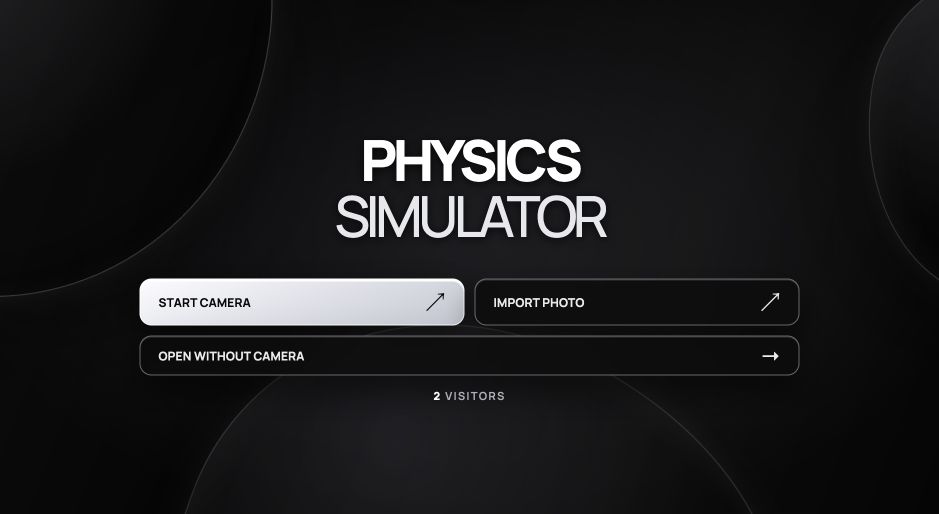
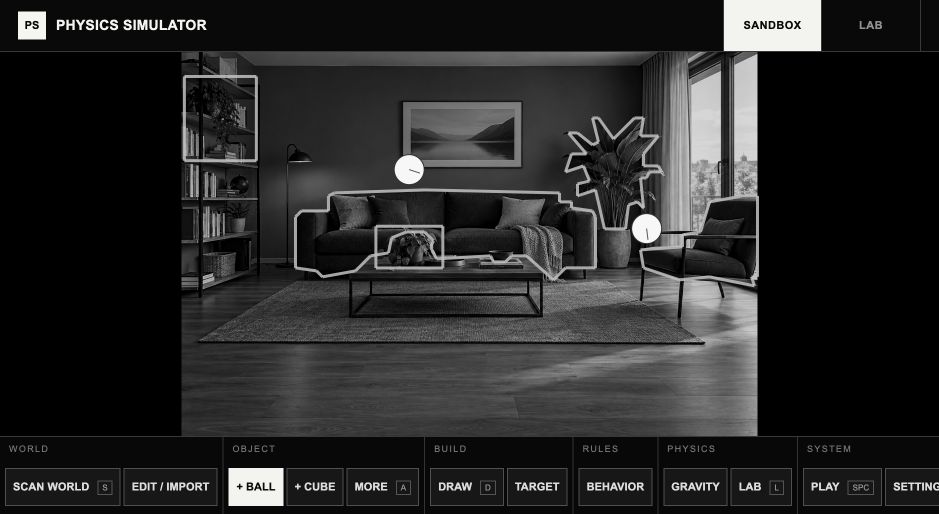
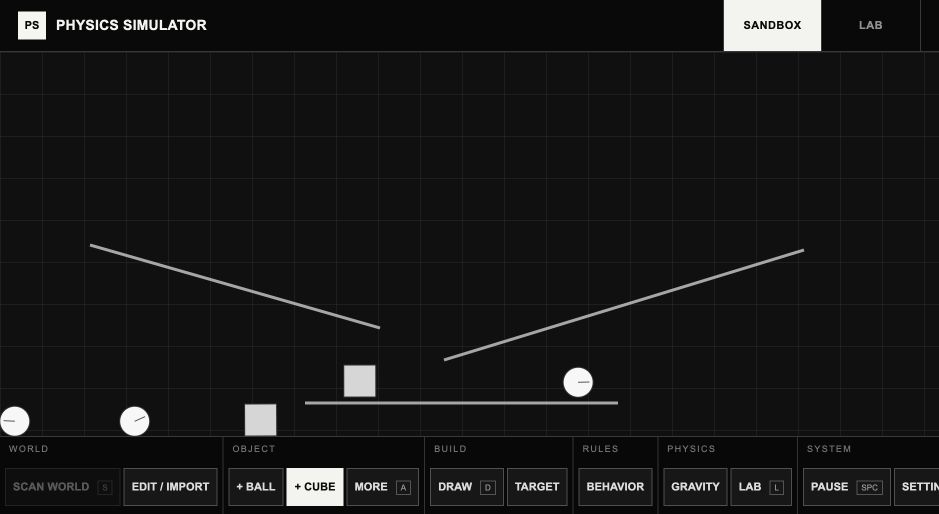
Physics Simulator allows the user to take a picture or upload an image and turn objects in the image into a 2D physics world.
Anything that can be seen in the picture, such as books, bottles, desks, etc., can be turned into surfaces that objects can collide with.
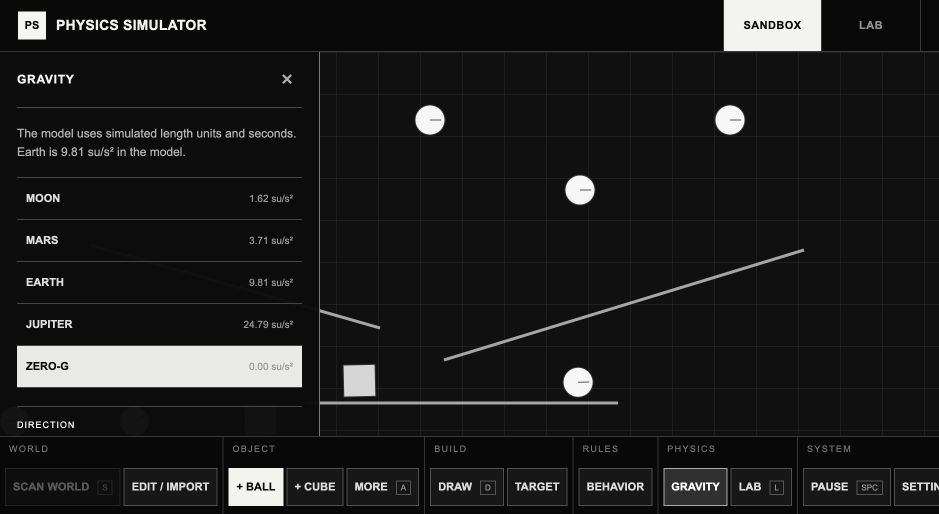
From there, objects can be spawned into the world with gravity, bounce, friction, different surfaces, and other physics variables.
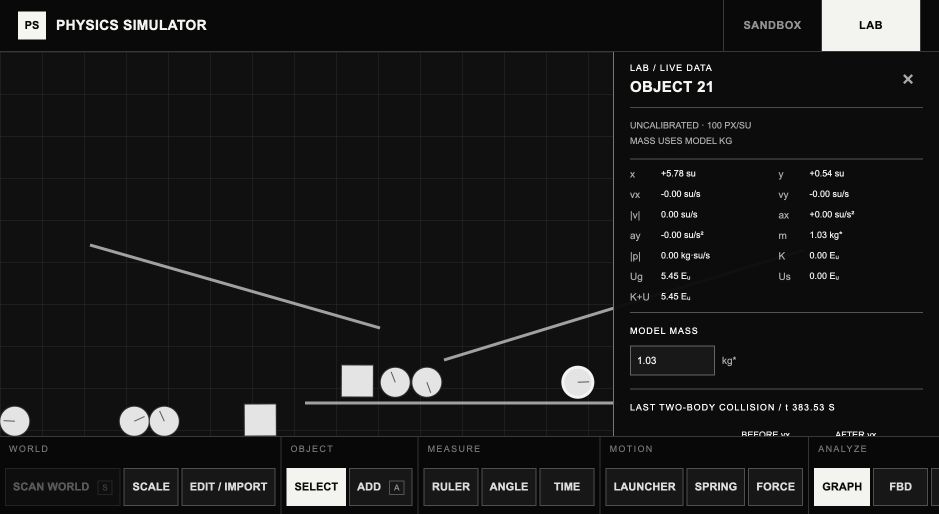
Additionally, there is a Lab mode that focuses more on the AP Physics curriculum and displays quantities like velocity, acceleration, position, forces, energy, free-body diagrams, motion trails, and graphs.
There are also experiments that relate to labs in AP Physics, like free fall, projectile motion, Newton's second law, friction, momentum, springs, torque, electric fields, and magnetic fields.
The goal of this project was to allow students to have a more visual and intuitive grasp of AP Physics concepts.
How I built it
This project was built with React, TypeScript, Vite, Matter.js, MediaPipe, and Canvas.
For the image recognition part of the program, MediaPipe is used for object detection.
Segmentation is also used to turn the outlines of the objects into surfaces instead of just making everything the object is touching into a rectangle.
The detected surfaces are then used as colliders in Matter.js for the physics simulation.
Matter.js handles most of the physics calculations, and additional features were added on top for the AP Physics side of the project.
This includes tracking quantities like velocity, acceleration, forces, and energy to display and graph, and using these quantities to create the experiments.
There is also a calibration tool that converts the pixels in the image into meters.
This is done by allowing the user to enter how long an object in the picture is and then scaling everything accordingly.
The image recognition runs in the browser, so the image from the camera is not uploaded anywhere.
Challenges I ran into
Perhaps the most difficult part of this project was getting the camera image to integrate well with the physics engine.
Being able to detect an object was not enough because using a rectangular collider around the whole object would distort the physics simulation.
I had to figure out how to use segmentation and turn the outlines of objects into colliders.
It was not perfect, but I added manual surfaces that could be adjusted if the automatic ones did not work.
Another difficulty was creating useful experiments for AP Physics.
It is easy to have a ball fall on the screen, but I had to find ways to make measurements and relate them to the actual equations used in AP Physics.
I also learned that one picture cannot tell me everything about an object.
While I can get the outline, the program does not know the weight, friction, depth, or material of the object, so I added sliders to adjust some of these properties.
Accomplishments that we're proud of
The main thing I am proud of is that the camera integration actually works.
It allows the user to take an object from their own environment and turn it into a physics simulation, which was the main goal of this project.
I am also very proud of the many AP Physics-related features that I have added.
This was originally a project focused on playing around with gravity and collisions, but it evolved into something with a lot more depth.
It includes mechanics, momentum, energy, springs, rotation, electric fields, magnetic fields, graphs, and experiments relating to AP Physics.
I also like that it is not just a flashy animation or video, but something that a student can use to play around with concepts and see how they work.
What I learned
By working on this project, I have learned a lot more about physics.
It is one thing to know the equations for a test, but it is an entirely different thing to implement them in code in a way that feels intuitive and accurate.
I have also learned a lot about computer vision and working with image recognition.
Before this project, I did not have a lot of experience with object detection, and I have now learned how segmentation works.
I have also learned that it can be very difficult to make something realistic without making it inaccessible, and there were many times when I had to find a middle ground between the two.
What's next for Physics Simulator
I want to expand the AP Physics-related experiments and improve this as a learning tool.
This includes adding more experiments and labs for AP Physics 1, AP Physics C: Mechanics, and AP Physics C: Electricity and Magnetism.
Instead of just making a simulator, I want to build it into something more like a textbook that teaches a topic and then immediately lets the student apply what they have learned through an experiment.
I want to improve the object detection, add more features like hand tracking, and make the mobile version more intuitive.
Ultimately, my goal is to make physics feel more accessible and less like something that is memorized and forgotten.
Built With
- counterapi
- css
- efficientdet-lite0
- html
- matter.js
- mediapipe
- react
- typescript
- vite
- webassembly

Log in or sign up for Devpost to join the conversation.