-
-
-
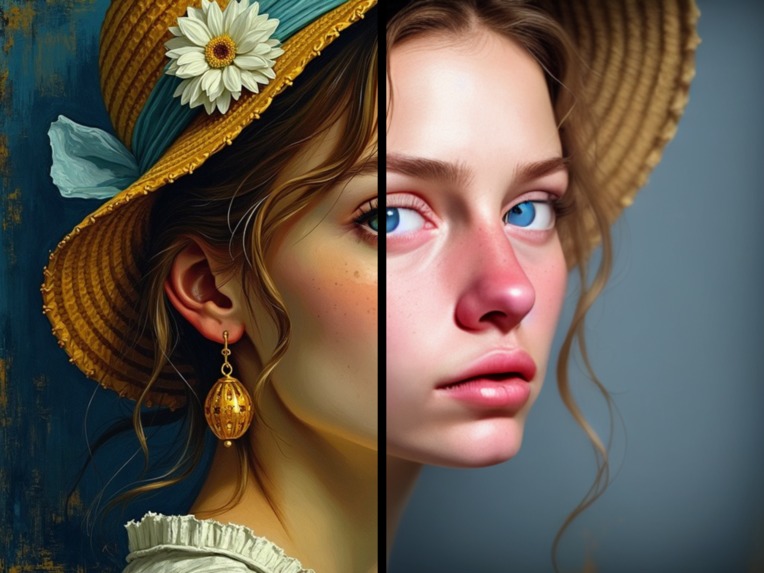
Example_1
-
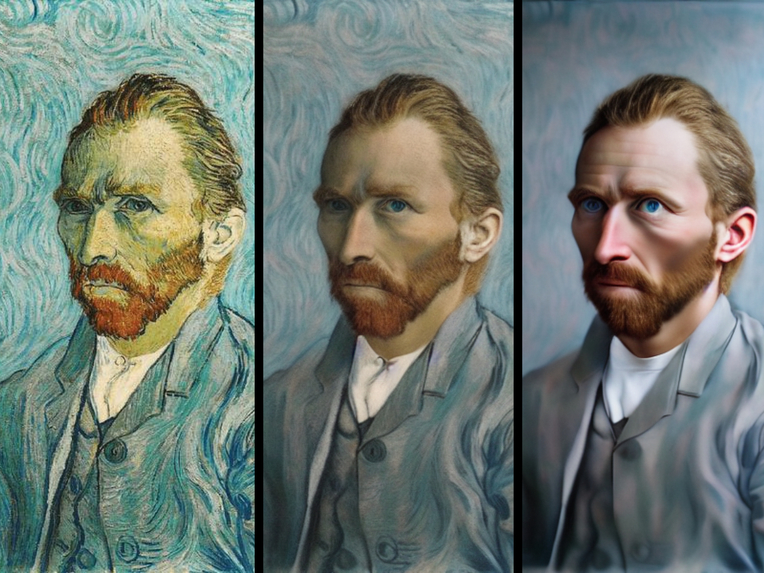
Example_2
Inspiration
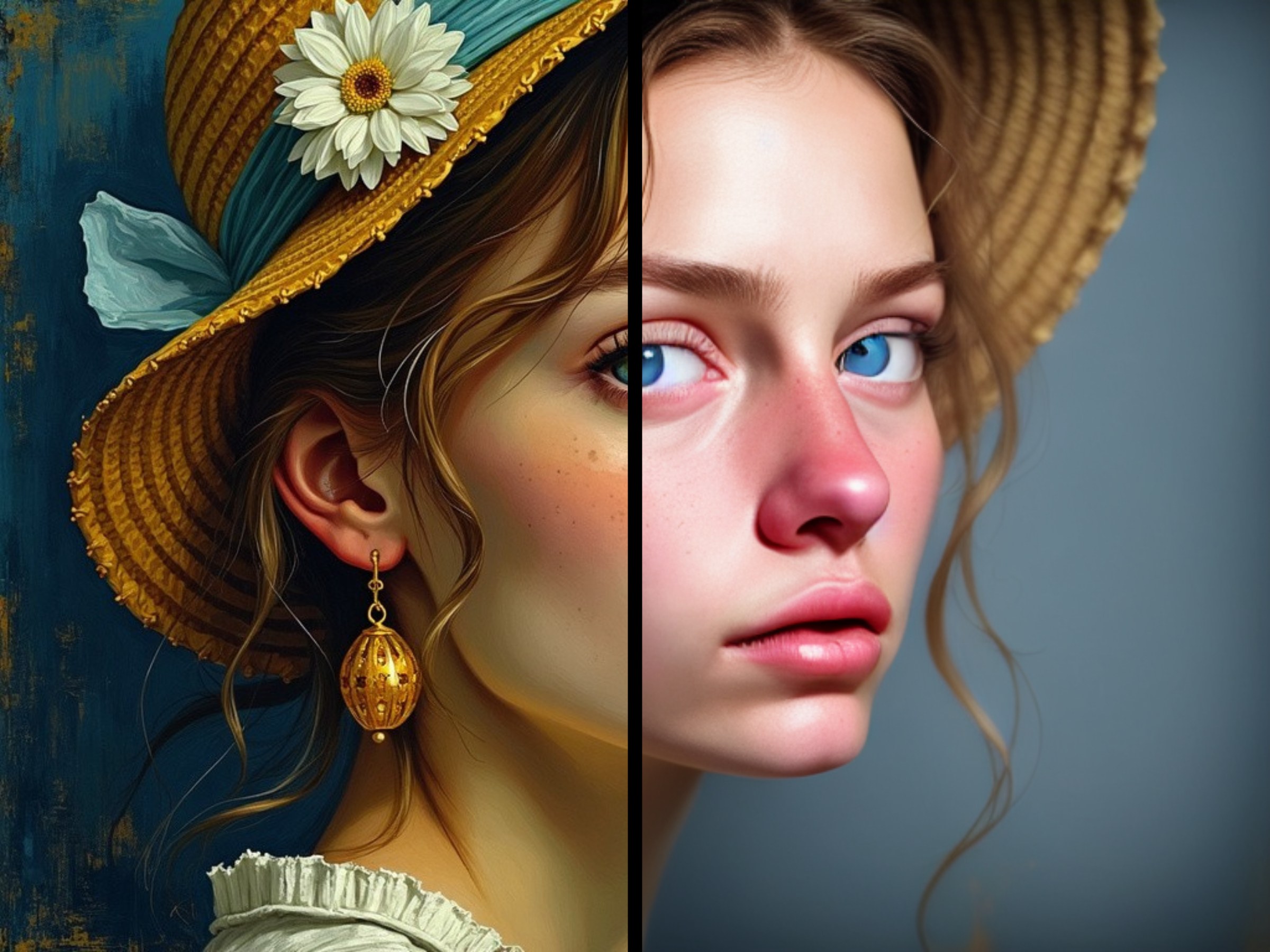
- The potential of AI technology to revolutionize how we interact with art and images. Specifically, I wanted to explore how machine learning algorithms could be used to enhance artistic expression and bring drawings and paintings to life.
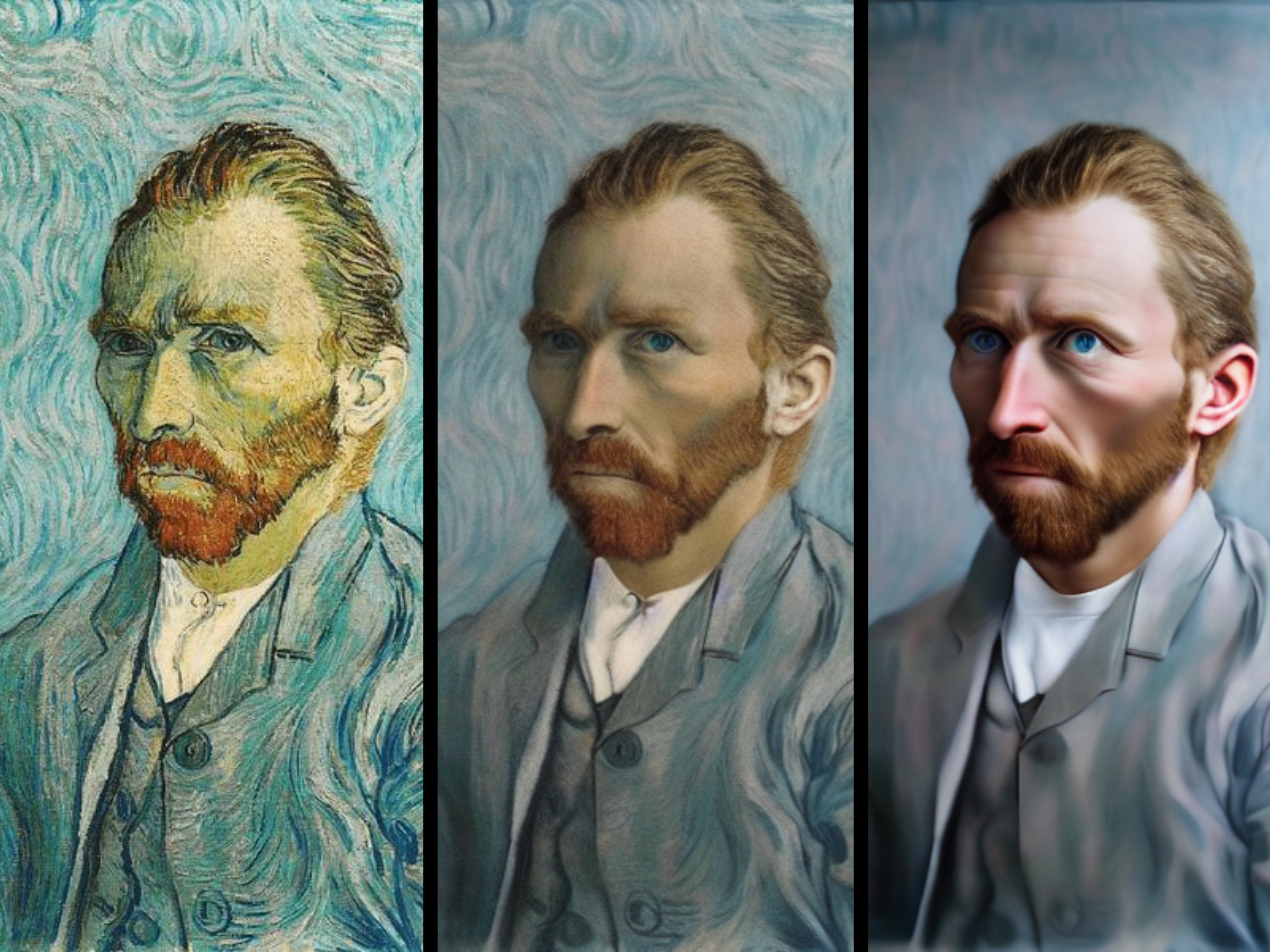
- As an artist myself, I've often seen viewers struggle to comprehend the intended message or style in my artwork. By developing an app that can transform drawings and paintings into realistic photographs, I aimed to create a tool to help viewers understand and communicate the intention behind the artist's message from a different perspective.
- With many artworks, it's not always clear what the artist intended to convey. I wanted to see if we could develop an app that could become a translator for artwork, allowing users to understand the artist's message and intentions better.
What it does
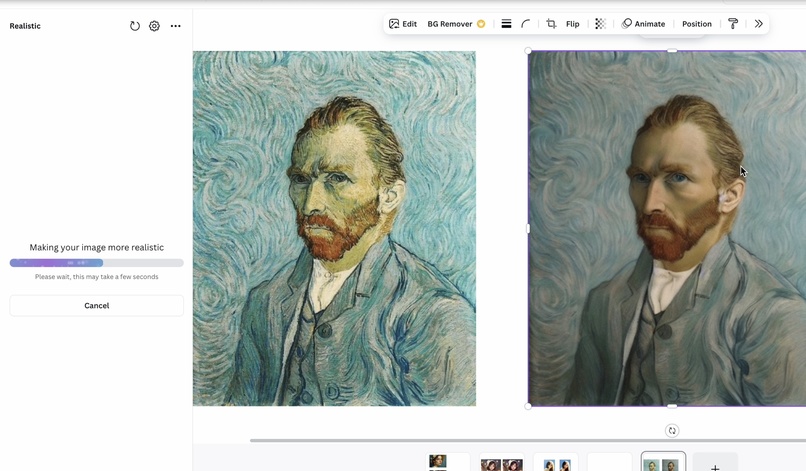
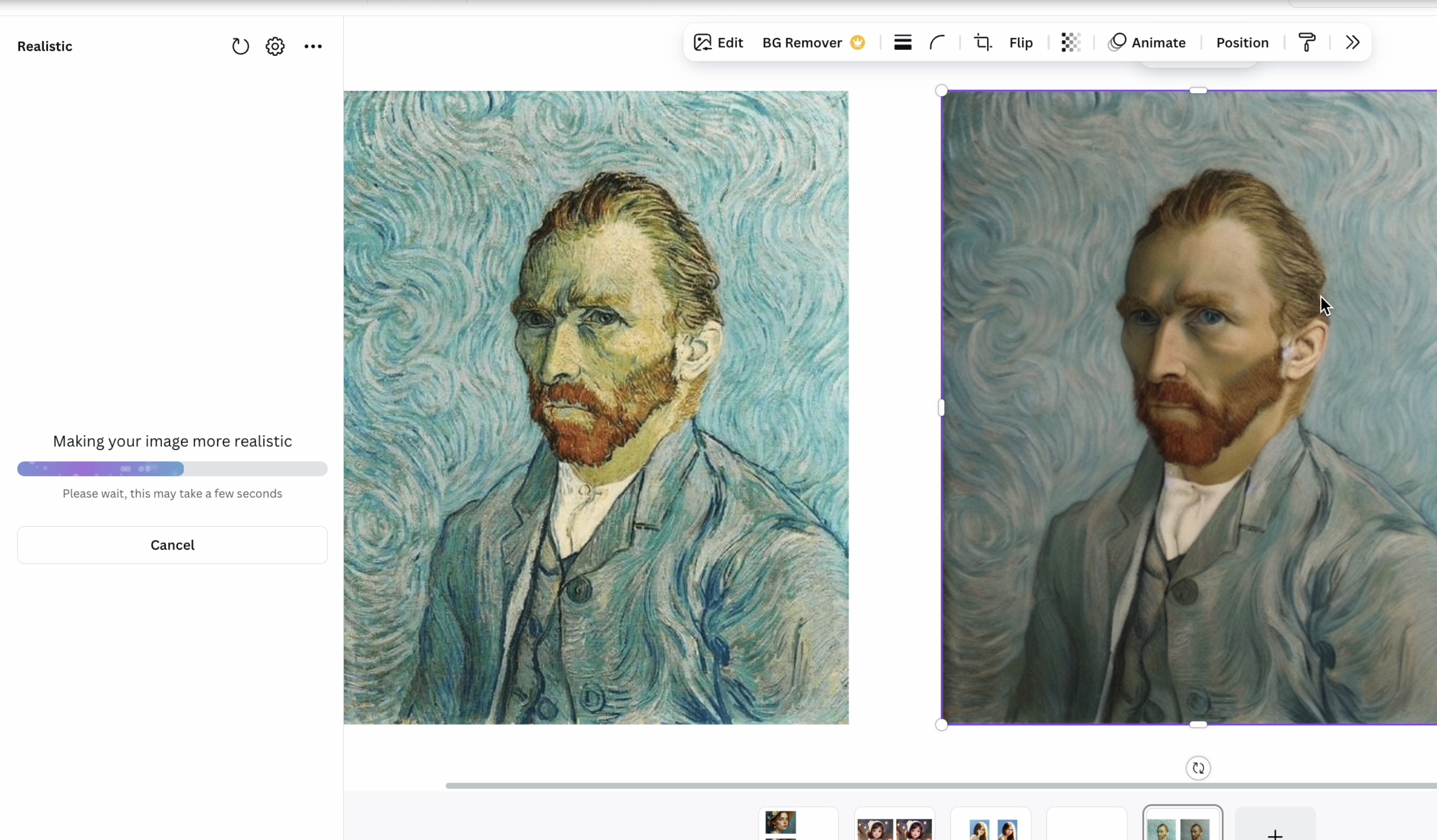
- The Realistic app uses advanced AI-generated algorithms to transform drawings and paintings into realistic photographs. This is achieved by analyzing the original artwork's colors, textures, and shapes and then applying subtle adjustments to create a more lifelike appearance.
- The app's AI engine is based on a deep learning model trained on a large dataset of images with varying styles and techniques. This allows the app to accurately detect and adjust the original artwork's features, producing a high-quality, photorealistic image.
How I built it
- Combined Python, TensorFlow, and OpenCV to construct the AI engine. The deep learning model was trained on a large dataset of images with varying styles and techniques.
- I integrated a user-friendly interface using React and Flask to make it easy for users to interact with the app. This allowed artists and creatives to focus on their work rather than worrying about the technical aspects of image processing.
- @Imagineers AI dev brought their expertise to fine-tune the model and ensure its accuracy and efficiency, which was instrumental in developing a high-quality app.
Challenges I ran into
- Ensuring that the app's AI engine can accurately detect and adjust the original artwork's colors, textures, and shapes without introducing any artifacts or distortions.
- Experimenting with different algorithms and techniques to balance realism and artistic integrity was also challenging. I had to consider preserving the artist's original intent while still creating a realistic image.
- Addressing concerns around copyright and ownership was another challenge. I wanted to ensure that users could safely enhance their artwork without infringing on others' rights.
Accomplishments that I'm proud of
- Creating an app that accurately and safely transforms drawings and paintings into realistic photographs without extensive editing or manipulation is a significant accomplishment.
- The app's user-friendly interface makes it easy for anyone, regardless of technical expertise. This has allowed artists and creatives to focus on their work rather than worrying about the technical aspects of image processing.
What I learned
- The importance of balancing AI-generated results with human judgment and oversight. It's essential to consider how users interact with the app and ensure it meets their needs.
- Gaining experience working with deep learning models and integrating them into user-friendly interfaces was also a valuable takeaway. This has helped me better understand how to create effective and intuitive apps.
What's next for Realistic
- A top priority is Refining the app's AI engine to improve its accuracy and speed while expanding its capabilities to include more features and functionalities.
- Integrating additional parameters like texture and shading will allow users to create more realistic transformations. This will also enable artists and creatives to experiment with new techniques and styles.
- Exploring ways to make Realistic more accessible and user-friendly for artists and creatives with disabilities or limited technical expertise is another area of focus. I want to ensure everyone can use the app and benefit from its features.
Built With
- canva-apps-sdk
- diffusers
- diffusion
- fastapi
- gpu-cloud
- imagineers
- jwt-auth
- model
- overlays-api
- postgresql
- python
- pytorch
- react-typescript
- selection-api
- torch


Log in or sign up for Devpost to join the conversation.