-
-
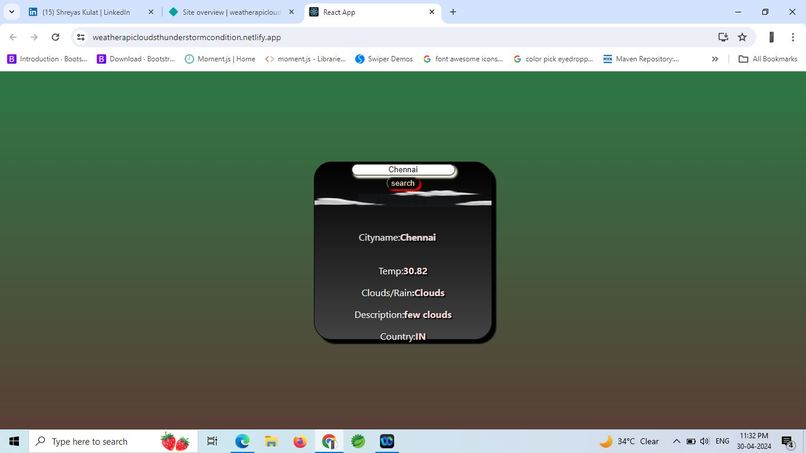
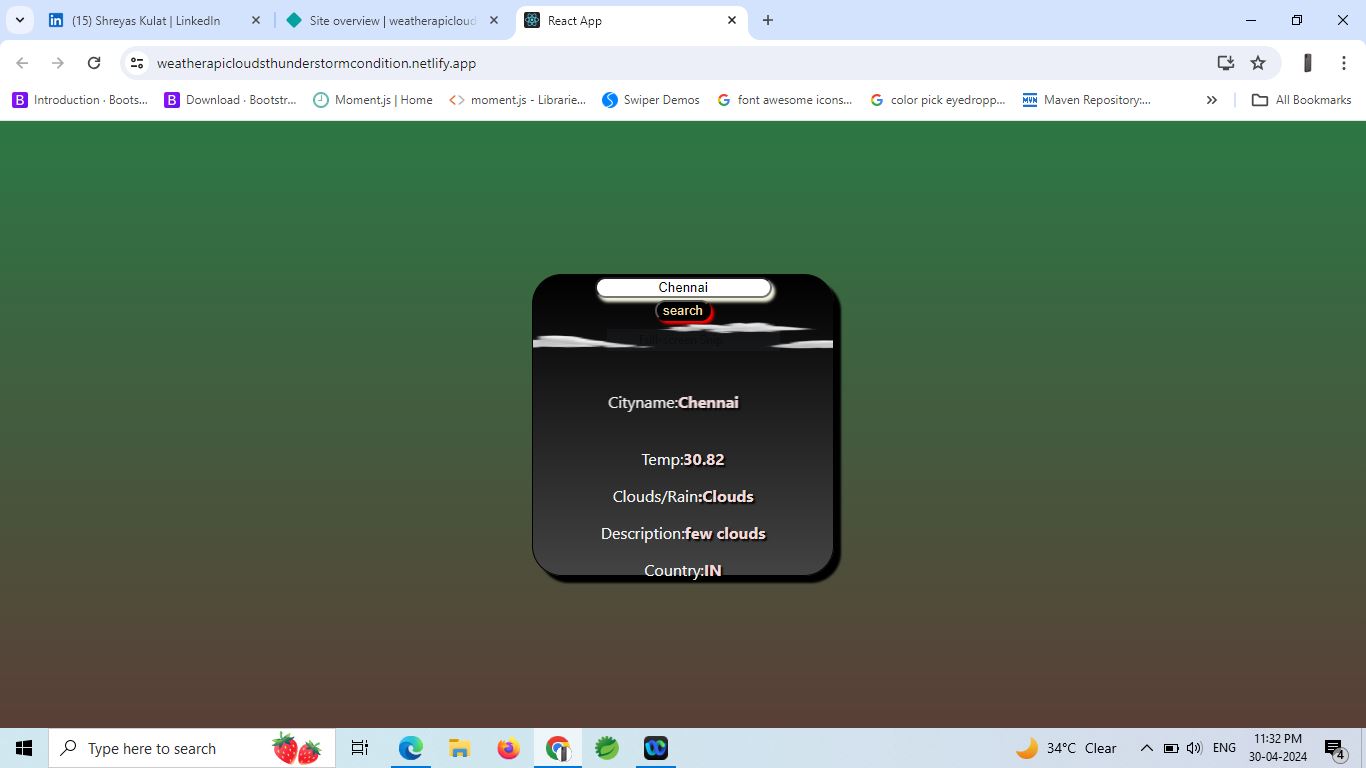
Real Time Weather Tracker App
Okay, let's craft a Markdown story about building that Real-time Weather Tracker!
My Journey Building the Real-time Weather Tracker The idea for the Real-time Weather Tracker sparked from a simple, everyday need: quickly checking the weather without navigating through cluttered websites. Living in Akola, I often found myself wanting a fast and clean way to know if I needed an umbrella or if it was a good day for a walk. This personal frustration, coupled with my growing interest in React.js, became the wellspring of this project.
What truly inspired me was the potential to blend a practical utility with the dynamic capabilities of modern web development. I envisioned a sleek interface where anyone, regardless of their technical expertise, could instantly access vital weather information for any location on the globe. The magic of fetching real-time data from an API and presenting it in an understandable format felt incredibly empowering.
Building this project was a fantastic learning experience. My primary focus was solidifying my understanding of React.js fundamentals. I delved deeper into: Component-Based Architecture: Breaking down the UI into reusable components like the search bar and the weather display felt intuitive and helped organize the codebase. State Management: Learning to manage the application's state using useState to handle user input and the fetched weather data was crucial for dynamic updates. Asynchronous Operations: Mastering useEffect and async/await to interact with the OpenWeatherMap API and handle the asynchronous nature of fetching data was a significant step forward. API Integration: Understanding how to make API calls, handle responses (both successful and error cases), and extract relevant data from the JSON payload was a key learning. Styling with CSS: While not the primary focus, I paid attention to creating a clean and responsive layout using CSS, ensuring the application looked good on different screen sizes. My development process was iterative. I started with the basic structure:
Setting up the React App: Using Create React App provided a solid foundation. Building the Search Bar Component: This involved creating an input field and a button, along with the necessary state to capture user input. Integrating the OpenWeatherMap API: I registered for an API key and experimented with different API endpoints to understand how to fetch weather data based on city name. Creating the Weather Display Component: This component was designed to receive the fetched weather data as props and render the relevant information (temperature, conditions, description, city, country). Connecting the Search and Display: The core logic involved triggering the API call on button click, updating the state with the fetched data, and passing this data to the display component. Implementing Responsiveness: Using CSS media queries, I ensured the layout adapted gracefully to different screen sizes. Of course, the journey wasn't without its challenges:
API Rate Limiting: Initially, I encountered issues with exceeding the free tier's API call limits during testing. I learned to implement better strategies for managing API calls and caching (though I kept it simple for this project). Handling API Errors: Gracefully handling cases where the API might return errors (e.g., invalid city name) and providing informative feedback to the user required careful implementation. Data Parsing and Display: Extracting the specific weather information I needed from the sometimes complex JSON response of the API and presenting it in a user-friendly way took some trial and error. Asynchronous State Updates: Understanding the nuances of how state updates work in React, especially within asynchronous operations, was a bit tricky initially, but I gained clarity through practice and debugging. Despite these challenges, building the Real-time Weather Tracker was an incredibly rewarding experience. It solidified my understanding of React and web development principles while creating a tool that I find genuinely useful. It's a project I plan to revisit and enhance in the future, perhaps adding features like displaying weather icons or forecast information.

Log in or sign up for Devpost to join the conversation.