-
-
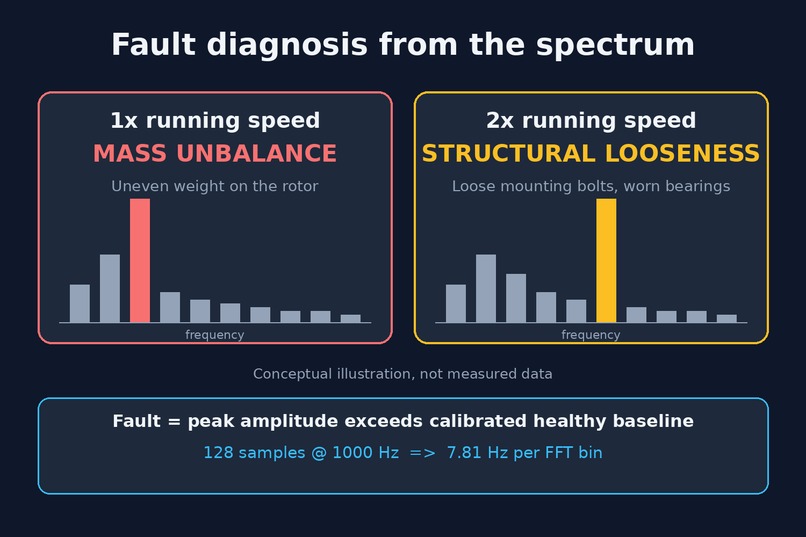
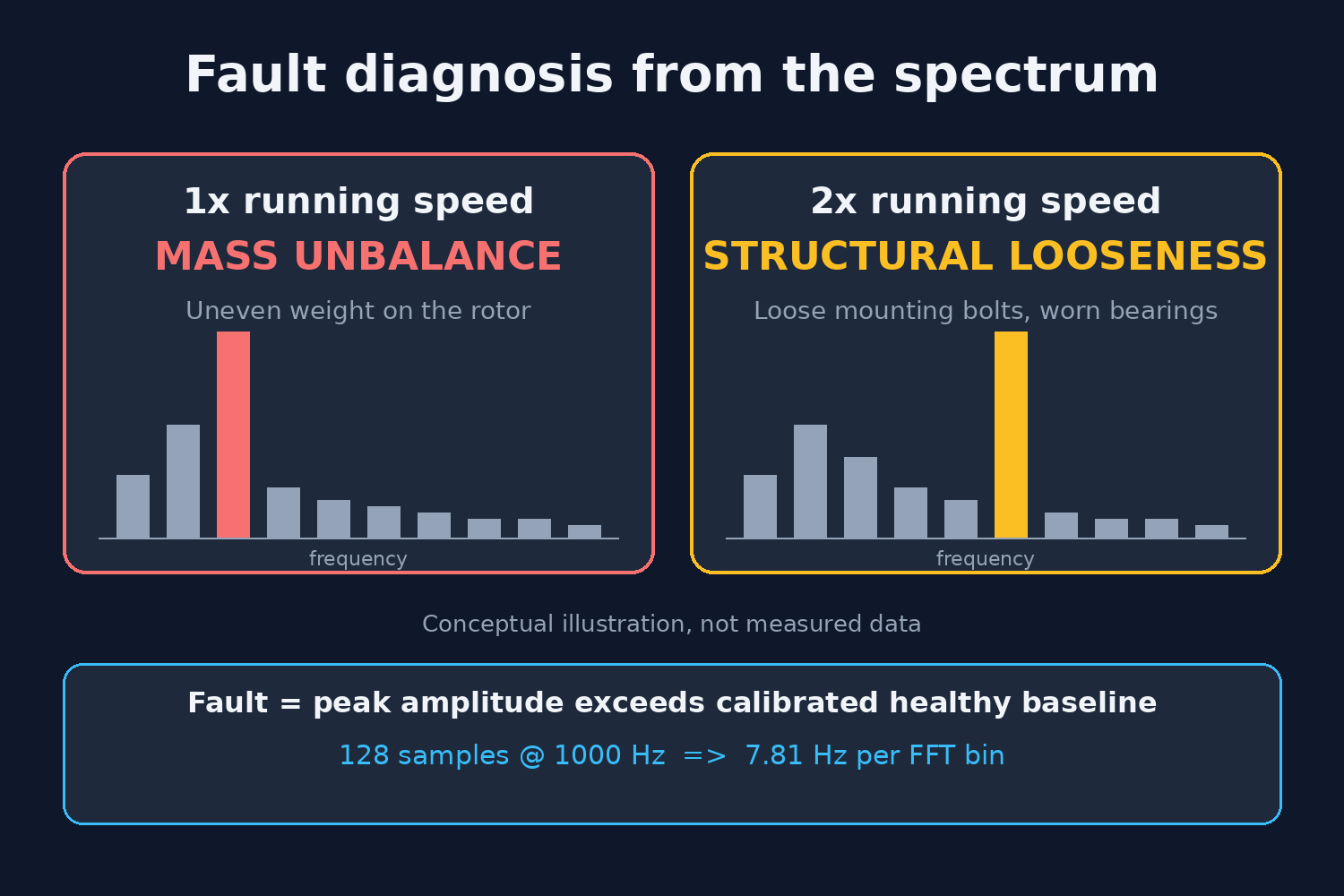
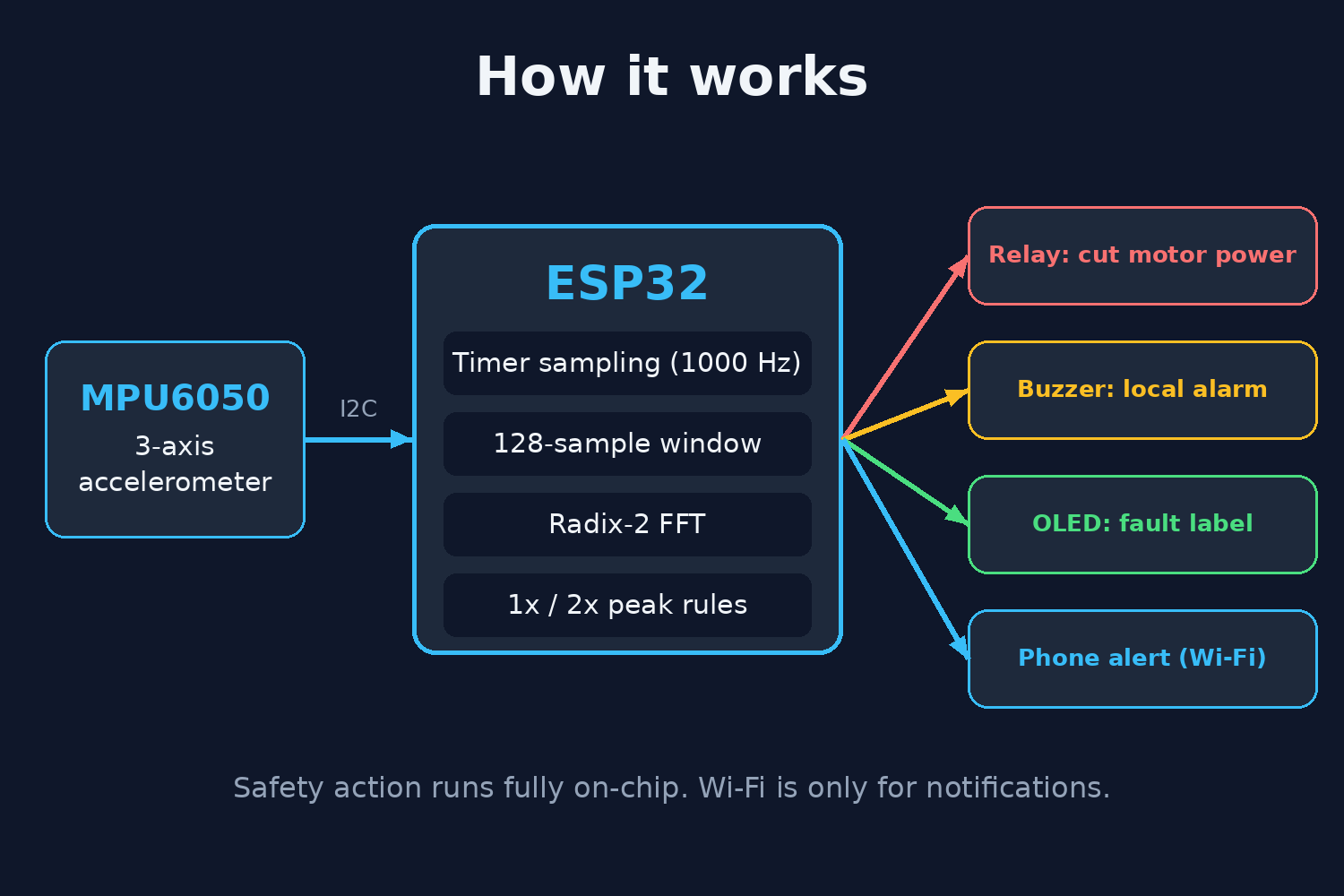
Fault logic: Fault diagnosis from the frequency spectrum: a 1x running-speed peak means mass unbalance
-
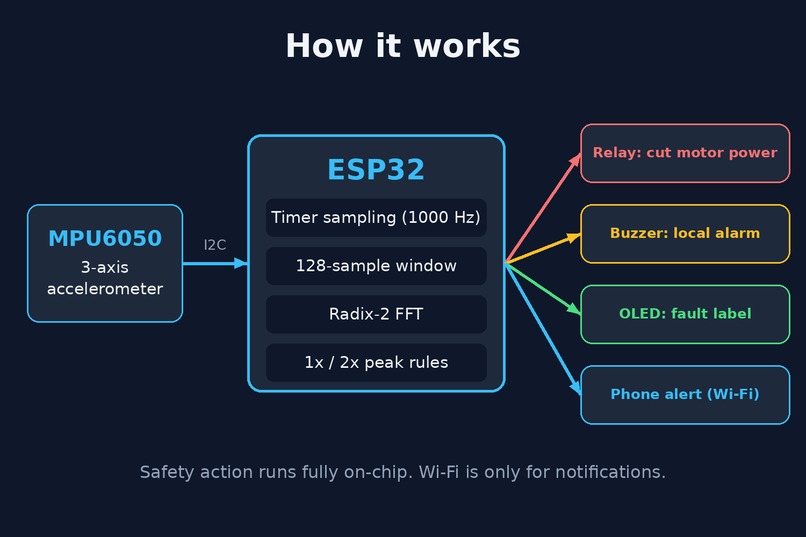
Block diagram: System overview: an MPU6050 sends vibration data to the ESP32
-
Cover: ESP32 Vibration-Based Machine Fault Detector: a low-cost edge-computing monitor that diagnoses machine faults and cuts the motorpower
-
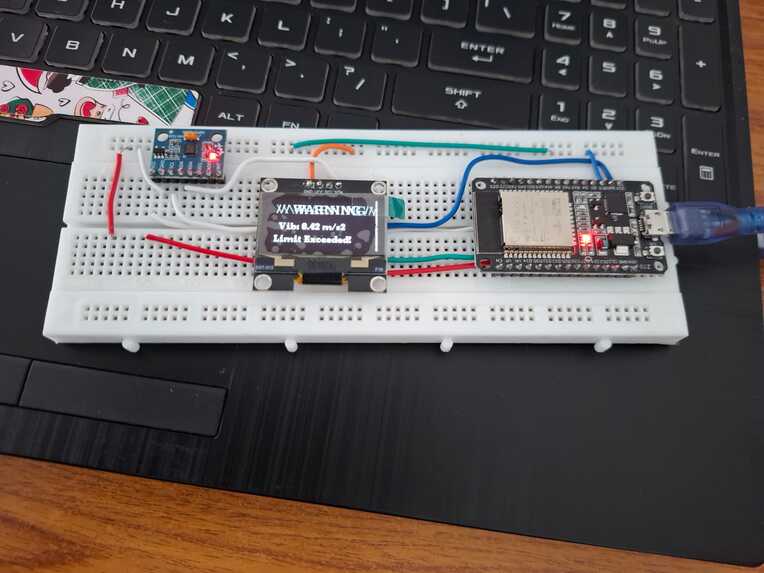
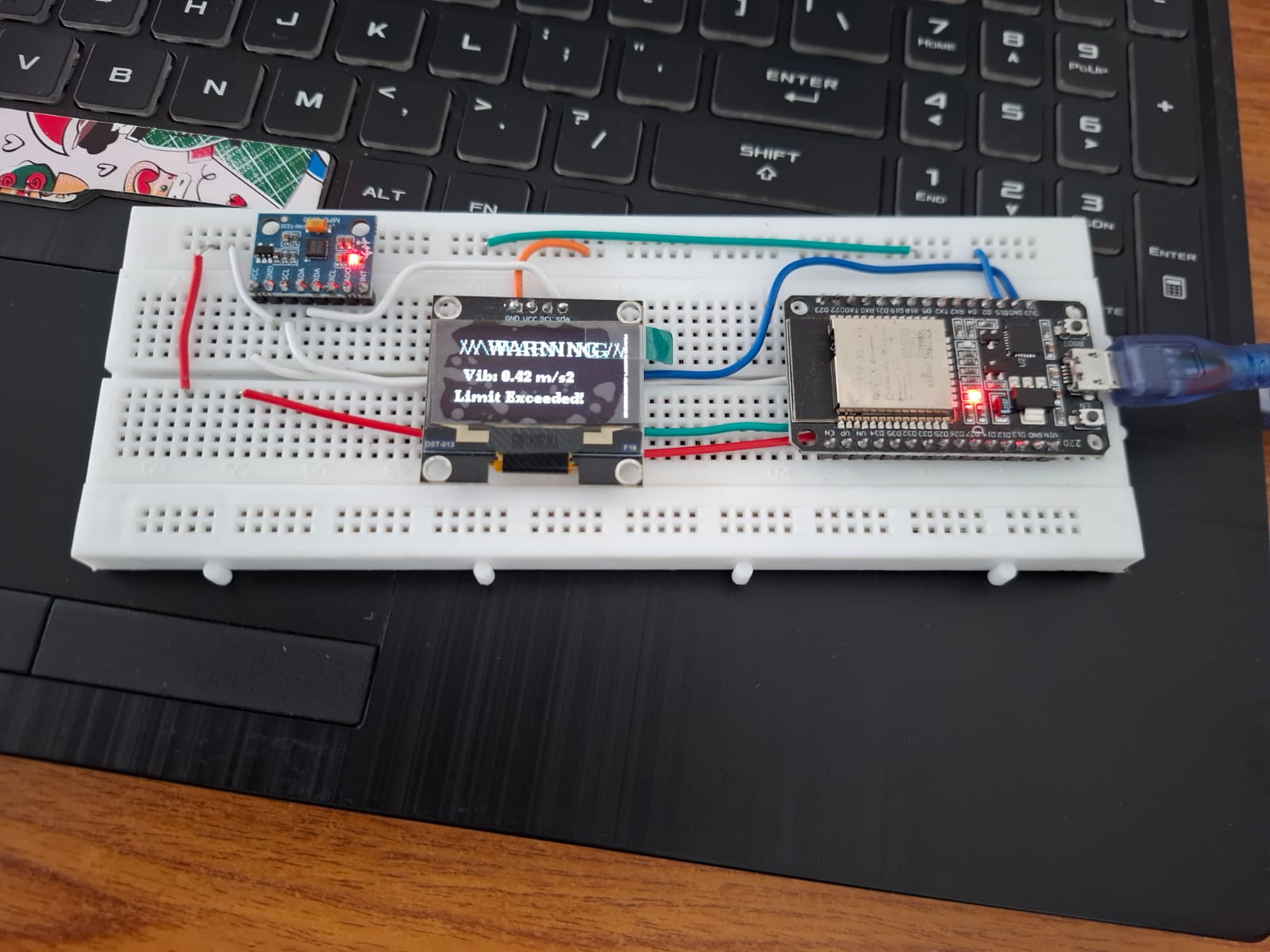
For warning to display on OLED
-
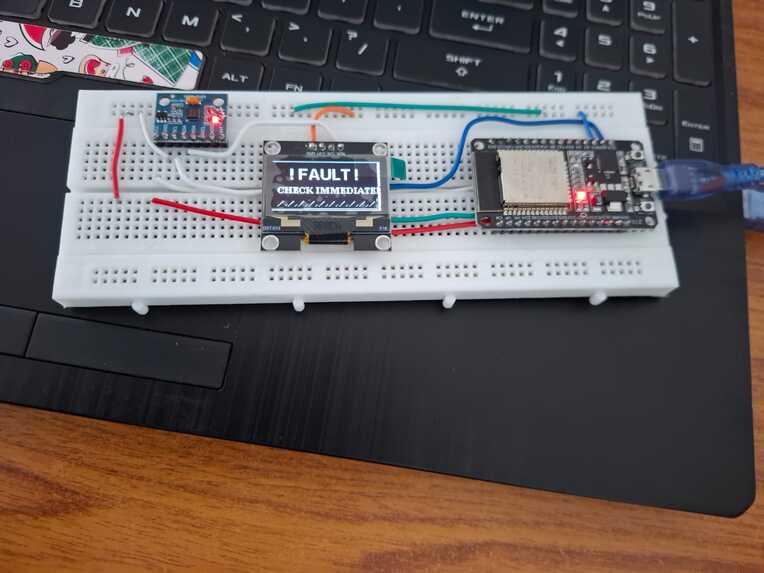
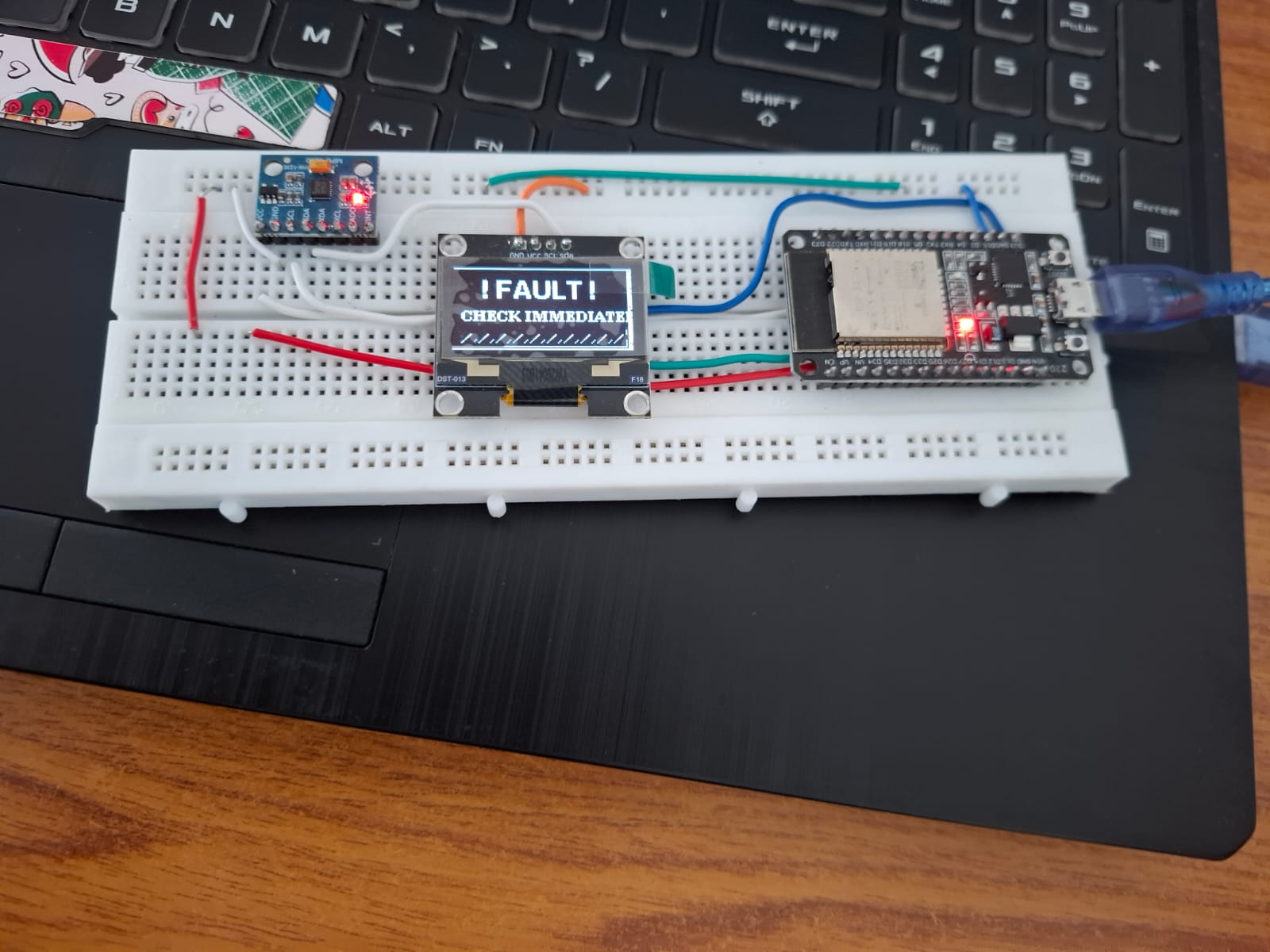
For fault to display on OLED
-
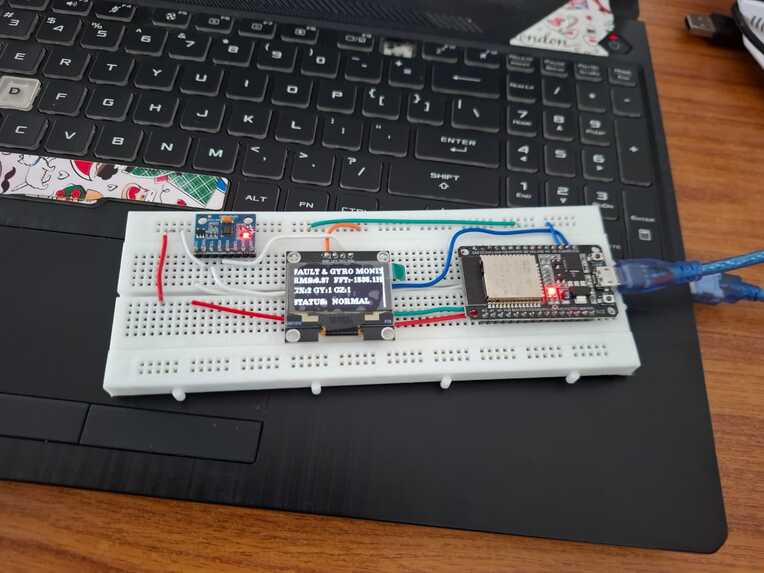
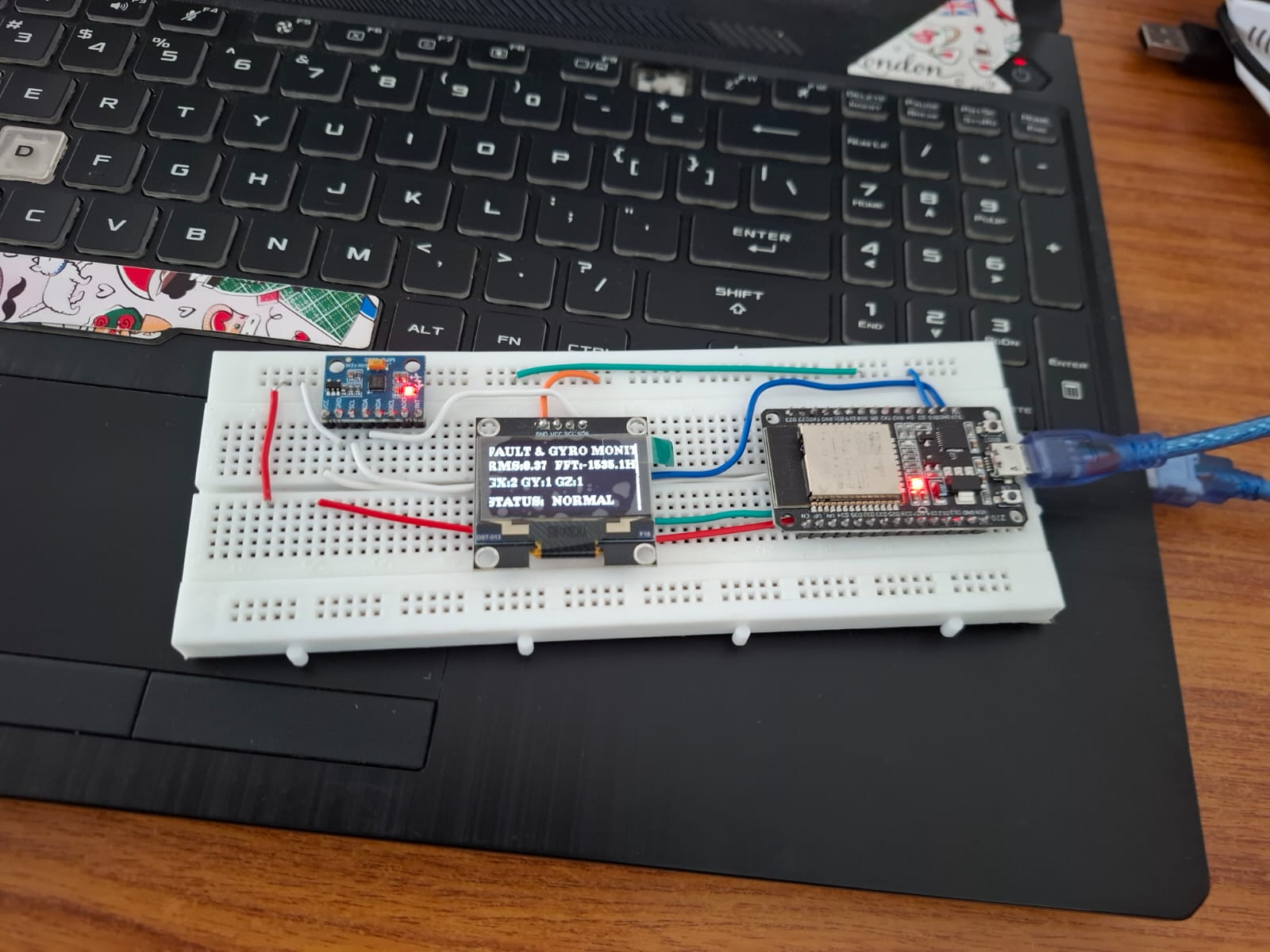
To display the home page and shown real time RMS,FFT,gyro values
-
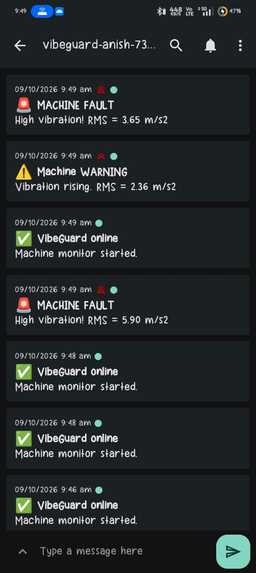
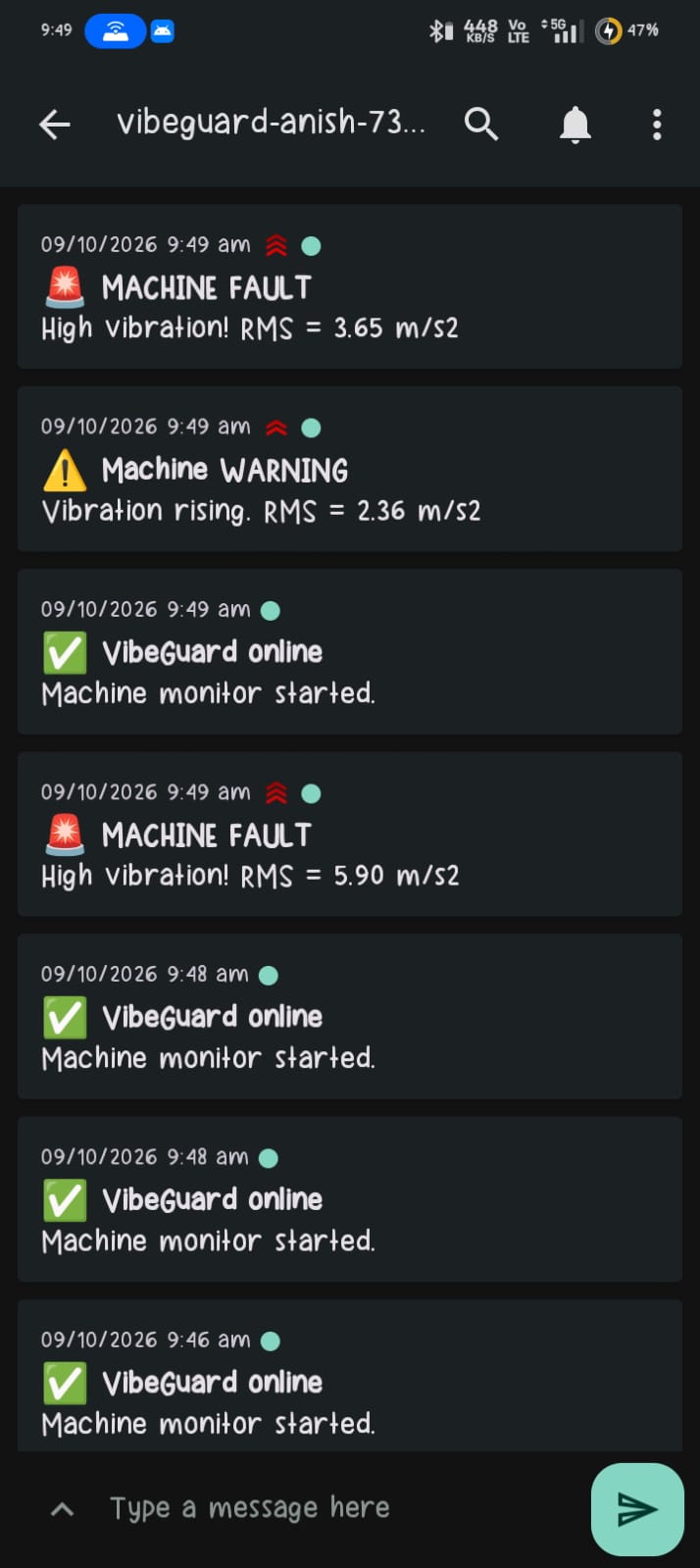
For mobile notication
Inspiration
Industrial motors and machines often break down because small vibration issues go unnoticed until it is too late. Commercial vibration monitoring gear is usually way too expensive for small setups or hard to integrate into quick IoT projects. I wanted to build something practical, cheap, and fast: a compact monitor that catches abnormal vibrations right on the edge, gives immediate local display/sound warnings, and sends custom alerts directly to my phone.
What it does
VibeGuard mounts an MPU-6050 sensor onto equipment to track 3-axis movement and vibration in real time.
- On-board Processing: Samples motion data at 500 Hz, strips out static gravity ($9.81\text{ m/s}^2$), calculates the net RMS acceleration, and runs an FFT algorithm to figure out the exact dominant vibration frequency.
- Local Alerts & UI:
- Normal: Shows live RMS vibration, peak frequency (Hz), and Gyro values ($X, Y, Z$) on a 0.96" SSD1306 OLED screen.
- Warning ($\ge 1.5\text{ m/s}^2$): Pops up a 5-second flashing
/// WARNING ///screen, sounds 15 fast beeps on the buzzer, and sends a warning to my phone with a 5-second phone vibration. - Fault ($\ge 3.0\text{ m/s}^2$): Flashes an urgent
! FAULT ! CHECK IMMEDIATELYfull-screen animation, holds a loud continuous buzzer alarm for 30 seconds, and fires an urgent phone alert that vibrates the phone for 30 seconds straight.
- Instant Mobile Push: Uses
WiFiClientSecureto send instant notifications overntfy.shwithout freezing up the sensor reading loop or display updates.
How we built it
- Hardware: ESP32 (DOIT DevKit v1), MPU-6050 IMU sensor, SSD1306 OLED display over I2C, and an active buzzer on GPIO 4.
- Code & Libraries: Written in C++ using Arduino IDE. Used
arduinoFFTfor signal processing,U8g2for smooth screen drawing, andHTTPClientfor sending network requests. - Alert Pipeline: Configured custom HTTP headers (
Title,Priority,Tags,Vibrate) sontfy.shtells the mobile app how long to vibrate for different alert levels.
Challenges we faced
- Keeping Code Non-Blocking: Getting 500 Hz sensor readings, running FFT math, updating OLED animations, and making HTTPS web requests all at once without causing stuttering or buzzer delays took a lot of timing adjustments using
millis()andmicros(). - Filtering Noise: Isolating actual mechanical shaking from standard baseline gravity drift ($9.81\text{ m/s}^2$).
- Phone Vibration Control: Figuring out how to format
ntfyheaders so the phone actually vibrates for exact durations (5 seconds vs. 30 seconds) on incoming alerts.
Accomplishments that we're proud of
- Got real-time windowed FFT frequency extraction working smoothly on a standard ESP32.
- Created a reliable 2-tier alert system that triggers local hardware (sound + display) and remote mobile notifications simultaneously.
- Ensured the hardware stays responsive even when executing secure HTTPS requests.
What we learned
- How to apply windowing functions (Hamming) and FFT in C++ for real-world vibration data.
- Managing microsecond-level loop timing on microcontrollers while running background Wi-Fi tasks.
- Crafting custom HTTP payloads for mobile alert triggers.

Log in or sign up for Devpost to join the conversation.