....Inspiration
The inspiration for this project came from the increasing need for automation in daily life. Homes today need to be smarter, more energy-efficient, and secure. We wanted to simulate a basic yet effective system that mimics real smart home functions using simple sensors and Arduino, all built in Tinkercad for accessibility and learning.
..... What it Does
Our Mini Smart Home performs the following tasks:
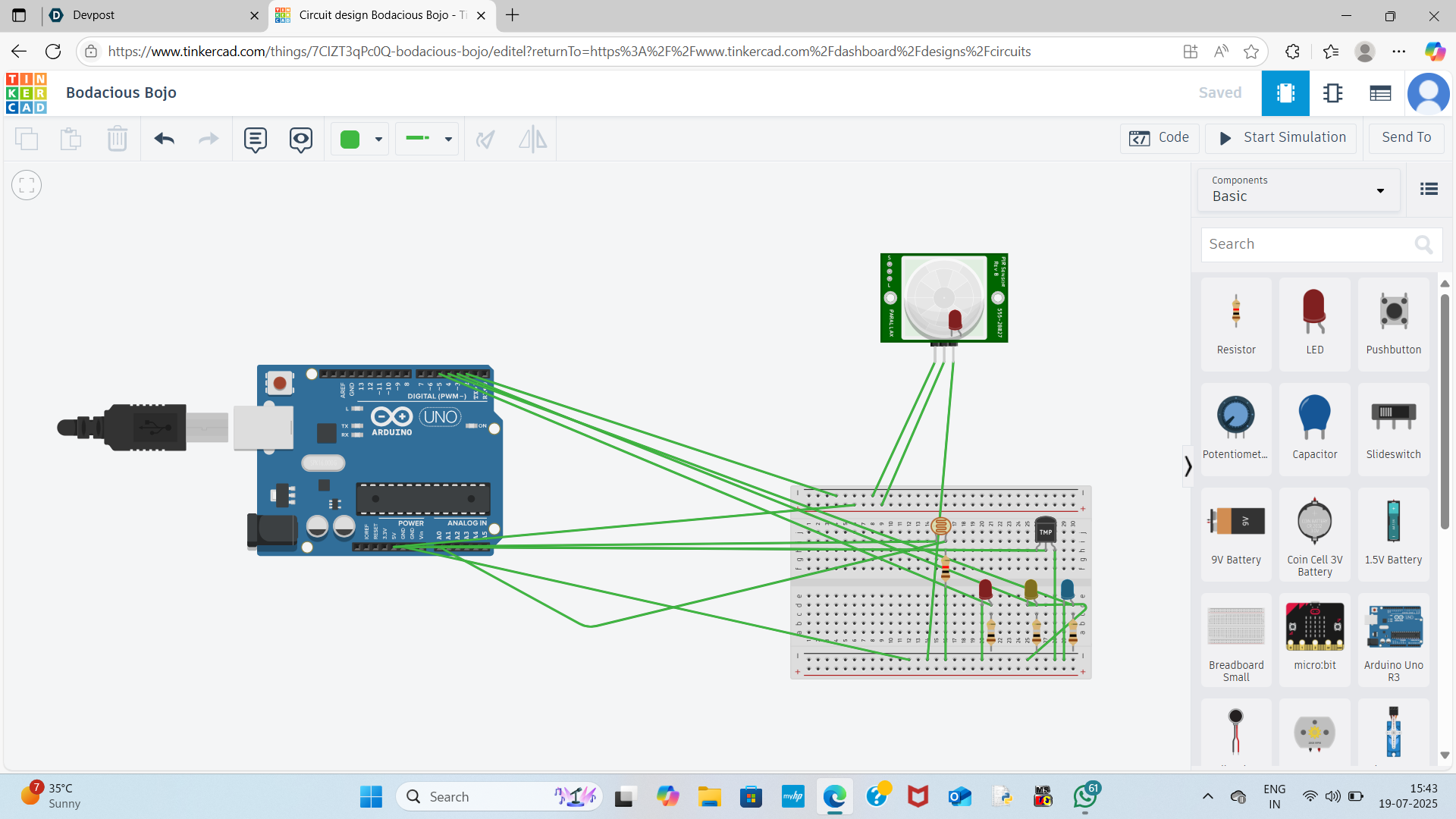
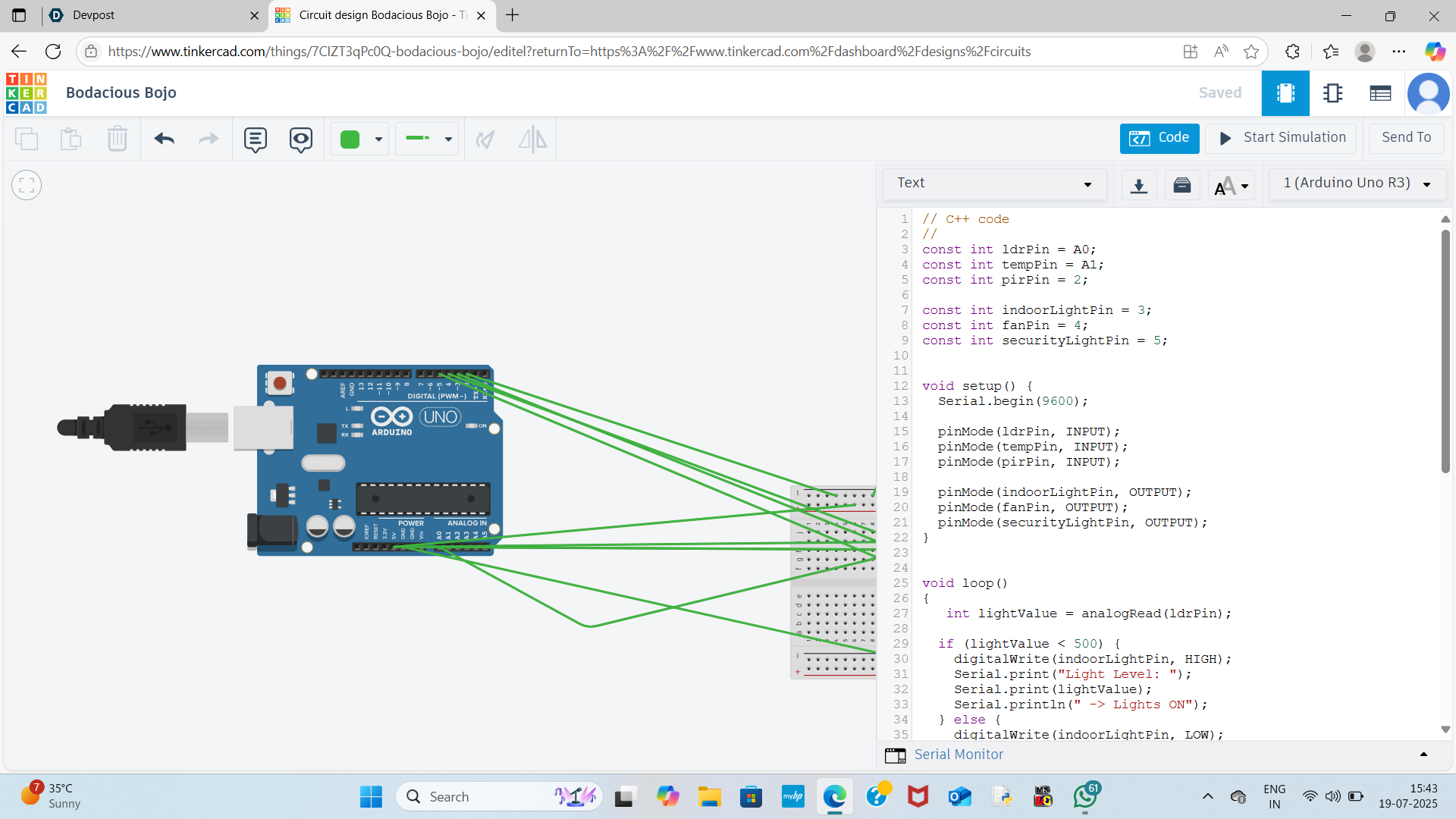
Automatically turns on lights when it gets dark (LDR sensor).
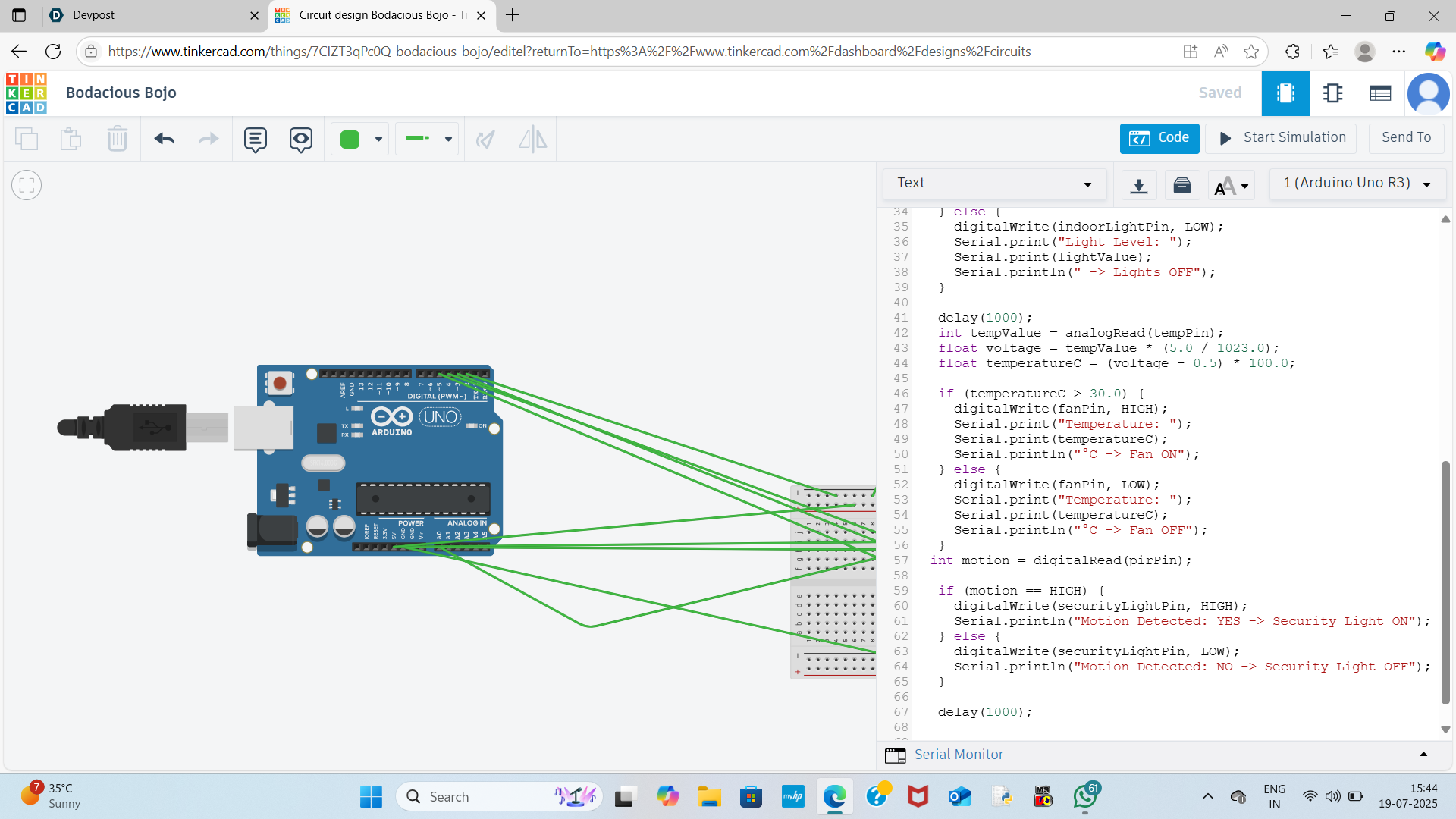
Turns on a fan when the temperature exceeds 30°C (TMP36 sensor).
Activates a security light when motion is detected (PIR sensor).
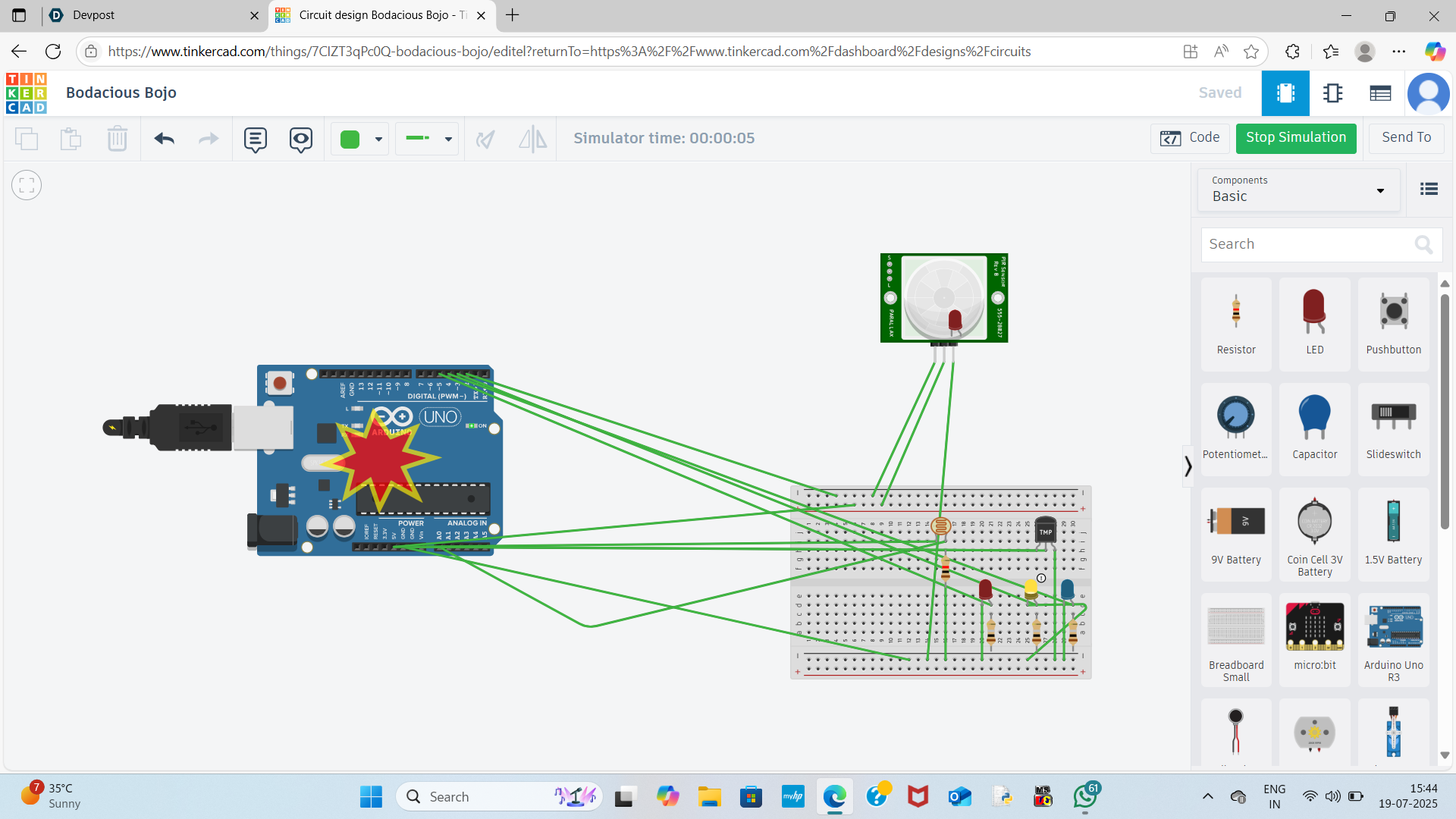
Displays all sensor readings in real time via the Serial Monitor.
...... How We Built It
We used Tinkercad to create and simulate the circuit.
Connected an LDR sensor with a resistor to measure ambient light.
Added a TMP36 temperature sensor to monitor temperature.
Used a PIR sensor to detect motion near the entrance.
Controlled three different LEDs to simulate light, fan, and security systems.
Wrote Arduino code to read sensors and make real-time decisions based on input values.
Serial Monitor was programmed to display human-readable outputs like:
Light Level: 200 -> Lights ON Temperature: 32°C -> Fan ON Motion Detected: YES -> Security Light ON
...... Challenges We Ran Into
Calibrating the LDR and TMP36 values accurately in simulation.
Getting the PIR sensor to trigger reliably.
Formatting the Serial Monitor output to show all readings in a clean, readable format.
Debugging logic to ensure each sensor operated independently without interfering with others.
....Accomplishments We’re Proud Of
Achieved a fully functional smart home simulation using only virtual components.
Real-time responsiveness of lights, fan, and security alert system.
Code logic that worked flawlessly in simulation for all three sensors.
User-friendly and meaningful serial output.
....What We Learned
How to use Tinkercad effectively for Arduino simulations.
Real-world applications of analog and digital sensors.
Basics of automation logic using if() conditions.
Importance of sensor calibration and serial communication.
..... What's Next
Add manual vs auto mode using a button switch.
Integrate a buzzer for an audio alert when motion is detected.
Use an RGB LED to show overall house status (Green: Safe, Red: Intruder, Blue: Cool Temp).
Control light brightness with analogWrite() for a more realistic effect.
Transition this simulation into a physical circuit using real Arduino and components.


Log in or sign up for Devpost to join the conversation.