Inspiration
While navigating social media, I would always see toxic comments, or abusive language, or harassment. You name it. It would make the authors uncomfortable to the point some people just would delete their posts. Even in the tech-communities. Building a community-driven application requires a safe space where users feel comfortable sharing. I wanted to create a tool to analyze and moderate user sentiment in real time, filtering out toxic, vulgar, or inappropriate comments. The idea was to bring this capability to Angular using Google Gemini, providing a practical solution for developers looking to enhance user experience and maintain healthy interactions.
What it Does
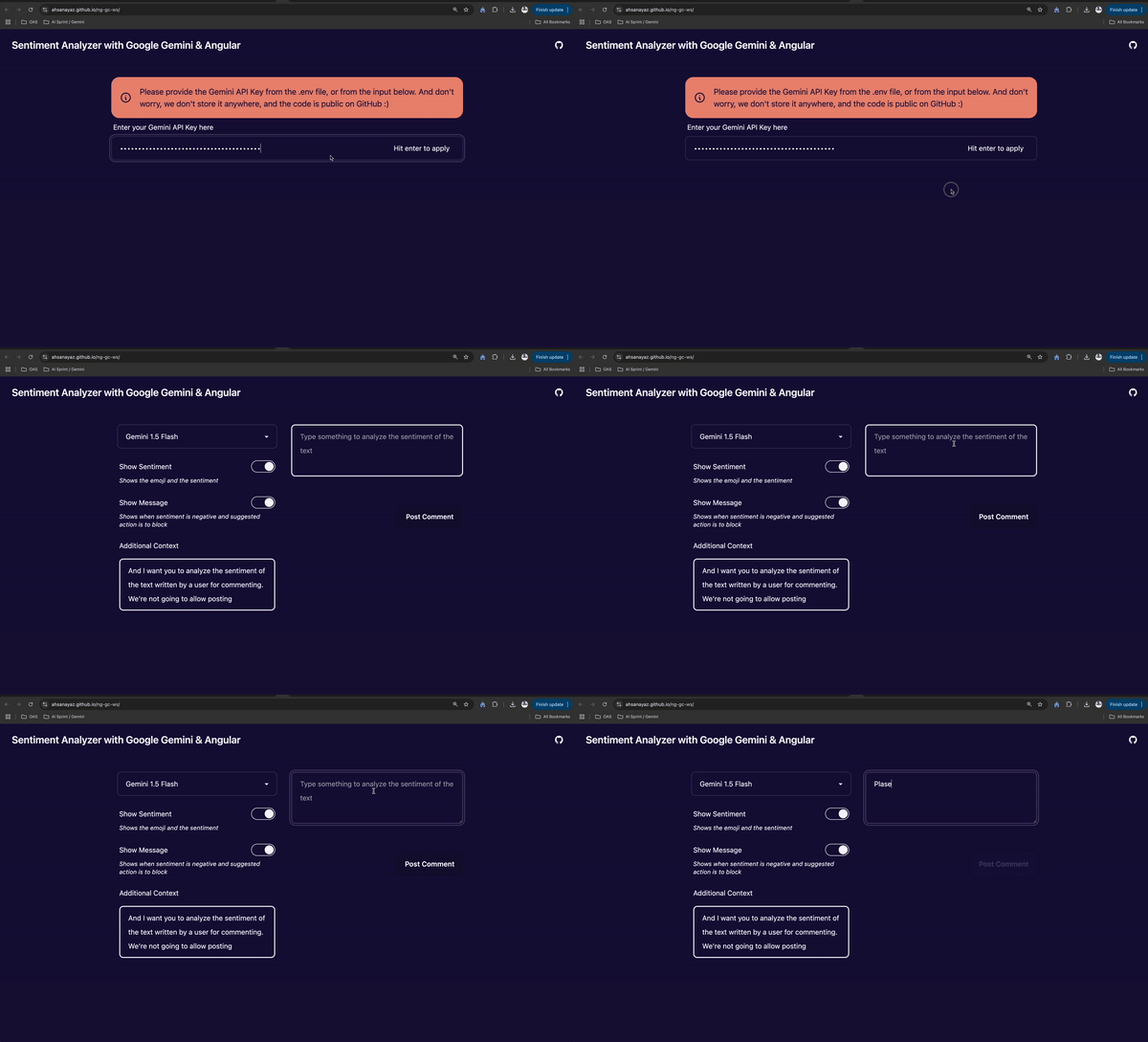
This project integrates Google Gemini with an Angular frontend to perform real-time sentiment analysis. The tool categorizes input text by sentiment type (e.g., positive, neutral, negative) and flags content that could be toxic, vulgar, or inappropriate. When a user types a comment, the tool analyzes sentiment strength, detects any harmful language, and displays visual indicators (such as badges) that represent the input’s sentiment in real time.
How We Built It
For this project, I used:
- Google Gemini: The core AI model for analyzing text sentiment.
- Sentiment Analysis Schema: Defined to categorize sentiments into types like toxic, vulgar, positive, and negative.
- Angular: For the frontend UI, where users enter text and view sentiment badges.
Challenges We Ran Into
Implementing real-time analysis presented several challenges: Balancing Speed and Accuracy: Finding the right settings to ensure both fast and accurate feedback was essential to maintain a seamless user experience. UI/UX for Sentiment Feedback: Deciding how to visually represent sentiment without overwhelming or confusing users.
Accomplishments That We're Proud Of
- Real-Time Integration: Successfully implemented a real-time feedback loop where users see sentiment analysis results as they type. Intuitive UI: Developed a simple, clean interface that displays sentiment badges in a way that enhances the user experience.
- Moderation Support: Created a practical tool that can help maintain positive user interactions in any community-based app.
What We Learned
Fine-Tuning for Real-Time Applications: Learned to adjust settings in Google Gemini to balance speed and accuracy for a real-time environment. Angular & AI Integration: Gained hands-on experience integrating advanced AI capabilities directly into Angular applications. UX Design for Sentiment Analysis: Discovered the importance of clear visual feedback for sentiment, ensuring it enhances rather than detracts from the user experience.
What's Next for Sentiment Analysis with Google Gemini & Angular
Customizable Filters: Allowing developers to customize filters and thresholds for different sentiment categories. User Feedback Mechanism: Adding options for users to provide feedback on sentiment accuracy to improve the model. Analytics Dashboard: Creating a dashboard to visualize overall sentiment trends within the app over time.


Log in or sign up for Devpost to join the conversation.